door lock LINCOLN NAVIGATOR 2014 User Guide
[x] Cancel search | Manufacturer: LINCOLN, Model Year: 2014, Model line: NAVIGATOR, Model: LINCOLN NAVIGATOR 2014Pages: 506, PDF Size: 5.72 MB
Page 78 of 506
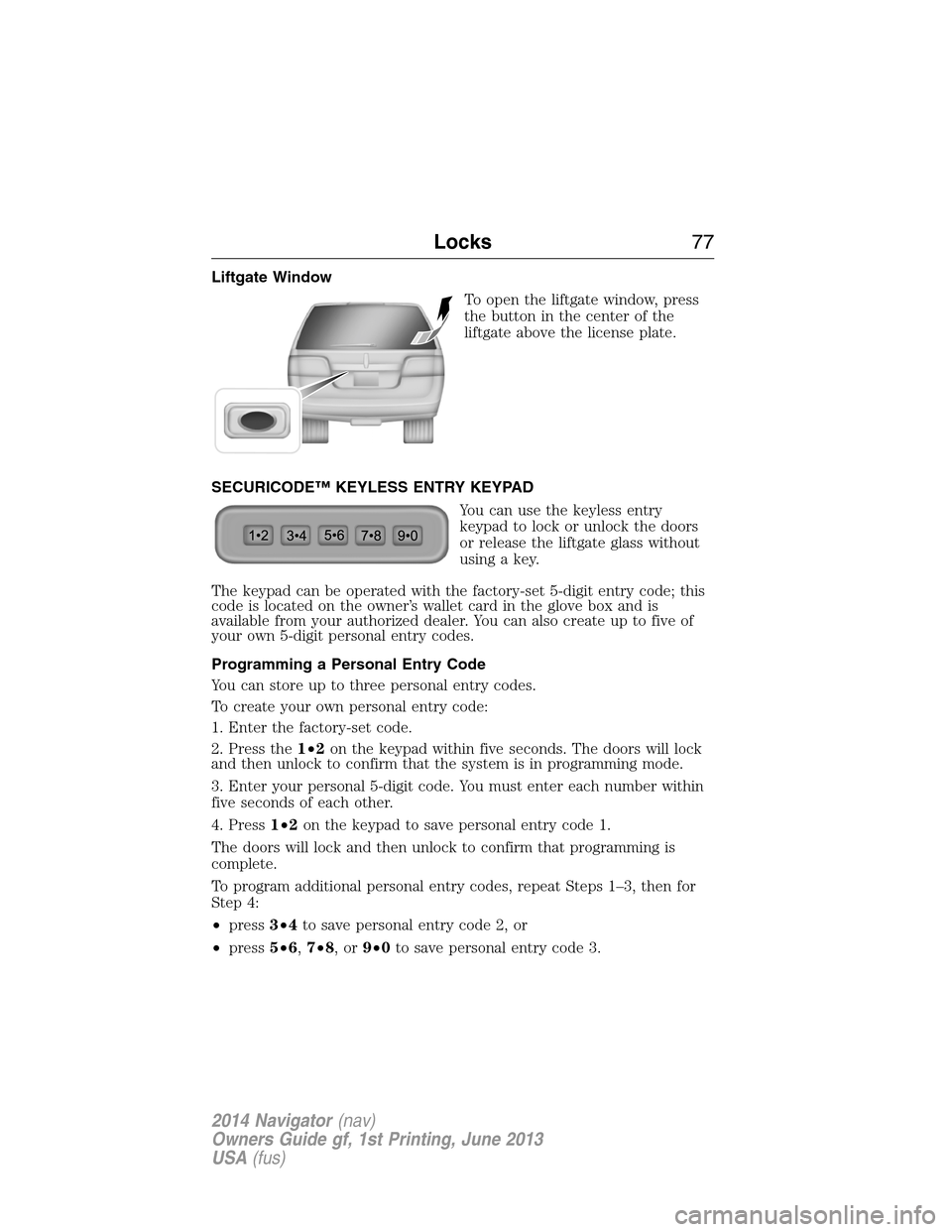
Liftgate Window
To open the liftgate window, press
the button in the center of the
liftgate above the license plate.
SECURICODE™ KEYLESS ENTRY KEYPAD
You can use the keyless entry
keypad to lock or unlock the doors
or release the liftgate glass without
using a key.
The keypad can be operated with the factory-set 5-digit entry code; this
code is located on the owner’s wallet card in the glove box and is
available from your authorized dealer. You can also create up to five of
your own 5-digit personal entry codes.
Programming a Personal Entry Code
You can store up to three personal entry codes.
To create your own personal entry code:
1. Enter the factory-set code.
2. Press the1•2on the keypad within five seconds. The doors will lock
and then unlock to confirm that the system is in programming mode.
3. Enter your personal 5-digit code. You must enter each number within
five seconds of each other.
4. Press1•2on the keypad to save personal entry code 1.
The doors will lock and then unlock to confirm that programming is
complete.
To program additional personal entry codes, repeat Steps 1–3, then for
Step 4:
•press3•4to save personal entry code 2, or
•press5•6,7•8,or9•0to save personal entry code 3.
Locks77
2014 Navigator(nav)
Owners Guide gf, 1st Printing, June 2013
USA(fus)
Page 79 of 506
Tips:
•Do not set a code that uses five of the same number.
•Do not use five numbers in sequential order.
•The factory-set code will work even if you have set your own personal
code.
Programming Memory to a Personal Entry Code
To program a personal entry code to recall a driver memory setting,
repeat Steps 1–4 above.
•Pressing1•2on the keypad in Step 4 will program the code to driver
memory setting 1.
•Pressing3•4in Step 4 will program the code to driver memory
setting 2.
Note:Pressing5•6,7•8,or9•0keypad numbers in Step 4 will not
program the code to recall a driver memory setting.
Note:The factory-set code cannot be associated with a memory setting.
Erasing a Personal Code
1. Enter the factory-set 5-digit code.
2. Press and release the1•2on the keypad within five seconds.
The doors will lock and then unlock to confirm that the system is in
programming mode.
3. Press and hold the1•2for two seconds. You must do this within five
seconds of completing Step 2.
All personal codes are now erased and only the factory-set 5-digit code
will work.
78Locks
2014 Navigator(nav)
Owners Guide gf, 1st Printing, June 2013
USA(fus)
Page 80 of 506
Anti-Scan Feature
The keypad will go into an anti-scan mode if you enter the wrong code
seven times (35 consecutive button presses). This mode disables the
keypad for one minute and the keypad lamp will flash.
The anti-scan feature will turn off after:
•one minute of keypad inactivity
•pressing the unlock button on the remote control
•the ignition is turned on.
Unlocking and Locking the Doors and Liftgate
To unlock the driver door:Enter the factory-set 5-digit code or your
personal code. You must press each number within five seconds of each
other. The interior lamps will illuminate.
To unlock all doors and liftgate:Enter the factory-set 5-digit code or
your personal code, then press3•4within five seconds.
To lock all doors and liftgate:Press and hold7•8and9•0at the
same time with the driver door closed. You do not need to enter the
keypad code first.
To open the liftgate glass:Enter the factory-set 5-digit code or your
personal code, then press5•6.
Locks79
2014 Navigator(nav)
Owners Guide gf, 1st Printing, June 2013
USA(fus)
Page 81 of 506
SECURILOCK® PASSIVE ANTI-THEFT SYSTEM
Note:The system is not compatible with non-Ford aftermarket remote
start systems. Use of these systems may result in vehicle starting
problems and a loss of security protection.
Note:Metallic objects, electronic devices or a second coded key on the
same key chain may cause vehicle starting issues if they are too close to
the key when starting your vehicle. Prevent these objects from touching
the coded key while starting the engine. Switch the ignition off, move
all objects on the key chain away from the coded key and restart your
vehicle if a problem occurs.
Note:Do not leave a duplicate coded key in your vehicle. Always take
your keys and lock all doors when leaving your vehicle.
The system helps prevent the engine from starting unless you use a
coded key programmed to your vehicle. Using the wrong key may
prevent your vehicle from starting. A message may appear in the
information display.
If you are unable to start your vehicle with a correctly coded key, a
malfunction has occurred. A message may appear in the information
display.
Automatic Arming
Your vehicle arms immediately after you switch the ignition off.
Anti-Theft Indicator
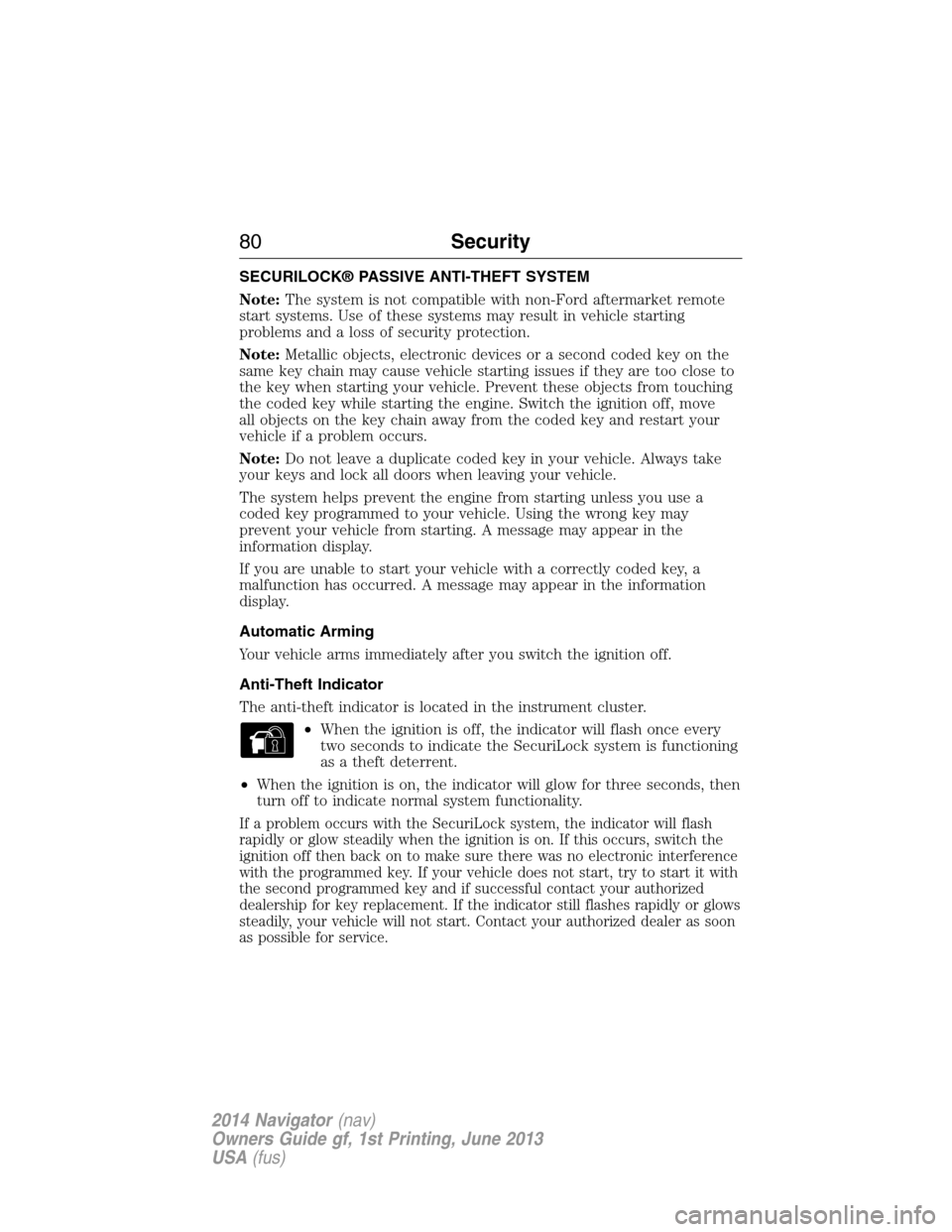
The anti-theft indicator is located in the instrument cluster.
•When the ignition is off, the indicator will flash once every
two seconds to indicate the SecuriLock system is functioning
as a theft deterrent.
•When the ignition is on, the indicator will glow for three seconds, then
turn off to indicate normal system functionality.
If a problem occurs with the SecuriLock system, the indicator will flash
rapidly or glow steadily when the ignition is on. If this occurs, switch the
ignition off then back on to make sure there was no electronic interference
with the programmed key. If your vehicle does not start, try to start it with
the second programmed key and if successful contact your authorized
dealership for key replacement. If the indicator still flashes rapidly or glows
steadily, your vehicle will not start. Contact your authorized dealer as soon
as possible for service.
80Security
2014 Navigator(nav)
Owners Guide gf, 1st Printing, June 2013
USA(fus)
Page 83 of 506
6. Turn the ignition off and remove the second previously programmed
coded key from the ignition.
7. After three seconds but within 20 seconds of turning the ignition off
and removing the previously programmed coded key, insert the new
unprogrammed key into the ignition.
8. Turn the ignition from off to on. Keep the ignition on for at least six
seconds.
9. Remove the newly programmed coded key from the ignition.
The key will start the vehicle’s engine and will operate the remote entry
system (if the new key is an integrated keyhead transmitter) if it has
been successfully programmed. The theft indicator light will illuminate
for three seconds and then go out to indicate successful programming.
If the key was not successfully programmed, the theft indicator light may
flash on and off. Wait 20 seconds and repeat Steps 1 through 8. Take
your vehicle to your authorized dealer to have the new key programmed
if you are still unsuccessful.
Wait 20 seconds and then repeat this procedure from Step 1 to program
an additional key.
ANTI-THEFT ALARM
The system will warn you of unauthorized entry to your vehicle.
The turn signal lamps will flash and the horn will sound when:
•any door or the hood is opened without using the key or the remote
control
•the ignition is turned on with an invalid key.
Take all keys and remote controls to your authorized dealer if there is
any potential alarm problem with your vehicle.
Arming the Alarm
The system is ready to arm whenever the ignition is off. Lock the vehicle
to arm the alarm.
The turn signal lamps will flash once after locking the vehicle to indicate
the alarm is in the pre-armed mode and will become fully armed in
20 seconds.
82Security
2014 Navigator(nav)
Owners Guide gf, 1st Printing, June 2013
USA(fus)
Page 84 of 506
Disarming the Alarm
To disarm the alarm, do any of the following:
•Press the power door unlock button within the 20-second pre-armed
mode.
•Press the unlock button on the remote control.
•Unlock the doors with the keyless entry pad.
•Turn the ignition on with a valid key.
•Press the panic button on the remote control. The alarm system will
still be armed, but this shuts off the horn and turn lamps when the
alarm is sounding.
Note:If the driver’s door is unlocked with a key, a chime will sound
when you open the door. You will have 12 seconds to disarm the alarm
using any of the actions above, otherwise the alarm will trigger.
Security83
2014 Navigator(nav)
Owners Guide gf, 1st Printing, June 2013
USA(fus)
Page 96 of 506
Pull up the window switch and hold within two seconds of the window
reaching the bounce-back position. The window will travel up with no
bounce-back protection. The window will stop if your release the switch
before the window is fully closed.
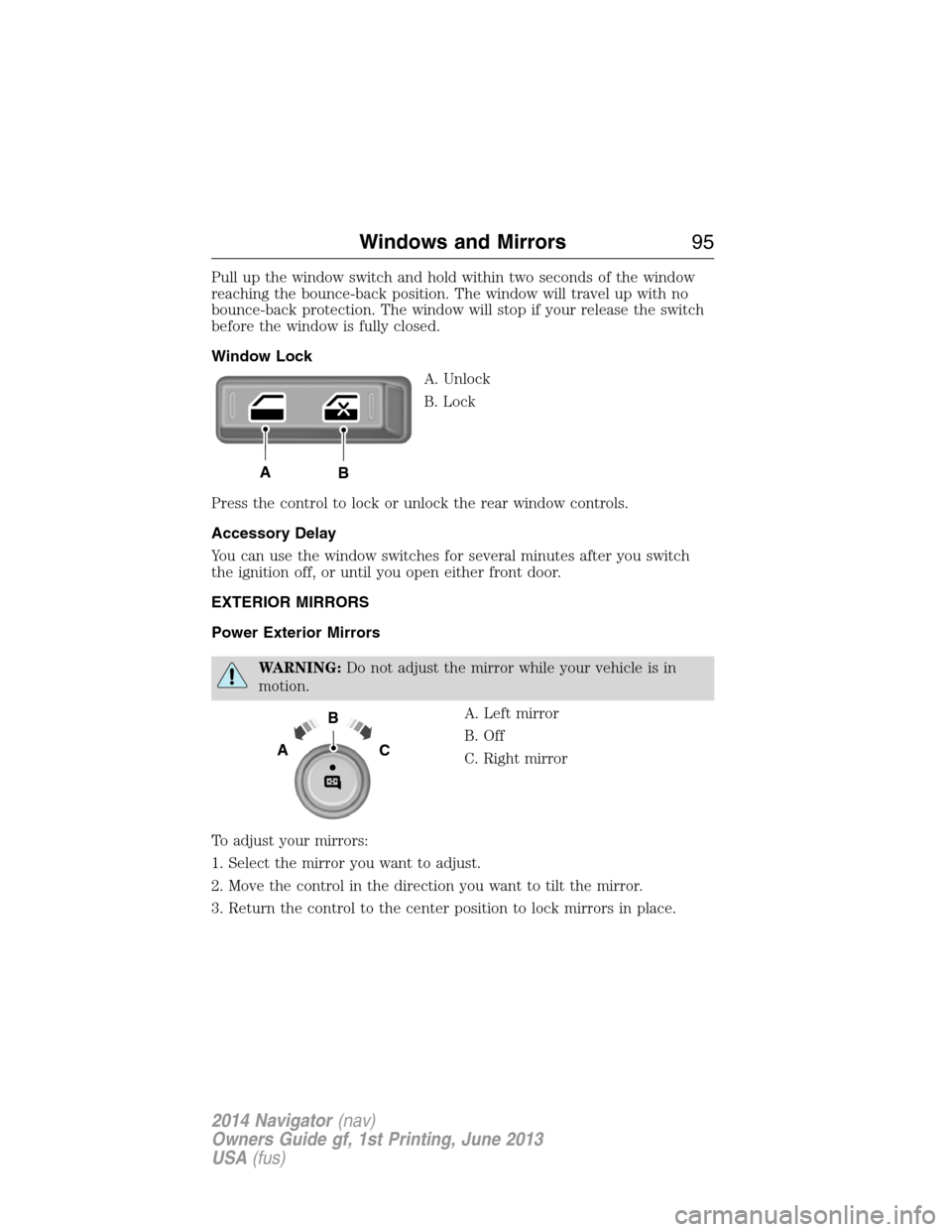
Window Lock
A. Unlock
B. Lock
Press the control to lock or unlock the rear window controls.
Accessory Delay
You can use the window switches for several minutes after you switch
the ignition off, or until you open either front door.
EXTERIOR MIRRORS
Power Exterior Mirrors
WARNING:Do not adjust the mirror while your vehicle is in
motion.
A. Left mirror
B. Off
C. Right mirror
To adjust your mirrors:
1. Select the mirror you want to adjust.
2. Move the control in the direction you want to tilt the mirror.
3. Return the control to the center position to lock mirrors in place.
AB
B
AC
Windows and Mirrors95
2014 Navigator(nav)
Owners Guide gf, 1st Printing, June 2013
USA(fus)
Page 99 of 506
INTERIOR MIRROR
WARNING:Do not adjust the mirror when your vehicle is
moving.
Note:Do not clean the housing or glass of any mirror with harsh
abrasives, fuel or other petroleum or ammonia based cleaning products.
You can adjust the interior mirror to your preference. Some mirrors also
have a second pivot point. This lets you move the mirror head up or
down and from side to side.
Auto-Dimming Mirror
Note:Do not block the sensors on the front and back of the mirror.
Mirror performance may be affected. A rear center passenger or raised
rear center head restraint may also block light from reaching the sensor.
The mirror will dim automatically to reduce glare when bright lights are
detected from behind your vehicle. It will automatically return to normal
reflection when you select reverse gear to make sure you have a clear
view when backing up.
CHILDMINDER MIRROR (IF EQUIPPED)
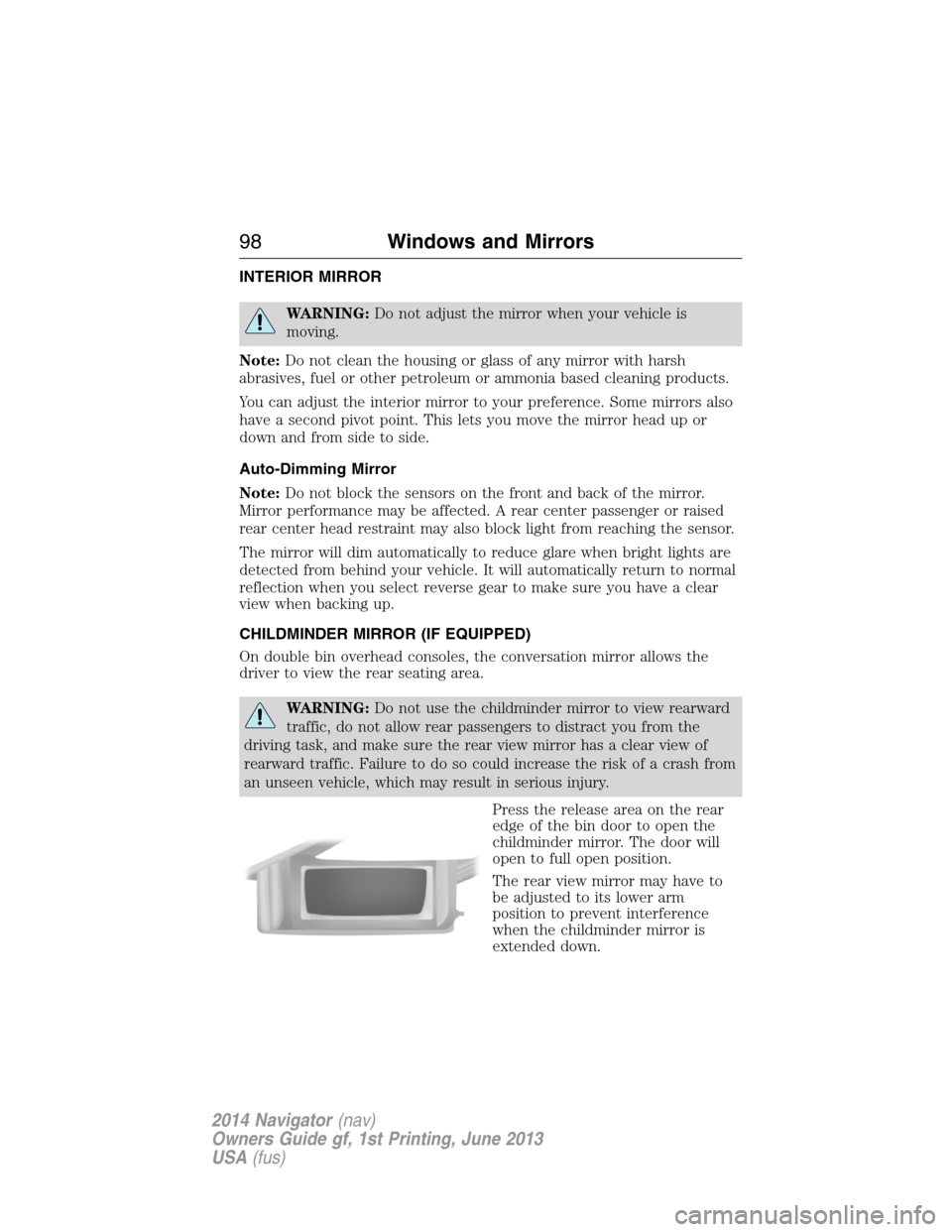
On double bin overhead consoles, the conversation mirror allows the
driver to view the rear seating area.
WARNING:Do not use the childminder mirror to view rearward
traffic, do not allow rear passengers to distract you from the
driving task, and make sure the rear view mirror has a clear view of
rearward traffic. Failure to do so could increase the risk of a crash from
an unseen vehicle, which may result in serious injury.
Press the release area on the rear
edge of the bin door to open the
childminder mirror. The door will
open to full open position.
The rear view mirror may have to
be adjusted to its lower arm
position to prevent interference
when the childminder mirror is
extended down.
98Windows and Mirrors
2014 Navigator(nav)
Owners Guide gf, 1st Printing, June 2013
USA(fus)
Page 114 of 506
To reset the oil monitoring system to 100% after each oil change,
perform the following:
1. Press and release the SETUP button to display “OIL LIFE XXX%
HOLD RESET = NEW”.
2. Press and hold the RESET button for two seconds and release to reset
the oil life to 100%.
Note:To change oil life 100% value (if equipped with this feature) to
another value, proceed to Step 3.
3. Once “OIL LIFE SET TO XXX%” is displayed, release and press the
RESET button to change the Oil Life Start Value. Each release and press
will reduce the value by 10%.
•UNITS: Displays the current units in English or Metric.
•AUTOLAMP (SEC): This feature keeps your headlights on for up to
three minutes after the ignition is switched off.
•AUTOLOCK: This feature automatically locks all vehicle doors when
the vehicle is shifted into any gear, putting the vehicle in motion.
•AUTOUNLOCK: This feature automatically unlocks all vehicle doors
when the driver’s door is opened within 10 minutes of the ignition
being turned off.
•RUNNING BOARDS (if equipped): This feature automatically deploys
the side running boards for easy entry/exit from the vehicle or for
cleaning.
Auto: The running boards will automatically deploy when a door is
opened and automatically retract when the door is closed
Out: The running boards will remain deployed regardless of the doors
being open/closed. This setting can be used when washing the vehicle,
or accessing the roof rack. The running boards will stow and enter
AUTO mode when the vehicle speed exceeds 5 mph (8 km/h).
Off: The running boards will remain in regardless of the doors being
open/closed.
•POWER LIFTGATE (if equipped): This feature allows users to
open/close the rear liftgate at the touch of a button. If disabled, the
outside release handle and the rear cargo area control button are off.
The instrument panel button will continue to function the liftgate in
power mode.
•EASY ENTRY / EXIT: This feature automatically moves the driver’s
seat rearward and adjusts the steering column for easy exit/entry from
the vehicle.
Information Displays11 3
2014 Navigator(nav)
Owners Guide gf, 1st Printing, June 2013
USA(fus)
Page 136 of 506
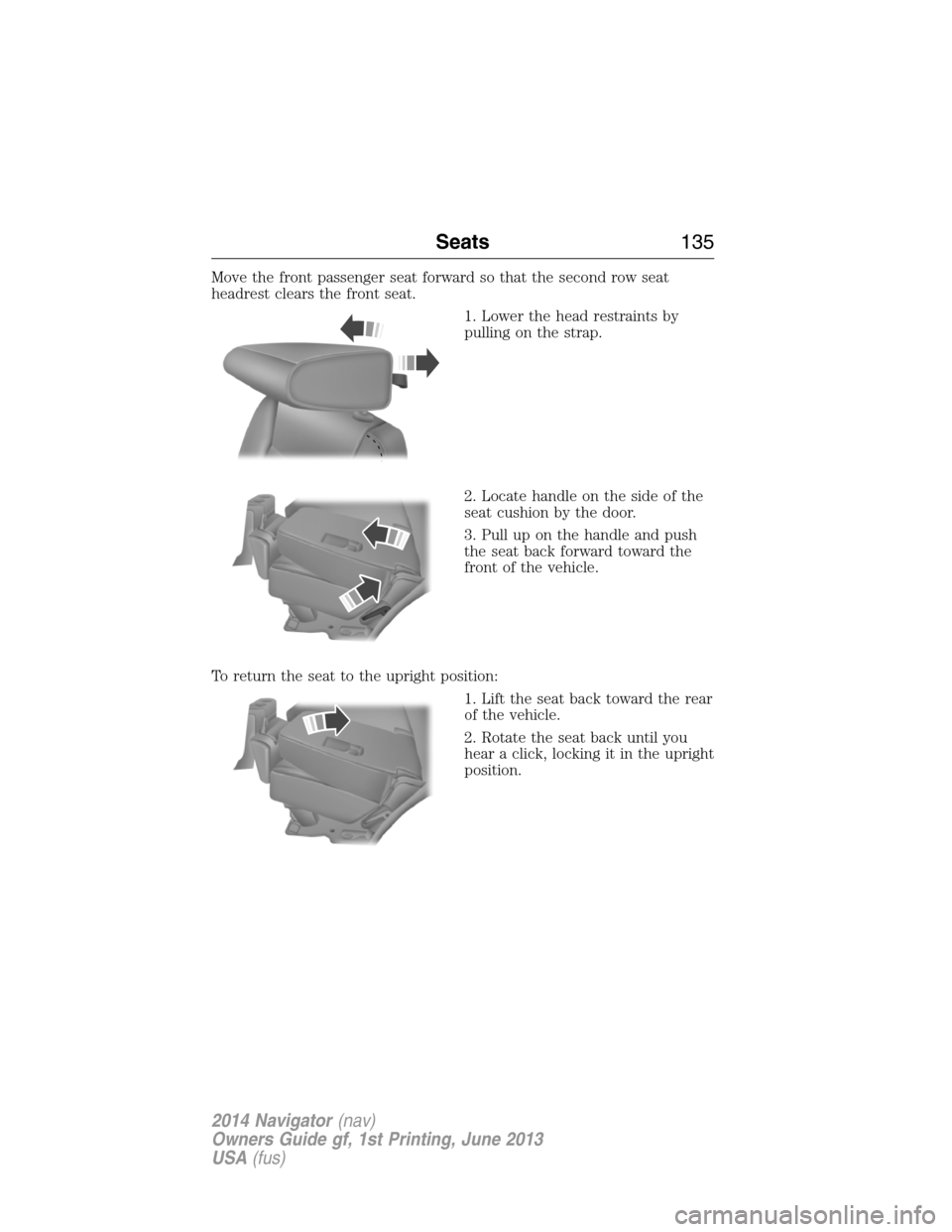
Move the front passenger seat forward so that the second row seat
headrest clears the front seat.
1. Lower the head restraints by
pulling on the strap.
2. Locate handle on the side of the
seat cushion by the door.
3. Pull up on the handle and push
the seat back forward toward the
front of the vehicle.
To return the seat to the upright position:
1. Lift the seat back toward the rear
of the vehicle.
2. Rotate the seat back until you
hear a click, locking it in the upright
position.
Seats135
2014 Navigator(nav)
Owners Guide gf, 1st Printing, June 2013
USA(fus)