warning LINCOLN NAVIGATOR 2014 Workshop Manual
[x] Cancel search | Manufacturer: LINCOLN, Model Year: 2014, Model line: NAVIGATOR, Model: LINCOLN NAVIGATOR 2014Pages: 506, PDF Size: 5.72 MB
Page 106 of 506
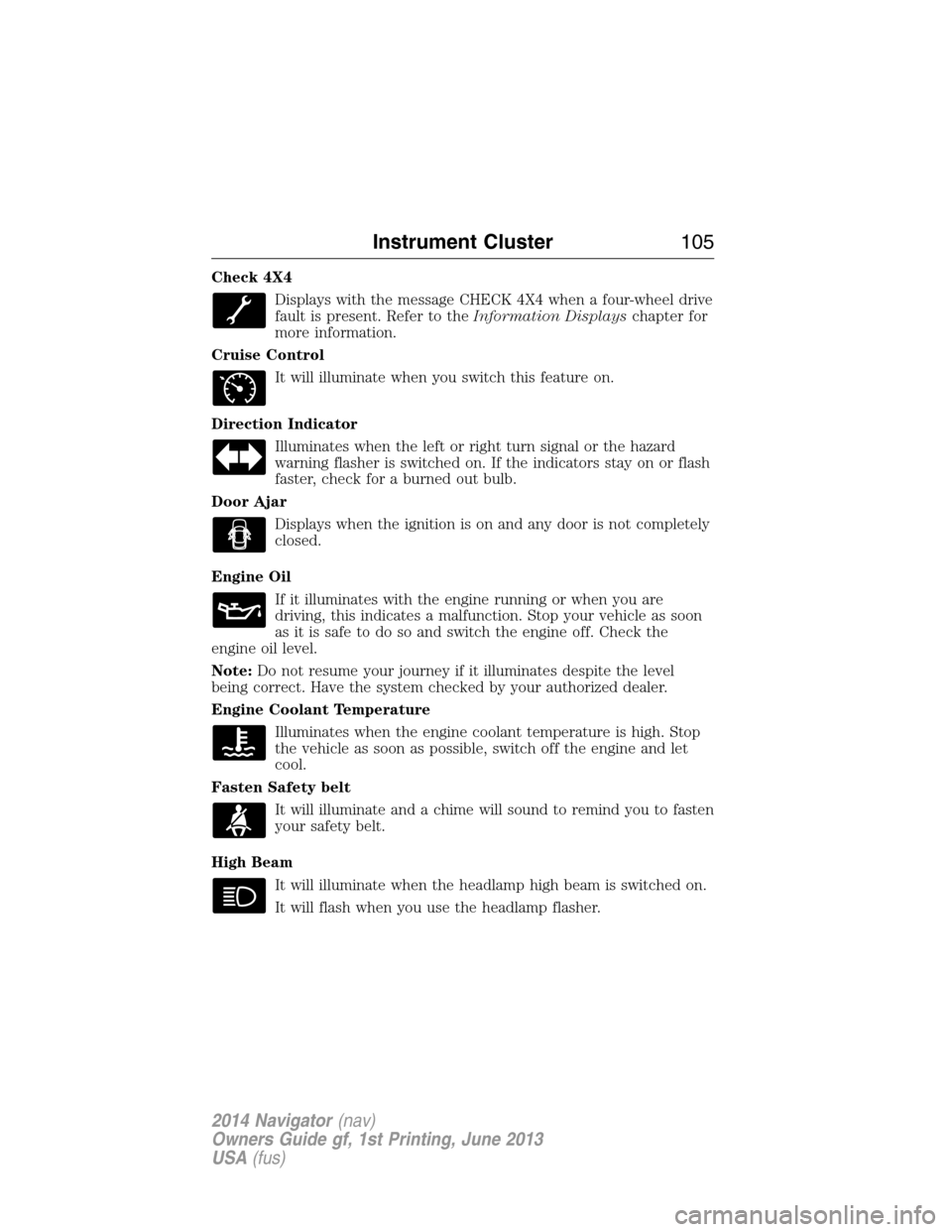
Check 4X4
Displays with the message CHECK 4X4 when a four-wheel drive
fault is present. Refer to theInformation Displayschapter for
more information.
Cruise Control
It will illuminate when you switch this feature on.
Direction Indicator
Illuminates when the left or right turn signal or the hazard
warning flasher is switched on. If the indicators stay on or flash
faster, check for a burned out bulb.
Door Ajar
Displays when the ignition is on and any door is not completely
closed.
Engine Oil
If it illuminates with the engine running or when you are
driving, this indicates a malfunction. Stop your vehicle as soon
as it is safe to do so and switch the engine off. Check the
engine oil level.
Note:Do not resume your journey if it illuminates despite the level
being correct. Have the system checked by your authorized dealer.
Engine Coolant Temperature
Illuminates when the engine coolant temperature is high. Stop
the vehicle as soon as possible, switch off the engine and let
cool.
Fasten Safety belt
It will illuminate and a chime will sound to remind you to fasten
your safety belt.
High Beam
It will illuminate when the headlamp high beam is switched on.
It will flash when you use the headlamp flasher.
Instrument Cluster105
2014 Navigator(nav)
Owners Guide gf, 1st Printing, June 2013
USA(fus)
Page 107 of 506
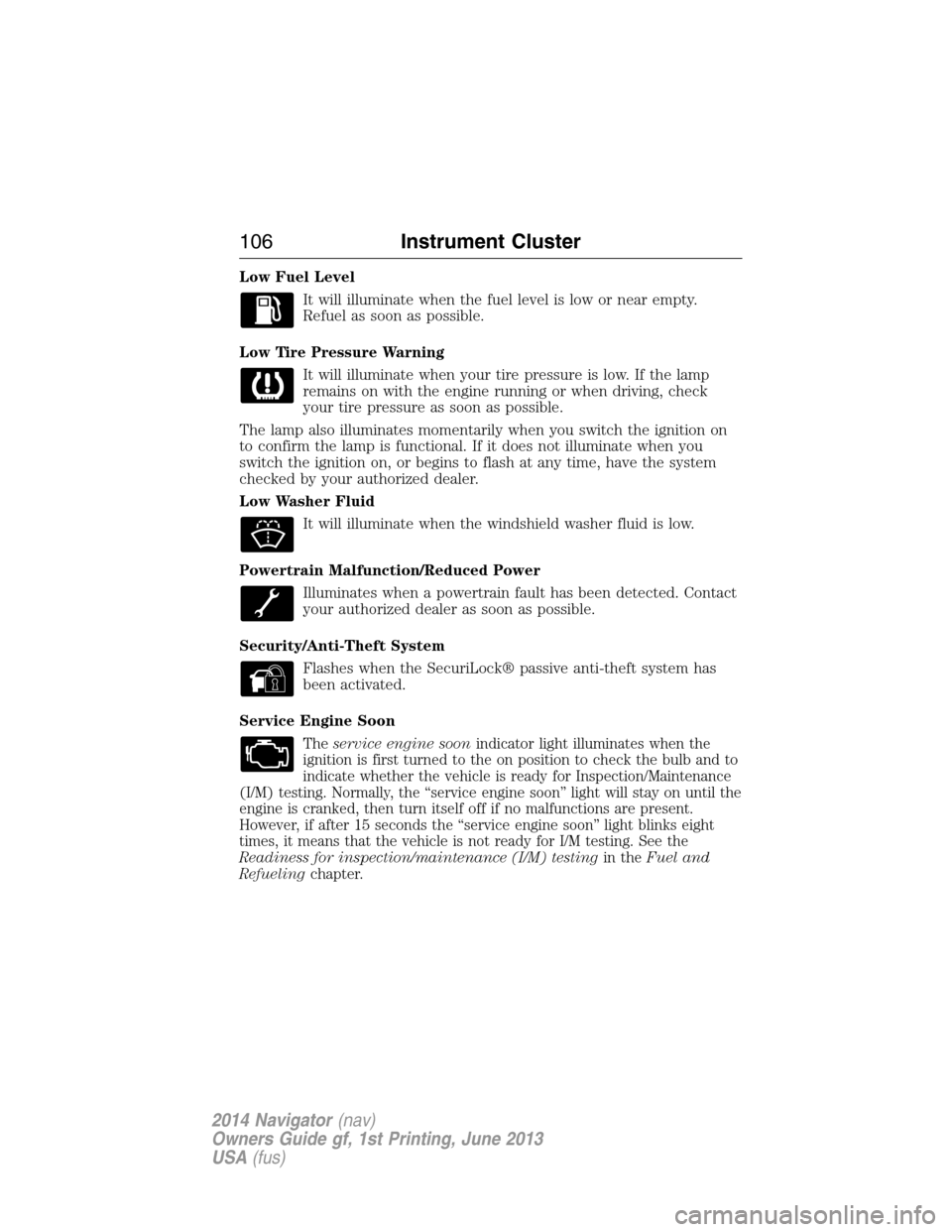
Low Fuel Level
It will illuminate when the fuel level is low or near empty.
Refuel as soon as possible.
Low Tire Pressure Warning
It will illuminate when your tire pressure is low. If the lamp
remains on with the engine running or when driving, check
your tire pressure as soon as possible.
The lamp also illuminates momentarily when you switch the ignition on
to confirm the lamp is functional. If it does not illuminate when you
switch the ignition on, or begins to flash at any time, have the system
checked by your authorized dealer.
Low Washer Fluid
It will illuminate when the windshield washer fluid is low.
Powertrain Malfunction/Reduced Power
Illuminates when a powertrain fault has been detected. Contact
your authorized dealer as soon as possible.
Security/Anti-Theft System
Flashes when the SecuriLock® passive anti-theft system has
been activated.
Service Engine Soon
Theservice engine soonindicator light illuminates when the
ignition is first turned to the on position to check the bulb and to
indicate whether the vehicle is ready for Inspection/Maintenance
(I/M) testing. Normally, the “service engine soon” light will stay on until the
engine is cranked, then turn itself off if no malfunctions are present.
However, if after 15 seconds the “service engine soon” light blinks eight
times, it means that the vehicle is not ready for I/M testing. See the
Readiness for inspection/maintenance (I/M) testingin theFuel and
Refuelingchapter.
106Instrument Cluster
2014 Navigator(nav)
Owners Guide gf, 1st Printing, June 2013
USA(fus)
Page 108 of 506
Solid illumination after the engine is started indicates the on-board
diagnostics system (OBD-II) has detected a malfunction. Refer to
On-board diagnostics (OBD-II)in theFuel and Refuelingchapter. If
the light is blinking, engine misfire is occurring which could damage your
catalytic converter. Drive in a moderate fashion (avoid heavy acceleration
and deceleration) and have your vehicle serviced immediately by your
authorized dealer.
WARNING:Under engine misfire conditions, excessive exhaust
temperatures could damage the catalytic converter, the fuel
system, interior floor coverings or other vehicle components, possibly
causing a fire.
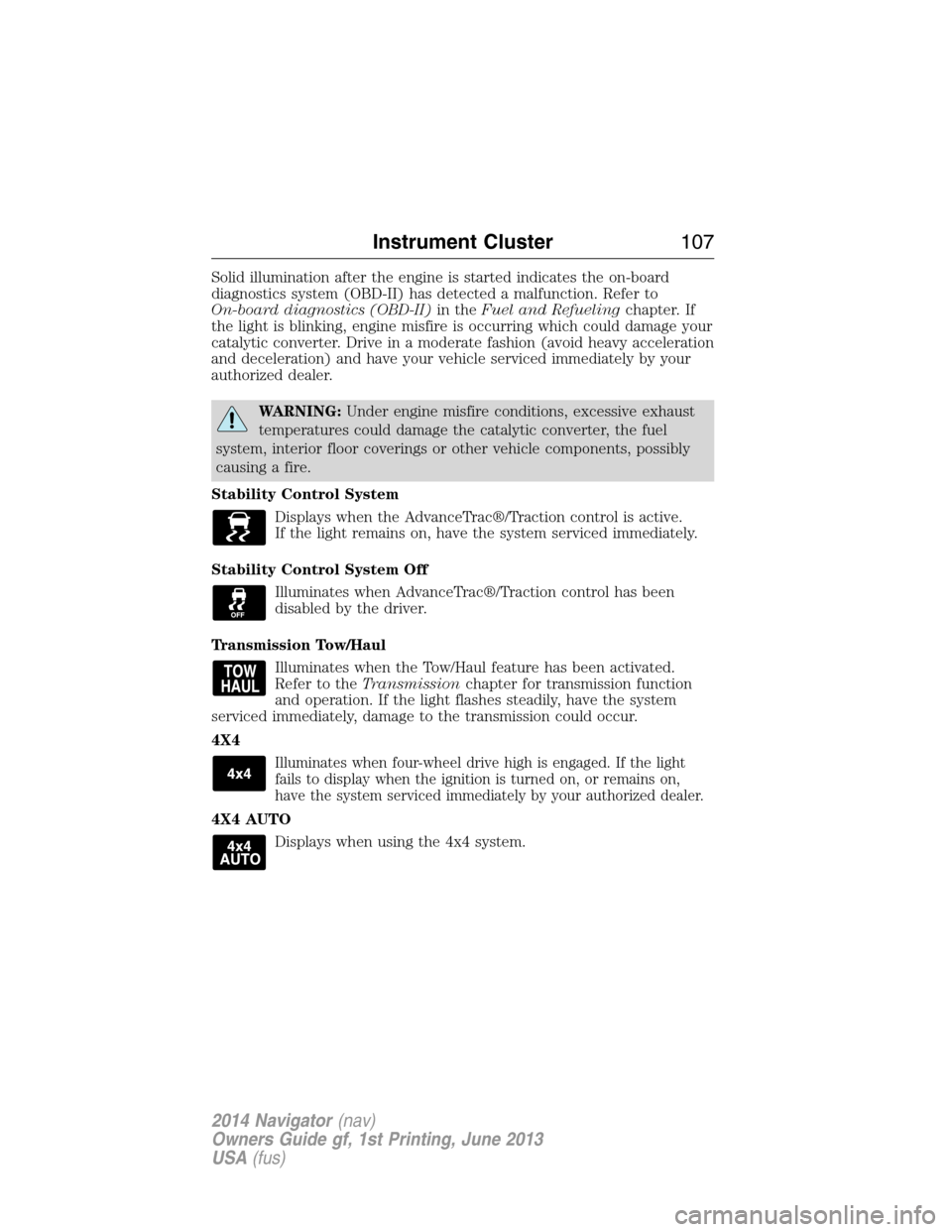
Stability Control System
Displays when the AdvanceTrac®/Traction control is active.
If the light remains on, have the system serviced immediately.
Stability Control System Off
Illuminates when AdvanceTrac®/Traction control has been
disabled by the driver.
Transmission Tow/Haul
Illuminates when the Tow/Haul feature has been activated.
Refer to theTransmissionchapter for transmission function
and operation. If the light flashes steadily, have the system
serviced immediately, damage to the transmission could occur.
4X4
Illuminates when four-wheel drive high is engaged. If the light
fails to display when the ignition is turned on, or remains on,
have the system serviced immediately by your authorized dealer.
4X4 AUTO
Displays when using the 4x4 system.
Instrument Cluster107
2014 Navigator(nav)
Owners Guide gf, 1st Printing, June 2013
USA(fus)
Page 109 of 506
AUDIBLE WARNINGS AND INDICATORS
Key In Ignition Warning Chime
Sounds when the key is left in the ignition in the off or accessory
position and the driver’s door is opened.
Headlamps On Warning Chime
Sounds when the headlamps or parking lamps are on, the ignition is off
(the key is not in the ignition) and the driver’s door is opened.
Parking Brake On Warning Chime
Sounds when you have left the parking brake on and drive your vehicle.
If the warning chime remains on after you have released the parking
brake, have the system checked by your authorized dealer immediately.
Turn Signal Chime
Sounds when the direction indicator has been activated to signal a turn
and not turned off after the vehicle is driven more than 1.5 miles
(2.4 km).
108Instrument Cluster
2014 Navigator(nav)
Owners Guide gf, 1st Printing, June 2013
USA(fus)
Page 110 of 506
GENERAL INFORMATION
WARNING:Driving while distracted can result in loss of vehicle
control, crash and injury. We strongly recommend that you use
extreme caution when using any device that may take your focus off
the road. Your primary responsibility is the safe operation of your
vehicle. We recommend against the use of any handheld device while
driving and encourage the use of voice-operated systems when possible.
Make sure you are aware of all applicable local laws that may affect the
use of electronic devices while driving..
Various systems on your vehicle can be controlled using the information
display controls on the steering wheel. Corresponding information is
displayed in the information display.
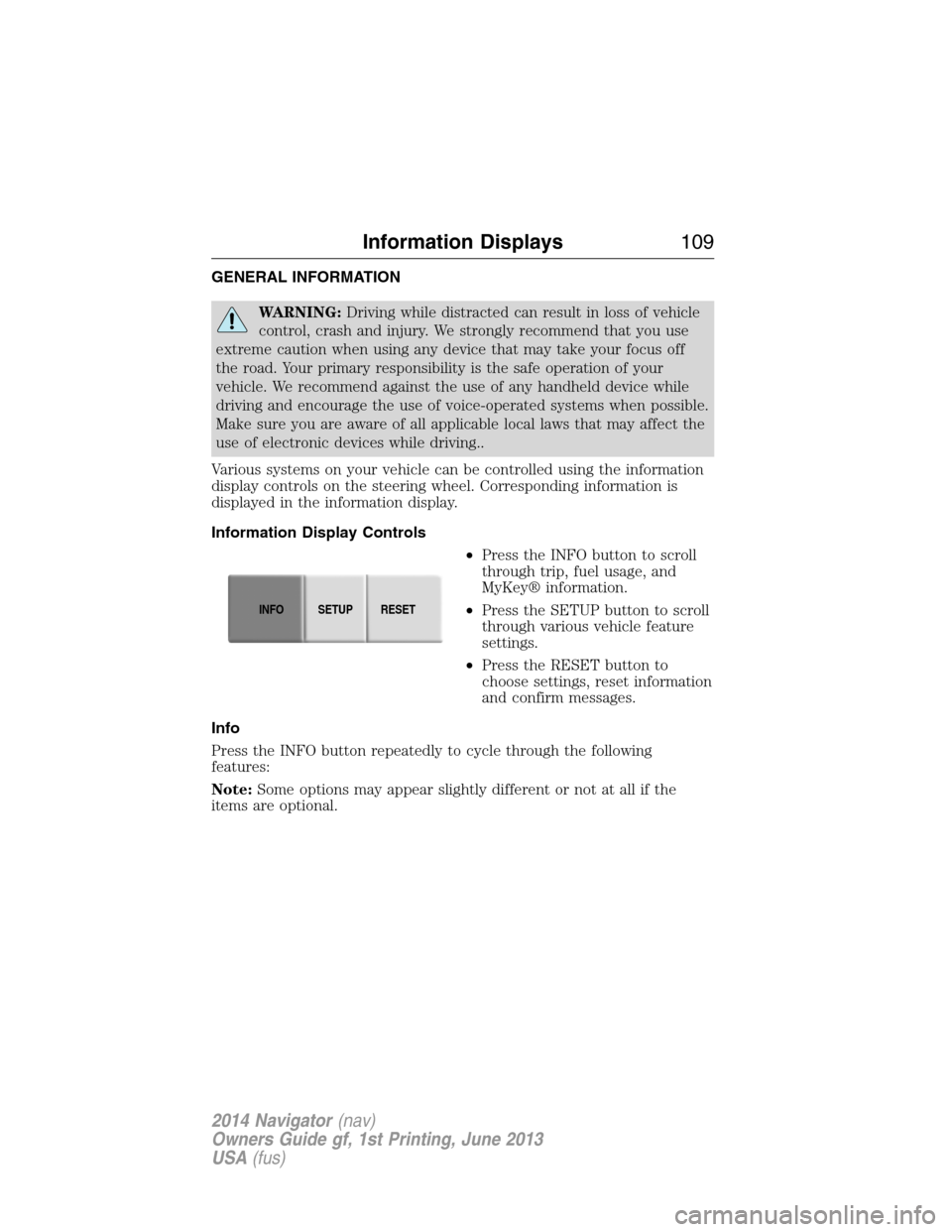
Information Display Controls
•Press the INFO button to scroll
through trip, fuel usage, and
MyKey® information.
•Press the SETUP button to scroll
through various vehicle feature
settings.
•Press the RESET button to
choose settings, reset information
and confirm messages.
Info
Press the INFO button repeatedly to cycle through the following
features:
Note:Some options may appear slightly different or not at all if the
items are optional.
INFOSETUP
RESET
Information Displays109
2014 Navigator(nav)
Owners Guide gf, 1st Printing, June 2013
USA(fus)
Page 115 of 506
•REAR PARK AID (if equipped): This feature sounds a tone to warn
the driver of obstacles near the rear bumper, and functions only when
R (Reverse) gear is selected.
•FRONT PARK AID (if equipped): This feature sounds a warning tone
to warn the driver of obstacles near the front bumper.
•TRAILER SWAY (if equipped): This feature uses the electronic
stability control to mitigate trailer sway.
•TBC MODE (if equipped): Allows you to choose the trailer brake
mode.
•CREATE MYKEY / MYKEY SETUP / CLEAR MYKEY: For more
information refer to theMyKey®chapter.
•COMPASS: Displays the vehicle’s heading direction.
The compass reading may be affected when you drive near large
buildings, bridges, power lines and powerful broadcast antenna. Magnetic
or metallic objects placed in, on or near the vehicle may also affect
compass accuracy. If the compass appears to be inaccurate, a manual
calibration may be necessary. Refer toCompass zone adjustment
Compass zone adjustment
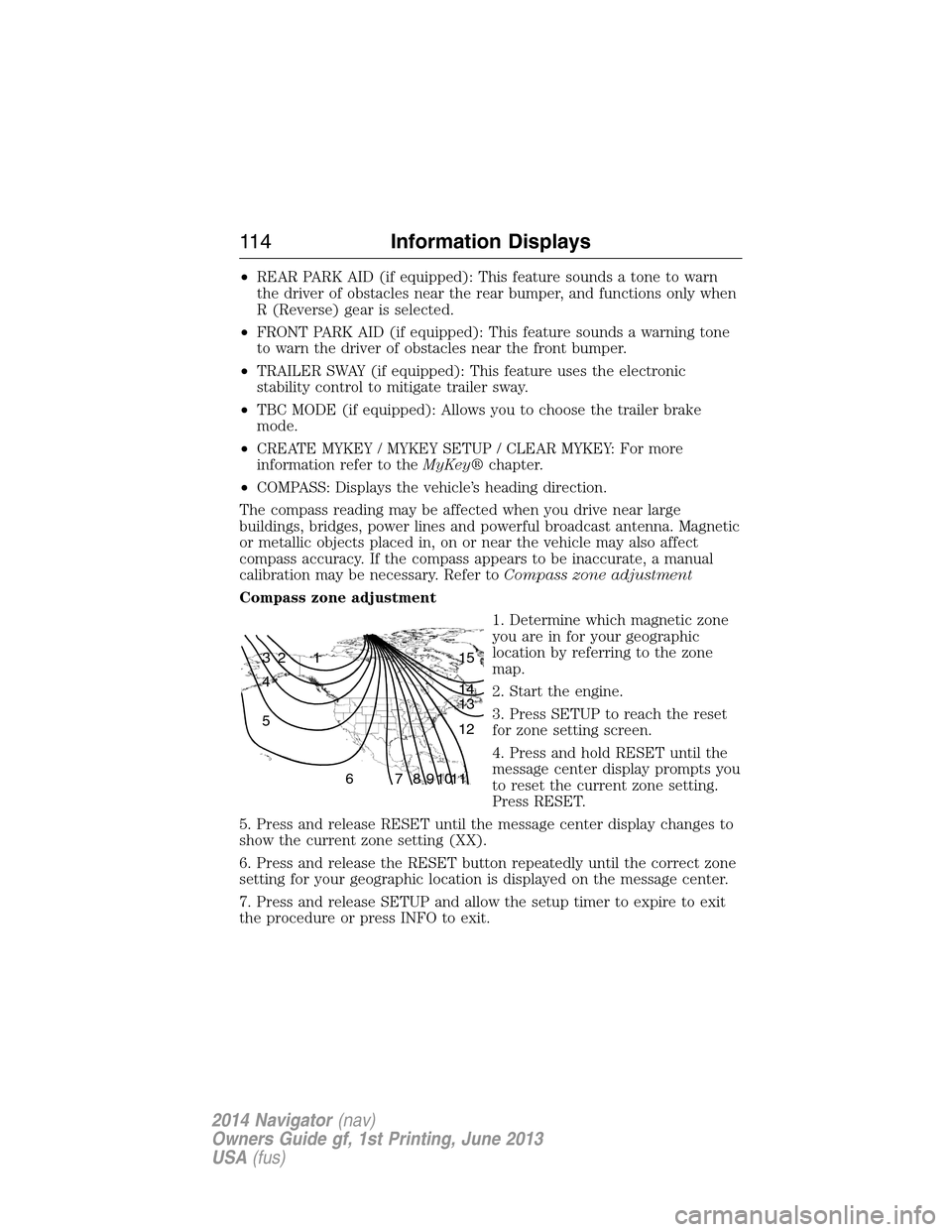
1. Determine which magnetic zone
you are in for your geographic
location by referring to the zone
map.
2. Start the engine.
3. Press SETUP to reach the reset
for zone setting screen.
4. Press and hold RESET until the
message center display prompts you
to reset the current zone setting.
Press RESET.
5. Press and release RESET until the message center display changes to
show the current zone setting (XX).
6. Press and release the RESET button repeatedly until the correct zone
setting for your geographic location is displayed on the message center.
7. Press and release SETUP and allow the setup timer to expire to exit
the procedure or press INFO to exit.
1 2 3
4
5
6 7 8 9 101112 13 14 15
11 4Information Displays
2014 Navigator(nav)
Owners Guide gf, 1st Printing, June 2013
USA(fus)
Page 117 of 506
Battery and Charging
System MessagesAction / Description
CHECK CHARGING
SYSTEMDisplayed when the charging system needs
servicing. If the warning stays on or continues to
come on, contact your authorized dealer as soon
as possible.
Brake System
MessagesAction / Description
BRAKE FLUID
LEVEL LOW
Indicates the brake fluid level is low and the brake
system should be inspected immediately. Refer to
Brake fluidin theMaintenancechapter.
CHECK BRAKE
SYSTEMDisplayed when the brake system needs
servicing. If the warning stays on or continues to
come on, contact your authorized dealer as soon
as possible.
PARK BRAKE
ENGAGEDDisplayed when the parking brake is set and the
vehicle is in motion.
Door Messages Action / Description
DOOR AJAR
Displayed when a door is not completely closed.
LIFTGATE / GLASS
AJARDisplayed when the liftgate or liftgate glass is
not completely closed.
Fuel Messages Action / Description
CHECK FUEL FILL
INLETDisplayed when the fuel fill inlet may not be
properly closed.
XXX MILES TO E
FUEL LEVEL LOWDisplayed as an early reminder of a low fuel
condition.
Maintenance
MessagesAction / Description
ENGINE OIL
CHANGE SOONDisplayed when the engine oil life is nearing
its end.
OIL CHANGE
REQUIREDDisplayed when the oil life left reaches 0%.
WASHER FLUID
LEVEL LOWIndicates the washer fluid reservoir is less than
one quarter full. Check the washer fluid level.
11 6Information Displays
2014 Navigator(nav)
Owners Guide gf, 1st Printing, June 2013
USA(fus)
Page 119 of 506
Tire Messages Action / Description
LOW TIRE
PRESSUREDisplays when one or more tires on your
vehicle have low tire pressure.
TIRE PRESSURE
MONITOR FAULTDisplays when the tire pressure monitoring
system is malfunctioning. If the warning stays
on or continues to come on, contact your
authorized dealer.
TIRE PRESSURE
SENSOR FAULTDisplayed when a tire pressure sensor is
malfunctioning, or your spare tire is in use.
For more information on how the system
operates under these conditions refer to the
Tire Pressure Monitoring Systemin the
Wheels and Tireschapter for more
information. If the warning stays on or
continues to come on, contact your authorized
dealer as soon as possible.
Trailer Messages Action / Description
TRAILER SWAY
REDUCE SPEEDDisplayed when the trailer sway control has
detected trailer sway.
4WD Messages Action / Description
4X4 SHIFT IN
PROGRESSDisplayed when the 4X4 system is making a
shift.
CLOCK
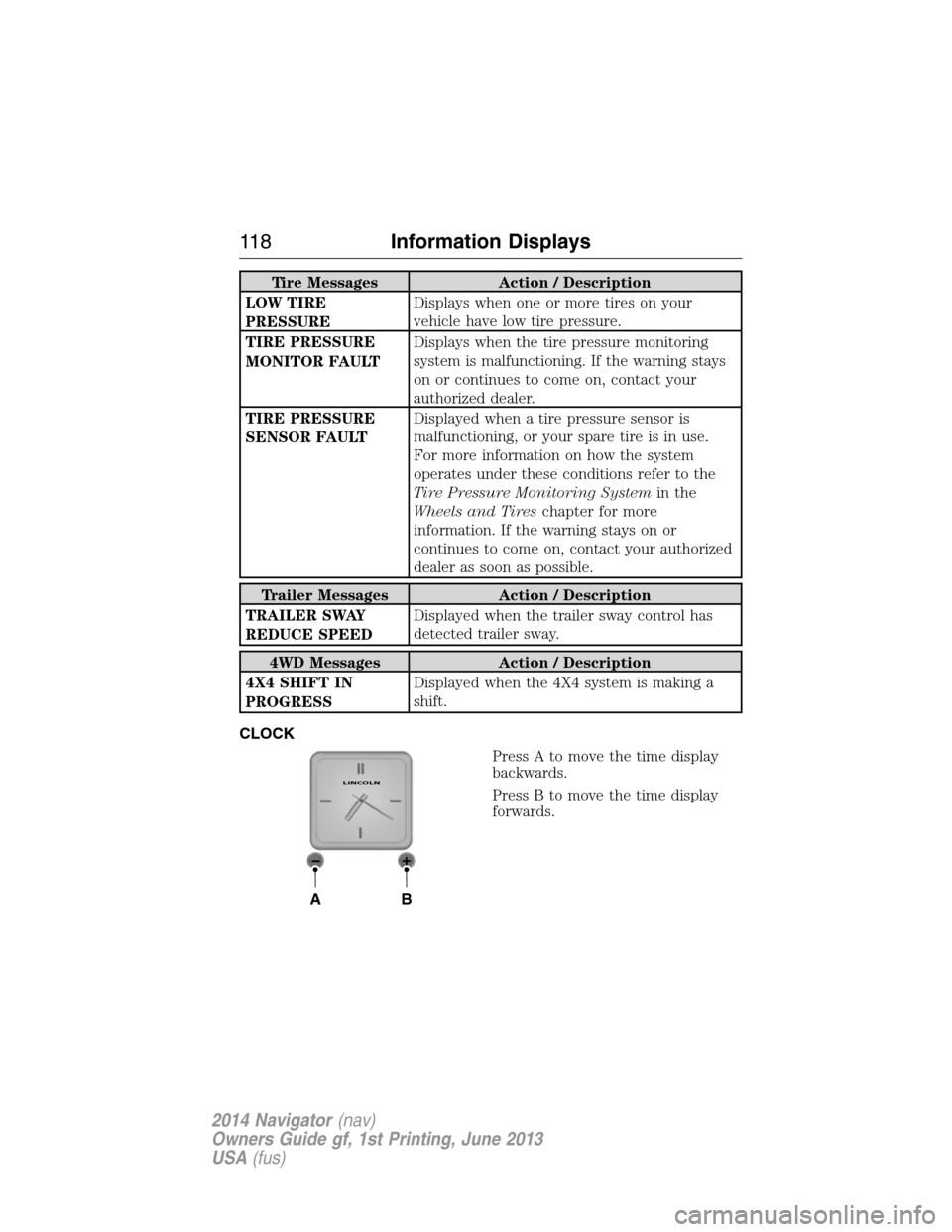
Press A to move the time display
backwards.
Press B to move the time display
forwards.
AB
LINCOLN
11 8Information Displays
2014 Navigator(nav)
Owners Guide gf, 1st Printing, June 2013
USA(fus)
Page 127 of 506
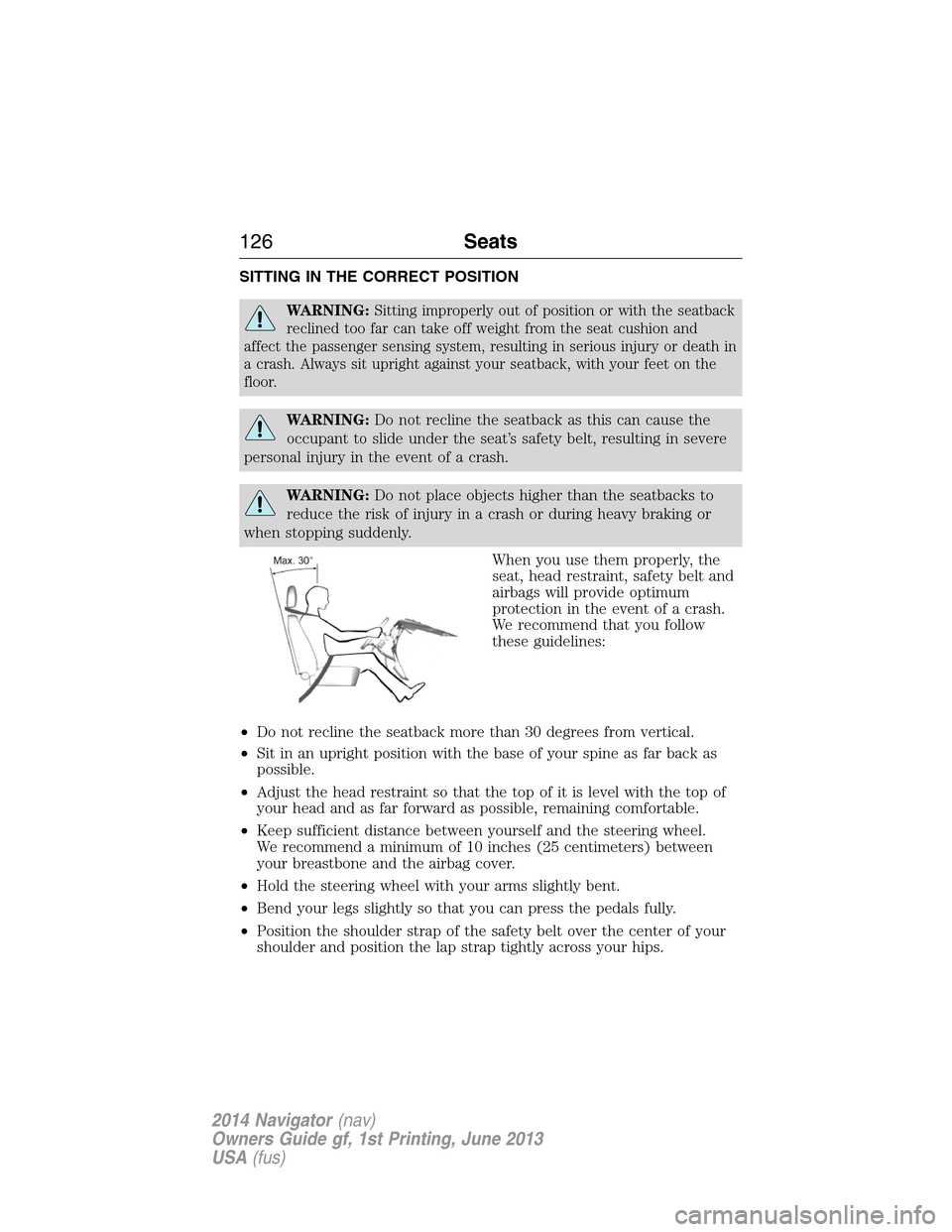
SITTING IN THE CORRECT POSITION
WARNING:Sitting improperly out of position or with the seatback
reclined too far can take off weight from the seat cushion and
affect the passenger sensing system, resulting in serious injury or death in
a crash. Always sit upright against your seatback, with your feet on the
floor.
WARNING:Do not recline the seatback as this can cause the
occupant to slide under the seat’s safety belt, resulting in severe
personal injury in the event of a crash.
WARNING:Do not place objects higher than the seatbacks to
reduce the risk of injury in a crash or during heavy braking or
when stopping suddenly.
When you use them properly, the
seat, head restraint, safety belt and
airbags will provide optimum
protection in the event of a crash.
We recommend that you follow
these guidelines:
•Do not recline the seatback more than 30 degrees from vertical.
•Sit in an upright position with the base of your spine as far back as
possible.
•Adjust the head restraint so that the top of it is level with the top of
your head and as far forward as possible, remaining comfortable.
•Keep sufficient distance between yourself and the steering wheel.
We recommend a minimum of 10 inches (25 centimeters) between
your breastbone and the airbag cover.
•Hold the steering wheel with your arms slightly bent.
•Bend your legs slightly so that you can press the pedals fully.
•Position the shoulder strap of the safety belt over the center of your
shoulder and position the lap strap tightly across your hips.
126Seats
2014 Navigator(nav)
Owners Guide gf, 1st Printing, June 2013
USA(fus)
Page 128 of 506
Make sure that your driving position is comfortable and that you can
maintain full control of your vehicle.
HEAD RESTRAINTS
WARNING:To minimize the risk of neck injury in the event of a
crash, you and the passenger occupants should not sit in or
operate the vehicle, until the head restraint is placed in its proper
position. Never adjust the head restraint while the vehicle is in motion.
WARNING:The adjustable head restraint is a safety device.
Whenever possible it should be installed and properly adjusted
when the seat is occupied.
WARNING:Install the head restraint properly to minimize the
risk of neck injury in the event of a crash.
Note:Adjust the seat back to an upright driving position before
adjusting any head restraint. Properly adjust the head restraint so that
the top of the head restraint is even with the top of your head and
positioned as close as possible to the back of your head. For occupants
of extremely tall stature, adjust the head restraint to its full up position.
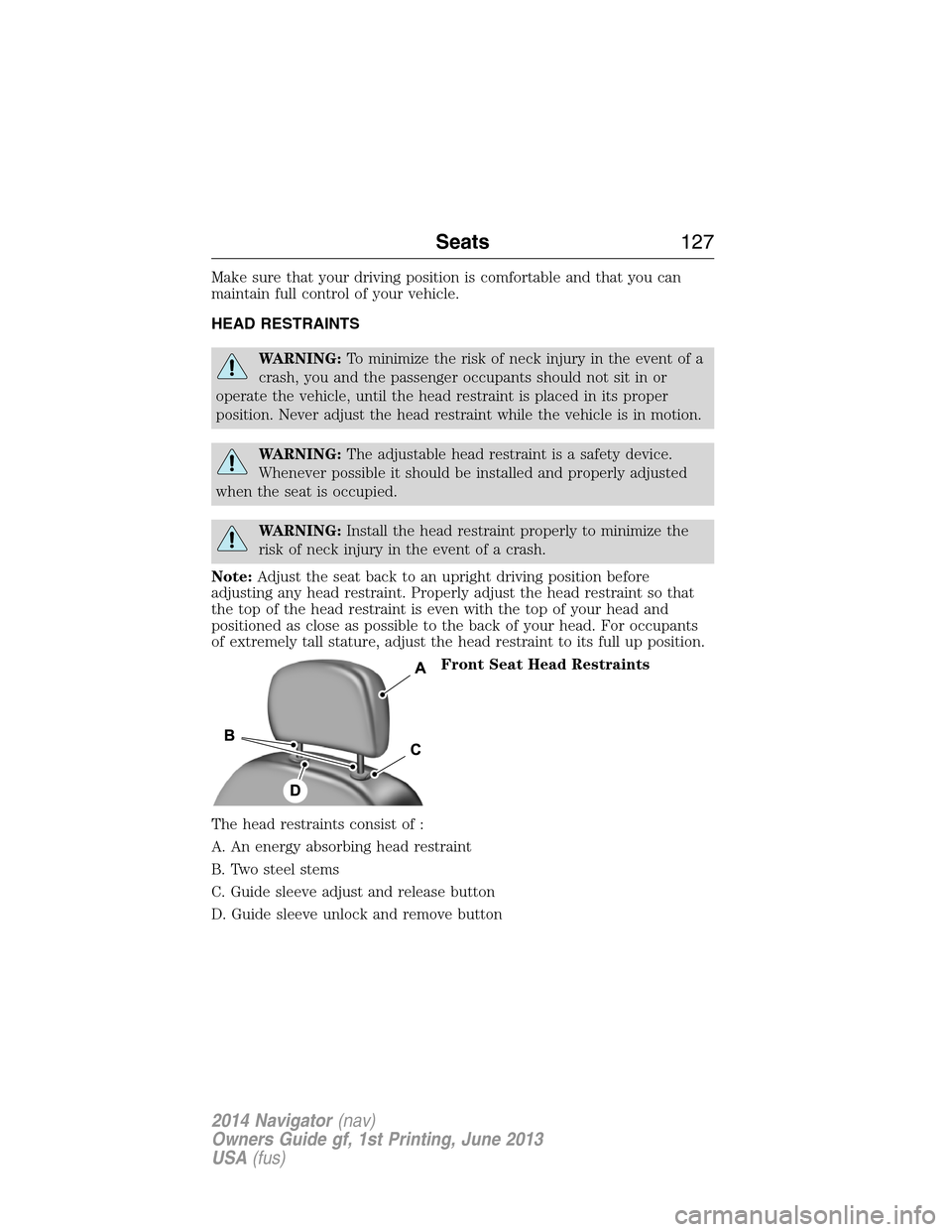
Front Seat Head Restraints
The head restraints consist of :
A. An energy absorbing head restraint
B. Two steel stems
C. Guide sleeve adjust and release button
D. Guide sleeve unlock and remove button
Seats127
2014 Navigator(nav)
Owners Guide gf, 1st Printing, June 2013
USA(fus)