AUX LINCOLN NAVIGATOR 2015 User Guide
[x] Cancel search | Manufacturer: LINCOLN, Model Year: 2015, Model line: NAVIGATOR, Model: LINCOLN NAVIGATOR 2015Pages: 475, PDF Size: 5.13 MB
Page 352 of 475
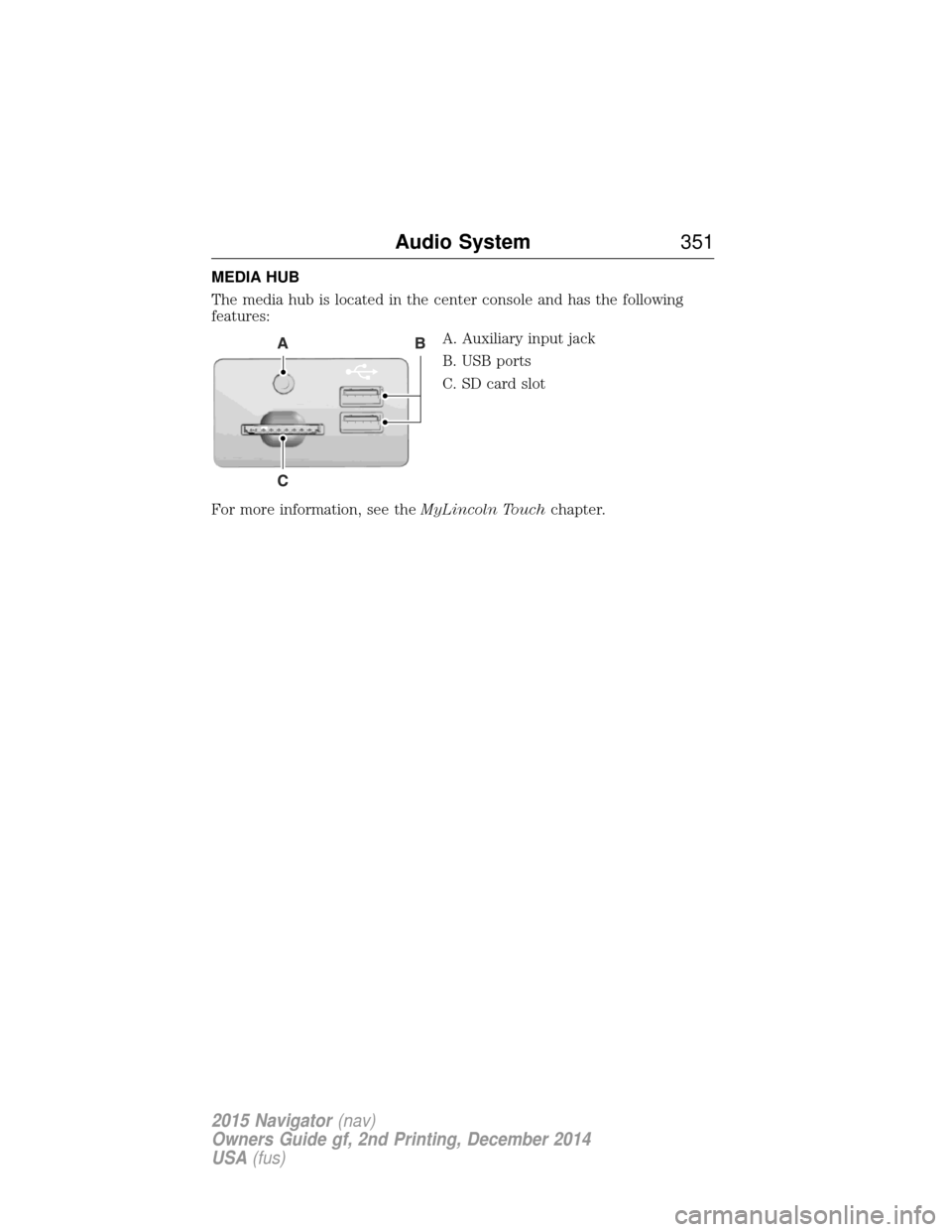
MEDIA HUB
The media hub is located in the center console and has the following
features:A. Auxiliary input jack
B. USB ports
C. SD card slot
For more information, see the MyLincoln Touchchapter.
Audio System 351
2015 Navigator(nav)
Owners Guide gf, 2nd Printing, December 2014
USA (fus)
Page 383 of 475
Bluetooth Audio
Your system allows you to stream audio over your vehicle’s speakers from
your connected, Bluetooth-enabled cellular phone.To access, press the lower left corner on the touchscreen, then
select the BT Stereo tab.
Bluetooth Audio Voice Commands If you are listening to a Bluetooth audio device, press the voice
button on the steering wheel control. When prompted, say
“Next song”, “Pause”, “Play” or “Previous song”.
If you are not listening to a Bluetooth audio device, press the voice
button and, after the tone, say “Bluetooth Audio”, then “Next song”,
“Pause”, “Play” or “Previous song”.
Line In (Auxiliary Input Jack)
WARNING: Driving while distracted can result in loss of vehicle
control, crash and injury. We strongly recommend that you use
extreme caution when using any device that may take your focus off
the road. Your primary responsibility is the safe operation of your
vehicle. We recommend against the use of any hand-held device while
driving and encourage the use of voice-operated systems when possible.
Make sure you are aware of all applicable local laws that may affect the
use of electronic devices while driving.
WARNING: For safety reasons, do not connect or adjust the
settings on your portable music player while your vehicle is
moving.
WARNING: Store the portable music player in a secure location,
such as the center console or the glove box, when your vehicle is
in motion. Hard objects may become projectiles in a crash or sudden
stop, which may increase the risk of serious injury. The audio extension
cable must be long enough to allow the portable music player to be
safely stored while your vehicle is moving.
382 MyLincoln Touch™
2015 Navigator(nav)
Owners Guide gf, 2nd Printing, December 2014
USA (fus)
Page 384 of 475
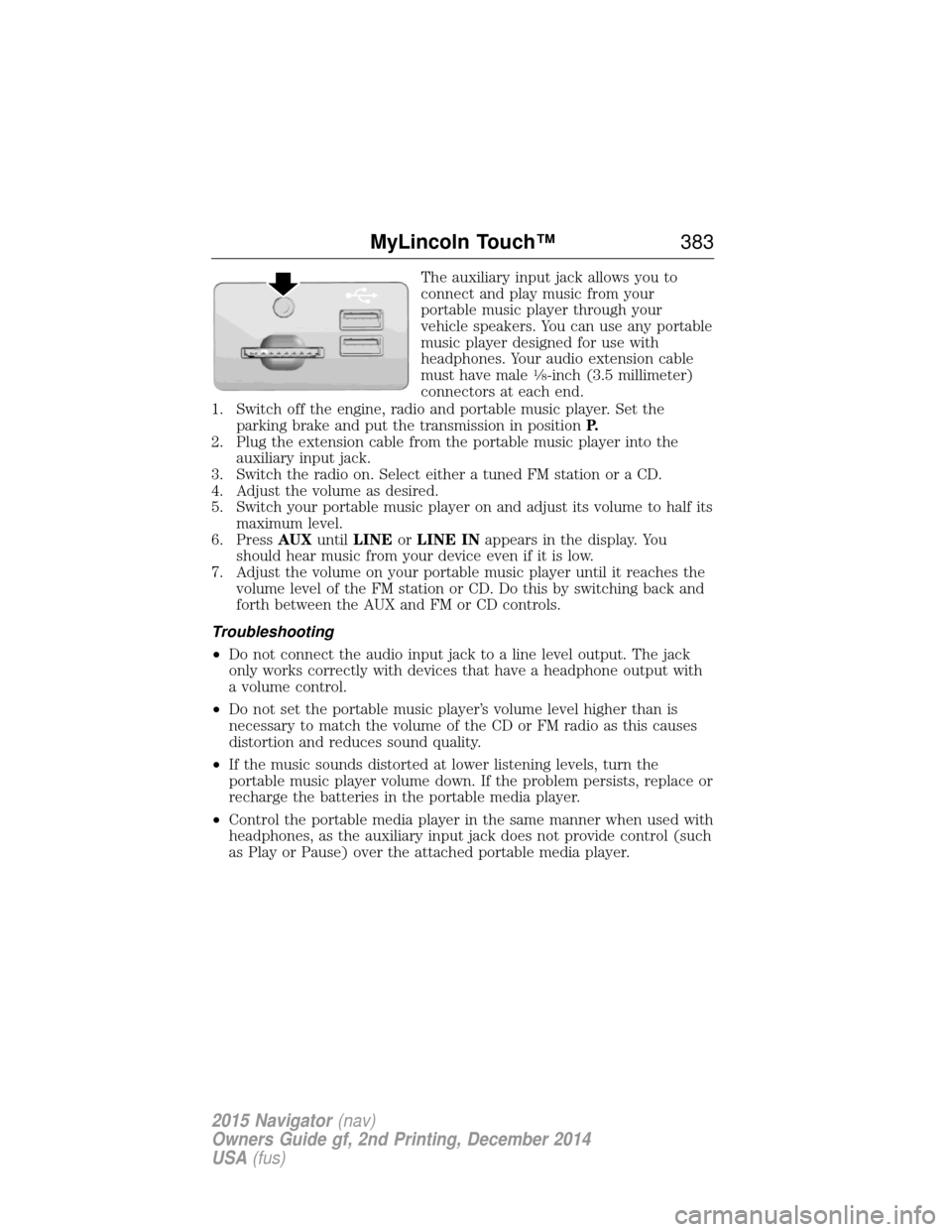
The auxiliary input jack allows you to
connect and play music from your
portable music player through your
vehicle speakers. You can use any portable
music player designed for use with
headphones. Your audio extension cable
must have male
18-inch (3.5 millimeter)
connectors at each end.
1. Switch off the engine, radio and portable music player. Set the parking brake and put the transmission in position P.
2. Plug the extension cable from the portable music player into the auxiliary input jack.
3. Switch the radio on. Select either a tuned FM station or a CD.
4. Adjust the volume as desired.
5. Switch your portable music player on and adjust its volume to half its maximum level.
6. Press AUXuntilLINE orLINE IN appears in the display. You
should hear music from your device even if it is low.
7. Adjust the volume on your portable music player until it reaches the volume level of the FM station or CD. Do this by switching back and
forth between the AUX and FM or CD controls.
Troubleshooting
• Do not connect the audio input jack to a line level output. The jack
only works correctly with devices that have a headphone output with
a volume control.
• Do not set the portable music player’s volume level higher than is
necessary to match the volume of the CD or FM radio as this causes
distortion and reduces sound quality.
• If the music sounds distorted at lower listening levels, turn the
portable music player volume down. If the problem persists, replace or
recharge the batteries in the portable media player.
• Control the portable media player in the same manner when used with
headphones, as the auxiliary input jack does not provide control (such
as Play or Pause) over the attached portable media player.
MyLincoln Touch™ 383
2015 Navigator(nav)
Owners Guide gf, 2nd Printing, December 2014
USA (fus)
Page 469 of 475
911 Assist™ ..............................398
A
ABS (see Brakes) .....................187
Accessing and using your USB
port ............................................378
Accessing your calendar ..........398
Accessory delay ..........................94
Adding (pairing) a phone ........385
Airbag supplemental restraint
system ..........................................45and child safety seats ..............47
description ................................45
disposal ......................................52
driver airbag ..............................45
passenger airbag .......................45
side airbag ...........................45, 47
Air cleaner filter .......276–277, 333
Air filter .............................277, 333
All Wheel Drive (AWD),
driving off road .........................179
Ambient mood/lighting .............405
Ambulance packages ..................14
AM/FM .......................................366
Antifreeze
(see Engine coolant) ................267
Anti-lock brake system
(see Brakes) ..............................187
Anti-theft system ..................76–77 arming the system ..............76–77
disarming a triggered system ..77
Audio system Single CD ................................343 Audio system (see Radio) .......343
Automatic transmission
driving an automatic
overdrive .................................172
fluid, adding ............................271
fluid, checking ........................271
fluid, refill capacities ..............328
fluid, specification ..................328
Selectshift (SST) ....................175
Auxiliary Input Jack .................375
Auxiliary powerpoint ................152
A/V inputs ..........................351, 382
Axle lubricant specifications ..........328
refill capacities ........................328
B
Battery .......................................273 acid, treating emergencies .....273
jumping a disabled battery ....244
maintenance-free ....................273
replacement, specifications ...333
servicing ..................................273
Blind Spot Information
System .......................................205
Booster seats ...............................30
Brakes ........................................187 anti-lock ...................................187
anti-lock brake system (ABS)
warning light ...........................187
brake warning light ................187
fluid, checking and adding ....272
fluid, refill capacities ..............328
fluid, specifications .................328
lubricant specifications ..........328
parking ....................................188
shift interlock ..........................176
trailer .......................................231
468 Index
2015 Navigator(nav)
Owners Guide gf, 2nd Printing, December 2014
USA (fus)