traction control LINCOLN NAVIGATOR 2015 Owners Manual
[x] Cancel search | Manufacturer: LINCOLN, Model Year: 2015, Model line: NAVIGATOR, Model: LINCOLN NAVIGATOR 2015Pages: 475, PDF Size: 5.13 MB
Page 5 of 475
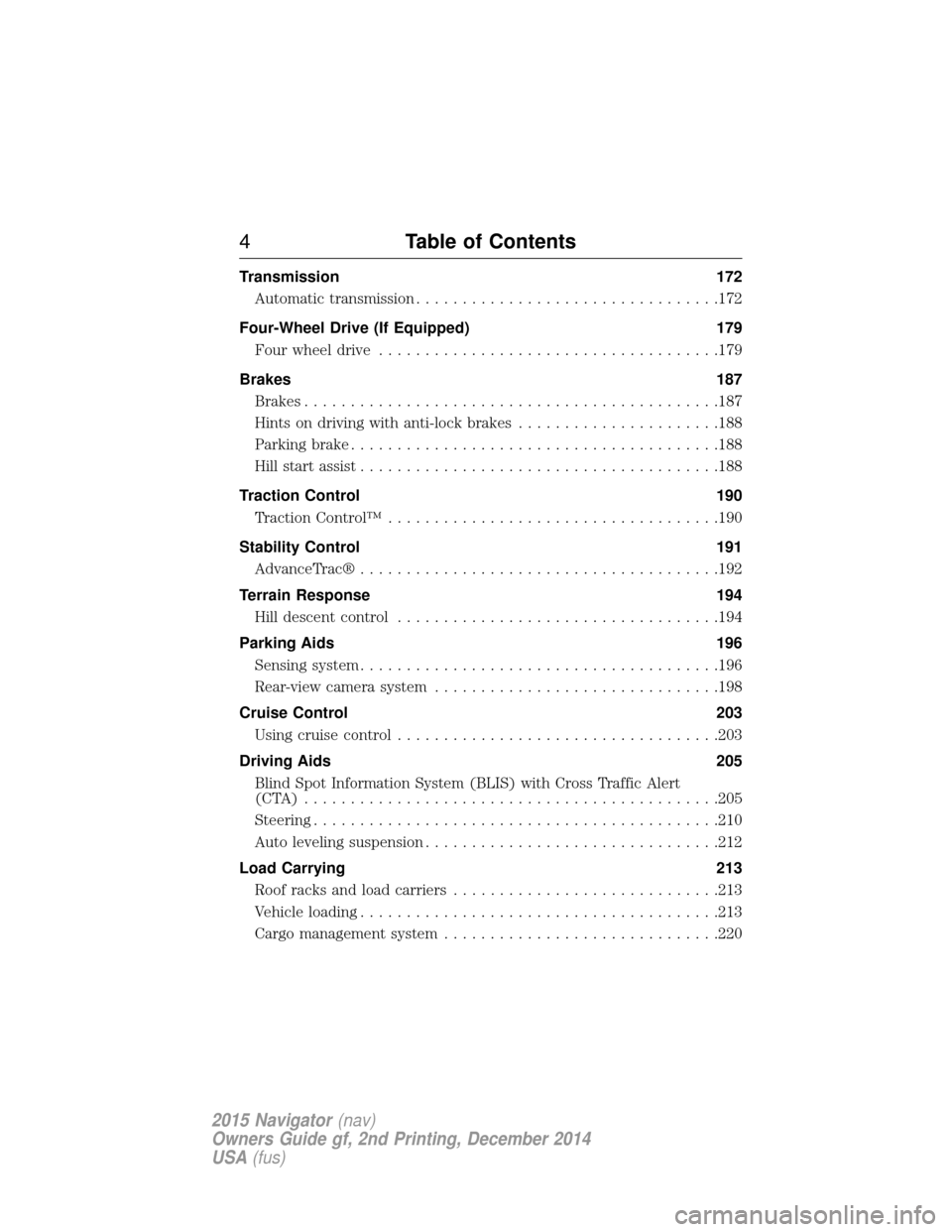
Transmission172
Automatic transmission .................................172
Four-Wheel Drive (If Equipped) 179
Four wheel drive .....................................179
Brakes 187
Brakes .............................................187
Hints on driving with anti-lock brakes ......................188
Parking brake ........................................188
Hill start assist .......................................188
Traction Control 190
TractionControl™ ....................................190
Stability Control 191
AdvanceTrac® .......................................192
Terrain Response 194
Hill descent control ...................................194
Parking Aids 196
Sensing system .......................................196
Rear-view camera system ...............................198
Cruise Control 203
Usingcruisecontrol ...................................203
Driving Aids 205
Blind Spot Information System (BLIS) with Cross Traffic Alert
(CTA) .............................................205
Steering............................................210
Auto leveling suspension ................................212
Load Carrying 213
Roof racks and load carriers .............................213
Vehicle loading .......................................213
Cargo management system ..............................220
4Table of Contents
2015 Navigator(nav)
Owners Guide gf, 2nd Printing, December 2014
USA (fus)
Page 61 of 475
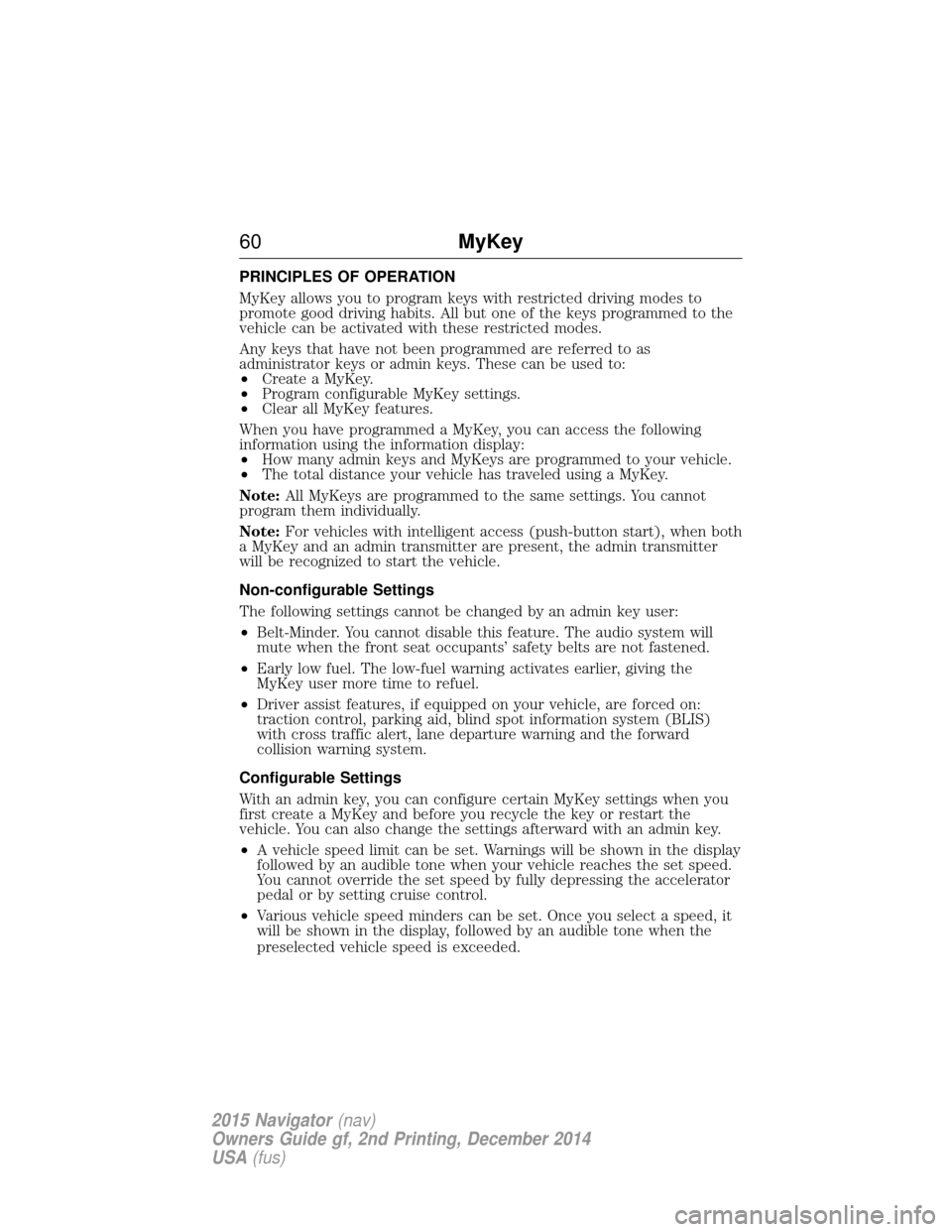
PRINCIPLES OF OPERATION
MyKey allows you to program keys with restricted driving modes to
promote good driving habits. All but one of the keys programmed to the
vehicle can be activated with these restricted modes.
Any keys that have not been programmed are referred to as
administrator keys or admin keys. These can be used to:
•Create a MyKey.
• Program configurable MyKey settings.
• Clear all MyKey features.
When you have programmed a MyKey, you can access the following
information using the information display:
• How many admin keys and MyKeys are programmed to your vehicle.
• The total distance your vehicle has traveled using a MyKey.
Note: All MyKeys are programmed to the same settings. You cannot
program them individually.
Note: For vehicles with intelligent access (push-button start), when both
a MyKey and an admin transmitter are present, the admin transmitter
will be recognized to start the vehicle.
Non-configurable Settings
The following settings cannot be changed by an admin key user:
• Belt-Minder. You cannot disable this feature. The audio system will
mute when the front seat occupants’ safety belts are not fastened.
• Early low fuel. The low-fuel warning activates earlier, giving the
MyKey user more time to refuel.
• Driver assist features, if equipped on your vehicle, are forced on:
traction control, parking aid, blind spot information system (BLIS)
with cross traffic alert, lane departure warning and the forward
collision warning system.
Configurable Settings
With an admin key, you can configure certain MyKey settings when you
first create a MyKey and before you recycle the key or restart the
vehicle. You can also change the settings afterward with an admin key.
• A vehicle speed limit can be set. Warnings will be shown in the display
followed by an audible tone when your vehicle reaches the set speed.
You cannot override the set speed by fully depressing the accelerator
pedal or by setting cruise control.
• Various vehicle speed minders can be set. Once you select a speed, it
will be shown in the display, followed by an audible tone when the
preselected vehicle speed is exceeded.
60 MyKey
2015 Navigator(nav)
Owners Guide gf, 2nd Printing, December 2014
USA (fus)
Page 105 of 475
WARNING:Under engine misfire conditions, excessive exhaust
temperatures could damage the catalytic converter, the fuel
system, interior floor coverings or other vehicle components, possibly
causing a fire. Have an authorized dealer service your vehicle
immediately.
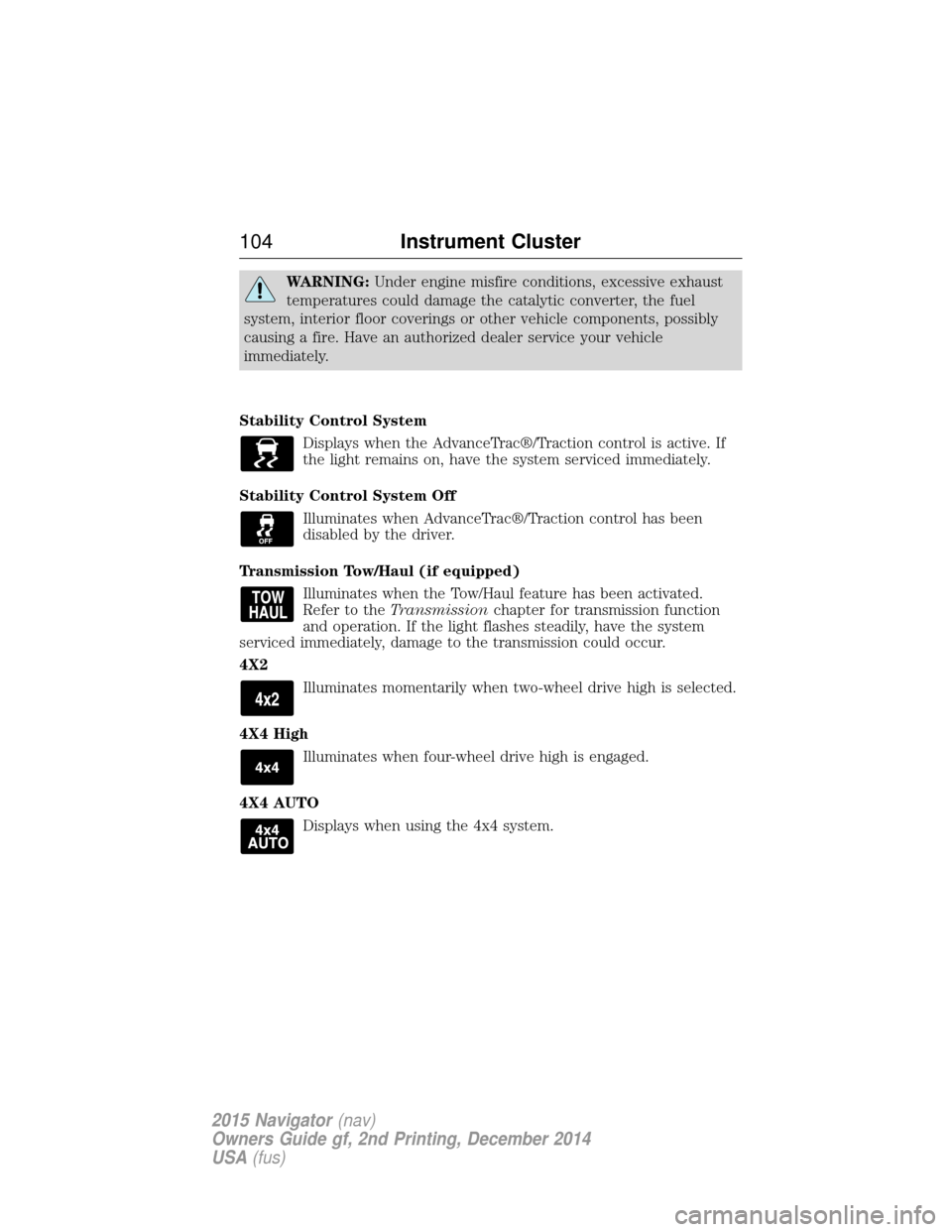
Stability Control System Displays when the AdvanceTrac®/Traction control is active. If
the light remains on, have the system serviced immediately.
Stability Control System Off Illuminates when AdvanceTrac®/Traction control has been
disabled by the driver.
Transmission Tow/Haul (if equipped) Illuminates when the Tow/Haul feature has been activated.
Refer to the Transmission chapter for transmission function
and operation. If the light flashes steadily, have the system
serviced immediately, damage to the transmission could occur.
4X2
Illuminates momentarily when two-wheel drive high is selected.
4X4 High Illuminates when four-wheel drive high is engaged.
4X4 AUTO Displays when using the 4x4 system.
104 Instrument Cluster
2015 Navigator(nav)
Owners Guide gf, 2nd Printing, December 2014
USA (fus)
Page 111 of 475

Settings
Advanced
Settings VehicleEasy Entry / Exit - check enabled or uncheck disabled
Lighting Autolamp Delay Select time interval
Locks Autolock - check enabled or uncheck
disabled
Autounlock - check enabled or uncheck
disabled
Remote Unlock All Doors or Driver
Oil Life Remaining Life XXX% — Hold OK to reset
Power Liftgate Enable or Disable switch
Pwr Running
Boards Auto, Off or Out
Remote Start Climate Control Auto or Last Setting
Seats Auto or Off
Duration 5, 10 or 15 minutes
System - check enabled or uncheck
disabled
Wipers Courtesy Wipe - check enabled or uncheck disabled
Rain Sensing - check enabled or
uncheck disabled
*MyKey MyKey Status
Number of Admin Keys, MyKeys and
MyKey Mileage
Create MyKey Hold OKto Create MyKey
911 Assist Always On or User Selectable
Do Not Disturb Always On or User Selectable
Traction
Control Always On or User Selectable
Max Speed 65 MPH (105 km/h), 70 MPH (110 km/h), 75 MPH (120 km/h),
80 MPH (130 km/h) or Off
Speed Minder 45 mph (72 km/h), 55 mph (89 km/h), 65 mph (105 km/h) or Off
Volume Limiter - check enabled or uncheck disabled
Clear MyKeys Hold OKto Clear All MyKeys
Display
Setup Distance Miles & GAL, L/100km or km/L
Temperature °Fahrenheit or °Celsius
Gauge Display Fuel Gauge or Fuel + Tach
Language Select Language — Hold
OKto Set
*Some MyKey items will only appear if a MyKey is set.
11 0 Information Displays
2015 Navigator (nav)
Owners Guide gf, 2nd Printing, December 2014
USA (fus)
Page 112 of 475
INFORMATION MESSAGES
Note:Depending on the vehicle options equipped with your vehicle, not
all of the messages will display or be available. Certain messages may be
abbreviated or shortened depending upon which cluster type you have.
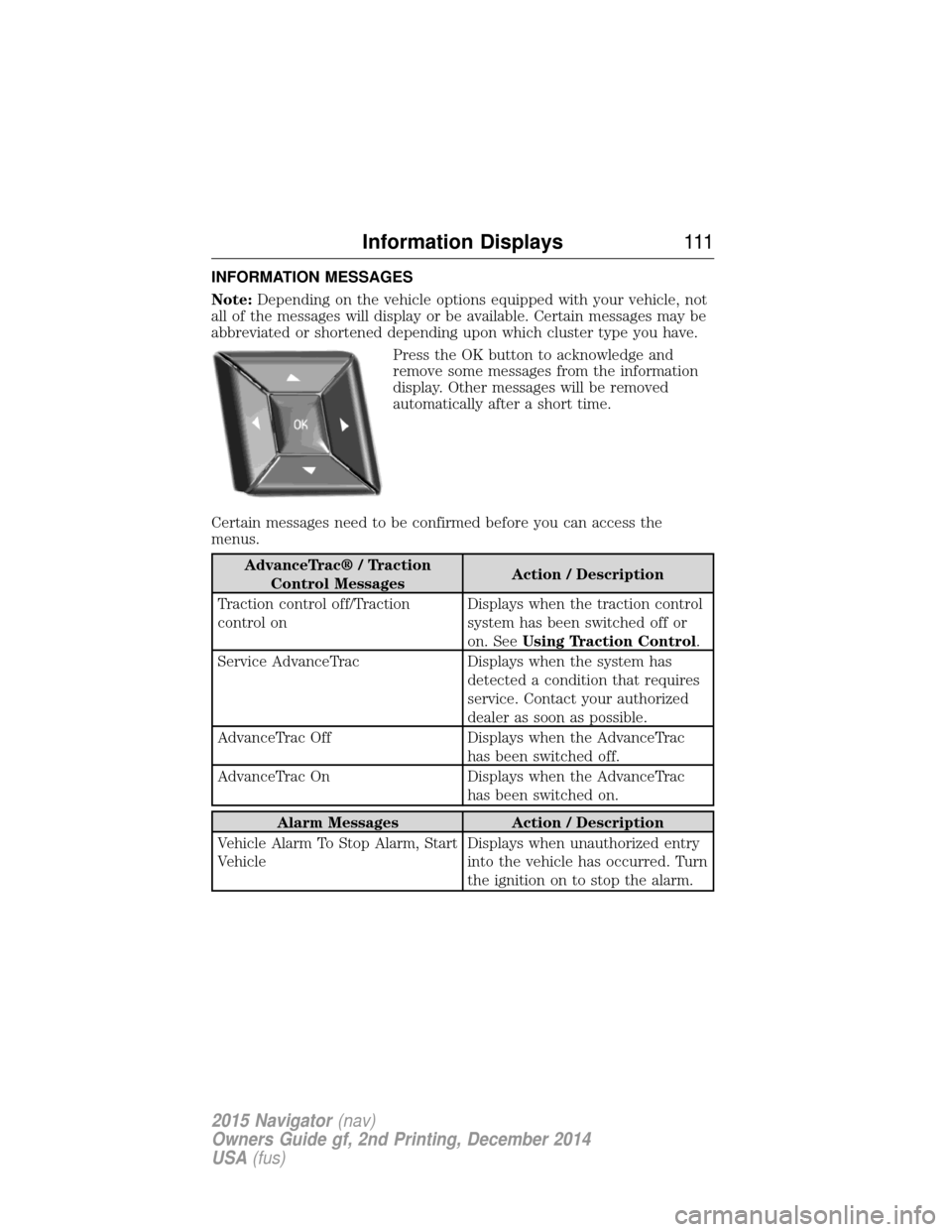
Press the OK button to acknowledge and
remove some messages from the information
display. Other messages will be removed
automatically after a short time.
Certain messages need to be confirmed before you can access the
menus.
AdvanceTrac® / Traction Control Messages Action / Description
Traction control off/Traction
control on Displays when the traction control
system has been switched off or
on. See
Using Traction Control .
Service AdvanceTrac Displays when the system has detected a condition that requires
service. Contact your authorized
dealer as soon as possible.
AdvanceTrac Off Displays when the AdvanceTrac has been switched off.
AdvanceTrac On Displays when the AdvanceTrac has been switched on.
Alarm MessagesAction / Description
Vehicle Alarm To Stop Alarm, Start
Vehicle Displays when unauthorized entry
into the vehicle has occurred. Turn
the ignition on to stop the alarm.
Information Displays
111
2015 Navigator(nav)
Owners Guide gf, 2nd Printing, December 2014
USA (fus)
Page 118 of 475
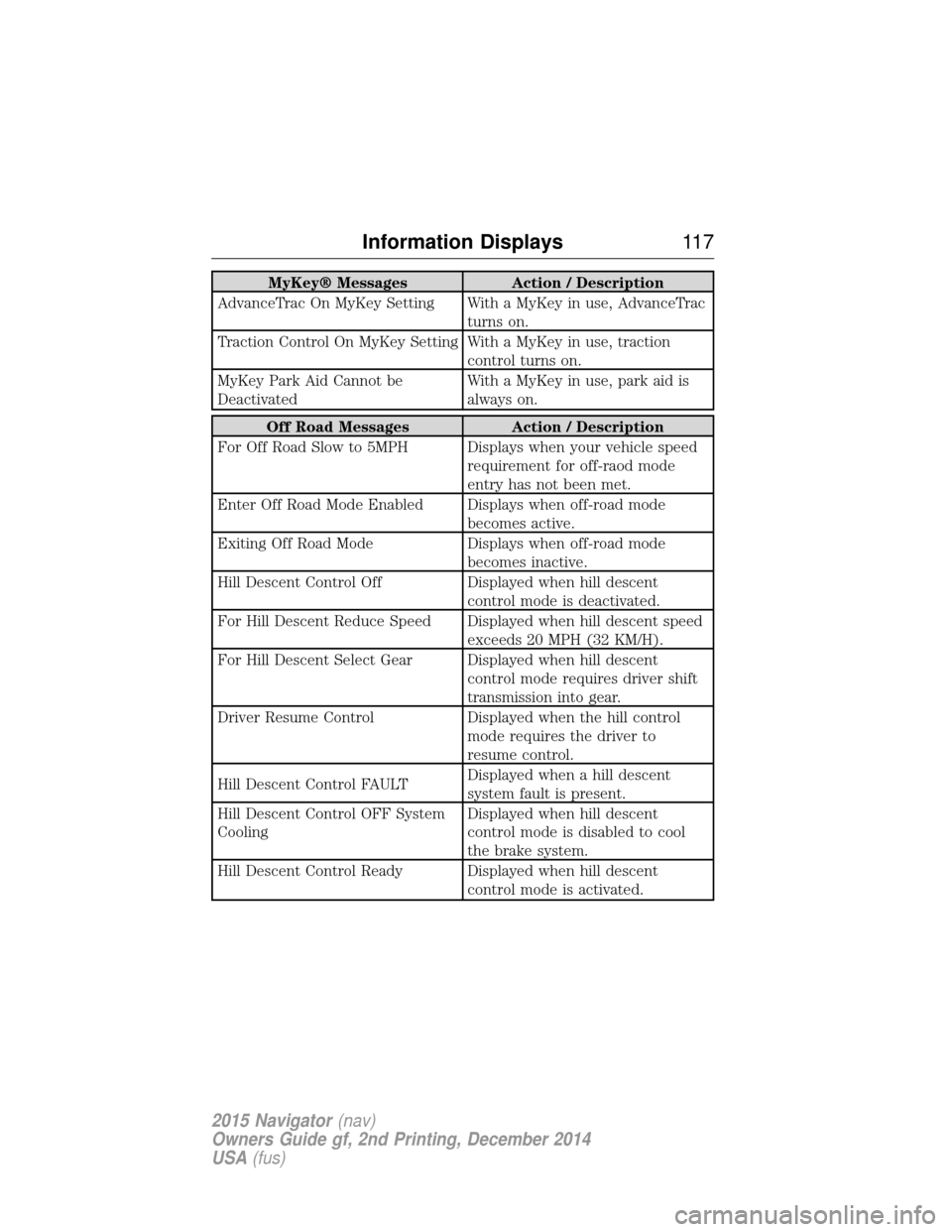
MyKey® MessagesAction / Description
AdvanceTrac On MyKey Setting With a MyKey in use, AdvanceTrac turns on.
Traction Control On MyKey Setting With a MyKey in use, traction control turns on.
MyKey Park Aid Cannot be
Deactivated With a MyKey in use, park aid is
always on.
Off Road Messages
Action / Description
For Off Road Slow to 5MPH Displays when your vehicle speed requirement for off-raod mode
entry has not been met.
Enter Off Road Mode Enabled Displays when off-road mode becomes active.
Exiting Off Road Mode Displays when off-road mode
becomes inactive.
Hill Descent Control Off Displayed when hill descent
control mode is deactivated.
For Hill Descent Reduce Speed Displayed when hill descent speed exceeds 20 MPH (32 KM/H).
For Hill Descent Select Gear Displayed when hill descent control mode requires driver shift
transmission into gear.
Driver Resume Control Displayed when the hill control
mode requires the driver to
resume control.
Hill Descent Control FAULT Displayed when a hill descent
system fault is present.
Hill Descent Control OFF System
Cooling Displayed when hill descent
control mode is disabled to cool
the brake system.
Hill Descent Control Ready Displayed when hill descent control mode is activated.
Information Displays11 7
2015 Navigator(nav)
Owners Guide gf, 2nd Printing, December 2014
USA (fus)
Page 175 of 475
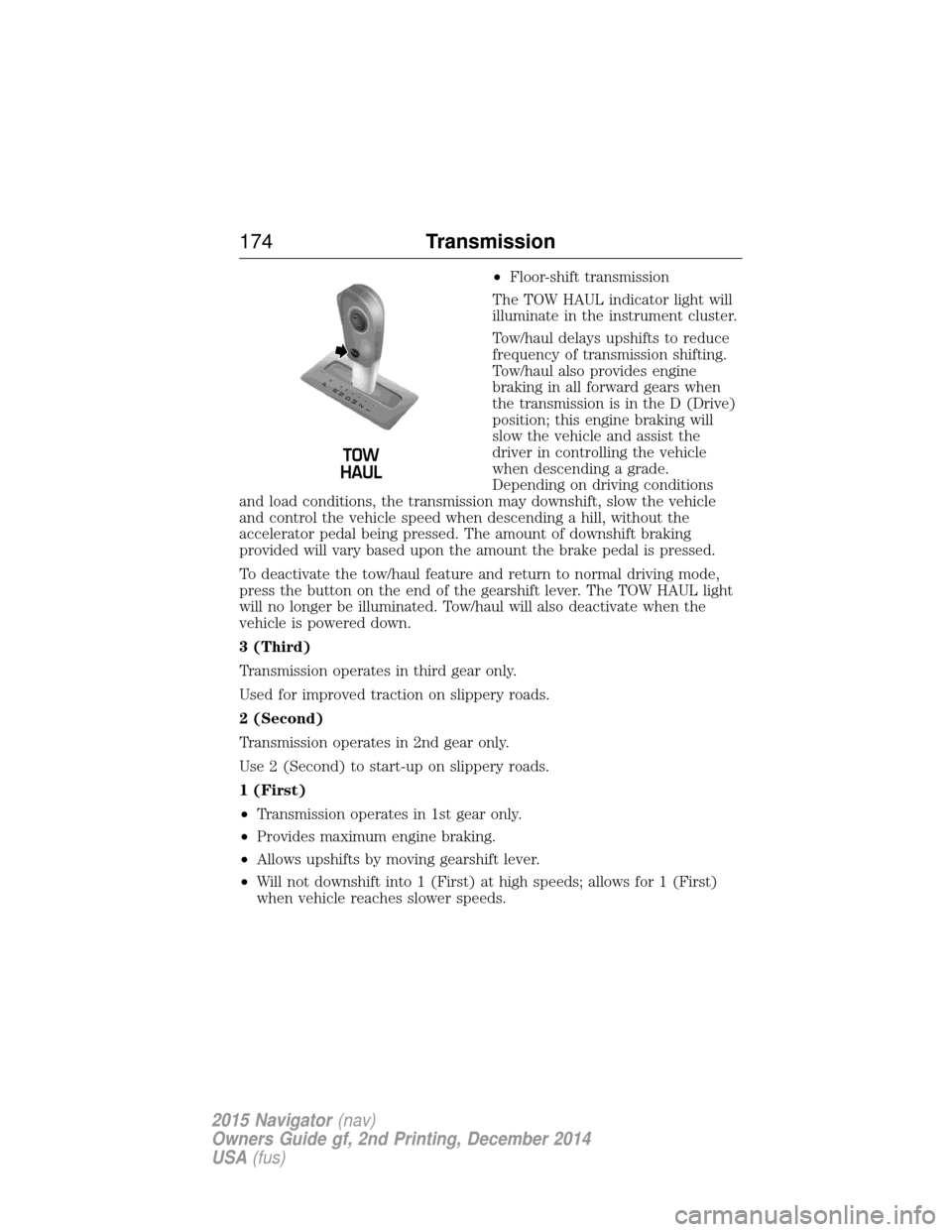
•Floor-shift transmission
The TOW HAUL indicator light will
illuminate in the instrument cluster.
Tow/haul delays upshifts to reduce
frequency of transmission shifting.
Tow/haul also provides engine
braking in all forward gears when
the transmission is in the D (Drive)
position; this engine braking will
slow the vehicle and assist the
driver in controlling the vehicle
when descending a grade.
Depending on driving conditions
and load conditions, the transmission may downshift, slow the vehicle
and control the vehicle speed when descending a hill, without the
accelerator pedal being pressed. The amount of downshift braking
provided will vary based upon the amount the brake pedal is pressed.
To deactivate the tow/haul feature and return to normal driving mode,
press the button on the end of the gearshift lever. The TOW HAUL light
will no longer be illuminated. Tow/haul will also deactivate when the
vehicle is powered down.
3 (Third)
Transmission operates in third gear only.
Used for improved traction on slippery roads.
2 (Second)
Transmission operates in 2nd gear only.
Use 2 (Second) to start-up on slippery roads.
1 (First)
• Transmission operates in 1st gear only.
• Provides maximum engine braking.
• Allows upshifts by moving gearshift lever.
• Will not downshift into 1 (First) at high speeds; allows for 1 (First)
when vehicle reaches slower speeds.
T /H
T /H
PR
N
D
M
2
1
+ -
+
-
174 Transmission
2015 Navigator(nav)
Owners Guide gf, 2nd Printing, December 2014
USA (fus)
Page 181 of 475
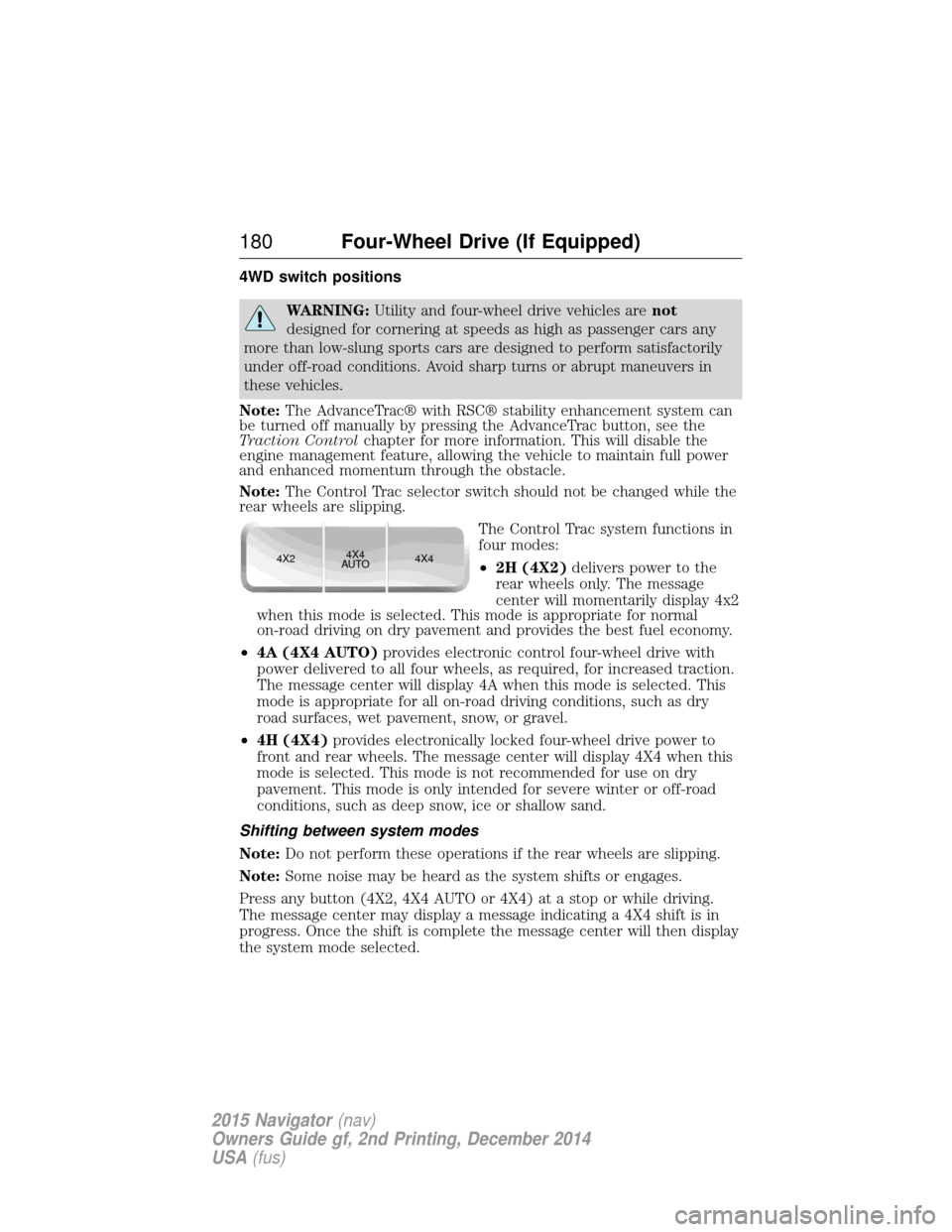
4WD switch positions
WARNING:Utility and four-wheel drive vehicles are not
designed for cornering at speeds as high as passenger cars any
more than low-slung sports cars are designed to perform satisfactorily
under off-road conditions. Avoid sharp turns or abrupt maneuvers in
these vehicles.
Note: The AdvanceTrac® with RSC® stability enhancement system can
be turned off manually by pressing the AdvanceTrac button, see the
Traction Control chapter for more information. This will disable the
engine management feature, allowing the vehicle to maintain full power
and enhanced momentum through the obstacle.
Note: The Control Trac selector switch should not be changed while the
rear wheels are slipping.
The Control Trac system functions in
four modes:
•2H (4X2) delivers power to the
rear wheels only. The message
center will momentarily display 4x2
when this mode is selected. This mode is appropriate for normal
on-road driving on dry pavement and provides the best fuel economy.
• 4A (4X4 AUTO) provides electronic control four-wheel drive with
power delivered to all four wheels, as required, for increased traction.
The message center will display 4A when this mode is selected. This
mode is appropriate for all on-road driving conditions, such as dry
road surfaces, wet pavement, snow, or gravel.
• 4H (4X4) provides electronically locked four-wheel drive power to
front and rear wheels. The message center will display 4X4 when this
mode is selected. This mode is not recommended for use on dry
pavement. This mode is only intended for severe winter or off-road
conditions, such as deep snow, ice or shallow sand.
Shifting between system modes
Note: Do not perform these operations if the rear wheels are slipping.
Note: Some noise may be heard as the system shifts or engages.
Press any button (4X2, 4X4 AUTO or 4X4) at a stop or while driving.
The message center may display a message indicating a 4X4 shift is in
progress. Once the shift is complete the message center will then display
the system mode selected.
4X2 4X4
AUTO 4X4
180
Four-Wheel Drive (If Equipped)
2015 Navigator (nav)
Owners Guide gf, 2nd Printing, December 2014
USA (fus)
Page 183 of 475
Power is supplied to all four wheels through a transfer case. On 4WD
vehicles, the transfer case allows you to select between different 4WD
modes when necessary. Information on transfer case operation and
shifting procedures can be found in this chapter. Information on transfer
case maintenance can be found in theMaintenancechapter. You should
become thoroughly familiar with this information before you operate
your vehicle.
4WD (when you select a 4WD mode) uses all four wheels to power the
vehicle. This increases traction, enabling you to drive over terrain and
road conditions that a conventional two-wheel drive vehicle cannot.
Basic Operating Principles In Special Conditions
• Do not use 4x4 on dry, hard surfaced roads. Doing so will produce
excessive noise, increase tire wear and may damage drive components.
4WD modes are only intended for consistently slippery or loose
surfaces.
• Drive slower in strong crosswinds which can affect the normal steering
characteristics of your vehicle.
• Be extremely careful when driving on pavement made slippery by
loose sand, water, gravel, snow or ice.
If your vehicle goes off the edge of the pavement
• If your vehicle goes off the edge of the pavement, slow down, but
avoid severe brake application, ease the vehicle back onto the
pavement only after reducing your speed. Do not turn the steering
wheel too sharply while returning to the road surface.
• It may be safer to stay on the apron or shoulder of the road and slow
down gradually before returning to the pavement. You may lose
control if you do not slow down or if you turn the steering wheel too
sharply or abruptly.
• It often may be less risky to strike small objects, such as highway
reflectors, with minor damage to your vehicle rather than attempt a
sudden return to the pavement which could cause the vehicle to slide
sideways out of control or roll over. Remember, your safety and the
safety of others should be your primary concern.
If your vehicle gets stuck
WARNING: Do not spin the wheels at over 35 mph (56 km/h).
The tires may fail and injure a passenger or bystander.
182 Four-Wheel Drive (If Equipped)
2015 Navigator (nav)
Owners Guide gf, 2nd Printing, December 2014
USA (fus)
Page 184 of 475
Note:Do not rock the vehicle if the engine is not at normal operating
temperature or damage to the transmission may occur.
Note: Do not rock the vehicle for more than a few minutes or damage to
the transmission and tires may occur or the engine may overheat.
If your vehicle gets stuck in mud or snow it may be rocked out by
shifting between forward and reverse gears, stopping between shifts, in a
steady pattern. Press lightly on the accelerator in each gear.
Emergency maneuvers
• In an unavoidable emergency situation where a sudden sharp turn
must be made, remember to avoid over-driving your vehicle, i.e., turn
the steering wheel only as rapidly and as far as required to avoid the
emergency. Excessive steering will result in less vehicle control, not
more. Additionally, smooth variations of the accelerator and/or brake
pedal pressure should be utilized if changes in vehicle speed are called
for. Avoid abrupt steering, acceleration or braking which could result
in an increased risk of loss of vehicle control, vehicle rollover and/or
personal injury. Use all available road surface to return the vehicle to a
safe direction of travel.
• In the event of an emergency stop, avoid skidding the tires and do not
attempt any sharp steering wheel movements.
• If the vehicle goes from one type of surface to another (i.e., from
concrete to gravel) there will be a change in the way the vehicle
responds to a maneuver (steering, acceleration or braking). Again,
avoid these abrupt inputs.
Sand
When driving over sand, try to keep all four wheels on the most solid
area of the trail. Avoid reducing the tire pressures but shift to a lower
gear and drive steadily through the terrain. Apply the accelerator slowly
and avoid spinning the wheels.
Avoid excessive speed because vehicle momentum can work against you
and cause the vehicle to become stuck to the point that assistance may
be required from another vehicle. Remember, you may be able to back
out the way you came if you proceed with caution.
Mud and water
Note: Driving through deep water may damage the vehicle.
If you must drive through high water, drive slowly. Traction or brake
capability may be limited.
Four-Wheel Drive (If Equipped) 183
2015 Navigator(nav)
Owners Guide gf, 2nd Printing, December 2014
USA (fus)