ESP LINCOLN NAVIGATOR 2015 User Guide
[x] Cancel search | Manufacturer: LINCOLN, Model Year: 2015, Model line: NAVIGATOR, Model: LINCOLN NAVIGATOR 2015Pages: 475, PDF Size: 5.13 MB
Page 103 of 475
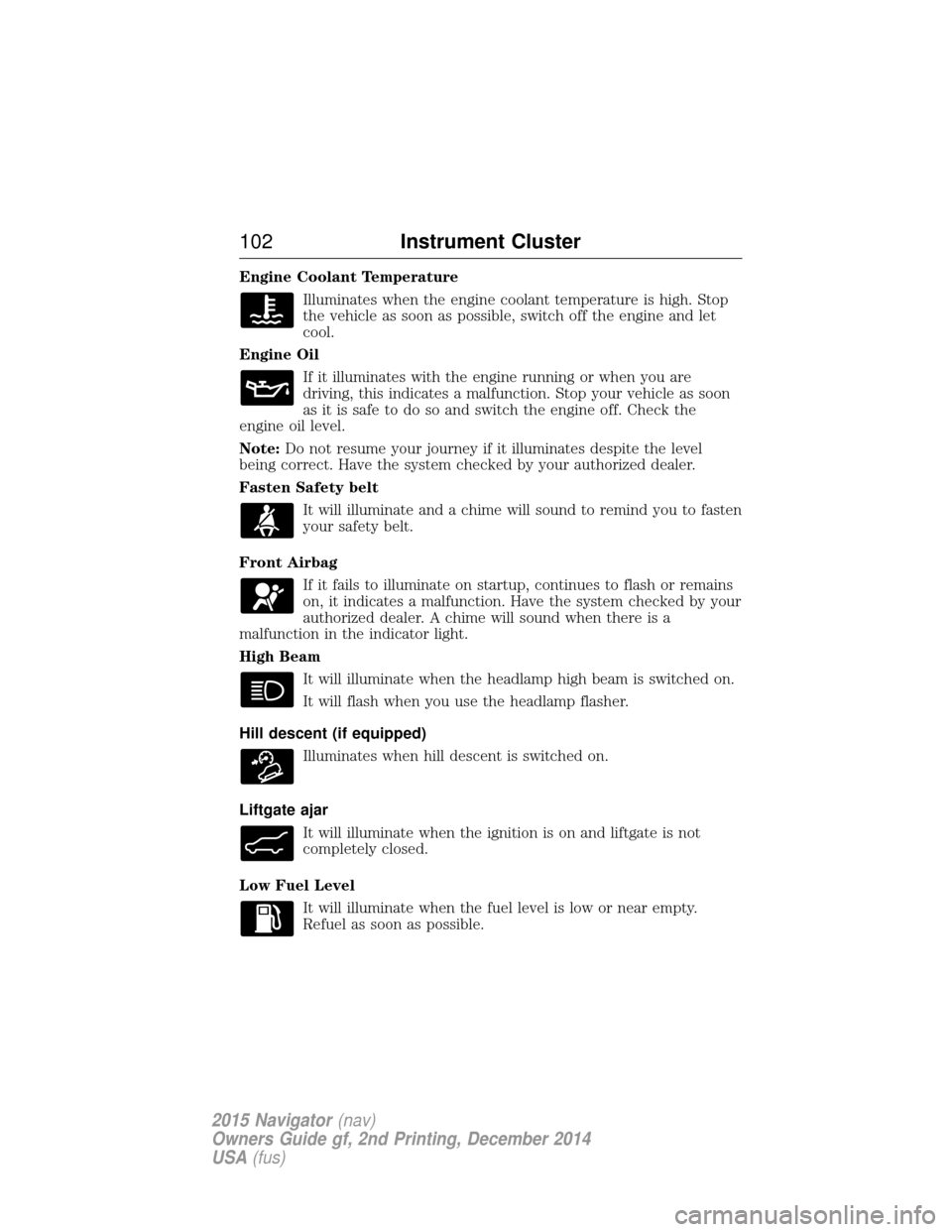
Engine Coolant TemperatureIlluminates when the engine coolant temperature is high. Stop
the vehicle as soon as possible, switch off the engine and let
cool.
Engine Oil If it illuminates with the engine running or when you are
driving, this indicates a malfunction. Stop your vehicle as soon
as it is safe to do so and switch the engine off. Check the
engine oil level.
Note: Do not resume your journey if it illuminates despite the level
being correct. Have the system checked by your authorized dealer.
Fasten Safety belt
It will illuminate and a chime will sound to remind you to fasten
your safety belt.
Front Airbag If it fails to illuminate on startup, continues to flash or remains
on, it indicates a malfunction. Have the system checked by your
authorized dealer. A chime will sound when there is a
malfunction in the indicator light.
High Beam
It will illuminate when the headlamp high beam is switched on.
It will flash when you use the headlamp flasher.
Hill descent (if equipped) Illuminates when hill descent is switched on.
Liftgate ajar It will illuminate when the ignition is on and liftgate is not
completely closed.
Low Fuel Level It will illuminate when the fuel level is low or near empty.
Refuel as soon as possible.
102 Instrument Cluster
2015 Navigator(nav)
Owners Guide gf, 2nd Printing, December 2014
USA (fus)
Page 107 of 475
GENERAL INFORMATION
WARNING:Driving while distracted can result in loss of vehicle
control, crash and injury. We strongly recommend that you use
extreme caution when using any device that may take your focus off
the road. Your primary responsibility is the safe operation of your
vehicle. We recommend against the use of any handheld device while
driving and encourage the use of voice-operated systems when possible.
Make sure you are aware of all applicable local laws that may affect the
use of electronic devices while driving.
Various systems on your vehicle can be controlled using the information
display controls on the steering wheel. Corresponding information is
displayed in the information display.
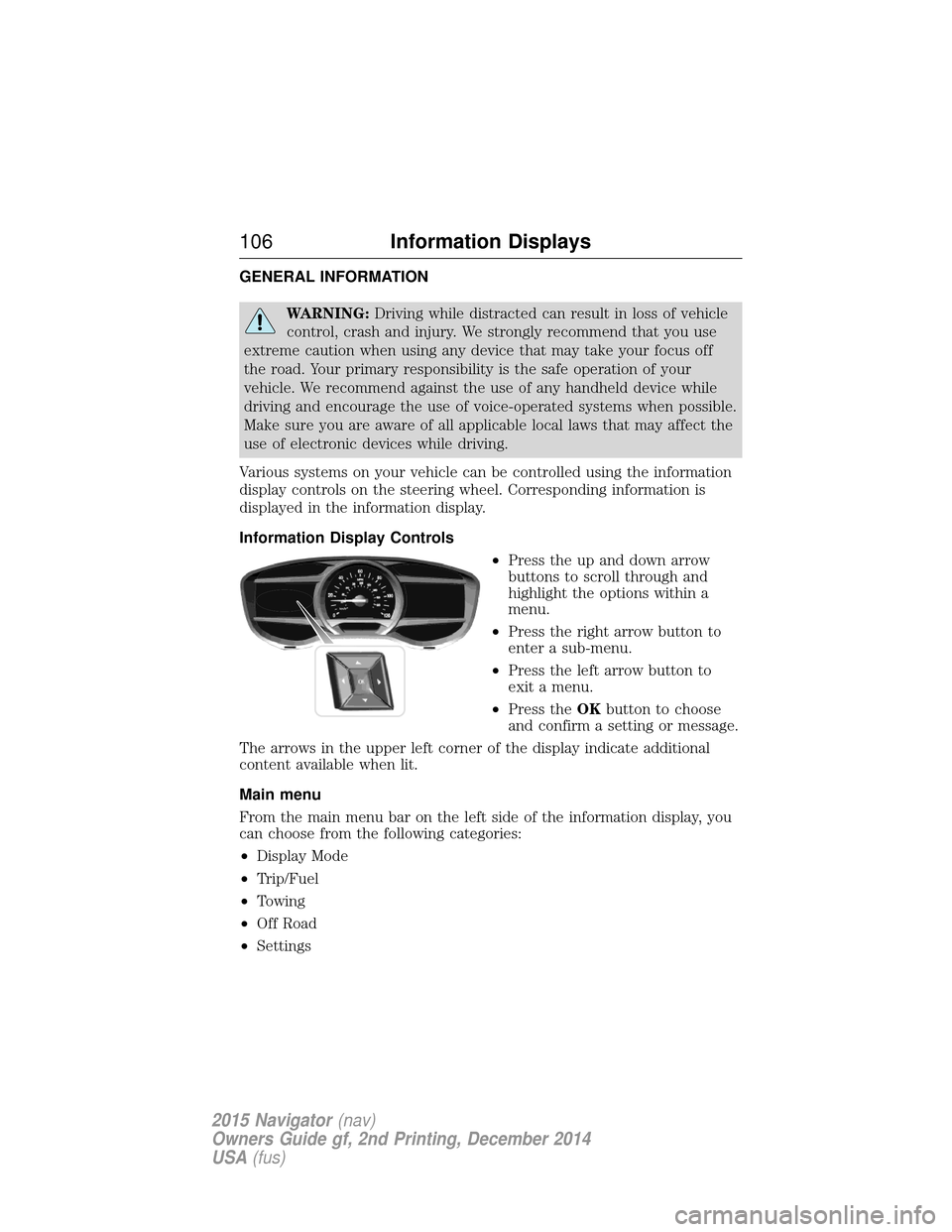
Information Display Controls •Press the up and down arrow
buttons to scroll through and
highlight the options within a
menu.
• Press the right arrow button to
enter a sub-menu.
• Press the left arrow button to
exit a menu.
• Press the OKbutton to choose
and confirm a setting or message.
The arrows in the upper left corner of the display indicate additional
content available when lit.
Main menu
From the main menu bar on the left side of the information display, you
can choose from the following categories:
• Display Mode
• Trip/Fuel
• Towing
• Off Road
• Settings
106 Information Displays
2015 Navigator (nav)
Owners Guide gf, 2nd Printing, December 2014
USA (fus)
Page 121 of 475
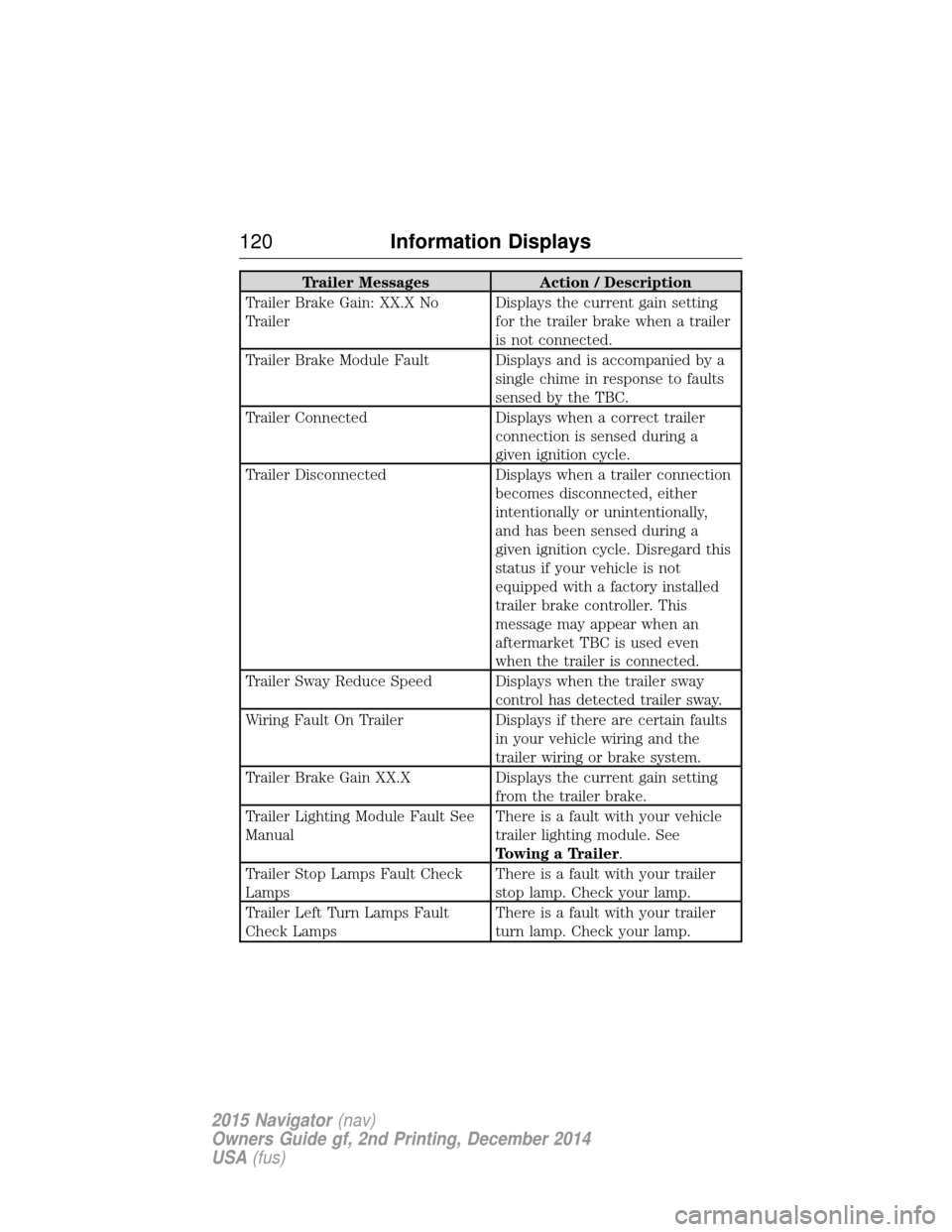
Trailer MessagesAction / Description
Trailer Brake Gain: XX.X No
Trailer Displays the current gain setting
for the trailer brake when a trailer
is not connected.
Trailer Brake Module Fault Displays and is accompanied by a single chime in response to faults
sensed by the TBC.
Trailer Connected Displays when a correct trailer
connection is sensed during a
given ignition cycle.
Trailer Disconnected Displays when a trailer connection
becomes disconnected, either
intentionally or unintentionally,
and has been sensed during a
given ignition cycle. Disregard this
status if your vehicle is not
equipped with a factory installed
trailer brake controller. This
message may appear when an
aftermarket TBC is used even
when the trailer is connected.
Trailer Sway Reduce Speed Displays when the trailer sway control has detected trailer sway.
Wiring Fault On Trailer Displays if there are certain faults
in your vehicle wiring and the
trailer wiring or brake system.
Trailer Brake Gain XX.X Displays the current gain setting
from the trailer brake.
Trailer Lighting Module Fault See
Manual There is a fault with your vehicle
trailer lighting module. See
Towing a Trailer.
Trailer Stop Lamps Fault Check
Lamps There is a fault with your trailer
stop lamp. Check your lamp.
Trailer Left Turn Lamps Fault
Check Lamps There is a fault with your trailer
turn lamp. Check your lamp.
120
Information Displays
2015 Navigator (nav)
Owners Guide gf, 2nd Printing, December 2014
USA (fus)
Page 135 of 475
Easy Entry and Exit Feature
The Easy Entry and Exit feature adjusts the position of the seat and
steering column to allow easier exit and entry to the vehicle.
The driver seat automatically moves 2 inches (5 centimeters) rearward
when the transmission is in park (P) and you switch the ignition off.
The driver seat returns to the previous position when you switch the
ignition on.
Enable or disable this feature through the information display. See the
Information Displayschapter for more information.
Climate Controlled Seats (If Equipped)
Heated Seats
WARNING: Persons who are unable to feel pain to the skin
because of advanced age, chronic illness, diabetes, spinal cord
injury, medication, alcohol use, exhaustion, or other physical conditions,
must exercise care when using the seat heater. The seat heater may
cause burns even at low temperatures, especially if used for long
periods of time. Do not place anything on the seat that insulates against
heat, such as a blanket or cushion, because this may cause the seat
heater to overheat. Do not puncture the seat with pins, needles, or
other pointed objects because this may damage the heating element
which may cause the seat heater to overheat. An overheated seat may
cause serious personal injury.
Note: Do not do the following:
• Place heavy objects on the seat.
• Operate the seat heater if water or any other liquid is spilled on the
seat. Allow the seat to dry thoroughly.
The heated seats will only function when the engine is running.
To operate the heated seats: Press the heated seat symbol to cycle through the various
heat settings and off. Warmer settings are indicated by
more indicator lights.
134 Seats
2015 Navigator(nav)
Owners Guide gf, 2nd Printing, December 2014
USA (fus)
Page 144 of 475
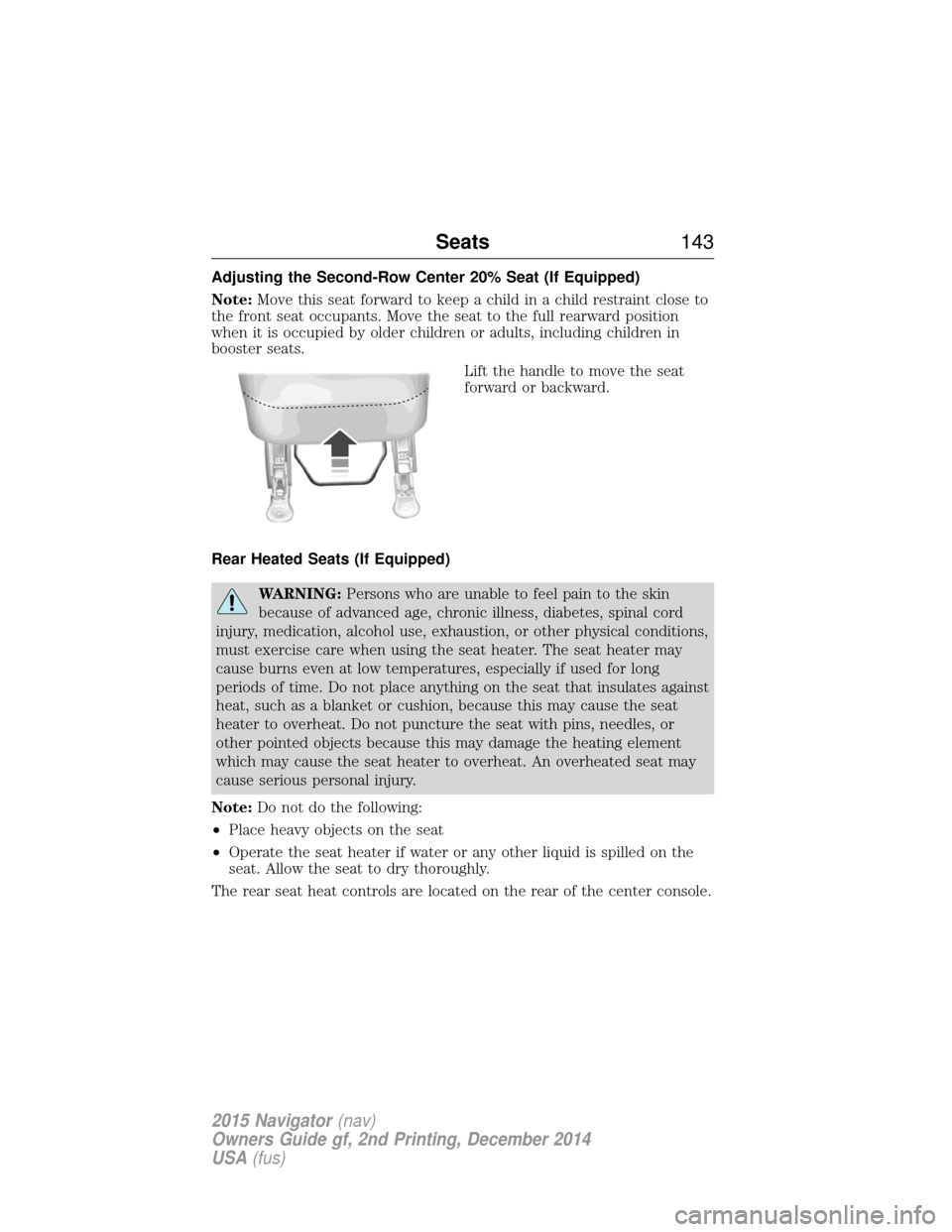
Adjusting the Second-Row Center 20% Seat (If Equipped)
Note:Move this seat forward to keep a child in a child restraint close to
the front seat occupants. Move the seat to the full rearward position
when it is occupied by older children or adults, including children in
booster seats.
Lift the handle to move the seat
forward or backward.
Rear Heated Seats (If Equipped)
WARNING: Persons who are unable to feel pain to the skin
because of advanced age, chronic illness, diabetes, spinal cord
injury, medication, alcohol use, exhaustion, or other physical conditions,
must exercise care when using the seat heater. The seat heater may
cause burns even at low temperatures, especially if used for long
periods of time. Do not place anything on the seat that insulates against
heat, such as a blanket or cushion, because this may cause the seat
heater to overheat. Do not puncture the seat with pins, needles, or
other pointed objects because this may damage the heating element
which may cause the seat heater to overheat. An overheated seat may
cause serious personal injury.
Note: Do not do the following:
• Place heavy objects on the seat
• Operate the seat heater if water or any other liquid is spilled on the
seat. Allow the seat to dry thoroughly.
The rear seat heat controls are located on the rear of the center console.
Seats 143
2015 Navigator(nav)
Owners Guide gf, 2nd Printing, December 2014
USA (fus)
Page 152 of 475
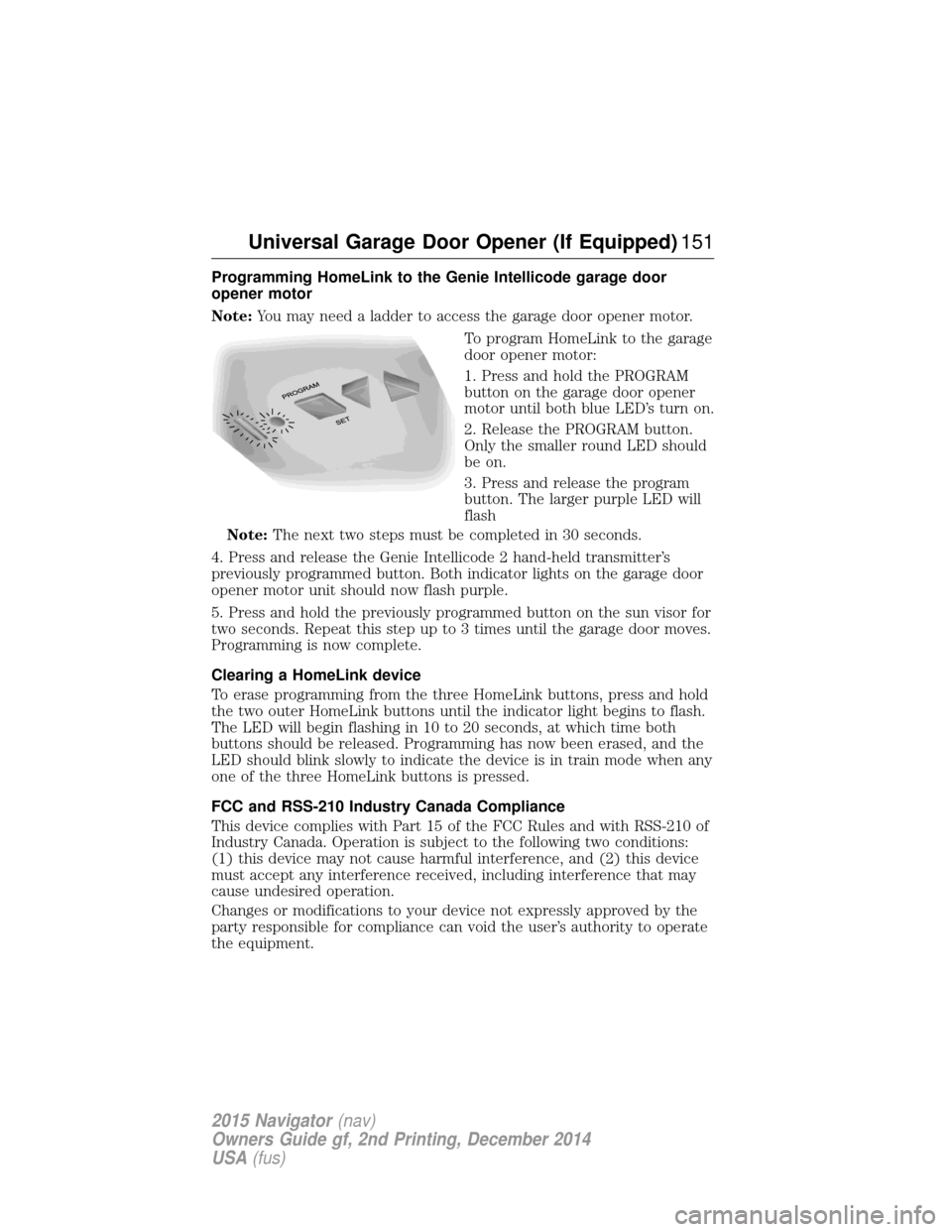
Programming HomeLink to the Genie Intellicode garage door
opener motor
Note:You may need a ladder to access the garage door opener motor.
To program HomeLink to the garage
door opener motor:
1. Press and hold the PROGRAM
button on the garage door opener
motor until both blue LED’s turn on.
2. Release the PROGRAM button.
Only the smaller round LED should
be on.
3. Press and release the program
button. The larger purple LED will
flash
Note: The next two steps must be completed in 30 seconds.
4. Press and release the Genie Intellicode 2 hand-held transmitter’s
previously programmed button. Both indicator lights on the garage door
opener motor unit should now flash purple.
5. Press and hold the previously programmed button on the sun visor for
two seconds. Repeat this step up to 3 times until the garage door moves.
Programming is now complete.
Clearing a HomeLink device
To erase programming from the three HomeLink buttons, press and hold
the two outer HomeLink buttons until the indicator light begins to flash.
The LED will begin flashing in 10 to 20 seconds, at which time both
buttons should be released. Programming has now been erased, and the
LED should blink slowly to indicate the device is in train mode when any
one of the three HomeLink buttons is pressed.
FCC and RSS-210 Industry Canada Compliance
This device complies with Part 15 of the FCC Rules and with RSS-210 of
Industry Canada. Operation is subject to the following two conditions:
(1) this device may not cause harmful interference, and (2) this device
must accept any interference received, including interference that may
cause undesired operation.
Changes or modifications to your device not expressly approved by the
party responsible for compliance can void the user’s authority to operate
the equipment.
Universal Garage Door Opener (If Equipped) 151
2015 Navigator(nav)
Owners Guide gf, 2nd Printing, December 2014
USA (fus)
Page 161 of 475
Important Ventilating Information
If you stop your vehicle and leave the engine idling for long periods, we
recommend that you do one of the following:
•Open the windows at least 1 inch (2.5 centimeters).
• Set your climate control to outside air.
ENGINE BLOCK HEATER (IF EQUIPPED)
WARNING: Failure to follow engine block heater instructions
could result in property damage or personal injury.
WARNING: Do not use your heater with ungrounded electrical
systems or two-pronged (cheater) adapters. There is a risk of
electrical shock.
Note: The heater is most effective when outdoor temperatures are below
0°F (-18°C).
The heater acts as a starting aid by warming the engine coolant. This
allows the climate control system to respond quickly. The equipment
includes a heater element (installed in the engine block) and a wire
harness. You can connect the system to a grounded 120–volt A/C
electrical source.
We recommend that you do the following for safe and correct operation:
• Use a 16-gauge outdoor extension cord that is product certified by
Underwriter’s Laboratory or Canadian Standards Association. This
extension cord must be suitable for use outdoors, in cold
temperatures, and be clearly marked Suitable for Use with Outdoor
Appliances. Never use an indoor extension cord outdoors; it could
result in an electric shock or become a fire hazard.
• Use as short an extension cord as possible.
• Do not use multiple extension cords.
• Make sure that when in operation, the extension cord plug and the
heater cord plug connections are free and clear of water. This could
cause an electric shock or fire.
• Make sure your vehicle is parked in a clean area, clear of
combustibles.
• Make sure the heater, heater cord and extension cord are firmly
connected.
• Check for heat anywhere in the electrical hookup once the system has
been operating for approximately 30 minutes.
160 Starting and Stopping the Engine
2015 Navigator (nav)
Owners Guide gf, 2nd Printing, December 2014
USA (fus)
Page 164 of 475
•Avoid inhaling fuel vapors. Inhaling too much fuel vapor of any kind
can lead to eye and respiratory tract irritation. In severe cases,
excessive or prolonged breathing of fuel vapor can cause serious
illness and permanent injury.
• Avoid getting fuel liquid in your eyes. If fuel is splashed in the eyes,
remove contact lenses (if worn), flush with water for 15 minutes and
seek medical attention. Failure to seek proper medical attention could
lead to permanent injury.
• Fuels can also be harmful if absorbed through the skin. If fuel is
splashed on the skin or clothing, promptly remove contaminated
clothing and wash skin thoroughly with soap and water. Repeated or
prolonged skin contact with fuel liquid or vapor causes skin irritation.
• Be particularly careful if you are taking Antabuse or other forms of
disulfiram for the treatment of alcoholism. Breathing gasoline vapors,
or skin contact could cause an adverse reaction. In sensitive
individuals, serious personal injury or sickness may result. If fuel is
splashed on the skin, promptly wash skin thoroughly with soap and
water. Consult a physician immediately if you experience an adverse
reaction.
FUEL QUALITY
Note: Use of any fuel other than those recommended may cause
powertrain damage and a loss of vehicle performance; repairs may not be
covered under warranty.
Choosing the Right Fuel (Gasoline Vehicles)
Use only UNLEADED gasoline or UNLEADED gasoline blended with a
maximum of 15% ethanol in your gasoline vehicle. If your vehicle is a Flex
Fuel Vehicle (FFV), it will have a yellow bezel placed over the fuel fill inlet.
Do not use:
• Fuels containing more than 15% ethanol or E-85 fuel.
• Fuels containing methanol.
• Fuels containing metallic based additives, including manganese-based
compounds.
• Fuels containing the octane booster additive, methylcyclopentadienyl
manganese tricarbonyl (MMT).
• Leaded-fuel (The use of leaded fuel is prohibited by law).
Fuel and Refueling 163
2015 Navigator(nav)
Owners Guide gf, 2nd Printing, December 2014
USA (fus)
Page 170 of 475
EMISSION CONTROL SYSTEM
WARNING:Do not park, idle, or drive your vehicle in dry grass
or other dry ground cover. The emission system heats up the
engine compartment and exhaust system, which can start a fire.
WARNING: Exhaust leaks may result in entry of harmful and
potentially lethal fumes into the passenger compartment. If you
smell exhaust fumes inside your vehicle, have your dealer inspect your
vehicle immediately. Do not drive if you smell exhaust fumes.
Your vehicle is equipped with various emission control components and a
catalytic converter which will enable your vehicle to comply with
applicable exhaust emission standards. To make sure that the catalytic
converter and other emission control components continue to work
properly:
• Use only the specified fuel listed.
• Avoid running out of fuel.
• Do not turn off the ignition while your vehicle is moving, especially at
high speeds.
• Have the items listed in Scheduled Maintenance Information
performed according to the specified schedule.
The scheduled maintenance items listed in Scheduled Maintenance
Information are essential to the life and performance of your vehicle
and to its emissions system.
If other than Ford, Motorcraft® or Ford-authorized parts are used for
maintenance replacements or for service of components affecting
emission control, such non-Ford parts should be equivalent to genuine
Ford Motor Company parts in performance and durability.
Illumination of the service engine soon indicator, charging system
warning light or the temperature warning light, fluid leaks, strange odors,
smoke or loss of engine power could indicate that the emission control
system is not working properly.
An improperly operating or damaged exhaust system may allow exhaust
to enter the vehicle. Have a damaged or improperly operating exhaust
system inspected and repaired immediately.
Do not make any unauthorized changes to your vehicle or engine. By
law, vehicle owners and anyone who manufactures, repairs, services,
Fuel and Refueling 169
2015 Navigator(nav)
Owners Guide gf, 2nd Printing, December 2014
USA (fus)
Page 182 of 475
How Your Vehicle Differs From Other Vehicles
WARNING:Vehicles with a higher center of gravity such as
utility and four-wheel drive vehicles handle differently than
vehicles with a lower center of gravity. Utility and four-wheel drive
vehicles are notdesigned for cornering at speeds as high as passenger
cars any more than low-slung sports cars are designed to perform
satisfactorily under off-road conditions. Avoid sharp turns, excessive
speed and abrupt maneuvers in these vehicles. Failure to drive
cautiously could result in an increased risk of loss of vehicle control,
vehicle rollover, personal injury and death.
Truck and utility vehicles can differ from some other vehicles. Your
vehicle may be higher to allow it to travel over rough terrain without
getting hung up or damaging underbody components.
The differences that make your vehicle so versatile also make it handle
differently than an ordinary passenger car.
Maintain steering wheel control at all times, especially in rough terrain.
Since sudden changes in terrain can result in abrupt steering wheel
motion, make sure you grip the steering wheel from the outside. Do not
grip the spokes.
Drive cautiously to avoid vehicle damage from concealed objects such as
rocks and stumps.
You should either know the terrain or examine maps of the area before
driving. Map out your route before driving in the area. To maintain
steering and braking control of your vehicle, you must have all four
wheels on the ground and they must be rolling, not sliding or spinning.
Driving Off-Road With Truck and Utility Vehicles
Note: On some 4WD models, the initial shift from two-wheel drive to
four-wheel drive while the vehicle is moving can cause some momentary
clunk and ratcheting sounds. This is the front drivetrain coming up to
speed and the automatic locking hubs engaging and is not cause for
concern.
Note: Your vehicle may be equipped with a front air dam that can
become damaged (due to reduced ground clearance) when taking your
vehicle off-road. This air dam can be taken off by removing two bolts.
4WD vehicles are specially equipped for driving on sand, snow, mud and
rough terrain and have operating characteristics that are somewhat
different from conventional vehicles, both on and off the road.
Four-Wheel Drive (If Equipped) 181
2015 Navigator(nav)
Owners Guide gf, 2nd Printing, December 2014
USA (fus)