instrument panel LINCOLN NAVIGATOR 2015 User Guide
[x] Cancel search | Manufacturer: LINCOLN, Model Year: 2015, Model line: NAVIGATOR, Model: LINCOLN NAVIGATOR 2015Pages: 475, PDF Size: 5.13 MB
Page 126 of 475
GENERAL OPERATING TIPS
General Hints
Note:Prolonged use of recirculated air may cause the windows to fog
up.
Note: You may feel a small amount of air from the footwell air vents
regardless of the air distribution setting.
Note: To reduce humidity build-up inside your vehicle, do not drive with
the system switched off or with recirculated air always switched on.
Note: Do not place objects under the front seats as this may interfere
with the airflow to the rear seats.
Note: Remove any snow, ice or leaves from the air intake area at the
base of the windshield.
Note: To improve the time to reach comfort in hot weather, drive with
the windows slightly open for 2-3 minutes after start-up or until your
vehicle airs out.
Automatic Climate Control
Note: Adjusting the settings when your vehicle interior is extremely hot
or cold is not necessary. The system automatically adjusts to heat or cool
the cabin to your selected temperature as quickly as possible. For the
system to function efficiently, the instrument panel and side air vents
should be fully open.
Note: If you select AUTOduring cold outside temperatures, the system
directs airflow to the windshield and side window vents. In addition, the
fan may run at a slower speed until the engine warms up.
Note: If you select AUTOduring hot outside temperatures, or when the
inside of the vehicle is hot, the system automatically uses recirculated air
to maximize interior cooling. When the interior reaches the selected
temperature, the system automatically switches to using outside air.
Heating the Interior Quickly
1. Press the AUTObutton.
2. Adjust the temperature control to the desired setting.
Recommended Settings for Heating
1. Press the AUTObutton.
2. Adjust the temperature control to the desired setting. Use 72°F (22°C) as a starting point, then adjust the setting as necessary.
Climate Control 125
2015 Navigator(nav)
Owners Guide gf, 2nd Printing, December 2014
USA (fus)
Page 127 of 475
Cooling the Interior Quickly
Press theMAX A/C button.
Recommended Settings for Cooling
1. Press the AUTObutton.
2. Adjust the temperature control to the desired setting. Use 72°F (22°C) as a starting point, then adjust the setting as necessary.
Side Window Defogging in Cold Weather
1. Press the defrost button.
2. Adjust the temperature control to the desired setting. Use 72°F (22°C) as a starting point, then adjust the setting as necessary.
3. Direct the instrument panel side air vents toward the side windows.
4. Close the instrument panel center vents.
HEATED WINDOWS AND MIRRORS (IF EQUIPPED)
Heated Rear Window
Note: The vehicle must be running to use this feature.
Press the control to clear the rear window of thin ice and fog. Press the
control again within 15 minutes to switch it off. It turns off automatically
after approximately 15 minutes, or when you switch off the ignition.
Do not use razor blades or other sharp objects to clean the inside
of the rear window or to remove decals from the inside of the
rear window. This may cause damage to the heated grid lines.
Your warranty does not cover this damage.
Heated Exterior Mirror
Note: Do not remove ice from the mirrors with a scraper or attempt to
readjust the mirror glass that has frozen in place. These actions could
cause damage to the glass and mirrors.
Note: Do not clean the housing or glass of any mirror with harsh
abrasives, fuel or other petroleum-based cleaning products.
Both mirrors heat to remove ice, mist and fog when you turn the rear
window defroster on.
126 Climate Control
2015 Navigator(nav)
Owners Guide gf, 2nd Printing, December 2014
USA (fus)
Page 189 of 475
HINTS ON DRIVING WITH ANTI-LOCK BRAKES
When the system is operating, the brake pedal will pulse and may travel
further. Maintain pressure on the brake pedal. You may also hear a noise
from the system. This is normal.
The anti-lock braking system will not eliminate the risks when:
•You drive too closely to the vehicle in front of you.
• Your vehicle is hydroplaning.
• You take corners too fast.
• The road surface is poor.
PARKING BRAKE
WARNING: Always set the parking brake fully and make sure
that the transmission is securely latched in park (P).
To set the parking brake, press the parking brake pedal down until the
pedal stops.
The brake warning lamp will illuminate and will remain illuminated until
the parking brake is released.
To release, pull the brake release lever located at the lower left side of
the instrument panel.
HILL START ASSIST
WARNING: The hill start assist feature does not replace the
parking brake. When you leave the vehicle, always apply the
parking brake and shift the transmission into park (P).
WARNING: You must remain in the vehicle once you have
activated the hill start assist feature.
WARNING: During all times, you are responsible for controlling
the vehicle, supervising the hill start assist system and
intervening, if required.
WARNING: If the engine is revved excessively, or if a
malfunction is detected when the hill start assist feature is active,
the hill start assist feature will be deactivated.
188 Brakes
2015 Navigator(nav)
Owners Guide gf, 2nd Printing, December 2014
USA (fus)
Page 191 of 475
PRINCIPLES OF OPERATION
The traction control system helps avoid drive wheel spin and loss of
traction.
If your vehicle begins to slide, the system applies the brakes to individual
wheels and, when needed, reduces engine power at the same time. If the
wheels spin when accelerating on slippery or loose surfaces, the system
reduces engine power in order to increase traction.
USING TRACTION CONTROL
In certain situations (for example, stuck in snow or mud), turning the
traction control off may be beneficial as this allows the wheels to spin
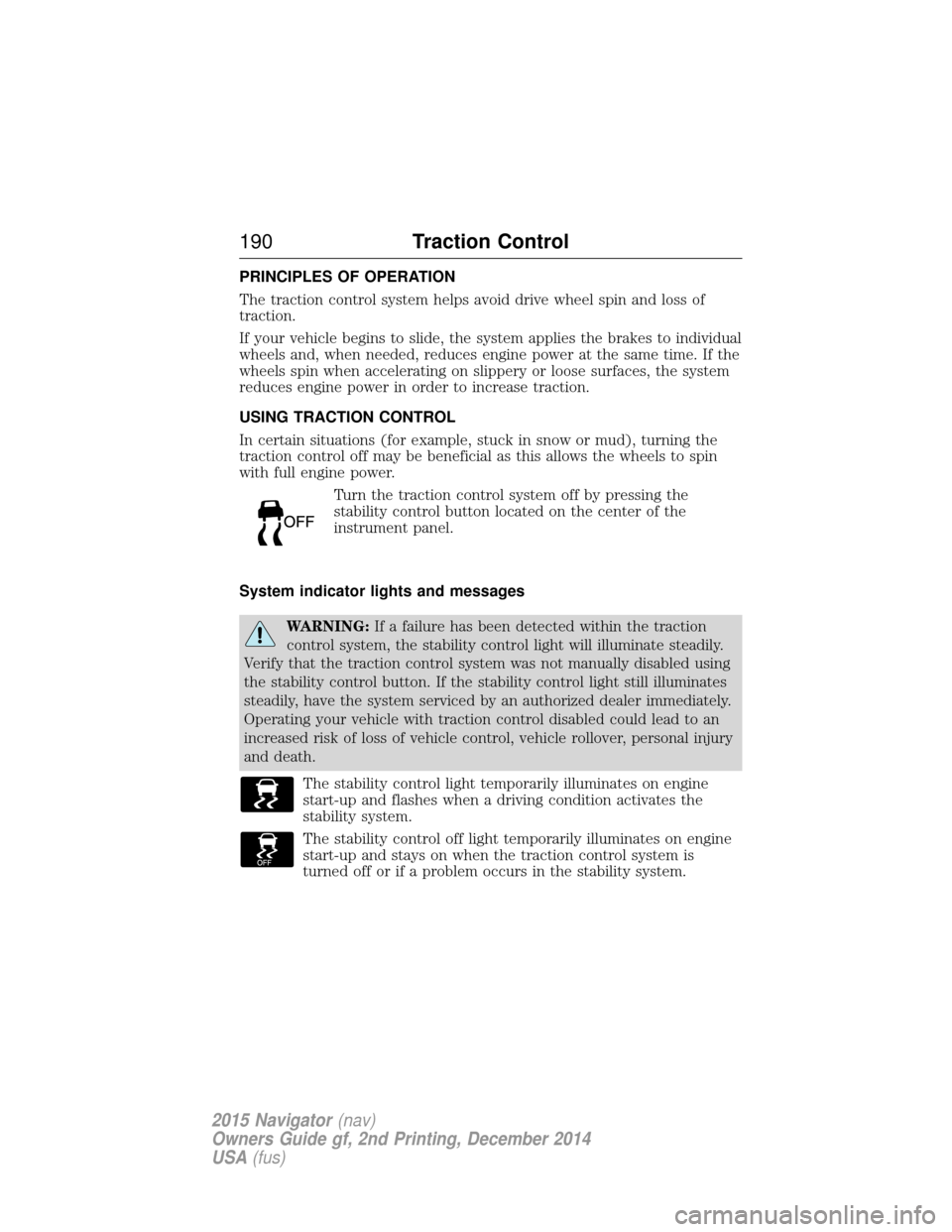
with full engine power.Turn the traction control system off by pressing the
stability control button located on the center of the
instrument panel.
System indicator lights and messages
WARNING: If a failure has been detected within the traction
control system, the stability control light will illuminate steadily.
Verify that the traction control system was not manually disabled using
the stability control button. If the stability control light still illuminates
steadily, have the system serviced by an authorized dealer immediately.
Operating your vehicle with traction control disabled could lead to an
increased risk of loss of vehicle control, vehicle rollover, personal injury
and death.
The stability control light temporarily illuminates on engine
start-up and flashes when a driving condition activates the
stability system.
The stability control off light temporarily illuminates on engine
start-up and stays on when the traction control system is
turned off or if a problem occurs in the stability system.
190 Traction Control
2015 Navigator(nav)
Owners Guide gf, 2nd Printing, December 2014
USA (fus)
Page 200 of 475
WARNING:Back up as slow as possible since higher speeds
might limit your reaction time to stop the vehicle.
WARNING: Use caution when using the rear video camera and
the liftgate is ajar. If the liftgate is ajar, the camera will be out of
position and the video image may be incorrect. All guidelines (if
enabled) have been removed when the liftgate is ajar.
WARNING: Use caution when turning camera features on or off
while in R (Reverse). Make sure the vehicle is not moving.
The rear view camera system provides a video image of the area behind
the vehicle. The image will be displayed in either the rear view mirror or
the display in the center of the instrument panel.
During operation, lines appear in the display which represent your
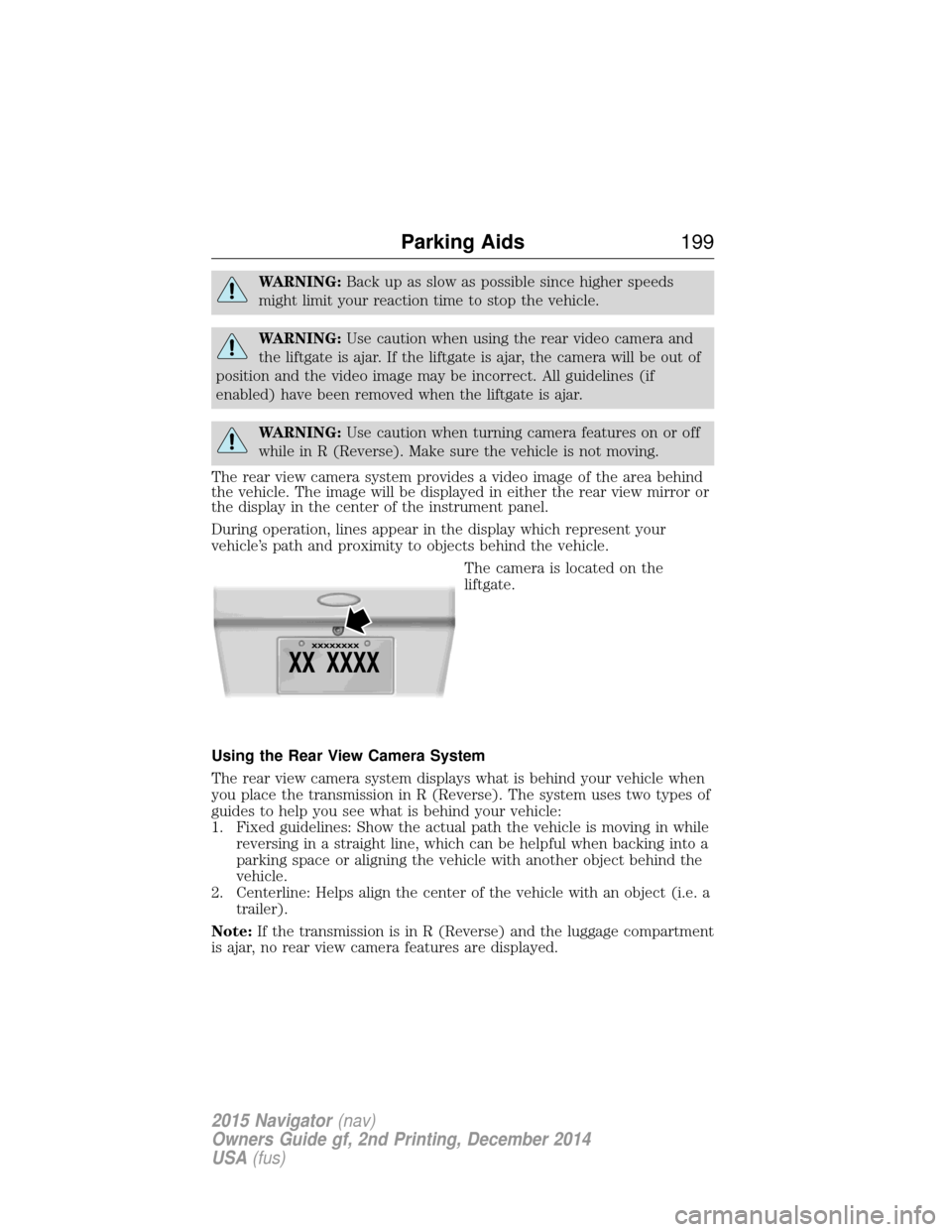
vehicle’s path and proximity to objects behind the vehicle. The camera is located on the
liftgate.
Using the Rear View Camera System
The rear view camera system displays what is behind your vehicle when
you place the transmission in R (Reverse). The system uses two types of
guides to help you see what is behind your vehicle:
1. Fixed guidelines: Show the actual path the vehicle is moving in while reversing in a straight line, which can be helpful when backing into a
parking space or aligning the vehicle with another object behind the
vehicle.
2. Centerline: Helps align the center of the vehicle with an object (i.e. a trailer).
Note: If the transmission is in R (Reverse) and the luggage compartment
is ajar, no rear view camera features are displayed.
Parking Aids 199
2015 Navigator(nav)
Owners Guide gf, 2nd Printing, December 2014
USA (fus)
Page 244 of 475
HAZARD WARNING FLASHERSThe hazard flasher control is located on the instrument panel
by the radio. Use it when your vehicle is disabled and is
creating a safety hazard for other motorists.
•
Press the flasher control and all front and rear direction signals will flash.
• Press the flasher control again to turn them off.
Note:
With extended use, the flashers may run down your 12–volt battery.
FUEL SHUTOFF
WARNING: Failure to inspect and, if necessary, repair fuel leaks
after a collision may increase the risk of fire and serious injury.
Ford Motor Company recommends that the fuel system be inspected by
an authorized dealer after any collision.
In the event of a moderate to severe collision, this vehicle includes a fuel
pump shut-off feature that stops the flow of fuel to the engine. Not every
impact will cause a shut off.
Should your vehicle shut off after a collision, you may restart your
vehicle by doing the following:
1. Switch off the ignition.
2. Switch on the ignition.
3. Repeat Steps 1 and 2 to re-enable the fuel pump.
For vehicles equipped with a push button start system:
1. Press the START/STOP button to switch off the ignition.
2. Press the brake pedal and press the START/STOP button to start the
vehicle.
3. Remove your foot from the brake pedal and press the START/STOP
button to switch off the ignition.
4. You can either attempt to start the engine by pressing the brake pedal
and the START/STOP button, or switch on the ignition only by pressing
the START/STOP button without pressing the brake pedal. Both ways
re-enable the fuel system.
Note: When you try to restart your vehicle after a fuel shutoff, the
vehicle makes sure that various systems are safe to restart. Once your
vehicle determines that the systems are safe, then the vehicle will allow
you to restart.
Note: In the event that your vehicle does not restart after your third
attempt, contact an authorized dealer.
Roadside Emergencies 243
2015 Navigator(nav)
Owners Guide gf, 2nd Printing, December 2014
USA (fus)
Page 259 of 475
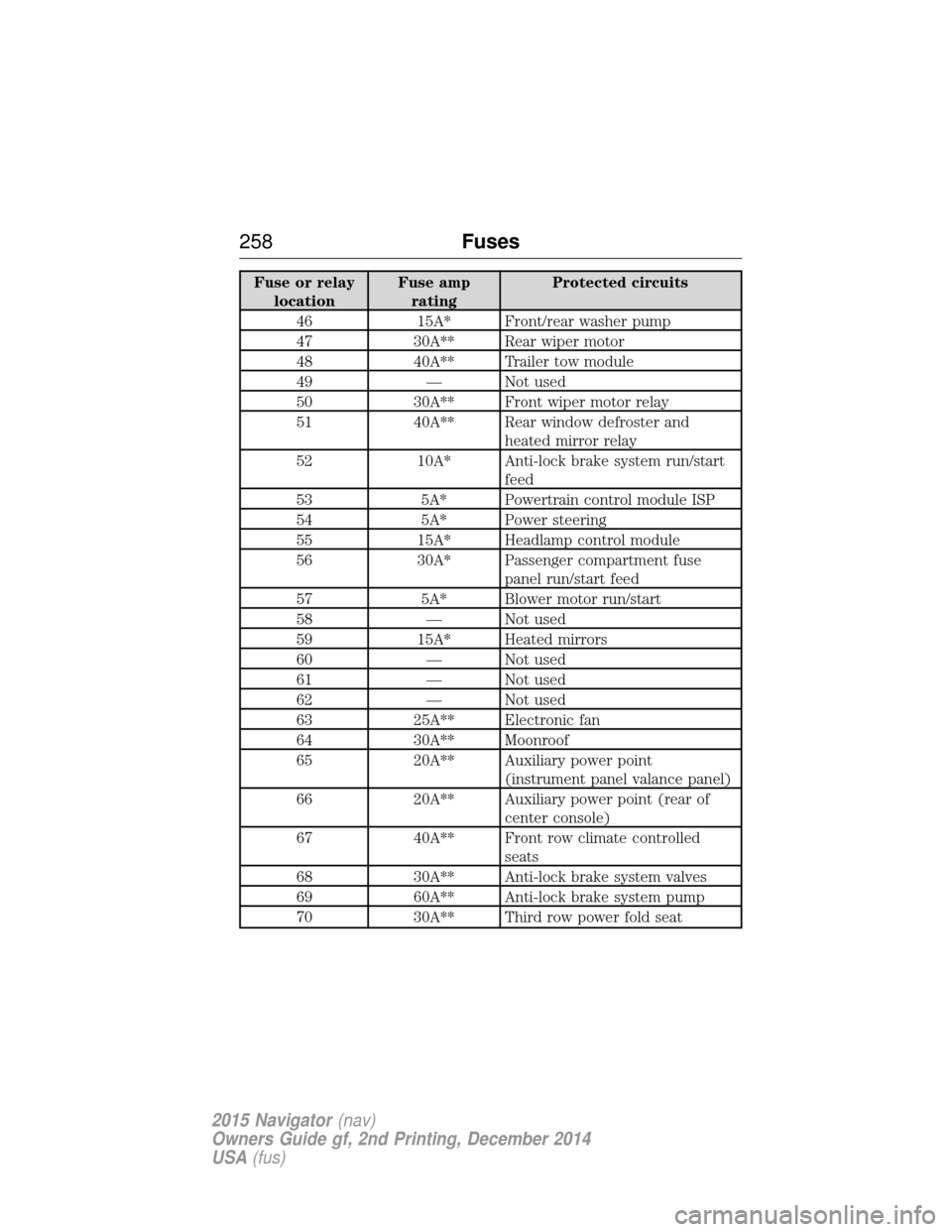
Fuse or relaylocation Fuse amp
rating Protected circuits
46 15A* Front/rear washer pump
47 30A** Rear wiper motor
48 40A** Trailer tow module
49 — Not used
50 30A** Front wiper motor relay
51 40A** Rear window defroster and heated mirror relay
52 10A* Anti-lock brake system run/start feed
53 5A* Powertrain control module ISP
54 5A* Power steering
55 15A* Headlamp control module
56 30A* Passenger compartment fuse panel run/start feed
57 5A* Blower motor run/start
58 — Not used
59 15A* Heated mirrors
60 — Not used
61 — Not used
62 — Not used
63 25A** Electronic fan
64 30A** Moonroof
65 20A** Auxiliary power point (instrument panel valance panel)
66 20A** Auxiliary power point (rear of center console)
67 40A** Front row climate controlled seats
68 30A** Anti-lock brake system valves
69 60A** Anti-lock brake system pump
70 30A** Third row power fold seat
258 Fuses
2015 Navigator(nav)
Owners Guide gf, 2nd Printing, December 2014
USA (fus)
Page 261 of 475
Passenger Compartment Fuse Panel
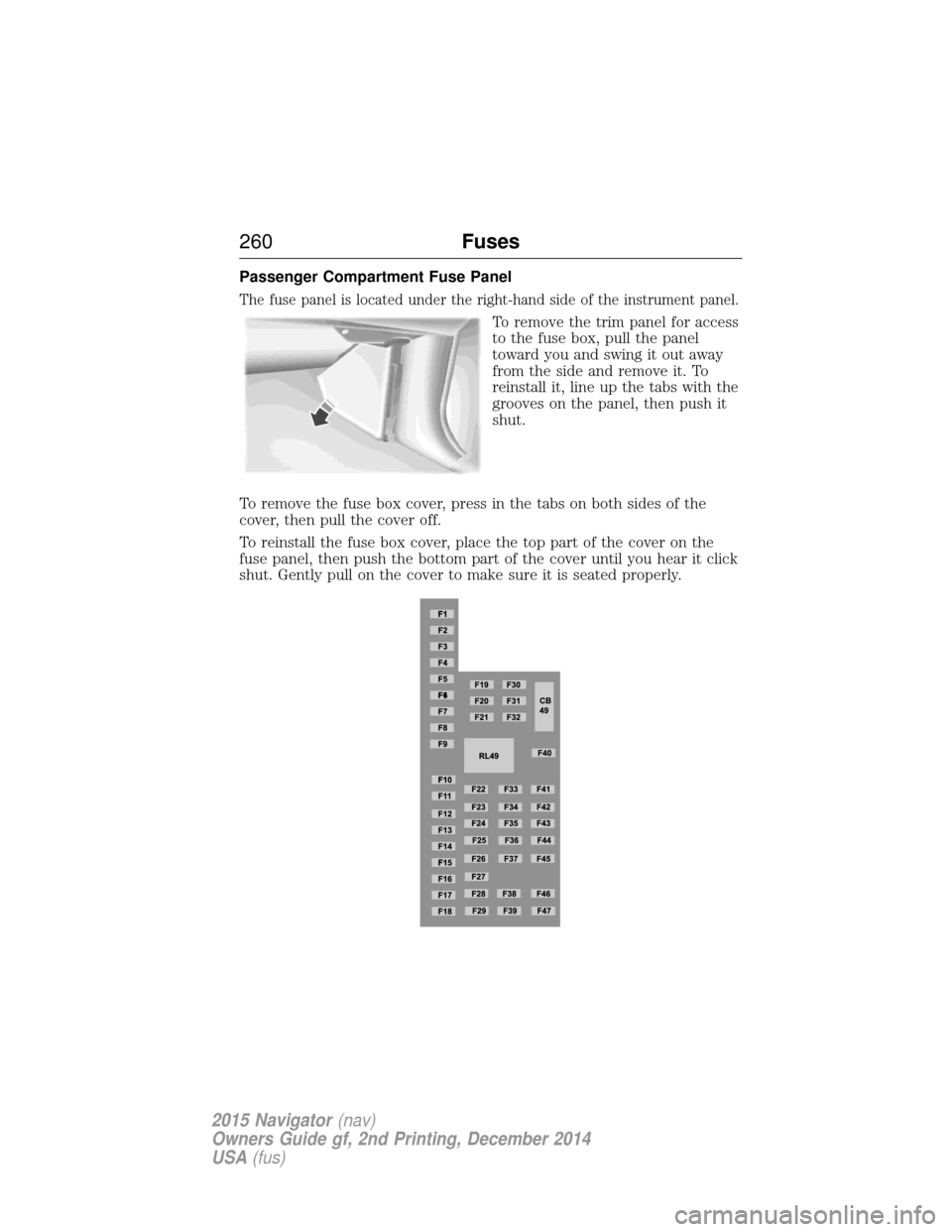
The fuse panel is located under the right-hand side of the instrument panel.
To remove the trim panel for access
to the fuse box, pull the panel
toward you and swing it out away
from the side and remove it. To
reinstall it, line up the tabs with the
grooves on the panel, then push it
shut.
To remove the fuse box cover, press in the tabs on both sides of the
cover, then pull the cover off.
To reinstall the fuse box cover, place the top part of the cover on the
fuse panel, then push the bottom part of the cover until you hear it click
shut. Gently pull on the cover to make sure it is seated properly.
260 Fuses
2015 Navigator(nav)
Owners Guide gf, 2nd Printing, December 2014
USA (fus)
Page 265 of 475
Working with the Engine On
WARNING:To reduce the risk of vehicle damage or personal
burn injuries, do not start your engine with the air cleaner
removed and do not remove it while the engine is running.
1. Set the parking brake and shift to position P(Park) .
2. Block the wheels.
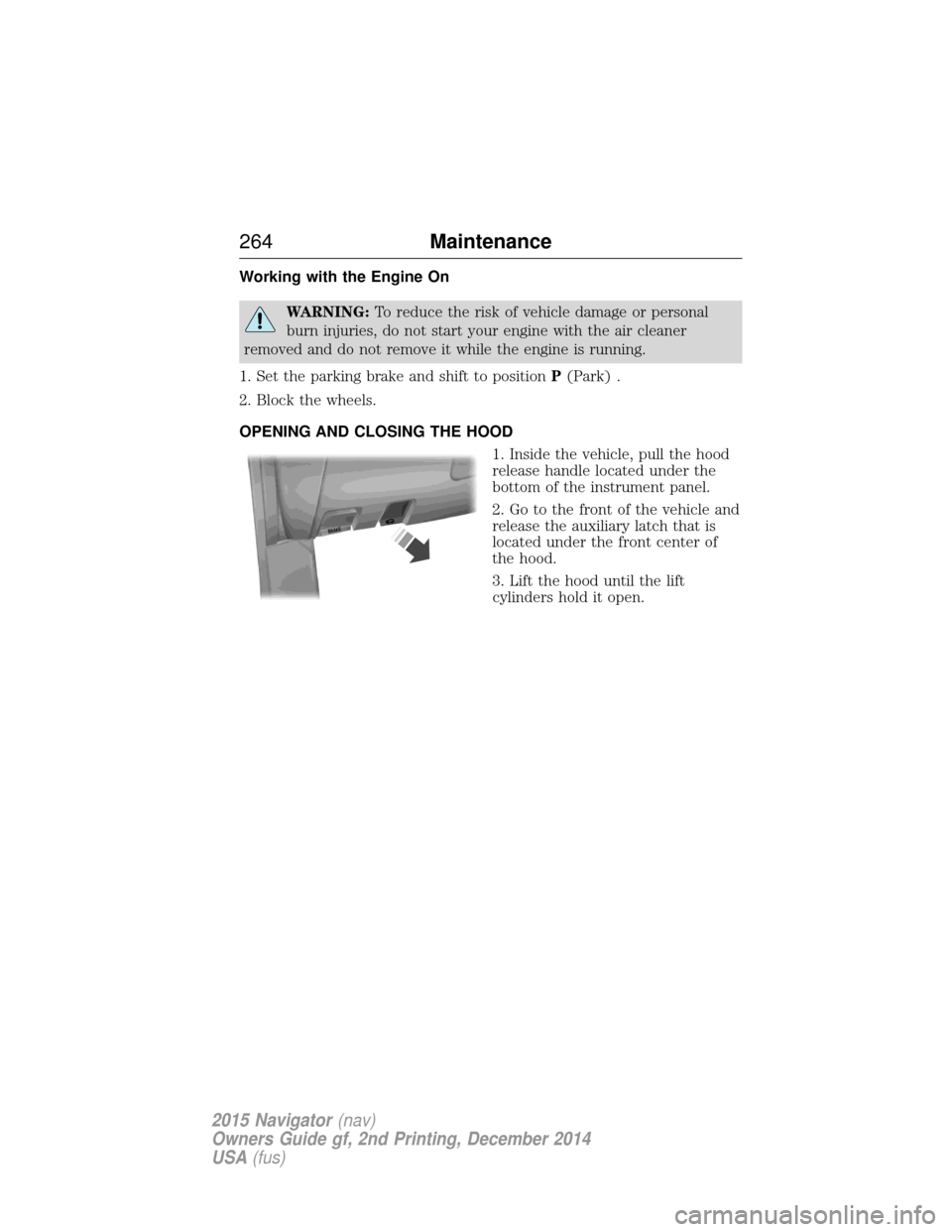
OPENING AND CLOSING THE HOOD 1. Inside the vehicle, pull the hood
release handle located under the
bottom of the instrument panel.
2. Go to the front of the vehicle and
release the auxiliary latch that is
located under the front center of
the hood.
3. Lift the hood until the lift
cylinders hold it open.
BRAKE
264 Maintenance
2015 Navigator(nav)
Owners Guide gf, 2nd Printing, December 2014
USA (fus)
Page 284 of 475
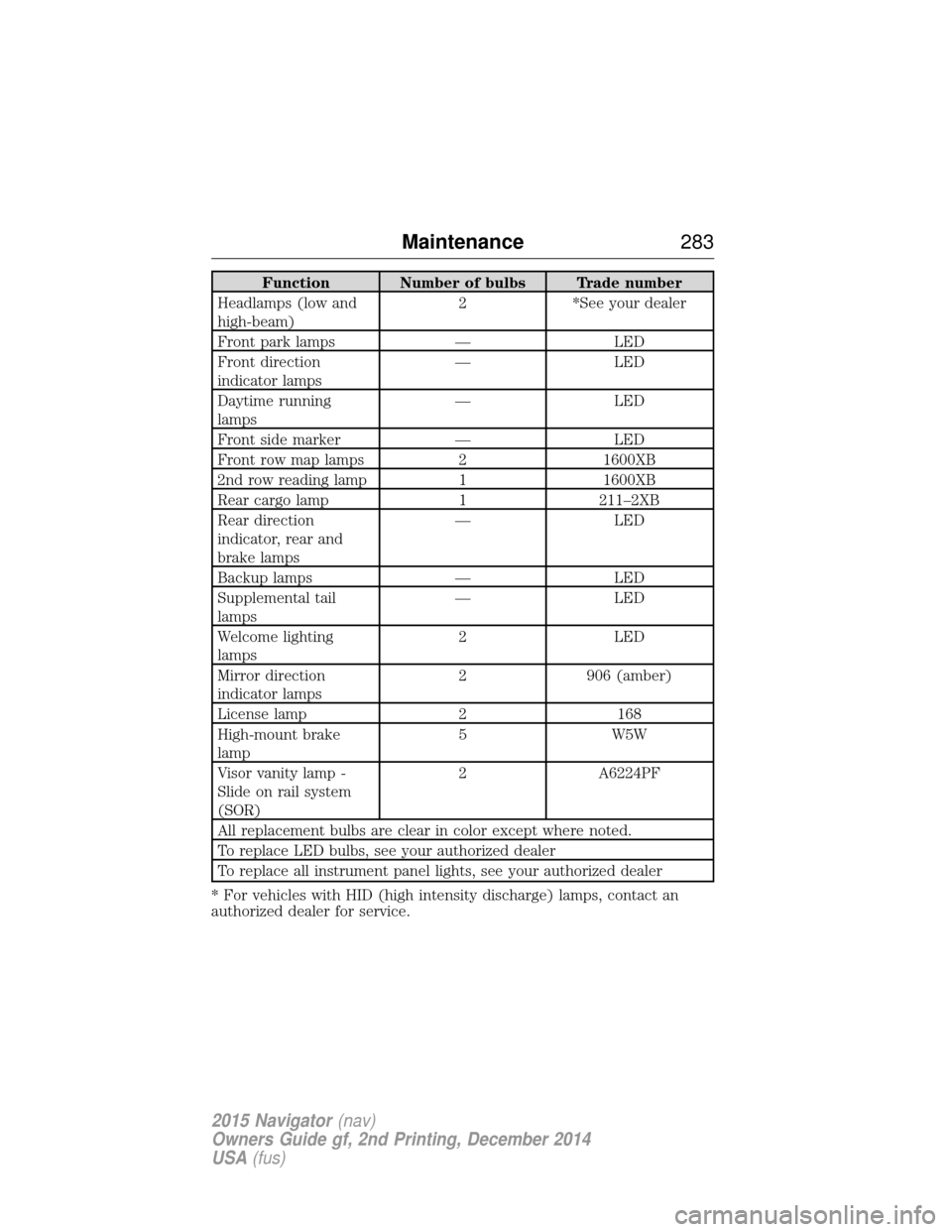
Function Number of bulbs Trade number
Headlamps (low and
high-beam) 2 *See your dealer
Front park lamps — LED
Front direction
indicator lamps — LED
Daytime running
lamps — LED
Front side marker — LED
Front row map lamps 2 1600XB
2nd row reading lamp 1 1600XB
Rear cargo lamp 1 211–2XB
Rear direction
indicator, rear and
brake lamps — LED
Backup lamps — LED
Supplemental tail
lamps — LED
Welcome lighting
lamps 2 LED
Mirror direction
indicator lamps 2 906 (amber)
License lamp 2 168
High-mount brake
lamp 5 W5W
Visor vanity lamp -
Slide on rail system
(SOR) 2 A6224PF
All replacement bulbs are clear in color except where noted.
To replace LED bulbs, see your authorized dealer
To replace all instrument panel lights, see your authorized dealer
* For vehicles with HID (high intensity discharge) lamps, contact an
authorized dealer for service.
Maintenance 283
2015 Navigator(nav)
Owners Guide gf, 2nd Printing, December 2014
USA (fus)