navigation system LINCOLN NAVIGATOR 2015 User Guide
[x] Cancel search | Manufacturer: LINCOLN, Model Year: 2015, Model line: NAVIGATOR, Model: LINCOLN NAVIGATOR 2015Pages: 475, PDF Size: 5.13 MB
Page 393 of 475
Note:This feature does not function properly if you have enabled caller
ID blocking on your mobile phone. Make sure your mobile phone is not
blocking caller ID before using SYNC Services.
Note: The driver is ultimately responsible for the safe operation of the
vehicle, and therefore, must evaluate whether it is safe to follow the
suggested directions. Any navigation features are provided only as an aid.
Make your driving decisions based on your observations of local
conditions and existing traffic regulations. Do not follow the route
suggestions if doing so would result in an unsafe or illegal maneuver, if
you would be placed in an unsafe situation, or if you would be directed
into an area that you consider unsafe. Maps used by this system may be
inaccurate because of errors, changes in roads, traffic conditions or
driving conditions.
Note: When you connect, the service uses GPS technology and advanced
vehicle sensors to collect your vehicle’s current location, travel direction
and speed to help provide you with the directions, traffic reports, or
business searches you request. Further, to provide the services you
request, for continuous improvement, the service may collect and record
call details and voice communications. For more information, see SYNC
Services Terms and Conditions at www.SYNCMyRide.com. If you do not
want Ford or its service providers to collect your vehicle travel
information or other information identified in the Terms and Conditions,
do not subscribe or use the service.
SYNC Services uses advanced vehicle sensors, integrated GPS technology
and comprehensive map and traffic data, to give you personalized traffic
reports, precise turn-by-turn directions, business search, news, sports,
weather and more. For a complete list of services, or to learn more,
please visit www.SYNCMyRide.com.
Connecting to SYNC Services Using Voice Commands
Press the voice button on the steering wheel controls.
1. When prompted, say “Services”. This initiates an outgoingcall to SYNC Services using your paired and connected
Bluetooth-enabled cellular phone.
2. Once you connect to the service, follow the voice prompts to request the desired service, such as “Traffic” or “Directions”. You can also
say, “What are my choices?” to receive a list of available services
from which to choose.
3. Say, “Services” to return to the Services main menu or for help, say, “Help”.
392 MyLincoln Touch™
2015 Navigator(nav)
Owners Guide gf, 2nd Printing, December 2014
USA (fus)
Page 394 of 475
Connecting to SYNC Services Using the TouchscreenIf your vehicle is equipped with Navigation, touch the i
(Information) button to access these features. If your vehicle is
not equipped with Navigation, touch the corner of the
touchscreen with the green tab.
Press Services.
1. Select Connect to Services to initiate an outgoing call to SYNC
Services using your paired and connected Bluetooth-enabled cellular
phone.
2. Once you connect to the service, follow the voice prompts to request the desired service, such as “Traffic” or “Directions”. You can also
say, “What are my choices?” to receive a list of available services
from which to choose.
3. Say, “Services” to return to the Services main menu or for help, say, “Help”.
Receiving Turn-by-Turn Directions
1. When connected to SYNC Services, say “Directions” or “Business Search”. To find the closest business or type of business to your
current location, just say “Business Search” and then “Search Near
Me”. If you need further assistance in finding a location, you can say
“Operator” at any time within a Directions or Business search to
speak with a live operator. The system may prompt you to speak with
an operator when it has difficulty matching your voice request. The
live operator can assist you by searching for businesses by name or
by category, residential addresses by street address or by name or
specific street intersections. Operator Assist is a feature of your
SYNC Services subscription. For more information on Operator
Assist, visit www.SYNCMyRide.com/support.
2. Follow the voice prompts to select your Destination. After the route download is finished, the phone call automatically ends.
If your vehicle is not equipped with Navigation:
• Turn-by-turn directions appear in the information display, in the
status bar of your touchscreen system and on the SYNC Services
screen. You also receive driving instructions from audible prompts.
• When on an active route, you can select Route SummaryorRoute
Status using the touchscreen controls or voice commands to view
the Route Summary Turn List or theRoute Status ETA. You can
also turn voice guidance on or off, cancel the route or update the
route.
If you miss a turn, SYNC automatically asks if you want the route
updated. Just say, “Yes” when prompted and the system delivers a new
route to your vehicle.
MyLincoln Touch™ 393
2015 Navigator(nav)
Owners Guide gf, 2nd Printing, December 2014
USA (fus)
Page 395 of 475
If your vehicle is equipped with Navigation, SYNC Services downloads
your requested destination to the navigation system. The navigation
system then calculates the route and provides driving instructions. See
theNavigation system section for more information.
Disconnecting from SYNC Services
1. Press and hold the phone button on the steering wheel.
2. Say “Good-bye” from the SYNC Services main menu.
SYNC Services quick tips
Personalizing You can personalize your Services feature to
provide quicker access to your most used or
favorite information. You can save address
points, such as work or home. You can also
save favorite information like sports teams,
such as Detroit Lions, or a news category. You
can learn more about personalization by
logging onto www.SYNCMyRide.com.
Push to interrupt Press the voice button at any time (while
connected to SYNC Services) to interrupt a
voice prompt or an audio clip (such as a
sports report) and say your voice command.
Portable Your subscription is associated with your
Bluetooth-enabled cellular phone number, not
your VIN (Vehicle Identification Number). You
can pair and connect your phone to any
vehicle equipped with SYNC Services and
continue enjoying your personalized services.
394MyLincoln Touch™
2015 Navigator(nav)
Owners Guide gf, 2nd Printing, December 2014
USA (fus)
Page 396 of 475
SYNC Services Voice CommandsWhen a route has been downloaded (non-navigation systems),
press the voice button on the steering wheel control. When
prompted, say any of the following commands:
“SERVICES”
“Cancel route”
“Navigation voice off” “Navigation voice on” “Next turn”
“Route status”
“Route summary” “Services”
“Update route” “Help”
Sirius Travel Link (If Equipped and If Activated)
WARNING: Driving while distracted can result in loss of vehicle
control, crash and injury. We strongly recommend that you use
extreme caution when using any device that may take your focus off
the road. Your primary responsibility is the safe operation of your
vehicle. We recommend against the use of any hand-held device while
driving and encourage the use of voice-operated systems when possible.
Make sure you are aware of all applicable local laws that may affect the
use of electronic devices while driving.
Note: In order to use Sirius Travel Link, your vehicle must be equipped
with navigation and your navigation SD card must be in the SD card slot.
Note: A paid subscription is required to access and use these features.
Go to www.siriusxm.com/travellink for more information.
Note: Visit www.siriusxm.com/traffic# and click on Coverage map and
details for a complete listing of all traffic areas covered by Sirius Travel
Link.
Note: Neither Sirius nor Ford is responsible for any errors or
inaccuracies in the Sirius Travel Link services or its use in vehicles.
When you subscribe to Sirius Travel Link, it can help you locate the best
gas prices, find movie listings, get current traffic alerts, view the current
weather map, get accurate ski conditions and see scores to current
sports games.
MyLincoln Touch™ 395
2015 Navigator(nav)
Owners Guide gf, 2nd Printing, December 2014
USA (fus)
Page 399 of 475
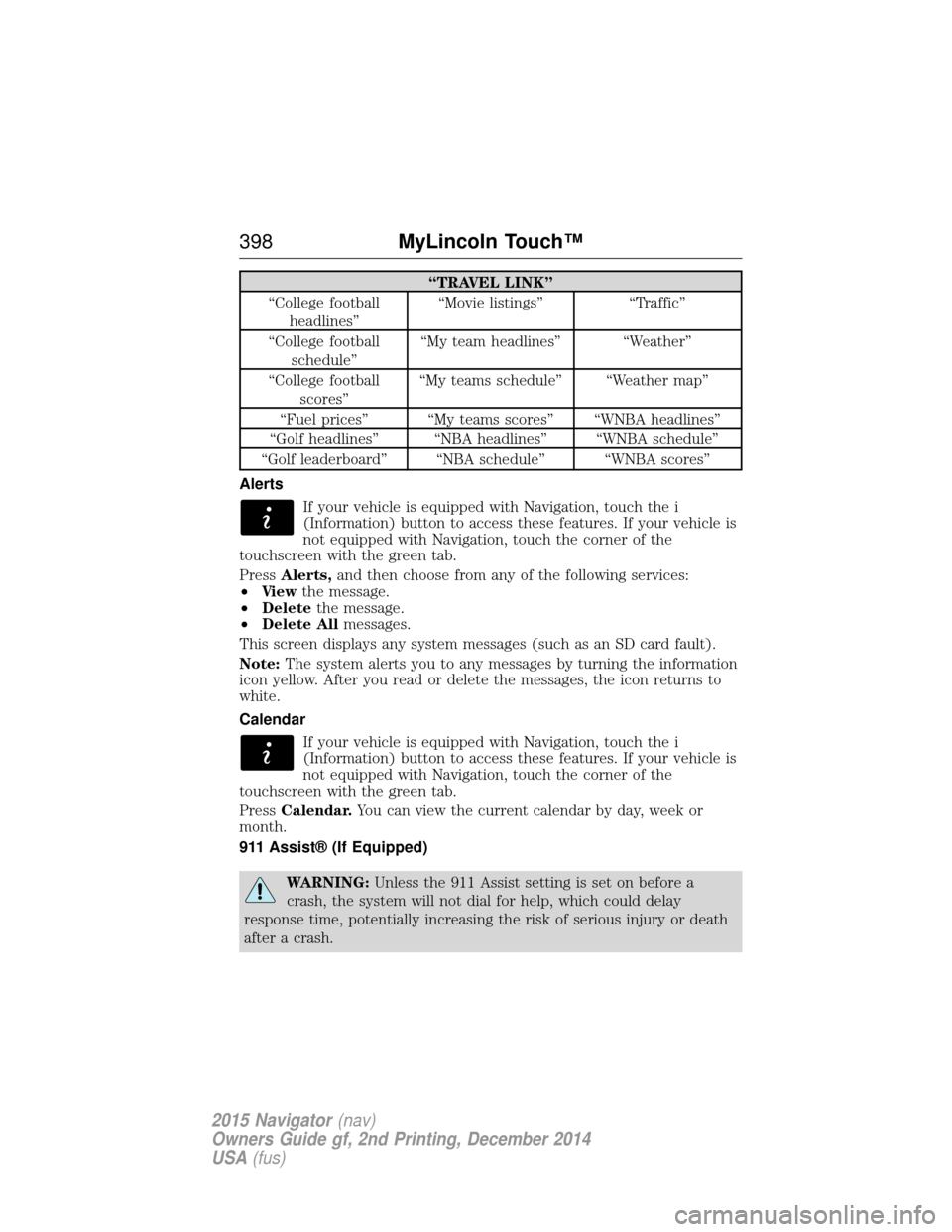
“TRAVEL LINK”
“College football headlines” “Movie listings” “Traffic”
“College football schedule” “My team headlines” “Weather”
“College football scores” “My teams schedule” “Weather map”
“Fuel prices” “My teams scores” “WNBA headlines”
“Golf headlines” “NBA headlines” “WNBA schedule”
“Golf leaderboard” “NBA schedule” “WNBA scores”
Alerts If your vehicle is equipped with Navigation, touch the i
(Information) button to access these features. If your vehicle is
not equipped with Navigation, touch the corner of the
touchscreen with the green tab.
Press Alerts, and then choose from any of the following services:
• Vi e w the message.
• Delete the message.
• Delete All messages.
This screen displays any system messages (such as an SD card fault).
Note: The system alerts you to any messages by turning the information
icon yellow. After you read or delete the messages, the icon returns to
white.
Calendar
If your vehicle is equipped with Navigation, touch the i
(Information) button to access these features. If your vehicle is
not equipped with Navigation, touch the corner of the
touchscreen with the green tab.
Press Calendar. You can view the current calendar by day, week or
month.
911 Assist® (If Equipped)
WARNING: Unless the 911 Assist setting is set on before a
crash, the system will not dial for help, which could delay
response time, potentially increasing the risk of serious injury or death
after a crash.
398 MyLincoln Touch™
2015 Navigator(nav)
Owners Guide gf, 2nd Printing, December 2014
USA (fus)
Page 403 of 475
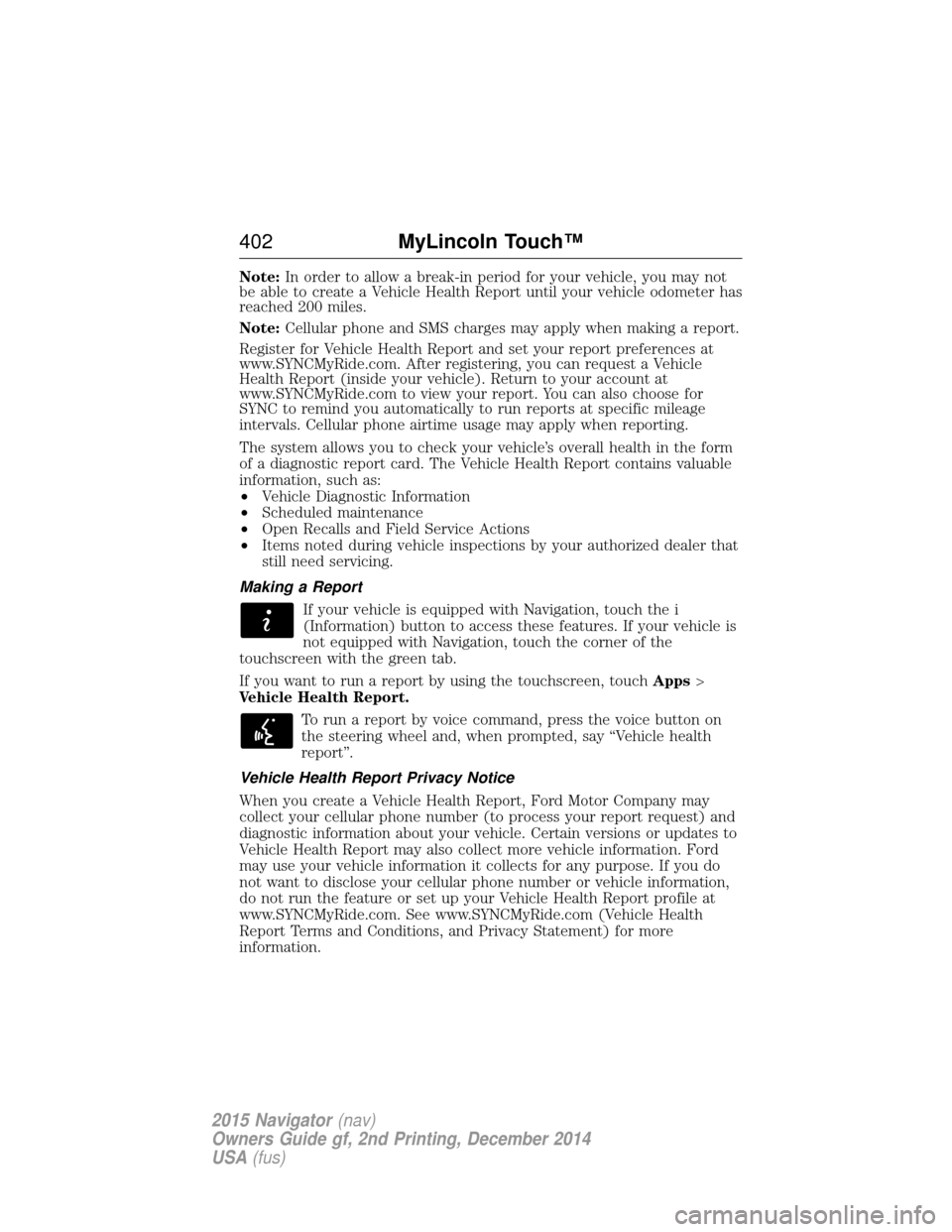
Note:In order to allow a break-in period for your vehicle, you may not
be able to create a Vehicle Health Report until your vehicle odometer has
reached 200 miles.
Note: Cellular phone and SMS charges may apply when making a report.
Register for Vehicle Health Report and set your report preferences at
www.SYNCMyRide.com. After registering, you can request a Vehicle
Health Report (inside your vehicle). Return to your account at
www.SYNCMyRide.com to view your report. You can also choose for
SYNC to remind you automatically to run reports at specific mileage
intervals. Cellular phone airtime usage may apply when reporting.
The system allows you to check your vehicle’s overall health in the form
of a diagnostic report card. The Vehicle Health Report contains valuable
information, such as:
• Vehicle Diagnostic Information
• Scheduled maintenance
• Open Recalls and Field Service Actions
• Items noted during vehicle inspections by your authorized dealer that
still need servicing.
Making a Report If your vehicle is equipped with Navigation, touch the i
(Information) button to access these features. If your vehicle is
not equipped with Navigation, touch the corner of the
touchscreen with the green tab.
If you want to run a report by using the touchscreen, touch Apps>
Vehicle Health Report.
To run a report by voice command, press the voice button on
the steering wheel and, when prompted, say “Vehicle health
report”.
Vehicle Health Report Privacy Notice
When you create a Vehicle Health Report, Ford Motor Company may
collect your cellular phone number (to process your report request) and
diagnostic information about your vehicle. Certain versions or updates to
Vehicle Health Report may also collect more vehicle information. Ford
may use your vehicle information it collects for any purpose. If you do
not want to disclose your cellular phone number or vehicle information,
do not run the feature or set up your Vehicle Health Report profile at
www.SYNCMyRide.com. See www.SYNCMyRide.com (Vehicle Health
Report Terms and Conditions, and Privacy Statement) for more
information.
402 MyLincoln Touch™
2015 Navigator(nav)
Owners Guide gf, 2nd Printing, December 2014
USA (fus)
Page 407 of 475
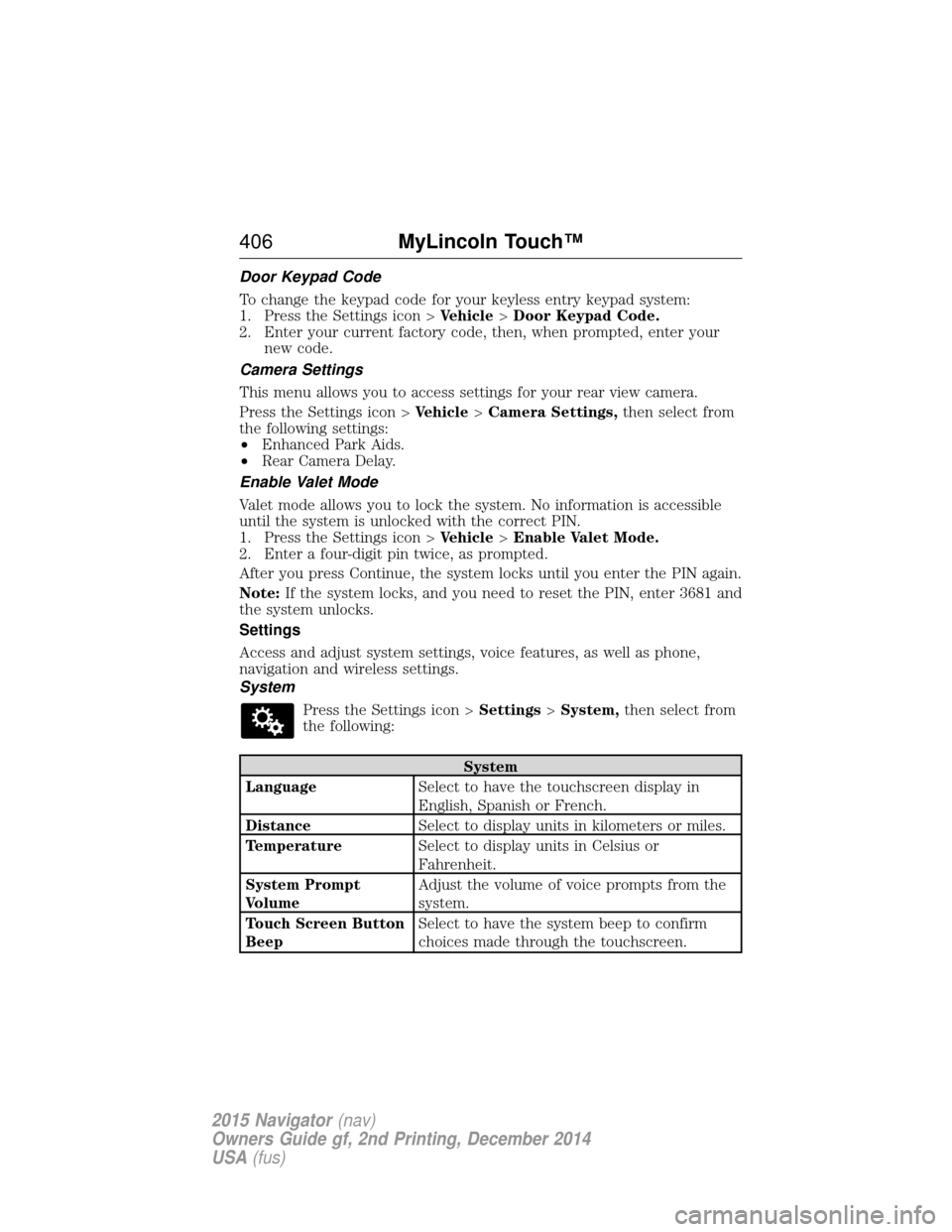
Door Keypad Code
To change the keypad code for your keyless entry keypad system:
1. Press the Settings icon >Vehicle>Door Keypad Code.
2. Enter your current factory code, then, when prompted, enter your new code.
Camera Settings
This menu allows you to access settings for your rear view camera.
Press the Settings icon > Vehicle>Camera Settings, then select from
the following settings:
• Enhanced Park Aids.
• Rear Camera Delay.
Enable Valet Mode
Valet mode allows you to lock the system. No information is accessible
until the system is unlocked with the correct PIN.
1. Press the Settings icon > Vehicle>Enable Valet Mode.
2. Enter a four-digit pin twice, as prompted.
After you press Continue, the system locks until you enter the PIN again.
Note: If the system locks, and you need to reset the PIN, enter 3681 and
the system unlocks.
Settings
Access and adjust system settings, voice features, as well as phone,
navigation and wireless settings.
System
Press the Settings icon > Settings>System, then select from
the following:
System
Language Select to have the touchscreen display in
English, Spanish or French.
Distance Select to display units in kilometers or miles.
Temperature Select to display units in Celsius or
Fahrenheit.
System Prompt
Volume Adjust the volume of voice prompts from the
system.
Touch Screen Button
Beep Select to have the system beep to confirm
choices made through the touchscreen.
406
MyLincoln Touch™
2015 Navigator(nav)
Owners Guide gf, 2nd Printing, December 2014
USA (fus)
Page 410 of 475
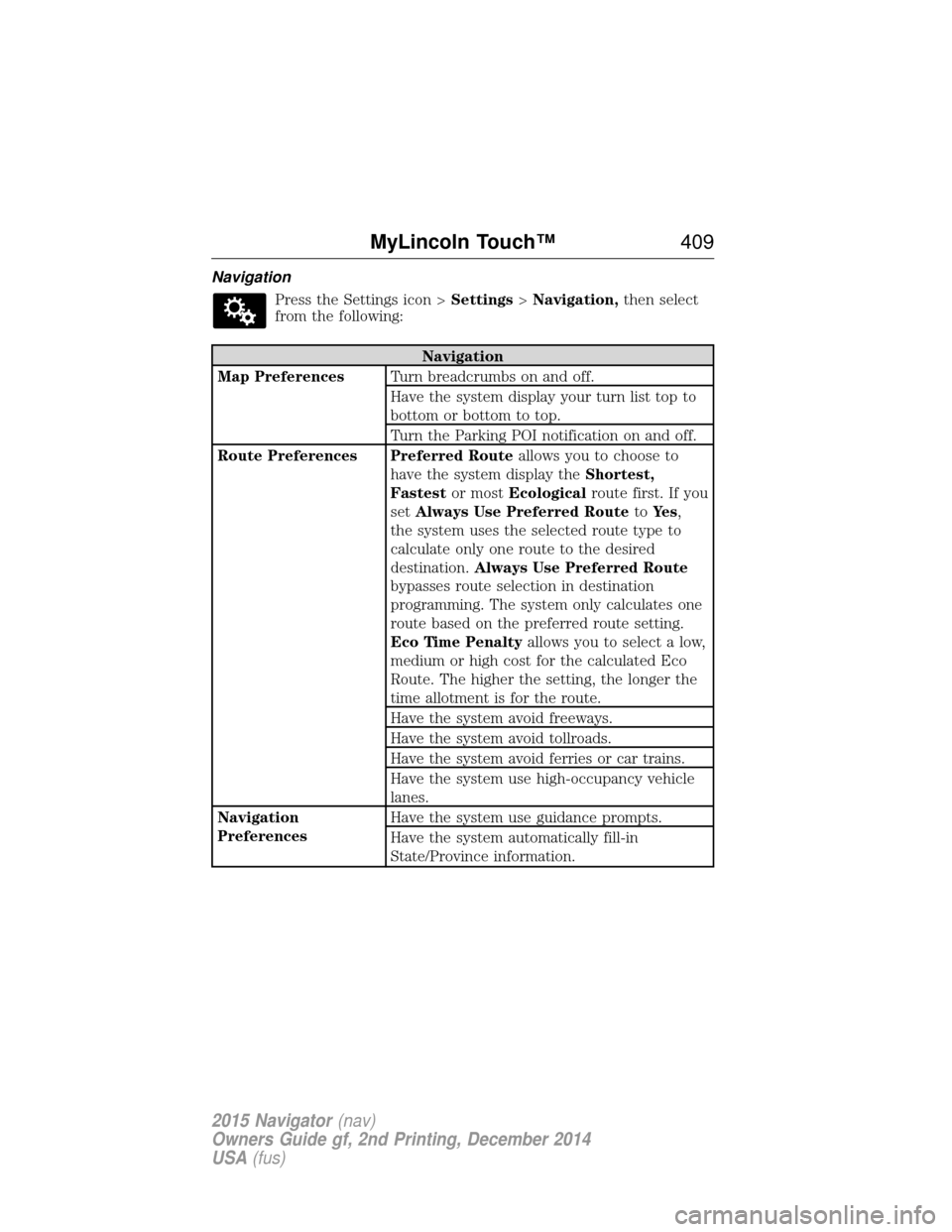
NavigationPress the Settings icon > Settings>Navigation, then select
from the following:
Navigation
Map Preferences Turn breadcrumbs on and off.
Have the system display your turn list top to
bottom or bottom to top.
Turn the Parking POI notification on and off.
Route Preferences Preferred Route allows you to choose to
have the system display the Shortest,
Fastest or mostEcological route first. If you
set Always Use Preferred Route toYe s ,
the system uses the selected route type to
calculate only one route to the desired
destination. Always Use Preferred Route
bypasses route selection in destination
programming. The system only calculates one
route based on the preferred route setting.
Eco Time Penalty allows you to select a low,
medium or high cost for the calculated Eco
Route. The higher the setting, the longer the
time allotment is for the route.
Have the system avoid freeways.
Have the system avoid tollroads.
Have the system avoid ferries or car trains.
Have the system use high-occupancy vehicle
lanes.
Navigation
Preferences Have the system use guidance prompts.
Have the system automatically fill-in
State/Province information.
MyLincoln Touch™
409
2015 Navigator(nav)
Owners Guide gf, 2nd Printing, December 2014
USA (fus)
Page 411 of 475
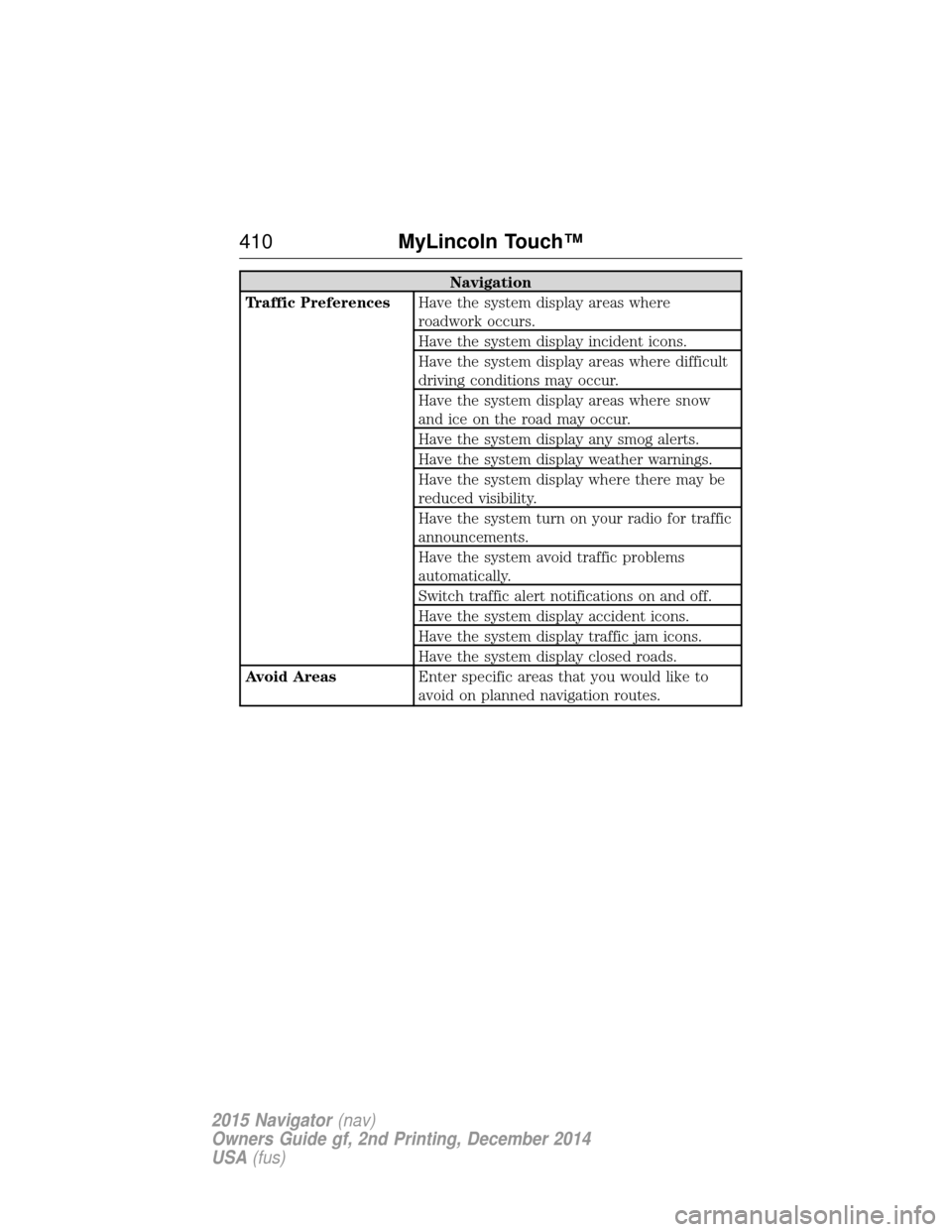
Navigation
Traffic Preferences Have the system display areas where
roadwork occurs.
Have the system display incident icons.
Have the system display areas where difficult
driving conditions may occur.
Have the system display areas where snow
and ice on the road may occur.
Have the system display any smog alerts.
Have the system display weather warnings.
Have the system display where there may be
reduced visibility.
Have the system turn on your radio for traffic
announcements.
Have the system avoid traffic problems
automatically.
Switch traffic alert notifications on and off.
Have the system display accident icons.
Have the system display traffic jam icons.
Have the system display closed roads.
Avoid Areas Enter specific areas that you would like to
avoid on planned navigation routes.
410MyLincoln Touch™
2015 Navigator(nav)
Owners Guide gf, 2nd Printing, December 2014
USA (fus)
Page 415 of 475
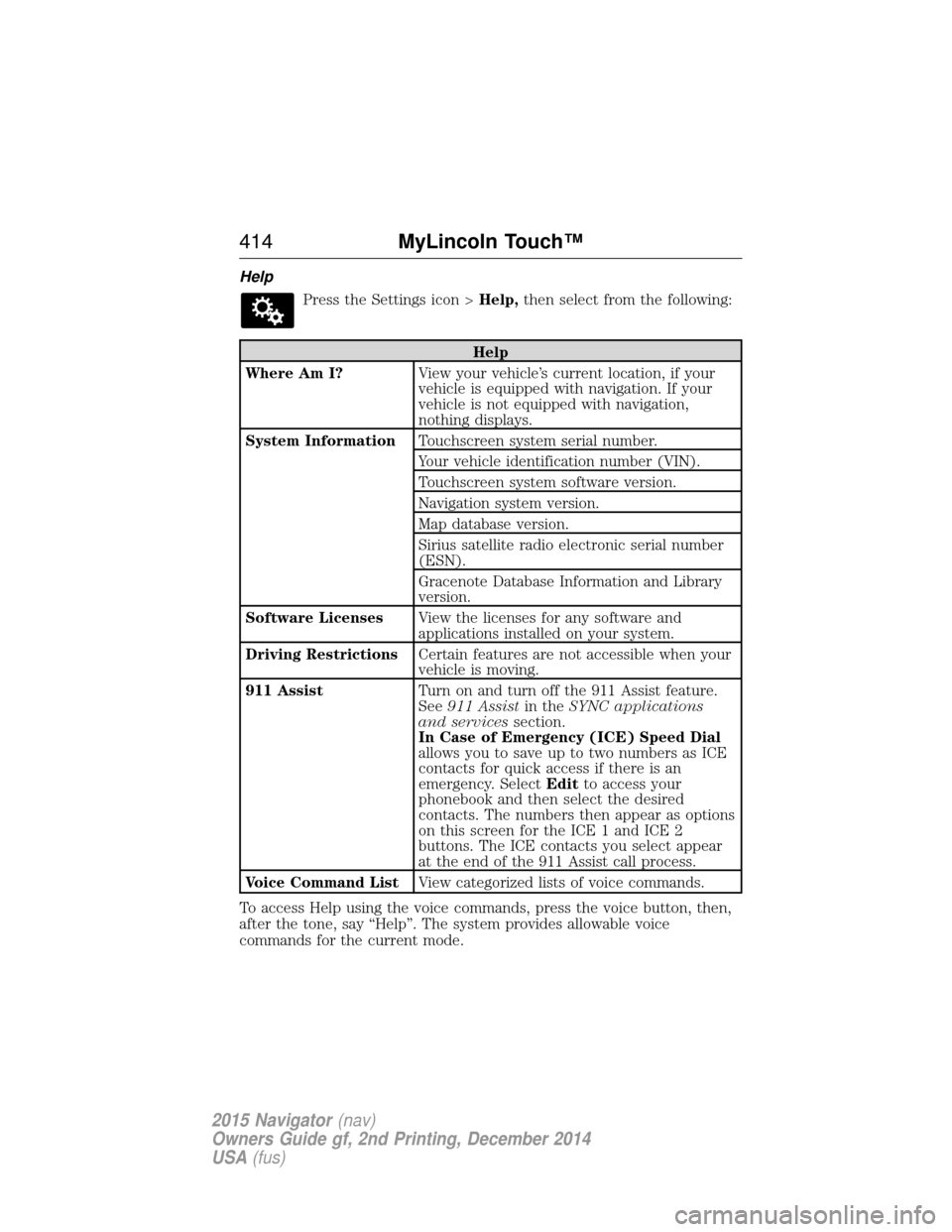
HelpPress the Settings icon > Help,then select from the following:
Help
Where Am I? View your vehicle’s current location, if your
vehicle is equipped with navigation. If your
vehicle is not equipped with navigation,
nothing displays.
System Information Touchscreen system serial number.
Your vehicle identification number (VIN).
Touchscreen system software version.
Navigation system version.
Map database version.
Sirius satellite radio electronic serial number
(ESN).
Gracenote Database Information and Library
version.
Software Licenses View the licenses for any software and
applications installed on your system.
Driving Restrictions Certain features are not accessible when your
vehicle is moving.
911 Assist Turn on and turn off the 911 Assist feature.
See911 Assist in theSYNC applications
and services section.
In Case of Emergency (ICE) Speed Dial
allows you to save up to two numbers as ICE
contacts for quick access if there is an
emergency. Select Editto access your
phonebook and then select the desired
contacts. The numbers then appear as options
on this screen for the ICE 1 and ICE 2
buttons. The ICE contacts you select appear
at the end of the 911 Assist call process.
Voice Command List View categorized lists of voice commands.
To access Help using the voice commands, press the voice button, then,
after the tone, say “Help”. The system provides allowable voice
commands for the current mode.
414 MyLincoln Touch™
2015 Navigator(nav)
Owners Guide gf, 2nd Printing, December 2014
USA (fus)