ECU LINCOLN NAVIGATOR 2015 Owner's Manual
[x] Cancel search | Manufacturer: LINCOLN, Model Year: 2015, Model line: NAVIGATOR, Model: LINCOLN NAVIGATOR 2015Pages: 475, PDF Size: 5.13 MB
Page 148 of 475
HOMELINK® WIRELESS CONTROL SYSTEM (IF EQUIPPED)
WARNING:Make sure that the garage door and security device
are free from obstruction when you are programming. Do not
program the system with the vehicle in the garage.
WARNING: Do not use the system with any garage door opener
that does not have the safety stop and reverse feature as
required by U.S. Federal Safety Standards (this includes any garage
door opener manufactured before April 1, 1982).
Note: Make sure you keep the original remote control transmitter for
use in other vehicles as well as for future system programming.
Note: We recommend that upon the sale or lease termination of your
vehicle, you erase the programmed function buttons for security reasons.
See Erasing the function button codes later in this section.
Note: You can program a maximum of three devices. To change or
replace any of the three devices after it has been initially programmed,
you must first erase the current settings. See Erasing the function
button codes later in this section.
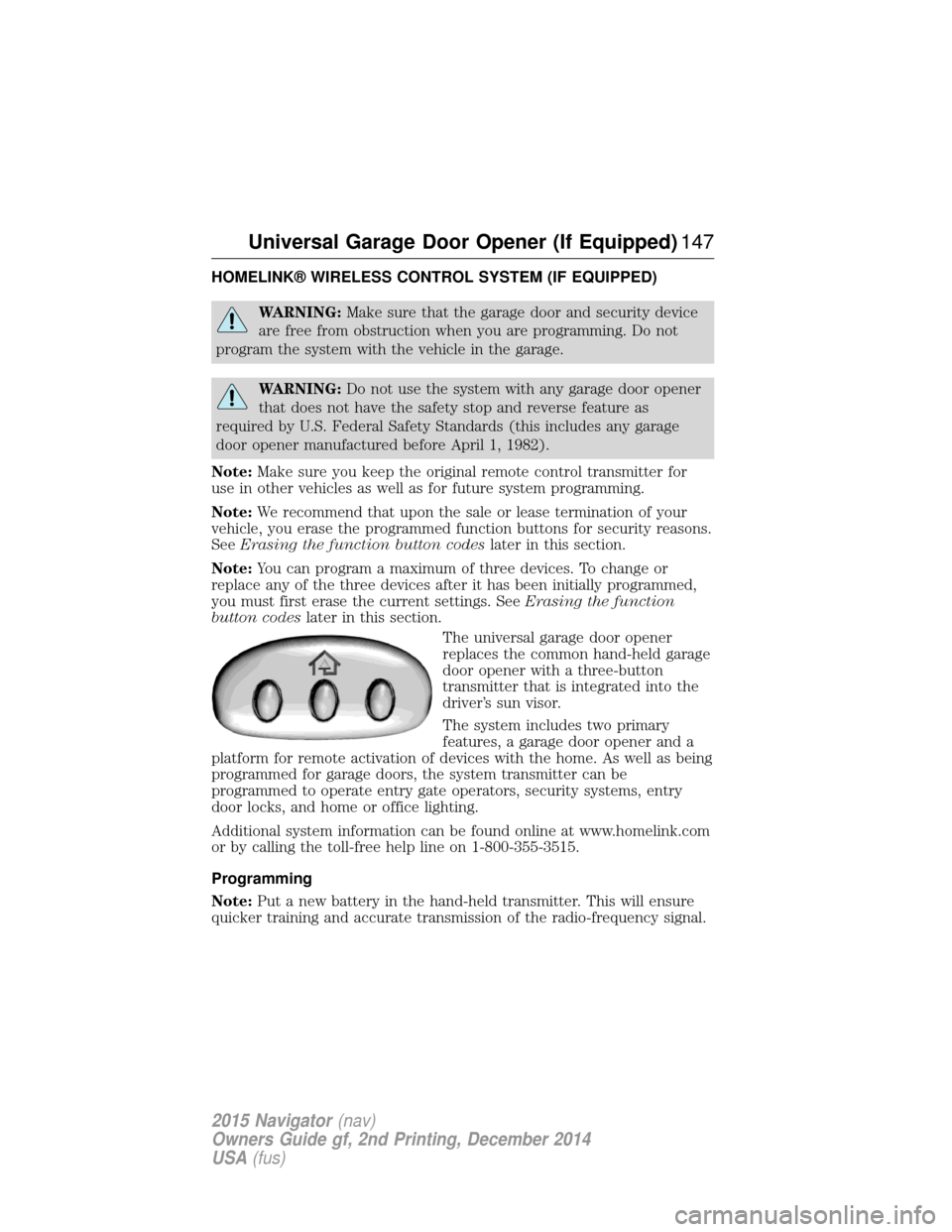
The universal garage door opener
replaces the common hand-held garage
door opener with a three-button
transmitter that is integrated into the
driver’s sun visor.
The system includes two primary
features, a garage door opener and a
platform for remote activation of devices with the home. As well as being
programmed for garage doors, the system transmitter can be
programmed to operate entry gate operators, security systems, entry
door locks, and home or office lighting.
Additional system information can be found online at www.homelink.com
or by calling the toll-free help line on 1-800-355-3515.
Programming
Note: Put a new battery in the hand-held transmitter. This will ensure
quicker training and accurate transmission of the radio-frequency signal.
Universal Garage Door Opener (If Equipped) 147
2015 Navigator(nav)
Owners Guide gf, 2nd Printing, December 2014
USA (fus)
Page 174 of 475
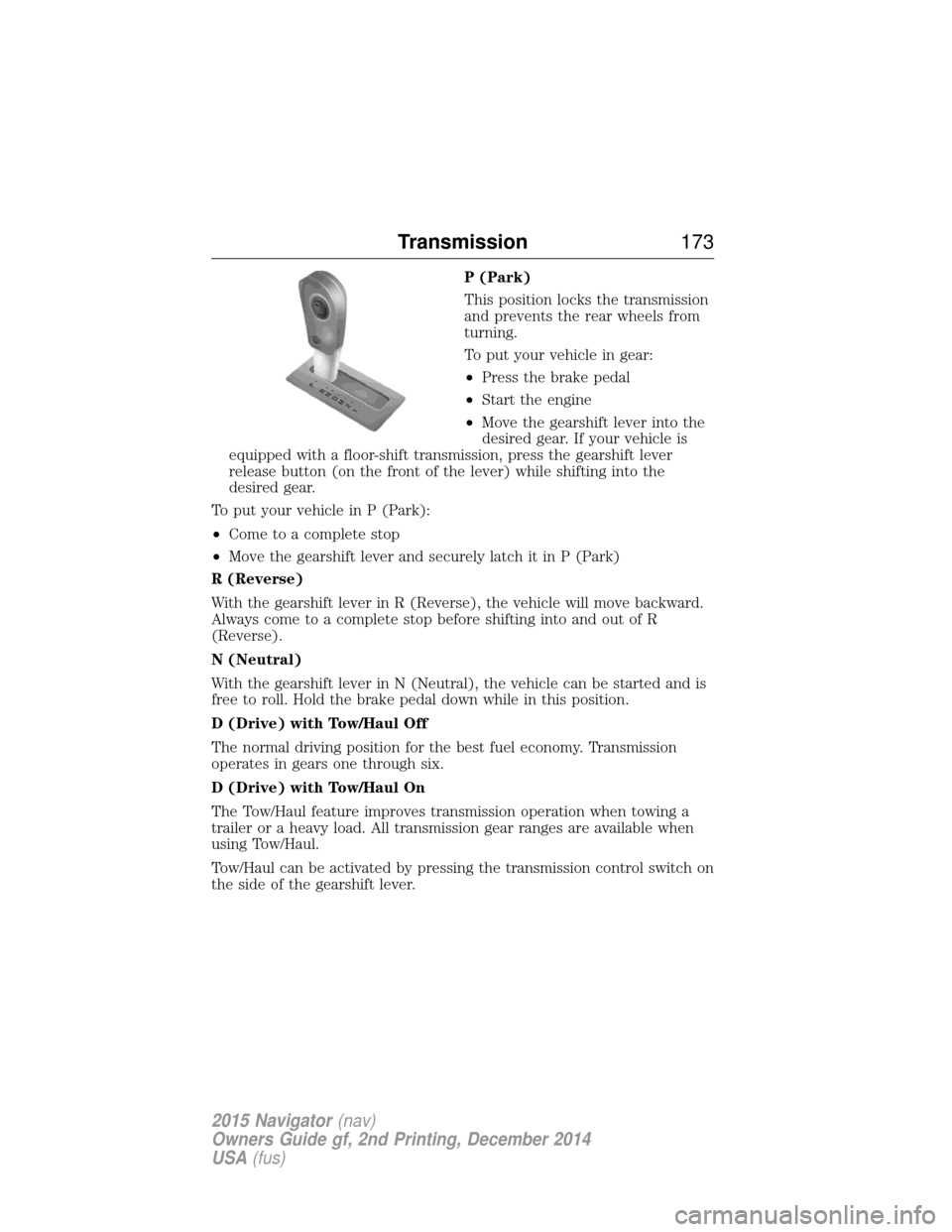
P (Park)
This position locks the transmission
and prevents the rear wheels from
turning.
To put your vehicle in gear:
•Press the brake pedal
• Start the engine
• Move the gearshift lever into the
desired gear. If your vehicle is
equipped with a floor-shift transmission, press the gearshift lever
release button (on the front of the lever) while shifting into the
desired gear.
To put your vehicle in P (Park):
• Come to a complete stop
• Move the gearshift lever and securely latch it in P (Park)
R (Reverse)
With the gearshift lever in R (Reverse), the vehicle will move backward.
Always come to a complete stop before shifting into and out of R
(Reverse).
N (Neutral)
With the gearshift lever in N (Neutral), the vehicle can be started and is
free to roll. Hold the brake pedal down while in this position.
D (Drive) with Tow/Haul Off
The normal driving position for the best fuel economy. Transmission
operates in gears one through six.
D (Drive) with Tow/Haul On
The Tow/Haul feature improves transmission operation when towing a
trailer or a heavy load. All transmission gear ranges are available when
using Tow/Haul.
Tow/Haul can be activated by pressing the transmission control switch on
the side of the gearshift lever.
T /H
PR
N
D
M
2
1
+ -
T /H
+
-
Transmission 173
2015 Navigator(nav)
Owners Guide gf, 2nd Printing, December 2014
USA (fus)
Page 189 of 475
HINTS ON DRIVING WITH ANTI-LOCK BRAKES
When the system is operating, the brake pedal will pulse and may travel
further. Maintain pressure on the brake pedal. You may also hear a noise
from the system. This is normal.
The anti-lock braking system will not eliminate the risks when:
•You drive too closely to the vehicle in front of you.
• Your vehicle is hydroplaning.
• You take corners too fast.
• The road surface is poor.
PARKING BRAKE
WARNING: Always set the parking brake fully and make sure
that the transmission is securely latched in park (P).
To set the parking brake, press the parking brake pedal down until the
pedal stops.
The brake warning lamp will illuminate and will remain illuminated until
the parking brake is released.
To release, pull the brake release lever located at the lower left side of
the instrument panel.
HILL START ASSIST
WARNING: The hill start assist feature does not replace the
parking brake. When you leave the vehicle, always apply the
parking brake and shift the transmission into park (P).
WARNING: You must remain in the vehicle once you have
activated the hill start assist feature.
WARNING: During all times, you are responsible for controlling
the vehicle, supervising the hill start assist system and
intervening, if required.
WARNING: If the engine is revved excessively, or if a
malfunction is detected when the hill start assist feature is active,
the hill start assist feature will be deactivated.
188 Brakes
2015 Navigator(nav)
Owners Guide gf, 2nd Printing, December 2014
USA (fus)
Page 214 of 475
ROOF RACKS AND LOAD CARRIERS
WARNING:When loading the roof rail crossbars, it is
recommended to evenly distribute the load, as well as maintain a
low center of gravity. Loaded vehicles, with higher centers of gravity,
may handle differently than unloaded vehicles. Extra precautions, such
as slower speeds and increased stopping distance, should be taken
when driving a heavily loaded vehicle.
Note: The maximum recommended load is 200 pounds (90 kilograms),
evenly distributed on the crossbars.
Note: Loads should never be placed directly on the roof panel. The roof
panel is not designed to directly carry a load.
For proper function of the roof rack system, loads must be placed
directly on crossbars affixed to the roof rack side rails. Your vehicle may
be equipped with factory-installed crossbars. Ford Genuine Accessory
crossbars, designed specifically for your vehicle, are also recommended
for use with your roof rack system.
Make sure that the load is securely fastened. Check the tightness of the
load before driving and at each fuel stop.
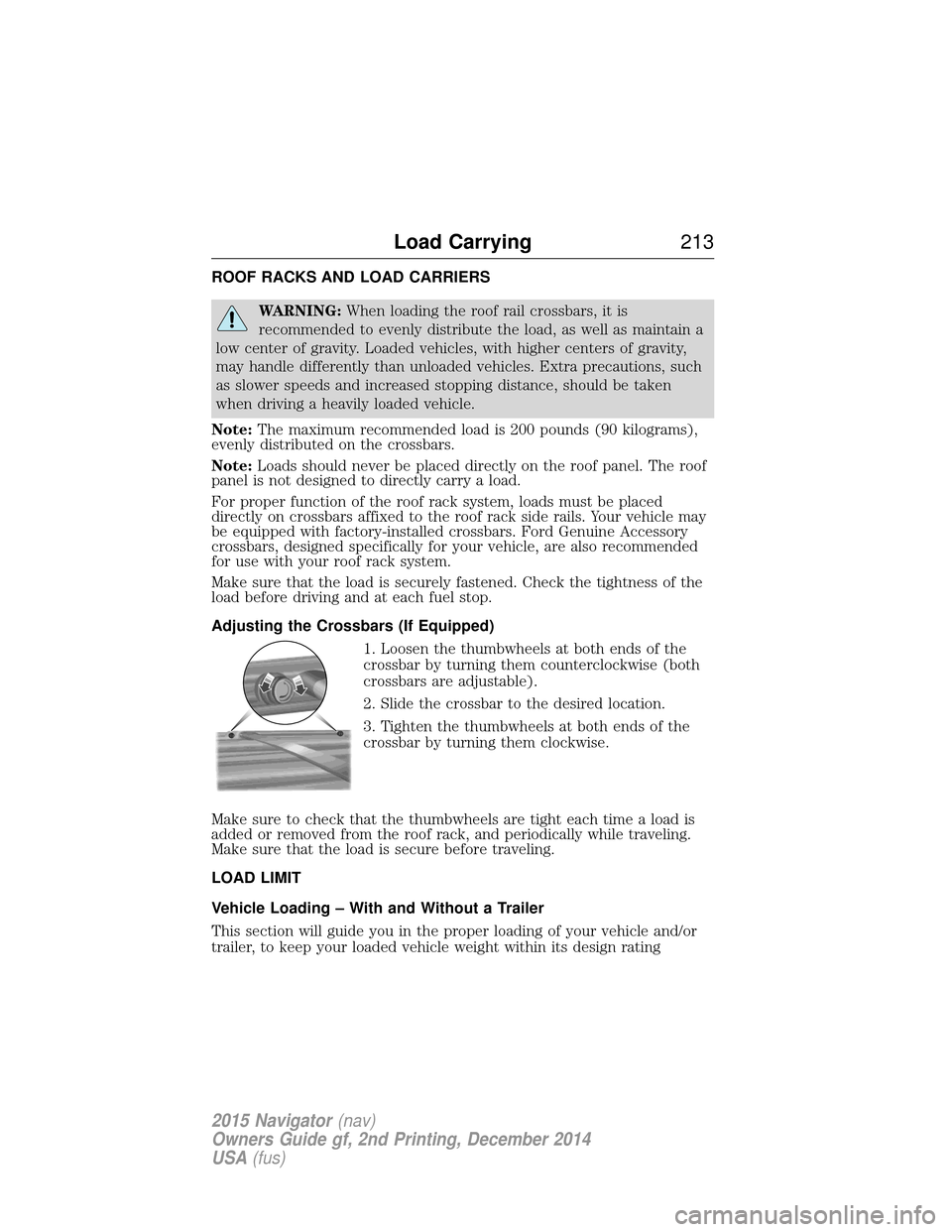
Adjusting the Crossbars (If Equipped)
1. Loosen the thumbwheels at both ends of the
crossbar by turning them counterclockwise (both
crossbars are adjustable).
2. Slide the crossbar to the desired location.
3. Tighten the thumbwheels at both ends of the
crossbar by turning them clockwise.
Make sure to check that the thumbwheels are tight each time a load is
added or removed from the roof rack, and periodically while traveling.
Make sure that the load is secure before traveling.
LOAD LIMIT
Vehicle Loading – With and Without a Trailer
This section will guide you in the proper loading of your vehicle and/or
trailer, to keep your loaded vehicle weight within its design rating
Load Carrying 213
2015 Navigator(nav)
Owners Guide gf, 2nd Printing, December 2014
USA (fus)
Page 231 of 475
•Check that the trailer tongue securely attaches and locks onto the
hitch.
• Install safety chains, lighting, and trailer brake controls as required by
law or the trailer manufacturer.
Weight-distributing Hitch – Vehicles with Automatic Leveling
Suspension
WARNING: Do not adjust a weight-distributing hitch to any
position where the rear bumper of the vehicle is higher than it
was before attaching the trailer. Doing so will defeat the function of the
weight-distributing hitch, which may cause unpredictable handling, and
could result in serious personal injury.
Note: If you do not move the loaded vehicle for approximately 12 hours,
the leveling system may bleed down to a lower height. This can be
especially apparent if you leave a trailer attached to the parked vehicle
for long periods. You must drive your vehicle in order to re-level the
suspension.
When connecting a trailer to a vehicle with automatic leveling suspension
using a weight-distributing hitch, always use the following procedure:
1. Load the interior of the vehicle to a weight similar to that which you intend to carry when towing. This includes things such as passenger
weight and cargo.
2. Drive the vehicle for approximately 2 miles (3 kilometers) to re-level the suspension.
3. Park your vehicle, without the trailer, on a level surface.
4. Measure the height to the top of your vehicle’s front wheel opening on the fender. This is H1.
5. Attach the trailer to your vehicle without the weight-distributing bars connected.
6. Make sure you securely attach and lock the trailer tongue to the hitch.
7. Install safety chains, lighting, and trailer brake controls as required by law or the trailer manufacturer.
8. Drive the vehicle and trailer at 20–25 mph (32–40 km/h) for approximately 2 miles (3 kilometers) to re-level the suspension.
9. Park your vehicle and trailer on a level surface.
10. Measure the height to the top of your vehicles front wheel opening on the fender a second time. This is H2.
230 Towing
2015 Navigator(nav)
Owners Guide gf, 2nd Printing, December 2014
USA (fus)
Page 232 of 475
11. Install and adjust the tension in the weight distributing bars so thatthe height of the front fender is approximately halfway between H1
and H2.
12. Check that the trailer is level or slightly nose down toward the vehicle. If it is not, remove the trailer, adjust the ball height
accordingly, and repeat Steps 5 -11.
Once the trailer is level or slightly nose down toward the vehicle:
• Lock the bar tension adjuster in place.
• Check that the trailer tongue securely attaches and locks onto the
hitch.
• Install safety chains, lighting, and trailer brake controls as required by
law or the trailer manufacturer.
Safety Chains
Note: Do not attach safety chains to the bumper.
Always connect the trailer’s safety chains to the frame or hook retainers
of your vehicle hitch.
To connect the trailer’s safety chains, cross the chains under the trailer
tongue and allow enough slack for turning tight corners. Do not allow the
chains to drag on the ground.
Trailer Brakes
WARNING: Do not connect a trailer’s hydraulic brake system
directly to your vehicle’s brake system. Your vehicle may not have
enough braking power and your chances of having a collision greatly
increase.
Electric brakes and manual, automatic or surge-type trailer brakes are
safe if you install them properly and adjust them to the manufacturer’s
specifications. The trailer brakes must meet local and federal regulations.
The rating for the tow vehicle’s braking system operation is at
the gross vehicle weight rating, not the gross combined weight
rating.
Separate functioning brake systems are required for safe control
of towed vehicles and trailers weighing more than 1500 pounds
(680 kilograms) when loaded.
Towing 231
2015 Navigator(nav)
Owners Guide gf, 2nd Printing, December 2014
USA (fus)
Page 235 of 475
Recovery Hooks
WARNING:Using recovery hooks is dangerous and should only
be done by a person familiar with proper vehicle recovery safety
practices. Improper use of recovery hooks may cause hook failure or
separation from the vehicle and could result in serious injury or death.
WARNING: Always slowly remove the slack from the recovery
strap prior to pulling. Failure to do so can introduce significantly
higher loads which can cause the recovery hooks to break off, or the
recovery strap to fail which can cause serious injury or death.
WARNING: Never link two straps together with a clevis pin.
These heavy metal objects could become projectiles if the strap
breaks and can cause serious injury or death.
Your vehicle may come equipped with frame-mounted front recovery
hooks. These hooks should never have a load applied to them greater
than the gross vehicle weight rating of your vehicle.
Before using recovery hooks:
• Make sure all attaching points are secure and capable of withstanding
the applied load.
• Never use chains, cables or tow straps with metal hook ends.
• Only use recovery straps that have a minimum breaking strength two
to three times the gross vehicle weight of the stuck vehicle.
• Make sure the recovery strap is in good condition and free of visible
cuts, tears or damage.
• Use a damper device such as a tarp, heavy blanket or piece of carpet
draped over the recovery strap to help absorb the energy in the event
the strap breaks.
• Make sure the stuck vehicle is not loaded heavier than its gross
vehicle weight rating specified on the certification label.
• Always align the tow vehicle and stuck vehicle in a straight line
(within 10 degrees).
• Keep bystanders to the sidesof the vehicle, at a distance of at least
twice the length of the recovery strap. This helps avoid injury from
the hazard of a recovery hook or strap breaking, or a vehicle lurching
into their path.
234 Towing
2015 Navigator(nav)
Owners Guide gf, 2nd Printing, December 2014
USA (fus)
Page 239 of 475
•Add particular accessories to your vehicle (e.g.; bug deflectors,
rollbars or light bars, running boards, ski racks).
• Drive with the wheels out of alignment.
DRIVING THROUGH WATER
WARNING: Do not drive through flowing or deep water as you
may lose control of your vehicle.
Note: Driving through standing water can cause vehicle damage.
Note: Engine damage can occur if water enters the air filter.
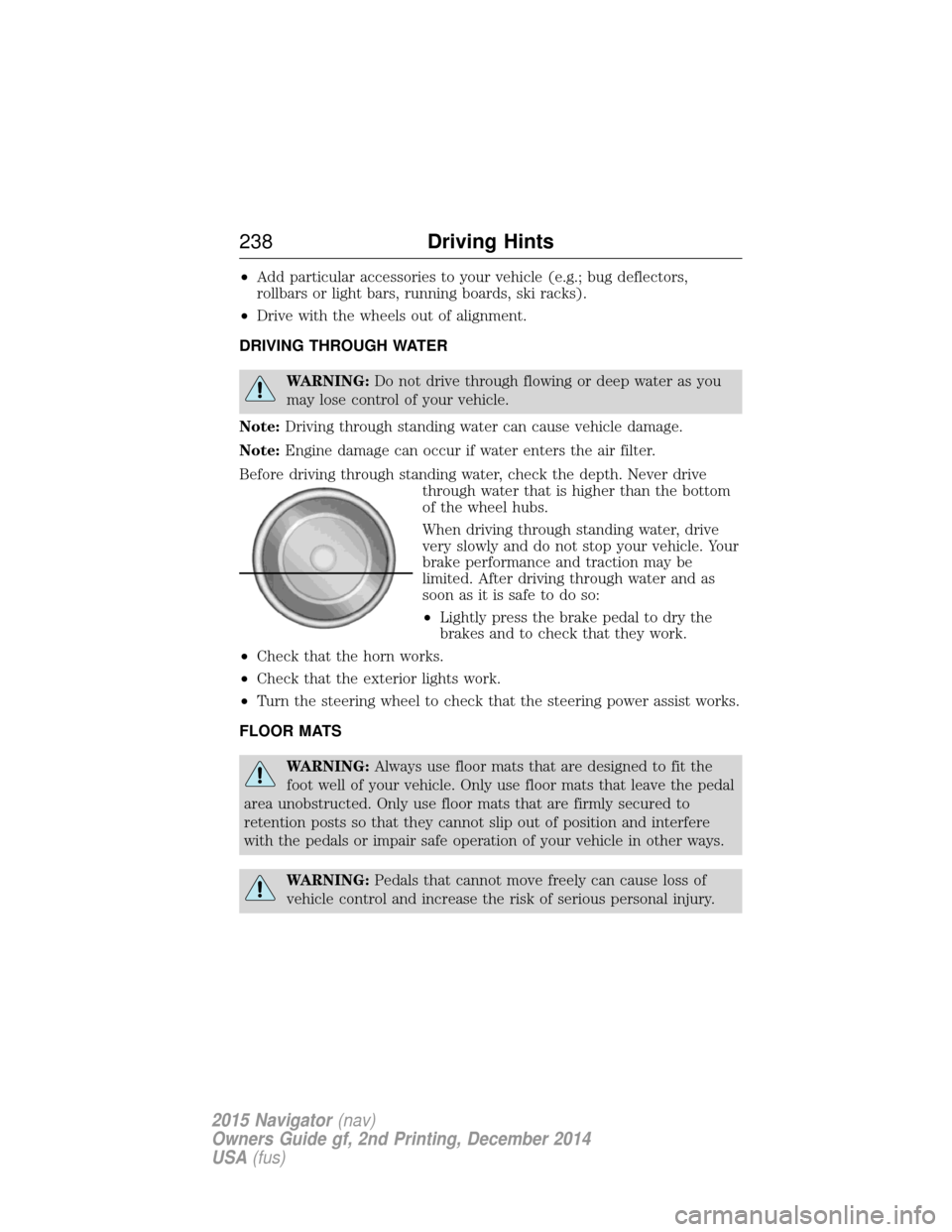
Before driving through standing water, check the depth. Never drive through water that is higher than the bottom
of the wheel hubs.
When driving through standing water, drive
very slowly and do not stop your vehicle. Your
brake performance and traction may be
limited. After driving through water and as
soon as it is safe to do so:
•Lightly press the brake pedal to dry the
brakes and to check that they work.
• Check that the horn works.
• Check that the exterior lights work.
• Turn the steering wheel to check that the steering power assist works.
FLOOR MATS
WARNING: Always use floor mats that are designed to fit the
foot well of your vehicle. Only use floor mats that leave the pedal
area unobstructed. Only use floor mats that are firmly secured to
retention posts so that they cannot slip out of position and interfere
with the pedals or impair safe operation of your vehicle in other ways.
WARNING: Pedals that cannot move freely can cause loss of
vehicle control and increase the risk of serious personal injury.
238 Driving Hints
2015 Navigator(nav)
Owners Guide gf, 2nd Printing, December 2014
USA (fus)
Page 240 of 475
WARNING:Always make sure that the floor mats are properly
attached to the retention posts in the carpet that are supplied
with your vehicle. Floor mats must be properly secured to both
retention posts to make sure mats do not shift out of position.
WARNING: Never place floor mats or any other covering in the
vehicle foot well that cannot be properly secured to prevent them
from moving and interfering with the pedals or the ability to control the
vehicle.
WARNING: Never place floor mats or any other covering on top
of already installed floor mats. Floor mats should always rest on
top of vehicle carpeting surface and not another floor mat or other
covering. Additional floor mats or any other covering will reduce the
pedal clearance and potentially interfere with pedal operation.
WARNING: Check attachment of floor mats on a regular basis.
Always properly reinstall and secure floor mats that have been
removed for cleaning or replacement.
WARNING: Always make sure that objects cannot fall into the
driver foot well while the vehicle is moving. Objects that are
loose can become trapped under the pedals causing a loss of vehicle
control.
WARNING: Failure to properly follow floor mat installation or
attachment instructions can potentially cause interference with
pedal operation causing a loss of vehicle control.
Driving Hints 239
2015 Navigator(nav)
Owners Guide gf, 2nd Printing, December 2014
USA (fus)
Page 250 of 475
In the United States, a warranty dispute must be submitted to the BBB
AUTO LINE before taking action under the Magnuson-Moss Warranty
Act, or to the extent allowed by state law, before pursuing replacement
or repurchase remedies provided by certain state laws. This dispute
handling procedure is not required prior to enforcing state created rights
or other rights which are independent of the Magnuson-Moss Warranty
Act or state replacement or repurchase laws.
IN CALIFORNIA (U.S. ONLY)
California Civil Code Section 1793.2(d) requires that, if a manufacturer
or its representative is unable to repair a motor vehicle to conform to the
vehicle’s applicable express warranty after a reasonable number of
attempts, the manufacturer shall be required to either replace the
vehicle with one substantially identical or repurchase the vehicle and
reimburse the buyer in an amount equal to the actual price paid or
payable by the consumer (less a reasonable allowance for consumer
use). The consumer has the right to choose whether to receive a refund
or replacement vehicle.
California Civil Code Section 1793.22(b) presumes that the manufacturer
has had a reasonable number of attempts to conform the vehicle to its
applicable express warranties if, within the first 18 months of ownership
of a new vehicle or the first 18000 mi (29 000 km), whichever occurs
first:
1. Two or more repair attempts are made on the same nonconformity
likely to cause death or serious bodily injury OR
2. Four or more repair attempts are made on the same nonconformity (a
defect or condition that substantially impairs the use, value or safety of
the vehicle) OR
3. The vehicle is out of service for repair of nonconformities for a total of
more than 30 calendar days (not necessarily all at one time).
In the case of 1 or 2 above, the consumer must also notify the
manufacturer of the need for the repair of the nonconformity at the
following address:
Ford Motor Company
16800 Executive Plaza Drive
Mail Drop 3NE-B
Dearborn, MI 48126
Customer Assistance249
2015 Navigator(nav)
Owners Guide gf, 2nd Printing, December 2014
USA (fus)