key LINCOLN NAVIGATOR 2015 Owner's Manual
[x] Cancel search | Manufacturer: LINCOLN, Model Year: 2015, Model line: NAVIGATOR, Model: LINCOLN NAVIGATOR 2015Pages: 475, PDF Size: 5.13 MB
Page 74 of 475
Obstacle Detection
When closing:The liftgate reverses to full open when it detects an
obstacle. A chime sounds three times as the liftgate begins to reopen.
Remove the obstacle to close the liftgate.
Note: Entering your vehicle while the liftgate is closing can cause your
vehicle to bounce and activate obstacle detection. To prevent this, let the
power liftgate close completely before you enter your vehicle. Before
driving off, check the instrument cluster for a liftgate or door ajar
message or warning indicator. Failure to do this could result in
unintentionally leaving the liftgate open while driving.
When opening: The system stops when it detects an obstacle and a
tone sounds three times. Remove the obstacle to operate the liftgate.
Resetting the Power Liftgate
The liftgate may not operate properly and you may need to reset it if any
of the following conditions occur:
• A low voltage or dead battery.
• Disconnected battery.
• The liftgate is manually closed and left ajar (unlatched).
To reset the power liftgate:
1.
Disconnect the battery for 20 seconds, and then reconnect the battery.
2. Manually close and fully latch the liftgate.
3. Power open the liftgate by using the remote control or the instrument panel button.
SECURICODE™ KEYLESS ENTRY KEYPAD (IF EQUIPPED)
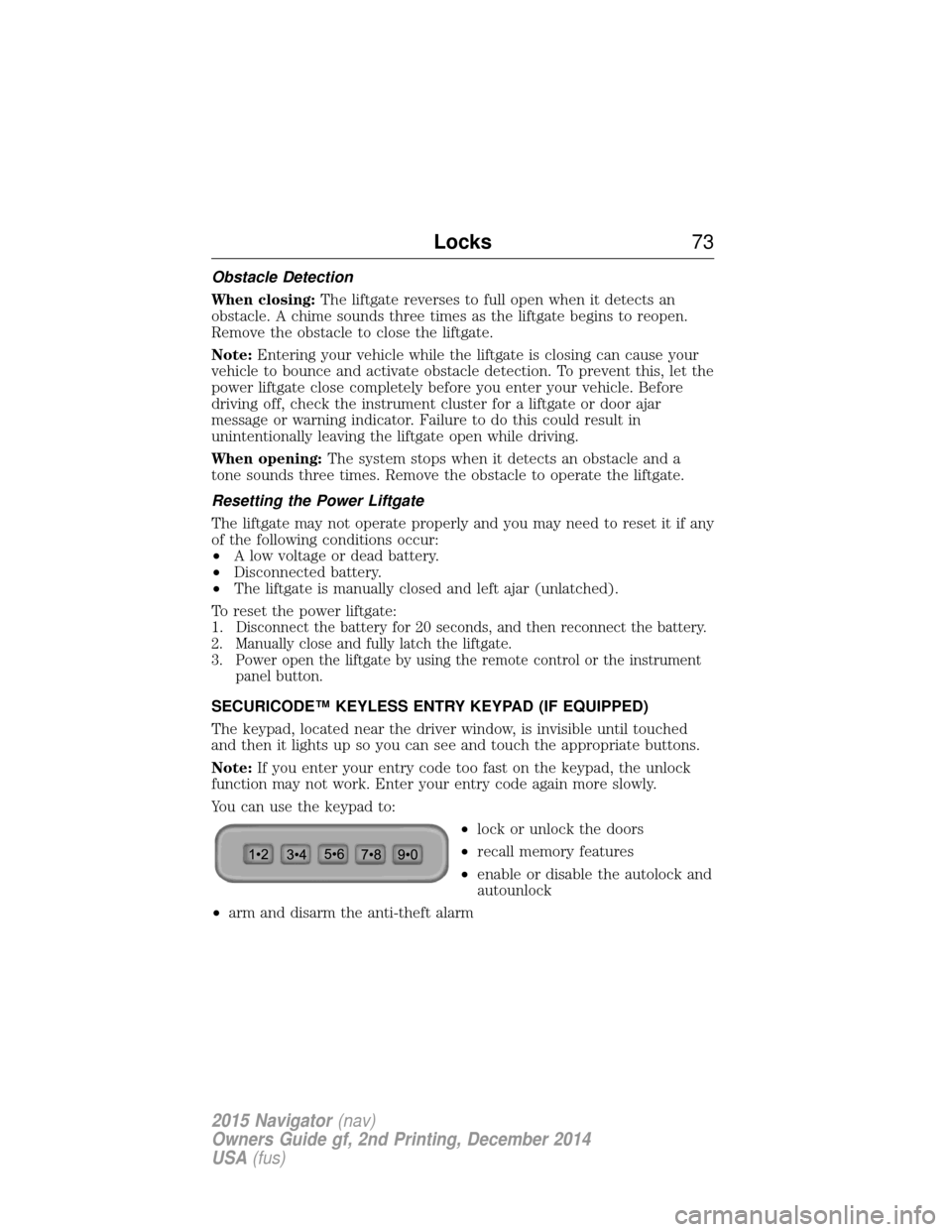
The keypad, located near the driver window, is invisible until touched
and then it lights up so you can see and touch the appropriate buttons.
Note: If you enter your entry code too fast on the keypad, the unlock
function may not work. Enter your entry code again more slowly.
You can use the keypad to:
•lock or unlock the doors
• recall memory features
• enable or disable the autolock and
autounlock
• arm and disarm the anti-theft alarm
Locks 73
2015 Navigator(nav)
Owners Guide gf, 2nd Printing, December 2014
USA (fus)
Page 75 of 475
You can operate the keypad with the factory-set 5-digit entry code. This
code is located on the owner’s wallet card in the glove box and is
available from an authorized dealer. You can also create up to three of
your own 5-digit personal entry codes.
Programming a Personal Entry Code
To create your own personal entry code:
1. Enter the factory-set code.
2. Press the1•2on the keypad within five seconds.
3. Enter your personal 5-digit code. You must enter each number within
five seconds of each other.
4. For memory recall feature, enter the sixth digit 1•2to store driver 1
settings or 3•4to store driver 2 settings.
Note: Pressing 5•6,7•8,or9•0 keypad numbers as a sixth digit will
not recall a driver memory setting.
Note: The factory-set code cannot be associated with a memory setting.
5. The doors will lock and then unlock to confirm that programming is
complete.
You may also program a personal entry code through the MyFord Touch
system. Refer to the MyFord Touchchapter.
Tips:
• Do not set a code that uses five of the same number.
• Do not use five numbers in sequential order.
• The factory-set code will work even if you have set your own personal
code.
Erasing a Personal Code
1. Enter the factory-set 5-digit code.
2. Press and release 1•2on the keypad within five seconds.
3. Press and hold 1•2for two seconds. This must be done within five
seconds of completing Step 2.
All personal codes are now erased and only the factory-set 5-digit code
will work.
74 Locks
2015 Navigator(nav)
Owners Guide gf, 2nd Printing, December 2014
USA (fus)
Page 76 of 475
Anti-Scan Feature
The keypad will go into an anti-scan mode if you enter the wrong code
seven times (35 consecutive button presses). This mode disables the
keypad for one minute and the keypad lamp will flash.
The anti-scan feature will turn off after:
•one minute of keypad inactivity
• pressing the unlock button on the remote control
• switching the ignition on
• unlocking the vehicle using intelligent access.
Unlocking and Locking the Doors
To unlock the driver door: Enter the factory-set 5-digit code or your
personal code. You must press each number within five seconds of each
other. The interior lamps will illuminate. Note:All doors will unlock if
the two-stage unlocking feature is disabled. Refer to Locking and
Unlocking earlier in this chapter.
To unlock all doors: Enter the factory-set code or your personal code,
then press 3•4within five seconds.
To lock all doors: Press and hold7•8and9•0 at the same time with
the driver door closed. You do not need to enter the keypad code first.
Locks 75
2015 Navigator(nav)
Owners Guide gf, 2nd Printing, December 2014
USA (fus)
Page 77 of 475
SECURILOCK® PASSIVE ANTI-THEFT SYSTEM
Note:The system is not compatible with non-Ford aftermarket remote
start systems. Use of these systems may result in vehicle starting
problems and a loss of security protection.
Note: Metallic objects, electronic devices or a second coded key on the
same key chain may cause vehicle starting issues if they are too close to
the key when starting your vehicle. Prevent these objects from touching
the coded key while starting the engine. Switch the ignition off, move all
objects on the key chain away from the coded key and restart your
vehicle if a problem occurs.
Note: Do not leave a duplicate coded key in your vehicle. Always take
your keys and lock all doors when leaving your vehicle.
The system helps prevent the engine from starting unless you use a
coded key programmed to your vehicle. Using the wrong key may
prevent your vehicle from starting. A message may appear in the
information display.
If you are unable to start your vehicle with a correctly coded key, a
malfunction has occurred. A message may appear in the information
display.
Automatic Arming
Your vehicle arms immediately after you switch the ignition off.
Anti-Theft Indicator
The anti-theft indicator is located in the instrument cluster.
•When the ignition is off, the indicator will flash once every
two seconds to indicate the SecuriLock system is functioning
as a theft deterrent.
• When the ignition is on, the indicator will glow for three seconds, then
turn off to indicate normal system functionality.
If a problem occurs with the SecuriLock system, the indicator will flash
rapidly or glow steadily when the ignition is on. If this occurs, switch the
ignition off then back on to make sure there was no electronic
interference with the programmed key. If your vehicle does not start, try
to start it with the second programmed key and if successful contact
your authorized dealership for key replacement. If the indicator still
flashes rapidly or glows steadily, your vehicle will not start. Contact your
authorized dealer as soon as possible for service.
76 Security
2015 Navigator(nav)
Owners Guide gf, 2nd Printing, December 2014
USA (fus)
Page 78 of 475
Automatic Disarming
Your vehicle disarms when you switch the ignition on with a coded key.
Spare Intelligent Access Keys
Your intelligent access key functions as a programmed key that operates
the driver door lock and activates intelligent access with the push button
start system, or the remote start system. If your programmed intelligent
access transmitters are lost or stolen, and you do not have an extra
coded key, you will need to have your vehicle towed to an authorized
dealer. Your dealer will erase the key codes from your vehicle and
program new coded keys. Store an extra programmed key away from the
vehicle in a safe place to help prevent any inconvenience. See your
authorized dealer to purchase additional spare or replacement keys.
Programming a Spare Intelligent Access Key
See an authorized dealer to have additional keys programmed to your
vehicle.
ANTI-THEFT ALARM
The system will warn you of unauthorized entry to your vehicle.
The turn signal lamps will flash and the horn will sound when:
•any door or the hood is opened without using the key or the remote
control
• the ignition is turned on with an invalid key.
Take all keys and remote controls to your authorized dealer if there is
any potential alarm problem with your vehicle.
Arming the Alarm
The system is ready to arm whenever the ignition is off. Lock the vehicle
to arm the alarm.
The turn signal lamps will flash once after locking the vehicle to indicate
the alarm is in the pre-armed mode and will become fully armed in
20 seconds.
Security 77
2015 Navigator(nav)
Owners Guide gf, 2nd Printing, December 2014
USA (fus)
Page 79 of 475
Disarming the Alarm
To disarm the alarm, do any of the following:
•Press the power door unlock button within the 20-second pre-armed
mode.
• Press the unlock button on the remote control.
• Unlock the doors with the keyless entry pad.
• Turn the ignition on with a valid key.
• Press the panic button on the remote control. The alarm system will
still be armed, but this shuts off the horn and turn lamps when the
alarm is sounding.
Note: If the driver’s door is unlocked with a key, a chime will sound
when you open the door. You will have 12 seconds to disarm the alarm
using any of the actions above, otherwise the alarm will trigger.
78 Security
2015 Navigator(nav)
Owners Guide gf, 2nd Printing, December 2014
USA (fus)
Page 93 of 475
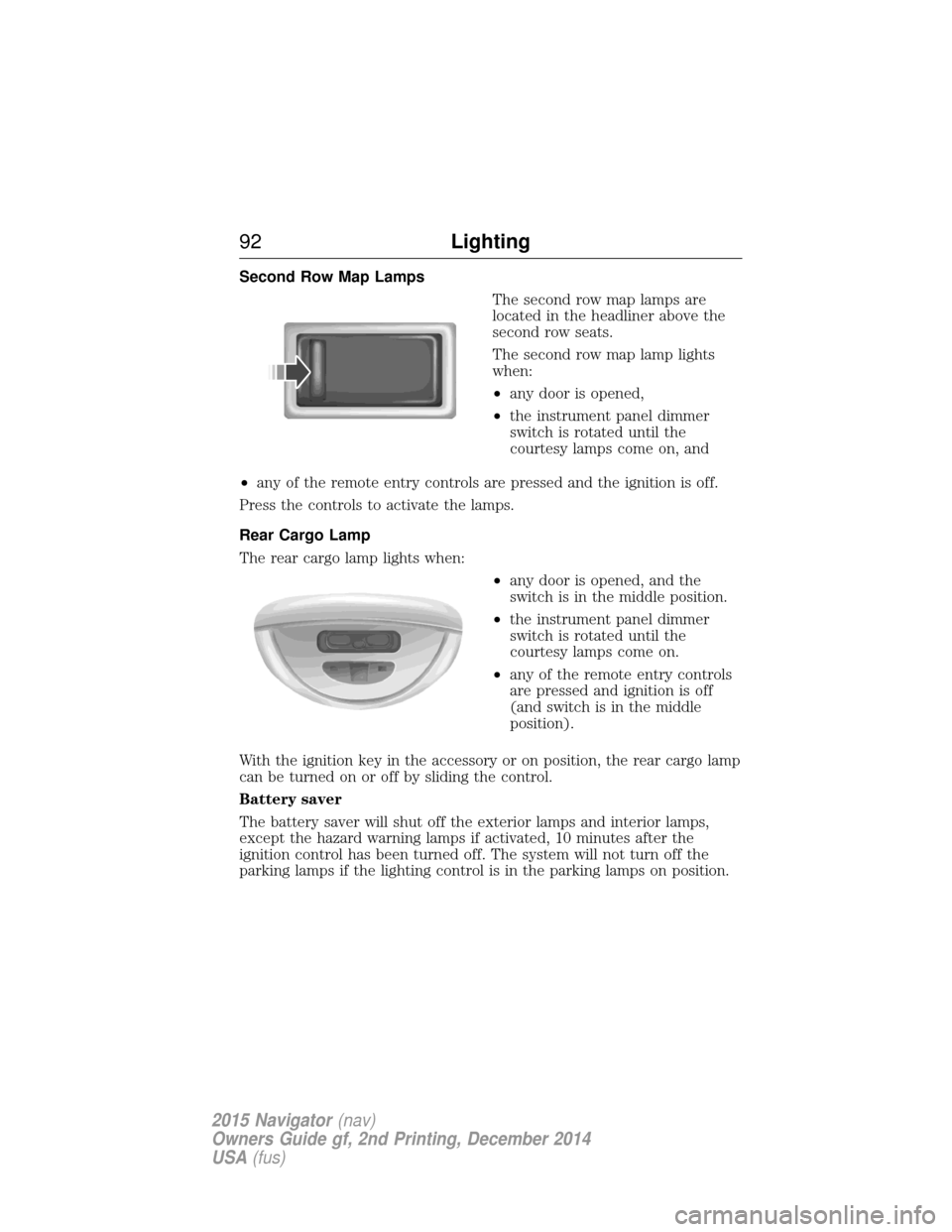
Second Row Map LampsThe second row map lamps are
located in the headliner above the
second row seats.
The second row map lamp lights
when:
•any door is opened,
• the instrument panel dimmer
switch is rotated until the
courtesy lamps come on, and
• any of the remote entry controls are pressed and the ignition is off.
Press the controls to activate the lamps.
Rear Cargo Lamp
The rear cargo lamp lights when: •any door is opened, and the
switch is in the middle position.
• the instrument panel dimmer
switch is rotated until the
courtesy lamps come on.
• any of the remote entry controls
are pressed and ignition is off
(and switch is in the middle
position).
With the ignition key in the accessory or on position, the rear cargo lamp
can be turned on or off by sliding the control.
Battery saver
The battery saver will shut off the exterior lamps and interior lamps,
except the hazard warning lamps if activated, 10 minutes after the
ignition control has been turned off. The system will not turn off the
parking lamps if the lighting control is in the parking lamps on position.
92 Lighting
2015 Navigator(nav)
Owners Guide gf, 2nd Printing, December 2014
USA (fus)
Page 106 of 475
AUDIBLE WARNINGS AND INDICATORS
Key In Ignition Warning Chime
Sounds when the key is left in the ignition and the driver’s door is
opened.
Headlamps On Warning Chime
Sounds when the headlamps or parking lamps are on, the ignition is off
(the key is not in the ignition) and the driver’s door is opened.
Parking Brake On Warning Chime
Sounds when you have left the parking brake on and drive your vehicle.
If the warning chime remains on after you have released the parking
brake, have the system checked by your authorized dealer immediately.
Turn Signal Chime
Sounds when the direction indicator has been activated to signal a turn
and not turned off after the vehicle is driven more than 1.5 miles
(2.4 km).
Instrument Cluster105
2015 Navigator(nav)
Owners Guide gf, 2nd Printing, December 2014
USA (fus)
Page 108 of 475
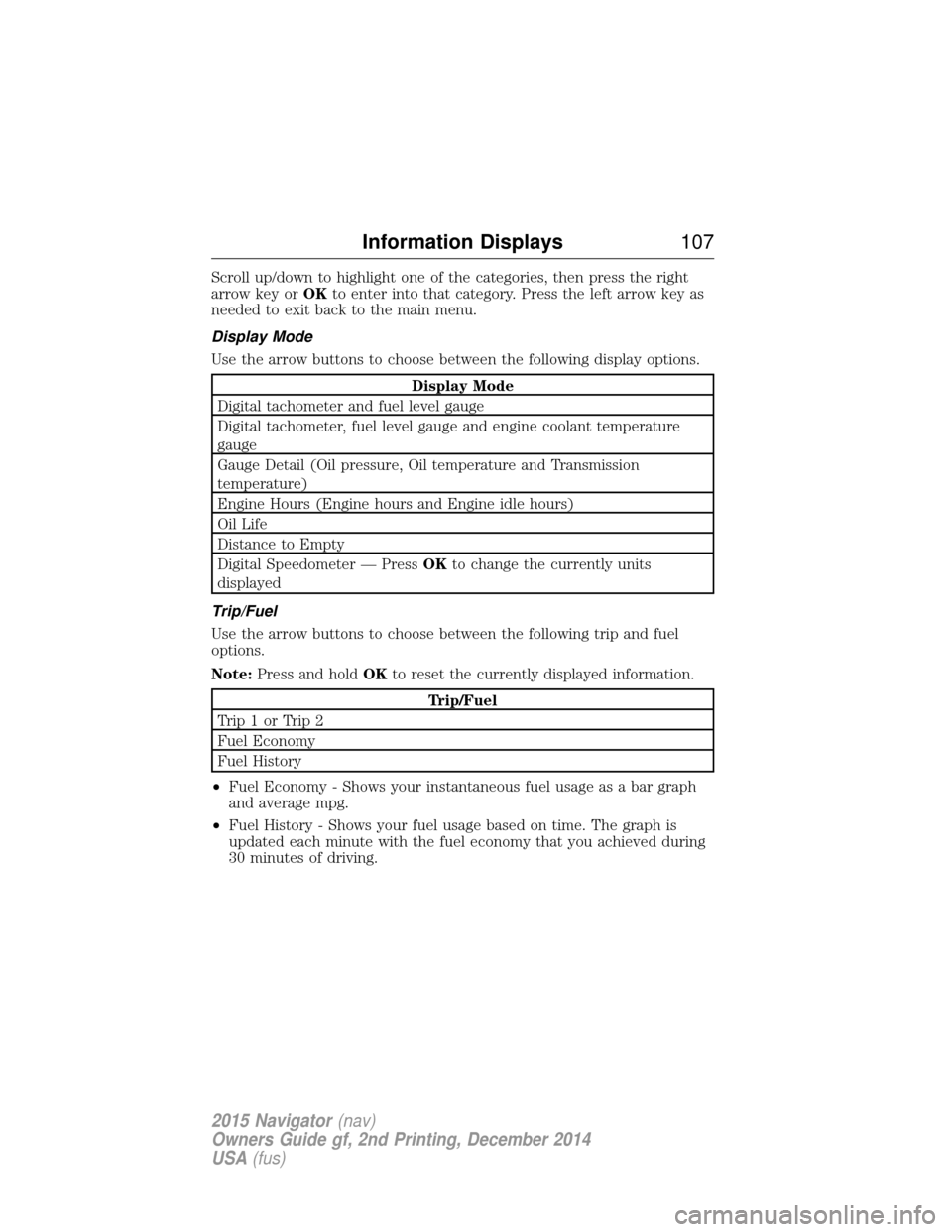
Scroll up/down to highlight one of the categories, then press the right
arrow key orOKto enter into that category. Press the left arrow key as
needed to exit back to the main menu.
Display Mode
Use the arrow buttons to choose between the following display options.
Display Mode
Digital tachometer and fuel level gauge
Digital tachometer, fuel level gauge and engine coolant temperature
gauge
Gauge Detail (Oil pressure, Oil temperature and Transmission
temperature)
Engine Hours (Engine hours and Engine idle hours)
Oil Life
Distance to Empty
Digital Speedometer — Press OKto change the currently units
displayed
Trip/Fuel
Use the arrow buttons to choose between the following trip and fuel
options.
Note: Press and hold OKto reset the currently displayed information.
Trip/Fuel
Trip1orTrip2
Fuel Economy
Fuel History
• Fuel Economy - Shows your instantaneous fuel usage as a bar graph
and average mpg.
• Fuel History - Shows your fuel usage based on time. The graph is
updated each minute with the fuel economy that you achieved during
30 minutes of driving.
Information Displays 107
2015 Navigator(nav)
Owners Guide gf, 2nd Printing, December 2014
USA (fus)
Page 111 of 475

Settings
Advanced
Settings VehicleEasy Entry / Exit - check enabled or uncheck disabled
Lighting Autolamp Delay Select time interval
Locks Autolock - check enabled or uncheck
disabled
Autounlock - check enabled or uncheck
disabled
Remote Unlock All Doors or Driver
Oil Life Remaining Life XXX% — Hold OK to reset
Power Liftgate Enable or Disable switch
Pwr Running
Boards Auto, Off or Out
Remote Start Climate Control Auto or Last Setting
Seats Auto or Off
Duration 5, 10 or 15 minutes
System - check enabled or uncheck
disabled
Wipers Courtesy Wipe - check enabled or uncheck disabled
Rain Sensing - check enabled or
uncheck disabled
*MyKey MyKey Status
Number of Admin Keys, MyKeys and
MyKey Mileage
Create MyKey Hold OKto Create MyKey
911 Assist Always On or User Selectable
Do Not Disturb Always On or User Selectable
Traction
Control Always On or User Selectable
Max Speed 65 MPH (105 km/h), 70 MPH (110 km/h), 75 MPH (120 km/h),
80 MPH (130 km/h) or Off
Speed Minder 45 mph (72 km/h), 55 mph (89 km/h), 65 mph (105 km/h) or Off
Volume Limiter - check enabled or uncheck disabled
Clear MyKeys Hold OKto Clear All MyKeys
Display
Setup Distance Miles & GAL, L/100km or km/L
Temperature °Fahrenheit or °Celsius
Gauge Display Fuel Gauge or Fuel + Tach
Language Select Language — Hold
OKto Set
*Some MyKey items will only appear if a MyKey is set.
11 0 Information Displays
2015 Navigator (nav)
Owners Guide gf, 2nd Printing, December 2014
USA (fus)