power steering LINCOLN NAVIGATOR 2015 Owners Manual
[x] Cancel search | Manufacturer: LINCOLN, Model Year: 2015, Model line: NAVIGATOR, Model: LINCOLN NAVIGATOR 2015Pages: 475, PDF Size: 5.13 MB
Page 3 of 475
Locks67
Locking and unlocking ..................................67
SecuriCode™ keyless entry keypad .........................73
Security 76
SecuriLock® passive anti-theft system .......................76
Anti-theft alarm .......................................77
Steering Wheel 79
Adjusting the steering wheel ..............................79
Steering wheel controls .................................80
Pedals 84
Adjustable pedals ......................................84
Wipers and Washers 85
Windshield wipers .....................................85
Rain-sensing wipers ....................................85
Windshield washers ....................................86
Rear-window wiper and washer ............................86
Lighting 87
Lighting control .......................................87
Autolamps ...........................................88
Instrument lighting dimmer ...............................89
Daytime running lamps ..................................89
Adaptive headlamps ....................................90
Directionindicators ....................................91
Interior lamps ........................................91
Windows and Mirrors 93
Power windows .......................................93
Exteriormirrors.......................................94
Interiormirrors .......................................96
Sunvisors ...........................................98
Moonroof ............................................98
2 Table of Contents
2015 Navigator(nav)
Owners Guide gf, 2nd Printing, December 2014
USA (fus)
Page 11 of 475
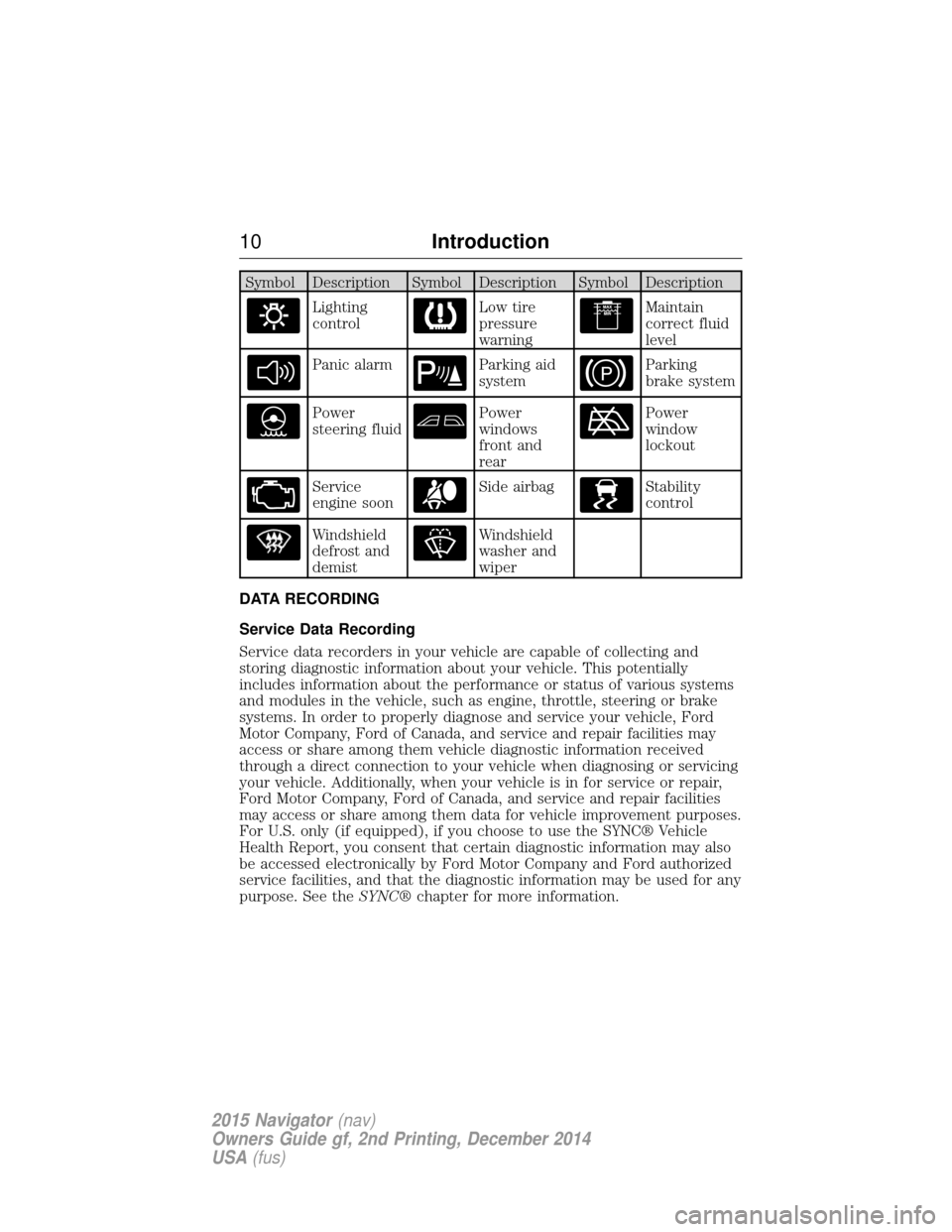
Symbol Description Symbol Description Symbol Description
Lighting
controlLow tire
pressure
warningMaintain
correct fluid
level
Panic alarmParking aid
systemParking
brake system
Power
steering fluidPower
windows
front and
rearPower
window
lockout
Service
engine soonSide airbagStability
control
Windshield
defrost and
demistWindshield
washer and
wiper
DATA RECORDING
Service Data Recording
Service data recorders in your vehicle are capable of collecting and
storing diagnostic information about your vehicle. This potentially
includes information about the performance or status of various systems
and modules in the vehicle, such as engine, throttle, steering or brake
systems. In order to properly diagnose and service your vehicle, Ford
Motor Company, Ford of Canada, and service and repair facilities may
access or share among them vehicle diagnostic information received
through a direct connection to your vehicle when diagnosing or servicing
your vehicle. Additionally, when your vehicle is in for service or repair,
Ford Motor Company, Ford of Canada, and service and repair facilities
may access or share among them data for vehicle improvement purposes.
For U.S. only (if equipped), if you choose to use the SYNC® Vehicle
Health Report, you consent that certain diagnostic information may also
be accessed electronically by Ford Motor Company and Ford authorized
service facilities, and that the diagnostic information may be used for any
purpose. See the SYNC®chapter for more information.
10 Introduction
2015 Navigator(nav)
Owners Guide gf, 2nd Printing, December 2014
USA (fus)
Page 56 of 475
Replacing the Battery
Note:Refer to local regulations when disposing of transmitter batteries.
Note: Do not wipe off any grease on the battery terminals or on the
back surface of the circuit board.
Note: Replacing the battery will not delete the transmitter from your
vehicle. The transmitter should operate normally.
The remote control uses one coin-type three-volt lithium battery CR2032
or equivalent.
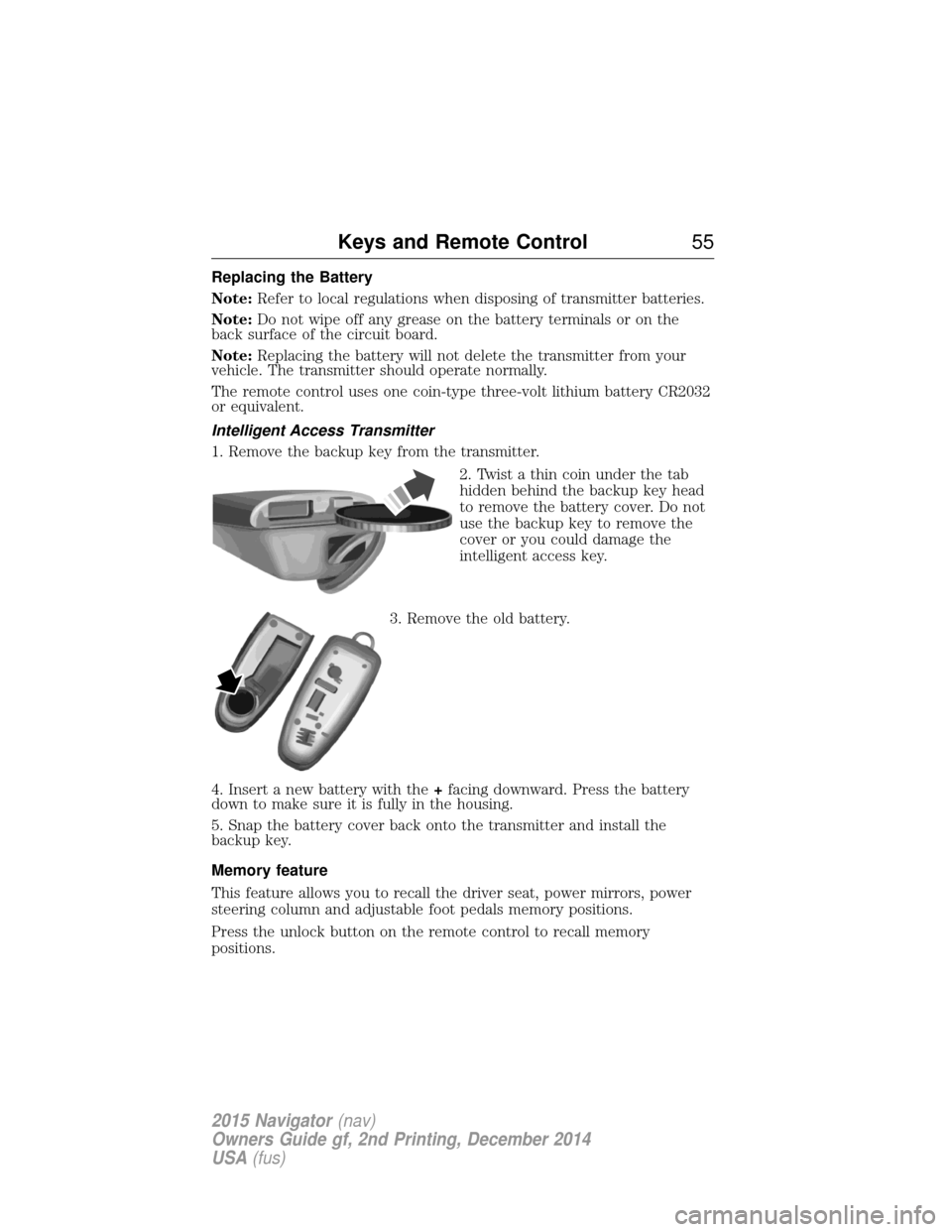
Intelligent Access Transmitter
1. Remove the backup key from the transmitter.
2. Twist a thin coin under the tab
hidden behind the backup key head
to remove the battery cover. Do not
use the backup key to remove the
cover or you could damage the
intelligent access key.
3. Remove the old battery.
4. Insert a new battery with the +facing downward. Press the battery
down to make sure it is fully in the housing.
5. Snap the battery cover back onto the transmitter and install the
backup key.
Memory feature
This feature allows you to recall the driver seat, power mirrors, power
steering column and adjustable foot pedals memory positions.
Press the unlock button on the remote control to recall memory
positions.
Keys and Remote Control 55
2015 Navigator(nav)
Owners Guide gf, 2nd Printing, December 2014
USA (fus)
Page 91 of 475
ADAPTIVE HEADLAMPS
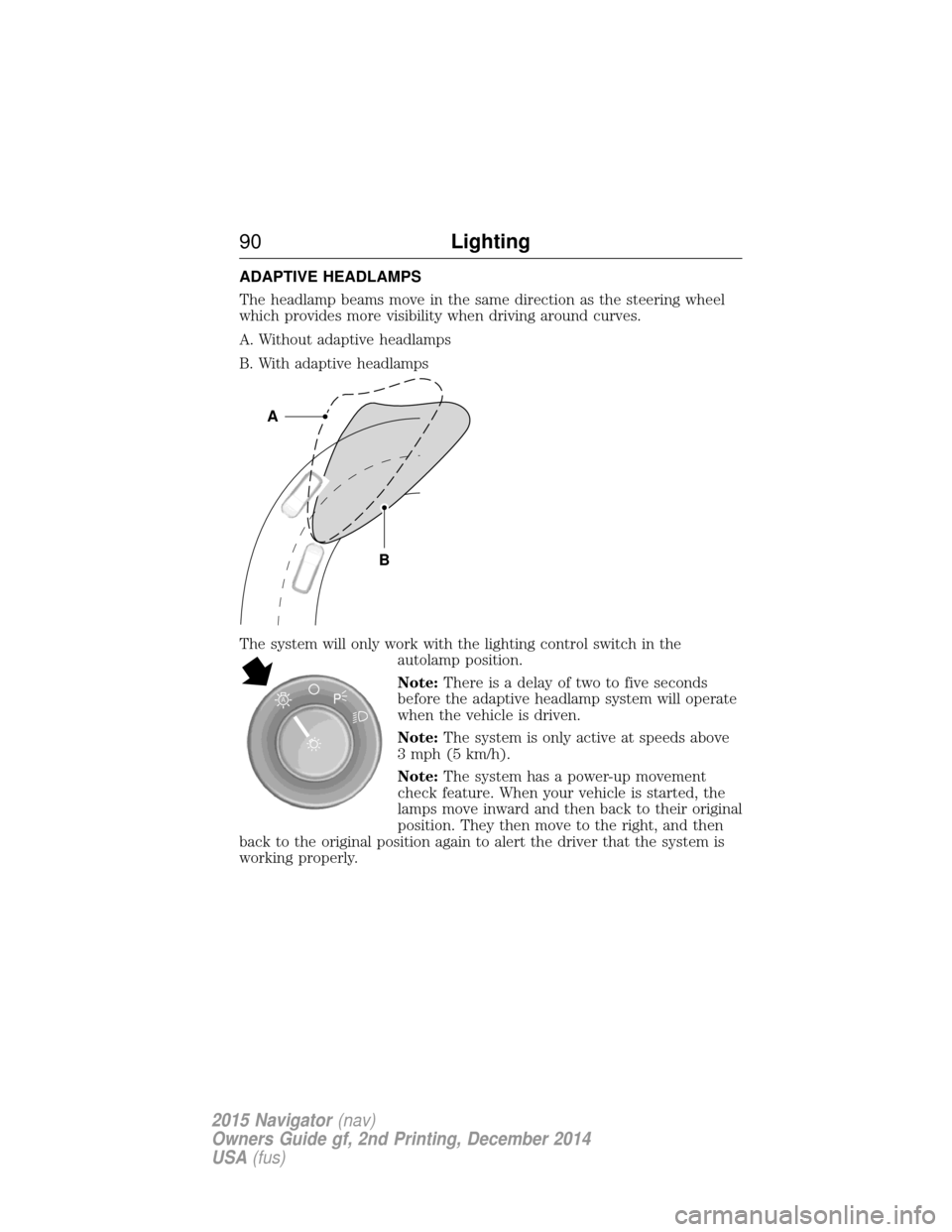
The headlamp beams move in the same direction as the steering wheel
which provides more visibility when driving around curves.
A. Without adaptive headlamps
B. With adaptive headlamps
The system will only work with the lighting control switch in theautolamp position.
Note:There is a delay of two to five seconds
before the adaptive headlamp system will operate
when the vehicle is driven.
Note: The system is only active at speeds above
3 mph (5 km/h).
Note: The system has a power-up movement
check feature. When your vehicle is started, the
lamps move inward and then back to their original
position. They then move to the right, and then
back to the original position again to alert the driver that the system is
working properly.
B
A
A
90 Lighting
2015 Navigator(nav)
Owners Guide gf, 2nd Printing, December 2014
USA (fus)
Page 119 of 475
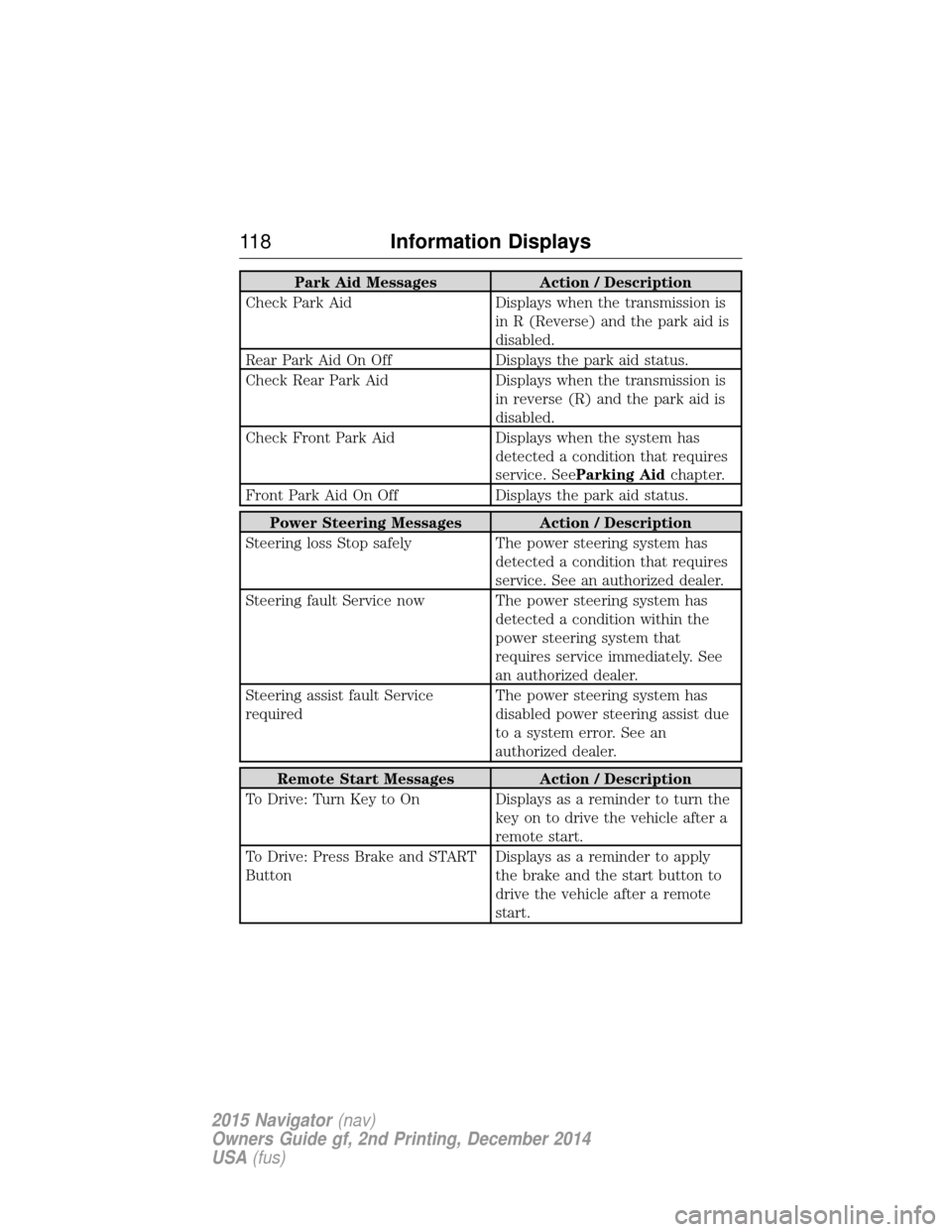
Park Aid MessagesAction / Description
Check Park Aid Displays when the transmission is
in R (Reverse) and the park aid is
disabled.
Rear Park Aid On Off Displays the park aid status.
Check Rear Park Aid Displays when the transmission is
in reverse (R) and the park aid is
disabled.
Check Front Park Aid Displays when the system has
detected a condition that requires
service. See Parking Aid chapter.
Front Park Aid On Off Displays the park aid status.
Power Steering Messages Action / Description
Steering loss Stop safely The power steering system has
detected a condition that requires
service. See an authorized dealer.
Steering fault Service now The power steering system has detected a condition within the
power steering system that
requires service immediately. See
an authorized dealer.
Steering assist fault Service
required The power steering system has
disabled power steering assist due
to a system error. See an
authorized dealer.
Remote Start Messages
Action / Description
To Drive: Turn Key to On Displays as a reminder to turn the key on to drive the vehicle after a
remote start.
To Drive: Press Brake and START
Button Displays as a reminder to apply
the brake and the start button to
drive the vehicle after a remote
start.
11 8
Information Displays
2015 Navigator (nav)
Owners Guide gf, 2nd Printing, December 2014
USA (fus)
Page 133 of 475
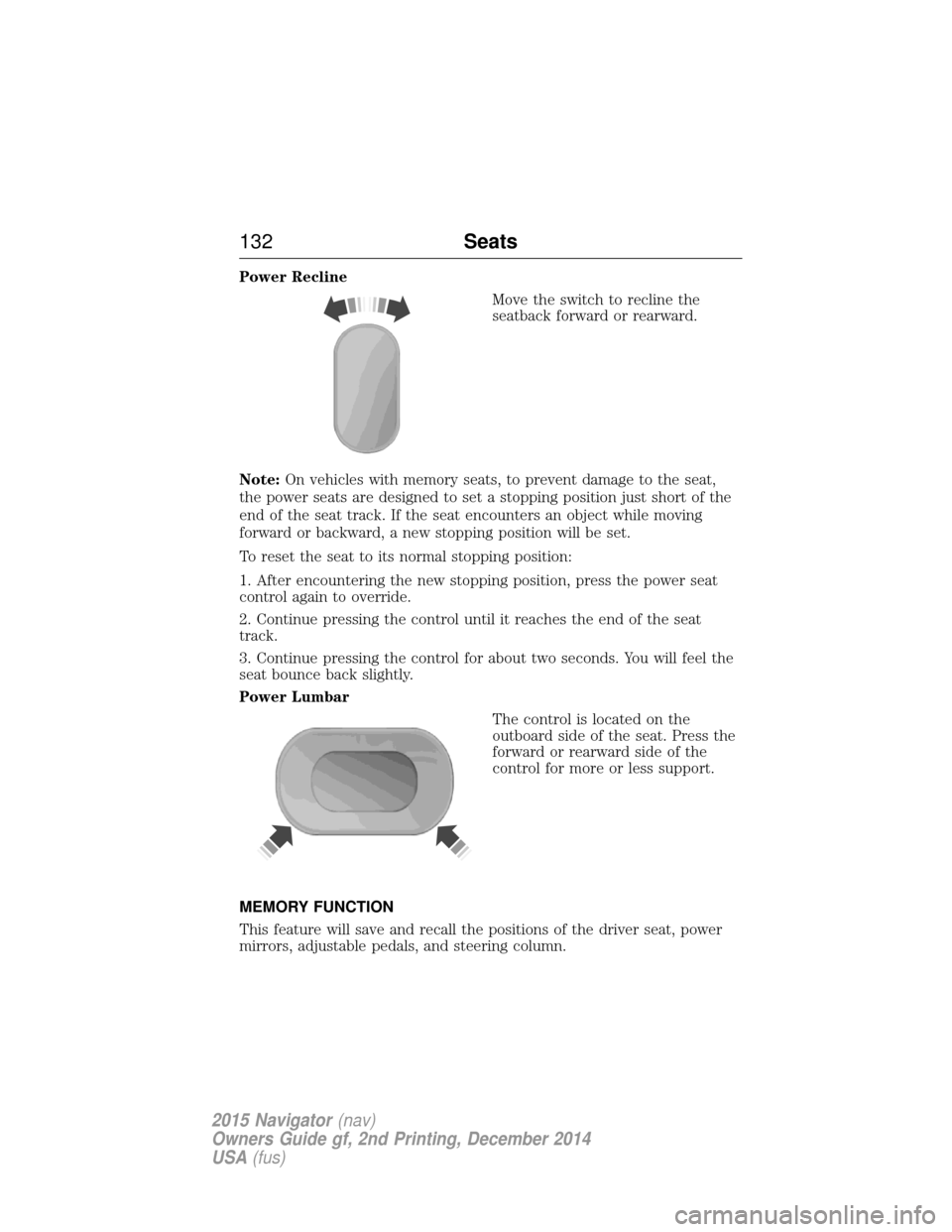
Power ReclineMove the switch to recline the
seatback forward or rearward.
Note: On vehicles with memory seats, to prevent damage to the seat,
the power seats are designed to set a stopping position just short of the
end of the seat track. If the seat encounters an object while moving
forward or backward, a new stopping position will be set.
To reset the seat to its normal stopping position:
1. After encountering the new stopping position, press the power seat
control again to override.
2. Continue pressing the control until it reaches the end of the seat
track.
3. Continue pressing the control for about two seconds. You will feel the
seat bounce back slightly.
Power Lumbar
The control is located on the
outboard side of the seat. Press the
forward or rearward side of the
control for more or less support.
MEMORY FUNCTION
This feature will save and recall the positions of the driver seat, power
mirrors, adjustable pedals, and steering column.
132 Seats
2015 Navigator(nav)
Owners Guide gf, 2nd Printing, December 2014
USA (fus)
Page 183 of 475
Power is supplied to all four wheels through a transfer case. On 4WD
vehicles, the transfer case allows you to select between different 4WD
modes when necessary. Information on transfer case operation and
shifting procedures can be found in this chapter. Information on transfer
case maintenance can be found in theMaintenancechapter. You should
become thoroughly familiar with this information before you operate
your vehicle.
4WD (when you select a 4WD mode) uses all four wheels to power the
vehicle. This increases traction, enabling you to drive over terrain and
road conditions that a conventional two-wheel drive vehicle cannot.
Basic Operating Principles In Special Conditions
• Do not use 4x4 on dry, hard surfaced roads. Doing so will produce
excessive noise, increase tire wear and may damage drive components.
4WD modes are only intended for consistently slippery or loose
surfaces.
• Drive slower in strong crosswinds which can affect the normal steering
characteristics of your vehicle.
• Be extremely careful when driving on pavement made slippery by
loose sand, water, gravel, snow or ice.
If your vehicle goes off the edge of the pavement
• If your vehicle goes off the edge of the pavement, slow down, but
avoid severe brake application, ease the vehicle back onto the
pavement only after reducing your speed. Do not turn the steering
wheel too sharply while returning to the road surface.
• It may be safer to stay on the apron or shoulder of the road and slow
down gradually before returning to the pavement. You may lose
control if you do not slow down or if you turn the steering wheel too
sharply or abruptly.
• It often may be less risky to strike small objects, such as highway
reflectors, with minor damage to your vehicle rather than attempt a
sudden return to the pavement which could cause the vehicle to slide
sideways out of control or roll over. Remember, your safety and the
safety of others should be your primary concern.
If your vehicle gets stuck
WARNING: Do not spin the wheels at over 35 mph (56 km/h).
The tires may fail and injure a passenger or bystander.
182 Four-Wheel Drive (If Equipped)
2015 Navigator (nav)
Owners Guide gf, 2nd Printing, December 2014
USA (fus)
Page 186 of 475
If you do stall out, do not try to turn around because you might roll over.
It is better to back down to a safe location.
Apply just enough power to the wheels to climb the hill. Too much
power will cause the tires to slip, spin or lose traction, resulting in loss of
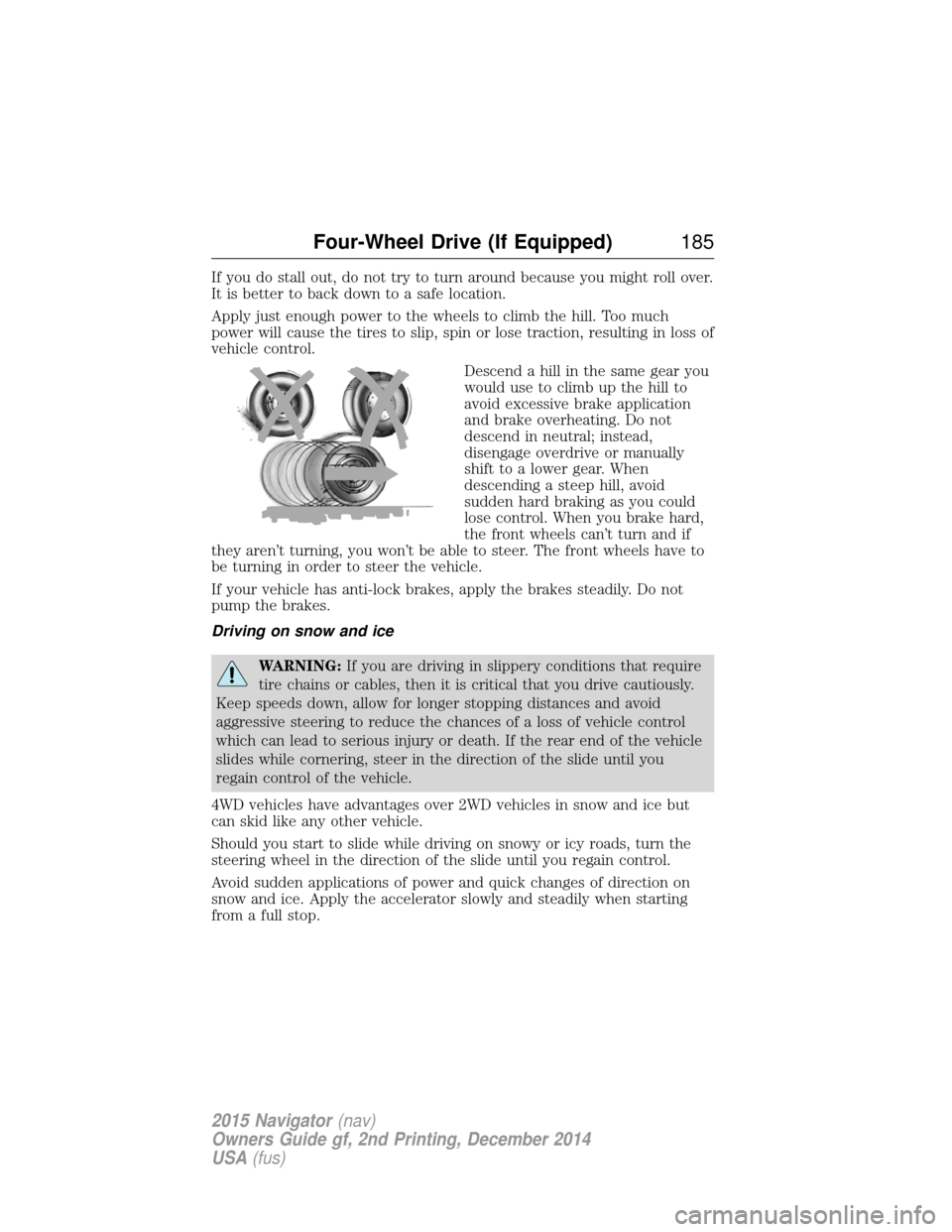
vehicle control.Descend a hill in the same gear you
would use to climb up the hill to
avoid excessive brake application
and brake overheating. Do not
descend in neutral; instead,
disengage overdrive or manually
shift to a lower gear. When
descending a steep hill, avoid
sudden hard braking as you could
lose control. When you brake hard,
the front wheels can’t turn and if
they aren’t turning, you won’t be able to steer. The front wheels have to
be turning in order to steer the vehicle.
If your vehicle has anti-lock brakes, apply the brakes steadily. Do not
pump the brakes.
Driving on snow and ice
WARNING: If you are driving in slippery conditions that require
tire chains or cables, then it is critical that you drive cautiously.
Keep speeds down, allow for longer stopping distances and avoid
aggressive steering to reduce the chances of a loss of vehicle control
which can lead to serious injury or death. If the rear end of the vehicle
slides while cornering, steer in the direction of the slide until you
regain control of the vehicle.
4WD vehicles have advantages over 2WD vehicles in snow and ice but
can skid like any other vehicle.
Should you start to slide while driving on snowy or icy roads, turn the
steering wheel in the direction of the slide until you regain control.
Avoid sudden applications of power and quick changes of direction on
snow and ice. Apply the accelerator slowly and steadily when starting
from a full stop.
Four-Wheel Drive (If Equipped) 185
2015 Navigator(nav)
Owners Guide gf, 2nd Printing, December 2014
USA (fus)
Page 188 of 475
GENERAL INFORMATION
Note:Occasional brake noise is normal. If a metal-to-metal, continuous
grinding or continuous squeal sound is present, the brake linings may be
worn out. Have them inspected by an authorized dealer. If your vehicle
has continuous vibration or shudder in the steering wheel while braking,
have your vehicle inspected by an authorized dealer.
Note: Brake dust may accumulate on the wheels, even under normal
driving conditions. Some dust is inevitable as the brakes wear and does
not contribute to brake noise. See the Vehicle Carechapter for wheel
cleaning instructions.
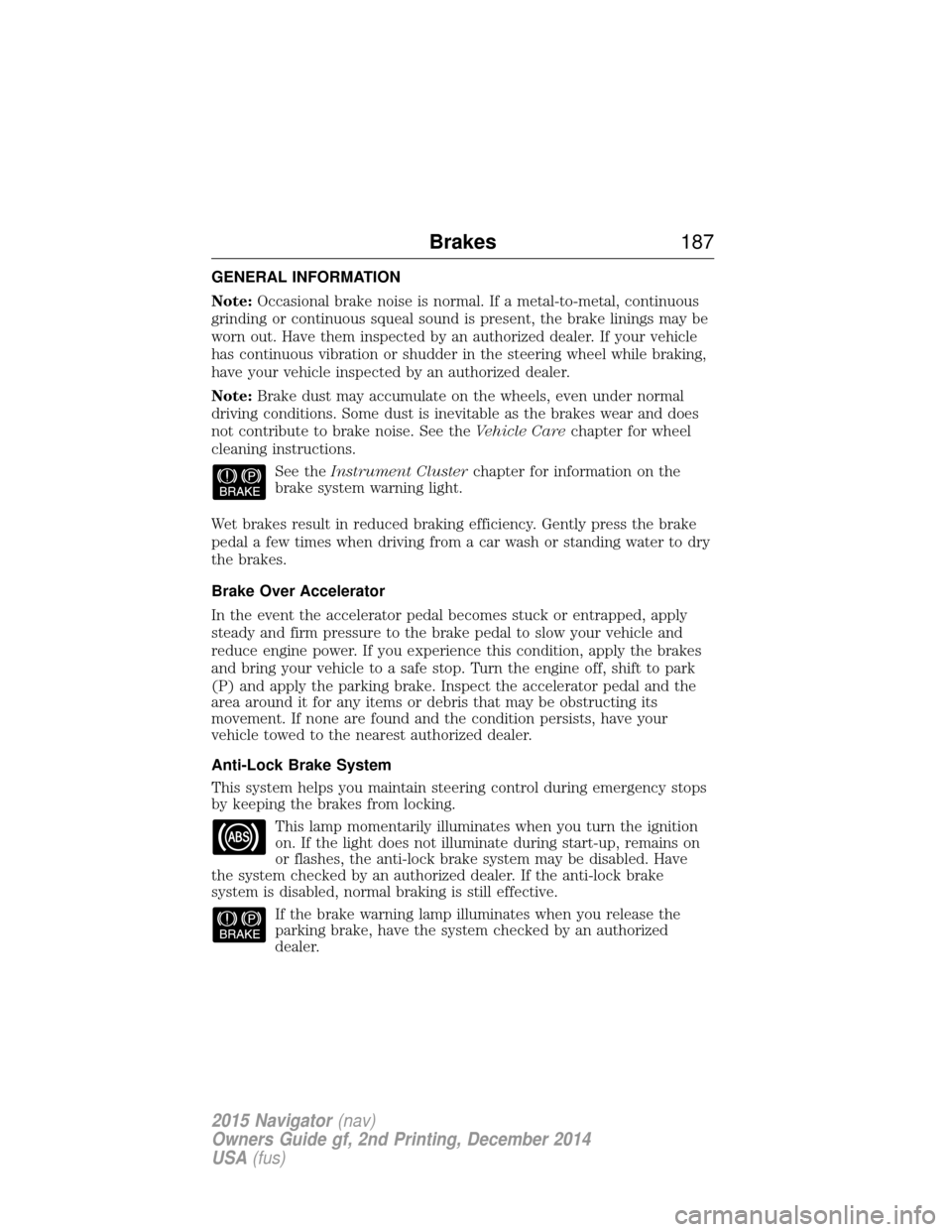
See theInstrument Cluster chapter for information on the
brake system warning light.
Wet brakes result in reduced braking efficiency. Gently press the brake
pedal a few times when driving from a car wash or standing water to dry
the brakes.
Brake Over Accelerator
In the event the accelerator pedal becomes stuck or entrapped, apply
steady and firm pressure to the brake pedal to slow your vehicle and
reduce engine power. If you experience this condition, apply the brakes
and bring your vehicle to a safe stop. Turn the engine off, shift to park
(P) and apply the parking brake. Inspect the accelerator pedal and the
area around it for any items or debris that may be obstructing its
movement. If none are found and the condition persists, have your
vehicle towed to the nearest authorized dealer.
Anti-Lock Brake System
This system helps you maintain steering control during emergency stops
by keeping the brakes from locking. This lamp momentarily illuminates when you turn the ignition
on. If the light does not illuminate during start-up, remains on
or flashes, the anti-lock brake system may be disabled. Have
the system checked by an authorized dealer. If the anti-lock brake
system is disabled, normal braking is still effective.
If the brake warning lamp illuminates when you release the
parking brake, have the system checked by an authorized
dealer.
Brakes 187
2015 Navigator(nav)
Owners Guide gf, 2nd Printing, December 2014
USA (fus)
Page 211 of 475
System Errors
If either system senses a problem with the left or right sensor, the
BLIS® indicator in the information display will illuminate and remain on.
Also,BLIND SPOT SYSTEM FAULT orCROSS TRAFFIC SYSTEM
FAULT message will appear. When problems that may cause the left or
right indicator not to illuminate, only the information display message
faults appear.
Switching the Systems Off and On
One or both systems can be switched off temporarily by using the
information display control; refer to the Information Displaychapter.
When you switch off the Blind Spot Information System, you will not
receive alerts and the information display will display a system off
message. The yellow alert indicator in the outside mirror will also flash
twice. The system switches back on whenever you switch the ignition on.
You can also have one or both systems switched off permanently at an
authorized dealer. Once switched off, the system can only be switched
back on at an authorized dealer.
STEERING
Electric Power Steering
WARNING: The electric power steering system has diagnostic
checks that continuously monitor the system to ensure proper
operation. When a system error is detected a steering message will
appear in the information display.
WARNING: The electric power steering system has diagnostic
checks that continuously monitor the system to ensure proper
operation of the electronic system. When an electronic error is
detected, a message will be displayed in the information display. If this
happens, stop the vehicle in a safe place, and turn off the engine. After
at least 10 seconds, reset the system by restarting the engine, and
watch the information display for a steering message. If a steering
message returns, or returns while driving, take the vehicle to your
dealer to have it checked.
210 Driving Aids
2015 Navigator(nav)
Owners Guide gf, 2nd Printing, December 2014
USA (fus)