light LINCOLN NAVIGATOR 2017 Owners Manual
[x] Cancel search | Manufacturer: LINCOLN, Model Year: 2017, Model line: NAVIGATOR, Model: LINCOLN NAVIGATOR 2017Pages: 532, PDF Size: 3.9 MB
Page 436 of 532
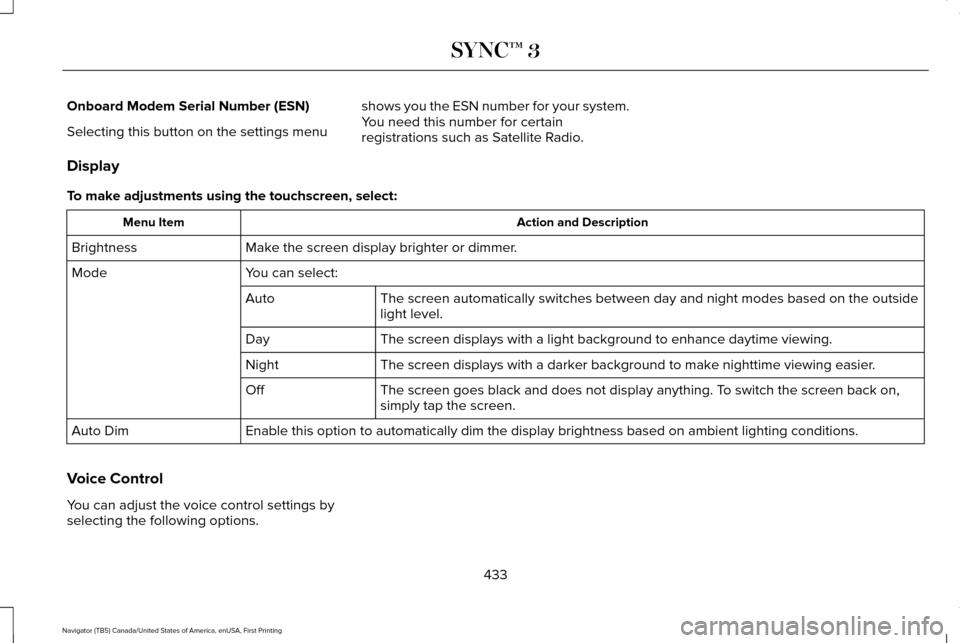
Onboard Modem Serial Number (ESN)
Selecting this button on the settings menu
shows you the ESN number for your system.
You need this number for certain
registrations such as Satellite Radio.
Display
To make adjustments using the touchscreen, select: Action and Description
Menu Item
Make the screen display brighter or dimmer.
Brightness
You can select:
Mode
The screen automatically switches between day and night modes based on t\
he outside
light level.
Auto
The screen displays with a light background to enhance daytime viewing.
Day
The screen displays with a darker background to make nighttime viewing easier.
Night
The screen goes black and does not display anything. To switch the screen back on,
simply tap the screen.
Off
Enable this option to automatically dim the display brightness based on \
ambient lighting conditions.
Auto Dim
Voice Control
You can adjust the voice control settings by
selecting the following options.
433
Navigator (TB5) Canada/United States of America, enUSA, First Printing SYNC™ 3
Page 438 of 532
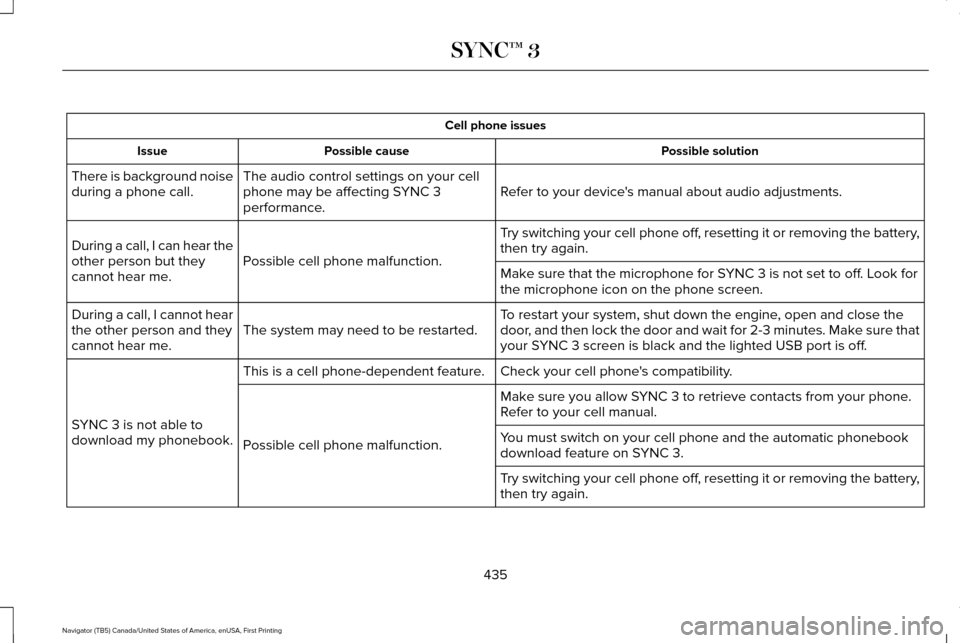
Cell phone issues
Possible solution
Possible cause
Issue
Refer to your device's manual about audio adjustments.
The audio control settings on your cell
phone may be affecting SYNC 3
performance.
There is background noise
during a phone call.
Try switching your cell phone off, resetting it or removing the battery,
then try again.
Possible cell phone malfunction.
During a call, I can hear the
other person but they
cannot hear me.
Make sure that the microphone for SYNC 3 is not set to off. Look for
the microphone icon on the phone screen.
To restart your system, shut down the engine, open and close the
door, and then lock the door and wait for 2-3 minutes. Make sure that
your SYNC 3 screen is black and the lighted USB port is off.
The system may need to be restarted.
During a call, I cannot hear
the other person and they
cannot hear me.
Check your cell phone's compatibility.
This is a cell phone-dependent feature.
SYNC 3 is not able to
download my phonebook. Make sure you allow SYNC 3 to retrieve contacts from your phone.
Refer to your cell manual.
Possible cell phone malfunction. You must switch on your cell phone and the automatic phonebook
download feature on SYNC 3.
Try switching your cell phone off, resetting it or removing the battery,
then try again.
435
Navigator (TB5) Canada/United States of America, enUSA, First Printing SYNC™ 3
Page 461 of 532
Make sure to change your vehicle
’s oils and
fluids at the specified intervals or in
conjunction with a repair. Flushing is a viable
way to change fluid for many vehicle
sub-systems during scheduled maintenance. It is critical that systems are flushed only with
new fluid that is the same as that required
to fill and operate the system or using a
Ford-approved flushing chemical.
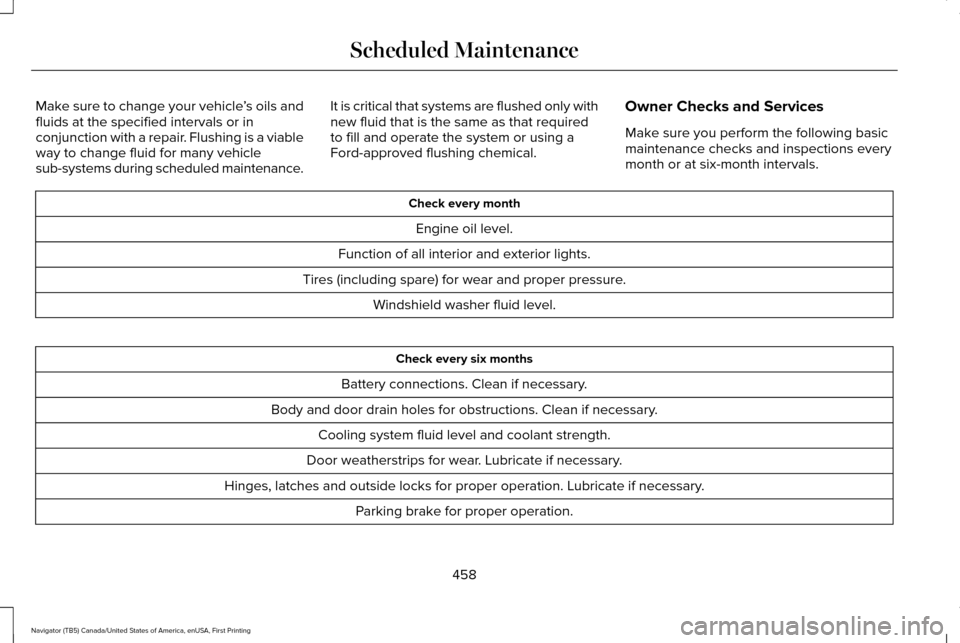
Owner Checks and Services
Make sure you perform the following basic
maintenance checks and inspections every
month or at six-month intervals. Check every month
Engine oil level.
Function of all interior and exterior lights.
Tires (including spare) for wear and proper pressure. Windshield washer fluid level. Check every six months
Battery connections. Clean if necessary.
Body and door drain holes for obstructions. Clean if necessary. Cooling system fluid level and coolant strength.
Door weatherstrips for wear. Lubricate if necessary.
Hinges, latches and outside locks for proper operation. Lubricate if necessary. Parking brake for proper operation.
458
Navigator (TB5) Canada/United States of America, enUSA, First Printing Scheduled Maintenance
Page 519 of 532
Website
www.sunatraffic.com.au/termsandcondi- tions/
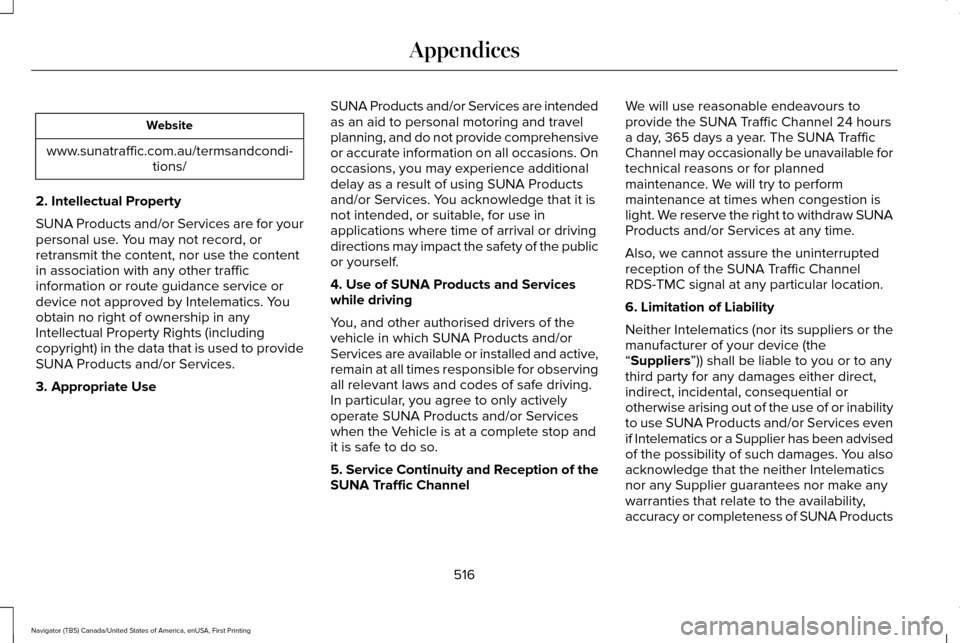
2. Intellectual Property
SUNA Products and/or Services are for your
personal use. You may not record, or
retransmit the content, nor use the content
in association with any other traffic
information or route guidance service or
device not approved by Intelematics. You
obtain no right of ownership in any
Intellectual Property Rights (including
copyright) in the data that is used to provide
SUNA Products and/or Services.
3. Appropriate Use SUNA Products and/or Services are intended
as an aid to personal motoring and travel
planning, and do not provide comprehensive
or accurate information on all occasions. On
occasions, you may experience additional
delay as a result of using SUNA Products
and/or Services. You acknowledge that it is
not intended, or suitable, for use in
applications where time of arrival or driving
directions may impact the safety of the public
or yourself.
4. Use of SUNA Products and Services
while driving
You, and other authorised drivers of the
vehicle in which SUNA Products and/or
Services are available or installed and active,
remain at all times responsible for observing
all relevant laws and codes of safe driving.
In particular, you agree to only actively
operate SUNA Products and/or Services
when the Vehicle is at a complete stop and
it is safe to do so.
5. Service Continuity and Reception of the
SUNA Traffic ChannelWe will use reasonable endeavours to
provide the SUNA Traffic Channel 24 hours
a day, 365 days a year. The SUNA Traffic
Channel may occasionally be unavailable for
technical reasons or for planned
maintenance. We will try to perform
maintenance at times when congestion is
light. We reserve the right to withdraw SUNA
Products and/or Services at any time.
Also, we cannot assure the uninterrupted
reception of the SUNA Traffic Channel
RDS-TMC signal at any particular location.
6. Limitation of Liability
Neither Intelematics (nor its suppliers or the
manufacturer of your device (the
“Suppliers”)) shall be liable to you or to any
third party for any damages either direct,
indirect, incidental, consequential or
otherwise arising out of the use of or inability
to use SUNA Products and/or Services even
if Intelematics or a Supplier has been advised
of the possibility of such damages. You also
acknowledge that the neither Intelematics
nor any Supplier guarantees nor make any
warranties that relate to the availability,
accuracy or completeness of SUNA Products
516
Navigator (TB5) Canada/United States of America, enUSA, First Printing Appendices
Page 522 of 532
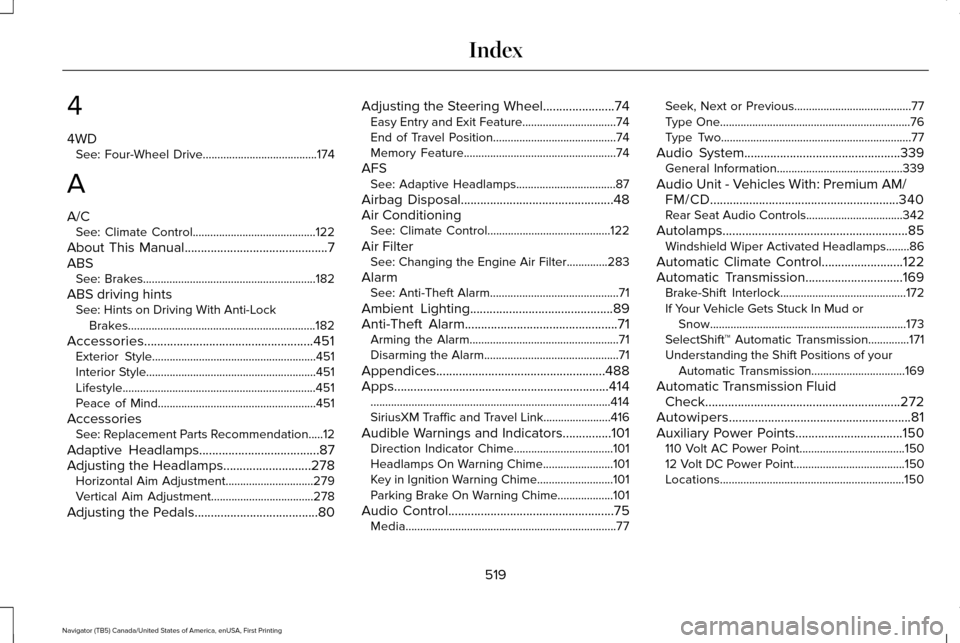
4
4WD
See: Four-Wheel Drive.......................................174
A
A/C See: Climate Control..........................................122
About This Manual............................................7
ABS See: Brakes...........................................................182
ABS driving hints See: Hints on Driving With Anti-Lock
Brakes................................................................182
Accessories....................................................451 Exterior Style........................................................451
Interior Style..........................................................451
Lifestyle..................................................................451
Peace of Mind......................................................451
Accessories See: Replacement Parts Recommendation.....12
Adaptive Headlamps
.....................................87
Adjusting the Headlamps...........................278 Horizontal Aim Adjustment..............................279
Vertical Aim Adjustment...................................278
Adjusting the Pedals
......................................80 Adjusting the Steering Wheel......................74
Easy Entry and Exit Feature................................74
End of Travel Position..........................................74
Memory Feature....................................................74
AFS See: Adaptive Headlamps..................................87
Airbag Disposal...............................................48
Air Conditioning See: Climate Control..........................................122
Air Filter See: Changing the Engine Air Filter..............283
Alarm See: Anti-Theft Alarm............................................71
Ambient Lighting
............................................89
Anti-Theft Alarm...............................................71
Arming the Alarm...................................................71
Disarming the Alarm..............................................71
Appendices....................................................488
Apps..................................................................414 ........................................................................\
..........414
SiriusXM Traffic and Travel Link.......................
416
Audible Warnings and Indicators...............101 Direction Indicator Chime..................................101
Headlamps On Warning Chime
........................101
Key in Ignition Warning Chime..........................101
Parking Brake On Warning Chime...................101
Audio Control
...................................................75
Media........................................................................\
77 Seek, Next or Previous........................................77
Type One.................................................................76
Type Two.................................................................77
Audio System................................................339 General Information...........................................339
Audio Unit - Vehicles With: Premium AM/ FM/CD..........................................................340
Rear Seat Audio Controls.................................342
Autolamps.........................................................85 Windshield Wiper Activated Headlamps........86
Automatic Climate Control
.........................122
Automatic Transmission..............................169 Brake-Shift Interlock...........................................172
If Your Vehicle Gets Stuck In Mud or
Snow...................................................................173
SelectShift™ Automatic Transmission..............171
Understanding the Shift Positions of your Automatic Transmission................................
169
Automatic Transmission Fluid Check............................................................272
Autowipers........................................................81
Auxiliary Power Points.................................150 110 Volt AC Power Point....................................150
12 Volt DC Power Point......................................150
Locations...............................................................150
519
Navigator (TB5) Canada/United States of America, enUSA, First Printing Index
Page 526 of 532
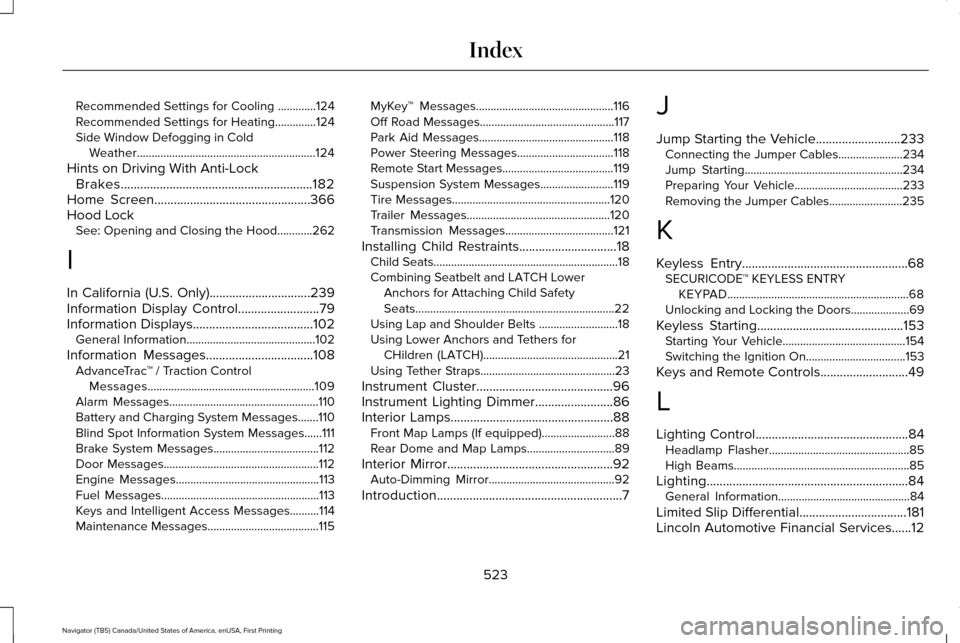
Recommended Settings for Cooling .............124
Recommended Settings for Heating..............124
Side Window Defogging in Cold Weather.............................................................124
Hints on Driving With Anti-Lock Brakes
...........................................................182
Home Screen................................................366
Hood Lock See: Opening and Closing the Hood............262
I
In California (U.S. Only)...............................239
Information Display Control
.........................79
Information Displays.....................................102
General Information............................................102
Information Messages
.................................108
AdvanceTrac ™ / Traction Control
Messages.........................................................109
Alarm Messages...................................................110
Battery and Charging System Messages.......110
Blind Spot Information System Messages......
111
Brake System Messages....................................112
Door Messages.....................................................112
Engine Messages.................................................113
Fuel Messages......................................................113
Keys and Intelligent Access Messages..........114
Maintenance Messages......................................115 MyKey™ Messages...............................................116
Off Road Messages..............................................117
Park Aid Messages..............................................118
Power Steering Messages.................................
118
Remote Start Messages......................................119
Suspension System Messages.........................119
Tire Messages......................................................120
Trailer Messages.................................................120
Transmission Messages.....................................121
Installing Child Restraints
..............................18
Child Seats...............................................................18
Combining Seatbelt and LATCH Lower
Anchors for Attaching Child Safety
Seats....................................................................22
Using Lap and Shoulder Belts ...........................18
Using Lower Anchors and Tethers for CHildren (LATCH)..............................................21
Using Tether Straps..............................................23
Instrument Cluster
..........................................96
Instrument Lighting Dimmer........................86
Interior Lamps..................................................88 Front Map Lamps (If equipped).........................88
Rear Dome and Map Lamps..............................89
Interior Mirror
...................................................92
Auto-Dimming Mirror...........................................92
Introduction
.........................................................7 J
Jump Starting the Vehicle..........................233
Connecting the Jumper Cables......................
234
Jump Starting......................................................234
Preparing Your Vehicle.....................................233
Removing the Jumper Cables.........................
235
K
Keyless Entry...................................................68 SECURICODE™ KEYLESS ENTRY
KEYPAD..............................................................68
Unlocking and Locking the Doors....................69
Keyless Starting.............................................153 Starting Your Vehicle..........................................154
Switching the Ignition On..................................153
Keys and Remote Controls...........................49
L
Lighting Control...............................................84 Headlamp Flasher................................................85
High Beams............................................................85
Lighting..............................................................84 General Information.............................................84
Limited Slip Differential
.................................181
Lincoln Automotive Financial Services......12
523
Navigator (TB5) Canada/United States of America, enUSA, First Printing Index
Page 529 of 532
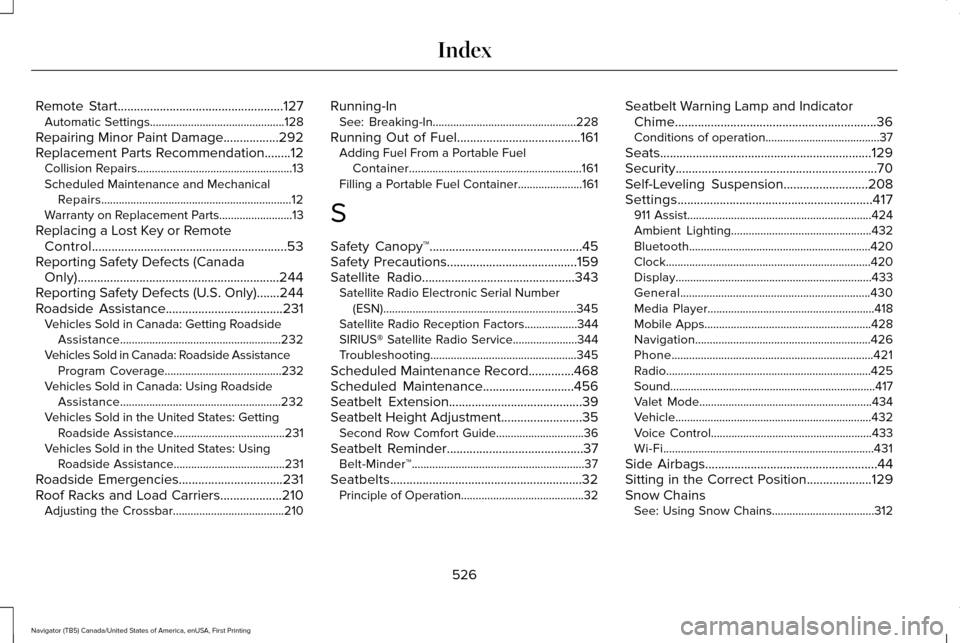
Remote Start...................................................127
Automatic Settings..............................................128
Repairing Minor Paint Damage
.................292
Replacement Parts Recommendation........12 Collision Repairs.....................................................13
Scheduled Maintenance and Mechanical
Repairs.................................................................12
Warranty on Replacement Parts.........................
13
Replacing a Lost Key or Remote Control............................................................53
Reporting Safety Defects (Canada Only)..............................................................244
Reporting Safety Defects (U.S. Only).......244
Roadside Assistance
....................................231
Vehicles Sold in Canada: Getting Roadside
Assistance.......................................................232
Vehicles Sold in Canada: Roadside Assistance Program Coverage........................................232
Vehicles Sold in Canada: Using Roadside Assistance.......................................................232
Vehicles Sold in the United States: Getting Roadside Assistance......................................231
Vehicles Sold in the United States: Using Roadside Assistance......................................231
Roadside Emergencies
................................231
Roof Racks and Load Carriers...................210 Adjusting the Crossbar......................................210 Running-In
See: Breaking-In.................................................228
Running Out of Fuel......................................161 Adding Fuel From a Portable Fuel
Container...........................................................161
Filling a Portable Fuel Container......................161
S
Safety Canopy™...............................................45
Safety Precautions........................................159
Satellite Radio
...............................................343
Satellite Radio Electronic Serial Number
(ESN)..................................................................345
Satellite Radio Reception Factors..................344
SIRIUS® Satellite Radio Service......................344
Troubleshooting..................................................345
Scheduled Maintenance Record..............468
Scheduled Maintenance............................456
Seatbelt Extension.........................................39
Seatbelt Height Adjustment.........................35 Second Row Comfort Guide..............................36
Seatbelt Reminder
..........................................37
Belt-Minder™...........................................................37
Seatbelts...........................................................32 Principle of Operation..........................................32 Seatbelt Warning Lamp and Indicator
Chime..............................................................36
Conditions of operation.......................................37
Seats.................................................................129
Security..............................................................70
Self-Leveling Suspension
..........................208
Settings............................................................417 911 Assist...............................................................424
Ambient Lighting................................................432
Bluetooth..............................................................420
Clock......................................................................420
Display...................................................................433
General.................................................................430
Media Player.........................................................418
Mobile Apps.........................................................428
Navigation............................................................426
Phone.....................................................................421
Radio......................................................................425
Sound......................................................................417
Valet Mode...........................................................434
Vehicle...................................................................432
Voice Control.......................................................433
Wi-Fi........................................................................\
431
Side Airbags
.....................................................44
Sitting in the Correct Position....................129
Snow Chains See: Using Snow Chains...................................312
526
Navigator (TB5) Canada/United States of America, enUSA, First Printing Index
Page 531 of 532
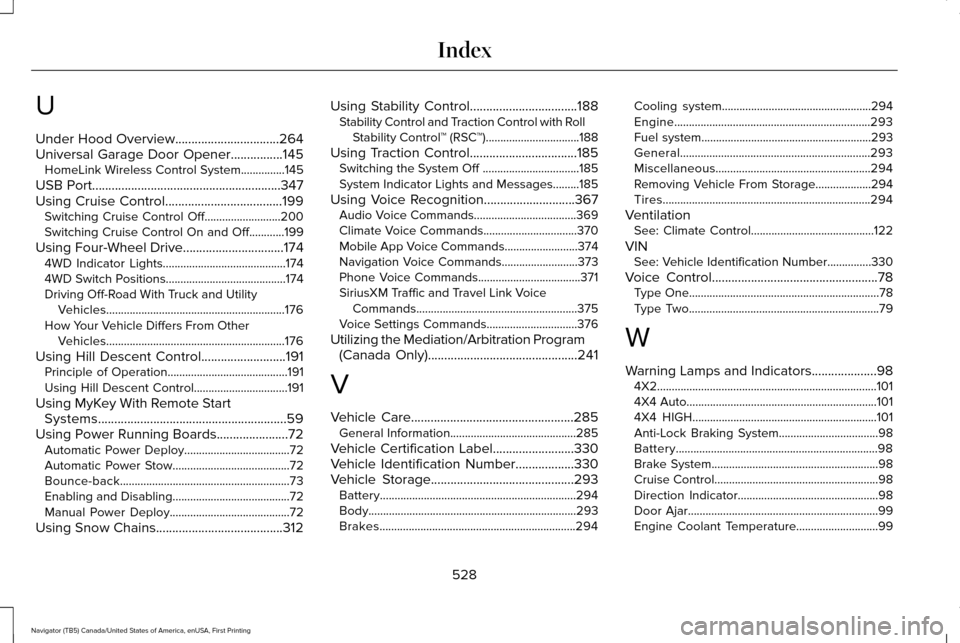
U
Under Hood Overview................................264
Universal Garage Door Opener................145
HomeLink Wireless Control System...............145
USB Port..........................................................347
Using Cruise Control....................................199
Switching Cruise Control Off..........................200
Switching Cruise Control On and Off............199
Using Four-Wheel Drive
...............................174
4WD Indicator Lights..........................................174
4WD Switch Positions.........................................174
Driving Off-Road With Truck and Utility
Vehicles.............................................................176
How Your Vehicle Differs From Other Vehicles.............................................................176
Using Hill Descent Control..........................191 Principle of Operation.........................................
191
Using Hill Descent Control................................191
Using MyKey With Remote Start Systems..........................................................59
Using Power Running Boards......................72 Automatic Power Deploy....................................72
Automatic Power Stow........................................72
Bounce-back..........................................................73
Enabling and Disabling........................................72
Manual Power Deploy.........................................72
Using Snow Chains.......................................312 Using Stability Control.................................188
Stability Control and Traction Control with Roll
Stability Control™ (RSC™)................................188
Using Traction Control.................................185 Switching the System Off .................................185
System Indicator Lights and Messages.........
185
Using Voice Recognition............................367 Audio Voice Commands...................................369
Climate Voice Commands................................370
Mobile App Voice Commands.........................374
Navigation Voice Commands..........................373
Phone Voice Commands...................................371
SiriusXM Traffic and Travel Link Voice
Commands.......................................................375
Voice Settings Commands...............................376
Utilizing the Mediation/Arbitration Program (Canada Only)
..............................................241
V
Vehicle Care
..................................................285
General Information...........................................285
Vehicle Certification Label
.........................330
Vehicle Identification Number..................330
Vehicle Storage............................................293
Battery...................................................................294
Body.......................................................................293
Brakes...................................................................294 Cooling system...................................................294
Engine...................................................................293
Fuel system..........................................................293
General.................................................................293
Miscellaneous.....................................................294
Removing Vehicle From Storage...................294
Tires.......................................................................294
Ventilation See: Climate Control..........................................122
VIN See: Vehicle Identification Number...............330
Voice Control
...................................................78
Type One.................................................................78
Type Two.................................................................79
W
Warning Lamps and Indicators
....................98
4X2........................................................................\
...101
4X4 Auto.................................................................101
4X4 HIGH...............................................................101
Anti-Lock Braking System..................................98
Battery.....................................................................98
Brake System.........................................................98
Cruise Control........................................................98
Direction Indicator................................................98
Door Ajar.................................................................99
Engine Coolant Temperature............................99
528
Navigator (TB5) Canada/United States of America, enUSA, First Printing Index
Page 532 of 532
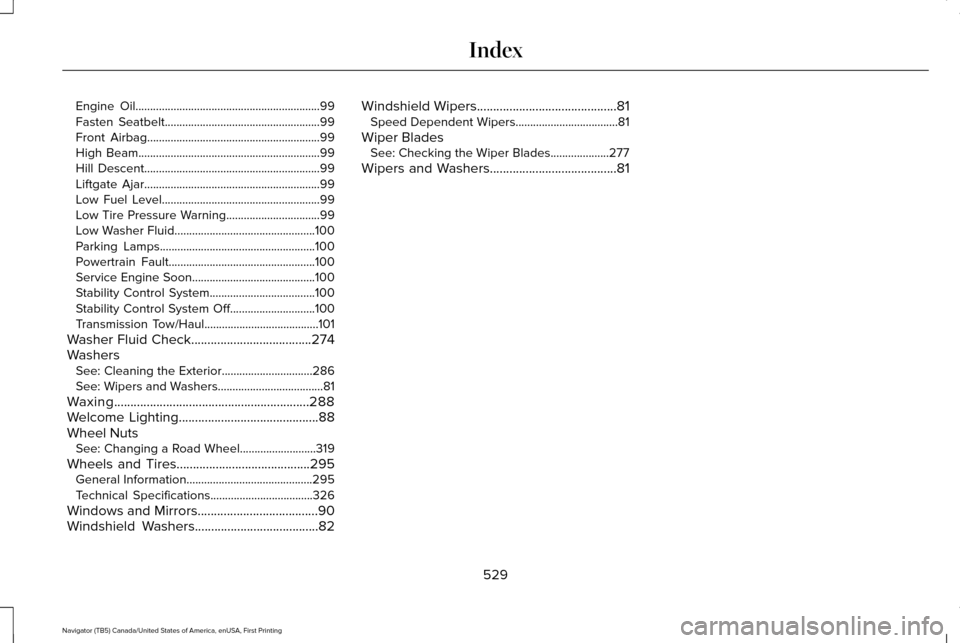
Engine Oil...............................................................99
Fasten Seatbelt.....................................................99
Front Airbag...........................................................99
High Beam..............................................................99
Hill Descent............................................................99
Liftgate Ajar............................................................99
Low Fuel Level......................................................99
Low Tire Pressure Warning................................99
Low Washer Fluid................................................100
Parking Lamps.....................................................100
Powertrain Fault..................................................100
Service Engine Soon..........................................100
Stability Control System....................................100
Stability Control System Off.............................100
Transmission Tow/Haul.......................................101
Washer Fluid Check.....................................274
Washers See: Cleaning the Exterior...............................286
See: Wipers and Washers....................................
81
Waxing............................................................288
Welcome Lighting
...........................................88
Wheel Nuts See: Changing a Road Wheel..........................319
Wheels and Tires.........................................295 General Information...........................................295
Technical Specifications...................................326
Windows and Mirrors.....................................90
Windshield Washers
......................................82 Windshield Wipers
...........................................81
Speed Dependent Wipers...................................81
Wiper Blades See: Checking the Wiper Blades....................277
Wipers and Washers.......................................81
529
Navigator (TB5) Canada/United States of America, enUSA, First Printing Index