battery LINCOLN NAVIGATOR 2018 Owner's Manual
[x] Cancel search | Manufacturer: LINCOLN, Model Year: 2018, Model line: NAVIGATOR, Model: LINCOLN NAVIGATOR 2018Pages: 649, PDF Size: 4.96 MB
Page 188 of 649
12 Volt DC Power Point
WARNING: Do not plug optionalelectrical accessories into the cigar lightersocket. Incorrect use of the cigar lightercan cause damage not covered by thevehicle warranty, and can result in fire orserious injury.
Note:When you switch the ignition on, youcan use the socket to power 12 voltappliances with a maximum current ratingof 15 amps.
If the power supply does not work after youswitch the ignition off, switch the ignition on.Note:Do not hang any accessory from theaccessory plug.
Note:Do not use the power point over thevehicle capacity of 12 volt DC 180 watts ora fuse may blow.
Note:Always keep the power point capsclosed when not in use.
Do not insert objects other than an accessoryplug into the power point. This damages thepower point and may blow the fuse.
Run the vehicle for full capacity use of thepower point.
To prevent the battery from running out ofcharge:
•Do not use the power point longer thannecessary when the vehicle is notrunning.
•Do not leave devices plugged inovernight or when you park your vehiclefor extended periods.
USB Port and Power Point Locations
USB Ports and Power Points may be in thefollowing locations:
•On the lower instrument panel.
•Inside the center console.
•On the front of the center console.
•On the rear of the center console.
•In the cargo area.
•On the passenger side floor panel.
•3rd row on the quarter trim panels.
Note:Some of the USB ports may not havedata transfer capabilities.
110 Volt AC Power Point (If Equipped)
WARNING: Do not keep electricaldevices plugged in the power pointwhenever the device is not in use. Do notuse any extension cord with the 110 voltAC power point, since it will defeat thesafety protection design. Doing so maycause the power point to overload due topowering multiple devices that can reachbeyond the 150 watt load limit and couldresult in fire or serious injury.
Note:The power point turns off when youswitch off the ignition, when the vehicle isnot in accessory mode or when the batteryvoltage drops below 11 volts.
You can use the power point for electricdevices that require up to 150 watts. It is onthe rear of the center console.
185
Navigator (TB9) Canada/United States of America, enUSA, Edition date: 201708, Third-Printing-
Auxiliary Power Points
Page 190 of 649
Do not place metal objects, for exampleremote controls, coins and candy wrappers,on or near the charging area when charginga device. Metal objects may heat up anddegrade the charging performance.
Note:The rate of charge, or charging power,is controlled by the device. During charging,the device and the charger may heat up, thisis normal. If the battery gets hotter thanusual, the charger may stop charging.
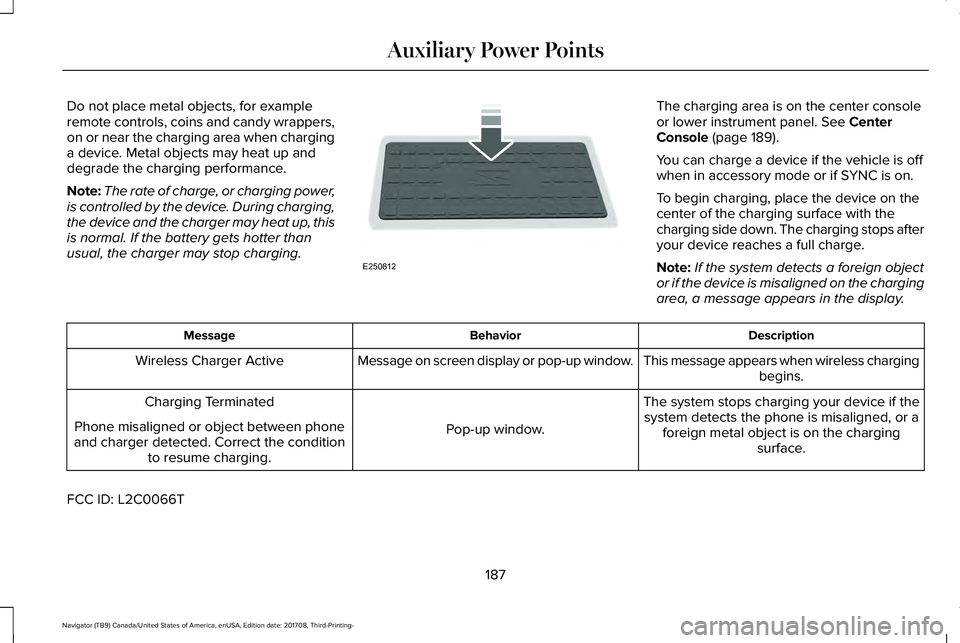
The charging area is on the center consoleor lower instrument panel. See CenterConsole (page 189).
You can charge a device if the vehicle is offwhen in accessory mode or if SYNC is on.
To begin charging, place the device on thecenter of the charging surface with thecharging side down. The charging stops afteryour device reaches a full charge.
Note:If the system detects a foreign objector if the device is misaligned on the chargingarea, a message appears in the display.
DescriptionBehaviorMessage
This message appears when wireless chargingbegins.Message on screen display or pop-up window.Wireless Charger Active
The system stops charging your device if thesystem detects the phone is misaligned, or aforeign metal object is on the chargingsurface.
Pop-up window.
Charging Terminated
Phone misaligned or object between phoneand charger detected. Correct the conditionto resume charging.
FCC ID: L2C0066T
187
Navigator (TB9) Canada/United States of America, enUSA, Edition date: 201708, Third-Printing-
Auxiliary Power PointsE250812
Page 194 of 649
GENERAL INFORMATION
WARNING: Extended idling at highengine speeds can produce very hightemperatures in the engine and exhaustsystem, creating the risk of fire or otherdamage.
WARNING: Do not park, idle or driveyour vehicle on dry grass or other dryground cover. The emission system heatsup the engine compartment and exhaustsystem, creating the risk of fire.
WARNING: Do not start the enginein a closed garage or in other enclosedareas. Exhaust fumes can be toxic. Alwaysopen the garage door before you start theengine.
WARNING: Exhaust leaks may resultin entry of harmful and potentially lethalfumes into the passenger compartment. Ifyou smell exhaust fumes inside yourvehicle, have your vehicle inspectedimmediately. Do not drive if you smellexhaust fumes.
If you disconnect the battery, your vehiclemay exhibit some unusual drivingcharacteristics for approximately 5 mi (8 km)after you reconnect it. This is because theengine management system must realignitself with the engine. You can disregard anyunusual driving characteristics during thisperiod.
The powertrain control system meets allCanadian interference-causing equipmentstandard requirements regulating theimpulse electrical field or radio noise.
When you start the engine, avoid pressingthe accelerator pedal before and duringoperation. Only use the accelerator pedalwhen you have difficulty starting the engine.
KEYLESS STARTING
Note:The system may not function if thepassive key is close to metal objects orelectronic devices, for example keys or acell phone.
Note:A valid passive key must be locatedinside your vehicle to switch the power onand start your vehicle.
Note:A light on the button illuminates whenthe ignition is on and when your vehiclestarts.
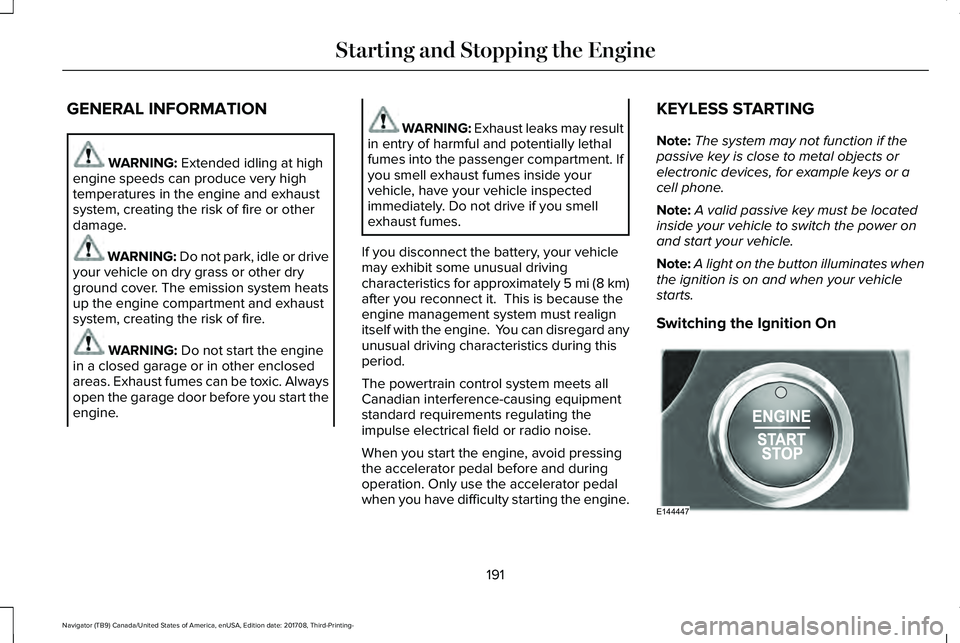
Switching the Ignition On
191
Navigator (TB9) Canada/United States of America, enUSA, Edition date: 201708, Third-Printing-
Starting and Stopping the EngineE144447
Page 195 of 649
Press the push button ignition switch oncewithout your foot on the brake pedal. It is onthe instrument panel near the steering wheel.All electrical circuits and accessories areoperational and the warning lamps andindicators illuminate.
Press the push button ignition switch againwithout your foot on the brake pedal toswitch the ignition off.
STARTING A GASOLINE ENGINE
When you start the engine, the idle speedincreases.
This helps to warm up the engine. If theengine idle speed does not slow downautomatically, have your vehicle checked byan authorized dealer.
Note: You can crank the engine for a totalof 60 seconds without the engine startingbefore the starting system temporarilydisables. The 60 seconds does not have tobe all at once. For example, if you crank theengine three times for 20 seconds each time,without the engine starting, you reached the60-second time limit. You cannot attemptto start the engine for at least 15 minutes. After 15 minutes, you are limited to a15-second engine cranking time. You needto wait 60 minutes before you can crank theengine for 60 seconds again.
Before starting your vehicle, check thefollowing:
•Make sure all occupants have fastenedtheir seatbelts.
•Make sure the headlamps and electricalaccessories are off.
•Make sure the parking brake is on.
•Make sure the transmission is in park (P).
Note:Do not touch the accelerator pedal.
Note:You must have your intelligent accesskey in your vehicle to shift the transmissionout of park (P).
1. Fully depress the brake pedal.
2. Press the push button ignition switch.
The system does not function if:
•The passive key frequencies are jammed.
•The key battery has no charge.
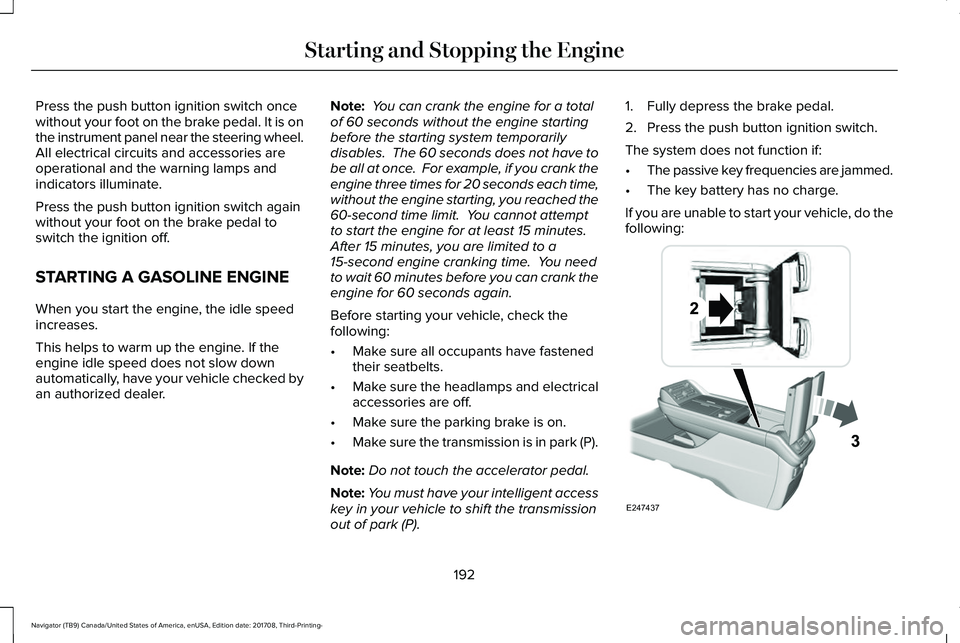
If you are unable to start your vehicle, do thefollowing:
192
Navigator (TB9) Canada/United States of America, enUSA, Edition date: 201708, Third-Printing-
Starting and Stopping the EngineE247437
Page 196 of 649
1. Open the floor console storagecompartment lid.
2. Insert the passive key into the backupslot.
3.With the passive key in this position, youcan use the push button ignition switchto switch the ignition on and start yourvehicle.
Fast Restart
The fast restart feature allows you to restartyour vehicle within 20 seconds of switchingit off, even if it does not detect a validpassive key.
Within 20 seconds of switching the engineoff, press the brake pedal and press the pushbutton ignition switch. After 20 seconds, youcan no longer start your vehicle if it does notdetect a valid passive key.
Once your vehicle starts, it remains runninguntil you press the push button ignitionswitch, even if your vehicle does not detecta valid passive key. If you open and close adoor while your vehicle is running, thesystem searches for a valid passive key. Youcannot start your vehicle if the system doesnot detect a valid passive key within 20seconds.
Failure to Start
If you cannot start the engine after threeattempts, wait 10 seconds and follow thisprocedure:
1. Fully depress the brake pedal.
2. Shift into park (P).
3. Fully press the accelerator pedal andhold it there.
4. Start the engine.
Automatic Engine Shutdown
For vehicles with a keyless ignition, thisautomatically shuts down your vehicle if ithas been idling for an extended period. Theignition also turns off to save battery power. Before your vehicle shuts down, a messageappears in the information display showinga timer counting down. If you do notintervene within 30 seconds, your vehicleshuts down. Another message appears inthe information display to inform you thatyour vehicle has shut down to save fuel. Start your vehicle as normal.
Automatic Engine Shutdown Override
Note: You cannot permanently switch offthe automatic shutdown. When you switchit off temporarily, it turns on at the nextignition cycle.
193
Navigator (TB9) Canada/United States of America, enUSA, Edition date: 201708, Third-Printing-
Starting and Stopping the Engine
Page 199 of 649
AUTO-START-STOP
The system helps reduce fuel consumptionby automatically stopping and restarting theengine when your vehicle has stopped. Theengine restarts automatically when yourelease the brake pedal.
In some situations, your vehicle may restartautomatically, for example:
•To maintain interior comfort.
•To recharge the battery.
Note:Power assist steering turns off whenthe engine is off.
Note:If your vehicle is flex fuel capable,Auto-Start-Stop is inhibited for a short timeafter a refuel event when the system isverifying the fuel type being used.
WARNING: Always fully apply theparking brake. Make sure you shift intopark (P) for vehicles with an automatictransmission. Switch the ignition off andremove the key whenever you leave yourvehicle.
WARNING: Before opening the hoodor performing any maintenance, fully applythe parking brake, shift into park (P) orneutral (N) and switch the ignition off.
WARNING: Always switch the ignitionoff before leaving the vehicle. If the ignitionis switched on an automatic restart mayoccur at any time.
WARNING: The system may requirethe engine to automatically restart whenthe auto-start-stop indicator illuminatesgreen or flashes amber. Failure to followthis instruction could result in personalinjury.
The Auto-Start-Stop system status isavailable at a glance within the informationdisplay. See Information Displays (page119).
Enabling Auto-Start-Stop
The system automatically enables every timeyou start your vehicle if:
•You do not press the Auto-Start-Stopbutton (not illuminated).
•Your vehicle exceeds an initial speed of3 mph (5 km/h) after you have initiallystarted your vehicle.
•You have stopped your vehicle.
•Your foot is on the brake pedal.
•The transmission is in drive.
•Not in Excite mode (enable by pressingthe Auto-Start-Stop button).
•The driver door is closed.
•There is adequate brake vacuum.
•The interior compartment has cooled orwarmed to an acceptable level.
•The front windshield defroster is off.
•You have not turned the steering wheelrapidly or you do not have it at a sharpangle.
•The vehicle is not on a steep road grade.
•The battery is within optimal operatingconditions, (with the battery state ofcharge and temperature in range).
•The engine coolant is at operatingtemperature.
196
Navigator (TB9) Canada/United States of America, enUSA, Edition date: 201708, Third-Printing-
Unique Driving Characteristics
Page 200 of 649
•Elevation is below about 11,000 ft(3,350 m).
•Ambient temperature is moderate.
•If equipped with selectable drive modesand when you select Normal, Conserve,Slippery.
•The trailer is not connected.
•Tow haul mode not engaged.
•You have not selected Manual mode.
The green Auto-Start-Stopindicator light on the instrumentcluster will illuminates to indicatewhen the automatic engine stop occurs.
If the instrument cluster isequipped with a greyAuto-Start-Stop indicator light, itilluminates when automatic engine stop isnot available due to one of the above notedconditions not being met.
Automatic Engine Restart
Any of the following conditions results in anautomatic restart of the engine:
•You have removed your foot from thebrake pedal.
•You press the accelerator pedal.
•You press the accelerator and the brakepedal at the same time.
•The driver seatbelt becomes unfastenedor the driver door is ajar.
•Your vehicle is moving.
•The interior compartment does not meetcustomer comfort when air conditioningor heat is on.
•Fogging of the windows could occur andthe air conditioning is on.
•The battery is not within optimaloperating conditions.
•You have exceeded the maximum engineoff time.
•When you press the Auto-Start-Stopbutton with the engine automaticallystopped.
•The front defroster is turned to the Maxsetting.
•When you shift into park (P) the enginewill restart.
Any of the following conditions may result inan automatic restart of the engine:
•You have increased the blower fan speedor changed the climate controltemperature.
•You have an electrical accessory turnedon or plugged in.
Note:You may notice that the climate seatfan fluctuates during an automatic restart.
197
Navigator (TB9) Canada/United States of America, enUSA, Edition date: 201708, Third-Printing-
Unique Driving Characteristics E146361
Page 212 of 649
If the service engine soon indicator remainson, have your vehicle serviced at the firstavailable opportunity. Although somemalfunctions detected by the OBD-II may nothave symptoms that are apparent, continueddriving with the service engine soon indicatoron can result in increased emissions, lowerfuel economy, reduced engine andtransmission smoothness and lead to morecostly repairs.
Readiness for Inspection andMaintenance (I/M) Testing
Some state and provincial and localgovernments may haveInspection/Maintenance (I/M) programs toinspect the emission control equipment onyour vehicle. Failure to pass this inspectioncould prevent you from getting a vehicleregistration.
If the service engine soon indicatoris on or the bulb does not work,your vehicle may need service.See On-Board Diagnostics.
Your vehicle may not pass the I/M test if theservice engine soon indicator is on or notworking properly (bulb is burned out), or ifthe OBD-II system has determined that someof the emission control systems have notbeen properly checked. In this case, thevehicle is not ready for I/M testing.
If the vehicle’s engine or transmission hasjust been serviced, or the battery hasrecently run down or been replaced, theOBD-II system may indicate that the vehicleis not ready for I/M testing. To determine ifthe vehicle is ready for I/M testing, turn theignition key to the on position for 15 secondswithout cranking the engine. If the serviceengine soon indicator blinks eight times, itmeans that the vehicle is not ready for I/Mtesting; if the service engine soon indicatorstays on solid, it means that your vehicle isready for I/M testing.
The OBD-II system checks the emissioncontrol system during normal driving. Acomplete check may take several days.
If the vehicle is not ready for I/M testing, youcan perform the following driving cycleconsisting of mixed city and highway driving:
1. 15 minutes of steady driving on anexpressway or highway followed by 20minutes of stop-and-go driving with atleast four 30-second idle periods.
2.Allow your vehicle to sit for at least eighthours with the ignition off. Then, start thevehicle and complete the above drivingcycle. The vehicle must warm up to itsnormal operating temperature. Oncestarted, do not turn off the vehicle untilthe above driving cycle is complete.
If the vehicle is still not ready for I/M testing,you need to repeat the above driving cycle.
209
Navigator (TB9) Canada/United States of America, enUSA, Edition date: 201708, Third-Printing-
Engine Emission Control
Page 214 of 649
Automatic Return to Park
Note:This feature does not operate whenyour vehicle is in Stay in Neutral mode orneutral tow.
Your vehicle has a feature that automaticallyshifts your vehicle into park (P) when any ofthe following conditions occur:
•You turn the vehicle off.
•You open the driver's door with yourseatbelt unlatched with the vehiclestopped.
•You unlatch your seatbelt when thedriver's door is open with the vehiclestopped.
If you turn your vehicle off when moving,your vehicle first shifts into neutral (N) untilit stops and then shift into park (P)automatically.
Note:If you have waited an extended periodof time, 2-15 minutes before starting yourvehicle, unlatching your seatbelt can causethis feature to activate, even with the driverdoor closed.
Note:This feature may not work properly ifthe door ajar switch is malfunctioning. If yourdoor ajar indicator does not illuminate whenyou open the driver’s door or the indicatorilluminates with the driver’s door closed, seeyour authorized dealer.
Reverse (R)
With the selector in reverse (R), your vehiclemoves backward. Always come to acomplete stop before shifting into and outof reverse (R).
Neutral (N)
With the selector in neutral (N), your vehiclecan be started and is free to roll. Hold thebrake pedal down when in this position.
Stay in Neutral Mode
Note:Stay in neutral mode is a temporaryvehicle state with the ignition off. Once inthis mode, sufficient battery voltage must bemaintained or your vehicle returns to park.Extended usage of Stay in Neutral modemay result in a battery voltage reduction toa level where the vehicle may no longerstart. Do not tow your vehicle in this mode.
Note:Always put your vehicle in Stay inNeutral mode when entering an automaticcar wash. Failure to do this could result invehicle damage not covered by warranty.
Stay in Neutral mode allows your vehicle tostay in neutral when you exit your vehicle.Your vehicle must be stationary to enter thismode.
To enter Stay in Neutral mode:
•Press the neutral (N) button on thetransmission selector.
•Press the neutral (N) button again toenter Stay in Neutral mode.
A message appears in your informationdisplay screen when your vehicle hasentered Stay in Neutral mode.
To exit Stay in Neutral mode, apply the brakeand select a different gear.
Stay in Neutral Mode - No Start
Use this to move your transmission from thepark position in the event of a no startsituation. If your vehicle has a dead battery,an external power source is required. Do nottow your vehicle in this mode.
211
Navigator (TB9) Canada/United States of America, enUSA, Edition date: 201708, Third-Printing-
Transmission
Page 215 of 649
Note:This only functions if your 12-voltbattery has power and the starter can spinthe engine. If vehicle battery voltage is notsufficient, an external 12-volt power sourcesuch as jumper cables, battery charger orjump pack may be required for this featureto function.
Note:Once in this mode, sufficient batteryvoltage must be maintained or your vehiclereturns to park.
WARNING: When doing thisprocedure, you need to take thetransmission out of park (P) which meansyour vehicle can roll freely. To avoidunwanted vehicle movement, always fullyapply the parking brake prior to doing thisprocedure. Use wheels chocks ifappropriate.
1. Do not press the brake pedal. Press theSTART/STOP button.
2. Fully press down on the brake pedal.Keep the brakes applied through step 7.
3. Press the accelerator pedal to the floorand hold through step 7.
4. Press the neutral (N) button on thetransmission selector.
5. Press the neutral (N) button again toenter Stay in Neutral mode.
6. Press and release the push to startbutton, the transmission needs aminimum of 2 seconds to exit park.
7. When neutral (N) is displayed, the brakeand accelerator pedals can be released.
To exit Stay in Neutral mode, select adifferent gear.
A message appears in your informationdisplay screen when your vehicle hasentered Stay in Neutral mode.
Drive (D)
Drive (D) is the normal driving position forthe best fuel economy. The overdrivefunction allows automatic upshifts anddownshifts through gears one through ten.
Adaptive Tow/Haul Mode
WARNING: Do not use tow/haulwhen the road surface is slippery. Failureto follow this instruction could result in theloss of control of your vehicle.
Adaptive tow/haul has two modes, automaticthat is enabled by default and off.
To turn adaptive tow/haul off or on, use theinformation display controls. See GeneralInformation (page 119). The indicator lightilluminates in the instrument cluster.
Key adaptive tow/haul features:
•The system remains in the same mode,even after a key cycle.
•Is only available in normal drive modes(Normal 2H and Normal 4A).
The adaptive tow/haul feature improvestransmission operation when towing a traileror a heavy load. All transmission gear rangesare available when using adaptive tow/haul.
For information on towing. See Towing (page298).
212
Navigator (TB9) Canada/United States of America, enUSA, Edition date: 201708, Third-Printing-
Transmission