heating LINCOLN NAVIGATOR 2018 Owners Manual
[x] Cancel search | Manufacturer: LINCOLN, Model Year: 2018, Model line: NAVIGATOR, Model: LINCOLN NAVIGATOR 2018Pages: 649, PDF Size: 4.96 MB
Page 95 of 649
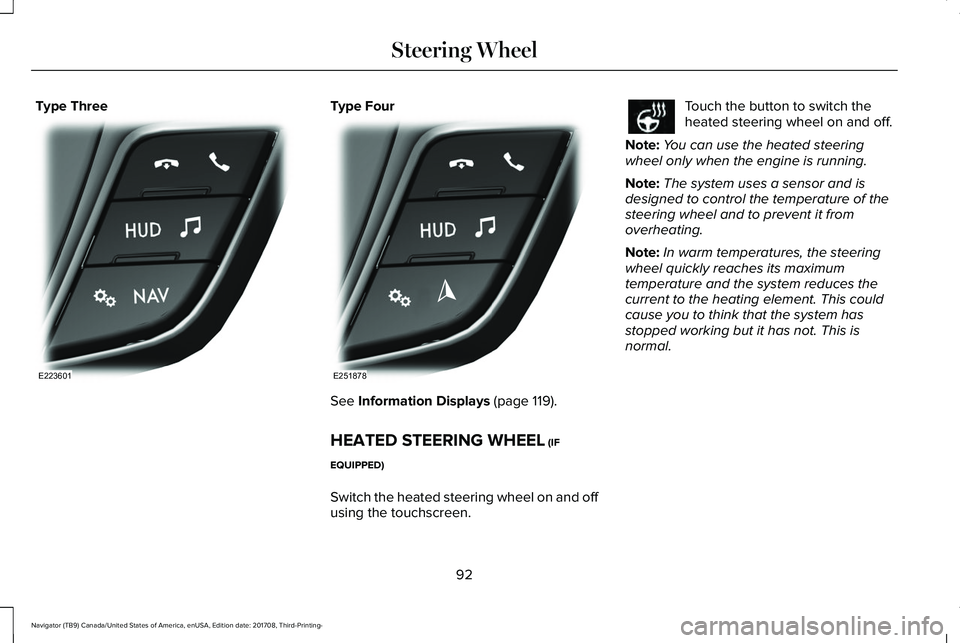
Type ThreeType Four
See Information Displays (page 119).
HEATED STEERING WHEEL (IF
EQUIPPED)
Switch the heated steering wheel on and offusing the touchscreen.
Touch the button to switch theheated steering wheel on and off.
Note:You can use the heated steeringwheel only when the engine is running.
Note:The system uses a sensor and isdesigned to control the temperature of thesteering wheel and to prevent it fromoverheating.
Note:In warm temperatures, the steeringwheel quickly reaches its maximumtemperature and the system reduces thecurrent to the heating element. This couldcause you to think that the system hasstopped working but it has not. This isnormal.
92
Navigator (TB9) Canada/United States of America, enUSA, Edition date: 201708, Third-Printing-
Steering WheelE223601 E251878
Page 118 of 649
Brake System Warning Lamp
WARNING: Driving your vehicle withthe warning lamp on is dangerous. Asignificant decrease in brakingperformance may occur. It may take youlonger to stop your vehicle. Have yourvehicle checked as soon as possible.Driving extended distances with theparking brake engaged can cause brakefailure and the risk of personal injury.
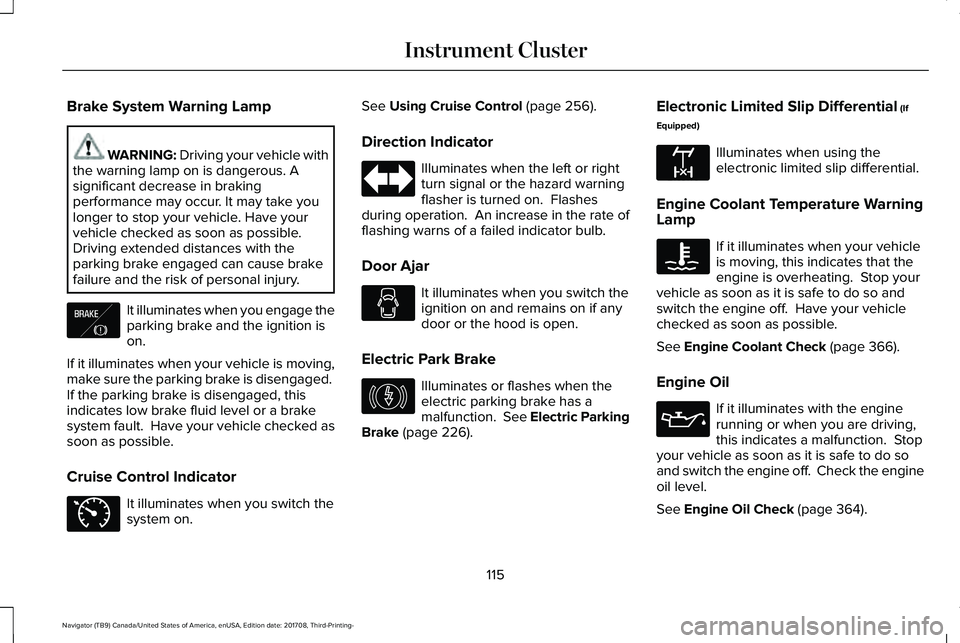
It illuminates when you engage theparking brake and the ignition ison.
If it illuminates when your vehicle is moving,make sure the parking brake is disengaged. If the parking brake is disengaged, thisindicates low brake fluid level or a brakesystem fault. Have your vehicle checked assoon as possible.
Cruise Control Indicator
It illuminates when you switch thesystem on.
See Using Cruise Control (page 256).
Direction Indicator
Illuminates when the left or rightturn signal or the hazard warningflasher is turned on. Flashesduring operation. An increase in the rate offlashing warns of a failed indicator bulb.
Door Ajar
It illuminates when you switch theignition on and remains on if anydoor or the hood is open.
Electric Park Brake
Illuminates or flashes when theelectric parking brake has amalfunction. See Electric ParkingBrake (page 226).
Electronic Limited Slip Differential (If
Equipped)
Illuminates when using theelectronic limited slip differential.
Engine Coolant Temperature WarningLamp
If it illuminates when your vehicleis moving, this indicates that theengine is overheating. Stop yourvehicle as soon as it is safe to do so andswitch the engine off. Have your vehiclechecked as soon as possible.
See Engine Coolant Check (page 366).
Engine Oil
If it illuminates with the enginerunning or when you are driving,this indicates a malfunction. Stopyour vehicle as soon as it is safe to do soand switch the engine off. Check the engineoil level.
See Engine Oil Check (page 364).
115
Navigator (TB9) Canada/United States of America, enUSA, Edition date: 201708, Third-Printing-
Instrument ClusterE138644 E71340 E146190 E163170
Page 133 of 649
Drivetrain
ActionMessage
Displays if the electronic limited slip differential system encounters a hardware failure. Haveyour vehicle checked as soon as possible.Check Electronic Limited Slip Differential
Displays if an electronic limited slip differential system fault is present. Have your vehicle checkedas soon as possible.Electronic Limited Slip Differential Off SeeOwner's Manual
Displays when the electronic limited slip differential system resumes normal function.Electronic Limited Slip Differential Restoredto Normal
Displays if the electronic limited slip differential system temporarily turns off due to overheatingor an undersized spare tire. If an undersized spare tire is installed, replace the spare tire with afull-sized tire as soon as possible. If not, stop the vehicle in a safe location and allow the systemto cool.
Electronic Limited Slip DifferentialTemporarily Disabled
Displays if the electronic limited slip differential has limited functionality. This could be due toan undersized spare tire or caused by the system overheating. If an undersized spare tire isinstalled, replace the spare tire with a full-sized tire as soon as possible. If an undersized sparetire is not installed, the vehicle has reduced functionality. Have your vehicle checked as soonas possible.
Electronic Limited Slip Differential ReducedTorque
130
Navigator (TB9) Canada/United States of America, enUSA, Edition date: 201708, Third-Printing-
Information Displays
Page 148 of 649
ActionMessage
A trailer tire pressure sensor is malfunctioning. If the warning stays on or continuesto come on, contact an authorized dealer as soon as possible.Trailer Tire Pressure Sensor Fault
The trailer tire pressure monitoring system is malfunctioning. If the warning stayson or continues to come on, contact an authorized dealer.Trailer Tire Pressure Monitor Fault
The system cannot detect the trailer tire pressure monitoring system.Trailer Tire Pressure Monitor Capability Not Detected
The trailer tire pressure monitoring system is not setup. See General Information(page 119).Trailer Tire Pressure Indication Not Setup See Manual
Transmission
ActionMessage
You switched the engine off and shift select lever is in any position other than park (P).Shift to Park
Transmission is too cold. Wait for it to warm up before you drive.Transmission Warming Up Please Wait
Displays when the brake pedal needs to be depressed.Press Brake Pedal
The transmission is overheating and needs to cool. Stop in a safe place as soon as it’s possible.Transmission Over Temperature StopSafely
See an authorized dealer.Transmission Service Required
The transmission is overheating and needs to cool. Stop in a safe place as soon as it’s possible.Transmission Too Hot Press Brake
145
Navigator (TB9) Canada/United States of America, enUSA, Edition date: 201708, Third-Printing-
Information Displays
Page 157 of 649
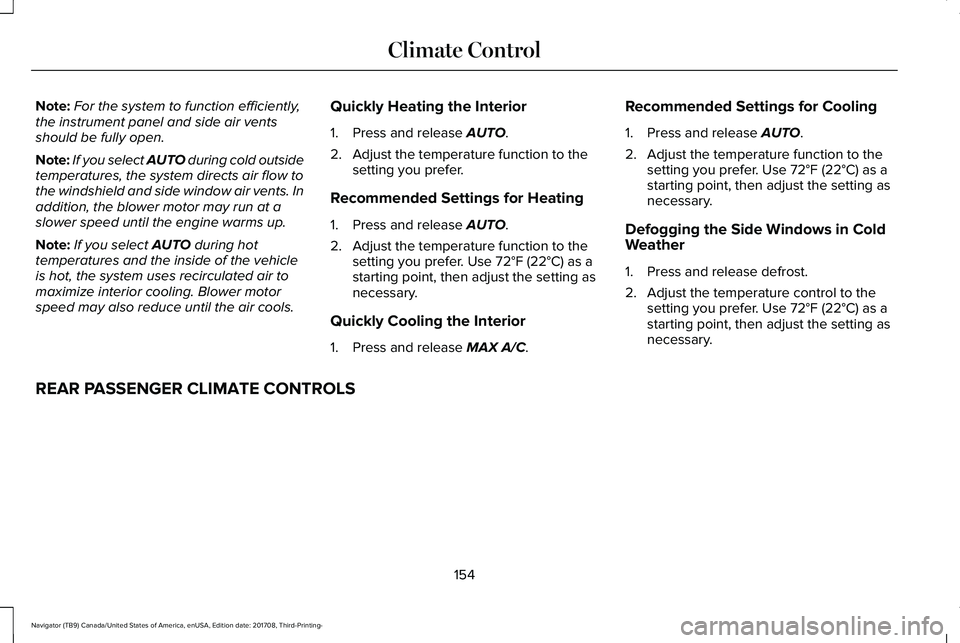
Note:For the system to function efficiently,the instrument panel and side air ventsshould be fully open.
Note:If you select AUTO during cold outsidetemperatures, the system directs air flow tothe windshield and side window air vents. Inaddition, the blower motor may run at aslower speed until the engine warms up.
Note:If you select AUTO during hottemperatures and the inside of the vehicleis hot, the system uses recirculated air tomaximize interior cooling. Blower motorspeed may also reduce until the air cools.
Quickly Heating the Interior
1. Press and release AUTO.
2. Adjust the temperature function to thesetting you prefer.
Recommended Settings for Heating
1. Press and release AUTO.
2. Adjust the temperature function to thesetting you prefer. Use 72°F (22°C) as astarting point, then adjust the setting asnecessary.
Quickly Cooling the Interior
1. Press and release MAX A/C.
Recommended Settings for Cooling
1. Press and release AUTO.
2. Adjust the temperature function to thesetting you prefer. Use 72°F (22°C) as astarting point, then adjust the setting asnecessary.
Defogging the Side Windows in ColdWeather
1. Press and release defrost.
2. Adjust the temperature control to thesetting you prefer. Use 72°F (22°C) as astarting point, then adjust the setting asnecessary.
REAR PASSENGER CLIMATE CONTROLS
154
Navigator (TB9) Canada/United States of America, enUSA, Edition date: 201708, Third-Printing-
Climate Control
Page 180 of 649
Folding Down the Rear Seats to the LoadFloor
WARNING: To prevent possibledamage to the seat or seatbelts, make surethat the seatbelts are not fastened beforefolding the seatback.
WARNING: Do not place cargo orany objects behind the seatback beforereturning it to the original position.
The third-row seats have obstacle detectionthat prevents the seats from folding orreturning if they are obstructed.
Power Recline
WARNING: Do not recline a rear seaton which a child restraint is installed.Failure to follow this instruction couldreduce the effectiveness of the childrestraint.
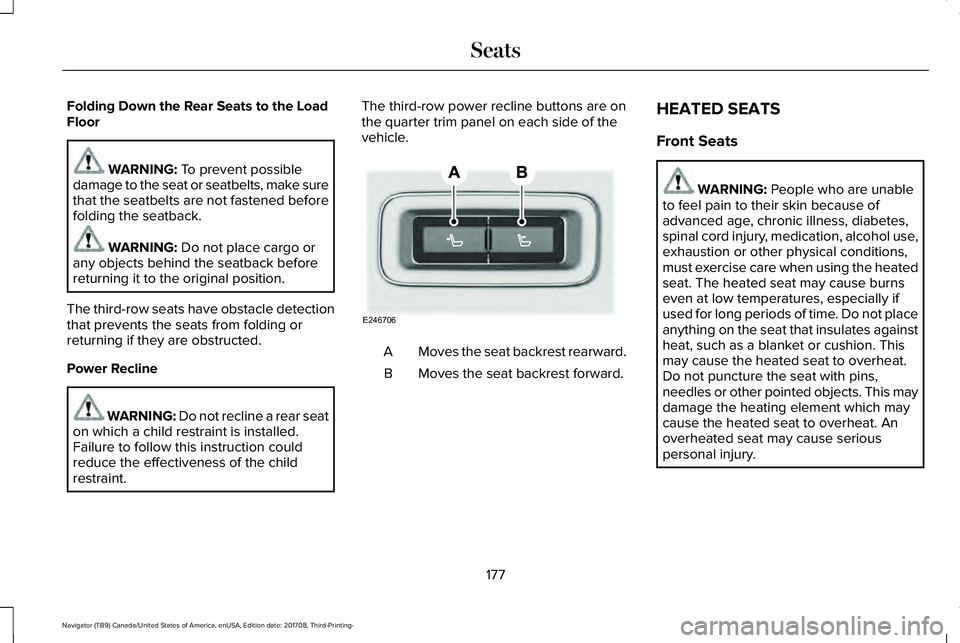
The third-row power recline buttons are onthe quarter trim panel on each side of thevehicle.
Moves the seat backrest rearward.A
Moves the seat backrest forward.B
HEATED SEATS
Front Seats
WARNING: People who are unableto feel pain to their skin because ofadvanced age, chronic illness, diabetes,spinal cord injury, medication, alcohol use,exhaustion or other physical conditions,must exercise care when using the heatedseat. The heated seat may cause burnseven at low temperatures, especially ifused for long periods of time. Do not placeanything on the seat that insulates againstheat, such as a blanket or cushion. Thismay cause the heated seat to overheat.Do not puncture the seat with pins,needles or other pointed objects. This maydamage the heating element which maycause the heated seat to overheat. Anoverheated seat may cause seriouspersonal injury.
177
Navigator (TB9) Canada/United States of America, enUSA, Edition date: 201708, Third-Printing-
SeatsE246706
Page 181 of 649
Do not do the following:
•Place heavy objects on the seat.
•Operate the heated seat if water or anyother liquid spills on the seat. Allow theseat to dry thoroughly.
•Operate the heated seats unless theengine is running. Doing so can causethe battery to lose charge.
Press the heated seat symbol to cyclethrough the various heat settings and off.More indicator lights indicate warmersettings.
Rear Seats
WARNING: Persons who are unableto feel pain to the skin because ofadvanced age, chronic illness, diabetes,spinal cord injury, medication, alcohol use,exhaustion, or other physical conditions,must exercise care when using the seatheater. The seat heater may cause burnseven at low temperatures, especially ifused for long periods of time. Do not placeanything on the seat that insulates againstheat, such as a blanket or cushion,because this may cause the seat heater tooverheat. Do not puncture the seat withpins, needles, or other pointed objectsbecause this may damage the heatingelement which may cause the seat heaterto overheat. An overheated seat maycause serious personal injury.
Do not do the following:
•Place heavy objects on the seat.
•Operate the seat heater if water or anyother liquid is spilled on the seat. Allowthe seat to dry thoroughly.
•Operate the heated seats unless theengine is running. Doing so can causethe battery to lose charge.
The rear seat heat controls are located onthe rear of the center console.
Press the heated seat symbol to cyclethrough the various heat settings and off.More indicator lights indicate warmersettings.
178
Navigator (TB9) Canada/United States of America, enUSA, Edition date: 201708, Third-Printing-
SeatsE146322 E146322
Page 182 of 649
The heated seat module resets at everyignition run cycle. While the ignition is on,press the high or low heated seat switch toenable heating mode. When activated, theywill turn off automatically when you turn theengine off.
CLIMATE CONTROLLED SEATS (IF
EQUIPPED)
Heated Seats
WARNING: People who are unableto feel pain to their skin because ofadvanced age, chronic illness, diabetes,spinal cord injury, medication, alcohol use,exhaustion or other physical conditions,must use caution when using the heatedseat. The heated seat may cause burnseven at low temperatures, especially ifused for long periods of time. Do not placeanything on the seat that may block theheat, such as a blanket or cushion. This
can cause the heated seat to overheat. Donot puncture the seat with pins, needlesor other pointed objects. This damages theheating element and can cause the heatedseat to overheat. An overheated seat maycause serious personal injury.
Note:The heated seats switch on during aremote start if they are enabled through theinformation displays. See GeneralInformation (page 119).
Note:The heated seats may also switch onwhen you start your vehicle if they were onwhen you previously switched your vehicleoff.
Note:Do not do the following:
•Place heavy objects on the seat.
•Operate the seat heater if water or anyother liquid spills on the seat. Allow theseat to dry thoroughly.
Press this symbol to cycle through thevarious heat settings and off. More indicatorlights indicate warmer settings.
Ventilated Seats
Note:The ventilated seats switch on duringa remote start if they are enabled throughthe information displays. See GeneralInformation (page 119).
Note:The ventilated seats may also switchon when you start your vehicle if they wereon when you previously switched yourvehicle off.
Note:Do not do the following:
179
Navigator (TB9) Canada/United States of America, enUSA, Edition date: 201708, Third-Printing-
SeatsE146322
Page 186 of 649
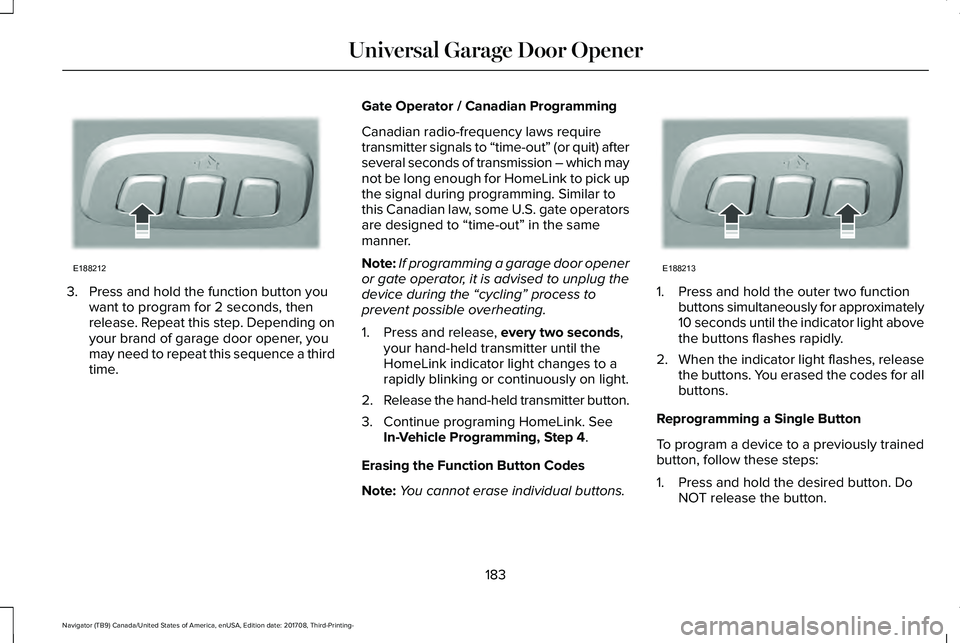
3. Press and hold the function button youwant to program for 2 seconds, thenrelease. Repeat this step. Depending onyour brand of garage door opener, youmay need to repeat this sequence a thirdtime.
Gate Operator / Canadian Programming
Canadian radio-frequency laws requiretransmitter signals to “time-out” (or quit) afterseveral seconds of transmission – which maynot be long enough for HomeLink to pick upthe signal during programming. Similar tothis Canadian law, some U.S. gate operatorsare designed to “time-out” in the samemanner.
Note:If programming a garage door openeror gate operator, it is advised to unplug thedevice during the “cycling” process toprevent possible overheating.
1. Press and release, every two seconds,your hand-held transmitter until theHomeLink indicator light changes to arapidly blinking or continuously on light.
2.Release the hand-held transmitter button.
3. Continue programing HomeLink. SeeIn-Vehicle Programming, Step 4.
Erasing the Function Button Codes
Note:You cannot erase individual buttons.
1. Press and hold the outer two functionbuttons simultaneously for approximately10 seconds until the indicator light abovethe buttons flashes rapidly.
2.When the indicator light flashes, releasethe buttons. You erased the codes for allbuttons.
Reprogramming a Single Button
To program a device to a previously trainedbutton, follow these steps:
1. Press and hold the desired button. DoNOT release the button.
183
Navigator (TB9) Canada/United States of America, enUSA, Edition date: 201708, Third-Printing-
Universal Garage Door OpenerE188212 E188213
Page 225 of 649
When climbing a steep slope or hill, start ina lower gear rather than downshifting to alower gear from a higher gear once theascent has started. This reduces strain onthe engine and the possibility of stalling.
If your vehicle stalls, do not try to turn aroundbecause this could cause vehicle roll over.It is better to reverse back to a safe location.
Apply just enough power to the wheels toclimb the hill. Too much power causes thetires to slip, spin or lose traction, resulting inloss of vehicle control.
Descend a hill in the same gear you woulduse to climb up the hill to avoid excessivebrake application and brake overheating. Donot descend in neutral. Disengage overdriveor move the transmission selector lever to alower gear. When descending a steep hill,avoid sudden hard braking as you could losecontrol. The front wheels have to be turningin order to steer your vehicle.
If your vehicle has anti-lock brakes, apply thebrakes steadily. Do not pump the brakes.
Driving on Snow and Ice
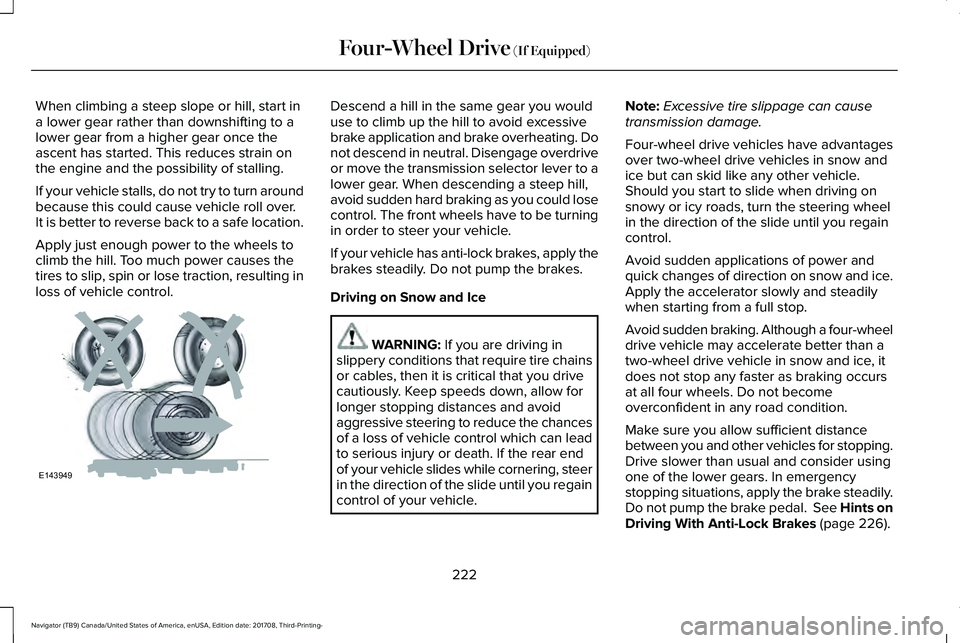
WARNING: If you are driving inslippery conditions that require tire chainsor cables, then it is critical that you drivecautiously. Keep speeds down, allow forlonger stopping distances and avoidaggressive steering to reduce the chancesof a loss of vehicle control which can leadto serious injury or death. If the rear endof your vehicle slides while cornering, steerin the direction of the slide until you regaincontrol of your vehicle.
Note:Excessive tire slippage can causetransmission damage.
Four-wheel drive vehicles have advantagesover two-wheel drive vehicles in snow andice but can skid like any other vehicle.Should you start to slide when driving onsnowy or icy roads, turn the steering wheelin the direction of the slide until you regaincontrol.
Avoid sudden applications of power andquick changes of direction on snow and ice.Apply the accelerator slowly and steadilywhen starting from a full stop.
Avoid sudden braking. Although a four-wheeldrive vehicle may accelerate better than atwo-wheel drive vehicle in snow and ice, itdoes not stop any faster as braking occursat all four wheels. Do not becomeoverconfident in any road condition.
Make sure you allow sufficient distancebetween you and other vehicles for stopping.Drive slower than usual and consider usingone of the lower gears. In emergencystopping situations, apply the brake steadily.Do not pump the brake pedal. See Hints onDriving With Anti-Lock Brakes (page 226).
222
Navigator (TB9) Canada/United States of America, enUSA, Edition date: 201708, Third-Printing-
Four-Wheel Drive (If Equipped)E143949