keyless LINCOLN NAVIGATOR 2019 User Guide
[x] Cancel search | Manufacturer: LINCOLN, Model Year: 2019, Model line: NAVIGATOR, Model: LINCOLN NAVIGATOR 2019Pages: 645, PDF Size: 5.02 MB
Page 122 of 645
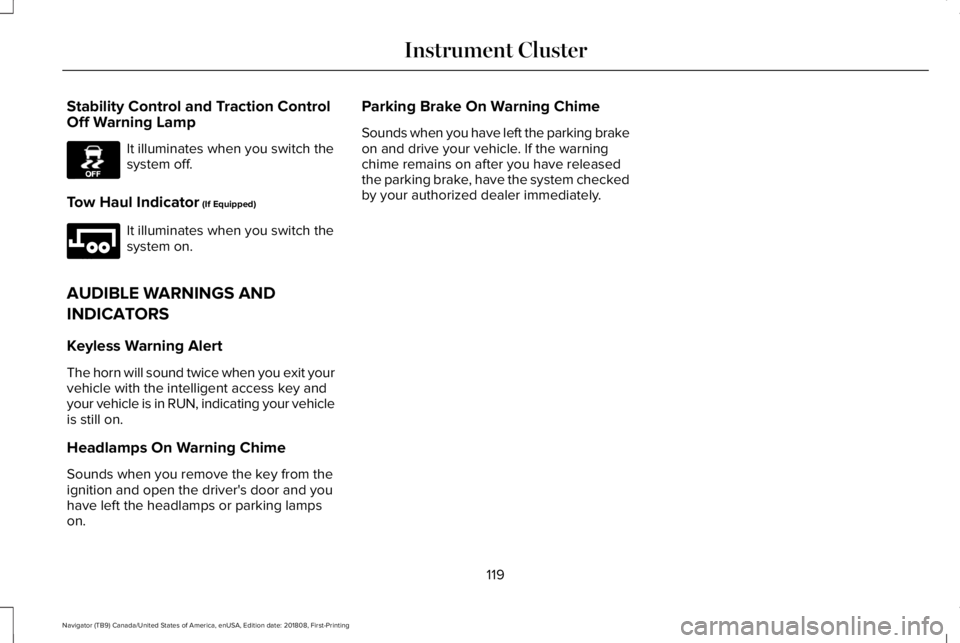
Stability Control and Traction ControlOff Warning Lamp
It illuminates when you switch thesystem off.
Tow Haul Indicator (If Equipped)
It illuminates when you switch thesystem on.
AUDIBLE WARNINGS AND
INDICATORS
Keyless Warning Alert
The horn will sound twice when you exit yourvehicle with the intelligent access key andyour vehicle is in RUN, indicating your vehicleis still on.
Headlamps On Warning Chime
Sounds when you remove the key from theignition and open the driver's door and youhave left the headlamps or parking lampson.
Parking Brake On Warning Chime
Sounds when you have left the parking brakeon and drive your vehicle. If the warningchime remains on after you have releasedthe parking brake, have the system checkedby your authorized dealer immediately.
119
Navigator (TB9) Canada/United States of America, enUSA, Edition date: 201808, First-Printing
Instrument ClusterE130458 E246592
Page 133 of 645
Doors and Locks
ActionMessage
The door listed is not completely closed.X Door Ajar
The luggage compartment is not completely closed.Trunk Ajar
The driver’s door is opened, your vehicle is in park and the engine is on.Engine ON
Displays when the hood is not completely closed.Hood Ajar
Displays when the door switches have been disabled.Switches Inhibited Security Mode
There is a system malfunction with the child locks. Contact an authorized dealer as soon aspossible.Child Lock Malfunction Service Required
Displays the factory keypad code after the keypad has been reset. See Keyless Entry (page76).Factory Keypad Code {X X X X X}
Driver Alert
ActionMessage
Stop and rest as soon as it is safe to do so.Driver Alert Warning Rest Now
Take a rest soon.Driver Alert Warning Rest Suggested
130
Navigator (TB9) Canada/United States of America, enUSA, Edition date: 201808, First-Printing
Information Displays
Page 137 of 645
Hill Start Assist
ActionMessage
Displays when hill start assist is not available. Contact your authorized dealer. See Hill StartAssist (page 228).Hill Start Assist Not Available
Keys and Intelligent Access
ActionMessage
A reminder to press the brake while starting your vehicle.To START Press Brake
The key is not detected by the system. See Keyless Starting (page 191).No Key Detected
The Start Stop button is pressed to shut off the engine and an Intelligent Access key is notdetected inside your vehicle.Restart Now or Key is Needed
Your vehicle is in the accessory ignition state.Full Accessory Power Active
There is a problem with your vehicle’s starting system. See an authorized dealer for service.Starting System Fault
During spare key programming, an intelligent access key is programmed to the system.Key Program Successful
During spare key programming, the maximum number of keys have been programmed.Max Number of Keys Learned
Displayed during spare key programming, when an intelligent access key has failed to beprogrammed.Key Program Failure
134
Navigator (TB9) Canada/United States of America, enUSA, Edition date: 201808, First-Printing
Information Displays
Page 179 of 645
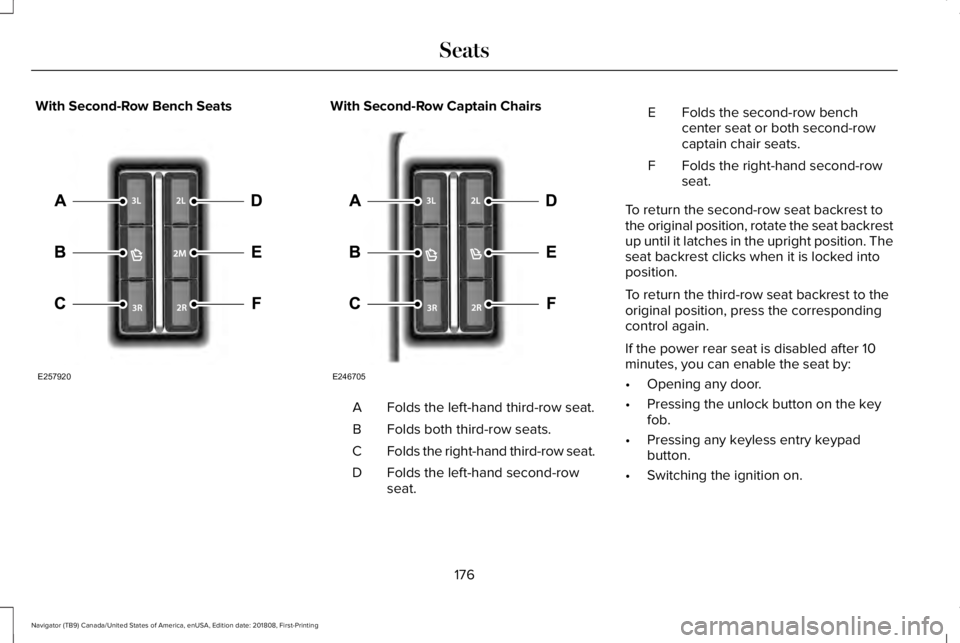
With Second-Row Bench SeatsWith Second-Row Captain Chairs
Folds the left-hand third-row seat.A
Folds both third-row seats.B
Folds the right-hand third-row seat.C
Folds the left-hand second-rowseat.D
Folds the second-row benchcenter seat or both second-rowcaptain chair seats.
E
Folds the right-hand second-rowseat.F
To return the second-row seat backrest tothe original position, rotate the seat backrestup until it latches in the upright position. Theseat backrest clicks when it is locked intoposition.
To return the third-row seat backrest to theoriginal position, press the correspondingcontrol again.
If the power rear seat is disabled after 10minutes, you can enable the seat by:
•Opening any door.
•Pressing the unlock button on the keyfob.
•Pressing any keyless entry keypadbutton.
•Switching the ignition on.
176
Navigator (TB9) Canada/United States of America, enUSA, Edition date: 201808, First-Printing
SeatsE257920 E246705
Page 194 of 645
GENERAL INFORMATION
WARNING: Extended idling at highengine speeds can produce very hightemperatures in the engine and exhaustsystem, creating the risk of fire or otherdamage.
WARNING: Do not park, idle or driveyour vehicle on dry grass or other dryground cover. The emission system heatsup the engine compartment and exhaustsystem, creating the risk of fire.
WARNING: Do not start the enginein a closed garage or in other enclosedareas. Exhaust fumes can be toxic. Alwaysopen the garage door before you start theengine.
WARNING: Exhaust leaks may resultin entry of harmful and potentially lethalfumes into the passenger compartment. Ifyou smell exhaust fumes inside yourvehicle, have your vehicle inspectedimmediately. Do not drive if you smellexhaust fumes.
If you disconnect the battery, your vehiclemay exhibit some unusual drivingcharacteristics for approximately 5 mi (8 km)after you reconnect it. This is because theengine management system must realignitself with the engine. You can disregard anyunusual driving characteristics during thisperiod.
The powertrain control system meets allCanadian interference-causing equipmentstandard requirements regulating theimpulse electrical field or radio noise.
When you start the engine, avoid pressingthe accelerator pedal before and duringoperation. Only use the accelerator pedalwhen you have difficulty starting the engine.
KEYLESS STARTING
Note:The system may not function if thepassive key is close to metal objects orelectronic devices, for example keys or acell phone.
Note:A valid passive key must be locatedinside your vehicle to switch the power onand start your vehicle.
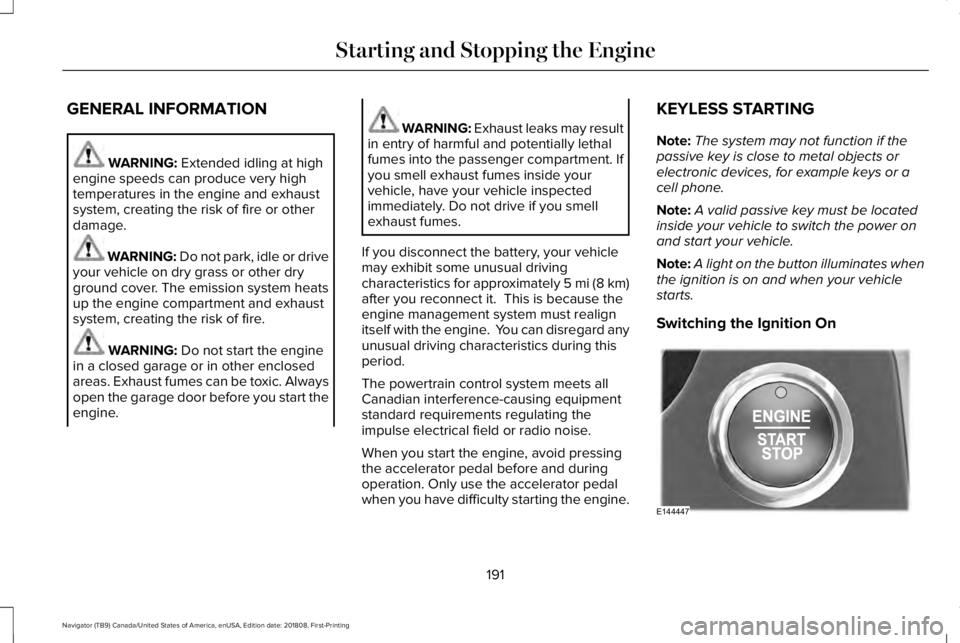
Note:A light on the button illuminates whenthe ignition is on and when your vehiclestarts.
Switching the Ignition On
191
Navigator (TB9) Canada/United States of America, enUSA, Edition date: 201808, First-Printing
Starting and Stopping the EngineE144447
Page 196 of 645
1. Open the floor console storagecompartment lid.
2. Insert the passive key into the backupslot.
3.With the passive key in this position, youcan use the push button ignition switchto switch the ignition on and start yourvehicle.
Fast Restart
The fast restart feature allows you to restartyour vehicle within 20 seconds of switchingit off, even if it does not detect a validpassive key.
Within 20 seconds of switching the engineoff, press the brake pedal and press the pushbutton ignition switch. After 20 seconds, youcan no longer start your vehicle if it does notdetect a valid passive key.
Once your vehicle starts, it remains runninguntil you press the push button ignitionswitch, even if your vehicle does not detecta valid passive key. If you open and close adoor while your vehicle is running, thesystem searches for a valid passive key. Youcannot start your vehicle if the system doesnot detect a valid passive key within 20seconds.
Failure to Start
If you cannot start the engine after threeattempts, wait 10 seconds and follow thisprocedure:
1. Fully depress the brake pedal.
2. Shift into park (P).
3. Fully press the accelerator pedal andhold it there.
4. Start the engine.
Automatic Engine Shutdown
For vehicles with a keyless ignition, thisautomatically shuts down your vehicle if ithas been idling for an extended period. Theignition also turns off to save battery power. Before your vehicle shuts down, a messageappears in the information display showinga timer counting down. If you do notintervene within 30 seconds, your vehicleshuts down. Another message appears inthe information display to inform you thatyour vehicle has shut down to save fuel. Start your vehicle as normal.
Automatic Engine Shutdown Override
Note: You cannot permanently switch offthe automatic shutdown. When you switchit off temporarily, it turns on at the nextignition cycle.
193
Navigator (TB9) Canada/United States of America, enUSA, Edition date: 201808, First-Printing
Starting and Stopping the Engine
Page 632 of 645
3
360 Degree Camera...................................252Advanced Camera Views................................252Camera Views.....................................................252Front Camera......................................................253Keep Out Zone....................................................253Side Camera........................................................253
4
4WDSee: Four-Wheel Drive.......................................216
A
A/CSee: Climate Control..........................................152
About This Manual............................................7ABSSee: Brakes..........................................................225
ABS driving hintsSee: Hints on Driving With Anti-LockBrakes...............................................................226
Accessories...................................................542Exterior Style.......................................................542Interior Style.........................................................542Lifestyle.................................................................542
Peace of Mind.....................................................542
AccessoriesSee: Replacement Parts Recommendation.....12
ACCSee: Using Adaptive Cruise Control.............256
Active Park Assist.........................................240Using Active Park Assist...................................242
Adaptive Headlamps.....................................101Speed Dependent Lamps..................................101
Adjusting the Headlamps...........................374Horizontal Aim Adjustment..............................376Vertical Aim Adjustment....................................374
Adjusting the Pedals......................................93Adjusting the Steering Wheel.....................89End of Travel Position..........................................89Memory Feature....................................................89
AFSSee: Adaptive Headlamps.................................101
Airbag Disposal...............................................60Air ConditioningSee: Climate Control..........................................152
Air FilterSee: Changing the Engine Air Filter..............376
AlarmSee: Anti-Theft Alarm - Vehicles With: Anti-TheftAlarm System....................................................86See: Anti-Theft Alarm - Vehicles With: InteriorSensor.................................................................85
Ambient Lighting...........................................104Adjusting the Brightness...................................104Changing the Color............................................104Switching Ambient Lighting Off.......................104Switching Ambient Lighting On.......................104
Anti-Theft Alarm - Vehicles With: Anti-TheftAlarm System................................................86Arming the Alarm..................................................86Disarming the Alarm............................................86
Anti-Theft Alarm - Vehicles With: InteriorSensor.............................................................85Alarm Settings.......................................................85Alarm System.........................................................85Arming the Alarm..................................................85Ask on Exit..............................................................85Disarming the Alarm............................................86Triggering the Alarm............................................85
Appendices....................................................579Apps.................................................................501.................................................................................501SiriusXM Traffic and Travel Link.....................502
At a Glance........................................................16Audible Warnings and Indicators...............119Headlamps On Warning Chime........................119Keyless Warning Alert.........................................119Parking Brake On Warning Chime...................119
Audio Control..................................................90Seek, Next or Previous.......................................90
629
Navigator (TB9) Canada/United States of America, enUSA, Edition date: 201808, First-Printing
Index
Page 638 of 645
Remote Start.........................................................143Seats.......................................................................143Stability Control....................................................143Starting System ...................................................144Tire Pressure Monitoring System....................144Trailer......................................................................145Transmission.........................................................146
Installing Child Restraints.............................20Child Seats.............................................................20Combining Seatbelt and LATCH LowerAnchors for Attaching Child SafetySeats....................................................................28Using Lap and Shoulder Belts...........................20Using Lower Anchors and Tethers forCHildren (LATCH).............................................26Using Tether Straps..............................................28
Instrument Cluster..........................................113Instrument Lighting Dimmer........................99Instrument Panel Overview...........................16Interior Lamps................................................103Front Interior Lamp.............................................103Rear Interior Lamps.............................................104
Interior Mirror.................................................108Auto-Dimming Mirror..........................................109
Introduction.........................................................7
J
Jump Starting the Vehicle..........................328Connecting the Jumper Cables......................328Jump Starting......................................................329Preparing Your Vehicle.....................................328Removing the Jumper Cables.........................330
K
Keyless Entry....................................................76Displaying the Factory-Set Code......................78Locking and Unlocking........................................77SECURICODE™ KEYLESS ENTRYKEYPAD...............................................................76
Keyless Starting..............................................191Switching the Ignition On...................................191
Keys and Remote Controls............................61
L
Lane Keeping System.................................265Switching the System On and Off..................266System Display...................................................268System Settings..................................................267Troubleshooting.................................................269
Liftgate...............................................................79
Liftgate Window...............................................111Opening the Liftgate Window............................111
Lighting Control...............................................97Flashing the Headlamp High Beam.................98Headlamp High Beam.........................................98
Lighting..............................................................97General Information.............................................97
Limited Slip Differential..............................224Spare Tire.............................................................224Trailer Towing......................................................224
Lincoln Automotive Financial Services......12Lincoln Protect..............................................544Lincoln Protect (CANADA ONLY)...................545Lincoln Protect Extended Service Plans (U.S.Only)..................................................................544
Load CarriersSee: Roof Racks and Load Carriers...............290
Load Carrying................................................287Load Limit.......................................................292Special Loading Instructions for Owners ofPick-up Trucks and Utility-typeVehicles............................................................296Vehicle Loading - with and without aTrailer................................................................292
Locking and Unlocking..................................72Activating Intelligent Access..............................73Approach Detection Illumination......................76Autolock..................................................................75
635
Navigator (TB9) Canada/United States of America, enUSA, Edition date: 201808, First-Printing
Index