ignition LINCOLN NAVIGATOR 2019 Service Manual
[x] Cancel search | Manufacturer: LINCOLN, Model Year: 2019, Model line: NAVIGATOR, Model: LINCOLN NAVIGATOR 2019Pages: 645, PDF Size: 5.02 MB
Page 188 of 645
12 Volt DC Power Point
WARNING: Do not plug optionalelectrical accessories into the cigar lightersocket. Incorrect use of the cigar lightercan cause damage not covered by thevehicle warranty, and can result in fire orserious injury.
Note:When you switch the ignition on, youcan use the socket to power 12 voltappliances with a maximum current ratingof 15 amps.
If the power supply does not work after youswitch the ignition off, switch the ignition on.Note:Do not hang any accessory from theaccessory plug.
Note:Do not use the power point over thevehicle capacity of 12 volt DC 180 watts ora fuse may blow.
Note:Always keep the power point capsclosed when not in use.
Do not insert objects other than an accessoryplug into the power point. This damages thepower point and may blow the fuse.
Run the vehicle for full capacity use of thepower point.
To prevent the battery from running out ofcharge:
•Do not use the power point longer thannecessary when the vehicle is notrunning.
•Do not leave devices plugged inovernight or when you park your vehiclefor extended periods.
USB Port and Power Point Locations
USB Ports and Power Points may be in thefollowing locations:
•On the lower instrument panel.
•Inside the center console.
•On the front of the center console.
•On the rear of the center console.
•In the cargo area.
•On the passenger side floor panel.
•3rd row on the quarter trim panels.
Note:Some of the USB ports may not havedata transfer capabilities.
110 Volt AC Power Point (If Equipped)
WARNING: Do not keep electricaldevices plugged in the power pointwhenever the device is not in use. Do notuse any extension cord with the 110 voltAC power point, since it will defeat thesafety protection design. Doing so maycause the power point to overload due topowering multiple devices that can reachbeyond the 150 watt load limit and couldresult in fire or serious injury.
Note:The power point turns off when youswitch off the ignition, when the vehicle isnot in accessory mode or when the batteryvoltage drops below 11 volts.
You can use the power point for electricdevices that require up to 150 watts. It is onthe rear of the center console.
185
Navigator (TB9) Canada/United States of America, enUSA, Edition date: 201808, First-Printing
Auxiliary Power Points
Page 189 of 645
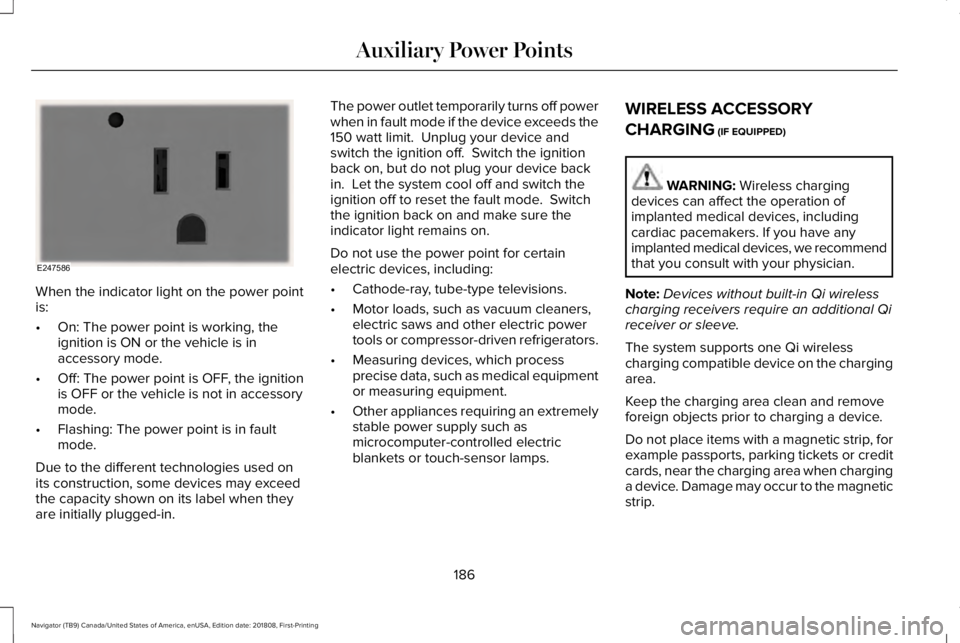
When the indicator light on the power pointis:
•On: The power point is working, theignition is ON or the vehicle is inaccessory mode.
•Off: The power point is OFF, the ignitionis OFF or the vehicle is not in accessorymode.
•Flashing: The power point is in faultmode.
Due to the different technologies used onits construction, some devices may exceedthe capacity shown on its label when theyare initially plugged-in.
The power outlet temporarily turns off powerwhen in fault mode if the device exceeds the150 watt limit. Unplug your device andswitch the ignition off. Switch the ignitionback on, but do not plug your device backin. Let the system cool off and switch theignition off to reset the fault mode. Switchthe ignition back on and make sure theindicator light remains on.
Do not use the power point for certainelectric devices, including:
•Cathode-ray, tube-type televisions.
•Motor loads, such as vacuum cleaners,electric saws and other electric powertools or compressor-driven refrigerators.
•Measuring devices, which processprecise data, such as medical equipmentor measuring equipment.
•Other appliances requiring an extremelystable power supply such asmicrocomputer-controlled electricblankets or touch-sensor lamps.
WIRELESS ACCESSORY
CHARGING (IF EQUIPPED)
WARNING: Wireless chargingdevices can affect the operation ofimplanted medical devices, includingcardiac pacemakers. If you have anyimplanted medical devices, we recommendthat you consult with your physician.
Note:Devices without built-in Qi wirelesscharging receivers require an additional Qireceiver or sleeve.
The system supports one Qi wirelesscharging compatible device on the chargingarea.
Keep the charging area clean and removeforeign objects prior to charging a device.
Do not place items with a magnetic strip, forexample passports, parking tickets or creditcards, near the charging area when charginga device. Damage may occur to the magneticstrip.
186
Navigator (TB9) Canada/United States of America, enUSA, Edition date: 201808, First-Printing
Auxiliary Power PointsE247586
Page 194 of 645
GENERAL INFORMATION
WARNING: Extended idling at highengine speeds can produce very hightemperatures in the engine and exhaustsystem, creating the risk of fire or otherdamage.
WARNING: Do not park, idle or driveyour vehicle on dry grass or other dryground cover. The emission system heatsup the engine compartment and exhaustsystem, creating the risk of fire.
WARNING: Do not start the enginein a closed garage or in other enclosedareas. Exhaust fumes can be toxic. Alwaysopen the garage door before you start theengine.
WARNING: Exhaust leaks may resultin entry of harmful and potentially lethalfumes into the passenger compartment. Ifyou smell exhaust fumes inside yourvehicle, have your vehicle inspectedimmediately. Do not drive if you smellexhaust fumes.
If you disconnect the battery, your vehiclemay exhibit some unusual drivingcharacteristics for approximately 5 mi (8 km)after you reconnect it. This is because theengine management system must realignitself with the engine. You can disregard anyunusual driving characteristics during thisperiod.
The powertrain control system meets allCanadian interference-causing equipmentstandard requirements regulating theimpulse electrical field or radio noise.
When you start the engine, avoid pressingthe accelerator pedal before and duringoperation. Only use the accelerator pedalwhen you have difficulty starting the engine.
KEYLESS STARTING
Note:The system may not function if thepassive key is close to metal objects orelectronic devices, for example keys or acell phone.
Note:A valid passive key must be locatedinside your vehicle to switch the power onand start your vehicle.
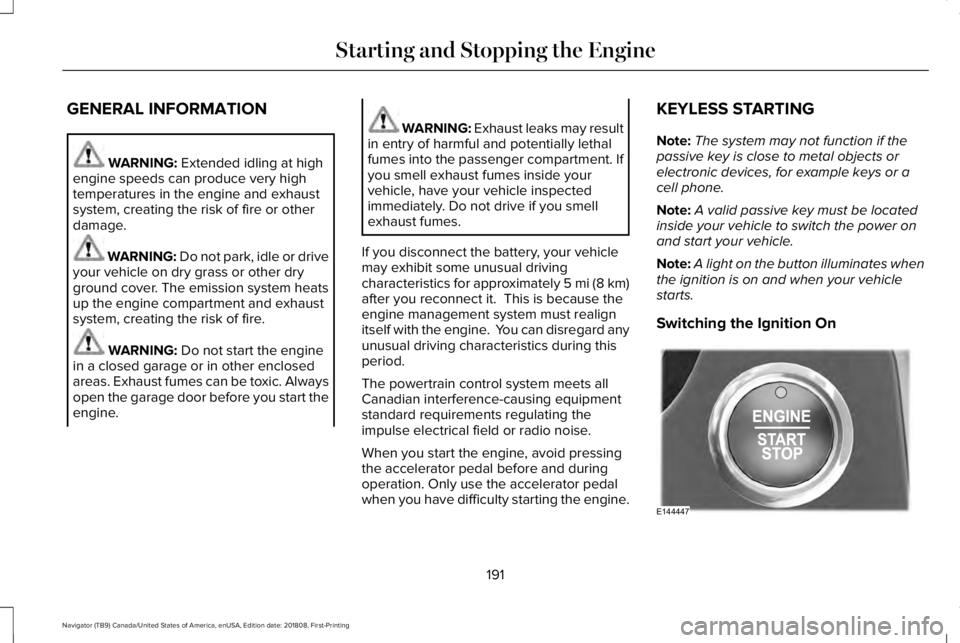
Note:A light on the button illuminates whenthe ignition is on and when your vehiclestarts.
Switching the Ignition On
191
Navigator (TB9) Canada/United States of America, enUSA, Edition date: 201808, First-Printing
Starting and Stopping the EngineE144447
Page 195 of 645
Press the push button ignition switch oncewithout your foot on the brake pedal. It is onthe instrument panel near the steering wheel.All electrical circuits and accessories areoperational and the warning lamps andindicators illuminate.
Press the push button ignition switch againwithout your foot on the brake pedal toswitch the ignition off.
STARTING A GASOLINE ENGINE
When you start the engine, the idle speedincreases.
This helps to warm up the engine. If theengine idle speed does not slow downautomatically, have your vehicle checked byan authorized dealer.
Note: You can crank the engine for a totalof 60 seconds without the engine startingbefore the starting system temporarilydisables. The 60 seconds does not have tobe all at once. For example, if you crank theengine three times for 20 seconds each time,without the engine starting, you reached the60-second time limit. You cannot attemptto start the engine for at least 15 minutes. After 15 minutes, you are limited to a15-second engine cranking time. You needto wait 60 minutes before you can crank theengine for 60 seconds again.
Before starting your vehicle, check thefollowing:
•Make sure all occupants have fastenedtheir seatbelts.
•Make sure the headlamps and electricalaccessories are off.
•Make sure the parking brake is on.
•Make sure the transmission is in park (P).
Note:Do not touch the accelerator pedal.
Note:You must have your intelligent accesskey in your vehicle to shift the transmissionout of park (P).
1. Fully depress the brake pedal.
2. Press the push button ignition switch.
The system does not function if:
•The passive key frequencies are jammed.
•The key battery has no charge.
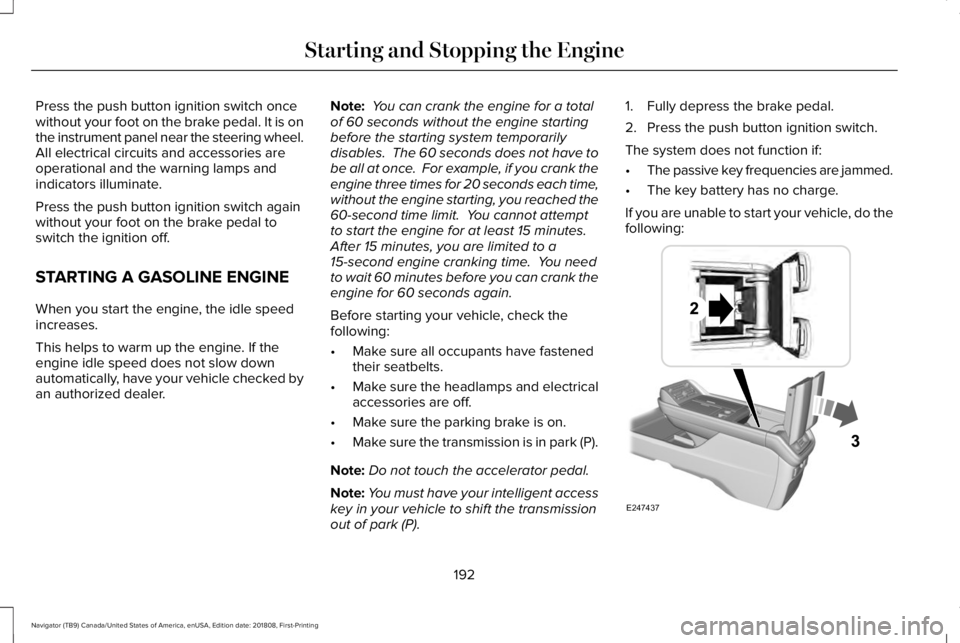
If you are unable to start your vehicle, do thefollowing:
192
Navigator (TB9) Canada/United States of America, enUSA, Edition date: 201808, First-Printing
Starting and Stopping the EngineE247437
Page 196 of 645
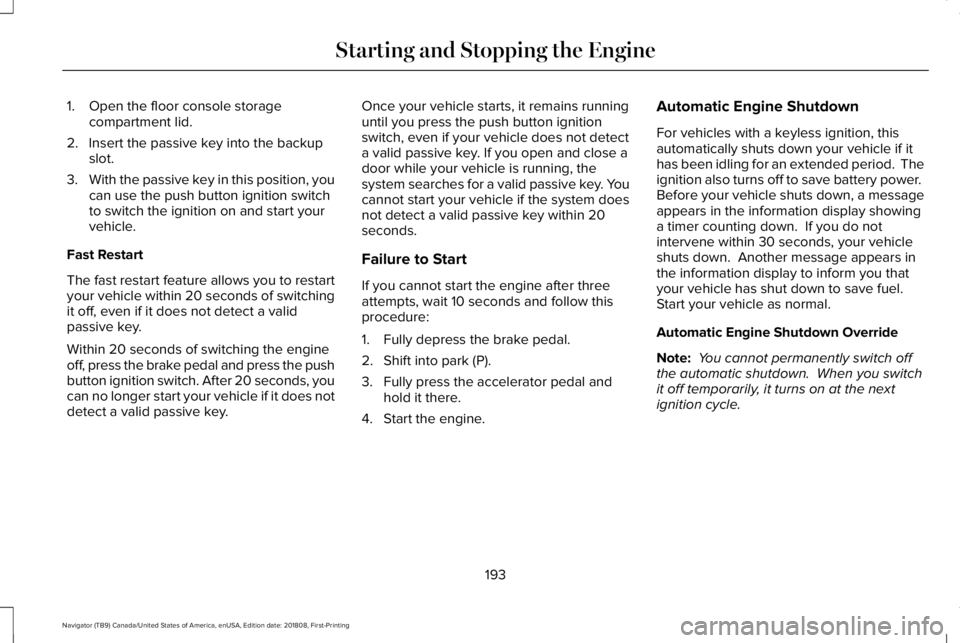
1. Open the floor console storagecompartment lid.
2. Insert the passive key into the backupslot.
3.With the passive key in this position, youcan use the push button ignition switchto switch the ignition on and start yourvehicle.
Fast Restart
The fast restart feature allows you to restartyour vehicle within 20 seconds of switchingit off, even if it does not detect a validpassive key.
Within 20 seconds of switching the engineoff, press the brake pedal and press the pushbutton ignition switch. After 20 seconds, youcan no longer start your vehicle if it does notdetect a valid passive key.
Once your vehicle starts, it remains runninguntil you press the push button ignitionswitch, even if your vehicle does not detecta valid passive key. If you open and close adoor while your vehicle is running, thesystem searches for a valid passive key. Youcannot start your vehicle if the system doesnot detect a valid passive key within 20seconds.
Failure to Start
If you cannot start the engine after threeattempts, wait 10 seconds and follow thisprocedure:
1. Fully depress the brake pedal.
2. Shift into park (P).
3. Fully press the accelerator pedal andhold it there.
4. Start the engine.
Automatic Engine Shutdown
For vehicles with a keyless ignition, thisautomatically shuts down your vehicle if ithas been idling for an extended period. Theignition also turns off to save battery power. Before your vehicle shuts down, a messageappears in the information display showinga timer counting down. If you do notintervene within 30 seconds, your vehicleshuts down. Another message appears inthe information display to inform you thatyour vehicle has shut down to save fuel. Start your vehicle as normal.
Automatic Engine Shutdown Override
Note: You cannot permanently switch offthe automatic shutdown. When you switchit off temporarily, it turns on at the nextignition cycle.
193
Navigator (TB9) Canada/United States of America, enUSA, Edition date: 201808, First-Printing
Starting and Stopping the Engine
Page 197 of 645
You can stop the shutdown, or reset thetimer, at any point before the 30-secondcountdown has expired by doing any of thefollowing:
•Interacting with your vehicle, for examplepressing the brake or accelerator pedal.
•You can temporarily switch off theshutdown feature any time the ignition ison using the information display. SeeInformation Displays (page 120). Thefeature only remains off for the currentignition cycle.
•During the 30-second countdown, thesystem prompts you to press OK orRESET to temporarily switch the featureoff for the current ignition cycle only.
Stopping the Engine When YourVehicle is Stationary
1. Shift into park (P).
2. Press the push button ignition switch.
3. Apply the parking brake.
Note:The ignition, all electrical circuits andall warning lamps and indicators will beturned off.
Note:If the engine is idling for 30 minutes,the ignition and engine automatically shutsdown.
Stopping the Engine When YourVehicle is Moving
WARNING: Switching off the enginewhen the vehicle is still moving will resultin a loss of brake and steering assistance.The steering will not lock, but higher effortwill be required. When the ignition isswitched off, some electrical circuits,including air bags, warning lamps andindicators may also be off. If the ignitionwas turned off accidentally, you can shiftinto neutral (N) and re-start the engine.
1. Shift into neutral and use the brakes tobring your vehicle to a safe stop.
2.When your vehicle has stopped, shift intopark (P).
3. Press and hold the push button ignitionswitch, or press it three times within twoseconds.
4. Apply the parking brake.
Guarding Against Exhaust Fumes
WARNING: Exhaust leaks may resultin entry of harmful and potentially lethalfumes into the passenger compartment. Ifyou smell exhaust fumes inside yourvehicle, have your vehicle inspectedimmediately. Do not drive if you smellexhaust fumes.
Important Ventilating Information
If you stop your vehicle and then leave theengine idling for long periods, werecommend that you do one of the following:
•Open the windows at least 1 in (3 cm).
•Set your climate control to outside air.
ENGINE BLOCK HEATER (IF EQUIPPED)
WARNING: Failure to follow engineblock heater instructions could result inproperty damage or serious personalinjury.
194
Navigator (TB9) Canada/United States of America, enUSA, Edition date: 201808, First-Printing
Starting and Stopping the Engine
Page 199 of 645
AUTO-START-STOP
The system helps reduce fuel consumptionby automatically stopping and restarting theengine when your vehicle has stopped. Theengine restarts automatically when yourelease the brake pedal.
In some situations, your vehicle may restartautomatically, for example:
•To maintain interior comfort.
•To recharge the battery.
Note:Power assist steering turns off whenthe engine is off.
Note:If your vehicle is flex fuel capable,Auto-Start-Stop is inhibited for a short timeafter a refuel event when the system isverifying the fuel type being used.
WARNING: Always fully apply theparking brake. Make sure you shift intopark (P) for vehicles with an automatictransmission. Switch the ignition off andremove the key whenever you leave yourvehicle.
WARNING: Before opening the hoodor performing any maintenance, fully applythe parking brake, shift into park (P) orneutral (N) and switch the ignition off.
WARNING: Always switch the ignitionoff before leaving the vehicle. If the ignitionis switched on an automatic restart mayoccur at any time.
WARNING: The system may requirethe engine to automatically restart whenthe auto-start-stop indicator illuminatesgreen or flashes amber. Failure to followthis instruction could result in personalinjury.
The Auto-Start-Stop system status isavailable at a glance within the informationdisplay. See Information Displays (page120).
Enabling Auto-Start-Stop
The system automatically enables every timeyou start your vehicle if:
•You do not press the Auto-Start-Stopbutton (not illuminated).
•Your vehicle exceeds an initial speed of3 mph (5 km/h) after you have initiallystarted your vehicle.
•You have stopped your vehicle.
•Your foot is on the brake pedal.
•The transmission is in drive.
•Not in Excite mode (enable by pressingthe Auto-Start-Stop button).
•The driver door is closed.
•There is adequate brake vacuum.
•The interior compartment has cooled orwarmed to an acceptable level.
•The front windshield defroster is off.
•You have not turned the steering wheelrapidly or you do not have it at a sharpangle.
•The vehicle is not on a steep road grade.
•The battery is within optimal operatingconditions, (with the battery state ofcharge and temperature in range).
•The engine coolant is at operatingtemperature.
196
Navigator (TB9) Canada/United States of America, enUSA, Edition date: 201808, First-Printing
Unique Driving Characteristics
Page 201 of 645
Disabling Auto-Start-Stop
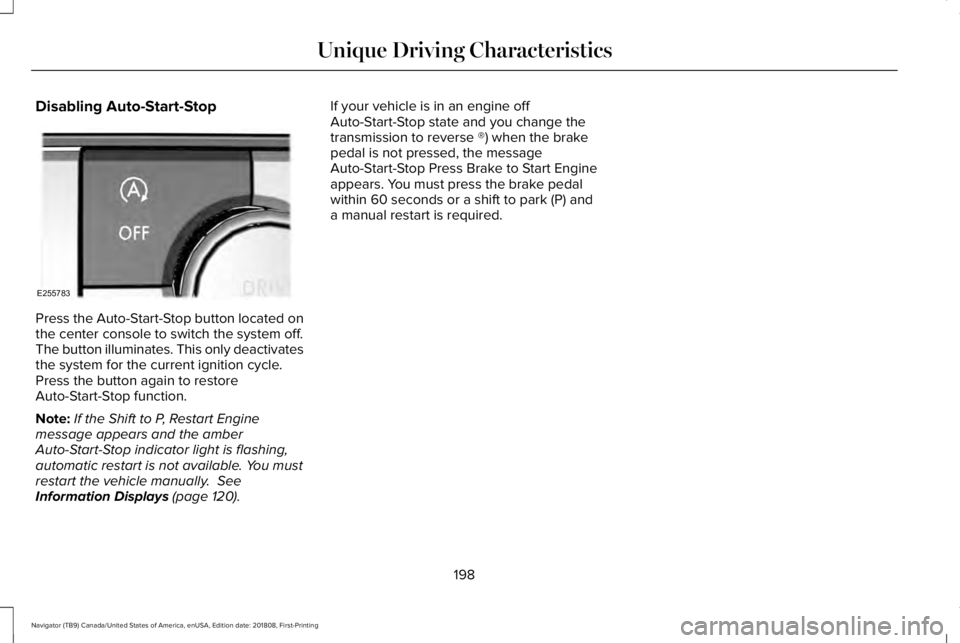
Press the Auto-Start-Stop button located onthe center console to switch the system off.The button illuminates. This only deactivatesthe system for the current ignition cycle.Press the button again to restoreAuto-Start-Stop function.
Note:If the Shift to P, Restart Enginemessage appears and the amberAuto-Start-Stop indicator light is flashing,automatic restart is not available. You mustrestart the vehicle manually. SeeInformation Displays (page 120).
If your vehicle is in an engine offAuto-Start-Stop state and you change thetransmission to reverse ®) when the brakepedal is not pressed, the messageAuto-Start-Stop Press Brake to Start Engineappears. You must press the brake pedalwithin 60 seconds or a shift to park (P) anda manual restart is required.
198
Navigator (TB9) Canada/United States of America, enUSA, Edition date: 201808, First-Printing
Unique Driving CharacteristicsE255783
Page 204 of 645
RUNNING OUT OF FUEL
Running out of fuel can cause damage notcovered by the vehicle Warranty.
If your vehicle runs out of fuel:
•Add a minimum of 1.3 gal (5 L) of fuel torestart the engine.
•You may need to switch the ignition fromoff to on several times after refueling toallow the fuel system to pump the fuelfrom the tank to the engine. Whenrestarting, cranking time takes a fewseconds longer than normal.
Note:If your vehicle is on a steep slope,more fuel may be required.
Filling a Portable Fuel Container
WARNING: Flow of fuel through afuel pump nozzle can produce staticelectricity. This can cause a fire if you arefilling an ungrounded fuel container.
Use the following guidelines to avoidelectrostatic charge build-up, which canproduce a spark, when filling an ungroundedfuel container:
•Only use an approved fuel container totransfer fuel to your vehicle. Place thecontainer on the ground when filling it.
•Do not fill a fuel container when it isinside your vehicle (including the cargoarea).
•Keep the fuel pump nozzle in contactwith the fuel container when filling it.
•Do not use a device that holds the fuelpump nozzle lever in the fill position.
Adding Fuel From a Portable FuelContainer
WARNING: Do not insert the nozzleof a fuel container or an aftermarket funnelinto the fuel filler neck. This may damagethe fuel system filler neck or its seal andcause fuel to run onto the ground.
WARNING: Do not try to pry open orpush open the capless fuel system withforeign objects. This could damage the fuelsystem and its seal and cause injury to youor others.
WARNING: Do not dispose of fuel inthe household refuse or the public sewagesystem. Use an authorized waste disposalfacility.
When refueling the vehicle fuel tank from afuel container, use the fuel filler funnelincluded with your vehicle. See Fuel FillerFunnel Location (page 200).
Note:Do not use aftermarket funnels as theymay not work with the capless fuel systemand can damage it.
When refueling the vehicle fuel tank from afuel container, do the following:
1. Fully open the fuel filler door.
2. Fully insert the fuel filler funnel into thefuel filler inlet.
201
Navigator (TB9) Canada/United States of America, enUSA, Edition date: 201808, First-Printing
Fuel and Refueling
Page 210 of 645
•An open or pinched sensor hose.
•Incorrect engine oil level.
•Incorrect fuel for climatic conditions.
•Incorrect engine oil viscosity for climacticconditions.
Note:Some vehicles have a lifetime fuel filterthat is integrated with the fuel tank. Regularmaintenance or replacement is not needed.
Note:If these checks do not help you correctthe concern, have your vehicle checked assoon as possible.
Noise Emissions Warranty, ProhibitedTampering Acts and Maintenance
On January 1, 1978, Federal regulationbecame effective governing the noiseemission on trucks over 10,000 lb (4,536 kg)Gross Vehicle Weight Rating (GVWR). Thepreceding statements concerning prohibitedtampering acts and maintenance, and thenoise warranty found in the Warranty Guide,are applicable to complete chassis cabs over10,000 lb (4,536 kg) GVWR.
CATALYTIC CONVERTER
WARNING: Do not park, idle or driveyour vehicle on dry grass or other dryground cover. The emission system heatsup the engine compartment and exhaustsystem, creating the risk of fire.
WARNING: The normal operatingtemperature of the exhaust system is veryhigh. Never work around or attempt torepair any part of the exhaust system untilit has cooled. Use special care whenworking around the catalytic converter.The catalytic converter heats up to a veryhigh temperature after only a short periodof engine operation and stays hot after theengine is switched off.
WARNING: Exhaust leaks may resultin entry of harmful and potentially lethalfumes into the passenger compartment. Ifyou smell exhaust fumes inside yourvehicle, have your vehicle inspectedimmediately. Do not drive if you smellexhaust fumes.
Your vehicle has various emission controlcomponents and a catalytic converter thatenables it to comply with applicable exhaustemission standards.
To make sure that the catalytic converter andother emission control components continueto work properly:
•Do not crank the engine for more than10 seconds at a time.
•Do not run the engine with a spark pluglead disconnected.
•Do not push-start or tow-start yourvehicle. Use booster cables. See JumpStarting the Vehicle (page 328).
•Use only the specified fuel listed.
•Do not switch the ignition off when yourvehicle is moving.
•Avoid running out of fuel.
•Have the items listed in scheduledmaintenance information performedaccording to the specified schedule.
Note:Resulting component damage maynot be covered by the vehicle Warranty.
207
Navigator (TB9) Canada/United States of America, enUSA, Edition date: 201808, First-Printing
Engine Emission Control