page 32 LINCOLN NAVIGATOR 2020 Owner's Guide
[x] Cancel search | Manufacturer: LINCOLN, Model Year: 2020, Model line: NAVIGATOR, Model: LINCOLN NAVIGATOR 2020Pages: 622, PDF Size: 6.47 MB
Page 94 of 622
Note:
Make sure the area behind your
vehicle is free from obstruction and that
there is enough room for you to operate the
liftgate. Objects too close to your vehicle,
for example a wall, garage door or another
vehicle may come into contact with the
moving liftgate. This could damage the
liftgate and its components.
Note: Be careful when opening or closing
the liftgate in a garage or other enclosed
area to avoid damaging the liftgate.
Note: Do not leave the liftgate open when
driving. This could damage the liftgate and
its components.
From the Instrument Panel With the transmission in park (P),
press the button on the instrument
panel.
Remote Control Press the button twice within a few
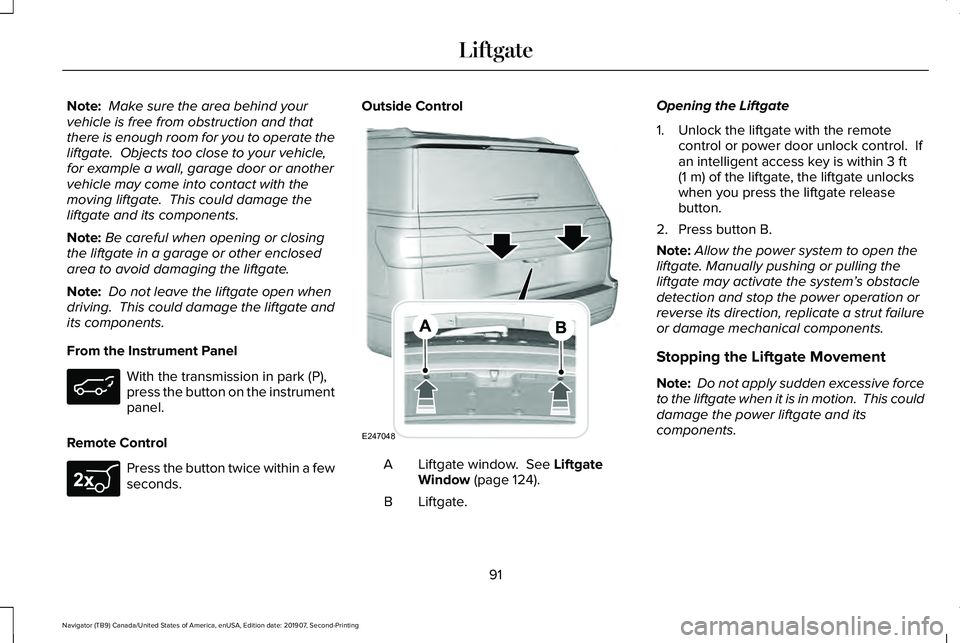
seconds. Outside Control
Liftgate window. See Liftgate
Window (page 124).
A
Liftgate.
B Opening the Liftgate
1. Unlock the liftgate with the remote
control or power door unlock control. If
an intelligent access key is within
3 ft
(1 m) of the liftgate, the liftgate unlocks
when you press the liftgate release
button.
2. Press button B.
Note: Allow the power system to open the
liftgate. Manually pushing or pulling the
liftgate may activate the system’ s obstacle
detection and stop the power operation or
reverse its direction, replicate a strut failure
or damage mechanical components.
Stopping the Liftgate Movement
Note: Do not apply sudden excessive force
to the liftgate when it is in motion. This could
damage the power liftgate and its
components.
91
Navigator (TB9) Canada/United States of America, enUSA, Edition date: 201907, Second-Printing Liftgate E267940 E247048
Page 95 of 622
You can stop the liftgate movement by doing
any of the following:
•
Pressing the liftgate control button.
• Pressing the liftgate button on the remote
control twice.
• Pressing the liftgate button on the
instrument panel.
Setting the Liftgate Open Height
1. Open the liftgate.
2. Stop the liftgate movement by pressing the control button on the liftgate when it
reaches the desired height.
Note: Once the liftgate has stopped moving,
you can also manually move it to the desired
height.
3. Press and hold the liftgate control button
on the liftgate until a tone sounds,
indicating programming is complete.
Note: You can only use the liftgate control
button to program the height.
Note: You cannot program the height if the
liftgate position is too low. The new open liftgate height is recalled
when the power liftgate is opened. To
change the programmed height, repeat the
above procedure. Once you open the power
liftgate, you can manually move it to a
different height.
Note:
The system recalls the new
programmed height, even if you disconnect
the battery.
When operating the power liftgate after you
have programmed a lower height than fully
open, you can fully open the liftgate by
manually pushing it upward to the maximum
open position.
Obstacle Detection
Note: Entering your vehicle while the liftgate
is closing can cause your vehicle to bounce
and activate obstacle detection. To prevent
this, let the power liftgate close completely
before you enter your vehicle. Before driving
off, check the instrument cluster for a liftgate
or door ajar message or warning indicator.
Failure to do this could result in
unintentionally leaving the liftgate open
when driving. When Closing
The system stops when it detects an
obstacle. Three tones sound and the system
reverses to open. When you remove the
obstacle, you can power close the liftgate.
When Opening
The system stops when it detects an
obstacle and two short tones sound.
Remove the obstacle to operate the liftgate.
Switching the Power Liftgate On or Off
You can switch the power liftgate on or off
through the vehicle settings menu. See
General Information (page 133).
When switched off, the liftgate only unlatches
and will not power open or close.
Using the Hands-Free Liftgate
(If Equipped)
Make sure you have an intelligent access
key within
3 ft (1 m) of the liftgate.
1. Stand behind your vehicle, and face the liftgate.
92
Navigator (TB9) Canada/United States of America, enUSA, Edition date: 201907, Second-Printing Liftgate
Page 99 of 622
ANTI-THEFT ALARM (IF EQUIPPED)
The active anti-theft system is designed to
warn you in the event of unauthorized
vehicle entry and is also designed to help
prevent unwanted towing of your vehicle.
You can choose what is monitored by arming
the system in different ways.
See
Information Displays (page 133).
The direction indicators flash and the horn
sounds if the system triggers while the alarm
is armed.
Take all remote controls to an authorized
dealer if there is any potential alarm problem
with your vehicle.
Using the System
You can select two levels of alarm security.
You can change the level of security when
the ignition is switched off through the
information display with the two options
below: Perimeter Only (If Equipped)
Perimeter only monitors the following:
•
Doors.
• Hood.
• Liftgate.
All Sensors (If Equipped)
All sensors monitors the following:
• Doors.
• Hood.
• Liftgate.
• Movement inside your vehicle.
• Change in vehicle inclination, for
example, unwanted towing.
Note: Do not choose all sensors monitor
mode when the vehicle is in transport or if
movement within the vehicle is likely to
occur. Note:
For correct operation of the interior
motion detection system, make sure you
close all the windows prior to arming the
system. This helps prevent accidental alarm
activation due to external influences.
Additionally, the interior motion sensing
system does not arm if any door is ajar.
Arming the Alarm
The alarm is ready to arm when there is not
a key in the ignition. Lock your vehicle using
the remote control or keyless entry keypad.
You can also lock your vehicle using the lock
sensor on the exterior door handle if your
vehicle is equipped with intelligent access.
See
Locking and Unlocking (page 83).
The direction indicators flash once after you
lock your vehicle. This indicates the alarm is
in the pre-armed mode. It fully arms after 20
seconds.
96
Navigator (TB9) Canada/United States of America, enUSA, Edition date: 201907, Second-Printing Security
Page 100 of 622
Disarming the Alarm
Disarm the alarm by any of the following
actions:
•
Press the power door unlock button
within the 20-second pre-armed mode.
• Unlock the doors with the remote control
or keyless entry keypad. If equipped with
intelligent access, you can use the unlock
sensor on the exterior door handle. See
Locking and Unlocking (page 83).
• Switch the ignition on or start your
vehicle.
• Use a key in the driver door lock cylinder
to unlock your vehicle, then switch the
ignition on within 12 seconds.
97
Navigator (TB9) Canada/United States of America, enUSA, Edition date: 201907, Second-Printing Security
Page 102 of 622
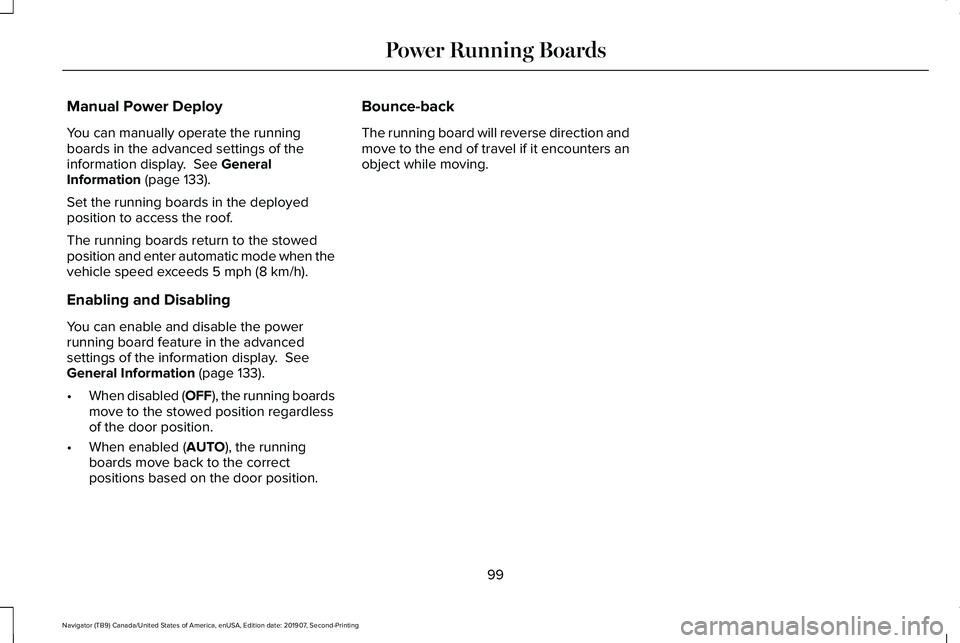
Manual Power Deploy
You can manually operate the running
boards in the advanced settings of the
information display. See General
Information (page 133).
Set the running boards in the deployed
position to access the roof.
The running boards return to the stowed
position and enter automatic mode when the
vehicle speed exceeds
5 mph (8 km/h).
Enabling and Disabling
You can enable and disable the power
running board feature in the advanced
settings of the information display.
See
General Information (page 133).
• When disabled (OFF), the running boards
move to the stowed position regardless
of the door position.
• When enabled (
AUTO), the running
boards move back to the correct
positions based on the door position. Bounce-back
The running board will reverse direction and
move to the end of travel if it encounters an
object while moving.
99
Navigator (TB9) Canada/United States of America, enUSA, Edition date: 201907, Second-Printing Power Running Boards
Page 103 of 622
ADJUSTING THE STEERING WHEEL
WARNING: Do not adjust the steering
wheel when your vehicle is moving.
Note: Make sure that you are sitting in the
correct position. See Sitting in the Correct
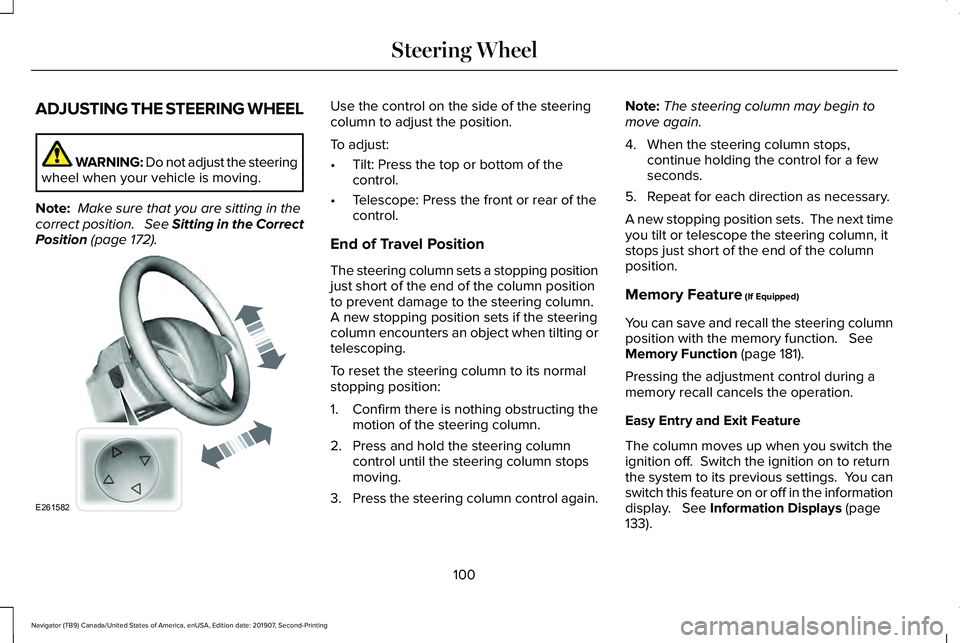
Position (page 172). Use the control on the side of the steering
column to adjust the position.
To adjust:
•
Tilt: Press the top or bottom of the
control.
• Telescope: Press the front or rear of the
control.
End of Travel Position
The steering column sets a stopping position
just short of the end of the column position
to prevent damage to the steering column.
A new stopping position sets if the steering
column encounters an object when tilting or
telescoping.
To reset the steering column to its normal
stopping position:
1. Confirm there is nothing obstructing the motion of the steering column.
2. Press and hold the steering column control until the steering column stops
moving.
3. Press the steering column control again. Note:
The steering column may begin to
move again.
4. When the steering column stops, continue holding the control for a few
seconds.
5. Repeat for each direction as necessary.
A new stopping position sets. The next time
you tilt or telescope the steering column, it
stops just short of the end of the column
position.
Memory Feature
(If Equipped)
You can save and recall the steering column
position with the memory function.
See
Memory Function (page 181).
Pressing the adjustment control during a
memory recall cancels the operation.
Easy Entry and Exit Feature
The column moves up when you switch the
ignition off. Switch the ignition on to return
the system to its previous settings. You can
switch this feature on or off in the information
display.
See Information Displays (page
133).
100
Navigator (TB9) Canada/United States of America, enUSA, Edition date: 201907, Second-Printing Steering WheelE261582
Page 105 of 622
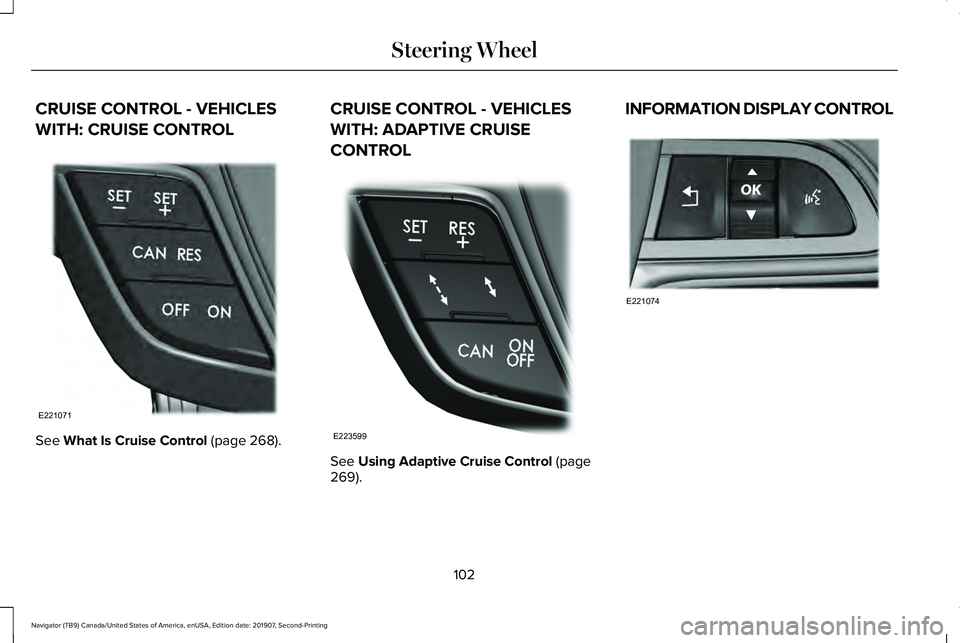
CRUISE CONTROL - VEHICLES
WITH: CRUISE CONTROL
See What Is Cruise Control (page 268). CRUISE CONTROL - VEHICLES
WITH: ADAPTIVE CRUISE
CONTROL
See
Using Adaptive Cruise Control (page
269). INFORMATION DISPLAY CONTROL
102
Navigator (TB9) Canada/United States of America, enUSA, Edition date: 201907, Second-Printing Steering WheelE221071 E223599 E221074
Page 106 of 622
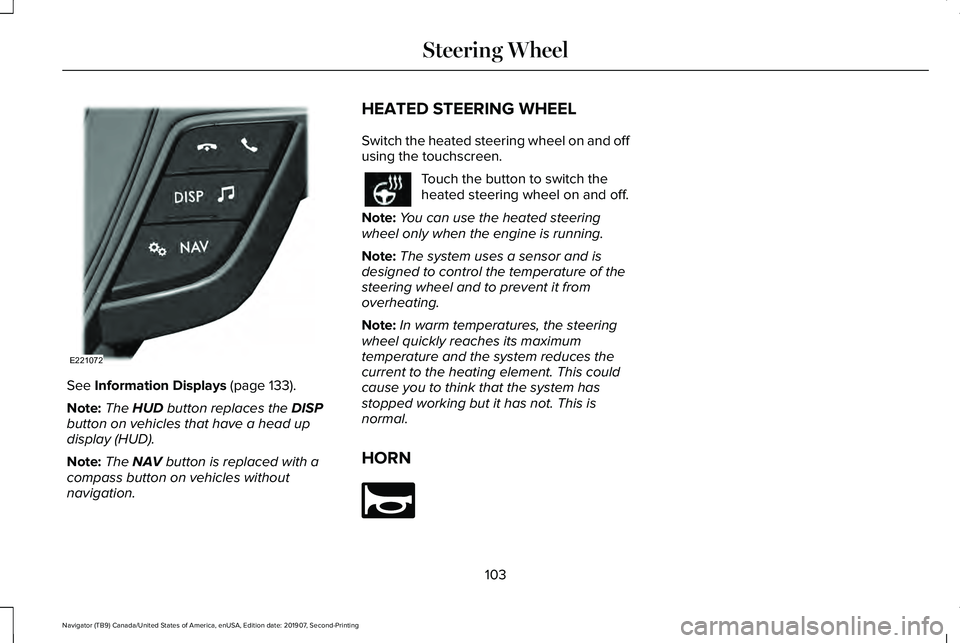
See Information Displays (page 133).
Note: The
HUD button replaces the DISP
button on vehicles that have a head up
display (HUD).
Note: The
NAV button is replaced with a
compass button on vehicles without
navigation. HEATED STEERING WHEEL
Switch the heated steering wheel on and off
using the touchscreen. Touch the button to switch the
heated steering wheel on and off.
Note: You can use the heated steering
wheel only when the engine is running.
Note: The system uses a sensor and is
designed to control the temperature of the
steering wheel and to prevent it from
overheating.
Note: In warm temperatures, the steering
wheel quickly reaches its maximum
temperature and the system reduces the
current to the heating element. This could
cause you to think that the system has
stopped working but it has not. This is
normal.
HORN 103
Navigator (TB9) Canada/United States of America, enUSA, Edition date: 201907, Second-Printing Steering WheelE221072 E270945
Page 107 of 622
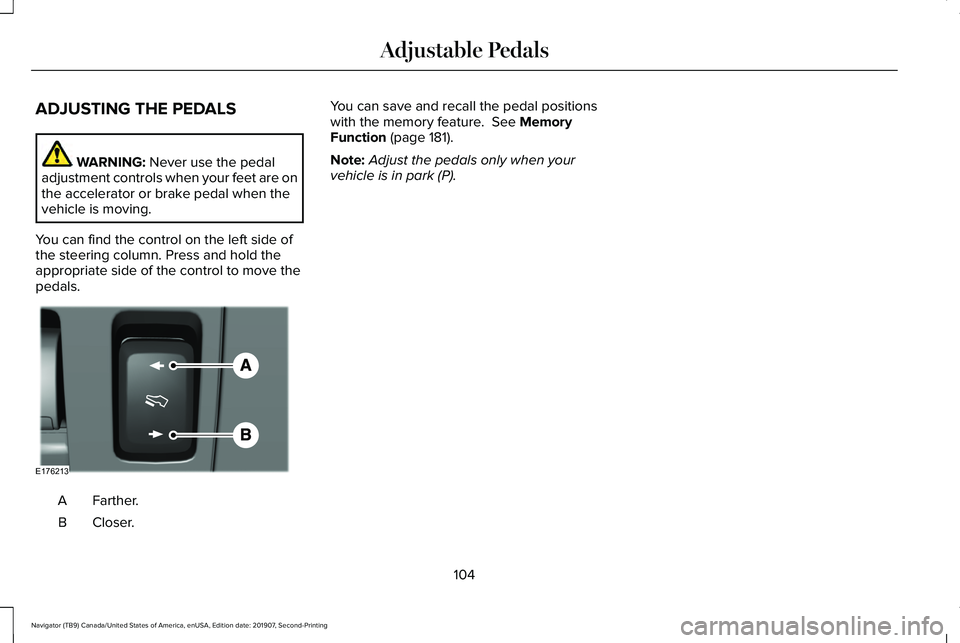
ADJUSTING THE PEDALS
WARNING: Never use the pedal
adjustment controls when your feet are on
the accelerator or brake pedal when the
vehicle is moving.
You can find the control on the left side of
the steering column. Press and hold the
appropriate side of the control to move the
pedals. Farther.
A
Closer.
B You can save and recall the pedal positions
with the memory feature.
See Memory
Function (page 181).
Note: Adjust the pedals only when your
vehicle is in park (P).
104
Navigator (TB9) Canada/United States of America, enUSA, Edition date: 201907, Second-Printing Adjustable PedalsE176213
Page 110 of 622
WINDSHIELD WASHERS
Pull the lever toward you to
operate the windshield washers.
When you release the lever, the wipers
operate for a short time. When activated, a
courtesy wipe occurs a short time after the
wipers stop to clear any remaining washer
fluid.
Note: You can switch courtesy wipe on or
off in the information display. See
Information Messages (page 138). Note:
Do not operate the washers when the
washer reservoir is empty. This could cause
the washer pump to overheat.
Front Camera Washer
(If Equipped)
Operating the windshield washer also turns
on the front camera washer. REAR WINDOW WIPER AND
WASHERS
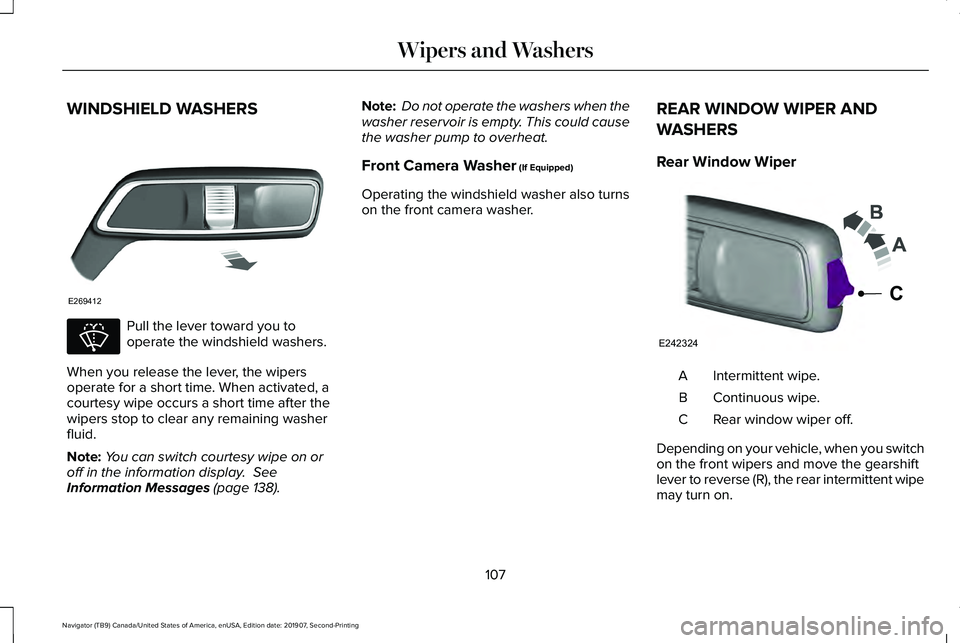
Rear Window Wiper Intermittent wipe.
A
Continuous wipe.
B
Rear window wiper off.
C
Depending on your vehicle, when you switch
on the front wipers and move the gearshift
lever to reverse (R), the rear intermittent wipe
may turn on.
107
Navigator (TB9) Canada/United States of America, enUSA, Edition date: 201907, Second-Printing Wipers and WashersE269412 E270967 E242324
C