tires LINCOLN NAVIGATOR 2020 Owners Manual
[x] Cancel search | Manufacturer: LINCOLN, Model Year: 2020, Model line: NAVIGATOR, Model: LINCOLN NAVIGATOR 2020Pages: 622, PDF Size: 6.47 MB
Page 9 of 622
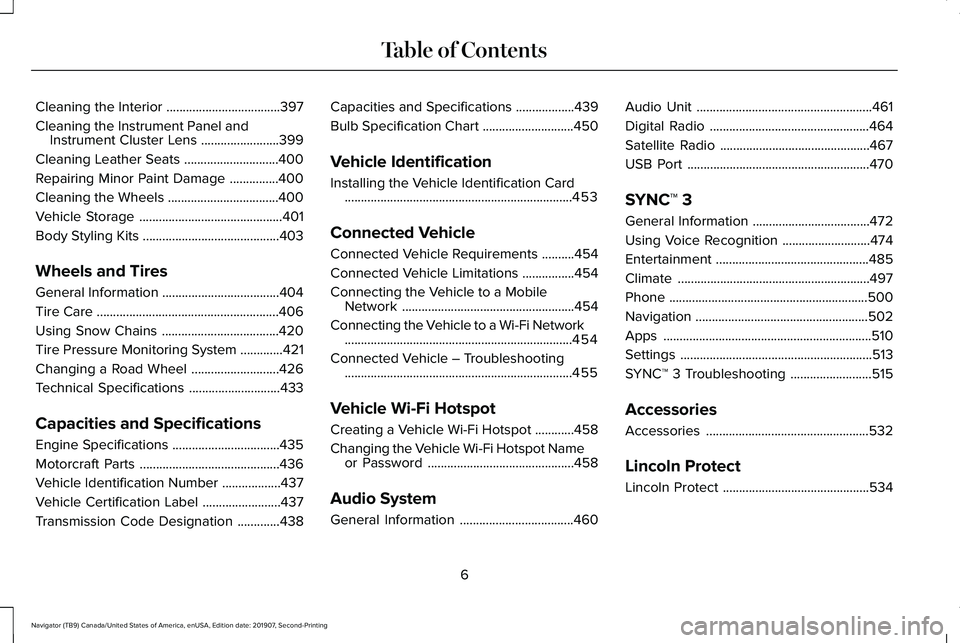
Cleaning the Interior
...................................397
Cleaning the Instrument Panel and Instrument Cluster Lens ........................
399
Cleaning Leather Seats .............................
400
Repairing Minor Paint Damage ...............
400
Cleaning the Wheels ..................................
400
Vehicle Storage ............................................
401
Body Styling Kits ..........................................
403
Wheels and Tires
General Information ....................................
404
Tire Care ........................................................
406
Using Snow Chains ....................................
420
Tire Pressure Monitoring System .............
421
Changing a Road Wheel ...........................
426
Technical Specifications ............................
433
Capacities and Specifications
Engine Specifications .................................
435
Motorcraft Parts ...........................................
436
Vehicle Identification Number ..................
437
Vehicle Certification Label ........................
437
Transmission Code Designation .............
438Capacities and Specifications
..................
439
Bulb Specification Chart ............................
450
Vehicle Identification
Installing the Vehicle Identification Card ......................................................................
453
Connected Vehicle
Connected Vehicle Requirements ..........
454
Connected Vehicle Limitations ................
454
Connecting the Vehicle to a Mobile Network .....................................................
454
Connecting the Vehicle to a Wi-Fi Network ......................................................................
454
Connected Vehicle – Troubleshooting ......................................................................
455
Vehicle Wi-Fi Hotspot
Creating a Vehicle Wi-Fi Hotspot ............
458
Changing the Vehicle Wi-Fi Hotspot Name or Password .............................................
458
Audio System
General Information ...................................
460Audio Unit
......................................................
461
Digital Radio .................................................
464
Satellite Radio ..............................................
467
USB Port ........................................................
470
SYNC™ 3
General Information ....................................
472
Using Voice Recognition ...........................
474
Entertainment ...............................................
485
Climate ...........................................................
497
Phone .............................................................
500
Navigation .....................................................
502
Apps ................................................................
510
Settings ...........................................................
513
SYNC™ 3 Troubleshooting .........................
515
Accessories
Accessories ..................................................
532
Lincoln Protect
Lincoln Protect .............................................
534
6
Navigator (TB9) Canada/United States of America, enUSA, Edition date: 201907, Second-Printing Table of Contents
Page 119 of 622
WHAT IS AUTOMATIC HIGH BEAM
CONTROL
The system turns on high beams if it is dark
enough and no other traffic is present. If it
detects an approaching vehicle
’s headlamps
or tail lamps, or street lighting ahead, the
system turns the high beams off. Low beams
remain on.
A camera sensor, centrally mounted behind
the windshield of your vehicle, continuously
monitors conditions to turn the high beams
on and off.
SWITCHING AUTOMATIC HIGH
BEAM CONTROL ON AND OFF
Switch the system on or off using the
information display. See General
Information (page 133). Activating the Automatic High Beam
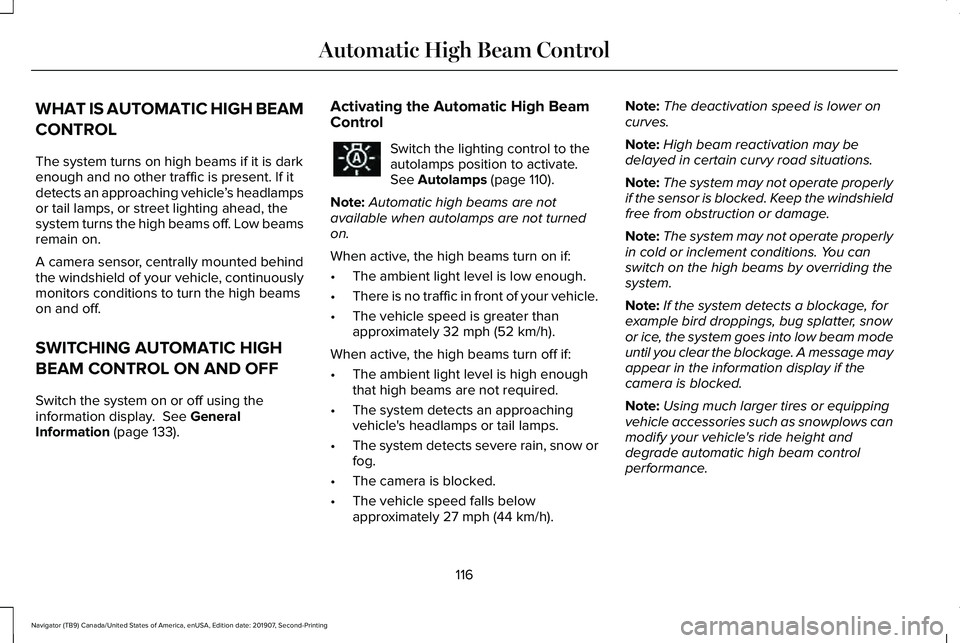
Control Switch the lighting control to the
autolamps position to activate.
See
Autolamps (page 110).
Note: Automatic high beams are not
available when autolamps are not turned
on.
When active, the high beams turn on if:
• The ambient light level is low enough.
• There is no traffic in front of your vehicle.
• The vehicle speed is greater than
approximately
32 mph (52 km/h).
When active, the high beams turn off if:
• The ambient light level is high enough
that high beams are not required.
• The system detects an approaching
vehicle's headlamps or tail lamps.
• The system detects severe rain, snow or
fog.
• The camera is blocked.
• The vehicle speed falls below
approximately
27 mph (44 km/h). Note:
The deactivation speed is lower on
curves.
Note: High beam reactivation may be
delayed in certain curvy road situations.
Note: The system may not operate properly
if the sensor is blocked. Keep the windshield
free from obstruction or damage.
Note: The system may not operate properly
in cold or inclement conditions. You can
switch on the high beams by overriding the
system.
Note: If the system detects a blockage, for
example bird droppings, bug splatter, snow
or ice, the system goes into low beam mode
until you clear the blockage. A message may
appear in the information display if the
camera is blocked.
Note: Using much larger tires or equipping
vehicle accessories such as snowplows can
modify your vehicle's ride height and
degrade automatic high beam control
performance.
116
Navigator (TB9) Canada/United States of America, enUSA, Edition date: 201907, Second-Printing Automatic High Beam Control
Page 160 of 622
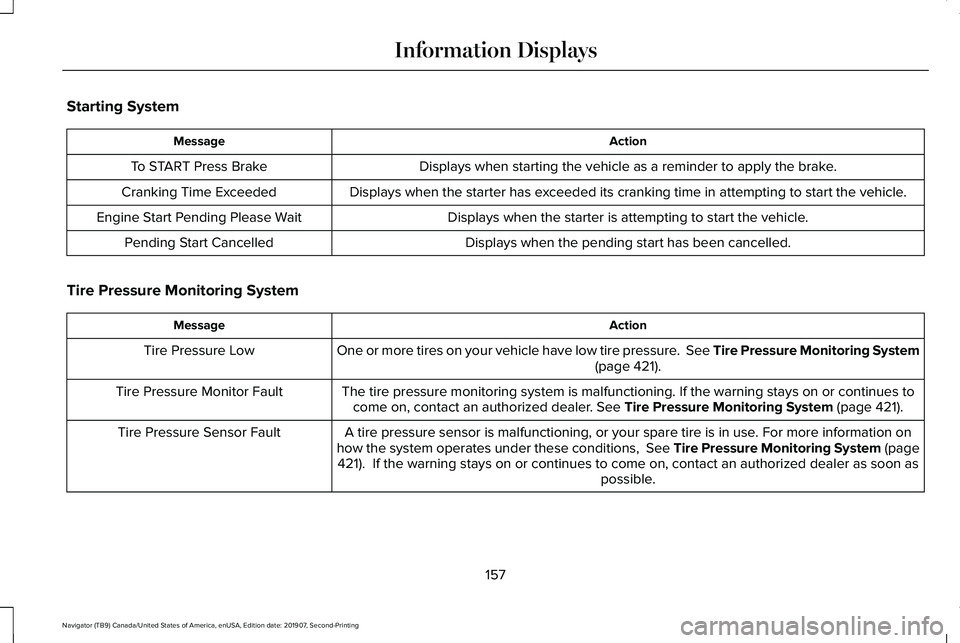
Starting System
Action
Message
Displays when starting the vehicle as a reminder to apply the brake.
To START Press Brake
Displays when the starter has exceeded its cranking time in attempting to start the vehicle.
Cranking Time Exceeded
Displays when the starter is attempting to start the vehicle.
Engine Start Pending Please Wait
Displays when the pending start has been cancelled.
Pending Start Cancelled
Tire Pressure Monitoring System Action
Message
One or more tires on your vehicle have low tire pressure. See Tire Pressure Monitoring System (page 421).
Tire Pressure Low
The tire pressure monitoring system is malfunctioning. If the warning st\
ays on or continues tocome on, contact an authorized dealer.
See Tire Pressure Monitoring System (page 421).
Tire Pressure Monitor Fault
A tire pressure sensor is malfunctioning, or your spare tire is in use. For more information on
how the system operates under these conditions, See Tire Pressure Monitoring System (page 421
). If the warning stays on or continues to come on, contact an authorized \
dealer as soon as possible.
Tire Pressure Sensor Fault
157
Navigator (TB9) Canada/United States of America, enUSA, Edition date: 201907, Second-Printing Information Displays
Page 161 of 622
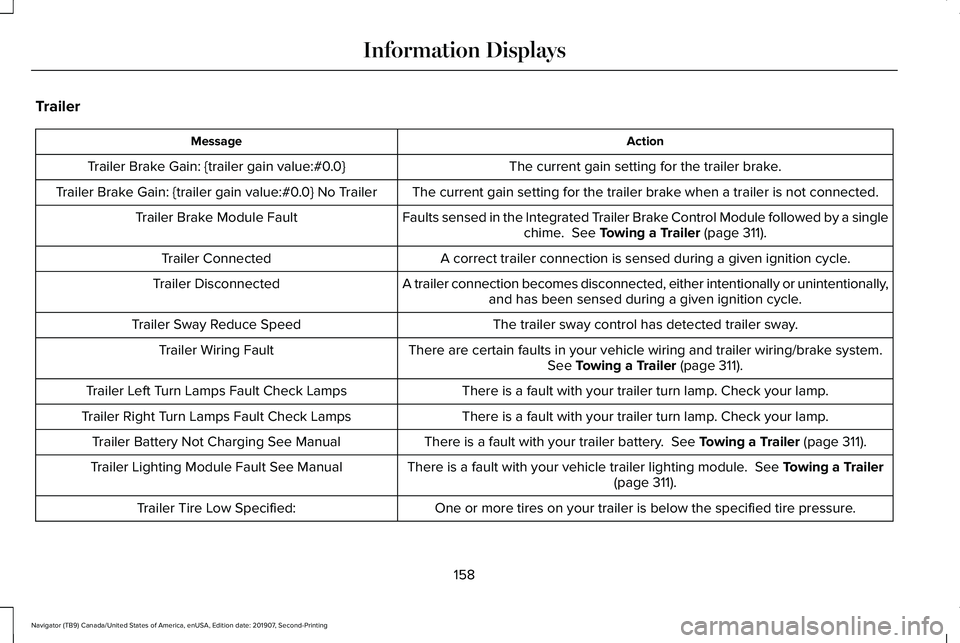
Trailer
Action
Message
The current gain setting for the trailer brake.
Trailer Brake Gain: {trailer gain value:#0.0}
The current gain setting for the trailer brake when a trailer is not connected.
Trailer Brake Gain: {trailer gain value:#0.0} No Trailer
Faults sensed in the Integrated Trailer Brake Control Module followed by a singlechime. See Towing a Trailer (page 311).
Trailer Brake Module Fault
A correct trailer connection is sensed during a given ignition cycle.
Trailer Connected
A trailer connection becomes disconnected, either intentionally or unint\
entionally,and has been sensed during a given ignition cycle.
Trailer Disconnected
The trailer sway control has detected trailer sway.
Trailer Sway Reduce Speed
There are certain faults in your vehicle wiring and trailer wiring/brake system.See
Towing a Trailer (page 311).
Trailer Wiring Fault
There is a fault with your trailer turn lamp. Check your lamp.
Trailer Left Turn Lamps Fault Check Lamps
There is a fault with your trailer turn lamp. Check your lamp.
Trailer Right Turn Lamps Fault Check Lamps
There is a fault with your trailer battery.
See Towing a Trailer (page 311).
Trailer Battery Not Charging See Manual
There is a fault with your vehicle trailer lighting module.
See Towing a Trailer
(page 311).
Trailer Lighting Module Fault See Manual
One or more tires on your trailer is below the specified tire pressure.
Trailer Tire Low Specified:
158
Navigator (TB9) Canada/United States of America, enUSA, Edition date: 201907, Second-Printing Information Displays
Page 230 of 622
Automatic Transmission Adaptive
Learning
This feature may increase durability and
provide consistent shift feel over the life of
your vehicle. A new vehicle or transmission
may have firm shifts, soft shifts or both. This
operation is considered normal and does not
affect function or durability of the
transmission. Over time, the adaptive
learning process fully updates transmission
operation.
If Your Vehicle Gets Stuck In Mud or
Snow
Note:
Do not rock your vehicle if the engine
is not at normal operating temperature or
damage to the transmission may occur.
Note: Do not rock your vehicle for more than
a minute or damage to the transmission and
tires may occur, or the engine may overheat.
If your vehicle gets stuck in mud or snow,
you may rock it out by shifting between
forward and reverse gears, stopping
between shifts in a steady pattern. Press
lightly on the accelerator in each gear.
227
Navigator (TB9) Canada/United States of America, enUSA, Edition date: 201907, Second-Printing Transmission
Page 231 of 622
USING FOUR-WHEEL DRIVE
Note:
For important information regarding
safe operation of this type of vehicle, see
General Information in the Wheels and Tires
chapter.
Note: Do not use SLIPPERY, DEEP
CONDITIONS or SLOW CLIMB on dry, hard
surfaced roads. Doing so produces
excessive noise, increases tire wear and may
damage drive components. The 4X4 system
in these modes is only intended for
consistently slippery or loose surfaces.
Note: If you select a drive mode that uses
4L when your vehicle is moving above 3 mph
(5 km/h), the 4WD system does not perform
a shift. This is normal and should be no
reason for concern. Refer to Shifting to or
from 4L for proper operation.
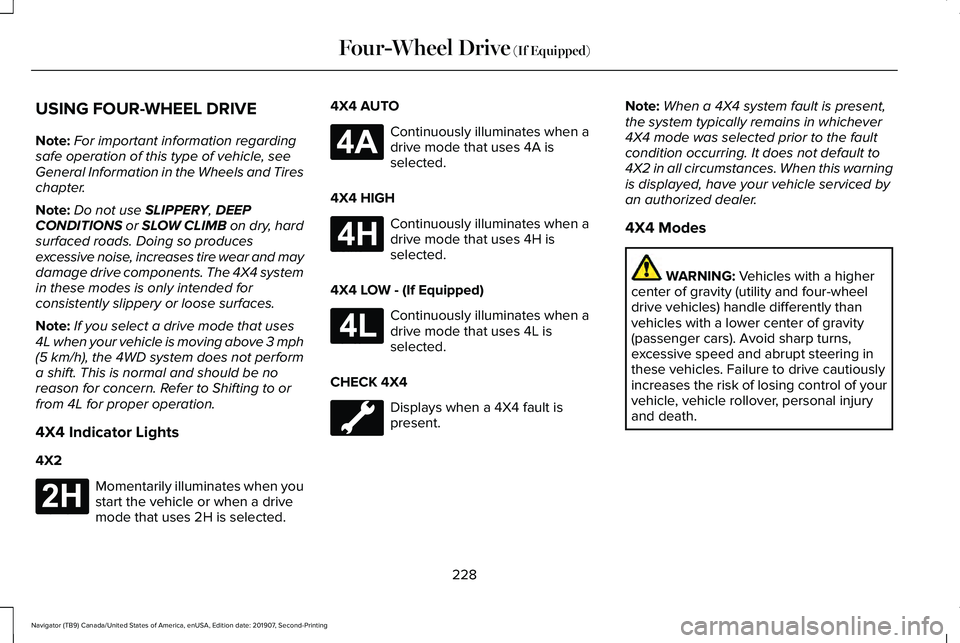
4X4 Indicator Lights
4X2 Momentarily illuminates when you
start the vehicle or when a drive
mode that uses 2H is selected. 4X4 AUTO Continuously illuminates when a
drive mode that uses 4A is
selected.
4X4 HIGH Continuously illuminates when a
drive mode that uses 4H is
selected.
4X4 LOW - (If Equipped) Continuously illuminates when a
drive mode that uses 4L is
selected.
CHECK 4X4 Displays when a 4X4 fault is
present.Note:
When a 4X4 system fault is present,
the system typically remains in whichever
4X4 mode was selected prior to the fault
condition occurring. It does not default to
4X2 in all circumstances. When this warning
is displayed, have your vehicle serviced by
an authorized dealer.
4X4 Modes WARNING:
Vehicles with a higher
center of gravity (utility and four-wheel
drive vehicles) handle differently than
vehicles with a lower center of gravity
(passenger cars). Avoid sharp turns,
excessive speed and abrupt steering in
these vehicles. Failure to drive cautiously
increases the risk of losing control of your
vehicle, vehicle rollover, personal injury
and death.
228
Navigator (TB9) Canada/United States of America, enUSA, Edition date: 201907, Second-Printing Four-Wheel Drive
(If Equipped)E181778 E181781 E181779 E181780
Page 233 of 622
Shifting to or from 4L - 4X4 LOW
Note:
4L mode is not intended for use on dry
pavement.
1. Bring the vehicle to a rolling speed of 3 mph (5 km/h) or less.
2. Place the gearshift in neutral (N).
3. Rotate the drive mode knob to desired mode.
The information display shows a message
indicating a 4X4 shift is in progress. The
information display shows the system mode
selected. If any of the previous shift
conditions are not present, the shift does not
occur and the information display shows the
information guiding the driver through the
proper shifting procedures. If the previous
conditions are not satisfied in 30 seconds,
the system reverts back to the previous 4WD
mode or drive mode. If
Shift Delayed Pull Forward displays in the
information display, transfer case gear tooth
blockage is present. To alleviate this
condition, place the transmission in a forward
gear, move the vehicle forward
approximately
5 ft (2 m), and shift the
transmission back to neutral (N) to allow the
transfer case to complete the range shift.
Operating 4WD Vehicles with Spare or
Mismatched Tires
On four-wheel drive vehicles, the size of the
spare tire can affect the 4X4 system. If there
is a significant difference between the size
of the spare tire and the remaining tires, you
may have limited four-wheel drive
functionality.
When driving with the full-size dissimilar
spare wheel and tire assembly, it is
recommended that you do not:
• Exceed
50 mph (80 km/h) with a 4WD
mode turned on.
• Turn on a 4WD mode unless the vehicle
is stationary.
• Use a 4WD mode on dry pavement. Use of a dissimilar spare wheel and tire
assembly may lead to impairment of the
following:
•
Comfort and noise.
• Winter weather driving capability.
• Wet driving capability.
• Four-wheel drive capability.
How Your Vehicle Differs from Other
Vehicles WARNING:
Vehicles with a higher
center of gravity (utility and four-wheel
drive vehicles) handle differently than
vehicles with a lower center of gravity
(passenger cars). Avoid sharp turns,
excessive speed and abrupt steering in
these vehicles. Failure to drive cautiously
increases the risk of losing control of your
vehicle, vehicle rollover, personal injury
and death.
230
Navigator (TB9) Canada/United States of America, enUSA, Edition date: 201907, Second-Printing Four-Wheel Drive
(If Equipped)
Page 235 of 622
Basic Operating Principles
•
Do not use SLIPPERY, DEEP
CONDITIONS or SLOW CLIMB on dry,
hard surfaced roads. Doing so produces
excessive noise, increases tire wear and
may damage drive components. The 4X4
system in these modes is only intended
for consistently slippery or loose
surfaces.
• Drive slower in strong crosswinds which
can affect the normal steering
characteristics of your vehicle.
• When driving your vehicle on surfaces
made slippery by loose sand, water,
gravel, snow or ice, proceed with care.
If Your Vehicle Leaves the Road
If your vehicle leaves the road, reduce your
vehicle speed and avoid severe braking.
When your vehicle speed has been reduced
ease your vehicle back onto the road. Do
not turn the steering wheel sharply when
returning your vehicle to the road. It may be safer to stay on the shoulder of the
road and slow down gradually before
returning to the road. You may lose control
if you do not slow down or if you turn the
steering wheel too sharply or abruptly.
It may be less risky to strike small objects,
such as freeway reflectors, with minor
damage to your vehicle rather than attempt
a sudden return to the road which could
cause your vehicle to slide sideways out of
control or roll over. Remember, your safety
and the safety of others should be your
primary concern.
If Your Vehicle Gets Stuck
WARNING:
Do not spin the wheels
at over 34 mph (55 km/h). The tires may
fail and injure a passenger or bystander.
Note: Do not rock your vehicle if the engine
is not at normal operating temperature,
damage to the transmission may occur.
Note: Do not rock your vehicle for more than
a minute, damage to the transmission and
tires may occur or the engine may overheat. If your vehicle gets stuck in mud or snow it
may be rocked out by shifting between
forward and reverse gears, stopping
between shifts, in a steady pattern. Press
lightly on the accelerator in each gear.
Emergency Maneuvers
In an unavoidable emergency situation
where a sudden sharp turn must be made,
remember to avoid over-driving your vehicle
(i.e. turn the steering wheel only as rapidly
and as far as required to avoid the
emergency). Excessive steering can result
in loss of vehicle control. Apply smooth
pressure to the accelerator pedal or brake
pedal when changes in vehicle speed are
required. Avoid abrupt steering, acceleration
and braking. This could result in an increased
risk of vehicle roll over, loss of vehicle control
and personal injury. Use all available road
surface to bring your vehicle to a safe
direction of travel.
In the event of an emergency stop, avoid
skidding the tires and do not attempt any
sharp steering wheel movements.
232
Navigator (TB9) Canada/United States of America, enUSA, Edition date: 201907, Second-Printing Four-Wheel Drive
(If Equipped)
Page 236 of 622
If your vehicle goes from one type of surface
to another (i.e. from concrete to gravel) there
may be a change in the way your vehicle
responds to a maneuver (i.e. steering,
acceleration or braking).
Sand
When driving over sand, try to keep all four
wheels on the most solid area of the trail.
Avoid reducing the tire pressures but shift
to a lower gear and drive steadily through
the terrain. Apply the accelerator slowly and
avoid excessive wheel slip.
Avoid driving at excessive speeds, this
causes vehicle momentum to work against
you and your vehicle could become stuck to
the point that assistance may be required
from another vehicle. Remember, you may
be able to back out the way you came if you
proceed with caution.
Mud and Water
Note:
Driving through deep water may
damage the vehicle. If you must drive through high water, drive
slowly. Traction or brake capability may be
limited.
When driving through water, determine the
depth and avoid water higher than the
bottom of the hubs. If the ignition system
gets wet, your vehicle may stall.
Once through water, always try the brakes.
Wet brakes do not stop your vehicle as
effectively as dry brakes. Drying can be
improved by applying light pressure to the
brake pedal when moving slowly.
Be cautious of sudden changes in vehicle
speed or direction when you are driving in
mud. Even 4X4 vehicles can lose traction in
slick mud. As when you are driving over
sand, apply the accelerator slowly and avoid
spinning your wheels. If the vehicle does
slide, steer in the direction of the slide until
you regain control of the vehicle.
If the transmission, transfer case or front axle
are submerged in water, their fluids should
be checked and changed, if necessary.
If the front or rear axle is submerged in water,
the axle lubricant should be replaced.After driving through mud, clean off residue
stuck to rotating driveshafts and tires. Excess
mud stuck on tires and rotating driveshafts
causes an imbalance that could damage
drive components.
Driving on Hilly or Sloping Terrain
Note:
Avoid driving crosswise or turning on
steep slopes or hills.
Note: Avoid turning on steep slopes or hills.
A danger lies in losing traction, slipping
sideways and possible vehicle roll over.
Whenever driving on a hill, determine
beforehand the route you will use. Do not
drive over the crest of a hill without seeing
what conditions are on the other side. Do
not drive in reverse over a hill without the
aid of an observer.
Although natural obstacles may make it
necessary to travel diagonally up or down a
hill or steep incline, you should always try to
drive straight up or straight down.
233
Navigator (TB9) Canada/United States of America, enUSA, Edition date: 201907, Second-Printing Four-Wheel Drive (If Equipped)
Page 237 of 622
When climbing a steep slope or hill, start in
a lower gear rather than downshifting to a
lower gear from a higher gear once the
ascent has started. This reduces strain on
the engine and the possibility of stalling.
If your vehicle stalls, do not try to turn around
because this could cause vehicle roll over.
It is better to reverse back to a safe location.
Apply just enough power to the wheels to
climb the hill. Too much power causes the
tires to slip, spin or lose traction, resulting in
loss of vehicle control. Descend a hill in the same gear you would
use to climb up the hill to avoid excessive
brake application and brake overheating. Do
not descend in neutral. Disengage overdrive
or move the transmission selector lever to a
lower gear. When descending a steep hill,
avoid sudden hard braking as you could lose
control. The front wheels have to be turning
in order to steer your vehicle.
If your vehicle has anti-lock brakes, apply the
brakes steadily. Do not pump the brakes.
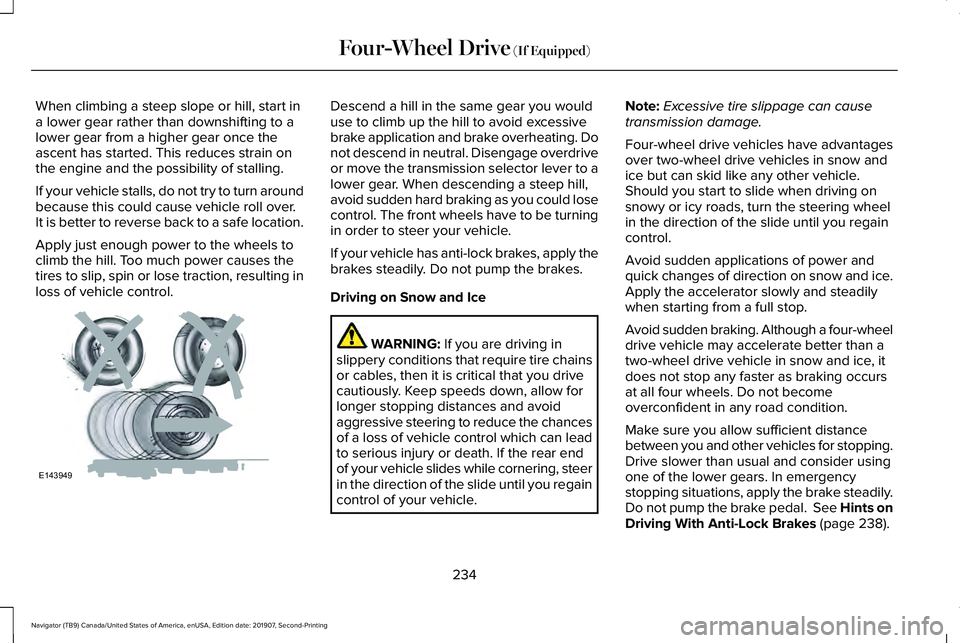
Driving on Snow and Ice
WARNING: If you are driving in
slippery conditions that require tire chains
or cables, then it is critical that you drive
cautiously. Keep speeds down, allow for
longer stopping distances and avoid
aggressive steering to reduce the chances
of a loss of vehicle control which can lead
to serious injury or death. If the rear end
of your vehicle slides while cornering, steer
in the direction of the slide until you regain
control of your vehicle. Note:
Excessive tire slippage can cause
transmission damage.
Four-wheel drive vehicles have advantages
over two-wheel drive vehicles in snow and
ice but can skid like any other vehicle.
Should you start to slide when driving on
snowy or icy roads, turn the steering wheel
in the direction of the slide until you regain
control.
Avoid sudden applications of power and
quick changes of direction on snow and ice.
Apply the accelerator slowly and steadily
when starting from a full stop.
Avoid sudden braking. Although a four-wheel
drive vehicle may accelerate better than a
two-wheel drive vehicle in snow and ice, it
does not stop any faster as braking occurs
at all four wheels. Do not become
overconfident in any road condition.
Make sure you allow sufficient distance
between you and other vehicles for stopping.
Drive slower than usual and consider using
one of the lower gears. In emergency
stopping situations, apply the brake steadily.
Do not pump the brake pedal. See Hints on
Driving With Anti-Lock Brakes
(page 238).
234
Navigator (TB9) Canada/United States of America, enUSA, Edition date: 201907, Second-Printing Four-Wheel Drive
(If Equipped)E143949