child lock LINCOLN NAVIGATOR 2022 User Guide
[x] Cancel search | Manufacturer: LINCOLN, Model Year: 2022, Model line: NAVIGATOR, Model: LINCOLN NAVIGATOR 2022Pages: 646, PDF Size: 7.29 MB
Page 102 of 646
LIFTGATE PRECAUTIONS
WARNING: It is extremely dangerous
to ride in a cargo area, inside or outside of
a vehicle. In a crash, people riding in these
areas are more likely to be seriously
injured or killed. Do not allow people to
ride in any area of your vehicle that is not
equipped with seats and seatbelts. Make
sure everyone in your vehicle is in a seat
and properly using a seatbelt. Failure to
follow this warning could result in serious
personal injury or death. WARNING: Make sure that you fully
close the liftgate to prevent exhaust fumes
from entering your vehicle. If you are
unable to fully close the liftgate, open the
air vents or the windows to allow fresh air
to enter your vehicle. Failure to follow this
instruction could result in personal injury
or death. WARNING:
Keep keys out of reach
of children. Do not allow children to
operate or play near an open or moving
power liftgate. You should supervise the
operation of the power liftgate at all times.
OPENING THE LIFTGATE
OPENING THE LIFTGATE FROM INSIDE
YOUR VEHICLE With the transmission in park (P),
press the button on the instrument
panel.
Note: Be careful when opening or closing
the liftgate in a garage or other enclosed
area to avoid damaging the liftgate.
Note: Do not hang anything, for example a
bike rack, from the glass or liftgate. This
could damage the liftgate and its
components.
Note: Do not leave the liftgate open while
driving. This could damage the liftgate and
its components. OPENING THE LIFTGATE FROM
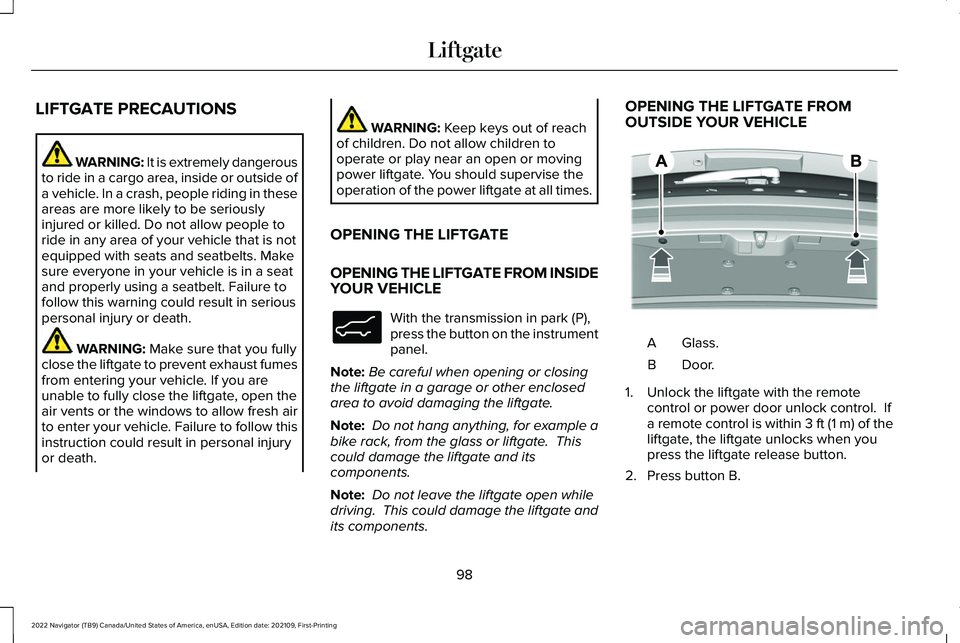
OUTSIDE YOUR VEHICLE
Glass.
A
Door.B
1. Unlock the liftgate with the remote control or power door unlock control. If
a remote control is within 3 ft (1 m) of the
liftgate, the liftgate unlocks when you
press the liftgate release button.
2. Press button B.
98
2022 Navigator (TB9) Canada/United States of America, enUSA, Edition date: 202109, First-Printing LiftgateE138633 E349965
Page 138 of 646
USING GLOBAL OPENING
1. Press and release the unlock button on
the remote control.
2. Within one second, press and hold the unlock button on the remote control.
3. Release the button when the windows start to open.
Press the lock or the unlock button on the
remote control to stop global opening.
Note: Global opening will only respond to a
press and hold of the unlock button for a
short period of time after the unlock button
is pressed on the remote control.
SWITCHING GLOBAL OPENING ON
AND OFF
1. Press the menu button on the steering wheel to enter the information display
main menu.
2. Select Settings.
3. Select
Vehicle.
4. Select
Windows.
5. Switch
Remote Open on or off. USING GLOBAL CLOSING WARNING:
When closing the power
windows, verify they are free of obstruction
and make sure that children and pets are
not in the proximity of the window
openings.
1. Press and hold the lock button on the remote control.
2. Release the button when the windows start to close.
Press the lock or the unlock button on the
remote control to stop global closing.
Note: Bounce-back is on during global
closing. See What Is Window Bounce-Back
(page
134).
SWITCHING GLOBAL CLOSING ON
AND OFF
1. Press the menu button on the steering wheel to enter the information display
main menu.
2. Select
Settings. 3. Select
Vehicle.
4. Select
Windows.
5. Switch
Remote Close on or off.
WINDOW BOUNCE-BACK
WHAT IS WINDOW BOUNCE-BACK
The window stops and reverses if it detects
an obstruction when closing.
OVERRIDING WINDOW BOUNCE-
BACK WARNING:
If you override
bounce-back, the window does not reverse
if it detects an obstacle. Take care when
closing the windows to avoid personal
injury or damage to your vehicle.
1. Close the window until it reaches the point of resistance and let it reverse.
134
2022 Navigator (TB9) Canada/United States of America, enUSA, Edition date: 202109, First-Printing Windows
Page 179 of 646
ADJUSTING THE HEAD RESTRAINT
For the second row center head restraint,
pull the head restraint up to raise it.
To lower the head restraint:
1. Press and hold the adjust and release
button.
2. Push the head restraint down.
To fold the second row outermost and third
row head restraints:
1. Press the fold button.
2. Pull the head restraint up to place it back
to the upright position.
REMOVING THE HEAD RESTRAINT
For the second row outermost head
restraints:
1. Pull the head restraint up until it reaches
its highest position.
2. Press and hold the guide sleeve unlock and remove button.
3. Pull the head restraint up.
For the second row center head restraint: 1.
Pull the head restraint up until it reaches
its highest position.
2. Press and hold guide sleeve adjust and release button and the guide sleeve
unlock and remove button.
3. Pull the head restraint up.
INSTALLING THE HEAD RESTRAINT
Align the steel stems into the guide sleeves
and push the head restraint down until it
locks.
For the second row outermost head
restraints, make sure the fold button is facing
the outermost side of the seat. MOVING THE SEAT BACKWARD AND
FORWARD Lift the handle to move the second row
center seat forward or backward.
Note:
Move the seat forward to keep a child
in a child restraint close to the front seat
occupants. Move the seat to the full
rearward position when it is occupied by
older children or adults, including children
in booster seats.
175
2022 Navigator (TB9) Canada/United States of America, enUSA, Edition date: 202109, First-Printing Rear SeatsE247034
Page 185 of 646
WARNING: Do not place cargo or
any objects behind the seatback before
returning it to the original position.
The third-row seats have obstacle detection
that prevents the seats from folding or
returning if they are obstructed.
MASSAGE SEATS
(IF EQUIPPED)
MASSAGE SEAT LIMITATIONS
The engine must be running or the vehicle
must be in accessory mode to activate the
seats.
This feature is disabled when the child safety
locks are on.
Allow a few seconds for any selection to
activate. Selecting a different adjustment
cancels the current one in progress. When
the seat backrest and cushion are both
active, the massage alternates between
zones. SWITCHING THE MASSAGE SEATS ON
AND OFF
You can adjust this feature through the rear
touchscreen.
HEATED SEATS
HEATED SEAT PRECAUTIONS
WARNING:
Use caution when using
the heated seat if you are unable to feel
pain to your skin because of advanced
age, chronic illness, diabetes, spinal cord
injury, medication, alcohol use, exhaustion
or other physical conditions. The heated
seat could cause burns even at low
temperatures, especially if used for long
periods of time. Failure to follow this
instruction could result in personal injury. WARNING:
Do not poke sharp
objects into the seat cushion or seat
backrest. This could damage the heated
seat element and cause it to overheat.
Failure to follow this instruction could result
in personal injury. WARNING:
Do not place anything on
the seat that blocks the heat, for example
a seat cover or a cushion. This could cause
the seat to overheat. Failure to follow this
instruction could result in personal injury.
Do not:
• Place heavy objects on the seat.
• Operate the heated seat if water or any
other liquid spills on the seat. Allow the
seat to dry.
SWITCHING THE HEATED SEATS ON
AND OFF
The vehicle must be running to use this
feature.
181
2022 Navigator (TB9) Canada/United States of America, enUSA, Edition date: 202109, First-Printing Rear Seats
Page 526 of 646
Using the Status Bar Icon
When an update is available, tap
the notification icon and follow the
prompts on the screen.
Applying an Over the Air Update
You can see the progress of the update on
the touchscreen. An update cannot be
canceled once it has been started.
During an update you will not be able to
drive your vehicle, start the vehicle, use
remote controls to lock and unlock the
vehicle. The alarm, central locks, and door
tones are disabled. The electronic door lock
will not function during an update. You can
open the doors using the mechanical latch
if child locks are not on. Pull the handle until
it stops to use the mechanical latch Some
updates may not allow you to use your
vehicle during the update process.
Note: Some updates can complete in the
background, but more complex updates can
take up to 45 minutes. Note:
Double locking is switched off and
central locking is switched on during and
after an update.
Note: If your vehicle is plugged in, charging
will stop during an update and resume when
the update is complete.
Viewing Update Details
If an update is successful, the touchscreen
will provide additional details about the
update. You can also access this information
under the System Update tile.
If an update is not successful, follow the
prompt that appears on the touchscreen.
PERFORMING A MASTER RESET Press the settings option on the
feature bar.
1. Press the Reset tile.
2. Press
Master Reset.
3. Follow the prompts on the screen to complete the reset.
522
2022 Navigator (TB9) Canada/United States of America, enUSA, Edition date: 202109, First-Printing Vehicle System UpdatesE327785 E280315
Page 625 of 646
Catalytic Converter.......................................217
Catalytic Converter – Troubleshooting.........218
Catalytic Converter Precautions................217
Catalytic Converter – Troubleshooting..........................................218
Catalytic Converter – Warning Lamps...........
218
Center Console
.............................................199
Opening the Center Console...........................199
Center Display Limitations..........................501
Center Display Overview
............................501
Center Display Precautions........................501
Changing a Flat Tire.....................................461
Changing a Road Wheel.............................461
Changing the 12V Battery
..........................423
Changing the Fuel Filter.............................423
Changing the Language.............................150
Changing the Measurement Unit.............150
Changing the Radio Station......................500
Changing the Remote Control Battery......73
Changing the Temperature Unit...............150
Changing the Tire Pressure Unit..............150
Changing the Vehicle Wi-Fi Hotspot Name or Password
................................................486
Charging a Device........................................192
Charging a Wireless Device.......................197
Checking MyKey System Status.................84
Checking the Brake Fluid...........................233
Checking the Coolant..................................418 Checking the Seatbelts
.................................58
Checking the Tire Pressures.....................449
Checking the Wiper Blades.........................116
Children and Airbags.....................................65
Child Restraint Anchor Points
......................40
Locating the Child Restraint Lower Anchor
Points...................................................................40
Locating the Child Restraint Top Tether Anchor Points.....................................................41
What Are the Child Restraint Anchor Points...................................................................40
Child Restraints
................................................41
Child Restraint Position Information..................41
Child Restraints Recommendation...................43
Child Safety
......................................................39
Child Restraint Anchor Points............................40
Child Restraints.......................................................41
Installing Child Restraints....................................44
Child Safety Locks...........................................51
Child Safety Precautions
...............................39
Cleaning Products.......................................429
Cleaning the Exterior..................................430
Cleaning Camera Lenses and Sensors........432
Cleaning Chrome, Aluminium or Stainless
Steel....................................................................431
Cleaning Headlamps and Rear Lamps.........430
Cleaning Stripes or Graphics............................431
Cleaning the Engine Compartment................431 Cleaning the Exterior Precautions.................
430
Cleaning the Underbody..................................432
Cleaning Wheels..................................................431
Cleaning Windows and Wiper Blades..........
430
Cleaning the Interior....................................432 Cleaning Carpets and Floor Mats..................433
Cleaning Displays and Screens......................432
Cleaning Fabric Seats and Headliners.........433
Cleaning Leather and Vinyl..............................433
Cleaning Moonroof Tracks...............................434
Cleaning Plastic..................................................432
Cleaning Seatbelts.............................................434
Cleaning the Instrument Panel.......................
432
Clearing All MyKeys.......................................84
Clearing the Garage Door Opener
...........190
Climate Control..............................................158 Auto Mode............................................................160
Climate Control Hints
....................................161
Closing the Liftgate......................................100 Closing the Hands-Free Liftgate.....................102
Closing the Liftgate From Inside Your
Vehicle...............................................................100
Closing the Liftgate From Outside Your Vehicle................................................................101
Closing the Liftgate Using the Remote Control................................................................101
Cold Weather Precautions.........................384
621
2022 Navigator (TB9) Canada/United States of America, enUSA, Edition date: 202109, First-Printing Index