warning lights LINCOLN NAVIGATOR 2022 Owners Manual
[x] Cancel search | Manufacturer: LINCOLN, Model Year: 2022, Model line: NAVIGATOR, Model: LINCOLN NAVIGATOR 2022Pages: 646, PDF Size: 7.29 MB
Page 64 of 646
WHAT IS THE PERSONAL SAFETY
SYSTEM
An advanced safety system that protects
occupants in frontal crashes.
HOW DOES THE PERSONAL
SAFETY SYSTEM WORK
This system provides an improved level of
frontal crash protection to front seat
occupants and is designed to reduce the risk
of airbag-related injuries. The system
analyzes occupant conditions and crash
severity before activating the appropriate
safety devices. During a crash, the restraints
control module may deploy the seatbelt
pretensioners, and one or both stages of the
dual-stage airbags based on crash severity
and occupant conditions.
PERSONAL SAFETY SYSTEM
COMPONENTS
•
Driver and passenger dual-stage airbag
supplemental restraints.
• Front seat outermost seatbelts with
pretensioners, energy management
retractors and seatbelt usage sensors.
• Driver seat position sensor.
• Front passenger sensing system.
• Passenger airbag off and on indicators.
• Front crash severity sensors.
• Restraints control module with impact
and safing sensors.
• Restraint system warning light and tone.
• The electrical wiring for the airbags, crash
sensors, seatbelt pretensioners, front
seatbelt usage sensors, driver seat
position sensor, front passenger sensing
system and indicator lights.
60
2022 Navigator (TB9) Canada/United States of America, enUSA, Edition date: 202109, First-Printing Personal Safety System
™
Page 126 of 646
EXTERIOR LAMPS
SWITCHING THE TURN SIGNAL
LAMPS ON AND OFF
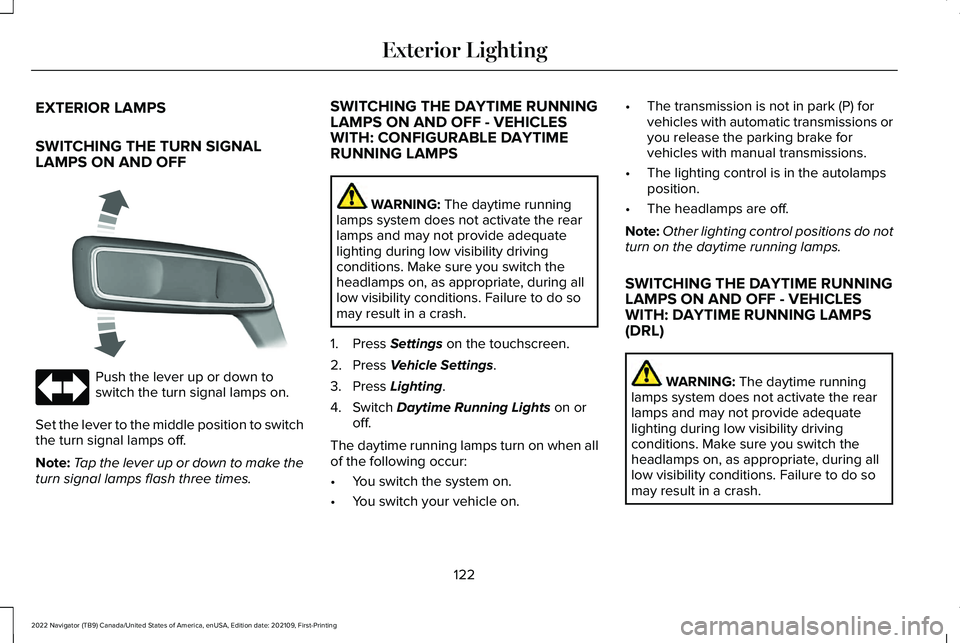
Push the lever up or down to
switch the turn signal lamps on.
Set the lever to the middle position to switch
the turn signal lamps off.
Note: Tap the lever up or down to make the
turn signal lamps flash three times. SWITCHING THE DAYTIME RUNNING
LAMPS ON AND OFF - VEHICLES
WITH: CONFIGURABLE DAYTIME
RUNNING LAMPS WARNING: The daytime running
lamps system does not activate the rear
lamps and may not provide adequate
lighting during low visibility driving
conditions. Make sure you switch the
headlamps on, as appropriate, during all
low visibility conditions. Failure to do so
may result in a crash.
1. Press
Settings on the touchscreen.
2. Press
Vehicle Settings.
3. Press
Lighting.
4. Switch
Daytime Running Lights on or
off.
The daytime running lamps turn on when all
of the following occur:
• You switch the system on.
• You switch your vehicle on. •
The transmission is not in park (P) for
vehicles with automatic transmissions or
you release the parking brake for
vehicles with manual transmissions.
• The lighting control is in the autolamps
position.
• The headlamps are off.
Note: Other lighting control positions do not
turn on the daytime running lamps.
SWITCHING THE DAYTIME RUNNING
LAMPS ON AND OFF - VEHICLES
WITH: DAYTIME RUNNING LAMPS
(DRL) WARNING:
The daytime running
lamps system does not activate the rear
lamps and may not provide adequate
lighting during low visibility driving
conditions. Make sure you switch the
headlamps on, as appropriate, during all
low visibility conditions. Failure to do so
may result in a crash.
122
2022 Navigator (TB9) Canada/United States of America, enUSA, Edition date: 202109, First-Printing Exterior Lighting E273180
Page 128 of 646
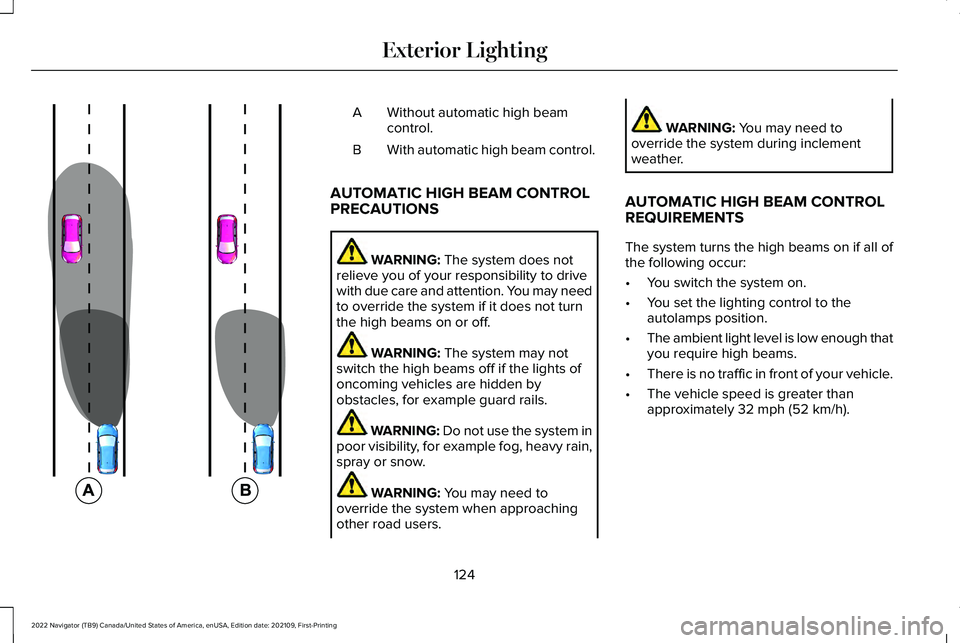
Without automatic high beam
control.
A
With automatic high beam control.
B
AUTOMATIC HIGH BEAM CONTROL
PRECAUTIONS WARNING: The system does not
relieve you of your responsibility to drive
with due care and attention. You may need
to override the system if it does not turn
the high beams on or off. WARNING:
The system may not
switch the high beams off if the lights of
oncoming vehicles are hidden by
obstacles, for example guard rails. WARNING:
Do not use the system in
poor visibility, for example fog, heavy rain,
spray or snow. WARNING:
You may need to
override the system when approaching
other road users. WARNING:
You may need to
override the system during inclement
weather.
AUTOMATIC HIGH BEAM CONTROL
REQUIREMENTS
The system turns the high beams on if all of
the following occur:
• You switch the system on.
• You set the lighting control to the
autolamps position.
• The ambient light level is low enough that
you require high beams.
• There is no traffic in front of your vehicle.
• The vehicle speed is greater than
approximately
32 mph (52 km/h).
124
2022 Navigator (TB9) Canada/United States of America, enUSA, Edition date: 202109, First-Printing Exterior Lighting E327596
Page 131 of 646
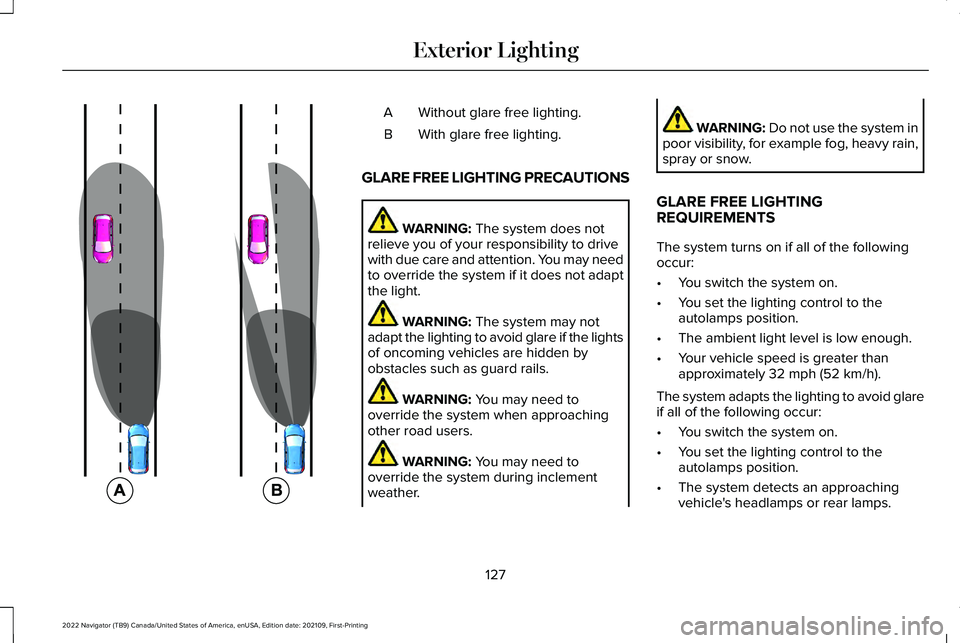
Without glare free lighting.
A
With glare free lighting.
B
GLARE FREE LIGHTING PRECAUTIONS WARNING: The system does not
relieve you of your responsibility to drive
with due care and attention. You may need
to override the system if it does not adapt
the light. WARNING:
The system may not
adapt the lighting to avoid glare if the lights
of oncoming vehicles are hidden by
obstacles such as guard rails. WARNING:
You may need to
override the system when approaching
other road users. WARNING:
You may need to
override the system during inclement
weather. WARNING:
Do not use the system in
poor visibility, for example fog, heavy rain,
spray or snow.
GLARE FREE LIGHTING
REQUIREMENTS
The system turns on if all of the following
occur:
• You switch the system on.
• You set the lighting control to the
autolamps position.
• The ambient light level is low enough.
• Your vehicle speed is greater than
approximately
32 mph (52 km/h).
The system adapts the lighting to avoid glare
if all of the following occur:
• You switch the system on.
• You set the lighting control to the
autolamps position.
• The system detects an approaching
vehicle's headlamps or rear lamps.
127
2022 Navigator (TB9) Canada/United States of America, enUSA, Edition date: 202109, First-Printing Exterior Lighting E220921
Page 176 of 646
HEATED SEATS
HEATED SEAT PRECAUTIONS
WARNING: Use caution when using
the heated seat if you are unable to feel
pain to your skin because of advanced
age, chronic illness, diabetes, spinal cord
injury, medication, alcohol use, exhaustion
or other physical conditions. The heated
seat could cause burns even at low
temperatures, especially if used for long
periods of time. Failure to follow this
instruction could result in personal injury. WARNING:
Do not poke sharp
objects into the seat cushion or seat
backrest. This could damage the heated
seat element and cause it to overheat.
Failure to follow this instruction could result
in personal injury. WARNING:
Do not place anything on
the seat that blocks the heat, for example
a seat cover or a cushion. This could cause
the seat to overheat. Failure to follow this
instruction could result in personal injury.
Do not:
• Place heavy objects on the seat.
• Operate the heated seat if water or any
other liquid spills on the seat. Allow the
seat to dry.
SWITCHING THE HEATED SEATS ON
AND OFF
The vehicle must be running to use this
feature. Press the heated seat symbol to cycle
through the various heat settings and off.
More indicator lights indicate warmer
settings.
Note:
The heated seats may remain on after
you remote start your vehicle, based on your
remote start settings. The heated seats may
also turn on when you start your vehicle if
they were on when you switched your
vehicle off.
Automatic Climate Controlled Seats
(If
Equipped)
When you switch the auto setting on, the
climate controlled seats switch between the
heated seats and ventilated seats to match
your climate control setting.
172
2022 Navigator (TB9) Canada/United States of America, enUSA, Edition date: 202109, First-Printing Front SeatsE146322
Page 211 of 646
WHAT IS AUTO-START-STOP
The system is designed to help reduce fuel
consumption and CO
2 emissions by stopping
the engine when it is idling, for example at
traffic lights.
AUTO-START-STOP PRECAUTIONS WARNING: Apply the parking brake,
shift into park (P), switch the ignition off
and remove the key before you leave your
vehicle. Failure to follow this instruction
could result in personal injury or death. WARNING: Apply the parking brake,
shift into park (P), switch the ignition off
and remove the key before you open the
hood or have any service or repair work
completed. If you do not switch the ignition
off, the engine could restart at any time.
Failure to follow this instruction could result
in personal injury or death. SWITCHING AUTO-START-STOP
ON AND OFF
The system turns on when you switch the
ignition on. Press the button to switch the
system off.
Note: OFF illuminates in the switch.
Note: Deactivating the system using the
button lasts only one key cycle.
Press the button again to switch the system
back on.
Note: The system turns off if it detects a
malfunction. If the system malfunctions,
have your vehicle checked as soon as
possible.
STOPPING THE ENGINE
Stop your vehicle, keep your foot on the
brake pedal and the transmission in drive
(D). RESTARTING THE ENGINE
Release the brake pedal or press the
accelerator pedal.
A message appears in the information
display if the system requires you to take
action.
AUTO-START-STOP INDICATORS
WARNING:
The system may require
the engine to automatically restart when
the auto-start-stop indicator illuminates
green or flashes amber. Failure to follow
this instruction could result in personal
injury. The Auto-Start-Stop indicator
illuminates green when the engine
stops. It flashes amber and a
message appears when you need to take
action.
207
2022 Navigator (TB9) Canada/United States of America, enUSA, Edition date: 202109, First-Printing Auto-Start-Stop
Page 325 of 646
WARNING: The system may fail or
operate with reduced function during cold
and severe weather conditions. Snow, ice,
rain, spray and fog can adversely affect the
system. Keep the front camera and radar
free of snow and ice. Failure to take care
may result in the loss of control of your
vehicle, serious personal injury or death. WARNING:
Take additional care if
your vehicle is heavily loaded or you are
towing a trailer. These conditions could
result in reduced performance of this
system. Failure to follow this instruction
could result in the loss of control of your
vehicle, personal injury or death. WARNING:
The system cannot help
prevent all crashes. Do not rely on this
system to replace driver judgment and the
need to maintain a safe distance and
speed. WARNING:
In situations where the
vehicle camera has limited detection
capability, this may reduce system
performance. These situations include but
are not limited to direct or low sunlight,
vehicles at night without tail lights,
unconventional vehicle types, pedestrians
with complex backgrounds, running
pedestrians, partly obscured pedestrians,
or pedestrians that the system cannot
distinguish from a group. Failure to take
care may result in the loss of control of
your vehicle, serious personal injury or
death.
PRE-COLLISION ASSIST
LIMITATIONS
Pre-collision assist depends on the detection
ability of its camera and sensors. Any
obstructions or damage to these areas can
limit detection or prevent the system from
functioning.
See Locating the Pre-Collision
Assist Sensors (page 323). The system is active at speeds above 3 mph
(5 km/h)
.
Note: The pre-collision assist system
automatically disables when you select
four-wheel drive low or manually disable
AdvanceTrac ™.
Note: Brake support and automatic
emergency braking are active at speeds up
to
80 mph (130 km/h). If your vehicle has a
radar sensor included with adaptive cruise
control, then brake support and automatic
emergency braking are active up to the
maximum speed of your vehicle.
Pedestrian Detection Limitations
Pedestrian detection is active at speeds up
to
50 mph (80 km/h).
Pedestrian detection operates optimally
when detected hazards are clearly
identifiable. System performance may reduce
in situations where pedestrians are running,
partly obscured, have a complex
background, or cannot be distinguished from
a group.
321
2022 Navigator (TB9) Canada/United States of America, enUSA, Edition date: 202109, First-Printing Pre-Collision Assist
Page 351 of 646
Trailer Light Check
WARNING: Never connect any trailer
lamp wiring to the vehicle's tail lamp wiring;
this may damage the electrical system
resulting in fire. Contact your authorized
dealer as soon as possible for assistance
in proper trailer tow wiring installation.
Additional electrical equipment may be
required.
Most towed vehicles require trailer lamps.
Make sure all running lights, brake lights, turn
signals and hazard lights are working. Safety Chains
Install trailer safety chains to the trailer hitch
as recommended by the manufacturer. Cross
the chains under the trailer coupler and allow
enough slack for turning tight corners. Do
not allow the chains to drag on the ground.
Note:
Do not attach safety chains to the
bumper. Always connect the safety chains
to the frame or hook retainers of your trailer
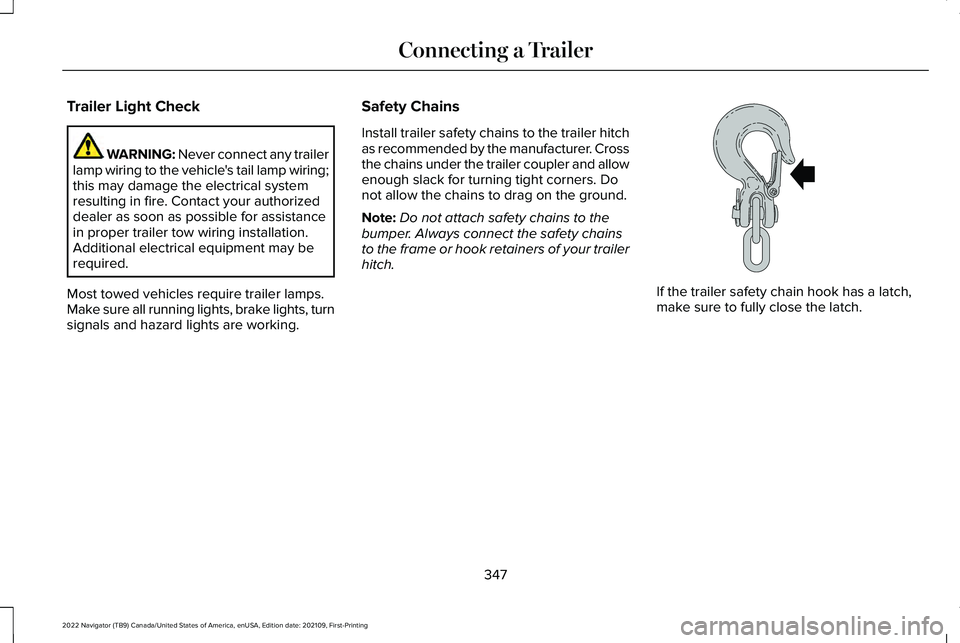
hitch. If the trailer safety chain hook has a latch,
make sure to fully close the latch.
347
2022 Navigator (TB9) Canada/United States of America, enUSA, Edition date: 202109, First-Printing Connecting a TrailerE265060
Page 392 of 646
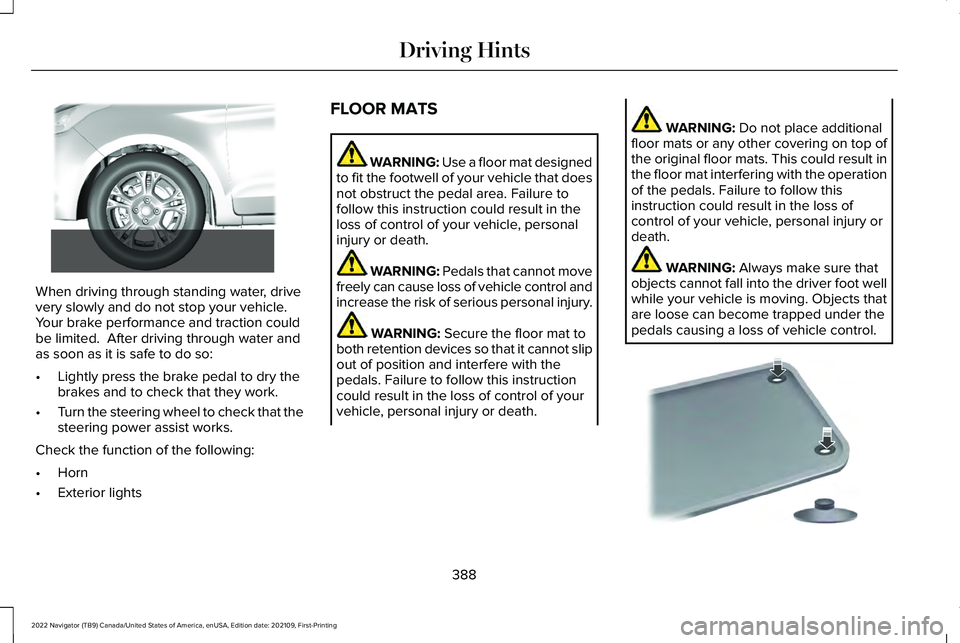
When driving through standing water, drive
very slowly and do not stop your vehicle.
Your brake performance and traction could
be limited. After driving through water and
as soon as it is safe to do so:
•
Lightly press the brake pedal to dry the
brakes and to check that they work.
• Turn the steering wheel to check that the
steering power assist works.
Check the function of the following:
• Horn
• Exterior lights FLOOR MATS WARNING: Use a floor mat designed
to fit the footwell of your vehicle that does
not obstruct the pedal area. Failure to
follow this instruction could result in the
loss of control of your vehicle, personal
injury or death. WARNING:
Pedals that cannot move
freely can cause loss of vehicle control and
increase the risk of serious personal injury. WARNING:
Secure the floor mat to
both retention devices so that it cannot slip
out of position and interfere with the
pedals. Failure to follow this instruction
could result in the loss of control of your
vehicle, personal injury or death. WARNING:
Do not place additional
floor mats or any other covering on top of
the original floor mats. This could result in
the floor mat interfering with the operation
of the pedals. Failure to follow this
instruction could result in the loss of
control of your vehicle, personal injury or
death. WARNING:
Always make sure that
objects cannot fall into the driver foot well
while your vehicle is moving. Objects that
are loose can become trapped under the
pedals causing a loss of vehicle control. 388
2022 Navigator (TB9) Canada/United States of America, enUSA, Edition date: 202109, First-Printing Driving Hints E266447 E142666
Page 461 of 646
Note:
If a trailer tire is repaired, replaced
or broken down for service, the screw
and valve on the trailer tire pressure
sensor should be replaced. See your
authorized dealer for details. The trailer tire pressure monitoring
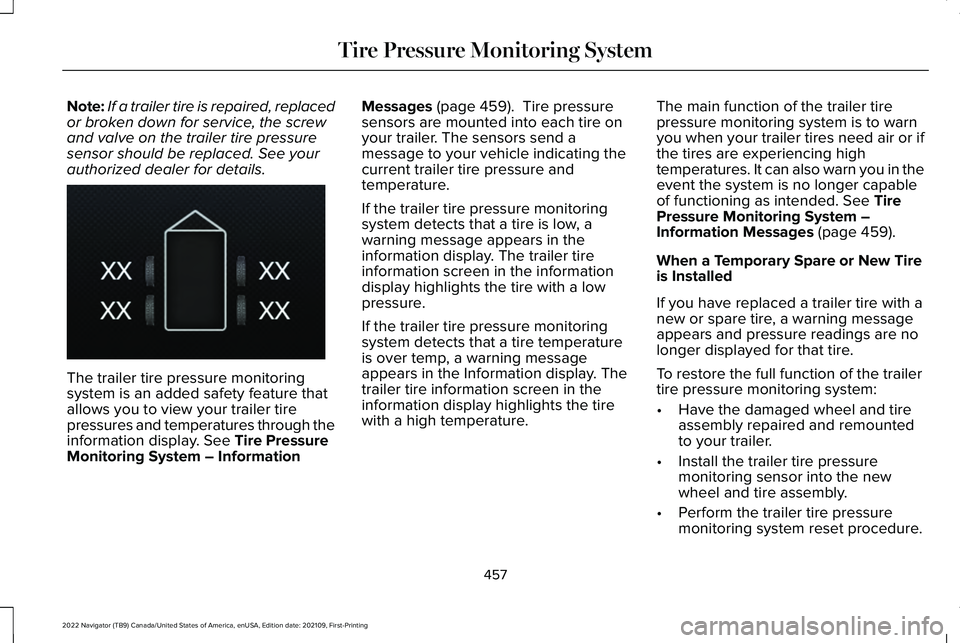
system is an added safety feature that
allows you to view your trailer tire
pressures and temperatures through the
information display. See Tire Pressure
Monitoring System – Information Messages
(page 459). Tire pressure
sensors are mounted into each tire on
your trailer. The sensors send a
message to your vehicle indicating the
current trailer tire pressure and
temperature.
If the trailer tire pressure monitoring
system detects that a tire is low, a
warning message appears in the
information display. The trailer tire
information screen in the information
display highlights the tire with a low
pressure.
If the trailer tire pressure monitoring
system detects that a tire temperature
is over temp, a warning message
appears in the Information display. The
trailer tire information screen in the
information display highlights the tire
with a high temperature. The main function of the trailer tire
pressure monitoring system is to warn
you when your trailer tires need air or if
the tires are experiencing high
temperatures. It can also warn you in the
event the system is no longer capable
of functioning as intended.
See Tire
Pressure Monitoring System –
Information Messages
(page 459).
When a Temporary Spare or New Tire
is Installed
If you have replaced a trailer tire with a
new or spare tire, a warning message
appears and pressure readings are no
longer displayed for that tire.
To restore the full function of the trailer
tire pressure monitoring system:
• Have the damaged wheel and tire
assembly repaired and remounted
to your trailer.
• Install the trailer tire pressure
monitoring sensor into the new
wheel and tire assembly.
• Perform the trailer tire pressure
monitoring system reset procedure.
457
2022 Navigator (TB9) Canada/United States of America, enUSA, Edition date: 202109, First-Printing Tire Pressure Monitoring SystemE235807