change wheel LINCOLN NAVIGATOR 2023 User Guide
[x] Cancel search | Manufacturer: LINCOLN, Model Year: 2023, Model line: NAVIGATOR, Model: LINCOLN NAVIGATOR 2023Pages: 660, PDF Size: 14.04 MB
Page 295 of 660
ACTIVEGLIDE™ INDICATORS
When on, the color of the indicatorchanges to indicate the status.
Gray indicates ActiveGlide is onbut inactive.
Green indicates ActiveGlide is active andapplying continuous steering support.
Blue indicates ActiveGlide is active andhands-free driving mode is available.
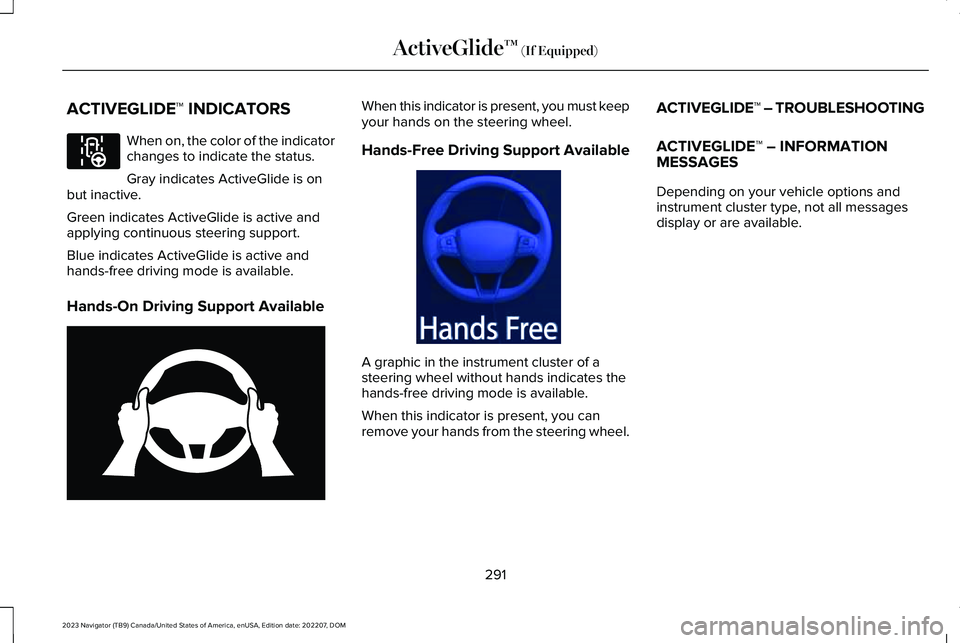
Hands-On Driving Support Available
When this indicator is present, you must keepyour hands on the steering wheel.
Hands-Free Driving Support Available
A graphic in the instrument cluster of asteering wheel without hands indicates thehands-free driving mode is available.
When this indicator is present, you canremove your hands from the steering wheel.
ACTIVEGLIDE™ – TROUBLESHOOTING
ACTIVEGLIDE™ – INFORMATIONMESSAGES
Depending on your vehicle options andinstrument cluster type, not all messagesdisplay or are available.
291
2023 Navigator (TB9) Canada/United States of America, enUSA, Edition date: 202207, DOMActiveGlide™ (If Equipped)E297977 E333236 E333232
Page 298 of 660
WHAT IS DRIVE MODE CONTROL
Your vehicle has various drive modes thatyou can select for different drivingconditions. Depending on the drive modethat you select, the system adjusts variousvehicle settings.
HOW DOES DRIVE MODE
CONTROL WORK
Drive mode control adjusts your vehicleconfiguration for each mode you select.
Changing the drive mode adjusts thesteering effort and feel of the steeringsystem.
The stability and traction control assist yourvehicle control in adverse conditions orhigh-performance driving.
Throttle control enhances the powertrainresponse, transmission controls becomeoptimized with shift schedules, andfour-wheel drive settings are optimized andtuned to each mode.
Changing the drive mode can engage ordisengage the electronic locking differentials.
Changing the drive mode changes thefour-wheel drive mode to the default settingfor the selected drive mode.
Note:The system has diagnostic checks thatcontinuously monitor the system for properoperation. If a mode is unavailable due to asystem fault, the drive mode system defaultsto normal. When the system defaults tonormal, the driveline settings remain thesame as prior to the system fault.
Note:The system reverts to the normalmode each time you start your vehicle. Atstartup the system also displays a prompton the instrument cluster display that givesyou the option to return to the previouslyselected drive mode during the last ignitioncycle. If you select yes, the system returnsto the last selected drive mode and thedefault driveline settings associated withthat mode. If you select no, the systemremains in normal mode and the drivelinesettings remain the same as selected in theprior ignition cycle. If you do not select yesor no, the system stays in normal mode andthe driveline settings remain the same asselected in the prior ignition cycle.
294
2023 Navigator (TB9) Canada/United States of America, enUSA, Edition date: 202207, DOMDrive Mode Control
Page 299 of 660
SELECTING A DRIVE MODE
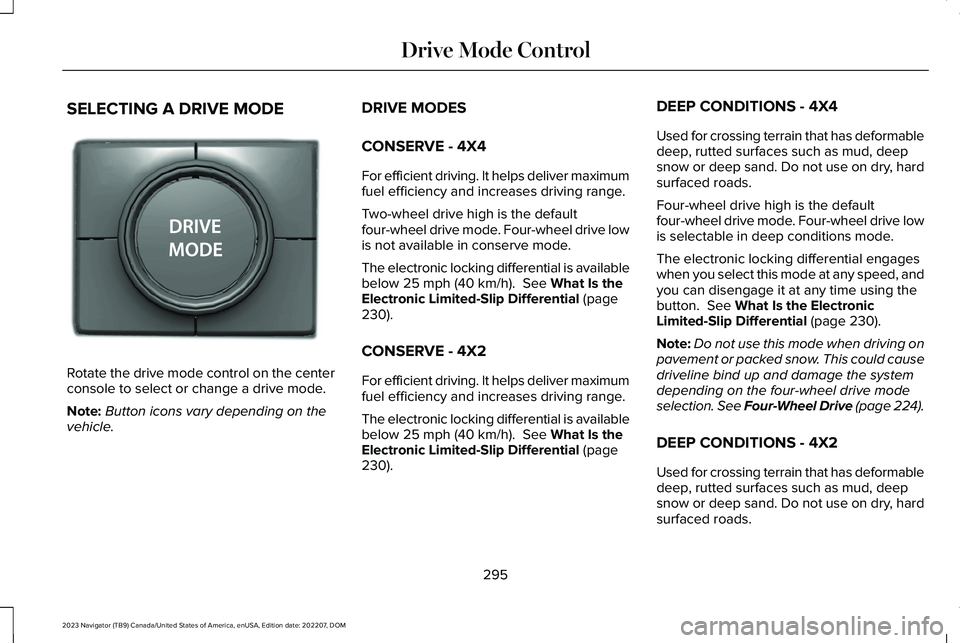
Rotate the drive mode control on the centerconsole to select or change a drive mode.
Note:Button icons vary depending on thevehicle.
DRIVE MODES
CONSERVE - 4X4
For efficient driving. It helps deliver maximumfuel efficiency and increases driving range.
Two-wheel drive high is the defaultfour-wheel drive mode. Four-wheel drive lowis not available in conserve mode.
The electronic locking differential is availablebelow 25 mph (40 km/h). See What Is theElectronic Limited-Slip Differential (page230).
CONSERVE - 4X2
For efficient driving. It helps deliver maximumfuel efficiency and increases driving range.
The electronic locking differential is availablebelow 25 mph (40 km/h). See What Is theElectronic Limited-Slip Differential (page230).
DEEP CONDITIONS - 4X4
Used for crossing terrain that has deformabledeep, rutted surfaces such as mud, deepsnow or deep sand. Do not use on dry, hardsurfaced roads.
Four-wheel drive high is the defaultfour-wheel drive mode. Four-wheel drive lowis selectable in deep conditions mode.
The electronic locking differential engageswhen you select this mode at any speed, andyou can disengage it at any time using thebutton. See What Is the ElectronicLimited-Slip Differential (page 230).
Note:Do not use this mode when driving onpavement or packed snow. This could causedriveline bind up and damage the systemdepending on the four-wheel drive modeselection. See Four-Wheel Drive (page 224).
DEEP CONDITIONS - 4X2
Used for crossing terrain that has deformabledeep, rutted surfaces such as mud, deepsnow or deep sand. Do not use on dry, hardsurfaced roads.
295
2023 Navigator (TB9) Canada/United States of America, enUSA, Edition date: 202207, DOMDrive Mode ControlE246604
Page 305 of 660
LANE KEEPING SYSTEM
LIMITATIONS
The lane keeping system only operates whenthe vehicle speed is greater than 40 mph(64 km/h).
The system works when the camera candetect at least one lane marking.
Note:When you select Aid or Alert and Aidmode and the system detects no steeringactivity for a short period of time, the systemalerts you to put your hands on the steeringwheel. The system may detect a light grip ortouch on the steering wheel as hands-offdriving.
The lane keeping system may not correctlyoperate in any of the following conditions:
•The lane keeping system does not detectat least one lane marking.
•You switch the turn signal on.
•You apply direct steering, accelerate fastor brake hard.
•The vehicle speed is less than 40 mph(64 km/h).
•The anti-lock brake, stability control ortraction control system activates.
•The lane is too narrow.
•Something is obscuring the camera or itis unable to detect the lane markings dueto environment, traffic or vehicleconditions.
•Entering or exiting a tight curve whendriving at high speeds.
The lane keeping system may not correctlane positioning in any of the followingconditions:
•High winds.
•Uneven road surfaces.
•Heavy or uneven loads.
•Incorrect tire pressure.
SWITCHING THE LANE KEEPING
SYSTEM ON AND OFF
To activate the lane keepingsystem, press the button on thesteering wheel.
To deactivate the lane keeping system, pressthe button again.
Note:When switching the system on or offa message appears in the information andentertainment display to show the status.
Note:The system stores the on or off settinguntil manually changed, unless it detects aMyKey™. If the system detects a MyKey™, itdefaults to the last setting for that MyKey™.
Note: If the system detects a MyKey™,pressing the button does not affect the onor off status of the system. You can onlychange the mode and intensity settings.
SWITCHING THE LANE KEEPING
SYSTEM MODE
The lane keeping system has differentsettings that you can view or adjust usingthe information display.
The system stores the last known selectionfor each of these settings. You do not needto readjust your settings each time youswitch on the system.
301
2023 Navigator (TB9) Canada/United States of America, enUSA, Edition date: 202207, DOMLane Keeping SystemE334922
Page 306 of 660
To change the lane keeping system mode,use the touchscreen:
1.Press Features on the touchscreen.
2.Press Driver Assistance.
3.Press Lane-Keeping System.
4.Press Lane-Keeping Mode.
5.Select a mode.
Note:The system remembers the last settingwhen you start your vehicle. If the systemdetects a MyKey™, it defaults to the lastsetting for that MyKey™.
ALERT MODE
WHAT IS ALERT MODE
Alert mode vibrates the steering wheel whenit detects an unintended lane departure.
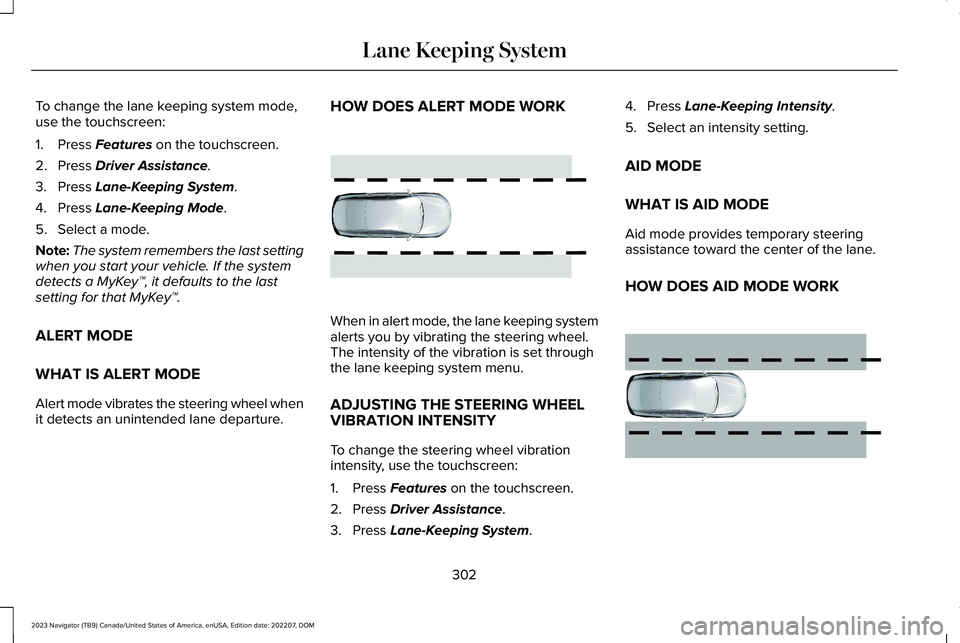
HOW DOES ALERT MODE WORK
When in alert mode, the lane keeping systemalerts you by vibrating the steering wheel.The intensity of the vibration is set throughthe lane keeping system menu.
ADJUSTING THE STEERING WHEELVIBRATION INTENSITY
To change the steering wheel vibrationintensity, use the touchscreen:
1.Press Features on the touchscreen.
2.Press Driver Assistance.
3.Press Lane-Keeping System.
4.Press Lane-Keeping Intensity.
5.Select an intensity setting.
AID MODE
WHAT IS AID MODE
Aid mode provides temporary steeringassistance toward the center of the lane.
HOW DOES AID MODE WORK
302
2023 Navigator (TB9) Canada/United States of America, enUSA, Edition date: 202207, DOMLane Keeping SystemE165515 E165516
Page 308 of 660
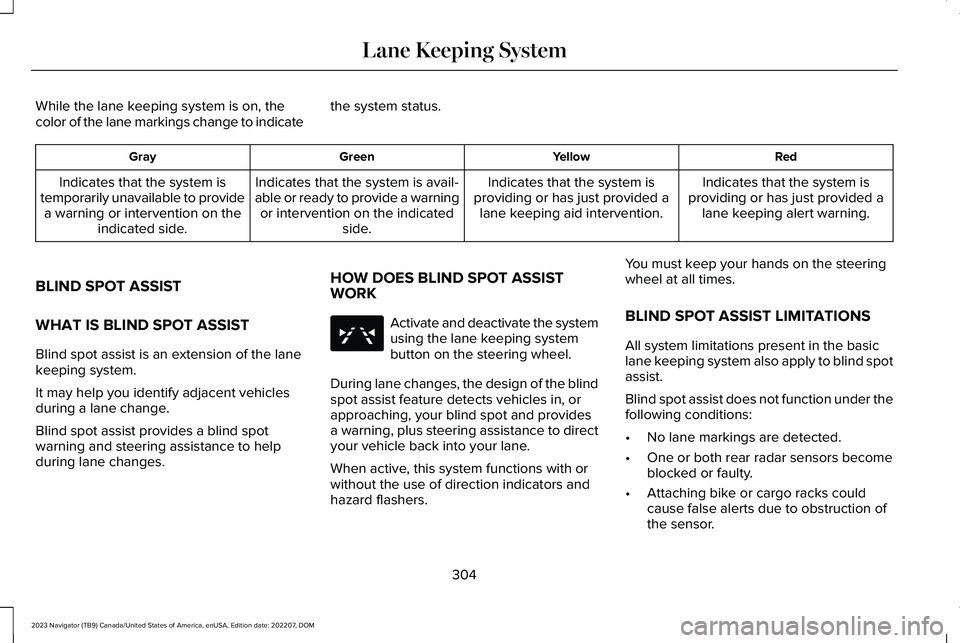
While the lane keeping system is on, thecolor of the lane markings change to indicatethe system status.
RedYellowGreenGray
Indicates that the system isproviding or has just provided alane keeping alert warning.
Indicates that the system isproviding or has just provided alane keeping aid intervention.
Indicates that the system is avail-able or ready to provide a warningor intervention on the indicatedside.
Indicates that the system istemporarily unavailable to providea warning or intervention on theindicated side.
BLIND SPOT ASSIST
WHAT IS BLIND SPOT ASSIST
Blind spot assist is an extension of the lanekeeping system.
It may help you identify adjacent vehiclesduring a lane change.
Blind spot assist provides a blind spotwarning and steering assistance to helpduring lane changes.
HOW DOES BLIND SPOT ASSISTWORK
Activate and deactivate the systemusing the lane keeping systembutton on the steering wheel.
During lane changes, the design of the blindspot assist feature detects vehicles in, orapproaching, your blind spot and providesa warning, plus steering assistance to directyour vehicle back into your lane.
When active, this system functions with orwithout the use of direction indicators andhazard flashers.
You must keep your hands on the steeringwheel at all times.
BLIND SPOT ASSIST LIMITATIONS
All system limitations present in the basiclane keeping system also apply to blind spotassist.
Blind spot assist does not function under thefollowing conditions:
•No lane markings are detected.
•One or both rear radar sensors becomeblocked or faulty.
•Attaching bike or cargo racks couldcause false alerts due to obstruction ofthe sensor.
304
2023 Navigator (TB9) Canada/United States of America, enUSA, Edition date: 202207, DOMLane Keeping SystemE334922
Page 310 of 660
The lane keeping aid warning lamp or redlane marking in your instrument clusterdisplay indicate blind spot assist activation.In addition, the blind spot information systemalert indicator flashes on the exterior mirroron the same side as the detection. See BlindSpot Information System (page 311).
BLIND SPOT ASSIST WITH TRAILER
COVERAGE
WHAT IS BLIND SPOT ASSIST WITHTRAILER COVERAGE
Blind spot assist with trailer coverage is anextension of the lane keeping system.
It may help you identify adjacent vehiclesduring a lane change.
Blind spot assist provides a blind spotwarning and steering assistance to helpduring lane changes.
When attaching a trailer, ensure you haveproperly set up the trailer coverage settings.See Blind Spot Information System WithTrailer Coverage (page 313).
HOW DOES BLIND SPOT ASSIST WITHTRAILER COVERAGE WORK
Activate and deactivate the systemusing the lane keeping systembutton on the steering wheel.
During lane changes, the design of the blindspot assist feature detects vehicles in, orapproaching, your blind spot and providesa warning, plus steering assistance to directyour vehicle back into your lane.
If a supported trailer is connected, thefunction is reduced to only detecting vehicleson both sides of your vehicle and trailer,extending rearward from the exterior mirrorsto the end of your trailer. See Blind SpotInformation System With Trailer Coverage(page 313).
When active, this system functions with orwithout the use of direction indicators andhazard flashers.
You must keep your hands on the steeringwheel at all times.
BLIND SPOT ASSIST WITH TRAILERCOVERAGE LIMITATIONS
All system limitations present in the basiclane keeping system also apply to blind spotassist.
Blind spot assist does not function under thefollowing conditions:
•The system does not detect lanemarkings.
•One or both rear radar sensors becomeblocked or faulty.
•You have not configured the attachedtrailer correctly in the trailer tow menusor you attached an unsupported trailer.The system only supports certain trailershapes and dimensions.
Note:Blind spot assist with trailer coveragecould have reduced performance if any ofthe above limitations are present.
Blind spot assist may have difficulty detectinghazards under the following conditions:
306
2023 Navigator (TB9) Canada/United States of America, enUSA, Edition date: 202207, DOMLane Keeping SystemE334922
Page 317 of 660
If the sensors become blocked, a messageappears in the instrument cluster display.See Blind Spot Information System –Information Messages (page 316). The alertindicators illuminate but the system does notalert you.
BLIND SPOT INFORMATION SYSTEM
WITH TRAILER COVERAGE
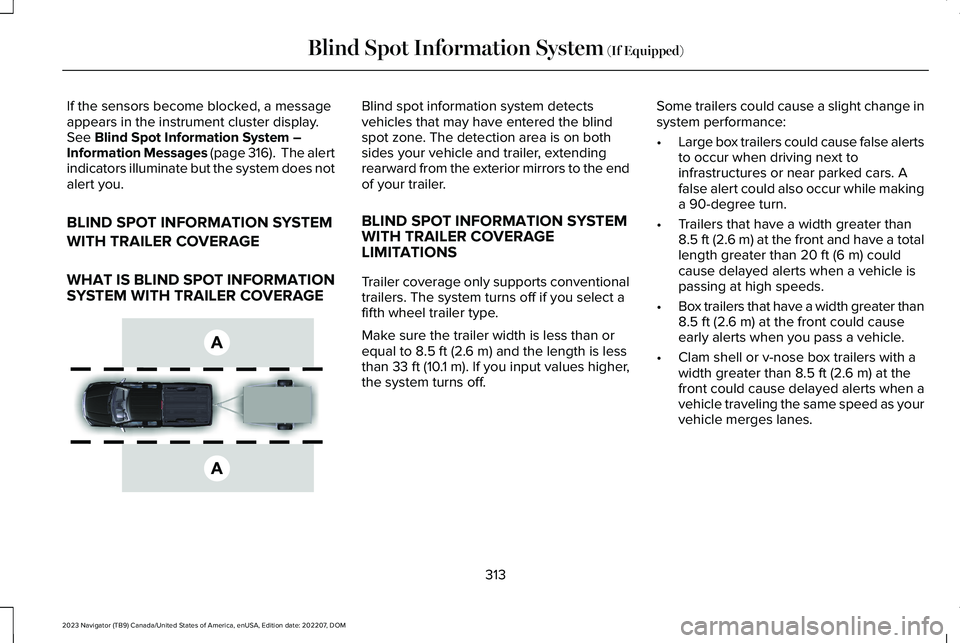
WHAT IS BLIND SPOT INFORMATIONSYSTEM WITH TRAILER COVERAGE
Blind spot information system detectsvehicles that may have entered the blindspot zone. The detection area is on bothsides your vehicle and trailer, extendingrearward from the exterior mirrors to the endof your trailer.
BLIND SPOT INFORMATION SYSTEMWITH TRAILER COVERAGELIMITATIONS
Trailer coverage only supports conventionaltrailers. The system turns off if you select afifth wheel trailer type.
Make sure the trailer width is less than orequal to 8.5 ft (2.6 m) and the length is lessthan 33 ft (10.1 m). If you input values higher,the system turns off.
Some trailers could cause a slight change insystem performance:
•Large box trailers could cause false alertsto occur when driving next toinfrastructures or near parked cars. Afalse alert could also occur while makinga 90-degree turn.
•Trailers that have a width greater than8.5 ft (2.6 m) at the front and have a totallength greater than 20 ft (6 m) couldcause delayed alerts when a vehicle ispassing at high speeds.
•Box trailers that have a width greater than8.5 ft (2.6 m) at the front could causeearly alerts when you pass a vehicle.
•Clam shell or v-nose box trailers with awidth greater than 8.5 ft (2.6 m) at thefront could cause delayed alerts when avehicle traveling the same speed as yourvehicle merges lanes.
313
2023 Navigator (TB9) Canada/United States of America, enUSA, Edition date: 202207, DOMBlind Spot Information System (If Equipped)E225007
Page 361 of 660
3.When you plug in a trailer with electric orelectric-over-hydraulic brakes, a messageconfirming connection appears in theinformation display.
4.Use the gain adjustment to find thedesired starting point. A gain setting of6.0 is a good starting point for heavierloads.
Note:Use the following steps to adjust thegain setting whenever road, weather andtrailer, or vehicle loading conditions, changefrom when you initially set the gain.
5.In a traffic-free environment, tow thetrailer on a dry, level surface and squeezethe manual control lever completely.
6.If the trailer wheels lock up, indicated bysquealing tires, reduce the gain setting.If the trailer wheels turn freely, increasethe gain setting. Repeat Steps 5 and 6until the gain setting is at a point justbelow trailer wheel lock-up. If towing aheavier trailer, trailer wheel lock-up maynot be attainable even with the maximumgain setting of 10.
Note:Only perform this procedure at speedsof approximately 20–25 mph (30–40 km/h).
Note:The trailer brake controller reducesoutput at vehicle speeds below 11 mph(18 km/h) so that trailer and vehicle brakingis not jerky or harsh. This feature is onlyavailable when applying the brakes usingyour vehicle's brake pedal, not the controller.
Note:Your vehicle's brake system and thetrailer brake system work independently ofeach other. Changing the gain setting on thecontroller does not affect the operation ofyour vehicle's brakes whether you attach atrailer or not.
Note:With the proper electrical connection,pressing your vehicle brake pedal or usingthe manual control lever illuminates bothtrailer and vehicle brake lamps.
Note:When you switch the engine off, thecontroller output is disabled and the displayand module shut down. The controllermodule and display turn on when you switchthe ignition on.
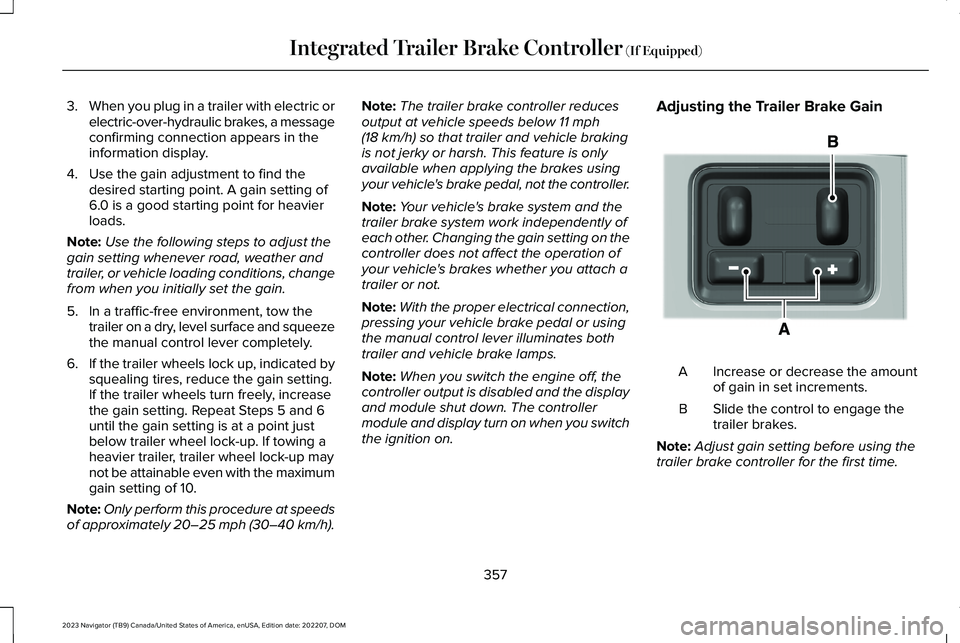
Adjusting the Trailer Brake Gain
Increase or decrease the amountof gain in set increments.A
Slide the control to engage thetrailer brakes.B
Note:Adjust gain setting before using thetrailer brake controller for the first time.
357
2023 Navigator (TB9) Canada/United States of America, enUSA, Edition date: 202207, DOMIntegrated Trailer Brake Controller (If Equipped)E333154
Page 374 of 660
DescriptionMessage
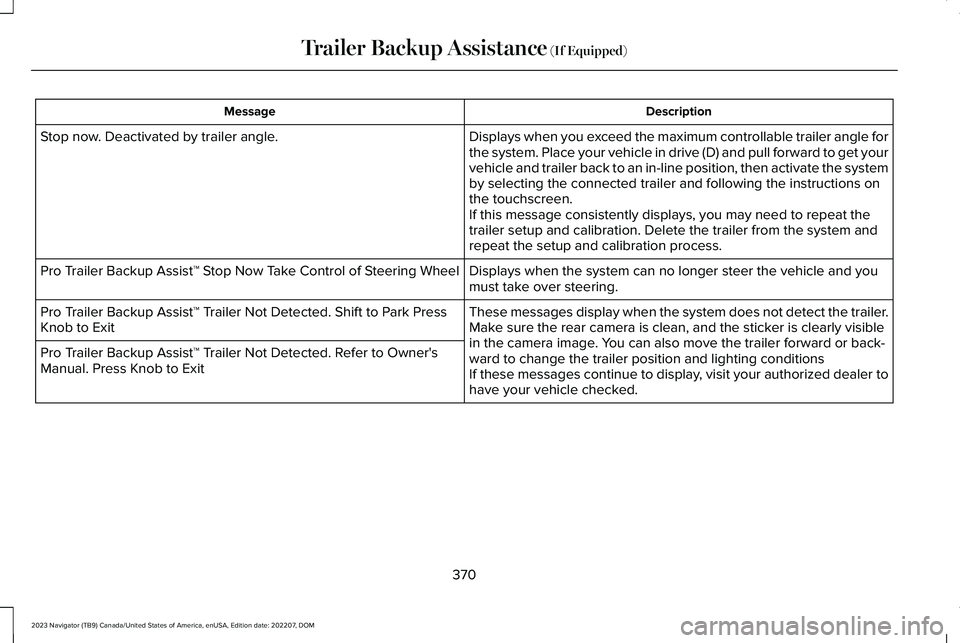
Displays when you exceed the maximum controllable trailer angle forthe system. Place your vehicle in drive (D) and pull forward to get yourvehicle and trailer back to an in-line position, then activate the systemby selecting the connected trailer and following the instructions onthe touchscreen.If this message consistently displays, you may need to repeat thetrailer setup and calibration. Delete the trailer from the system andrepeat the setup and calibration process.
Stop now. Deactivated by trailer angle.
Displays when the system can no longer steer the vehicle and youmust take over steering.Pro Trailer Backup Assist™ Stop Now Take Control of Steering Wheel
These messages display when the system does not detect the trailer.Make sure the rear camera is clean, and the sticker is clearly visiblein the camera image. You can also move the trailer forward or back-ward to change the trailer position and lighting conditionsIf these messages continue to display, visit your authorized dealer tohave your vehicle checked.
Pro Trailer Backup Assist™ Trailer Not Detected. Shift to Park PressKnob to Exit
Pro Trailer Backup Assist™ Trailer Not Detected. Refer to Owner'sManual. Press Knob to Exit
370
2023 Navigator (TB9) Canada/United States of America, enUSA, Edition date: 202207, DOMTrailer Backup Assistance (If Equipped)