radio LINCOLN NAVIGATOR 2023 User Guide
[x] Cancel search | Manufacturer: LINCOLN, Model Year: 2023, Model line: NAVIGATOR, Model: LINCOLN NAVIGATOR 2023Pages: 660, PDF Size: 14.04 MB
Page 196 of 660
Programming the Garage Door Openerto your Gate Opener Motor
Gate Operator / Canadian Programming
Canadian radio-frequency laws requiretransmitter signals to time-out (or quit) afterseveral seconds of transmission – which maynot be long enough for HomeLink to pick upthe signal during programming. Similar tothis Canadian law, some U.S. gate operatorsare designed to time-out in the same manner.
Note:If programming a garage door openeror gate operator, it is advised that youunplug the device during the cycling processto prevent possible overheating.
1.Press and release your handheldtransmitter, every two seconds, until theHomeLink indicator flashes rapidly or iscontinuously on.
2.Release the handheld transmitter button.
3.Press and hold the HomeLink functionbutton you want to program for twoseconds, then release. You may need todo this twice to activate the door.
Note:If the indicator stays on, theprogramming is complete.
Note:If the HomeLink indicator flashesrapidly, repeat Step 3.
4.To program additional buttons, repeatSteps 1–4.
Additional assistance can be found online atwww.homelink.com/Ford or by calling thetoll-free help line at 1-800-355-3515.
GARAGE DOOR OPENER
ADDITIONAL ASSISTANCE
Video Setup Instructions
Universal Garage Door Opener: HomeLink
Universal Garage Door Opener: HomeLinkfor Genie Intellicode 2
Universal Garage Door Opener Homelinkfor Genie Intellicode
Additional assistance can be found online atwww.homelink.com/Ford or by calling thetoll-free help line at 1-800-355-3515.
192
2023 Navigator (TB9) Canada/United States of America, enUSA, Edition date: 202207, DOMGarage Door Opener
Page 202 of 660
WHAT IS THE WIRELESS
ACCESSORY CHARGER
The wireless accessory charger allows youto charge one compatible Qi wirelesscharging device on the charging area.
WIRELESS ACCESSORY CHARGER
PRECAUTIONS
WARNING: Wireless chargingdevices can affect the operation ofimplanted medical devices, includingcardiac pacemakers. If you have anyimplanted medical devices, we recommendthat you consult with your physician.
Keep the charging area clean and removeforeign objects prior to charging a device.
Do not place items with a magnetic strip orradio-frequency identification chip, forexample passports, parking tickets,transportation passes or credit cards, nearthe charging area when charging a device.Damage could occur to the magnetic stripor radio-frequency identification chip.
Do not place metal objects, for exampleremote controls, coins and candy wrappers,on or near the charging area when charginga device. Metal objects may heat up anddegrade the charging performance, inaddition to causing interruptions in charging.
Charging could be interrupted, degraded, orcould stop if any of the following occur:
•The system detects a foreign object.
•The device is misaligned on the chargingarea.
•The device moves on the active chargingarea when the vehicle is in motion.
•The vehicle ambient temperature is toohigh.
•You attempt to charge a non-Qicompatible device on the wirelesscharger.
Note:During charging, the device and thecharger could heat up, this is normal. If thebattery gets hotter than usual, the devicemay stop charging.
LOCATING THE WIRELESS
ACCESSORY CHARGER
The charging area is on the centerconsole or in the media bin belowthe instrument panel.
CHARGING A WIRELESS DEVICE
Place the device on the center of thecharging surface with the charging sidedown. The charging stops after your devicereaches a full charge.
You can use the charger when the vehicleis in accessory mode, when the vehicle isrunning, or when SYNC is on.
Displays on the status bar whenwireless charging is in progress.
198
2023 Navigator (TB9) Canada/United States of America, enUSA, Edition date: 202207, DOMWireless Accessory ChargerE297549 E263583
Page 205 of 660
STARTING AND STOPPING THE
ENGINE – PRECAUTIONS
WARNING: Extended idling at highengine speeds can produce very hightemperatures in the engine and exhaustsystem, creating the risk of fire or otherdamage.
WARNING: Do not park, idle or driveyour vehicle on dry grass or other dryground cover. The emission system heatsup the engine compartment and exhaustsystem, creating the risk of fire.
WARNING: Do not start the enginein a closed garage or in other enclosedareas. Exhaust fumes are toxic. Alwaysopen the garage door before you start theengine. Failure to follow this instructioncould result in personal injury or death.
WARNING: Do not use starting fluid,for example ether, in the air intake system.Such fluid could cause immediateexplosive damage to the engine andpossible personal injury.
WARNING: Exhaust leaks may resultin entry of harmful and potentially lethalfumes into the passenger compartment. Ifyou smell exhaust fumes inside yourvehicle, have your vehicle inspectedimmediately. Do not drive if you smellexhaust fumes.
The powertrain control system meets allCanadian interference-causing equipmentstandard requirements regulating theimpulse electrical field or radio noise.
Note:If you use your vehicle regularly abovethe altitude of 7,500 ft (2,286 m) and underthe temperature of -4.0°F (-20°C), it isrecommended to use the alternative engineoil. See Capacities and Specifications(page 467).
If you stop your vehicle and leave the engineidling for long periods, we recommend thatyou do one of the following:
•Open the windows at least 1 in (2.5 cm).
•Set your climate control to outside air.
PUSH BUTTON IGNITION SWITCH
Switching the Ignition Off
When the ignition is on or in accessory mode,press the push button ignition switch oncewithout your foot on the brake pedal.
Switching the Ignition to AccessoryMode
When the ignition is off, press the pushbutton ignition switch once without your footon the brake pedal.
201
2023 Navigator (TB9) Canada/United States of America, enUSA, Edition date: 202207, DOMStarting and Stopping the EngineE321258
Page 416 of 660
Protected ComponentRatingItem
Adjustable column and pedal memory module.15 A29
Trailer tow control module.5 A30
Rear climate control module.10 A31Drive mode switch module.Terrain management system switch.Radio frequency transceiver module.
Audio control module.20 A32Rear seat entertainment module.Rear audio control module.
Not used.—33
Run/start relay.30 A34
Not used (spare).5 A35
Image processing module A.15 A36Automated park assist module.Continuous control damping module.Air particulate matter sensor.
Heated steering wheel.20 A37
Left-hand rear power window.30A Circuit Breaker38Right-hand rear power window.
412
2023 Navigator (TB9) Canada/United States of America, enUSA, Edition date: 202207, DOMFuses
Page 430 of 660
After battery replacement, or in some casesafter charging the battery with an externalcharger, the battery management systemrequires eight hours of vehicle sleep time torelearn the battery state of charge. Duringthis time, your vehicle must remain fullylocked with the ignition switched off.
Note:Prior to relearning the battery state ofcharge, the battery management systemmay temporarily disable some electricalsystems.
Electrical Accessory Installation
To make sure the battery managementsystem works correctly, do not connect anelectrical device ground connection directlyto the battery negative post. This can causeinaccurate measurements of the batterycondition and potential incorrect systemoperation.
Note:If you add electrical accessories orcomponents to the vehicle, it may adverselyaffect battery performance and durability.This may also affect the performance ofother electrical systems in the vehicle.
Remove and Reinstall the Battery
Install a battery approved for use by ourspecifications. See Capacities andSpecifications (page 467).
To disconnect or remove the battery, do thefollowing:
1.Apply the parking brake and switch theignition off.
2.Switch all electrical equipment off, forexample lights and radio.
3.Wait a minimum of two minutes beforedisconnecting the battery.
Note:The engine management system hasa power hold function and remains poweredfor a period of time after you switch theignition off. This is to allow the system tostore diagnostic and adaptive tables.Disconnecting the battery without waitingcan cause damage not covered by thevehicle warranty.
4.Disconnect the negative battery cableterminal.
5.Disconnect the positive battery cableterminal.
6.Remove the battery securing clamp.
7.Remove the battery.
8.To install, reverse the removal procedure.
Note:Before reconnecting the battery, makesure the ignition remains switched off.
Note:Make sure to fully tighten the batterycables.
If you disconnect or replace the vehiclebattery, you must reset the followingfeatures:
•Window bounce-back. See Opening andClosing the Windows (page 134).
•Clock Settings.
•Pre-set radio stations.
Battery Disposal
Make sure that you dispose of oldbatteries in an environmentallyfriendly way. Seek advice fromyour local authority about recycling oldbatteries.
426
2023 Navigator (TB9) Canada/United States of America, enUSA, Edition date: 202207, DOMMaintenanceE107998
Page 458 of 660
Your vehicle has also been equipped with aTPMS malfunction indicator to indicate whenthe system is not operating properly. TheTPMS malfunction indicator is combined withthe low tire pressure telltale. When thesystem detects a malfunction, the telltale willflash for approximately one minute and thenremain continuously illuminated. Thissequence will continue upon subsequentvehicle start-ups as long as the malfunctionexists.
When the malfunction indicator is illuminated,the system may not be able to detect orsignal low tire pressure as intended. TPMSmalfunctions may occur for a variety ofreasons, including the installation ofreplacement or alternate tires or wheels onthe vehicle that prevent the TPMS fromfunctioning properly. Always check the TPMSmalfunction telltale after replacing one ormore tires or wheels on your vehicle toensure that the replacement or alternate tiresand wheels allow the TPMS to continue tofunction properly.
WARNING: Changes or modificationsnot expressively approved by the partyresponsible for compliance could void theuser's authority to operate the equipment.The term "IC:" before the radio certificationnumber only signifies that Industry Canadatechnical specifications were met.
This device complies with Part 15 of the FCCRules and with License exempt RSSStandards of Industry Canada. Operation issubject to the following two conditions:
1.This device may not cause harmfulinterference, and
2.This device must accept any interferencereceived, including interference that maycause undesired operation.
TIRE PRESSURE MONITORING
SYSTEM PRECAUTIONS
WARNING: The tire pressuremonitoring system is not a substitute formanually checking tire pressures. Youshould periodically check tire pressuresusing a pressure gauge. Failure to correctlymaintain tire pressures could increase therisk of tire failure, loss of control, vehiclerollover and personal injury.
WARNING: Do not use the tirepressure displayed in the informationdisplay as a tire pressure gauge. Failure tofollow this instruction could result inpersonal injury or death.
Note:The use of tire sealants can damagethe tire pressure monitoring system.
Note:If the tire pressure monitor sensorbecomes damaged it may not function.
454
2023 Navigator (TB9) Canada/United States of America, enUSA, Edition date: 202207, DOMTire Pressure Monitoring System
Page 492 of 660
Tone Settings
1.Press Settings on the touchscreen.
2.Press Sound Settings.
3.Press Tone Settings.
4.Press the arrows or slider bar to adjustthe settings.
Speed Compensated Volume
1.Press Settings on the touchscreen.
2.Press Sound Settings.
3.Press Speed Compensated Volume.
4.Press a setting.
Occupancy Mode (If Equipped)
1.Press Settings on the touchscreen.
2.Press Sound Settings.
3.Press Occupancy Mode.
4.Press a setting.
Sound Mode (If Equipped)
1.Press Settings on the touchscreen.
2.Press Sound Settings.
3.Press Sound Mode.
4.Press a setting.
SETTING THE CLOCK AND DATE
1.Press Settings on the touchscreen.
2.Press Clock Settings.
3.Set the time.
Note:The AM and PM options are notavailable if 24-hour mode is on.
Switching Automatic Time Updates Onand Off
1.Press Settings on the touchscreen.
2.Press Clock Settings.
3.Switch Auto Time Update on or off.
AM/FM RADIO
AM/FM RADIO LIMITATIONS
The further you travel from an AM or FMstation, the weaker the signal and the weakerthe reception.
Hills, mountains, tall buildings, bridges,tunnels, freeway overpasses, parkinggarages, dense tree foliage andthunderstorms can interfere with thereception.
When you pass a ground-based broadcastrepeating tower, a stronger signal mayovertake a weaker one and result in theaudio system muting.
488
2023 Navigator (TB9) Canada/United States of America, enUSA, Edition date: 202207, DOMAudio System
Page 493 of 660
SELECTING A RADIO STATION
Manually Selecting a Radio Station
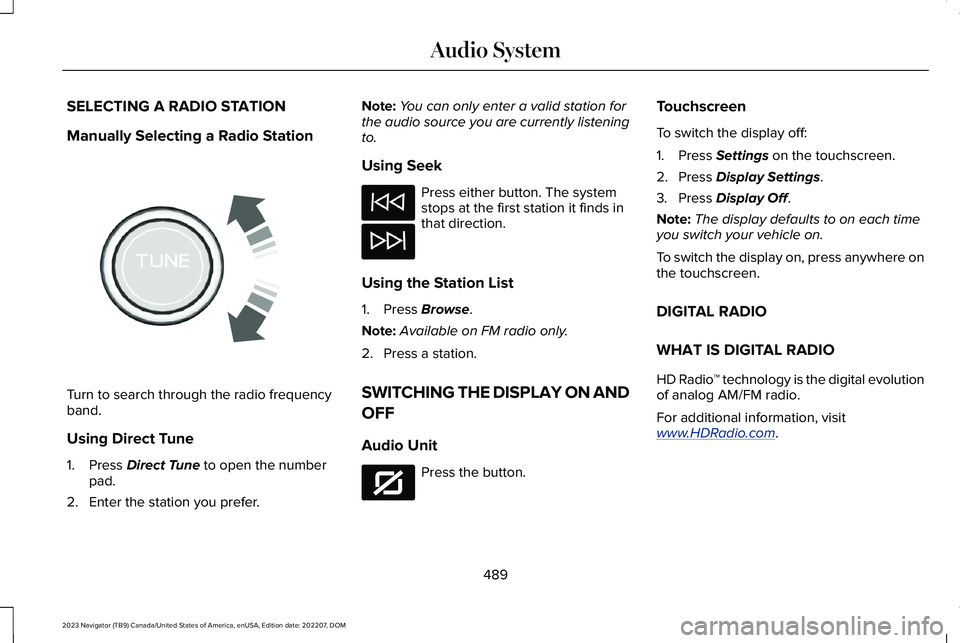
Turn to search through the radio frequencyband.
Using Direct Tune
1.Press Direct Tune to open the numberpad.
2.Enter the station you prefer.
Note:You can only enter a valid station forthe audio source you are currently listeningto.
Using Seek
Press either button. The systemstops at the first station it finds inthat direction.
Using the Station List
1.Press Browse.
Note:Available on FM radio only.
2.Press a station.
SWITCHING THE DISPLAY ON AND
OFF
Audio Unit
Press the button.
Touchscreen
To switch the display off:
1.Press Settings on the touchscreen.
2.Press Display Settings.
3.Press Display Off.
Note:The display defaults to on each timeyou switch your vehicle on.
To switch the display on, press anywhere onthe touchscreen.
DIGITAL RADIO
WHAT IS DIGITAL RADIO
HD Radio™ technology is the digital evolutionof analog AM/FM radio.
For additional information, visitwww.HDRadio.com.
489
2023 Navigator (TB9) Canada/United States of America, enUSA, Edition date: 202207, DOMAudio SystemE270235 E272035
Page 494 of 660
HD Radio Technology is manufactured underlicense from iBiquity Digital Corporation andforeign patents. HD Radio and the HD andHD Radio logos are proprietary trademarksof XPERI. The vehicle manufacturer andXPERI are not responsible for the contentsent using HD Radio technology. Contentmay be changed, added or deleted at anytime at the station owner's discretion.
HOW DOES DIGITAL RADIO WORK
Your system has a special receiver thatallows it to receive digital broadcasts inaddition to analog broadcasts.
HD1 signifies the main programming statusand is available in both analog and digitalbroadcasts. Other multicast stations are onlyavailable digitally and could contain new ordifferent content.
Note:When the system first receives an HD1station, it plays the station in the analogversion until it verifies the station is an HDRadio station. Then it shifts to the digitalversion.
Note:There is an audio mute delay whenswitching to an HD2 or HD3 station becausethe system has to reacquire and decode thedigital signal.
DIGITAL RADIO LIMITATIONS
If you are outside the reception area, thesystem could not work.
If you are on the fringe of the reception area,the station could mute due to weak signalstrength.
Note:If you are listening to HD1, the systemchanges back to the analog broadcast untilthe digital broadcast is available again. Ifyou are listening to any other multicastchannels, the station mutes and stays mutedunless it is able to connect to the digitalsignal again.
Depending on the station quality, you couldhear a slight sound change when the stationchanges between analog and digital audio.
You cannot access a saved HD station if yourvehicle is outside the station’s receptionarea.
SWITCHING DIGITAL RADIORECEPTION ON AND OFF
1.Press Settings on the touchscreen.
2.Press Radio Settings.
3.Switch AM HD Radio or FM HD Radioon or off.
DIGITAL RADIO INDICATORS
HD Radio Indicator
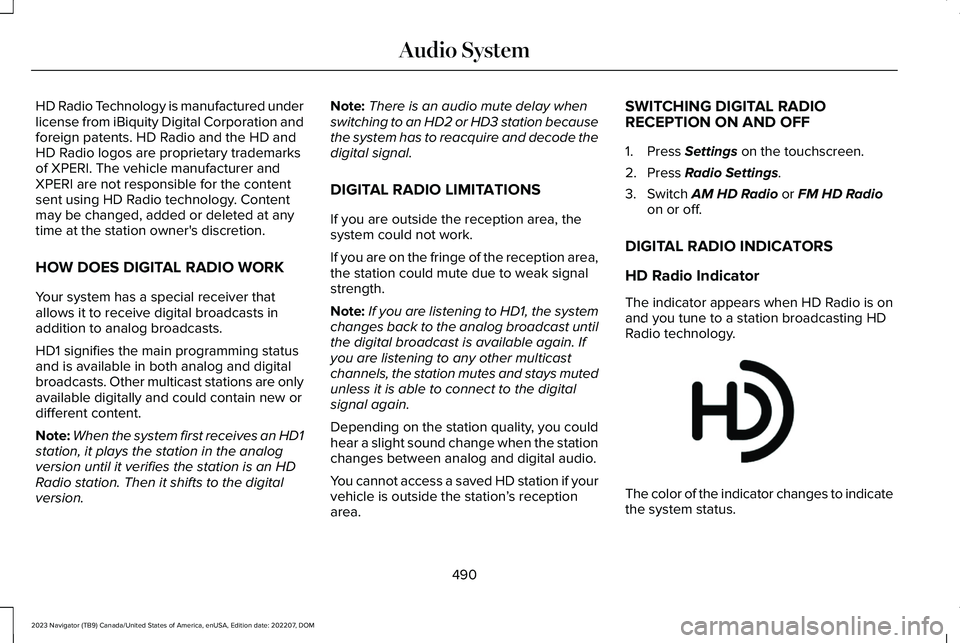
The indicator appears when HD Radio is onand you tune to a station broadcasting HDRadio technology.
The color of the indicator changes to indicatethe system status.
490
2023 Navigator (TB9) Canada/United States of America, enUSA, Edition date: 202207, DOMAudio SystemE142616
Page 495 of 660
Gray indicates the system is acquiring adigital station.
Orange indicates digital audio is playing.
Multicast Indicator
The multicast indicator appears if the currentstation is broadcasting multiple digitalbroadcasts. The highlighted numbersindicate additional digital channels available.
Note:For stations that have more than oneHD multicast, the HD indicator and radio textappears as a button. Press the button tocycle through all of the HD stations on thatspecific frequency.
SATELLITE RADIO (IF EQUIPPED)
WHAT IS SATELLITE RADIO
Your factory-installed SiriusXM radio systemincludes a limited subscription term, whichbegins on the date of sale or lease of yourvehicle. See an authorized dealer foravailability.
For additional information about extendedsubscription terms, visit www.SiriusXM.comin the United States, www.SiriusXM.ca inCanada, or call SiriusXM at 1-888-539-7474.
Note:SiriusXM reserves the unrestrictedright to change, rearrange, add or deleteprogramming including canceling, movingor adding particular channels, and its prices,at any time, with or without notice to you.Neither SiriusXM and its affiliates nor FordMotor Company and its affiliates will beliable to you or any third party for any suchmodification, suspension or termination.
SATELLITE RADIO LIMITATIONS
For optimal reception performance, keep theantenna clear of snow and ice build-up andkeep luggage and other material as far awayfrom the antenna as possible. Placingluggage over the antenna may reduceperformance. Factory-installed andaftermarket vehicle structures including, butnot limited to, roof racks and soft top roofsin a partially open position could reducereception performance.
Hills, mountains, tall buildings, bridges,tunnels, freeway overpasses, parkinggarages, dense tree foliage andthunderstorms can interfere with yourreception.
When you pass a ground-basedbroadcast-repeating tower, a stronger signalmay overtake a weaker one and could resultin the audio system muting. Your displaycould show an error message to indicate theinterference.
LOCATING THE SATELLITE RADIOIDENTIFICATION NUMBER
1.Select SiriusXM as the audio source.
2.Tune to channel 0.
SELECTING A CHANNEL
Manually Selecting a Channel
Press the button to find theprevious or next available radiochannel.
491
2023 Navigator (TB9) Canada/United States of America, enUSA, Edition date: 202207, DOMAudio SystemE328569 E328570