steering LINCOLN NAVIGATOR 2023 Workshop Manual
[x] Cancel search | Manufacturer: LINCOLN, Model Year: 2023, Model line: NAVIGATOR, Model: LINCOLN NAVIGATOR 2023Pages: 660, PDF Size: 14.04 MB
Page 294 of 660
ACTIVEGLIDE™ ALERTS
When ActiveGlide is providing hands-ondriving or transitioning to hands-on drivingfrom hands-free driving and detects nosteering activity for a certain period of time,the system alerts you with a message in theinstrument cluster to put your hands on thesteering wheel. After the first alert, thesystem alerts you with a message in theinstrument cluster and an audible warning.
When ActiveGlide is providing hands-on orhands-free driving and detects you are notlooking at the road for a certain period oftime, the system alerts you to return youreyes to the road. Depending on where youare looking, the alert can be a message inthe instrument cluster and an audiblewarning.
If you do not react to the warnings,ActiveGlide cancels, quickly activates andreleases the brakes, and slows your vehicledown to low speeds while maintainingsteering control.
If your vehicle slows down and you resumecontrol, a message appears to prompt youto press the accelerator pedal to allow thesystem to resume.
Note:If the system detects repeatedinactivity, it disables until the next key cycle.
ACTIVEGLIDE™ AUTOMATIC
CANCELLATION
When an external condition cancelsActiveGlide, for example, no lane markingsavailable, a tone sounds and a messageappears in the instrument cluster.
If your vehicle starts to slow down,you must take control of steeringand press and release the buttonto reactivate ActiveGlide.
System cancellation can also occur if:
•The lane becomes too narrow.
•The system cannot detect valid lanemarkings.
•Lane markings cross.
•Your eyes are not on the road or yourhands are not the steering wheel.
If you have your hands on the steering wheeland your eyes are on the road when thefeature is active and a cancellation occurs,the system sounds a tone and displays acancelled graphic in the instrument cluster.
If you are not paying attention to the road oryour hands are not on the steering wheeland a cancellation occurs, the systemdisplays a message and a tone sounds untilyou resume control. If you do not resumecontrol in time, ActiveGlide quickly activatesand releases the brakes, and slows yourvehicle down to low speeds whilemaintaining steering control. If your vehicleslows down and you resume control, amessage appears to prompt you to press theaccelerator pedal to allow the system toresume.
Note:The system disables until the next keycycle if it detects repeated inactivity.
290
2023 Navigator (TB9) Canada/United States of America, enUSA, Edition date: 202207, DOMActiveGlide™ (If Equipped)E308130
Page 295 of 660
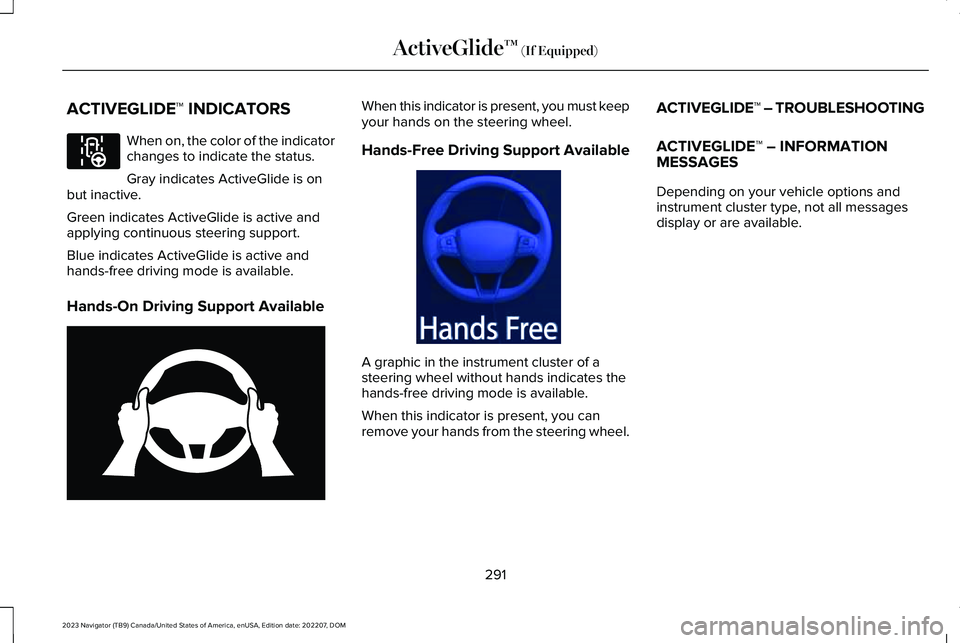
ACTIVEGLIDE™ INDICATORS
When on, the color of the indicatorchanges to indicate the status.
Gray indicates ActiveGlide is onbut inactive.
Green indicates ActiveGlide is active andapplying continuous steering support.
Blue indicates ActiveGlide is active andhands-free driving mode is available.
Hands-On Driving Support Available
When this indicator is present, you must keepyour hands on the steering wheel.
Hands-Free Driving Support Available
A graphic in the instrument cluster of asteering wheel without hands indicates thehands-free driving mode is available.
When this indicator is present, you canremove your hands from the steering wheel.
ACTIVEGLIDE™ – TROUBLESHOOTING
ACTIVEGLIDE™ – INFORMATIONMESSAGES
Depending on your vehicle options andinstrument cluster type, not all messagesdisplay or are available.
291
2023 Navigator (TB9) Canada/United States of America, enUSA, Edition date: 202207, DOMActiveGlide™ (If Equipped)E297977 E333236 E333232
Page 296 of 660
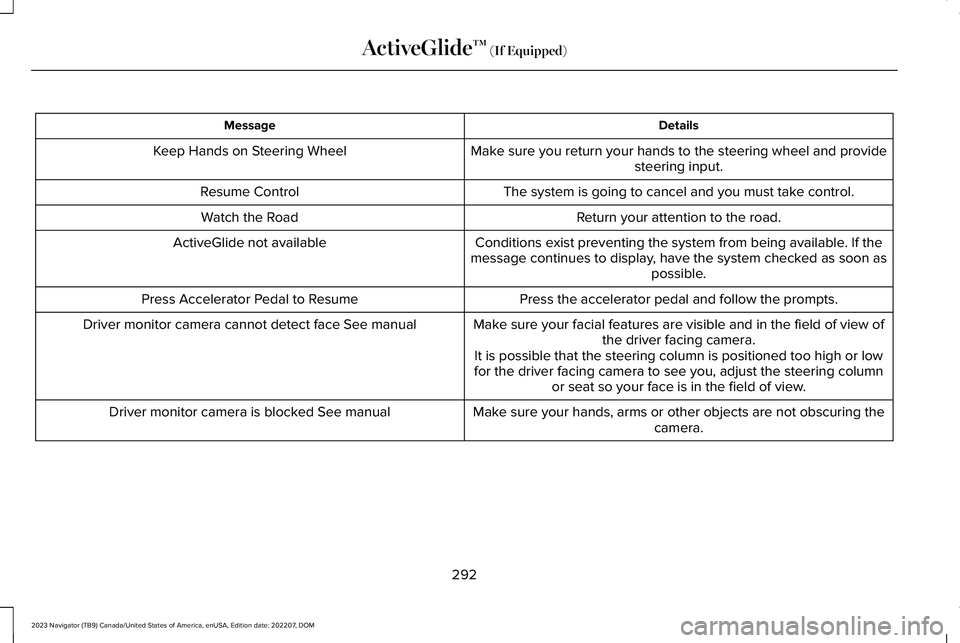
DetailsMessage
Make sure you return your hands to the steering wheel and providesteering input.Keep Hands on Steering Wheel
The system is going to cancel and you must take control.Resume Control
Return your attention to the road.Watch the Road
Conditions exist preventing the system from being available. If themessage continues to display, have the system checked as soon aspossible.
ActiveGlide not available
Press the accelerator pedal and follow the prompts.Press Accelerator Pedal to Resume
Make sure your facial features are visible and in the field of view ofthe driver facing camera.Driver monitor camera cannot detect face See manual
It is possible that the steering column is positioned too high or lowfor the driver facing camera to see you, adjust the steering columnor seat so your face is in the field of view.
Make sure your hands, arms or other objects are not obscuring thecamera.Driver monitor camera is blocked See manual
292
2023 Navigator (TB9) Canada/United States of America, enUSA, Edition date: 202207, DOMActiveGlide™ (If Equipped)
Page 297 of 660
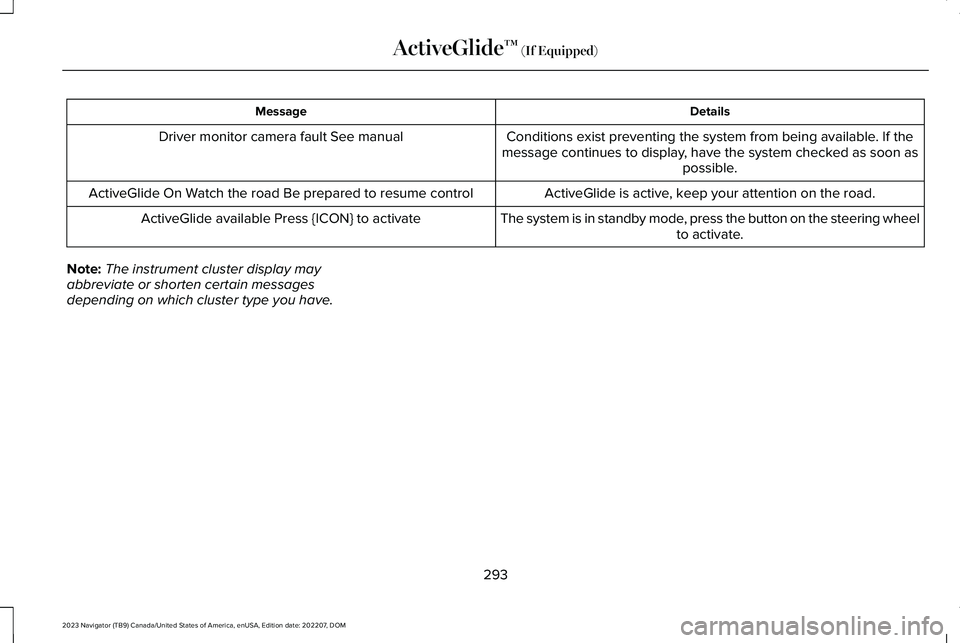
DetailsMessage
Conditions exist preventing the system from being available. If themessage continues to display, have the system checked as soon aspossible.
Driver monitor camera fault See manual
ActiveGlide is active, keep your attention on the road.ActiveGlide On Watch the road Be prepared to resume control
The system is in standby mode, press the button on the steering wheelto activate.ActiveGlide available Press {ICON} to activate
Note:The instrument cluster display mayabbreviate or shorten certain messagesdepending on which cluster type you have.
293
2023 Navigator (TB9) Canada/United States of America, enUSA, Edition date: 202207, DOMActiveGlide™ (If Equipped)
Page 298 of 660
WHAT IS DRIVE MODE CONTROL
Your vehicle has various drive modes thatyou can select for different drivingconditions. Depending on the drive modethat you select, the system adjusts variousvehicle settings.
HOW DOES DRIVE MODE
CONTROL WORK
Drive mode control adjusts your vehicleconfiguration for each mode you select.
Changing the drive mode adjusts thesteering effort and feel of the steeringsystem.
The stability and traction control assist yourvehicle control in adverse conditions orhigh-performance driving.
Throttle control enhances the powertrainresponse, transmission controls becomeoptimized with shift schedules, andfour-wheel drive settings are optimized andtuned to each mode.
Changing the drive mode can engage ordisengage the electronic locking differentials.
Changing the drive mode changes thefour-wheel drive mode to the default settingfor the selected drive mode.
Note:The system has diagnostic checks thatcontinuously monitor the system for properoperation. If a mode is unavailable due to asystem fault, the drive mode system defaultsto normal. When the system defaults tonormal, the driveline settings remain thesame as prior to the system fault.
Note:The system reverts to the normalmode each time you start your vehicle. Atstartup the system also displays a prompton the instrument cluster display that givesyou the option to return to the previouslyselected drive mode during the last ignitioncycle. If you select yes, the system returnsto the last selected drive mode and thedefault driveline settings associated withthat mode. If you select no, the systemremains in normal mode and the drivelinesettings remain the same as selected in theprior ignition cycle. If you do not select yesor no, the system stays in normal mode andthe driveline settings remain the same asselected in the prior ignition cycle.
294
2023 Navigator (TB9) Canada/United States of America, enUSA, Edition date: 202207, DOMDrive Mode Control
Page 300 of 660
Four-wheel drive auto is the defaultfour-wheel drive mode. Four-wheel drive lowis selectable in deep conditions mode.
The electronic locking differential engageswhen you select this mode at any speed, andyou can disengage it at any time using thebutton. See What Is the ElectronicLimited-Slip Differential (page 230).
Note:Do not use this mode when driving onpavement or packed snow. This could causedriveline bind up and damage the systemdepending on the four-wheel drive modeselection. See Four-Wheel Drive (page 224).
EXCITE - 4X4
For sporty driving with improvedperformance handling and response. Thismode increases throttle response, providesa sportier steering feel, along with quickershifting. The suspension stiffens, with anemphasis on handling and control. Thetransmission also holds gears longer, helpingyour vehicle accelerate faster when shiftinggears.
Two-wheel drive high is the defaultfour-wheel drive mode. Four-wheel drive lowis not available in excite mode.
The electronic locking differential is availablebelow 25 mph (40 km/h). See What Is theElectronic Limited-Slip Differential (page230).
EXCITE - 4X2
For sporty driving with improvedperformance handling and response. Thismode increases throttle response, providesa sportier steering feel, along with quickershifting. The suspension stiffens, with anemphasis on handling and control. Thetransmission also holds gears longer, helpingyour vehicle accelerate faster when shiftinggears.
The electronic locking differential is availablebelow 25 mph (40 km/h). See What Is theElectronic Limited-Slip Differential (page230).
NORMAL - 4X4
For everyday driving. This mode is a perfectbalance of excitement, comfort andconvenience.
Two-wheel drive high is the defaultfour-wheel drive mode. All four-wheel drivemodes are selectable when in normal mode.
The electronic locking differential is availablebelow 25 mph (40 km/h). See What Is theElectronic Limited-Slip Differential (page230).
NORMAL - 4X2
For everyday driving. This mode is a perfectbalance of excitement, comfort andconvenience.
The electronic locking differential is availablebelow 25 mph (40 km/h). See What Is theElectronic Limited-Slip Differential (page230).
296
2023 Navigator (TB9) Canada/United States of America, enUSA, Edition date: 202207, DOMDrive Mode Control
Page 304 of 660
WHAT IS THE LANE KEEPING
SYSTEM
Lincoln Co-Pilot 360 and 360+
The lane keeping system alerts you byproviding temporary steering assistance orsteering wheel vibration when it detects anunintended lane departure.
HOW DOES THE LANE KEEPING
SYSTEM WORK
The lane keeping system uses a forwardlooking camera mounted on the windshieldto monitor vehicle movement within thetravel lane.
When the camera detects a drift out of thetravel lane, the lane keeping system alertsthe driver by vibrating the steering wheel, oraids the driver by providing a small steeringinput to move the vehicle back into the travellane.
The driver can select one of three modes:
•Alert (If Equipped)
•Aid
•Alert + Aid
LANE KEEPING SYSTEM
PRECAUTIONS
WARNING: You are responsible forcontrolling your vehicle at all times. Thesystem is designed to be an aid and doesnot relieve you of your responsibility todrive with due care and attention. Failureto follow this instruction could result in theloss of control of your vehicle, personalinjury or death.
WARNING: The system will notoperate if the sensor cannot track the roadlane markings.
WARNING: The sensor mayincorrectly track lane markings as otherstructures or objects. This can result in afalse or missed warning.
WARNING: In cold and severeweather conditions the system may notfunction. Rain, snow and spray can all limitsensor performance.
WARNING: The system may notoperate properly if the sensor is blocked.Keep the windshield free from obstruction.
WARNING: If damage occurs in theimmediate area surrounding the sensor,have your vehicle checked as soon aspossible.
WARNING: The system may notcorrectly operate if your vehicle is fittedwith a suspension kit not approved by us.
WARNING: Large contrasts in outsidelighting can limit sensor performance.
300
2023 Navigator (TB9) Canada/United States of America, enUSA, Edition date: 202207, DOMLane Keeping System
Page 305 of 660
LANE KEEPING SYSTEM
LIMITATIONS
The lane keeping system only operates whenthe vehicle speed is greater than 40 mph(64 km/h).
The system works when the camera candetect at least one lane marking.
Note:When you select Aid or Alert and Aidmode and the system detects no steeringactivity for a short period of time, the systemalerts you to put your hands on the steeringwheel. The system may detect a light grip ortouch on the steering wheel as hands-offdriving.
The lane keeping system may not correctlyoperate in any of the following conditions:
•The lane keeping system does not detectat least one lane marking.
•You switch the turn signal on.
•You apply direct steering, accelerate fastor brake hard.
•The vehicle speed is less than 40 mph(64 km/h).
•The anti-lock brake, stability control ortraction control system activates.
•The lane is too narrow.
•Something is obscuring the camera or itis unable to detect the lane markings dueto environment, traffic or vehicleconditions.
•Entering or exiting a tight curve whendriving at high speeds.
The lane keeping system may not correctlane positioning in any of the followingconditions:
•High winds.
•Uneven road surfaces.
•Heavy or uneven loads.
•Incorrect tire pressure.
SWITCHING THE LANE KEEPING
SYSTEM ON AND OFF
To activate the lane keepingsystem, press the button on thesteering wheel.
To deactivate the lane keeping system, pressthe button again.
Note:When switching the system on or offa message appears in the information andentertainment display to show the status.
Note:The system stores the on or off settinguntil manually changed, unless it detects aMyKey™. If the system detects a MyKey™, itdefaults to the last setting for that MyKey™.
Note: If the system detects a MyKey™,pressing the button does not affect the onor off status of the system. You can onlychange the mode and intensity settings.
SWITCHING THE LANE KEEPING
SYSTEM MODE
The lane keeping system has differentsettings that you can view or adjust usingthe information display.
The system stores the last known selectionfor each of these settings. You do not needto readjust your settings each time youswitch on the system.
301
2023 Navigator (TB9) Canada/United States of America, enUSA, Edition date: 202207, DOMLane Keeping SystemE334922
Page 306 of 660
To change the lane keeping system mode,use the touchscreen:
1.Press Features on the touchscreen.
2.Press Driver Assistance.
3.Press Lane-Keeping System.
4.Press Lane-Keeping Mode.
5.Select a mode.
Note:The system remembers the last settingwhen you start your vehicle. If the systemdetects a MyKey™, it defaults to the lastsetting for that MyKey™.
ALERT MODE
WHAT IS ALERT MODE
Alert mode vibrates the steering wheel whenit detects an unintended lane departure.
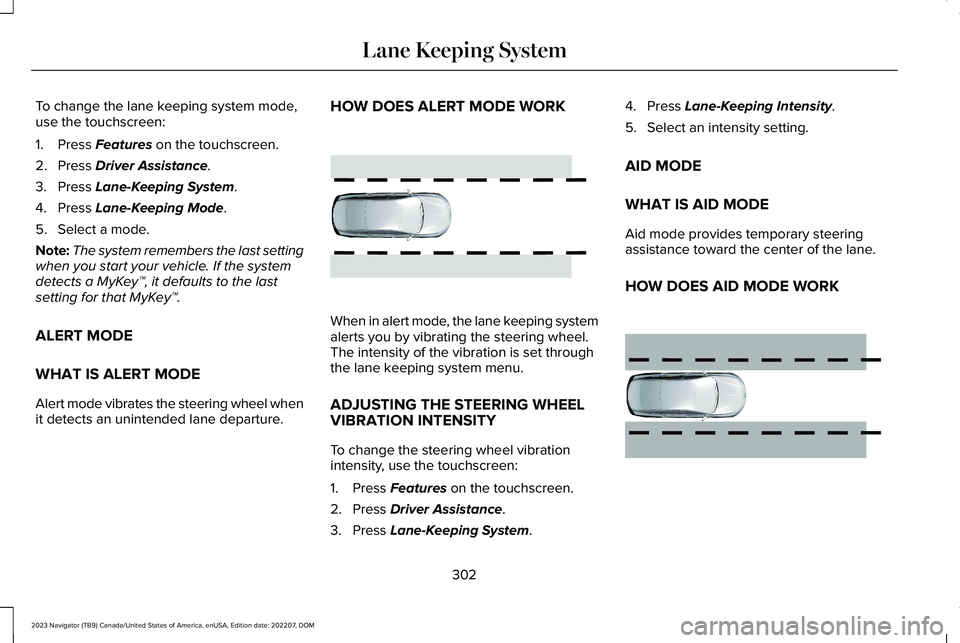
HOW DOES ALERT MODE WORK
When in alert mode, the lane keeping systemalerts you by vibrating the steering wheel.The intensity of the vibration is set throughthe lane keeping system menu.
ADJUSTING THE STEERING WHEELVIBRATION INTENSITY
To change the steering wheel vibrationintensity, use the touchscreen:
1.Press Features on the touchscreen.
2.Press Driver Assistance.
3.Press Lane-Keeping System.
4.Press Lane-Keeping Intensity.
5.Select an intensity setting.
AID MODE
WHAT IS AID MODE
Aid mode provides temporary steeringassistance toward the center of the lane.
HOW DOES AID MODE WORK
302
2023 Navigator (TB9) Canada/United States of America, enUSA, Edition date: 202207, DOMLane Keeping SystemE165515 E165516
Page 307 of 660
The lane keeping system aids you when anunintentional lane departure occurs. Thesystem provides a small steering input tomove the vehicle towards the center of thelane.
ALERT AND AID MODE
WHAT IS ALERT AND AID MODE
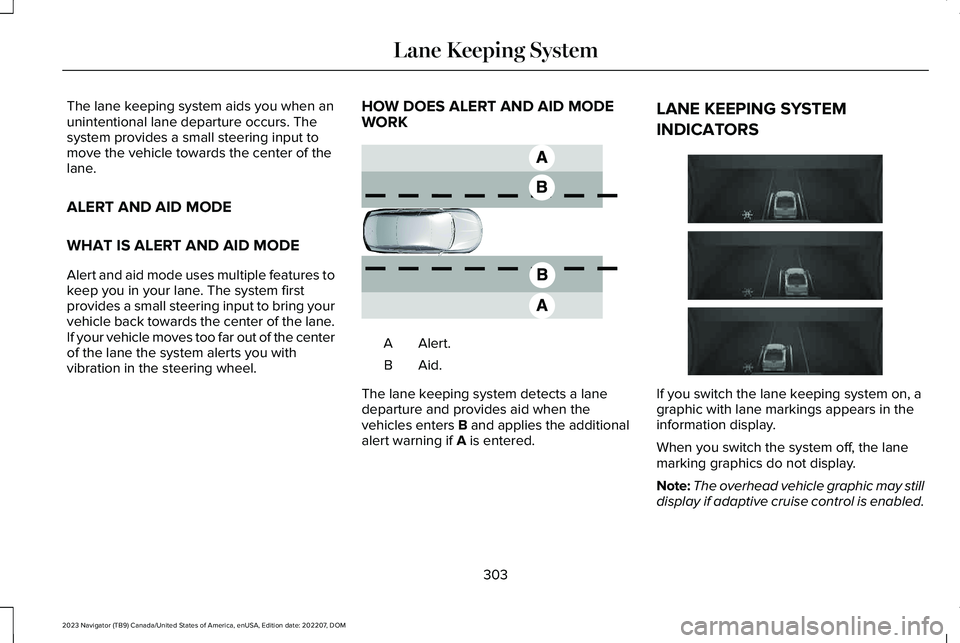
Alert and aid mode uses multiple features tokeep you in your lane. The system firstprovides a small steering input to bring yourvehicle back towards the center of the lane.If your vehicle moves too far out of the centerof the lane the system alerts you withvibration in the steering wheel.
HOW DOES ALERT AND AID MODEWORK
Alert.A
Aid.B
The lane keeping system detects a lanedeparture and provides aid when thevehicles enters B and applies the additionalalert warning if A is entered.
LANE KEEPING SYSTEM
INDICATORS
If you switch the lane keeping system on, agraphic with lane markings appears in theinformation display.
When you switch the system off, the lanemarking graphics do not display.
Note:The overhead vehicle graphic may stilldisplay if adaptive cruise control is enabled.
303
2023 Navigator (TB9) Canada/United States of America, enUSA, Edition date: 202207, DOMLane Keeping SystemE165517 E335296