high beam LINCOLN NAVIGATOR 2023 Owners Manual
[x] Cancel search | Manufacturer: LINCOLN, Model Year: 2023, Model line: NAVIGATOR, Model: LINCOLN NAVIGATOR 2023Pages: 660, PDF Size: 14.04 MB
Page 7 of 660
Liftgate
Liftgate Precautions......................................98
Opening the Liftgate.....................................98
Setting the Liftgate Opening Height.......100
Closing the Liftgate.....................................100
Stopping the Liftgate Movement.............103
Liftgate Obstacle Detection......................103
Opening and Closing the Liftgate Window.......................................................................103
Liftgate – Troubleshooting........................104
Security
Passive Anti-Theft System.........................106
Anti-Theft Alarm System............................106
Anti-Theft Alarm System Settings............107
Security – Troubleshooting.......................108
Power Running Boards
Power Running Board Precautions..........110
Power Running Board Settings.................110
Deploying and Stowing the Power RunningBoards...........................................................111
Power Running Boards – Troubleshooting.........................................................................111
Steering Wheel
Adjusting the Steering Wheel....................112
Resetting the Stopping Position................112
Horn..................................................................112
Switching the Heated Steering Wheel Onand Off.........................................................112
Adjustable Pedals
Adjusting the Pedals....................................113
Wipers and Washers
Wipers..............................................................114
Autowipers......................................................114
Switching the Rear Window Wiper On andOff.................................................................115
Reverse Wipe.................................................115
Checking the Wiper Blades........................116
Replacing the Front Wiper Blades............116
Replacing the Rear Wiper Blades.............117
Washers...........................................................117
Wipers and Washers – Troubleshooting........................................................................119
Exterior Lighting
Exterior Lighting Control............................120
Headlamps....................................................120
Headlamps – Troubleshooting..................121
Autolamps.......................................................121
Exterior Lamps..............................................122
Automatic High Beam Control..................124
Automatic High Beam Control –Troubleshooting.......................................127
Glare Free Lighting......................................127
Glare Free Lighting – Troubleshooting.......................................................................130
Adaptive Front Lighting..............................130
Interior Lighting
Switching All of the Interior Lamps On andOff................................................................132
Switching the Front Interior Lamps On andOff................................................................132
Switching the Rear Interior Lamps On andOff................................................................132
3
2023 Navigator (TB9) Canada/United States of America, enUSA, Edition date: 202207, DOMTable of Contents
Page 26 of 660
Fuel pump reset
Fuse compartment
Hazard flashers
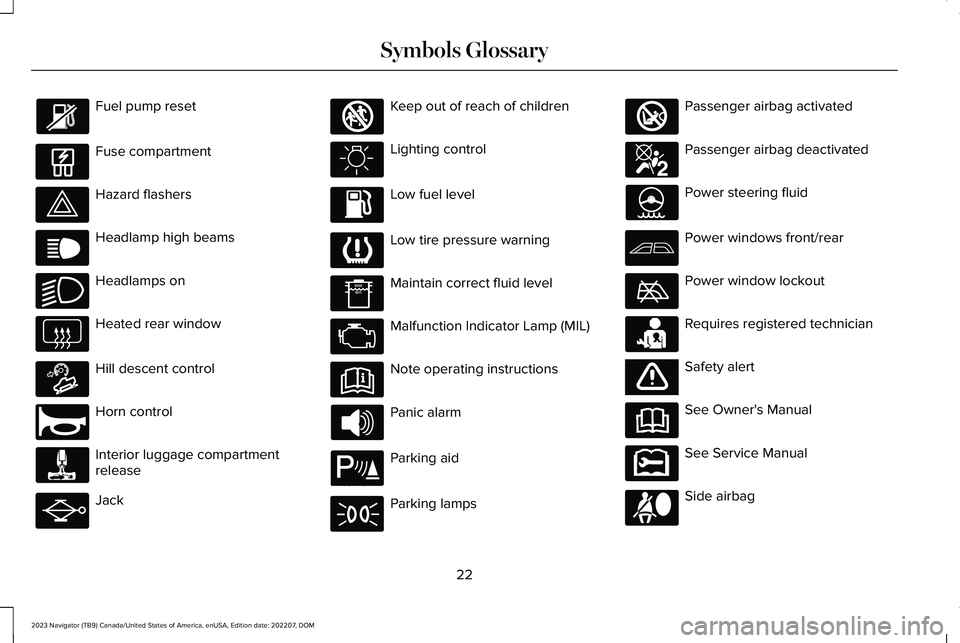
Headlamp high beams
Headlamps on
Heated rear window
Hill descent control
Horn control
Interior luggage compartmentrelease
Jack
Keep out of reach of children
Lighting control
Low fuel level
Low tire pressure warning
Maintain correct fluid level
Malfunction Indicator Lamp (MIL)
Note operating instructions
Panic alarm
Parking aid
Parking lamps
Passenger airbag activated
Passenger airbag deactivated
Power steering fluid
Power windows front/rear
Power window lockout
Requires registered technician
Safety alert
See Owner's Manual
See Service Manual
Side airbag
22
2023 Navigator (TB9) Canada/United States of America, enUSA, Edition date: 202207, DOMSymbols Glossary E139214 E75790 E67019 E270968 E163171 E270945 E139231 E161353 E139232 E139229 E67028 E72343 E139213 E71341 E270849 E270850 E139216 E139225 E231159 E65963 E72021 E231158
Page 124 of 660
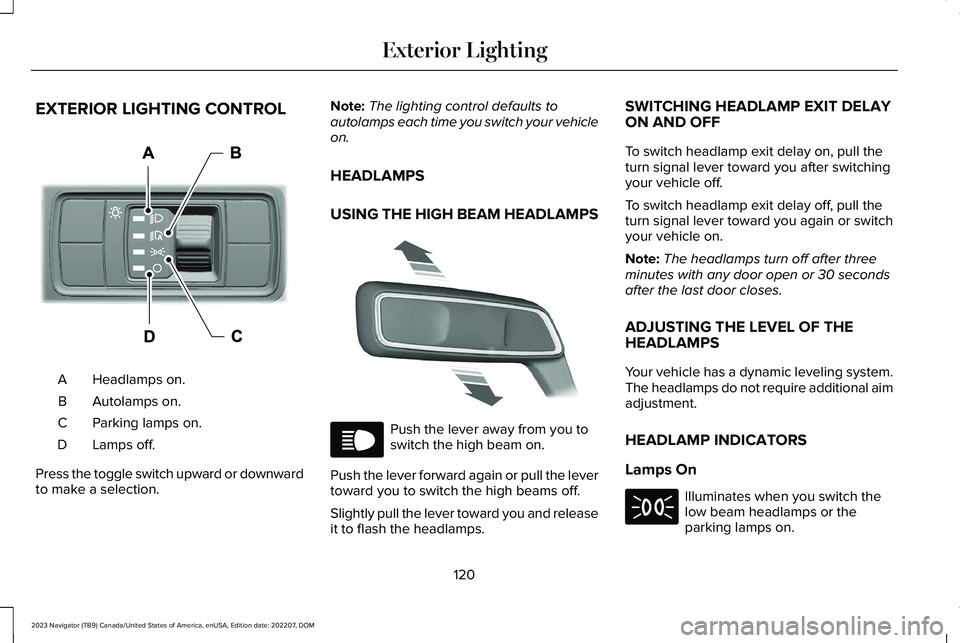
EXTERIOR LIGHTING CONTROL
Headlamps on.A
Autolamps on.B
Parking lamps on.C
Lamps off.D
Press the toggle switch upward or downwardto make a selection.
Note:The lighting control defaults toautolamps each time you switch your vehicleon.
HEADLAMPS
USING THE HIGH BEAM HEADLAMPS
Push the lever away from you toswitch the high beam on.
Push the lever forward again or pull the levertoward you to switch the high beams off.
Slightly pull the lever toward you and releaseit to flash the headlamps.
SWITCHING HEADLAMP EXIT DELAYON AND OFF
To switch headlamp exit delay on, pull theturn signal lever toward you after switchingyour vehicle off.
To switch headlamp exit delay off, pull theturn signal lever toward you again or switchyour vehicle on.
Note:The headlamps turn off after threeminutes with any door open or 30 secondsafter the last door closes.
ADJUSTING THE LEVEL OF THEHEADLAMPS
Your vehicle has a dynamic leveling system.The headlamps do not require additional aimadjustment.
HEADLAMP INDICATORS
Lamps On
Illuminates when you switch thelow beam headlamps or theparking lamps on.
120
2023 Navigator (TB9) Canada/United States of America, enUSA, Edition date: 202207, DOMExterior LightingE344567 E339556 E67019 E71341
Page 125 of 660
Headlamp High Beam
Illuminates when you switch thehigh beam headlamps on.
HEADLAMPS – TROUBLESHOOTING
HEADLAMPS – FREQUENTLY ASKEDQUESTIONS
Why is there condensation in theheadlamps?
•Headlamps have vents to accommodatenormal changes in air pressure.Condensation can be a naturalby-product of this design. When moist airenters the lamp assembly through thevents, there is a possibility thatcondensation can occur when thetemperature is cold. When normalcondensation occurs, a fine mist can formon the interior of the lens. The fine misteventually clears and exits through thevents during normal operation.
How much condensation is acceptable?
•The presence of a fine mist, for exampleno streaks, drip marks or large droplets.A fine mist covers less than 50% of thelens.
How long may it take for theacceptable condensation to becleared?
•Clearing time may take as long as 48hours under dry weather conditions.
How much condensation isunacceptable?
•A water puddle inside the lamp. Streaks,drip marks or large droplets present onthe interior of the lens.
What should I do if unacceptablecondensation is present?
•Have your vehicle checked as soon aspossible.
Why do my headlamps turn off when Ihave them switched on when I switchmy vehicle off?
•The battery saver turns the headlampsoff after a short period of time after youswitch your vehicle off.
AUTOLAMPS
WHAT ARE AUTOLAMPS
WARNING: The system does notrelieve you of your responsibility to drivewith due care and attention. You may needto override the system if it does not turnthe headlamps on in low visibilityconditions, for example daytime fog.
Autolamps turn the headlamps on in low lightsituations or when the windshield wipersoperate.
AUTOLAMP SETTINGS
1.Press Settings on the touchscreen.
121
2023 Navigator (TB9) Canada/United States of America, enUSA, Edition date: 202207, DOMExterior LightingE67019
Page 128 of 660
AUTOMATIC HIGH BEAM CONTROL
HOW DOES AUTOMATIC HIGH BEAMCONTROL WORK
Automatic high beam control turns the highbeams on if it is dark enough and no othertraffic is present. If it detects an approachingvehicle’s headlamps or tail lamps, or streetlighting ahead, the system turns the highbeams off.
A camera sensor, centrally mounted behindthe windshield of your vehicle, continuouslymonitors conditions to turn the high beamson and off.
124
2023 Navigator (TB9) Canada/United States of America, enUSA, Edition date: 202207, DOMExterior Lighting
Page 129 of 660
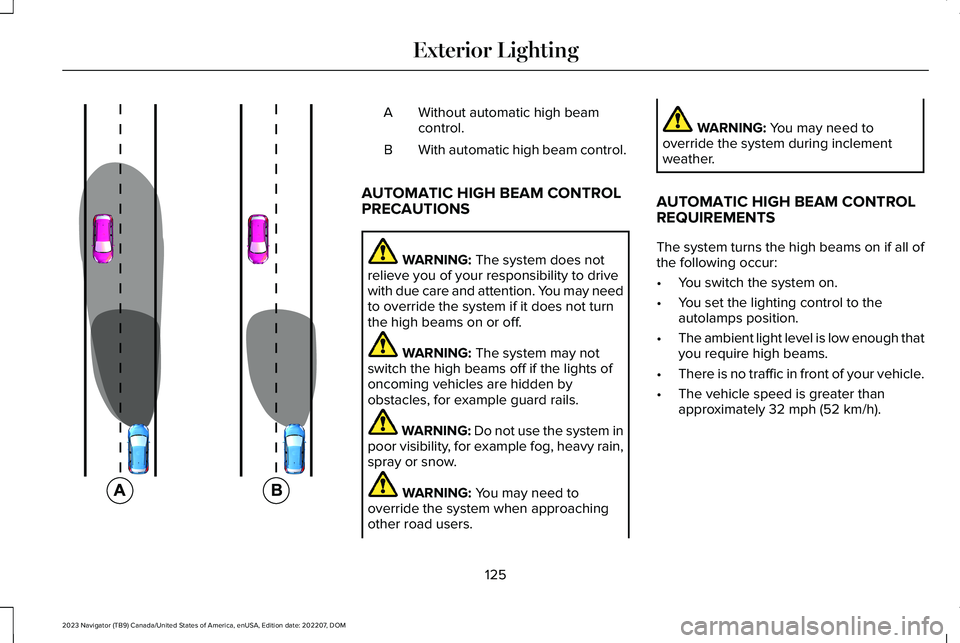
Without automatic high beamcontrol.A
With automatic high beam control.B
AUTOMATIC HIGH BEAM CONTROLPRECAUTIONS
WARNING: The system does notrelieve you of your responsibility to drivewith due care and attention. You may needto override the system if it does not turnthe high beams on or off.
WARNING: The system may notswitch the high beams off if the lights ofoncoming vehicles are hidden byobstacles, for example guard rails.
WARNING: Do not use the system inpoor visibility, for example fog, heavy rain,spray or snow.
WARNING: You may need tooverride the system when approachingother road users.
WARNING: You may need tooverride the system during inclementweather.
AUTOMATIC HIGH BEAM CONTROLREQUIREMENTS
The system turns the high beams on if all ofthe following occur:
•You switch the system on.
•You set the lighting control to theautolamps position.
•The ambient light level is low enough thatyou require high beams.
•There is no traffic in front of your vehicle.
•The vehicle speed is greater thanapproximately 32 mph (52 km/h).
125
2023 Navigator (TB9) Canada/United States of America, enUSA, Edition date: 202207, DOMExterior Lighting E327596
Page 130 of 660
AUTOMATIC HIGH BEAM CONTROLLIMITATIONS
The system turns the high beams off if anyof the following occur:
•You switch the system off.
•You set the lighting control to anyposition except autolamps.
•The ambient light level is high enoughthat you do not require high beams.
•The system detects an approachingvehicle's headlamps or a leadingvehicle's tail lamps.
•The system detects severe rain, snow orfog.
•The system detects street lighting.
•The camera has reduced visibility.
•The vehicle speed falls belowapproximately 19 mph (30 km/h).
SWITCHING AUTOMATIC HIGH BEAMCONTROL ON AND OFF
1.Press Settings on the touchscreen.
2.Press Vehicle Settings.
3.Press Lighting.
4.Switch Auto Highbeam on or off.
AUTOMATIC HIGH BEAM CONTROLINDICATORS
Illuminates to confirm when thesystem is ready to assist.
OVERRIDING AUTOMATIC HIGH BEAMCONTROL
Push the lever away from you to switch thehigh beam on.
Push the lever away from you again to switchthe high beams off.
Push the lever away from you for a third timeto switch automatic high beam control backon.
126
2023 Navigator (TB9) Canada/United States of America, enUSA, Edition date: 202207, DOMExterior LightingE146105 E273182
Page 131 of 660
AUTOMATIC HIGH BEAM CONTROL – TROUBLESHOOTING
AUTOMATIC HIGH BEAM CONTROL – INFORMATION MESSAGES
DescriptionMessage
The camera has reduced visibility. Clean the windshield. If the message continues to appear,have your vehicle checked as soon as possible.Front Camera Low Visibility Clean Screen
The camera has malfunctioned. Wait a short period of time for the camera to cool down. If themessage continues to appear, have your vehicle checked as soon as possible.Front Camera Temporarily Not Available
The camera has malfunctioned. Have your vehicle checked as soon as possible.Front Camera Malfunction ServiceRequired
GLARE FREE LIGHTING (IF EQUIPPED)
HOW DOES GLARE FREE LIGHTINGWORK
Glare free lighting enhances visibility andminimizes glare for other road users.
127
2023 Navigator (TB9) Canada/United States of America, enUSA, Edition date: 202207, DOMExterior Lighting
Page 133 of 660
GLARE FREE LIGHTING LIMITATIONS
The system turns off if any of the followingoccur:
•You switch the system off.
•You set the lighting control to anyposition except autolamps.
•The ambient light level is high enough.
•The system detects severe rain, snow orfog.
•The system detects street lighting.
•The camera has reduced visibility.
•The vehicle speed falls belowapproximately 19 mph (30 km/h).
Note:The deactivation speed is lower oncurves.
SWITCHING GLARE FREE LIGHTINGON AND OFF
1.Press Settings on the touchscreen.
2.Press Vehicle Settings.
3.Press Lighting.
4.Switch Glarefree Lighting on or off.
GLARE FREE LIGHTING INDICATORS
Illuminates to confirm when thesystem is ready to assist.
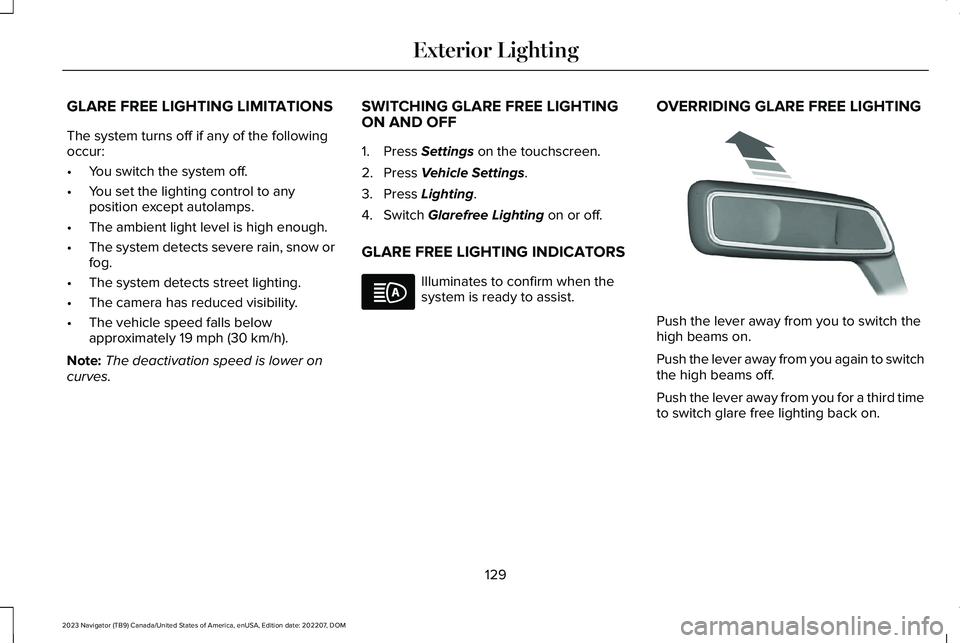
OVERRIDING GLARE FREE LIGHTING
Push the lever away from you to switch thehigh beams on.
Push the lever away from you again to switchthe high beams off.
Push the lever away from you for a third timeto switch glare free lighting back on.
129
2023 Navigator (TB9) Canada/United States of America, enUSA, Edition date: 202207, DOMExterior LightingE146105 E273182
Page 150 of 660
Malfunction Indicator Lamp
It illuminates when the ignition ison and the engine is off, this isnormal operation. If it illuminateswhen the engine is on this indicates that theemission control system requires service. Ifit flashes, have your vehicle checkedimmediately. See Starting and Stopping theEngine – Warning Lamps (page 206). SeeEmission Law (page 621).
Oil Pressure
It illuminates when the engine oilpressure is low.
Powertrain Fault
It illuminates when the powertrainrequires service. Have yourvehicle checked as soon aspossible.
WHAT ARE THE INSTRUMENT
CLUSTER INDICATORS
Indicators notify you of various features thatare active on your vehicle.
INSTRUMENT CLUSTER
INDICATORS
ActiveGlide™ (If Equipped)
See ActiveGlide™ (page 286).
Adaptive Cruise Control
See Adaptive Cruise Control(page 270).
Airbag
See Airbags (page 61).
Auto Hold
See Auto Hold (page 243).
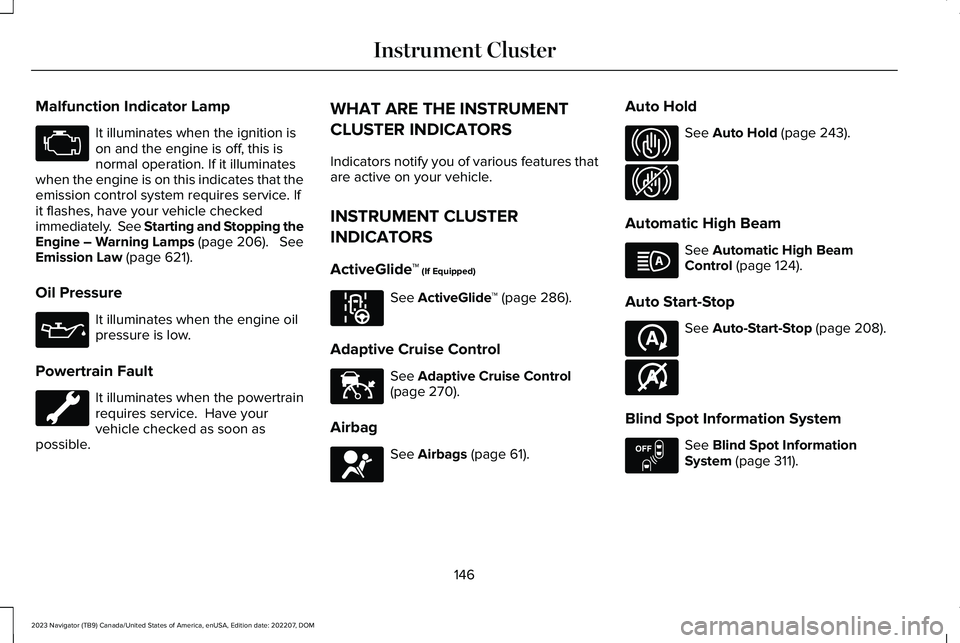
Automatic High Beam
See Automatic High BeamControl (page 124).
Auto Start-Stop
See Auto-Start-Stop (page 208).
Blind Spot Information System
See Blind Spot InformationSystem (page 311).
146
2023 Navigator (TB9) Canada/United States of America, enUSA, Edition date: 202207, DOMInstrument ClusterE67028 E67022 E297977 E144524 E67017 E323448 E323449 E146105 E121377 E146361 E151262