ESP MASERATI GRANTURISMO 2019 User Guide
[x] Cancel search | Manufacturer: MASERATI, Model Year: 2019, Model line: GRANTURISMO, Model: MASERATI GRANTURISMO 2019Pages: 286, PDF Size: 8.08 MB
Page 56 of 286
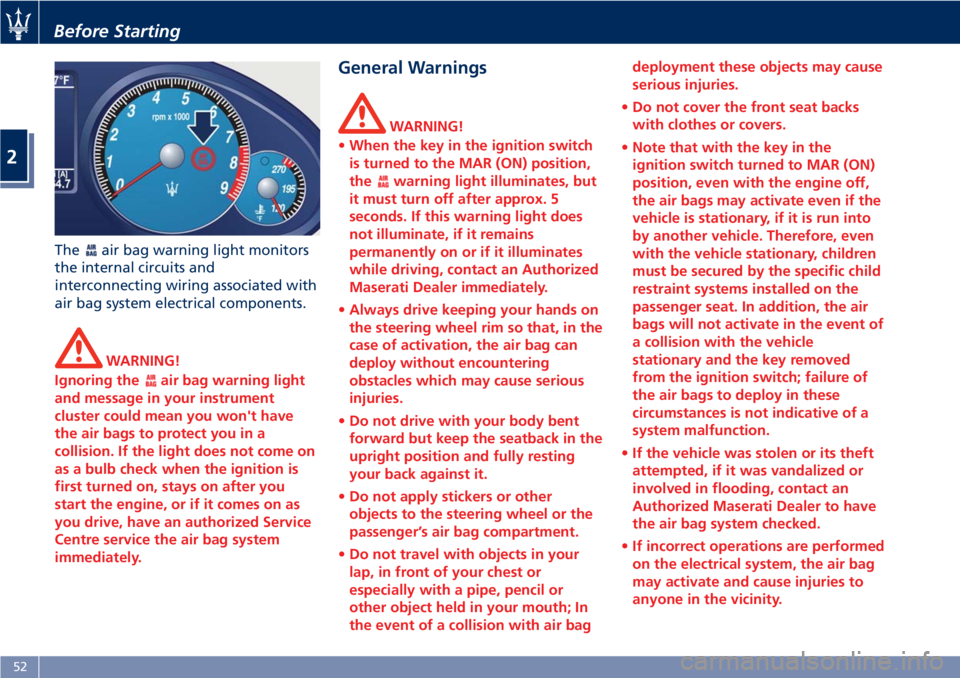
The air bag warning light monitors
the internal circuits and
interconnecting wiring associated with
air bag system electrical components.
WARNING!
Ignoring the
air bag warning light
and message in your instrument
cluster could mean you won't have
the air bags to protect you in a
collision. If the light does not come on
as a bulb check when the ignition is
first turned on, stays on after you
start the engine, or if it comes on as
you drive, have an authorized Service
Centre service the air bag system
immediately. General Warnings WARNING!
• When the key in the ignition switch
is turned to the MAR (ON) position,
the
warning light illuminates, but
it must turn off after approx. 5
seconds. If this warning light does
not illuminate, if it remains
permanently on or if it illuminates
while driving, contact an Authorized
Maserati Dealer immediately.
• Always drive keeping your hands on
the steering wheel rim so that, in the
case of activation, the air bag can
deploy without encountering
obstacles which may cause serious
injuries.
• Do not drive with your body bent
forward but keep the seatback in the
upright position and fully resting
your back against it.
• Do not apply stickers or other
objects to the steering wheel or the
passenger’s air bag compartment.
• Do not travel with objects in your
lap, in front of your chest or
especially with a pipe, pencil or
other object held in your mouth; In
the event of a collision with air bag deployment these objects may cause
serious injuries.
• Do not cover the front seat backs
with clothes or covers.
• Note that with the key in the
ignition switch turned to MAR (ON)
position, even with the engine off,
the air bags may activate even if the
vehicle is stationary, if it is run into
by another vehicle. Therefore, even
with the vehicle stationary, children
must be secured by the specific child
restraint systems installed on the
passenger seat. In addition, the air
bags will not activate in the event of
a collision with the vehicle
stationary and the key removed
from the ignition switch; failure of
the air bags to deploy in these
circumstances is not indicative of a
system malfunction.
• If the vehicle was stolen or its theft
attempted, if it was vandalized or
involved in flooding, contact an
Authorized Maserati Dealer to have
the air bag system checked.
• If incorrect operations are performed
on the electrical system, the air bag
may activate and cause injuries to
anyone in the vicinity.Before Starting
2
52
Page 64 of 286
Transporting Pets Air bags deploying in the front seat
could harm your pet. An unrestrained
pet will be thrown about and possibly
injured, or injure a passenger during
panic braking or in an accident.
Pets should be restrained in the rear
seat in pet harnesses or pet carriers
that are secured by vehicle seat belts.
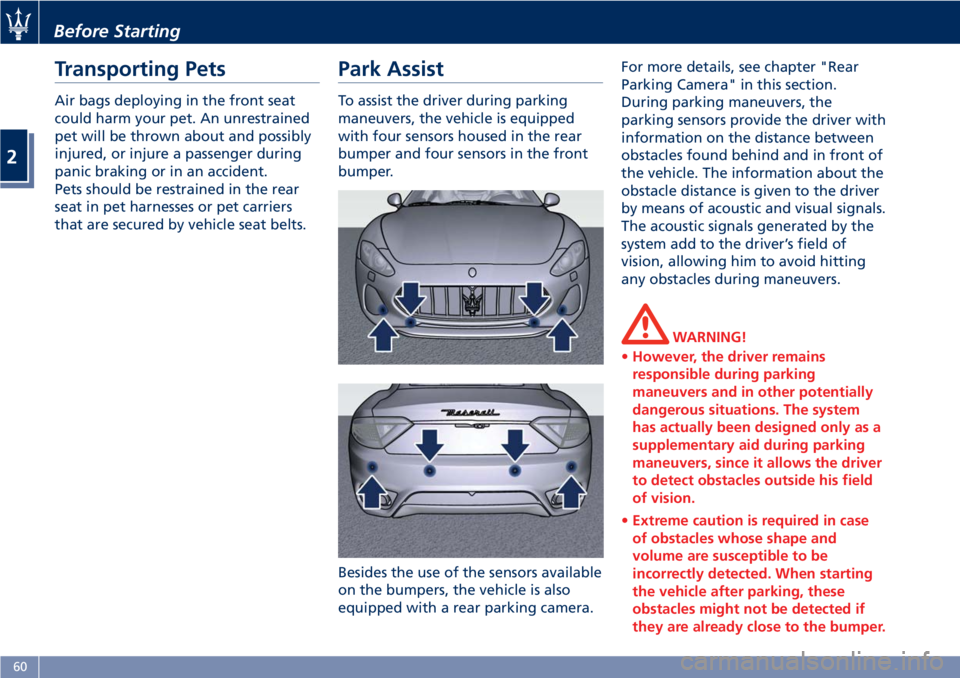
Park Assist To assist the driver during parking
maneuvers, the vehicle is equipped
with four sensors housed in the rear
bumper and four sensors in the front
bumper.
Besides the use of the sensors available
on the bumpers, the vehicle is also
equipped with a rear parking camera. For more details, see chapter "Rear
Parking Camera" in this section.
During parking maneuvers, the
parking sensors provide the driver with
information on the distance between
obstacles found behind and in front of
the vehicle. The information about the
obstacle distance is given to the driver
by means of acoustic and visual signals.
The acoustic signals generated by the
system add to the driver’s field of
vision, allowing him to avoid hitting
any obstacles during maneuvers.
WARNING!
• However, the driver remains
responsible during parking
maneuvers and in other potentially
dangerous situations. The system
has actually been designed only as a
supplementary aid during parking
maneuvers, since it allows the driver
to detect obstacles outside his field
of vision.
• Extreme caution is required in case
of obstacles whose shape and
volume are susceptible to be
incorrectly detected. When starting
the vehicle after parking, these
obstacles might not be detected if
they are already close to the bumper.Before Starting
2
60
Page 65 of 286
Always stop when the acoustic
signal becomes steady.
Stop & Go Feature This function is enabled by the
manufacturer and it can be disabled
by the MTC+ (see chapter "MTC+
Settings" in section "Dashboard
Instruments and Controls"), select and
tick the “Stop & Go Parking Sensors”
feature.
When vehicle speed is equal to or
lower than 6 mph (10 km/h), this
function helps the driver under special
traffic conditions as it signals that the
vehicle before you is at a min.
distance.
System with Enabled Stop &
Go Feature When the "Stop & Go" feature is
enabled through the MTC+, all sensors
are automatically enabled with the
key in the ignition switch turned to
MAR (ON) position, but they are not
displayed on the instrument cluster.
When the R (Reverse) gear is engaged
or an obstacle is detected, the
corresponding detection areas are
displayed on the instrument cluster. As
soon as the R (Reverse) gear is
disengaged, all sensors are still active: the rear ones for approx. 10 seconds
or until a speed of approx. 6 mph
(10 km/h) is exceeded, and the front
ones until a speed of approx. 6 mph
(10 km/h) is exceeded. When driving at
a speed equal to or lower than 6 mph
(10 km/h), as soon as the system
detects an obstacle, the front sensor
detection areas are displayed, and the
acoustic signals start to be emitted. If
no obstacle is detected for 10 seconds,
the displayed information disappears.
Front sensors can be temporarily
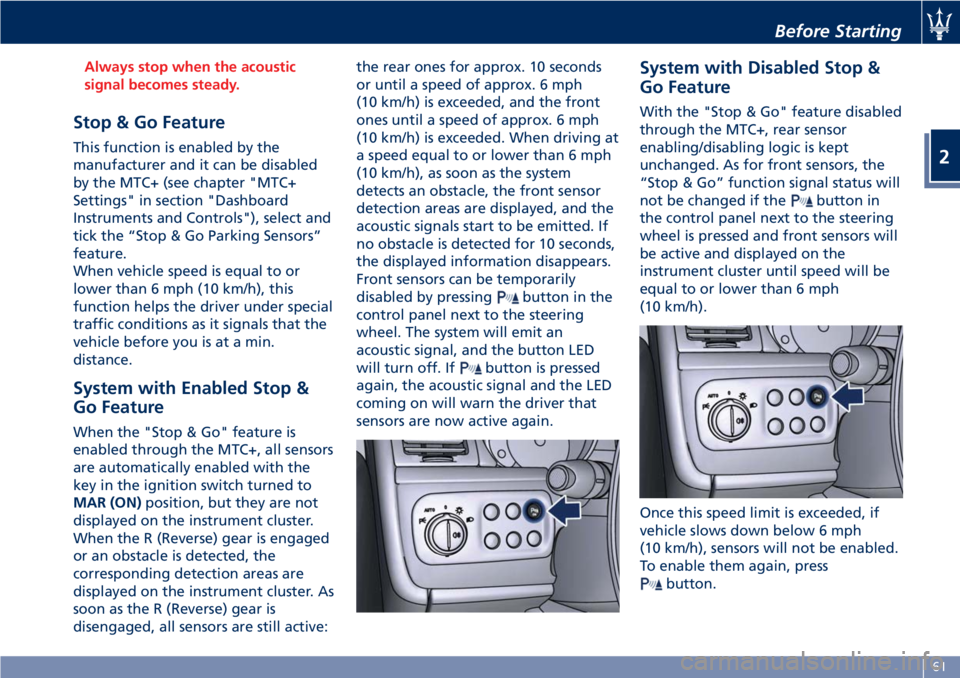
disabled by pressing
button in the
control panel next to the steering
wheel. The system will emit an
acoustic signal, and the button LED
will turn off. If
button is pressed
again, the acoustic signal and the LED
coming on will warn the driver that
sensors are now active again. System with Disabled Stop &
Go Feature With the "Stop & Go" feature disabled
through the MTC+, rear sensor
enabling/disabling logic is kept
unchanged. As for front sensors, the
“Stop & Go” function signal status will
not be changed if the
button in
the control panel next to the steering
wheel is pressed and front sensors will
be active and displayed on the
instrument cluster until speed will be
equal to or lower than 6 mph
(10 km/h).
Once this speed limit is exceeded, if
vehicle slows down below 6 mph
(10 km/h), sensors will not be enabled.
To enable them again, press
button.Before Starting
2
61
Page 67 of 286
hammers) and rotate the key to the
MAR (ON) position. So, if the
operating failure cause has been
eliminated, system full operation will
be recovered. If however, the failure
beep continues, contact an Authorized
Maserati Dealer to have the system
checked.
Cleaning the Park Assist
Sensors When cleaning the sensors, take
special care not to scratch or damage
them; therefore, do not use dry, rough
or hard cloths.
The sensors must be washed with
clean water, possibly adding car
shampoo.
Should you need to repaint the
bumper or in case of paint touch-ups
in the sensor area, please contact
exclusively the Authorized Maserati
Dealer . Incorrect paint application
could affect the parking sensors
operation.
Park Assist System Usage
Precautions
NOTE:
• Jackhammers, large trucks, and
other vibrations could affect the
performance of Park Assist. • Objects such as bicycle carriers,
trailer hitches, etc., must not be
placed within 12 in (30 cm) from the
rear bumper while driving the
vehicle. Failure to do so can result in
the system misinterpreting a close
object as a sensor problem, causing
the service Park Assist message to be
displayed in the instrument cluster.
CAUTION!
• Park Assist is only a parking aid and
it is unable to recognize every
obstacle, including small obstacles.
Parking curbs might only be
temporarily detected or not
detected at all. Obstacles located
above or below the sensors will not
be detected when they are in close
proximity.
• The vehicle must be driven slowly
when using Park Assist in order to be
able to stop in time when an
obstacle is detected. When backing
up, it is recommended that the
driver looks over his/her shoulder
when using Park Assist. WARNING!
Drivers must be careful when backing
up even when using the Park Assist
system. Always check carefully behind
your vehicle, look behind you, and be
sure to check for pedestrians, animals,
other vehicles, obstructions, and blind
spots before backing up. You are
responsible for safety and must
continue to pay attention to your
surroundings. Failure to do so can
result in serious injury or death.Before Starting
2
63
Page 68 of 286
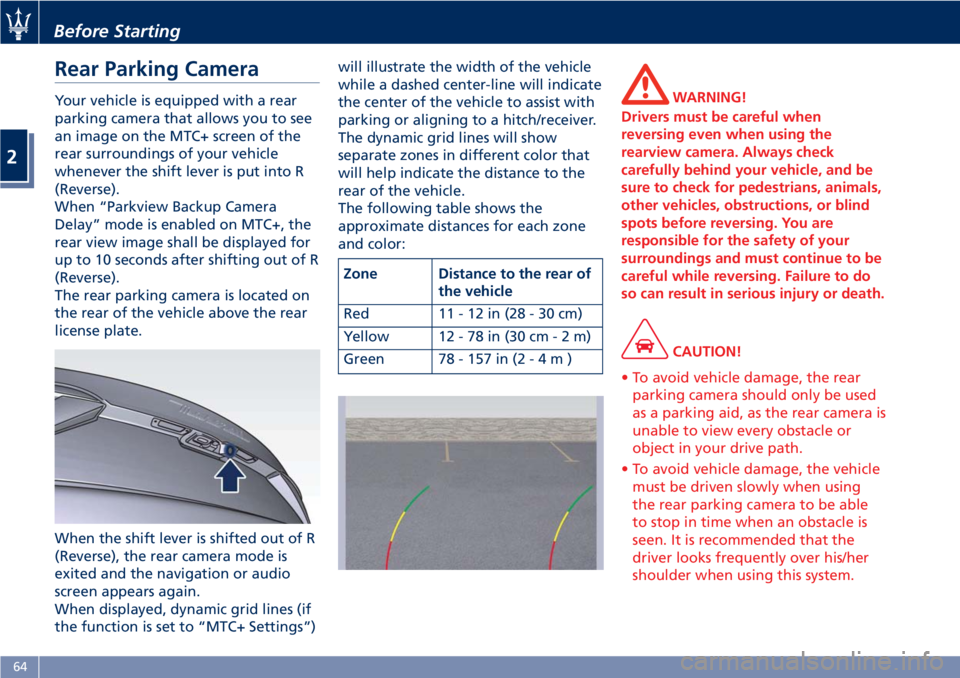
Rear Parking Camera Your vehicle is equipped with a rear
parking camera that allows you to see
an image on the MTC+ screen of the
rear surroundings of your vehicle
whenever the shift lever is put into R
(Reverse).
When “Parkview Backup Camera
Delay” mode is enabled on MTC+, the
rear view image shall be displayed for
up to 10 seconds after shifting out of R
(Reverse).
The rear parking camera is located on
the rear of the vehicle above the rear
license plate.
When the shift lever is shifted out of R
(Reverse), the rear camera mode is
exited and the navigation or audio
screen appears again.
When displayed, dynamic grid lines (if
the function is set to “MTC+ Settings”) will illustrate the width of the vehicle
while a dashed center-line will indicate
the center of the vehicle to assist with
parking or aligning to a hitch/receiver.
The dynamic grid lines will show
separate zones in different color that
will help indicate the distance to the
rear of the vehicle.
The following table shows the
approximate distances for each zone
and color:
Zone Distance to the rear of
the vehicle
Red 11-12in(28-30cm)
Yellow 12 - 78 in (30 c m-2m)
Green 78 - 157 in ( 2-4m) WARNING!
Drivers must be careful when
reversing even when using the
rearview camera. Always check
carefully behind your vehicle, and be
sure to check for pedestrians, animals,
other vehicles, obstructions, or blind
spots before reversing. You are
responsible for the safety of your
surroundings and must continue to be
careful while reversing. Failure to do
so can result in serious injury or death.
CAUTION!
• To avoid vehicle damage, the rear
parking camera should only be used
as a parking aid, as the rear camera is
unable to view every obstacle or
object in your drive path.
• To avoid vehicle damage, the vehicle
must be driven slowly when using
the rear parking camera to be able
to stop in time when an obstacle is
seen. It is recommended that the
driver looks frequently over his/her
shoulder when using this system.Before Starting
2
64
Page 78 of 286
Front Seats Seats and seat belts are part of the
Occupant Restraint System of the
vehicle. For further information, see
chapter “Occupant Restraint System”
in Section “Before Starting”.
WARNING!
Be sure everyone in your vehicle is in a
seat and using a seat belt properly.
Seat Adjustments The seats can only be adjusted with
the key in the ignition switch in MAR
(ON) position.
It is however possible, when the door
is closed, to operate the seat for
approx. 15 seconds after turning the
key to STOP (OFF) position and then
for other 15 seconds after the last
operation.
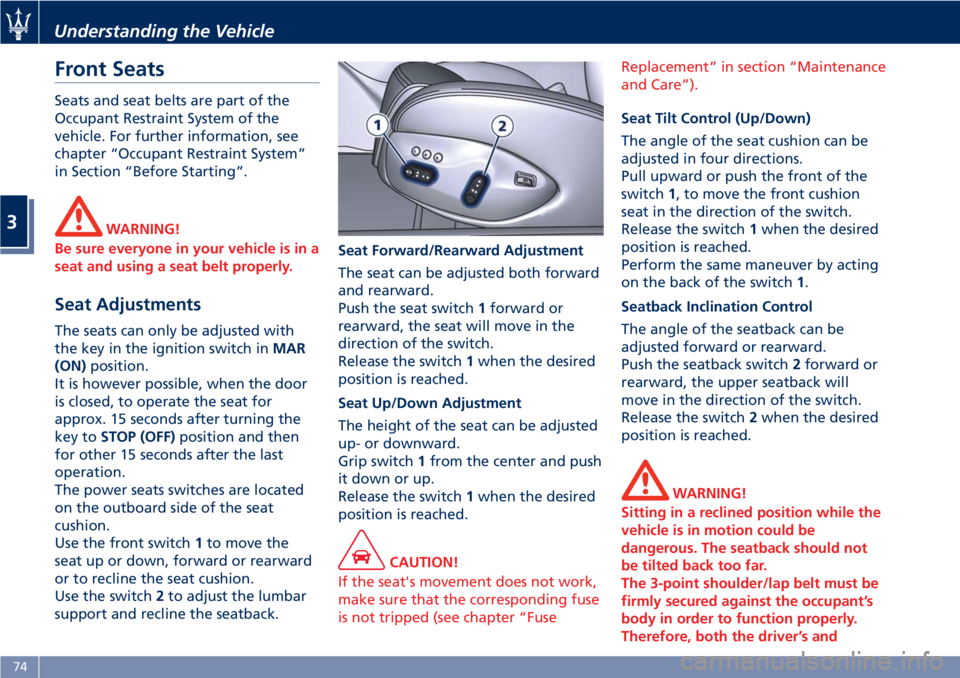
The power seats switches are located
on the outboard side of the seat
cushion.
Use the front switch 1 to move the
seat up or down, forward or rearward
or to recline the seat cushion.
Use the switch 2 to adjust the lumbar
support and recline the seatback. Seat Forward/Rearward Adjustment
The seat can be adjusted both forward
and rearward.
Push the seat switch 1 forward or
rearward, the seat will move in the
direction of the switch.
Release the switch 1 when the desired
position is reached.
Seat Up/Down Adjustment
The height of the seat can be adjusted
up- or downward.
Grip switch 1 from the center and push
it down or up.
Release the switch 1 when the desired
position is reached.
CAUTION!
If the seat's movement does not work,
make sure that the corresponding fuse
is not tripped (see chapter “Fuse Replacement” in section “Maintenance
and Care”).
Seat Tilt Control (Up/Down)
The
angle of the seat cushion can be
adjusted in four directions.
Pull upward or push the front of the
switch 1 , to move the front cushion
seat in the direction of the switch.
Release the switch 1 when the desired
position is reached.
Perform the same maneuver by acting
on the back of the switch 1 .
Seatback Inclination Control
The angle of the seatback can be
adjusted forward or rearward.
Push the seatback switch 2 forward or
rearward, the upper seatback will
move in the direction of the switch.
Release the switch 2 when the desired
position is reached.
WARNING!
Sitting in a reclined position while the
vehicle is in motion could be
dangerous. The seatback should not
be tilted back too far.
The 3-point shoulder/lap belt must be
firmly secured against the occupant’s
body in order to function properly.
Therefore, both the driver’s andUnderstanding the Vehicle
3
74
Page 80 of 286
(Continued)
rear seats only when the front seat is
stopped. Make sure that passengers in
the rear seats (especially children) do
not touch the seat or any of it's
components when it's moving.
Comfort Pack Front Seats This includes:
• heating of the front seats;
• driver seat, steering wheel and
outside rearview mirrors memory
position (see paragraph "Driver
Memory Seat" in this chapter).
Front Heated Seats The front seats are equipped with
heaters in both seat cushions and
seatbacks.
WARNING!
• Persons with low skin sensitivity
because of advanced age, chronic
illness, diabetes, spinal cord injury,
medication, alcohol use, exhaustion
or other physical conditions must be
careful when using the seat heater. It
may cause irritation even at low
temperatures, especially if used for
long periods of time.
• Do not place anything on the seat
that insulates against heat, such as a
blanket or cushion. This may cause
the seat heater to overheat. NOTE:
Seat
heating also works with engine
off and key in ignition switch in ACC
or MAR (ON) position. To avoid
discharging the battery, it is
recommended to activate the feature
with engine running.
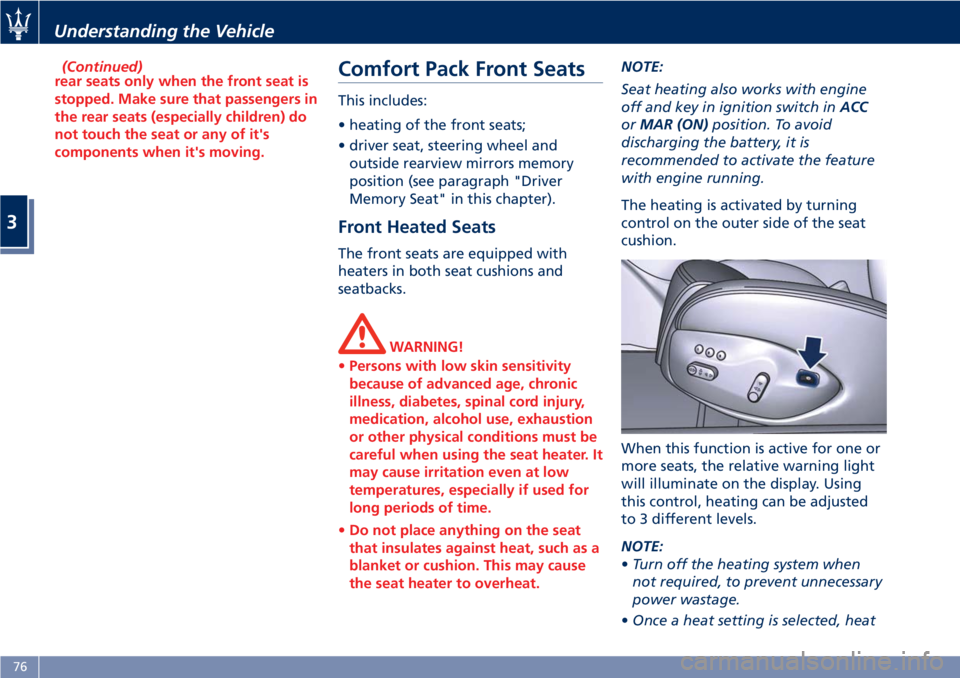
The heating is activated by turning
control on the outer side of the seat
cushion.
When this function is active for one or
more seats, the relative warning light
will illuminate on the display. Using
this control, heating can be adjusted
to 3 different levels.
NOTE:
• Turn off the heating system when
not required, to prevent unnecessary
power wastage.
• Once a heat setting is selected, heatUnderstanding the Vehicle
3
76
Page 81 of 286
will be felt within 2 to 5 minutes.
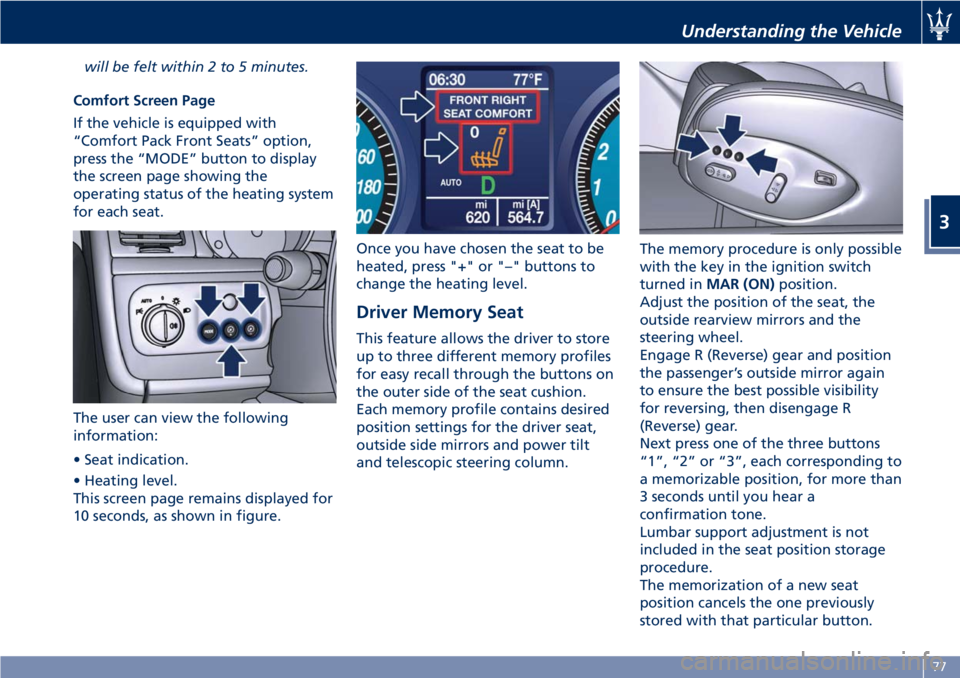
Comfort Screen Page
If the vehicle is equipped with
“Comfort Pack Front Seats” option,
press the “MODE” button to display
the screen page showing the
operating status of the heating system
for each seat.
The user can view the following
information:
• Seat indication.
• Heating level.
This screen page remains displayed for
10 seconds, as shown in figure. Once you have chosen the seat to be
heated, press "+" or "–" buttons to
change the heating level.
Driver Memory Seat This feature allows the driver to store
up to three different memory profiles
for easy recall through the buttons on
the outer side of the seat cushion.
Each memory profile contains desired
position settings for the driver seat,
outside side mirrors and power tilt
and telescopic steering column. The memory procedure is only possible
with the key in the ignition switch
turned in MAR (ON) position.
Adjust the position of the seat, the
outside rearview mirrors and the
steering wheel.
Engage R (Reverse) gear and position
the passenger’s outside mirror again
to ensure the best possible visibility
for reversing, then disengage R
(Reverse) gear.
Next press one of the three buttons
“1”, “2” or “3”, each corresponding to
a memorizable position, for more than
3 seconds until you hear a
confirmation tone.
Lumbar support adjustment is not
included in the seat position storage
procedure.
The memorization of a new seat
position cancels the one previously
stored with that particular button.Understanding the Vehicle
3
77
Page 82 of 286
To recall one of the stored positions
with the door open, press the relative
button “1”, “2” or “3” briefly.
To recall a stored position with the
door closed, press the corresponding
button until hearing a tone that
confirms the seat has stopped.
NOTE:
• To stop the seat, press one of the
buttons - “1”, “2” or “3” -, or one of
the adjustment controls.
• Malfunctioning of the seat control
unit is indicated by a sequence of 5
tones emitted when the key in the
ignition switch is turned to STOP
(OFF) position. Contact an
Authorized Maserati Dealer to have
the malfunction corrected.
Each system is independent of the
others and can be operated separately
using specific buttons for each seat.
System Initialization Procedure
Following any power cut-out (e.g.
after using the battery master switch
or dead battery), check the seats to
ensure that they are operating
properly when the power supply is
available.
Perform the following procedures on
both seats in the event of a
malfunction. The key in the ignition switch must be
in STOP (OFF) position and the door on
the side of the seat concerned closed.
Open the door and begin the
following procedure within 5 seconds,
then complete it within 10 seconds:
• forward - STOP;
• backward - STOP;
• forward - STOP;
• backward - STOP;
• tilt the seatback fully forward and
wait until the seat performs two
complete travels (forward and
backward);
• move the seatback to its normal
upright position.
NOTE:
If you need to disconnect the battery,
wait at least 30 seconds from the last
seat movement. If you disconnect the
battery before, you will have to run
the initialization procedure.
Seatback Facilitated Tilt
This function only active when the
door is open, moves the seat forward
automatically when the seatback is
reclined forward to facilitate access to
the rear seat or exiting the vehicle. The
seat returns to their original position
when the seatback is tilted back again. Rear Seats Rear seats can fit two passengers.
Seats and seat belts are parts of the
occupant restraint system of the
vehicle.
WARNING!
Be sure everyone in your vehicle is in a
seat and using a seat belt properly.
NOTE:
See
chapter “Occupants Restraint
Systems” in section “Before Starting”
for seat belt positioning.
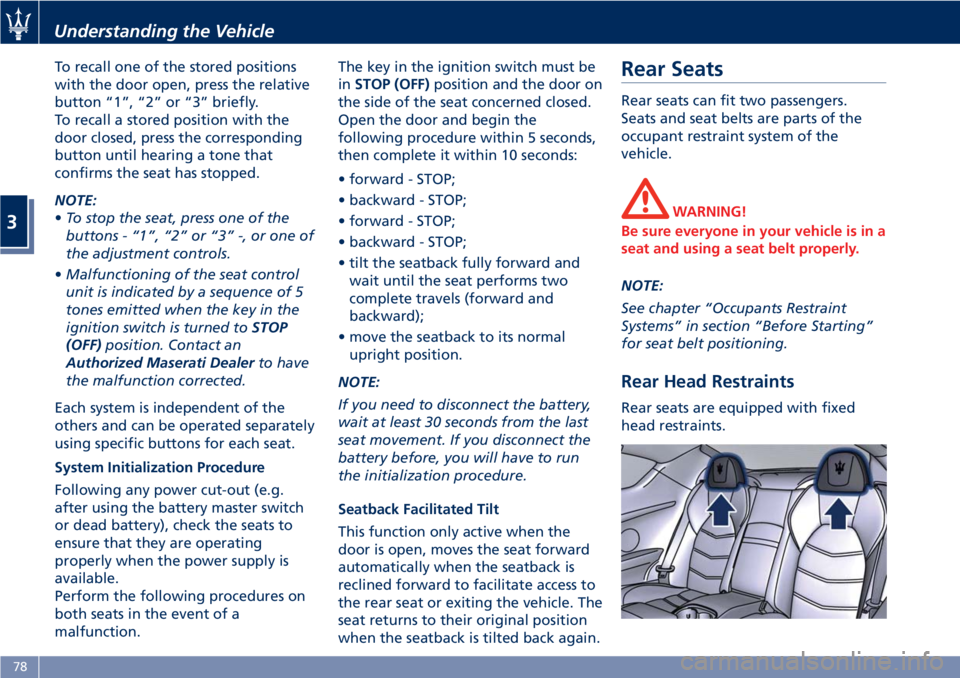
Rear Head Restraints Rear seats are equipped with fixed
head restraints.Understanding the Vehicle
3
78
Page 85 of 286
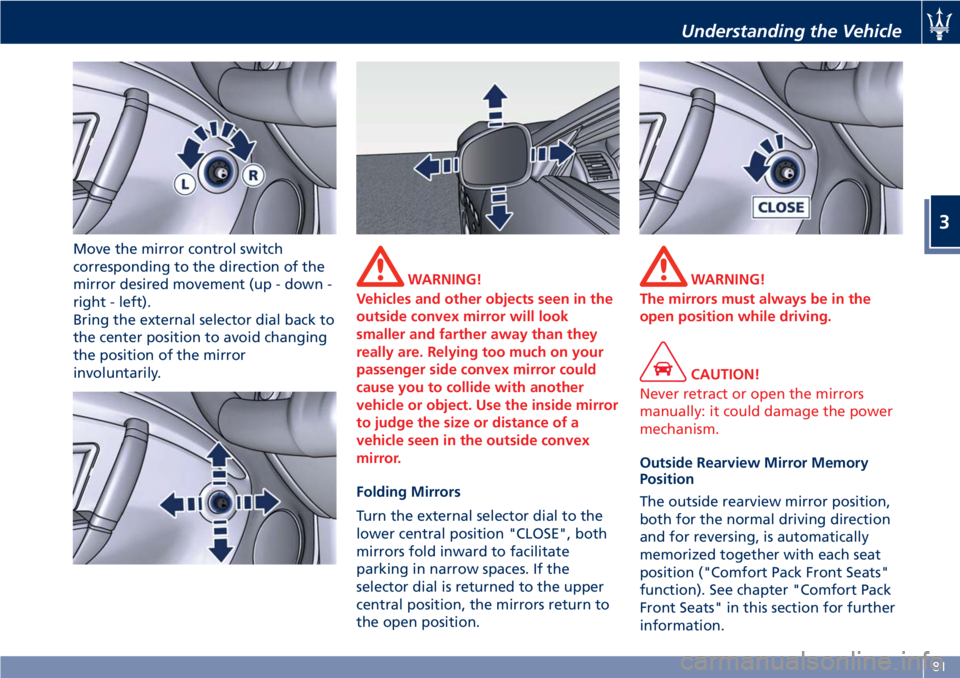
Move the mirror control switch
corresponding to the direction of the
mirror desired movement (up - down -
right - left).
Bring the external selector dial back to
the center position to avoid changing
the position of the mirror
involuntarily. WARNING!
Vehicles and other objects seen in the
outside convex mirror will look
smaller and farther away than they
really are. Relying too much on your
passenger side convex mirror could
cause you to collide with another
vehicle or object. Use the inside mirror
to judge the size or distance of a
vehicle seen in the outside convex
mirror.
Folding Mirrors
T
urn the external selector dial to the
lower central position "CLOSE", both
mirrors fold inward to facilitate
parking in narrow spaces. If the
selector dial is returned to the upper
central position, the mirrors return to
the open position. WARNING!
The mirrors must always be in the
open position while driving.
CAUTION!
Never retract or open the mirrors
manually: it could damage the power
mechanism.
Outside Rearview Mirror Memory
Position
The
outside rearview mirror position,
both for the normal driving direction
and for reversing, is automatically
memorized together with each seat
position ("Comfort Pack Front Seats"
function). See chapter "Comfort Pack
Front Seats" in this section for further
information.Understanding the Vehicle
3
81