parking MAZDA CX5 2023 Owner's Manual
[x] Cancel search | Manufacturer: MAZDA, Model Year: 2023, Model line: CX5, Model: MAZDA CX5 2023Pages: 583, PDF Size: 32.58 MB
Page 219 of 583

▼Electric Parking Brake (EPB)
The EPB system applies the parking
brake using an electric motor. The
system can operate automatically and
manually.
The EPB switch indicator light turns on
when applying the parking brake and it
turns off when releasing the parking
brake.
1. Indicator light
WARNING
Do not drive the vehicle with the
parking brake applied:
If the vehicle is driven with the parking
brake applied, the brake parts may
generate heat and the brake system
may not operate, leading to an
accident.
Before driving the vehicle, release the
parking brake and make sure that the
EPB indicator light in the instrument
cluster turns off.
Apply the parking brake when leaving
the vehicle:
Not applying the parking brake when
parking the vehicle is dangerous as the
vehicle may move unexpectedly and
result in an accident. Before leaving the
vehicle, apply the parking brake and
make sure that the EPB indicator light
in the instrument cluster turns on.
NOTE
The parking brake cannot be applied
or released while the vehicle battery
is dead.
Refer to If a Jump-Starting on page
7-11.
When the charging system warning
light in the instrument cluster turns
on, the parking brake cannot be
applied after switching the ignition
OFF. Before switching the ignition
OFF, apply the parking brake
manually.
The sound of the parking brake being
applied or released can be heard,
however, this does not indicate a
problem.
If the EPB is not used for long
periods, an automatic inspection of
the system is performed while the
vehicle is parked. An operation
sound can be heard, however, this
does not indicate a problem.
When applying the parking brake
and switching OFF the ignition, an
operation sound can be heard,
however, this does not indicate a
problem.
The brake pedal may move while
applying or releasing the parking
brake, however, this does not
indicate a problem.
If the parking brake is applied with
the ignition switched OFF or in ACC,
the EPB indicator light in the
instrument cluster and the indicator
light in the switch may turn on for 15
seconds.
When using an automatic car wash
which moves the vehicle with the
front tires mounted, it is necessary to
cancel the parking brake auto
operation before the vehicle enters
the automatic car wash. For details,
refer to Canceling the parking brake
automatic operation.
When Driving
Brake
4-68
CX-50_8KB8-EA-22A_Edition2_new
2022-1-6 14:55:18
Page 220 of 583

Release the parking brake and use
neutral hold mode (automatic car
wash mode) when it is necessary to
change the shift position to the N
position for an automatic car wash.
Refer to Selector Lever Operation on
page 4-37.
Manual operation
Applying the parking brake manually
When the brake pedal is firmly
depressed and the EPB switch is pulled
up, the parking brake is applied
regardless of the ignition position.
When the parking brake is applied, the
EPB indicator light in the instrument
cluster and the EPB switch indicator
light turn on.
Releasing the parking brake manually
When the brake pedal is firmly
depressed and the EPB switch is
pressed while the ignition is switched
ON or the engine is running, the
parking brake is released. When the
parking brake is released, the EPB
indicator light in the instrument cluster
and the EPB switch indicator light turn
off.
If the EPB switch is pressed without
depressing the brake pedal, a message
is displayed on the multi-information
display to notify the driver to depress
the brake pedal.
Refer to Message Indicated on
Multi-information Display on page
7-32.
Auto operation
Applying the parking brake
automatically
When the ignition is switched from ON
to ACC or OFF, the parking brake will
be applied automatically. When the
parking brake is applied, the EPB
indicator light in the instrument cluster
and the EPB switch indicator light turn
on.
NOTE
To release the parking brake when the
ignition is switched OFF, it is necessary
to cancel the parking brake auto
operation. For details, refer to
Canceling the parking brake automatic
operation.
Releasing the parking brake
automatically
(Selector lever operation)
If the selector lever is shifted from the
P position to a position other than P
When Driving
Brake
4-69
CX-50_8KB8-EA-22A_Edition2_new 2022-1-6 14:55:18
Page 221 of 583

with the parking brake applied and all
of the following conditions met, the
parking brake is released automatically.
When the parking brake is released,
the EPB indicator light in the
instrument cluster and the EPB switch
indicator light turn off.
The engine is running.The driver's door is closed.Shift interlock release is enabled.The brake pedal is being depressed.
CAUTION
Firmly depress the brake pedal and
perform the shift operation.
Otherwise, the vehicle may move
unexpectedly.
When performing the following
operations, shift interlock release can
be enabled/disabled.
1. Switch the ignition ON.
2. Pull the EPB switch continuously for4 seconds or longer.
3. Release the EPB switch once and then pull it again continuously for 4
seconds or longer within 3 seconds.
(Switching from disable to enable
shift interlock release)
When shift interlock release is
enabled, a sound is activated 2
times and the EPB switch indicator
changes to fast flashing, and flashes
for 3 seconds.
(Switching from enable to disable
shift interlock release)
When shift interlock release is
disabled, a sound is activated 2
times and the EPB switch indicator
light changes to slow flashing, and
flashes for 4 seconds.
NOTE
If something such as the driver’s
foot contacts the accelerator
pedal with the engine running
and the parking brake applied,
the parking brake might be
released automatically. If you do
not intend to start driving the
vehicle immediately, shift the
selector lever to the P or N
position.
When the ignition is switched
OFF, the system setting before it
was turned off is maintained.
(Accelerator pedal operation)
If the accelerator pedal is depressed
with the parking brake applied and all
of the following conditions met, the
parking brake is released automatically.
When the parking brake is released,
the EPB indicator light in the
instrument cluster and the EPB switch
indicator light turn off.
The engine is running.The driver's door is closed.The driver's seat belt is fastened.The selector lever is in the D or R
position.
CAUTION
If something such as the driver’s foot
contacts the accelerator pedal with the
engine running and the parking brake
applied, the parking brake may be
released automatically and the vehicle
may move unexpectedly. If you do not
intend to start driving the vehicle
immediately, shift the selector lever to
the P or N position.
Canceling the parking brake
automatic operation
The parking brake automatic operation
can be canceled by doing any of the
When Driving
Brake
4-70
CX-50_8KB8-EA-22A_Edition2_new 2022-1-6 14:55:18
Page 222 of 583

following after switching the ignition
from ON to OFF.
Auto operation cancel method 1
1. Switch the ignition ON.
2. Release the parking brake manually.
3. Turn off the AUTOHOLD.
4. Press the EPB switch continuouslyfor 2 seconds or longer (until a
sound is activated).
5. Release the EPB switch and switch the ignition OFF within 5 seconds
after the sound was activated.
After the auto operation is
canceled, a sound is activated one
time, and the EPB switch indicator
light switches from illumination to
flashing, and then turns off after 3
seconds.
Auto operation cancel method 2
1. Switch the ignition ON.
2. Release the parking brake manually.
3. Turn off the AUTOHOLD.
4. Switch the ignition OFF with the EPB switch pressed while the brake
pedal is not depressed.
When the auto operation is
canceled, a sound is activated one
time, and the EPB switch indicator
light goes from normal flashing to
faster flashing , and then turns off
after 3 seconds.
NOTE
When canceling the parking brake
auto operation and parking the
vehicle, shift the selector lever to the
P position and then use wheel
blocks.
The auto operation may not cancel if
the vehicle is parked on a steep
slope.
When the ignition is switched ON, the
parking brake auto operation is
restored.
How to use Emergency Brake
If there is a problem with the brake
system (foot brake) while driving the
vehicle or in an emergency situation
where the driver cannot step on the
brake pedal, continually pulling up the
EPB switch will apply the brakes and
decelerate or stop the vehicle. The
parking brake on-reminder sound is
activated while the brake is applied. In
addition, when releasing the switch,
the brake is released and the sound
stops.
WARNING
Use Emergency Brake only in an
emergency situation:
Excessive use may cause the brake
parts to wear quickly or the brakes to
heat up and become less effective.
When Driving
Brake
4-71
CX-50_8KB8-EA-22A_Edition2_new 2022-1-6 14:55:18
Page 224 of 583

AUTOHOLD
▼AUTOHOLD
The AUTOHOLD function automatically holds the vehicle stopped, even if you take
your foot
off the brake pedal. This function can be best used while stopped in
traffic
or at a traffic light. The brakes are released when you start driving the vehicle.
WARNING
Do not rely completely on the AUTOHOLD function:
The AUTOHOLD function is only designed to assist the brake operation while the
vehicle is stopped. Neglecting to operate the brakes and relying only on the
AUTOHOLD system is dangerous and could result in an unexpected accident if the
vehicle were to suddenly move. Operate the brakes appropriately in accordance
with the road and surrounding conditions.
Note that the vehicle may move suddenly de
pending on the vehicle's load or if it is
towing something.
Do not release your foot from the brake pedal while the vehicle is stopped on a
steep grade:
Because there is a possibility of the vehicl e not being held in the stopped position by
the AUTOHOLD function, the vehicle may move unexpectedly and result in an
accident.
Do not use the AUTOHOLD function on slippery roads such as icy or
snow-covered roads, or unpaved roads:
Even if the vehicle is held in the stopped position by the AUTOHOLD function, the
vehicle may move unexpectedly and result in an accident. Operate the accelerator
pedal, brakes, or steering wheel appropriately as necessary.
Immediately depress the brake pedal in the following cases:
Because the AUTOHOLD function is canceled forcibly, the vehicle may move
unexpectedly and result in an accident.
“Depress Brake Pedal. Brake Hold Disabled” is displayed in the multi-information
display and the warning sound is activated at the same time.
Always apply the parking brake when parking the vehicle:
Not applying the parking brake when parking the vehicle is dangerous as the vehicle
may move unexpectedly and result in an accident. When parking the vehicle, shift
the selector lever to the P position and apply the parking brake.
When Driving
Brake
4-73
CX-50_8KB8-EA-22A_Edition2_new 2022-1-6 14:55:18
Page 225 of 583

CAUTION
If you stop operating the accelerator pedal before the vehicle starts moving, the
force holding the vehicle in the stopped position may weaken. Firmly depress the
brake pedal or depress the accelerato r pedal to accelerate the vehicle.
NOTE
Under the following conditions, a problem with the AUTOHOLD is occurring.
Have your vehicle inspected at an Authorized Mazda Dealer as soon as possible.
A message is indicated on the multi-information display and a warning sound is
activated for about 5 seconds while the AUTOHOLD is operating or when you
press the AUTOHOLD switch.
If you switch the ignition OFF while the AUTOHOLD is operating, the parking
brake is applied automatically to assist you with parking the vehicle.
The AUTOHOLD is canceled when the selector lever is shifted to R position while
the vehicle is on level ground, or facing up a hill or grade (as shown below).
Vehicle posture and road surface gradient AUTOHOLD operation status
Ve h i c l e t i l t s f o r wa r d
Operates
Level ground
Does not operate, canceled
Ve h i c l e t i l t s rea r wa rd
Does not operate, canceled
: Reverse driving (selector lever in the reverse (R) position)
The brake pedal response may change, sound may occur from the brakes, or the
brake pedal could vibrate from the operation of the AUTOHOLD function.
However, this does not indicate a malfunction.
When Driving
Brake
4-74
CX-50_8KB8-EA-22A_Edition2_new 2022-1-6 14:55:18
Page 226 of 583

▼To Turn On AUTOHOLD System
Press the AUTOHOLD switch and
when the AUTOHOLD standby
indicator light turns on, the
AUTOHOLD function turns on.
1. AUTOHOLD standby indicator light
NOTE
When all of the following conditions
are met, the AUTOHOLD standby
indicator light turns on when the
AUTOHOLD switch is pressed and the
AUTOHOLD function turns on.
The ignition is switched ON (engine
is running or stopped by i-stop).
The driver's seat belt is fastened.The driver's door is closed.There is no problem with the
AUTOHOLD function.
To operate AUTOHOLD and hold the
brakes
1. Depress the brake pedal and bring the vehicle to a complete stop.
2. The AUTOHOLD active indicator light in the instrument cluster turns
on and the brakes are held.
3. The vehicle is held in its stoppedposition even with the brake pedal
released.
NOTE
When all of the following conditions
are met, the AUTOHOLD operates and
the brakes are held.
The ignition is switched ON (engine
is running or stopped by i-stop).
The vehicle is stopped.The brake pedal is being depressed.The AUTOHOLD active indicator
light turns on.
The accelerator pedal is not
depressed.
The driver's seat belt is fastened.The driver's door is closed.There is no problem with the
AUTOHOLD function.
The parking brake is released.There is no problem with the Electric
Parking Brake (EPB) function.
The selector lever is in a position
other than R position or the vehicle
tilts forward with the selector lever in
the R position.
To release AUTOHOLD and start
driving the vehicle
If you try to resume driving the vehicle,
the brakes will be released
automatically and the AUTOHOLD
active indicator light turns off.
NOTE
If the Electric Parking Brake (EPB)
switch is pulled while the
AUTOHOLD is operating, the
parking brake is applied and the
AUTOHOLD is released. In addition,
if the parking brake is released under
this condition, the AUTOHOLD
operates to hold the brakes.
When Driving
Brake
4-75
CX-50_8KB8-EA-22A_Edition2_new 2022-1-6 14:55:18
Page 227 of 583
Under the following conditions, the
parking brake is automatically
applied and the AUTOHOLD is
released. The AUTOHOLD is
re-enabled when the conditions
before the AUTOHOLD is released
are restored.
The driver’s seat belt is unfastened.The driver’s door is opened.When about 10 minutes or longer
have passed since the AUTOHOLD
operation started, the parking brake
is automatically applied. Because the
AUTOHOLD is restored when
releasing the parking brake, the hold
on the brakes by AUTOHOLD
function resumes.
The AUTOHOLD can be canceled
forcibly by fully depressing the
accelerator pedal for 1 second or
longer while the AUTOHOLD is
operating. Forcibly cancel the
AUTOHOLD only when the
AUTOHOLD cannot be canceled due
to a system malfunction or it is
necessary to cancel the AUTOHOLD
in an emergency.
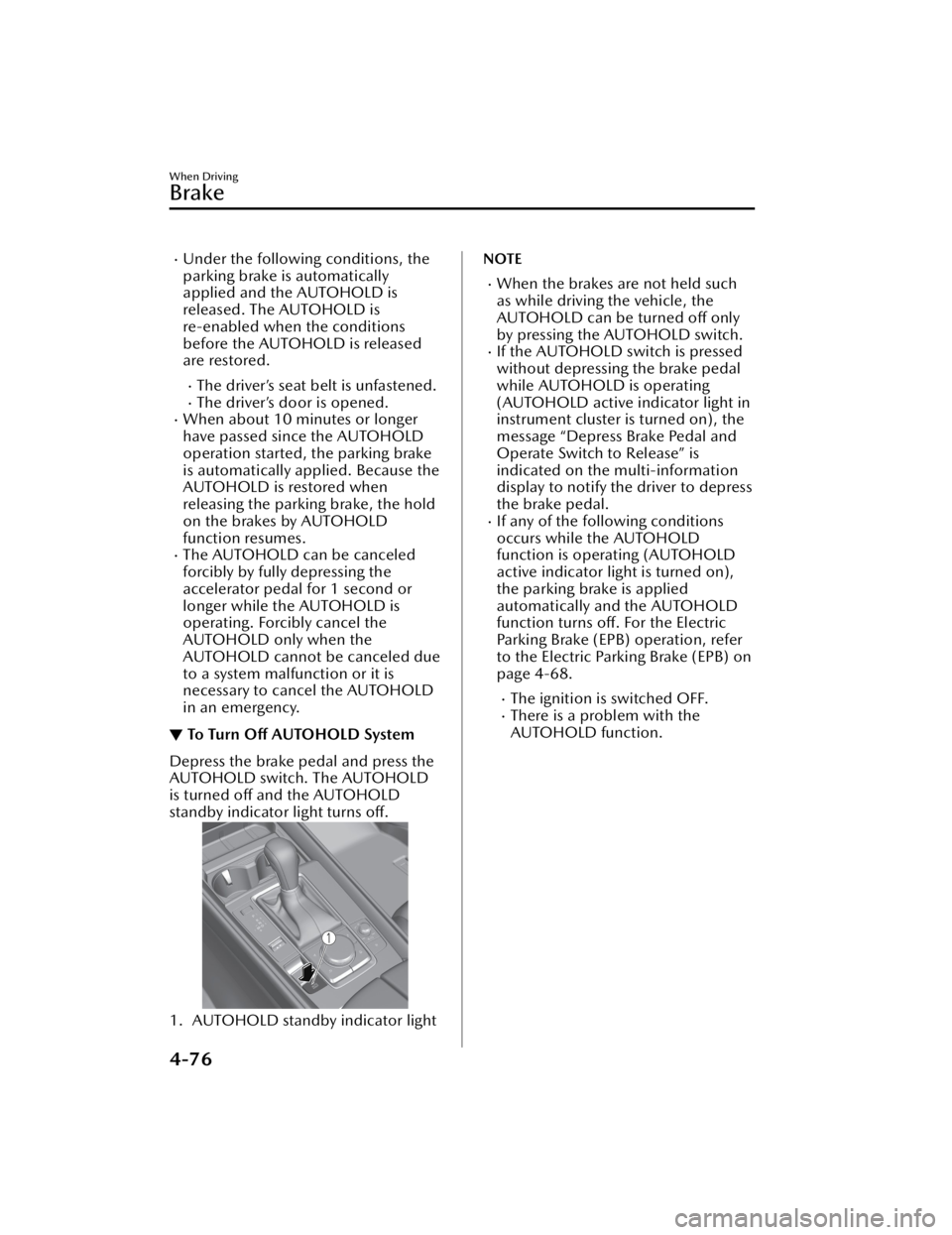
▼To Tu r n
Off AUTOHOLD System
Depress the brake pedal and press the
AUTOHOLD switch. The AUTOHOLD
is turned
off and the AUTOHOLD
standby indicator light turns off.
1. AUTOHOLD standby indicator light
NOTE
When the brakes are not held such
as while driving the vehicle, the
AUTOHOLD can be turned off only
by pressing the AUTOHOLD switch.
If the AUTOHOLD switch is pressed
without depressing the brake pedal
while AUTOHOLD is operating
(AUTOHOLD active indicator light in
instrument cluster is turned on), the
message “Depress Brake Pedal and
Operate Switch to Release” is
indicated on the multi-information
display to notify the driver to depress
the brake pedal.
If any of the following conditions
occurs while the AUTOHOLD
function is operating (AUTOHOLD
active indicator light is turned on),
the parking brake is applied
automatically and the AUTOHOLD
function turns off. For the Electric
Parking Brake (EPB) operation, refer
to the Electric Parking Brake (EPB) on
page 4-68.
The ignition is switched OFF.There is a problem with the
AUTOHOLD function.
When Driving
Brake
4-76
CX-50_8KB8-EA-22A_Edition2_new 2022-1-6 14:55:18
Page 228 of 583

Hill Launch Assist (HLA)
▼Hill Launch Assist (HLA)
The HLA functions to assist in
accelerating the vehicle from a stop on
slopes. When releasing the brake pedal
and depressing the accelerator pedal
to accelerate the vehicle from a stop
while on a slope, the function prevents
the vehicle from rolling. The HLA also
operates when reversing on a slope.
The braking force is maintained
automatically after releasing the brake
pedal on a steep slope.
The HLA operates when the vehicle is
tilted rearward with the selector lever
in a forward gear, and operates when
the vehicle is tilted forward with the
selector lever in the R position.
WARNING
Do not rely completely on
HLA:
HLA is an auxiliary device for
accelerating from a stop on a slope.
The system only operates for about 2
seconds and therefore, relying only on
the system, when accelerating from a
stop is dangerous because the vehicle
may move (roll) unexpectedly and
cause an accident.
The vehicle could roll depending on
the vehicle's load or if it is towing
something.
Always confirm the safety around the
vehicle before starting to drive the
vehicle.
NOTE
HLA does not operate on a gentle
slope. In addition, the gradient of
the slope on which the system will
operate changes depending on the
vehicle's load.
HLA does not operate if the parking
brake is applied, or if the vehicle has
not stopped completely.
While HLA is operating, the brake
pedal may feel stiff and vibrate,
however, this does not indicate a
malfunction.
HLA does not operate while the
TCS/DSC indicator light is
illuminated.
Refer to TCS/DSC Indication/
Indicator Light (Turns on) on page
7-25.
HLA does not turn off even if the TCS
OFF switch is pressed to turn off the
TCS.
When Driving
Brake
4-77
CX-50_8KB8-EA-22A_Edition2_new 2022-1-6 14:55:18
Page 240 of 583

i-ACTIVSENSE*
▼i-ACTIVSENSE
i-ACTIVSENSE is a collective term
covering a series of advanced safety
and driver support systems which
make use of cameras and sensors. The
systems consist of active safety and
pre-crash safety systems.
These systems are designed to assist
the driver in safer driving by reducing
the load on the driver and helping to
avert collisions or reduce their severity.
However, because each system has its
limitations, always drive carefully and
do not rely solely on the systems.
▼Active Safety Technology
Active Safety Technology supports safer
driving by helping the driver to
recognize potential hazards and avert
accidents.
Driver awareness support systems
Nighttime visibility
Adaptive Front Lighting System
(AFS).................................. page 4-93
High Beam Control System
(HBC).................................page 4-93
Left/right side and rear side detection
Lane Departure Warning System
(LDWS).............................. page 4-95
Blind Spot Monitoring (BSM)...............
.......................................... page 4-99
Road sign recognition
Traffic Sign Recognition System
(TSR)................................ page 4-104
Inter-vehicle distance recognition
Distance & Speed Alert (DSA) .............
........................................ page 4-110
Rear obstruction detection when
leaving a parking space
Rear Cross Traffic Alert (RCTA) .............
........................................ page 4-113
Full-surround recognition
360°View Monitor............ page 4-156
Driver fatigue detection
Driver Attention Alert (DAA) ...............
........................................ page 4-111
Driver support systems
Inter-vehicle distance
Mazda Radar Cruise Control with Stop
& Go function (MRCC with Stop & Go
function).......................... page 4-117
Lane departure
Lane-keep Assist System (LAS) .............
........................................ page 4-137
Inter-vehicle distance and lane
keeping
Traffic Jam Assist (TJA)........ page 4-124
▼Pre-Crash Safety Technology
Pre-crash safety technology is designed
to assist the driver in averting collisions
or reducing their severity in situations
where they cannot be avoided.
Collision damage reduction
Smart Brake Support (SBS) ..................
........................................ page 4-148
▼Camera and Sensors
Forward Sensing Camera (FSC)
The Forward Sensing Camera (FSC)
detects lane indications and recognizes
headlights, tailligh
ts and city lights
during nighttime driving. In addition, it
also detects the vehicle ahead,
pedestrians, or obstructions. The
When Driving
i-ACTIVSENSE
*Some models.4-89
CX-50_8KB8-EA-22A_Edition2_new 2022-1-6 14:55:18