Camera MAZDA CX90 2024 User Guide
[x] Cancel search | Manufacturer: MAZDA, Model Year: 2024, Model line: CX90, Model: MAZDA CX90 2024Pages: 687, PDF Size: 15.46 MB
Page 292 of 687

Warnings and Cautions
for Using the High Beam Control System (HBC)
CAUTION
Heed the following cautions so that
the HBC can operate normally.
Do not modify the suspensions.
Do not modify the headlight units.
Do not remove the Forward
Sensing Camera (FSC).
Do not rely completely on the system
and switch the headlights between
the high and low beams manually if
necessary.
Driving
High Beam Control System (HBC)
5-141
CX-90_8KG7-EA-22L_Edition1_new 2022-11-17 16:05:04
Page 293 of 687

How to Use the High
Beam Control System (HBC)
NOTE
The distance in which the HBC can
detect objects varies depending on
the surrounding conditions.
The Forward Sensing Camera (FSC)
may not be able to detect target
objects correctly, and the HBC may
not operate normally.
Refer to Forward Sensing Camera
(FSC) on page 5-127.
Using the HBC
Make sure that the light switch is in the
AUTO position.
The HBC determines the surrounding
conditions and operates automatically.
When the HBC operates, the HBC
indicator light (green)
in the
instrument cluster turns on.
Switching the headlights to high
beams
The HBC switches the headlights to
high beams when all of the following
conditions are met.
The vehicle speed is about 30 km/h
(19 mph) or faster.
The system does not detect a vehicle
ahead.
Switching the headlights to low
beams
The HBC switches the headlights to
low beams when any of the following
conditions is met.
The vehicle speed is less than about
20 km/h (12 mph).
When driving in areas with a
continuous line of street lamps or on
roads in well-lit cities and towns.
The system detects the headlights of
a vehicle ahead.
Canceling the HBC during operation
When the HBC is canceled, the HBC
indicator light (green)
in the
instrument cluster turns off.
Press the HBC switch again to make
the HBC operable.
NOTE
If the vehicle power is switched OFF
with the HBC turned off, the HBC
automatically turns on the next time
the vehicle power is switched ON.
Driving
High Beam Control System (HBC)
5-142
CX-90_8KG7-EA-22L_Edition1_new 2022-11-17 16:05:04
Page 296 of 687

How to Use the LaneDeparture Warning System (LDWS)
LDWS operates
The LDWS operates when all of the
following conditions are met.
The vehicle speed is about 64 km/h
(40 mph)or faster.
The system detects white (yellow)
lane lines.
The CTS steering assist function is
not operating.
The system determines that the
vehicle may depart from the lane.
When the LDWS is operating, a screen
display and a warning sound (steering
wheel vibration and warning sound)
notify the driver of the danger.
Instrument cluster
Active driving display
NOTE
The LDWS operates only on the side
that detects white lines (yellow
lines).
The forward sensing camera (FSC)
may not be able to detect target
objects correctly, and the LDWS may
not operate normally.
Refer to Forward Sensing Camera
(FSC) on page 5-127.
The LDWS warning type can be
changed using Mazda Connect.
Refer to the Settings section in the
Mazda Connect Owner's Manual.
LDWS is temporarily canceled
If any of the following conditions is
met, the LDWS is canceled. In
addition, the LDWS is automatically
enabled when the condition changes
and the system is operable.
The turn signal lever is operated.The accelerator pedal is operated.The steering wheel is operated.The brake pedal is depressed.
Turning off the LDWS
There are 2 ways to turn off the LDWS.
Turn off the LDWS using Mazda
Connect.
Refer to the Settings section in the
Mazda Connect Owner's Manual.
Turn off the LDWS using the
i-ACTIVSENSE OFF switch.
Refer to How to Use the
i-ACTIVSENSE OFF switch on page
5-126.
Driving
Lane Departure Warning System (LDWS)
5-145
CX-90_8KG7-EA-22L_Edition1_new 2022-11-17 16:05:04
Page 302 of 687
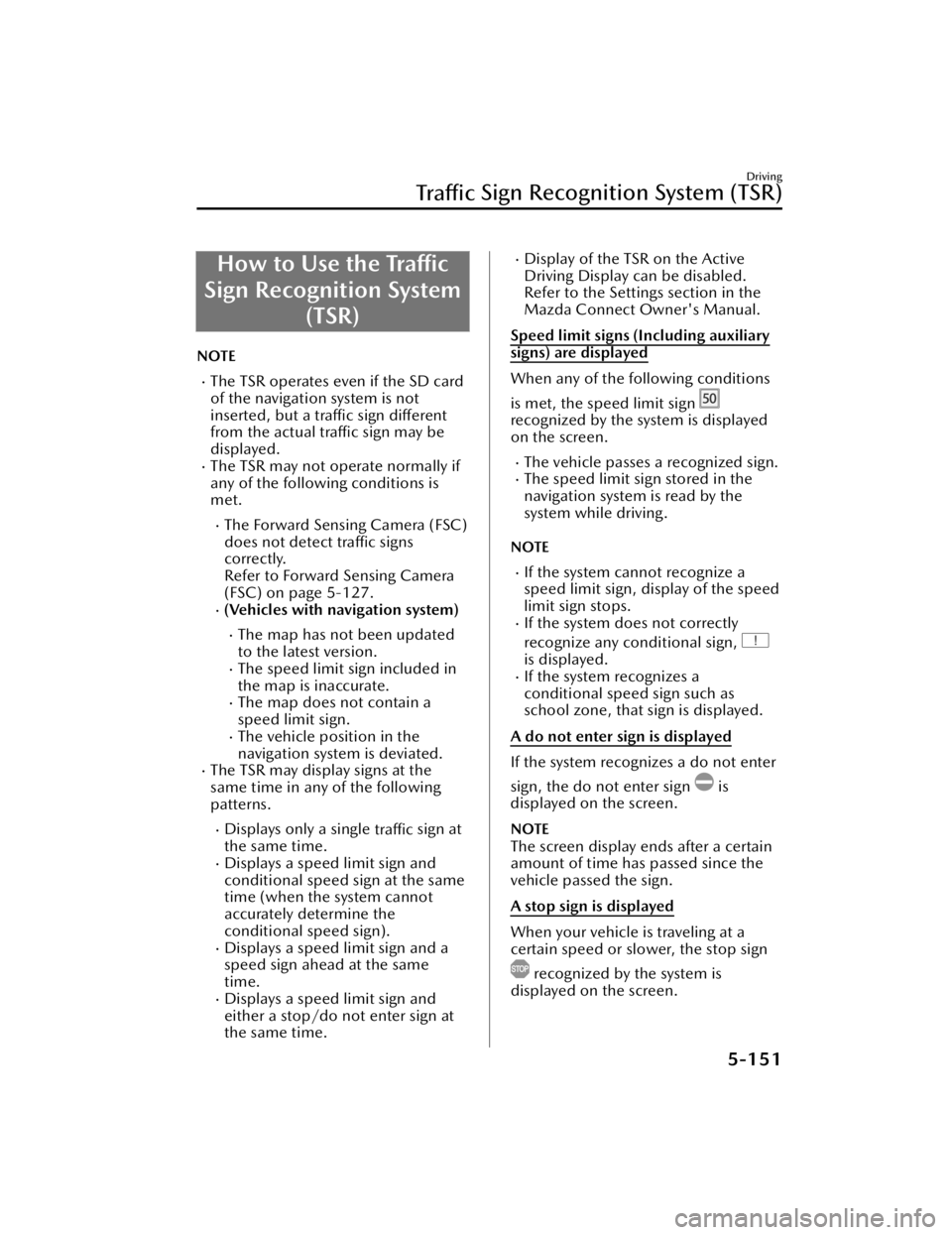
How to Use the Traffic
Sign Recognition System (TSR)
NOTE
The TSR operates even if the SD card
of the navigation system is not
inserted, but a traffic sign different
from the actual traffic sign may be
displayed.
The TSR may not operate normally if
any of the following conditions is
met.
The Forward Sensing Camera (FSC)
does not detect traffic signs
correctly.
Refer to Forward Sensing Camera
(FSC) on page 5-127.
(Vehicles with navigation system)
The map has not been updated
to the latest version.
The speed limit sign included in
the map is inaccurate.
The map does not contain a
speed limit sign.
The vehicle position in the
navigation system is deviated.
The TSR may display signs at the
same time in any of the following
patterns.
Displays only a single traffic sign at
the same time.
Displays a speed limit sign and
conditional speed sign at the same
time (when the system cannot
accurately determine the
conditional speed sign).
Displays a speed limit sign and a
speed sign ahead at the same
time.
Displays a speed limit sign and
either a stop/do not enter sign at
the same time.
Display of the TSR on the Active
Driving Display can be disabled.
Refer to the Settings section in the
Mazda Connect Owner's Manual.
Speed limit signs (Including auxiliary
signs) are displayed
When any of the following conditions
is met, the speed limit sign
recognized by the system is displayed
on the screen.
The vehicle passes a recognized sign.The speed limit sign stored in the
navigation system is read by the
system while driving.
NOTE
If the system cannot recognize a
speed limit sign, display of the speed
limit sign stops.
If the system does not correctly
recognize any conditional sign,
is displayed.If the system recognizes a
conditional speed sign such as
school zone, that sign is displayed.
A do not enter sign is displayed
If the system recognizes a do not enter
sign, the do not enter sign
is
displayed on the screen.
NOTE
The screen display ends after a certain
amount of time has passed since the
vehicle passed the sign.
A stop sign is displayed
When your vehicle is traveling at a
certain speed or slower, the stop sign
recognized by the system is
displayed on the screen.
Driving
Tra ffi c Sign Recognition System (TSR)
5-151
CX-90_8KG7-EA-22L_Edition1_new
2022-11-17 16:05:04
Page 310 of 687

After displaying the warning
pattern (caution), the next warning
pattern (caution) is not displayed
until 45 minutes have passed.
After displaying the warning
pattern (warning), the next
warning pattern (warning) is not
displayed until 15 minutes have
passed.
After displaying the warning
pattern (warning), the next
warning pattern (caution) is not
displayed until 45 minutes have
passed.
If the driver monitoring camera does
not recognize the driver correctly, the
drowsiness detection function may
not operate normally.
Refer to Driver Monitoring Camera
on page 5-139.
The drowsiness detection function
may not operate normally if any of
the following conditions is met.
You are looking down.You are squinting or closing your
eyes.
One eye is closed.You are laughing.
Operating the inattentive driving
detection function
The inattentive driving detection
function operates when all of the
following conditions are met.
The vehicle speed is about 30 km/h
(19 mph) or faster.
The system detects inattentive
driving.
When the inattentive driving detection
function operates, the screen display
and warning sound alerts the driver.
1. “Distracted Driver Detected”
NOTE
If the driver monitoring camera does
not recognize the driver correctly, the
inattentive driving detection function
may not operate normally.
Refer to Driver Monitoring Camera
on page 5-139.
The inattentive driving detection
function may not operate normally if
any of the followi ng conditions is
met.
Your line of sight moves or directly
after it stops moving
There is a large difference between
your line of sight and the direction
your face is pointed.
Your face or your eyes frequently
turn in a direction other than
straight ahead.
You are driving the vehicle with
your head largely tilted to one side.
You are moving around extensively.
Turning off the DM
The DM can be turned off using the
Mazda Connect.
Refer to the Settings section in the
Mazda Connect Owner's Manual.
Driving
Driver Monitoring (DM)
5-159
CX-90_8KG7-EA-22L_Edition1_new 2022-11-17 16:05:04
Page 329 of 687

Driving condition Instrument cluster display Active driving display indication
During travel at constant
speed
During travel under head-
way control
1. Set speed
2. Vehicle ahead indication
NOTE
While in EV mode, acceleration may be restricted and the vehicle may not be able
to be driven at the set speed.
Refer to Mazda intelligent Drive Select (Mi-Drive) on page 5-95.
If there is a structure on the road or an obstruction at a low height off the ground
in front of the vehicle, the system may recognize it as a vehicle ahead.
Acceleration and deceleration by accelerator pedal operation takes priority while
traveling at a constant speed or in headway control. When the accelerator pedal is
released, the vehicle returns to driving at a constant speed or headway control at
the set speed.
The Forward Sensing Camera (FSC) may not be able to detect target objects
correctly, and the CTS may not operate normally.
Refer to Forward Sensing Camera (FSC) on page 5-127.
If a vehicle ahead is traveling at an extremely low speed, the system may not
detect it correctly.
While driving using the CTS, intended engine braking is not applied even if the
selector lever is operated.
The brake lights turn on while the brakes are operating by the CTS control.
Driving
Cruising & Tra ffi c Support (CTS)
5-178
CX-90_8KG7-EA-22L_Edition1_new
2022-11-17 16:05:04
Page 341 of 687

The LAS may not operate normally if
any of the following conditions is
met.
The forward sensing camera (FSC)
cannot detect target objects.
Refer to Forward Sensing Camera
(FSC) on page 5-127.
The visibility of white (yellow) lane
lines is poor.
LAS temporary cancellation
If any of the following conditions is
met, the LAS is temporarily canceled.
The LAS operation is automatically
restored when the system's operation
conditions are met.
The turn signal lever is operated.The steering wheel is operated
abruptly.
The accelerator pedal is depressed
abruptly.
The brake pedal is depressed.The TCS/DSC is operating.The TCS/DSC is turned off.
Tu r n i n g off the LAS
There are 2 ways to turn off the LAS.
Tu r n
off the LAS using Mazda
Connect.
Refer to the Settings section in the
Mazda Connect Owner's Manual.
Turn off the LAS using the
i-ACTIVSENSE OFF switch.
Refer to How to Use the
i-ACTIVSENSE OFF switch on page
5-126.
Driving
Lane-keep Assist System (LAS)
5-190
CX-90_8KG7-EA-22L_Edition1_new 2022-11-17 16:05:04
Page 343 of 687

Warnings and Cautions
for Using the Emergency Lane Keeping (ELK)
WARNING
Do not rely completely on the ELK.
The ELK has limitations. Do not rely
completely on the system and always
stay on course using the steering
wheel.
The ELK is not an automated driving
system. Over reliance on the system
could lead to an accident.
The detection range of the camera
and sensors is limited. If the steering
wheel operation assist is operated
without detecting a two-wheeled
vehicle near the detecting vehicle, it
could result in an accident.
Do not use the ELK under the
following conditions. Otherwise, it
may result in an accident.
The vehicle is driven on slippery
roads such as icy roads,
snow-covered roads, and unpaved
roads.
Tires other than the specified size are
used, such as when tire chains or
temporary spare tires are used.
(Blind Spot Assist)
The vehicle is driven on roads other
than expressways and highways.
(Blind Spot Assist and Head-on
traffic avoidance assist)
The rear bumper around a rear side
radar sensor is deformed.
Driving
Emergency Lane Keeping (ELK)
5-192
CX-90_8KG7-EA-22L_Edition1_new 2022-11-17 16:05:04
Page 344 of 687

How to Use the
Emergency Lane Keeping (ELK)
Road Keep Assist
The Road Keep Assist operates
When all the following conditions are
met, the Road Keep Assist operates to
assist the steering wheel operation.
The vehicle speed is about 64 km/h
(40 mph) or faster.
The vehicle is driven on a straight
road or gentle curve.
The function recognizes the outside
of the road by detecting target
objects (such as gravel, grass, street
gutters, road curbs, guardrails, or
walls).
The CTS steering assist function is
not operating.
The system determines that your
vehicle may deviate from the road.
While the steering wheel operation
assist is operating, the screen display
notifies the driver.
Instrument cluster
Active driving display
Furthermore, if the possibility of a road
departure increases, a screen display
and a warning sound notify the driver
of the danger. Operate the steering
wheel according to the screen display.
Instrument cluster
Active driving display
NOTE
The Road Keep Assist may not
operate normally when any of the
following conditions is met.
The Forward Sensing Camera (FSC)
cannot detect target objects.
Refer to Forward Sensing Camera
(FSC) on page 5-127.
The road width is narrow.When the system detects target
objects on one side only, the system
does not operate to avoid a road
departure in the direction of the side
that is not being detected.
If the driver operates the steering
wheel while the steering wheel
operation assist is operating , the
steering wheel operation assist is
canceled.
Driving
Emergency Lane Keeping (ELK)
5-193
CX-90_8KG7-EA-22L_Edition1_new 2022-11-17 16:05:04
Page 345 of 687
When the Road Keep Assist is
temporarily canceled
The Road Keep Assist goes on stand-by
when any of the following conditions is
met. The Road Keep Assist is
automatically restored when its
operation conditions are met.
The turn signal lever is operated.The accelerator pedal is depressed
abruptly.
The brake pedal is depressed.The steering wheel is operated
abruptly.
The TCS/DSC is operating.The TCS/DSC is turned off.
Blind Spot Assist
*
The Blind Spot Assist operates
When all of the following conditions
are met, the Blind Spot Assist operates
to assist the steering wheel operation.
The vehicle speed is about 64 km/h
(40 mph) or faster.
The vehicle is driven on a straight
road or gentle curve.
The system detects white (yellow)
lane lines on both sides.
The CTS steering assist function is
not operating.
The system determines that your
vehicle may collide with a vehicle
from a rear side.
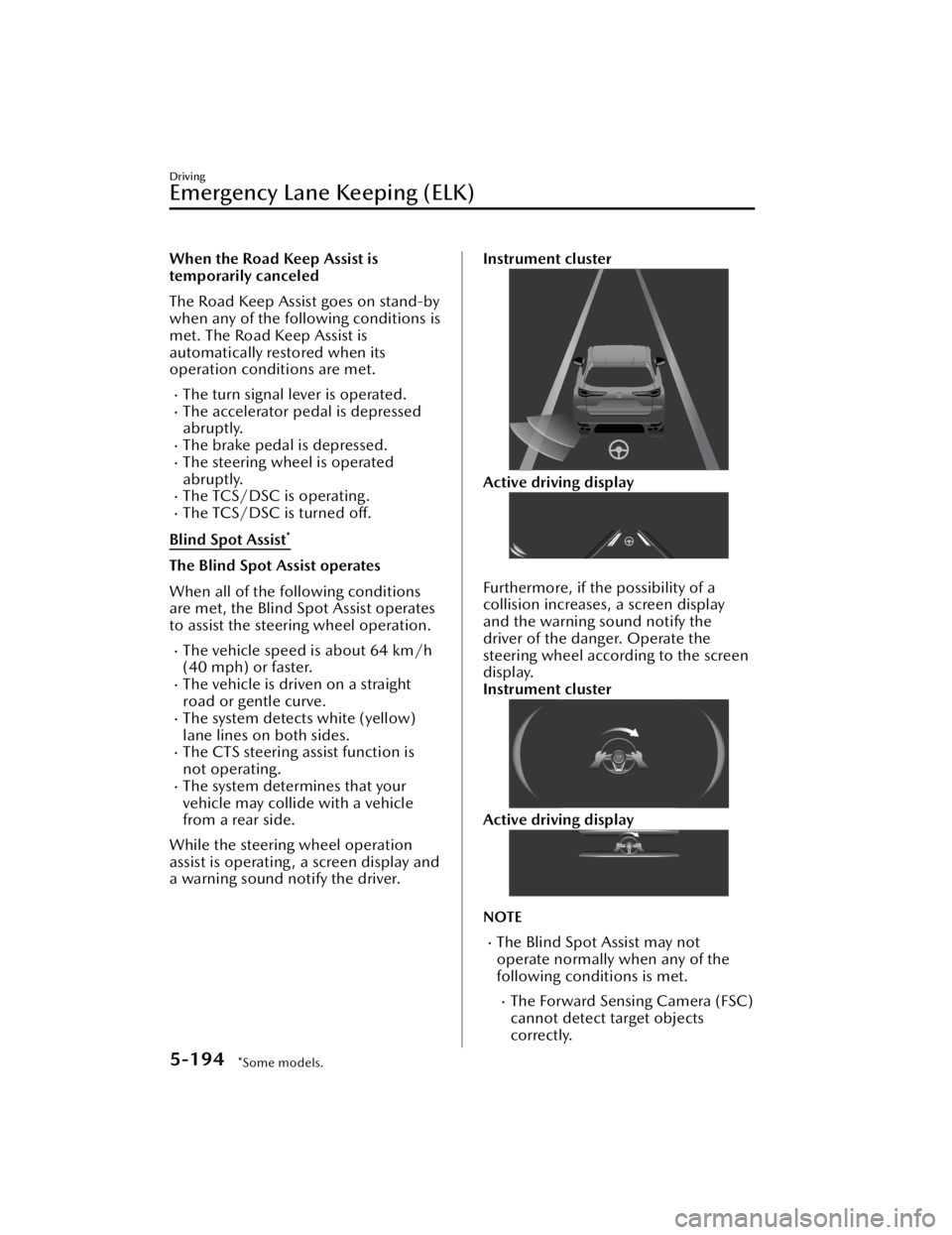
While the steering wheel operation
assist is operating , a screen display and
a warning sound notify the driver.
Instrument cluster
Active driving display
Furthermore, if the possibility of a
collision increases, a screen display
and the warning sound notify the
driver of the danger. Operate the
steering wheel according to the screen
display.
Instrument cluster
Active driving display
NOTE
The Blind Spot Assist may not
operate normally when any of the
following conditions is met.
The Forward Sensing Camera (FSC)
cannot detect target objects
correctly.
Driving
Emergency Lane Keeping (ELK)
5-194*Some models.
CX-90_8KG7-EA-22L_Edition1_new 2022-11-17 16:05:04