instrument cluster MAZDA CX90 2024 Manual PDF
[x] Cancel search | Manufacturer: MAZDA, Model Year: 2024, Model line: CX90, Model: MAZDA CX90 2024Pages: 687, PDF Size: 15.46 MB
Page 345 of 687
When the Road Keep Assist is
temporarily canceled
The Road Keep Assist goes on stand-by
when any of the following conditions is
met. The Road Keep Assist is
automatically restored when its
operation conditions are met.
The turn signal lever is operated.The accelerator pedal is depressed
abruptly.
The brake pedal is depressed.The steering wheel is operated
abruptly.
The TCS/DSC is operating.The TCS/DSC is turned off.
Blind Spot Assist
*
The Blind Spot Assist operates
When all of the following conditions
are met, the Blind Spot Assist operates
to assist the steering wheel operation.
The vehicle speed is about 64 km/h
(40 mph) or faster.
The vehicle is driven on a straight
road or gentle curve.
The system detects white (yellow)
lane lines on both sides.
The CTS steering assist function is
not operating.
The system determines that your
vehicle may collide with a vehicle
from a rear side.
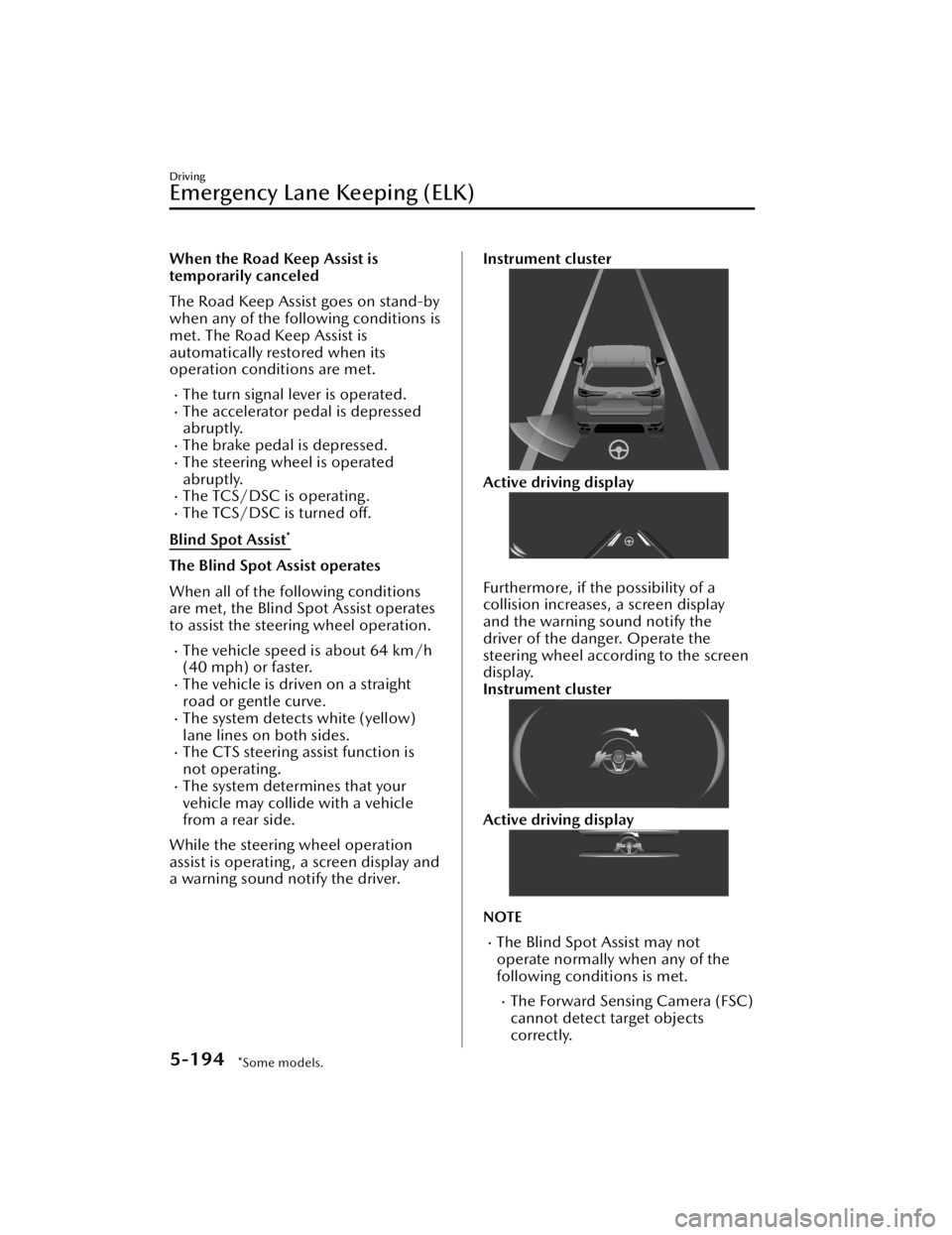
While the steering wheel operation
assist is operating , a screen display and
a warning sound notify the driver.
Instrument cluster
Active driving display
Furthermore, if the possibility of a
collision increases, a screen display
and the warning sound notify the
driver of the danger. Operate the
steering wheel according to the screen
display.
Instrument cluster
Active driving display
NOTE
The Blind Spot Assist may not
operate normally when any of the
following conditions is met.
The Forward Sensing Camera (FSC)
cannot detect target objects
correctly.
Driving
Emergency Lane Keeping (ELK)
5-194*Some models.
CX-90_8KG7-EA-22L_Edition1_new 2022-11-17 16:05:04
Page 346 of 687

Refer to Forward Sensing Camera
(FSC) on page 5-127.
The rear side radar sensors cannot
detect target objects correctly.
Refer to Radar Sensors on page
5-131.
The width of the vehicle lane is
narrow or wide.
The vehicle is driven on a section
with a closed lane or temporary
lane due to construction.
The vehicle is driven on a forked
road or junction.
If the driver operates the steering
wheel while the steering wheel
operation assist is operating , the
steering wheel operation assist is
canceled.
When the Blind Spot Assist is
temporarily canceled
The Blind Spot Assist goes on stand-by
when any of the following conditions is
met. The Blind Spot Assist is
automatically restored when its
operation conditions are met.
The accelerator pedal is depressed
abruptly.
The brake pedal is depressed.The steering wheel is operated
abruptly.
The TCS/DSC is operating.The TCS/DSC is turned off.Multiple vehicles are traveling in the
detecting area near your vehicle.
Head-on traffic avoidance assist
*
The Head-on traffic avoidance assist
operates
When all the following conditions are
met, the Head-on traffic avoidance
assist operates to assist the steering
wheel operation.
The vehicle speed is about 64 km/h
(40 mph) or faster.
The vehicle is driven on a straight
road or gentle curve.
The system detects white (yellow)
lane lines on both sides.
The CTS steering assist function is
not operating.
The system determines that your
vehicle may collide with a vehicle
approaching in the oncoming lane.
While the steering wheel operation
assist is operating , the screen display
notifies the driver.
Instrument cluster (i-ACTIVSENSE
display)
Instrument cluster (Other than
i-ACTIVSENSE display)
Driving
Emergency Lane Keeping (ELK)
*Some models.5-195
CX-90_8KG7-EA-22L_Edition1_new 2022-11-17 16:05:04
Page 347 of 687

Active driving display
Furthermore, if the possibility of a road
departure increases, a screen display
and a warning sound notify the driver
of the danger. Operate the steering
wheel according to the screen display.
Instrument cluster
Active driving display
NOTE
The Head-on traffic avoidance assist
may not operate normally when any
of the following conditions is met.
The Forward Sensing Camera (FSC)
cannot detect target objects.
Refer to Forward Sensing Camera
(FSC) on page 5-127.
The front radar sensors cannot
detect target objects.
The width of the vehicle lane is
narrow or wide.
The vehicle is driven on a section
with a closed lane or temporary
lane due to construction.
The vehicle is driven on a forked
road or junction.
If the driver operates the steering
wheel while the steering wheel
operation assist is operating, the
steering wheel operation assist is
canceled.
When the Head-on traffic avoidance
assist is temporarily canceled
The Head-on traffic avoidance assist
goes on stand-by when any of the
following conditions is met. The
Head-on traffic avoidance assist is
automatically restored when its
operation conditions are met.
The accelerator pedal is depressed
abruptly.
The brake pedal is depressed.The steering wheel is operated
abruptly.
The TCS/DSC is operating.The TCS/DSC is turned off.Multiple vehicles are traveling in the
detecting area near your vehicle.
Turning off the ELK
There are 2 ways to turn off the ELK.
Turn off the ELK using Mazda
Connect.
Refer to the Settings section in the
Mazda Connect Owner's Manual.
Turn off the ELK using the
i-ACTIVSENSE OFF switch.
Refer to How to Use the
i-ACTIVSENSE OFF switch on page
5-126.
When the ELK is turned off, the ELK
OFF indicator
turns on.
Driving
Emergency Lane Keeping (ELK)
5-196
CX-90_8KG7-EA-22L_Edition1_new 2022-11-17 16:05:04
Page 351 of 687
Refer to Cameras on page 5-137.
Always check the surrounding area
visually.
The operation of the SBS has certain
limitations. Always confirm the safety
around the vehicle visually when
driving.
CAUTION
If any of the following conditions is
met, turn the SBS
off to prevent a
mis-operation.
A trailer is pulled or an accessory
such as a bicycle carrier is installed
to the rear of the vehicle.
The vehicle is driven on rough
roads such as in areas where there
is grass and foliage or off-road.
Always use tires of the specified size
and the same manufacturer, brand,
and tread pattern on all 4 wheels. In
addition, do not use tires with
significantly different wear patterns
on the same vehicle. If such
improper tires are used, the SBS may
not operate normally.
How to Use the Smart
Brake Support (SBS)
NOTE
During the SBS brake control, the
brake pedal may move rearward or
become stiff. The brakes are operating,
but continue to depress the brake
pedal.
When the forward detection function
operates*
The forward detection function
operates when all of the following
conditions are met.
(If an object is a vehicle ahead)
The vehicle speed is about 4 km/h
(3 mph) or faster.
(If an object is a bicycle/pedestrian)
The vehicle speed is about 10
km/h to 80 km/h (6.3 mph to 49
mph).
The DSC does not operate.The system determines that there is a
possibility of a collision with an
object ahead.
When the forward detection function
operates, the driver is notified of the
danger by the screen display and
warning sound. Furthermore, if the
possibility of a collision increases,
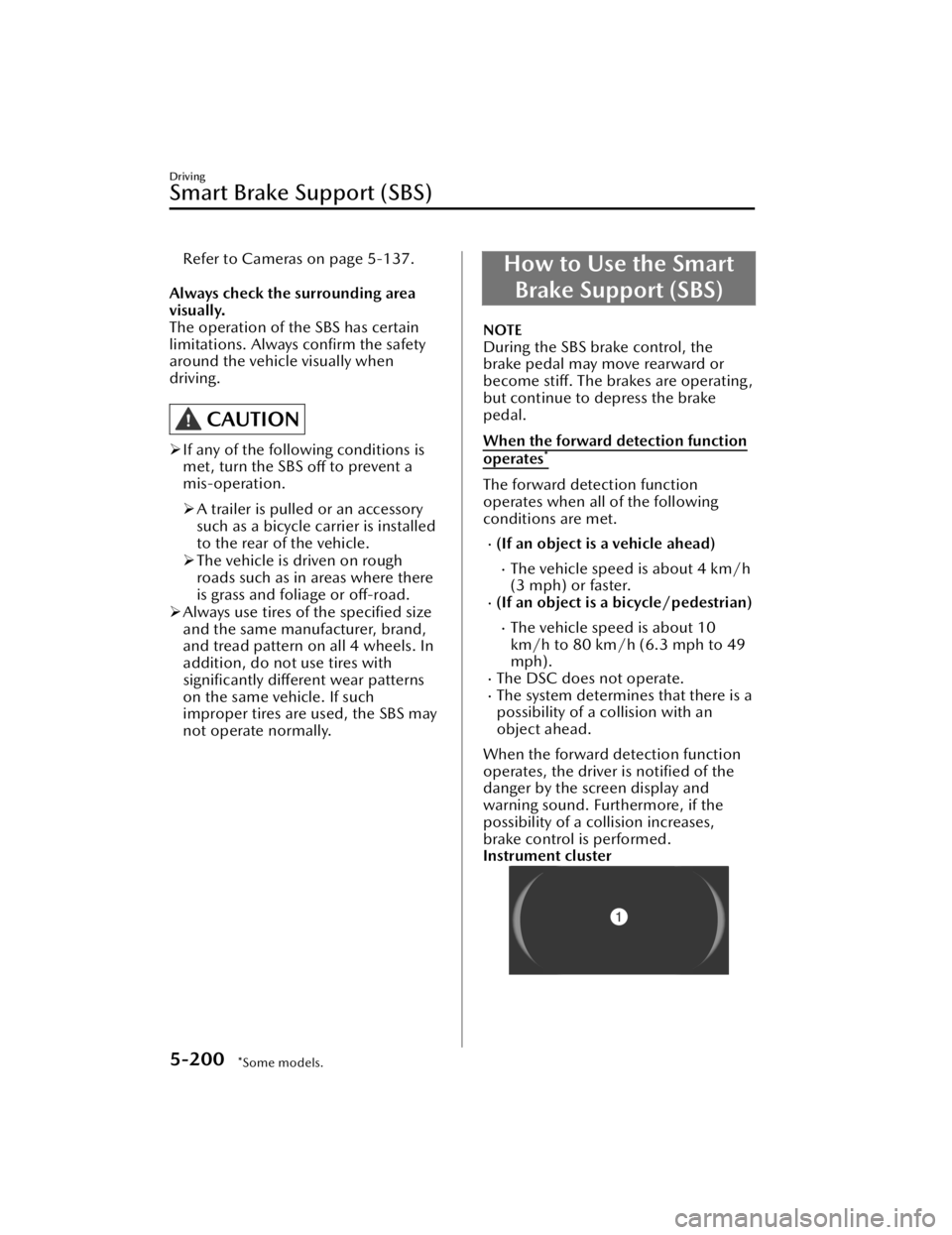
brake control is performed.
Instrument cluster
Driving
Smart Brake Support (SBS)
5-200*Some models.
CX-90_8KG7-EA-22L_Edition1_new 2022-11-17 16:05:04
Page 352 of 687

1. “BRAKE!”
Active driving display
1. “BRAKE!”
NOTE
If any of the following conditions is
met, the forward detection function
may not operate normally.
The Forward Sensing Camera (FSC)
cannot detect target objects.
Refer to Forward Sensing Camera
(FSC) on page 5-127.
The front radar sensor cannot
detect target objects.
Refer to Radar Sensors on page
5-131.
When there is the possibility of a
partial contact with a target object.
The driver deliberately performs
driving operations (accelerator pedal
operation, steering wheel operation,
selector lever operation, and turn
signal lever operation).
If any of the follo wing conditions is
met, the forward detection function
may operate.
An animal or object on the road is
detected.
Passing an approaching vehicle
while rounding a curve.
Vehicle is passing through a narrow
gate or a gate with a low ceiling.
There is a metal object, bump, or a
protruding object on the road.
(Vehicles with Driver Monitoring
(DM))
If the system determines that the
driver is not paying attention to the
road, it activates the collision
warning earlier than normal.
If the forward detection function
performs brake control and the
vehicle is stopped, the system will
continue to hold the brakes for a
brief time unless there is an
operation performed by the driver.
The operation distance and volume
of the collision warning can be
changed.
Refer to the Settings section in the
Mazda Connect Owner's Manual.
The Turn-Across Tra ffi c operation
conditions*
The Turn-Across
Tra ffi c operates when
all of the following conditions are met.
The vehicle speed is about 4 km/h
to 20 km/h (3 mph to 12 mph).
The left turn signal light is turned on
and the vehicle is turning left.
A lane line between your vehicle and
the vehicle approaching in the
opposite direction is detected.
The system determines that there is a
possibility of collision with an object
ahead.
When the Turn-Across Tra ffi c operates,
the driver is notified of the danger by
the screen display and warning sound.
Furthermore, if the possibility of a
collision increases, brake control is
performed.
Instrument cluster
Driving
Smart Brake Support (SBS)
*Some models.5-201
CX-90_8KG7-EA-22L_Edition1_new 2022-11-17 16:05:04
Page 354 of 687
The accelerator pedal or brake
pedal is being operated.
The steering wheel is being
operated.
The turn signal lever is being
operated.
If Front Crossing performs brake
control and the vehicle is stopped,
the vehicle is held stopped until the
estimated passing time of the target
vehicle has elapsed.
When the intersection accident
avoidance assist function operates*
The intersection accident avoidance
assist function operates when all of the
following conditions are met.
The vehicle speed is about 8 km/h
to 20 km/h (5 mph to 12 mph).
The DSC is not operating.The system determines that there is a
possibility of a collision with an
object ahead.
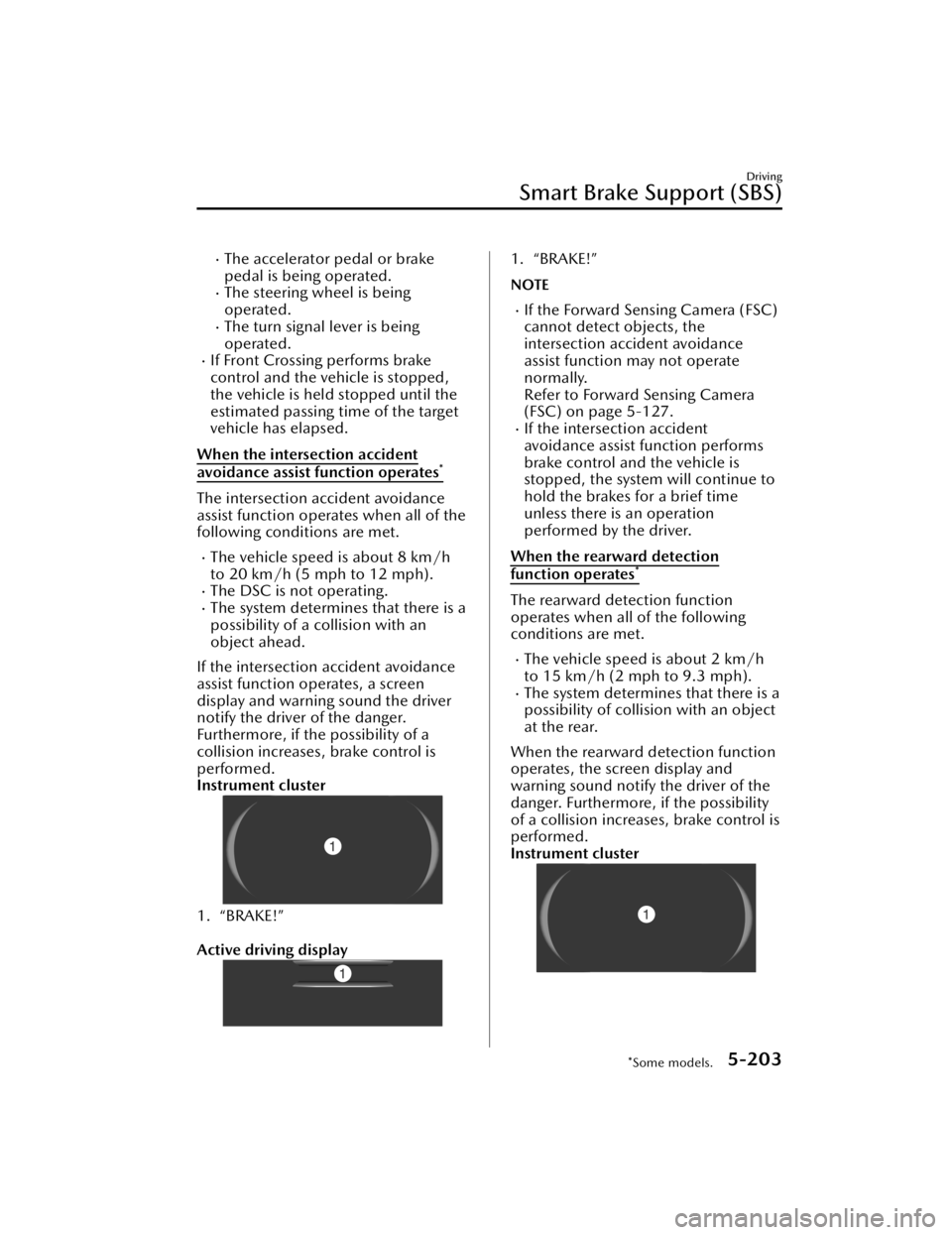
If the intersection accident avoidance
assist function operates, a screen
display and warning sound the driver
notify the driver of the danger.
Furthermore, if the possibility of a
collision increases, brake control is
performed.
Instrument cluster
1. “BRAKE!”
Active driving display
1. “BRAKE!”
NOTE
If the Forward Sensing Camera (FSC)
cannot detect objects, the
intersection accident avoidance
assist function may not operate
normally.
Refer to Forward Sensing Camera
(FSC) on page 5-127.
If the intersection accident
avoidance assist function performs
brake control and the vehicle is
stopped, the system will continue to
hold the brakes for a brief time
unless there is an operation
performed by the driver.
When the rearward detection
function operates*
The rearward detection function
operates when all of the following
conditions are met.
The vehicle speed is about 2 km/h
to 15 km/h (2 mph to 9.3 mph).
The system determines that there is a
possibility of collision with an object
at the rear.
When the rearward detection function
operates, the screen display and
warning sound notify the driver of the
danger. Furthermore, if the possibility
of a collision increases, brake control is
performed.
Instrument cluster
Driving
Smart Brake Support (SBS)
*Some models.5-203
CX-90_8KG7-EA-22L_Edition1_new 2022-11-17 16:05:04
Page 355 of 687

1. “BRAKE!”
Active driving display
1. “BRAKE!”
NOTE
If any of the following conditions is
met, the rearward detection function
may not operate normally.
The rear ultrasonic sensors cannot
detect an object.
Refer to Ultrasonic Sensors on
page 5-135.
The rear camera cannot detect an
object.
Refer to Cameras on page 5-137.
If any of the following conditions is
met, the rearward detection function
may operate.
There is a hanging curtain.Vehicle is passing through a narrow
gate or a gate with a low ceiling.
There is a metal object, bump, or a
protruding object on the road.
If the rearward detection function
performs brake control and the
vehicle is stopped, the system will
continue to hold the brakes for a
brief time unless there is an
operation performed by the driver.
When the Rear Crossing is operating
*
The Rear Crossing operates when all of
the following cond itions are met.
The vehicle speed is about 15 km/h
(9.3 mph) or slower.
The system determines that there is a
possibility of a collision with a
vehicle approaching from a rear side.
When the Rear Crossing operates, the
screen display and warning sound
notify the driver is notified of the
danger. Furthermore, if the possibility
of a collision increases, brake control is
performed.
Instrument cluster
1. “BRAKE!”
Active driving display
1. “BRAKE!”
NOTE
If any of the following conditions is
met, the Rear Crossing may not
operate normally.
The rear side radar sensors cannot
detect an object.
Refer to Radar Sensors on page
5-131.
A vehicle is approaching directly
from the rear of your vehicle.
A vehicle is approaching at an
angle from the rear of your vehicle.
A vehicle is approaching from a
direction at an acute angle.
If any of the following conditions is
met, the Rear Crossing may operate.
There is a hanging curtain.Vehicle is passing through a narrow
gate or a gate with a low ceiling.
Driving
Smart Brake Support (SBS)
5-204*Some models.
CX-90_8KG7-EA-22L_Edition1_new 2022-11-17 16:05:04
Page 378 of 687

While the cruise control is operating,
the driver is notified of the operation
condition by the screen display.
Instrument cluster
1. Set speed
Active driving display
1. Set speed
NOTE
The cruise control does not operate
when the Hill Descent Control is
operating.
While in EV mode, acceleration may
be restricted and the vehicle may not
be able to be driven at the set speed.
Refer to Mazda intelligent Drive
Select (Mi-Drive) on page 5-95.
The accelerator pedal operation
takes priority during constant speed
driving. When you release your foot
from the accelerator pedal, the
vehicle returns to constant speed
driving at the set speed.
(Vehicles with Mazda Radar Cruise
Control with Stop & Go function
(MRCC with Stop & Go function))
If the distance between vehicles
control is disabled using the Mazda
Connect, the system switches to the
cruise control. At this time, the
MRCC switch functions as the cruise
control switch.
Refer to the Settings section in the
Mazda Connect Owner's Manual.
If the vehicle power is switched OFF
while the distance between vehicles
control is disabled, the distance
between vehicles control is enabled
automatically the next time the
vehicle power is switched ON.
The system may not be able to
maintain the set speed depending
on the road conditions such as steep
up or down slopes.
When the vehicle speed is less than
20 km/h (12 mph), the cruise
control is canceled. If you want to
use the cruise control again, reset the
cruise control.
The brake lights turn on while the
brakes are operating by the cruise
control.
The cruise control cannot be
canceled while driving in manual
shift mode (selector lever shifted
from the D to M position).
Therefore, engine braking does not
work even if you shift down to a
lower gear. If deceleration is
required, lower the set vehicle speed
or depress the brake pedal.
Changing the set vehicle speed
Changing the set vehicle speed using
the RES switch
Press the RES switch up (SET+) or
down (SET-) to the desired speed.
Press and release immediately: 1
km/h (1 mph)
Press and hold: 10 km/h (5 mph)
Driving
Cruise Control
5-227
CX-90_8KG7-EA-22L_Edition1_new 2022-11-17 16:05:04
Page 521 of 687

Dealing with the Cause
If trouble arises while charging such as
not being able to charge the high
voltage battery, refer to the following
table. If the problem cannot be solved
even after checking the following table,
there may be a problem with the
vehicle or charger. Contact an
Authorized Mazda Dealer.
Charging is not possible.
CauseAction
The selector
lever is in a
position
other than P. Shift the selector lever to the P
position.
The high
voltage bat-
tery is al-
ready fully
charged. Charging is not performed when
the high voltage battery is al-
ready fully charged.
The high
voltage bat-
tery temper-
ature is ex-
tremely high
or low. Check the high voltage battery
temperature gauge in the instru-
ment cluster. If the high voltage
battery temperature gauge is in
the red or blue range, charging
may not be possible.
The
Lead-acid
battery is
depleted. If the instrument cluster does not
turn on even if the vehicle power
is switched ON, the Lead-acid
battery may be depleted. Charge
or replace the Lead-acid battery.
Normal charging is not possible.
Cause
Action
The outlet
has no pow-
er. Check if a ground-fault circuit in-
terrupter has operated or if a
power outage occurred. If the
power source has a timer func-
tion, electrical power may not be
supplied to the outlet until the
time set to supply power.
Cause
Action
The charge
plug is not
properly
plugged into
the outlet. Check if the charge plug is prop-
erly plugged into the outlet.
The charge
connector is
not properly
connected. Check if the charge connector is
properly connected.
Charging
timer is set. Cancel the charging timer using
EV Settings in Mazda Connect,
or the charging timer cancella-
tion function.
Troubleshooting for functions using a
Smartphone or computer
If you are having trouble with the
remote function service, such as when
the remote function does not work,
consult an Authorized Mazda Dealer.
What to Do in Case of Emergency
Charging Is Not Possible
8-16
CX-90_8KG7-EA-22L_Edition1_new
2022-11-17 16:05:04
Page 542 of 687

Warning Lights
If any warning/indicator light turns
on/flashes, take appropriate action for
each light. If the warning/indicator
light does not turn off, or it turns on or
flashes again, consult an Authorized
Mazda Dealer.
WARNING
If the warning light/indicator light
turns on or flashes, park the vehicle in
a safe place immediately and take
appropriate measures.
Continuing to drive the vehicle while
ignoring the illumination/flashing of
the warning light/indicator light is
dangerous because a problem may
occur to a vehicle system, the engine
may be damaged, or it could lead to
an accident.
The details for some warnings can be
viewed on the center display or
instrument cluster.
Checking Using the Center Display
1. Select “Information” on the home screen.
2. Select “Vehicle Status Monitor”.
3. Select the applicable warning to view the warning details.
Checking Using the Instrument
Cluster
Press the INFO switch on the steering
switch to display the warning
indication screen.
Refer to How to Use the Instrument
Cluster on page 5-28.
Brake System Warning Light
This warning has the following
functions:
Warning light inspection
For an operation check, make sure that
the light turns on when the vehicle
power is switched on, and turns off a
few seconds later or when the hybrid
system is started.
When the light turns on
The light turns on continuously if any
one of the following occurs:
Insufficient brake fluidBrake system (electronic brake force
distribution system) has a problem
Park the vehicle in a safe place
immediately and contact an
Authorized Mazda Dealer.
WARNING
Do not drive with the brake system
warning light illuminated. Contact an
Authorized Mazda Dealer to have the
brakes inspected as soon as possible.
Driving with the brake system warning
light illuminated is dangerous. It
indicates that your brakes may not
work at all or that they could
completely fail at any time. If this light
remains illuminated, after checking
that the parking brake is fully released,
have the brakes inspected
immediately.
What to Do in Case of Emergency
Warning/Indicator Light Turns On
8-37
CX-90_8KG7-EA-22L_Edition1_new 2022-11-17 16:05:04