Direct Mode MAZDA MAZDA 2023 User Guide
[x] Cancel search | Manufacturer: MAZDA, Model Year: 2023, Model line: MAZDA, Model: MAZDA MAZDA 2023Pages: 623, PDF Size: 15.08 MB
Page 246 of 623
Adaptive Front LightingSystem (AFS)
*
▼Adaptive Front Lighting System
(AFS)
The adaptive front lighting system
(AFS) automatically adjusts the
headlight beams to the left or right in
conjunction with the operation of the
steering wheel after the headlights
have been turned on and the vehicle
speed is about 2 km/h (2 mph) or
higher.
A system malfunction or operation
conditions are indicated by a warning.
Refer to Exterior Light Warning
Indication/Warning Light on page
7-35.
NOTE
The Adaptive Front Lighting System
(AFS) can be switched to on/off using
the personalization function.
Refer to the Settings section in the
Mazda Connect Owner's Manual.
High Beam Control
System (HBC)
*
▼ High Beam Control System (HBC)
The HBC determines the conditions in
front of the vehicle using the Forward
Sensing Camera (FSC) while driving in
darkness to automatically switch the
headlights between high and low
beams.
Refer to Forward Sensing Camera
(FSC) on page 4-211.
While driving the vehicle at a speed of
about 30 km/h (19 mph) or more, the
headlights are switched to high beams
when there are no vehicles ahead or
approaching in the opposite direction.
The system switches the headlights to
low beams when one of the following
occurs:
The system detects a vehicle or the
headlights/lights of a vehicle
approaching in the opposite
direction.
The vehicle is driven on roads lined
with streetlamps or on roads in
well-lit cities and towns.
The vehicle is driven at less than
about 20 km/h (12 mph).
The headlight high-beam indicator
light turns on while the high beams
are on.
1. Forward Sensing Camera (FSC)*1
When Driving
i-ACTIVSENSE
*Some models.4-101
Mazda3_8LC2-EA-22G_Edition1_new
2022-5-20 11:26:10
Page 252 of 623
Blind Spot Monitoring(BSM)
*
▼Blind Spot Monitoring (BSM)
The BSM is designed to assist the driver
in checking the area to the rear of the
vehicle on both sides during lane
changes by notifying the driver of the
presence of vehicles approaching from
the rear in an adjacent lane.
BSM operation
The BSM detects vehicles approaching
from the rear while traveling in the
forward direction at a speed of 10
km/h (6.3 mph) or faster and notifies
the driver by turning on the BSM
warning indicator light and displaying
the vehicle detection screen.
If the turn signal lever is operated to
signal a turn in the direction in which
the BSM warning indicator light is
illuminated while the approaching
vehicle is detected, the BSM
notifies
the driver of possible danger flashing
on the BSM warning indicator light,
and by activating the warning sound
and the warning screen indicator
display.
The detection area on this system
covers the driving lanes on both sides
of the vehicle and from the rear part of
the front doors to about 50 m (164 ft)
behind the vehicle.
1. Your vehicle
2. Detection areas
WARNING
Always check the surrounding area
visually before making an actual lane
change:
The system is only designed to assist
you in checking for vehicles at your rear
when making a lane change. Due to
certain limitations with the operation
of this system, the BSM warning
indicator light, the warning sound and
the warning screen indicator display
may not activate or they might be
delayed even though a vehicle is in an
adjacent driving lane. Always make it
your responsibility as a driver to check
the rear.
NOTE
The BSM will operate when all of the
following conditions are met:
The ignition is switched ON.The i-ACTIVSENSE warning
indication/warning light in the
instrument cluster is turned off.
The vehicle speed is about 10
km/h (6.3 mph) or faster.
When Driving
i-ACTIVSENSE
*Some models.4-107
Mazda3_8LC2-EA-22G_Edition1_new 2022-5-20 11:26:10
Page 256 of 623
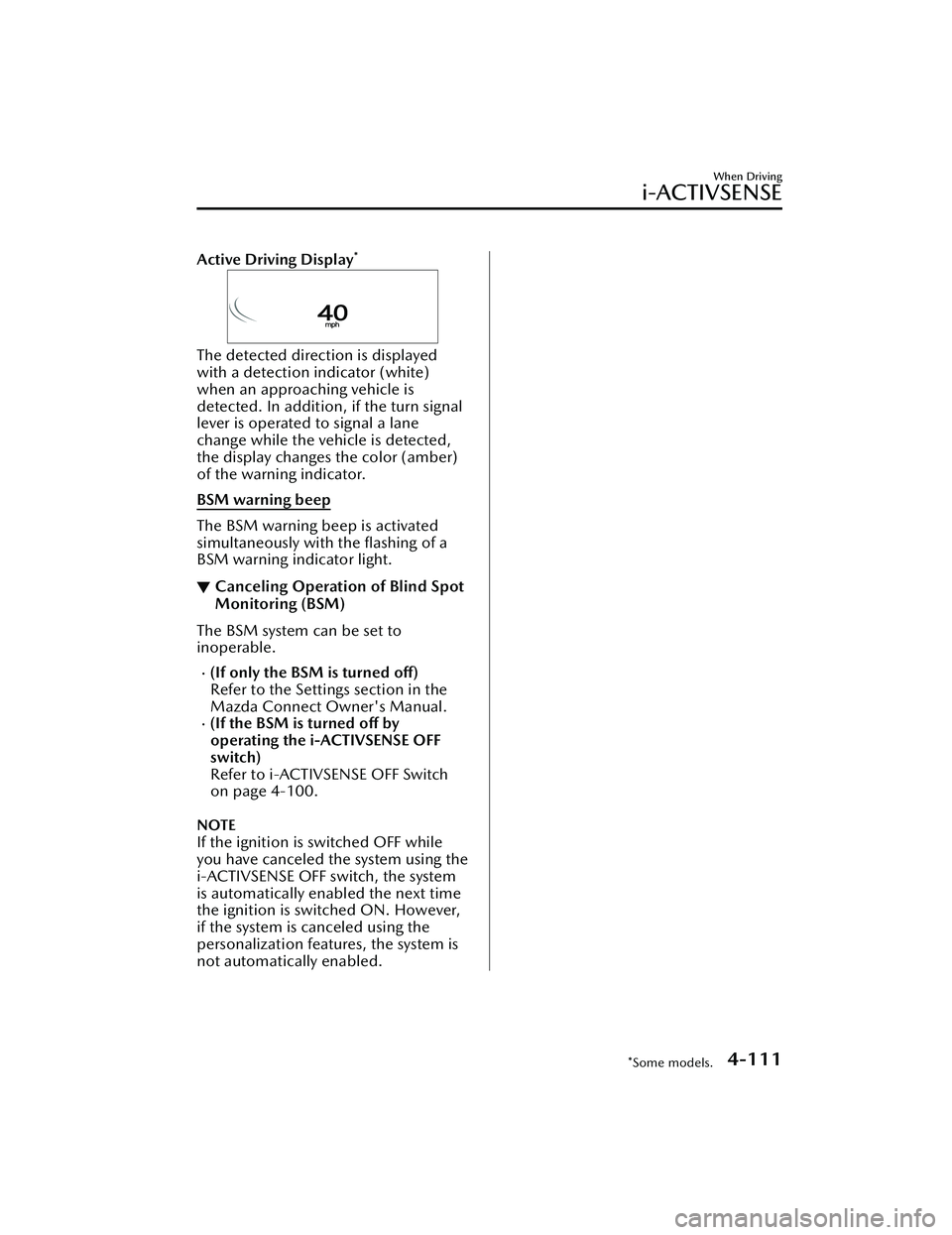
Active Driving Display*
The detected direction is displayed
with a detection indicator (white)
when an approaching vehicle is
detected. In addition, if the turn signal
lever is operated to signal a lane
change while the vehicle is detected,
the display changes the color (amber)
of the warning indicator.
BSM warning beep
The BSM warning beep is activated
simultaneously with the flashing of a
BSM warning indicator light.
▼Canceling Operation of Blind Spot
Monitoring (BSM)
The BSM system can be set to
inoperable.
(If only the BSM is turned off)
Refer to the Settings section in the
Mazda Connect Owner's Manual.
(If the BSM is turned off by
operating the i-ACTIVSENSE OFF
switch)
Refer to i-ACTIVSENSE OFF Switch
on page 4-100.
NOTE
If the ignition is switched OFF while
you have canceled the system using the
i-ACTIVSENSE OFF switch, the system
is automatically enabled the next time
the ignition is switched ON. However,
if the system is canceled using the
personalization features, the system is
not automatically enabled.
When Driving
i-ACTIVSENSE
*Some models.4-111
Mazda3_8LC2-EA-22G_Edition1_new
2022-5-20 11:26:10
Page 263 of 623
Distance & Speed Alert(DSA)
*
▼Distance & Speed Alert (DSA)
The DSA is a system which provides
advice for maintaining the appropriate
distance between vehicles and
notifies
the driver of the recommended, safe
distance to maintain with a vehicle
ahead. The system measures the
distance between your vehicle and a
vehicle ahead while the vehicle speed
is about 30 km/h (19 mph) or faster. If
the distance between your vehicle and
a vehicle ahead is close, the system
alerts the driver of a possible collision
using an indication on the display.
WARNING
Do not rely completely on the DSA:
The ability of the system to detect a
vehicle ahead is limited depending on
the type of vehicle ahead, weather
conditions, or traffic conditions. In
addition, the system is not for
maintaining the distance between your
vehicle and a vehicle ahead. If you
neglect to operate the accelerator and
brake pedals correctly, it could lead to
an accident. Always check the safety of
the surrounding area and depress the
brake pedal or accelerator pedal while
keeping a safe distance from vehicles
ahead or on-coming vehicles.
Operation conditions
The DSA operates when the following
conditions are all met.
The ignition is switched ON.The DSA is turned on.The shift lever (manual transmission
vehicle) or the selector lever
(automatic transmission vehicle) is in
a position other than R.
The vehicle speed is about 30 km/h
(19 mph) or faster.
i-ACTIVSENSE status symbol
(warning/risk avoidance support
system) (green) is displayed.
NOTE
The objects which activate the
system are four-wheeled vehicles.
The DSA may also operate in the
presence of motorcycles and
bicycles.
The DSA may not operate normally
when the speed of a vehicle ahead is
too slow.
The system does not operate with
the following objects.
Vehicles approaching in the
opposite direction.
Stationary objects (stopped
vehicles, obstructions)
The DSA can be set to inoperable.
(If only the DSA is turned off)
Refer to the Settings section in the
Mazda Connect Owner's Manual.
(If the DSA is turned off by
operating the i-ACTIVSENSE OFF
switch)
Refer to i-ACTIVSENSE OFF Switch
on page 4-100.
When Driving
i-ACTIVSENSE
4-118*Some models.
Mazda3_8LC2-EA-22G_Edition1_new 2022-5-20 11:26:10
Page 289 of 623
▼Setting the System
The MRCC with Stop & Go function syst
em operates when all of the following
conditions are met.
Vehicle speed is 0 km/h (0 mph) to 145 km/h (90 mph)The MRCC with Stop & Go function is turned on.The brake pedal is not depressed.The parking brake is released (Electric Parking Brake (EPB) indicator light is turned
off).
There is no problem with the DSC.All the doors are closed.The driver's seat belt is fastened.The selector lever is in the drive (D) position or manual (M) position (manual
mode).
NOTE
In the following cases, the MRCC with Stop & Go function system is canceled
when the vehicle is traveling at 30 km/h (20 mph) or less and “Mazda Radar
Cruise Control Disabled Under 30 km/h” is displayed in the multi-information
display.
The Forward Sensing Camera (FSC) cannot detect target objects (There is
problem with the Forward Sensing Came ra (FSC) or windshield is dirty).
There is a problem with the stop hold control function.There is a problem with the Electric Parking Brake (EPB).It may not be possible to set the MRCC wi th Stop & Go function system directly
after starting the engine, while the DSC operation is being checked.
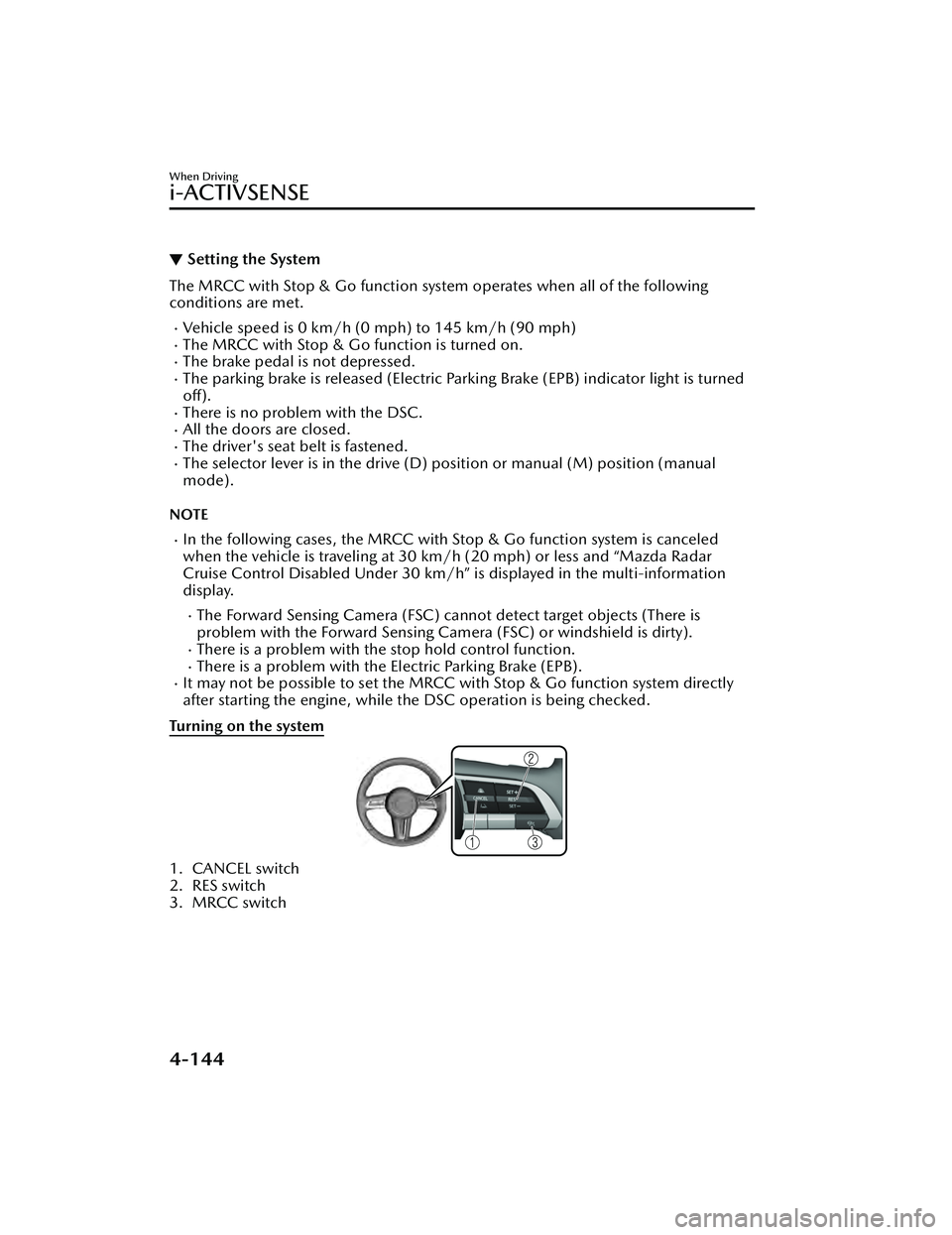
Turning on the system
1. CANCEL switch
2. RES switch
3. MRCC switch
When Driving
i-ACTIVSENSE
4-144
Mazda3_8LC2-EA-22G_Edition1_new 2022-5-20 11:26:10
Page 301 of 623
▼Setting the System
Operation conditions
Headway control function
The TJA operates when all of the following conditions are met.
(Automatic transmission vehicle)
The vehicle speed is about 0 km/h (0 mph) to 145 km/h (90 mph).The selector lever is in the D or M position (manual mode).(Manual transmission vehicle)
The vehicle speed is about 30 km/h (19 mph) to 145 km/h (90 mph).The shift lever is in a position other than the R or N position.The clutch pedal is not depressed.The TJA is operating.The headway control function of the Mazda Radar Cruise Control (MRCC) or
Mazda Radar Cruise Control with Stop
& Go function (MRCC with Stop & Go
function) is set to operable (if it was set to inoperable, set it to operable using the
personalization function).
The brake pedal is not depressed.The parking brake is released (Electric Parking Brake (EPB) indicator light is turned off).
There is no problem with the DSC.All the doors are closed.The driver's seat belt is fastened.
NOTE
(Automatic transmission vehicle)
Under the following conditions, the TJA cannot be used when the vehicle speed is
30 km/h (19 mph) or slower.
There is a problem with the stop hold control function.There is a problem with the Electric Parking Brake (EPB).The TJA may not launch directly after the engine starts.
When Driving
i-ACTIVSENSE
4-156
Mazda3_8LC2-EA-22G_Edition1_new 2022-5-20 11:26:10
Page 322 of 623
360° View Monitor*
▼360° View Monitor
The 360° View Monitor consists of the
following functions which assist the
driver in checking the area surrounding
the vehicle using various indications in
the center display and a warning sound
while the vehicle is being driven at low
speeds or while parking.
To p v i e w
The top view displays an image of
the vehicle from directly above on
the center display by combining the
images taken from the 4 cameras set
on all sides of the vehicle. The top
view displays on the right side of the
screen when the front view or rear
view screen is being displayed. The
top view assists the driver in
checking the area surrounding the
vehicle when the vehicle is moving
forward or in reverse.
Front view/front wide view
The image from the front of the
vehicle is displayed on the center
display.
The view from the front assists the
driver in checking the front of the
vehicle by displaying guide lines on
the displayed image taken from the
front of the vehicle.
Side view
The images taken from the front left
and right sides of the vehicle are
displayed on the center display.
The side view assists the driver in
checking the front sides of the
vehicle by displaying guide lines on
the displayed image taken from the
front left and right sides of the
vehicle.
Rear view/rear wide view
The image from the rear of the
vehicle is displayed on the center
display.
The image from the rear assists the
driver in checking the rear of the
vehicle by displaying guide lines on
the displayed image taken from the
rear of the vehicle.
Parking sensor
If there are any obstructions near the
vehicle while the top view/side view
is displayed, an obstruction
detection indication turns on around
the bumper in the center display.
The parking sensors use ultrasonic
sensors to detect obstructions
around the vehicle when the vehicle
is driven at low speeds, such as
during garage or parallel parking,
and notifies the driver of the
approximate distance from the
vehicle to the surrounding
obstruction using sound and an
obstruction detection indication.
Refer to Parking Sensor System on
page 4-247.
Front Cross Traffic Alert (FCTA)
If there is the possibility of a collision
with an approaching vehicle while
the front view/front wide view/side
view is displayed, a warning is
displayed on the center display.
The Front Cross Traffic Alert (FCTA) is
designed to assist the driver in
checking both sides of the vehicle
when the vehicle starts to drive at an
intersection.
Refer to Front Cross Traffic Alert
(FCTA) on page 4-123.
When Driving
i-ACTIVSENSE
*Some models.4-177
Mazda3_8LC2-EA-22G_Edition1_new
2022-5-20 11:26:10
Page 363 of 623
Front Side Radar Sensor*
▼Front Side Radar Sensor
Your vehicle is equipped with front
side radar sensor. The following
systems also use the front side radar
sensor.
Front Cross Traffic Alert (FCTA)
The front side radar sensor function by
detecting the radio waves reflected off
a vehicle approaching from the front or
an obstruction sent from the radar
sensor.
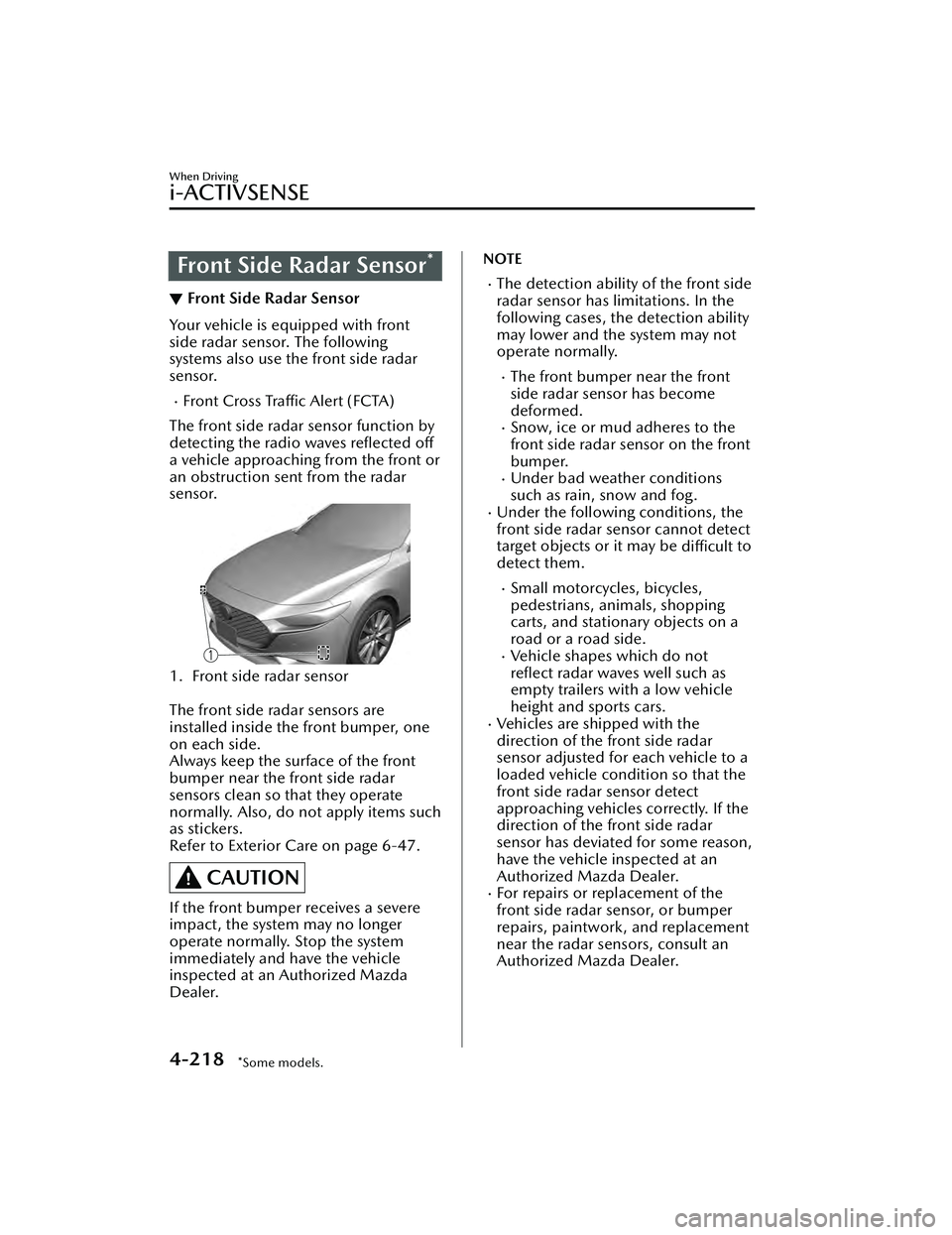
1. Front side radar sensor
The front side radar sensors are
installed inside the front bumper, one
on each side.
Always keep the surface of the front
bumper near the front side radar
sensors clean so that they operate
normally. Also, do not apply items such
as stickers.
Refer to Exterior Care on page 6-47.
CAUTION
If the front bumper receives a severe
impact, the system may no longer
operate normally. Stop the system
immediately and have the vehicle
inspected at an Authorized Mazda
Dealer.
NOTE
The detection ability of the front side
radar sensor has limitations. In the
following cases, the detection ability
may lower and the system may not
operate normally.
The front bumper near the front
side radar sensor has become
deformed.
Snow, ice or mud adheres to the
front side radar sensor on the front
bumper.
Under bad weather conditions
such as rain, snow and fog.
Under the following conditions, the
front side radar sensor cannot detect
target objects or it may be difficult to
detect them.
Small motorcycles, bicycles,
pedestrians, animals, shopping
carts, and stationary objects on a
road or a road side.
Vehicle shapes which do not
reflect radar waves well such as
empty trailers with a low vehicle
height and sports cars.
Vehicles are shipped with the
direction of the front side radar
sensor adjusted for each vehicle to a
loaded vehicle condition so that the
front side radar sensor detect
approaching vehicles correctly. If the
direction of the front side radar
sensor has deviated for some reason,
have the vehicle inspected at an
Authorized Mazda Dealer.
For repairs or replacement of the
front side radar sensor, or bumper
repairs, paintwork, and replacement
near the radar sensors, consult an
Authorized Mazda Dealer.
When Driving
i-ACTIVSENSE
4-218*Some models.
Mazda3_8LC2-EA-22G_Edition1_new 2022-5-20 11:26:10
Page 367 of 623
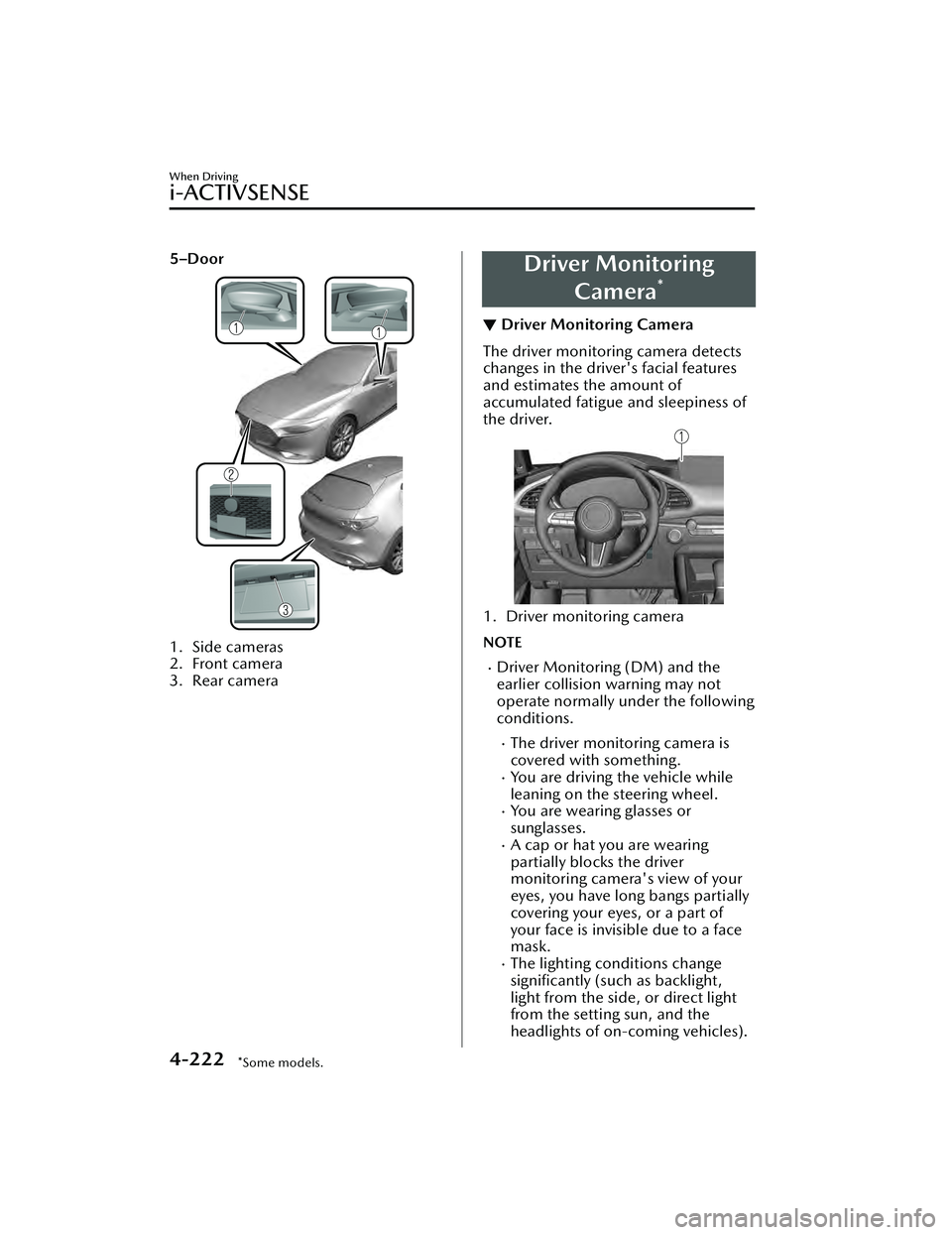
5–Door
1. Side cameras
2. Front camera
3. Rear camera
Driver MonitoringCamera
*
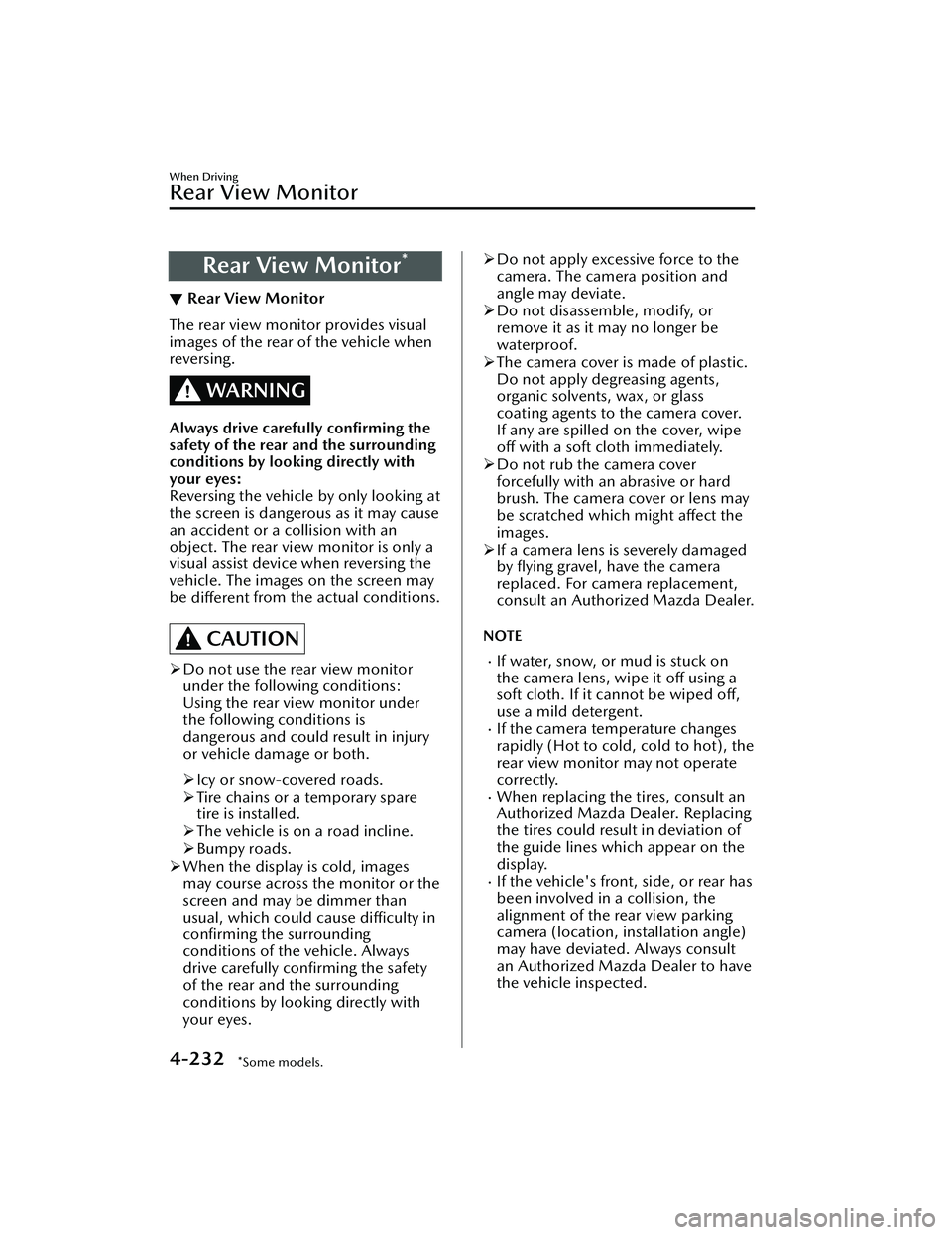
▼Driver Monitoring Camera
The driver monitoring camera detects
changes in the driver's facial features
and estimates the amount of
accumulated fatigue and sleepiness of
the driver.
1. Driver monitoring camera
NOTE
Driver Monitoring (DM) and the
earlier collision warning may not
operate normally under the following
conditions.
The driver monitoring camera is
covered with something.
You are driving the vehicle while
leaning on the steering wheel.
You are wearing glasses or
sunglasses.
A cap or hat you are wearing
partially blocks the driver
monitoring camera's view of your
eyes, you have long bangs partially
covering your eyes, or a part of
your face is invisible due to a face
mask.
The lighting conditions change
significantly (such as backlight,
light from the side, or direct light
from the setting sun, and the
headlights of on-coming vehicles).
When Driving
i-ACTIVSENSE
4-222*Some models.
Mazda3_8LC2-EA-22G_Edition1_new
2022-5-20 11:26:10
Page 377 of 623
Rear View Monitor*
▼Rear View Monitor
The rear view monitor provides visual
images of the rear of the vehicle when
reversing.
WARNING
Always drive carefully
confirming the
safety of the rear and the surrounding
conditions by looking directly with
your eyes:
Reversing the vehicle by only looking at
the screen is dangerous as it may cause
an accident or a collision with an
object. The rear view monitor is only a
visual assist device when reversing the
vehicle. The images on the screen may
be different from the actual conditions.
CAUTION
Do not use the rear view monitor
under the following conditions:
Using the rear view monitor under
the following conditions is
dangerous and could result in injury
or vehicle damage or both.
Icy or snow-covered roads.
Tire chains or a temporary spare
tire is installed.
The vehicle is on a road incline.
Bumpy roads.
When the display is cold, images
may course across the monitor or the
screen and may be dimmer than
usual, which could cause
difficulty in
confirming the surrounding
conditions of the vehicle. Always
drive carefully confirming the safety
of the rear and the surrounding
conditions by looking directly with
your eyes.
Do not apply excessive force to the
camera. The camera position and
angle may deviate.
Do not disassemble, modify, or
remove it as it may no longer be
waterproof.
The camera cover is made of plastic.
Do not apply degreasing agents,
organic solvents, wax, or glass
coating agents to the camera cover.
If any are spilled on the cover, wipe
off with a soft cloth immediately.
Do not rub the camera cover
forcefully with an abrasive or hard
brush. The camera cover or lens may
be scratched which might affect the
images.
If a camera lens is severely damaged
by flying gravel, have the camera
replaced. For camera replacement,
consult an Authorized Mazda Dealer.
NOTE
If water, snow, or mud is stuck on
the camera lens, wipe it off using a
soft cloth. If it cannot be wiped off,
use a mild detergent.
If the camera temperature changes
rapidly (Hot to cold, cold to hot), the
rear view monitor may not operate
correctly.
When replacing the tires, consult an
Authorized Mazda Dealer. Replacing
the tires could result in deviation of
the guide lines which appear on the
display.
If the vehicle's front, side, or rear has
been involved in a collision, the
alignment of the rear view parking
camera (location, installation angle)
may have deviated. Always consult
an Authorized Mazda Dealer to have
the vehicle inspected.
When Driving
Rear View Monitor
4-232*Some models.
Mazda3_8LC2-EA-22G_Edition1_new 2022-5-20 11:26:10