Turn On MAZDA MODEL 3 4-DOOR 2010 Owners Manual
[x] Cancel search | Manufacturer: MAZDA, Model Year: 2010, Model line: MODEL 3 4-DOOR, Model: MAZDA MODEL 3 4-DOOR 2010Pages: 504, PDF Size: 5.62 MB
Page 319 of 504

Black plate (319,1)
qVoice Recognition Learning
Function (Speaker Enrollment)
The voice recognition learning function
enables voice recognition appropriate to
the characteristics of the user's voice.
If the recognition of the voice input
commands to the system is not adequate,
this function can largely improve the
system's voice recognition of the user. If
your voice can be recognized sufficiently
without using this function, you may not
realize the added benefit of the function.
To register your voice, the voice input
command list must be read out. Read out
the list when the vehicle is parked.
Perform the registration in as quiet a place
as possible (page 6-73).
The registration must be performed
completely. The required time is a few
minutes. The user needs to be seated in
the driver's seat with the voice input
command list for voice recognition
learning open to the page indicated below.
When voice recognition learning is
done for the first time
1. Press the pick-up button or talk button
with a short press.
2. Say: [Beep] “Voice training ”
3. Prompt: “This operation must be
performed in a quiet environment while
the vehicle is stopped. See the owner's
manual for the list of required training
phrases. Press and release the talk
button when you are ready to begin.
Press the hangup button to cancel at
any time. ”
4. Press the talk button with a short press. 5. The voice guidance reads out the voice
input command number (refer to the
voice input command list for voice
recognition learning). (Ex. “Please read
phrase 1 ”)
6. Say: [Beep] “0123456789 ”(Say the
voice input command for voice
recognition learning (1 to 8) according
to the voice guidance.)
7. Prompt: “Speaker enrollment is
complete, returning to main menu. ”
NOTE
If an error occurred in the voice recognition
learning, re-learning can be done by pressing
the talk button with a short press.
Voice recognition re-learning
If voice recognition learning has already
been done.
1. Press the pick-up button or talk button with a short press.
2. Say: [Beep] “Voice training ”
3. Prompt: “Enrollment is enabled/
disabled. Would you like to disable/
enable or retrain? ”
4. Say: [Beep] “Retrain ”
5. Prompt: “This operation must be
performed in a quiet environment while
the vehicle is stopped. See the owner's
manual for the list of required training
phrases. Press and release the talk
button when you are ready to begin.
Press the hangup button to cancel at
any time. ”
6. Press the talk button with a short press.
Interior Comfort
Bluetooth Hands-Free
6-89
Mazda3_8BG3-EA-09J_Edition2 Page319
Tuesday, December 8 2009 1:29 PM
Form No.8BG3-EA-09J
Page 320 of 504

Black plate (320,1)
7. The voice guidance reads out the voiceinput command number (refer to the
voice input command list for voice
recognition learning). (Ex. “Please read
phrase 1 ”)
8. Say: [Beep] “0123456789 ”(Say the
voice input command for voice
recognition learning (1 to 8) according
to the voice guidance.)
9. Prompt: “Speaker enrollment is
complete, returning to main menu. ”
NOTE
If an error occurred in the voice recognition
learning, re-learning can be done by pressing
the talk button with a short press.
Voice input command list for voice
recognition learning
When reading out, the following points
must be observed:
lRead out the numbers one at a time
correctly and naturally.
(For example, “1234 ”must be read out
“ one, two, three, four ”, not “twelve, thirty
four ”.)
lDo not read out parentheses. “(” and
hyphens “-” are used for separating
numbers in a phone number.
Ex.
“ (888) 555-1212 ”must be spoken “Eight,
eight, eight, five, five, five, one, two, one,
two. ”
Phrase Command
1 0123456789
2 (888) 555-1212
3 Call
4 Dial
5 Setup
6 Cancel
7 Continue
8 Help
NOTElThe applicable phrase appears in the
display.
lAfter user voice registration is completed,
voice guidance “Speaker enrollment is
complete, returning to main menu ”is
announced.
Voice recognition learning on/off
1. Press the pick-up button or talk button with a short press.
2. Say: [Beep] “Voice training ”
3. Prompt: “Enrollment is enabled/
disabled. Would you like to disable/
enable or retrain? ”
4. Say: [Beep] “Disable ”or “Enable ”
5. When “Disable ”is spoken, the voice
recognition learning is turned off.
When “Enable ”is spoken, the voice
recognition learning is turned on.
6. Prompt: “Speaker Enrollment is
disabled/enabled, returning to main
menu. ”
6-90
Interior Comfort
Bluetooth Hands-Free
Mazda3_8BG3-EA-09J_Edition2 Page320
Tuesday, December 8 2009 1:29 PM
Form No.8BG3-EA-09J
Page 321 of 504

Black plate (321,1)
When Bluetooth Hands-
Free Cannot be Used
Bluetooth Hands-Free cannot be used
under the following conditions:
lThe device is outside of the
communication area.
lThe device has a malfunction.lThe device is not connected to the
hands-free unit equipped on the
vehicle.
lThe device's battery is weak.lThe device is turned off.lThe device is placed where radio
reception is difficult.
lThe ignition is switched off (LOCK).
Safety Certification
FCC ID: CB2MBLUEC07 IC:279B-
MBLUEC07
This device complies with Part 15 of the
FCC Rules and with RSS-210 of Industry
Canada. Operation is subject to the
following two conditions:
(1) This device may not cause harmfulinterference, and
(2) This device must accept any interference received, including
interference that may cause undesired
operation.
WARNING
Changes or modifications not
expressively approved by the party
responsible for compliance could void
the user's authority to operate the
equipment.
The term “IC: ”before the radio
certification number only signifies that
Industry Canada technical specifications
were met.
The antenna used for this transmitter must
not be co-located or operating in
conjunction with any other antenna or
transmitter. End-users and installers must
be provided with installation instructions
and transmitter operating conditions for
satisfying RF exposure compliance.
Interior Comfort
Bluetooth Hands-Free
6-91
Mazda3_8BG3-EA-09J_Edition2 Page321
Tuesday, December 8 2009 1:29 PM
Form No.8BG3-EA-09J
Page 323 of 504
Black plate (323,1)
Sunvisors
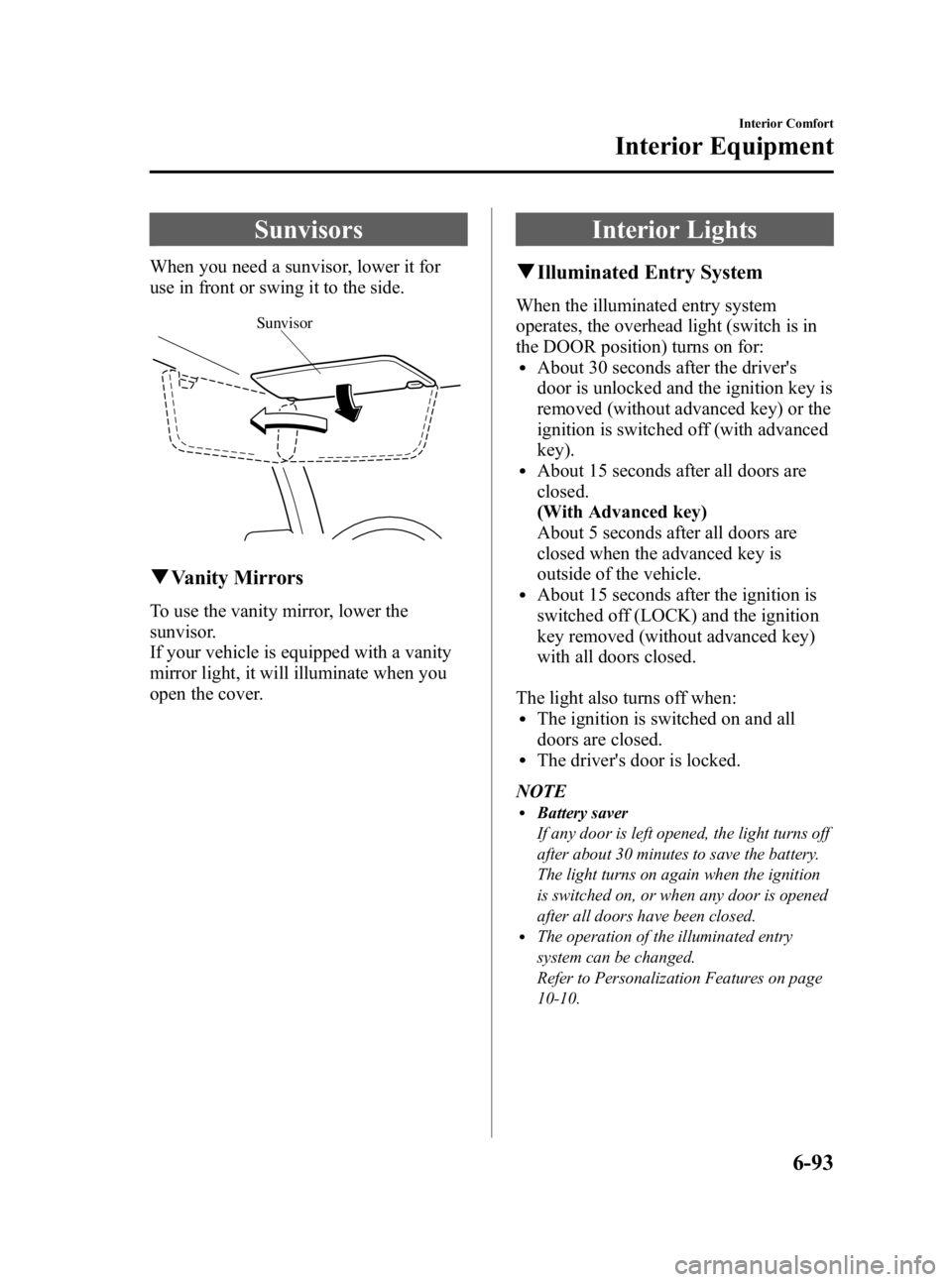
When you need a sunvisor, lower it for
use in front or swing it to the side.
Sunvisor
qVanity Mirrors
To use the vanity mirror, lower the
sunvisor.
If your vehicle is equipped with a vanity
mirror light, it will illuminate when you
open the cover.
Interior Lights
qIlluminated Entry System
When the illuminated entry system
operates, the overhead light (switch is in
the DOOR position) turns on for:
lAbout 30 seconds after the driver's
door is unlocked and the ignition key is
removed (without advanced key) or the
ignition is switched off (with advanced
key).
lAbout 15 seconds after all doors are
closed.
(With Advanced key)
About 5 seconds after all doors are
closed when the advanced key is
outside of the vehicle.
lAbout 15 seconds after the ignition is
switched off (LOCK) and the ignition
key removed (without advanced key)
with all doors closed.
The light also turns off when:
lThe ignition is switched on and all
doors are closed.
lThe driver's door is locked.
NOTE
lBattery saver
If any door is left opened, the light turns off
after about 30 minutes to save the battery.
The light turns on again when the ignition
is switched on, or when any door is opened
after all doors have been closed.
lThe operation of the illuminated entry
system can be changed.
Refer to Personalization Features on page
10-10.
Interior Comfort
Interior Equipment
6-93
Mazda3_8BG3-EA-09J_Edition2 Page323
Tuesday, December 8 2009 1:29 PM
Form No.8BG3-EA-09J
Page 326 of 504

Black plate (326,1)
qClockí
The time is displayed when the ignition is
switched to ACC or ON.
Time setting
1. Turn the ignition switch to the ACC or
ON position.
2. Adjust the time using the time setting buttons (
,).
The hours advance while the time
setting button (
) is pressed.
The minutes advance while the time
setting button (
) is pressed.
Time resetting
1. Turn the ignition switch to the ACC or ON position.
2. Press the :00 button.
3. When the button is pressed, the time will be reset as follows:
(Example)
12:01 ―12:29 →12:00
12:30 ―12:59 →1:00
NOTE
When the :00 button is pressed, the seconds
will start at “00 ”.
q Outside Temperature Display
(Fully Automatic Type)
When the ignition switch is in the ON
position, the ambient temperature is
displayed.
NOTE
Under the following conditions, the ambient
temperature display may differ from the actual
ambient temperature depending on the
surroundings and vehicle conditions:
lSignificantly cold or hot temperatures.lSudden changes in ambient temperature.lThe vehicle is parked.lThe vehicle is driven at low speeds.
qClimate Control Display
The climate control system status is
displayed. To operate the climate control
system, refer to “Climate Control System ”
(page 6-2).
q Audio Display
The audio system status is displayed. To
operate the audio system, refer to
“Audio System ”(page 6-16).
6-96
Interior Comfort
íSome models.
Interior Equipment
Mazda3_8BG3-EA-09J_Edition2 Page326
Tuesday, December 8 2009 1:29 PM
Form No.8BG3-EA-09J
Page 328 of 504
Black plate (328,1)
SwitchFunction
Enter (up/down) switch Used to select a menu and change numbers. Select up or down and press enter.
Right switch/Left
switch Used to select digits when setting numbers.
Navi switch
(With navigation sys-
tem) Press to switch the system to the navigation system screen.
BACK switch Press during SETTINGS to return to the previous screen.
INFO switch Press to switch to the multi information display. Switches the setting display in the order of Trip computer
(average fuel economy/average vehicle speed) →Trip computer
(current fuel economy/distance-to-empty) →Audio display →Settings
(reset averages/maintenance/preferences). Each time the switch is pressed, the multi
information display cycles through.
q Multi Information Display Functions
Function name DetailsSee page
Clock Constant display of time. 6-99
Outside temperature
display Constant display of ambient temperature.
6-99
Audio display Displays the audio operation status. Displayed when the INFO switch is pressed. 6-100
Trip computer Displays the average fuel economy, average vehicle speed, current fuel economy, and distance-to-empty. Displayed when the INFO switch is
pressed. 6-100
Maintenance monitor Notification of periodic inspection and tire rotation period 6-102
Warning indicator Notification of the need to take caution 6-106
Settings Used to change the multi information display settings. Displayed when the
INFO switch is pressed. 6-106
Navigation system Refer to the separate manual
6-98
Interior Comfort
Interior Equipment
Mazda3_8BG3-EA-09J_Edition2 Page328
Tuesday, December 8 2009 1:29 PM
Form No.8BG3-EA-09J
Page 332 of 504

Black plate (332,1)
qMaintenance Monitor
The periodic inspection and tire rotation
period notification can be displayed by
turning the Maintenance Monitor on.
NOTE
lThis function is inoperable while the
vehicle is being driven.
l(With navigation system)
If the battery cables are disconnected and
then reconnected, the SERVICE DUE item
in the MAINTENANCE setting cannot be
done until the clock resets after receiving a
GPS signal. Perform this setting after the
clock resumes operation.
Initial setting method
1. Press the INFO switch until the
SETTINGS screen is displayed.
2. Select MAINTENANCE by pressing the Enter (up/down) switch up or
down, and then press the Enter (up/
down) switch.
3. Select the item you want to turn on (TIRE ROTATION or SERVICE DUE)
by pressing the Enter (up/down) switch
up or down, and then press the Enter
(up/down) switch.
4. Press the Enter (up/down) switch. 5. Select SET and press the Enter (up/
down) switch.
NOTElFor the service due notification, either the
number of days or distance can be set.
When selecting one of the two settings, the
setting not selected is set to the initial value
automatically.
lBecause tire rotation can only be set
according to distance, the screen for setting
distance is displayed when SET is selected.
6. Select DISTANCE or DAYS and pressthe Enter (up/down) switch. The screen
for setting the distance or days to the
next maintenance period is displayed.
6-102
Interior Comfort
Interior Equipment
Mazda3_8BG3-EA-09J_Edition2 Page332
Tuesday, December 8 2009 1:29 PM
Form No.8BG3-EA-09J
Page 335 of 504
Black plate (335,1)
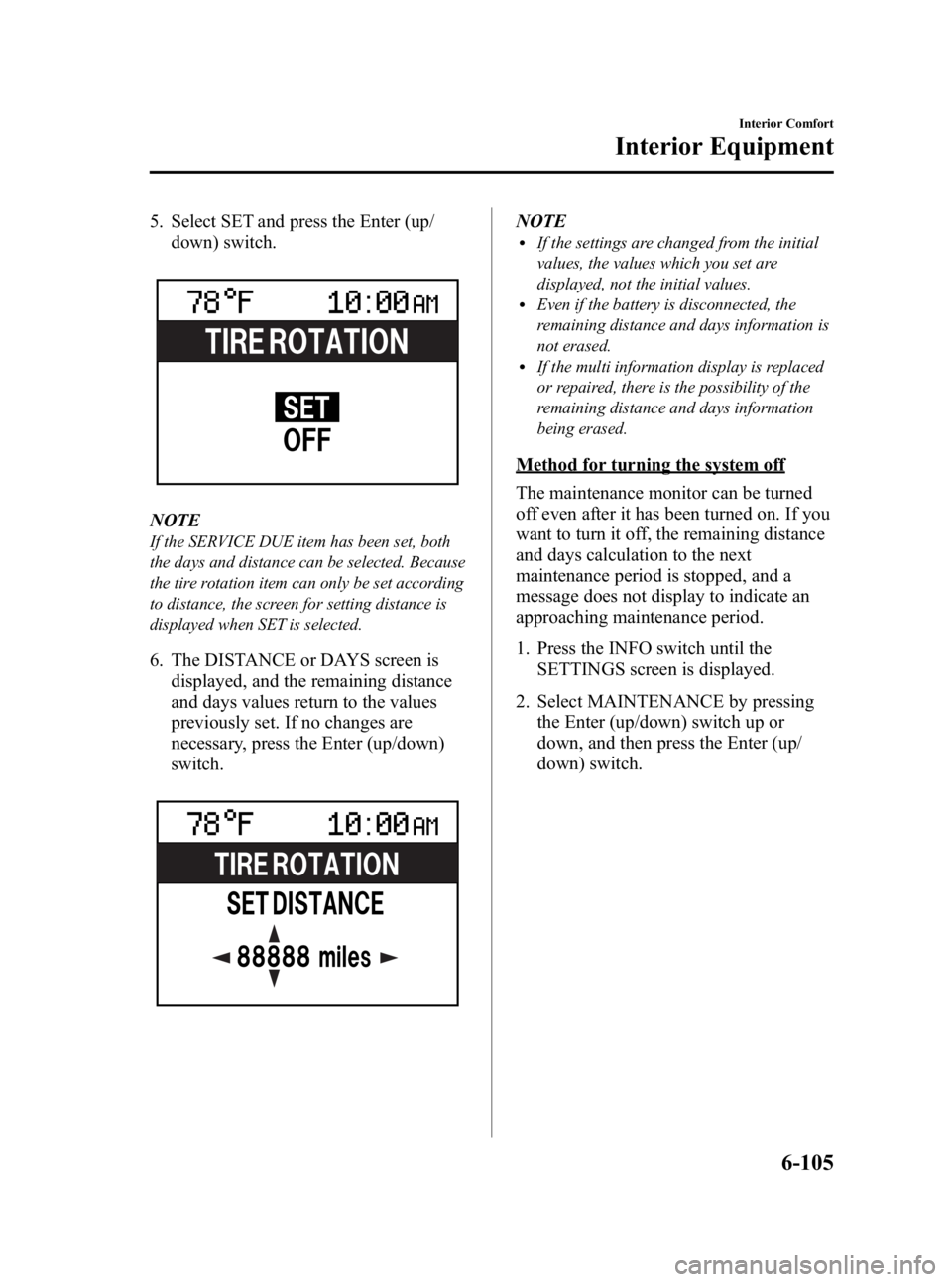
5. Select SET and press the Enter (up/down) switch.
NOTE
If the SERVICE DUE item has been set, both
the days and distance can be selected. Because
the tire rotation item can only be set according
to distance, the screen for setting distance is
displayed when SET is selected.
6. The DISTANCE or DAYS screen isdisplayed, and the remaining distance
and days values return to the values
previously set. If no changes are
necessary, press the Enter (up/down)
switch.
NOTElIf the settings are changed from the initial
values, the values which you set are
displayed, not the initial values.
lEven if the battery is disconnected, the
remaining distance and days information is
not erased.
lIf the multi information display is replaced
or repaired, there is the possibility of the
remaining distance and days information
being erased.
Method for turning the system off
The maintenance monitor can be turned
off even after it has been turned on. If you
want to turn it off, the remaining distance
and days calculation to the next
maintenance period is stopped, and a
message does not display to indicate an
approaching maintenance period.
1. Press the INFO switch until the
SETTINGS screen is displayed.
2. Select MAINTENANCE by pressing the Enter (up/down) switch up or
down, and then press the Enter (up/
down) switch.
Interior Comfort
Interior Equipment
6-105
Mazda3_8BG3-EA-09J_Edition2 Page335
Tuesday, December 8 2009 1:29 PM
Form No.8BG3-EA-09J
Page 336 of 504
Black plate (336,1)
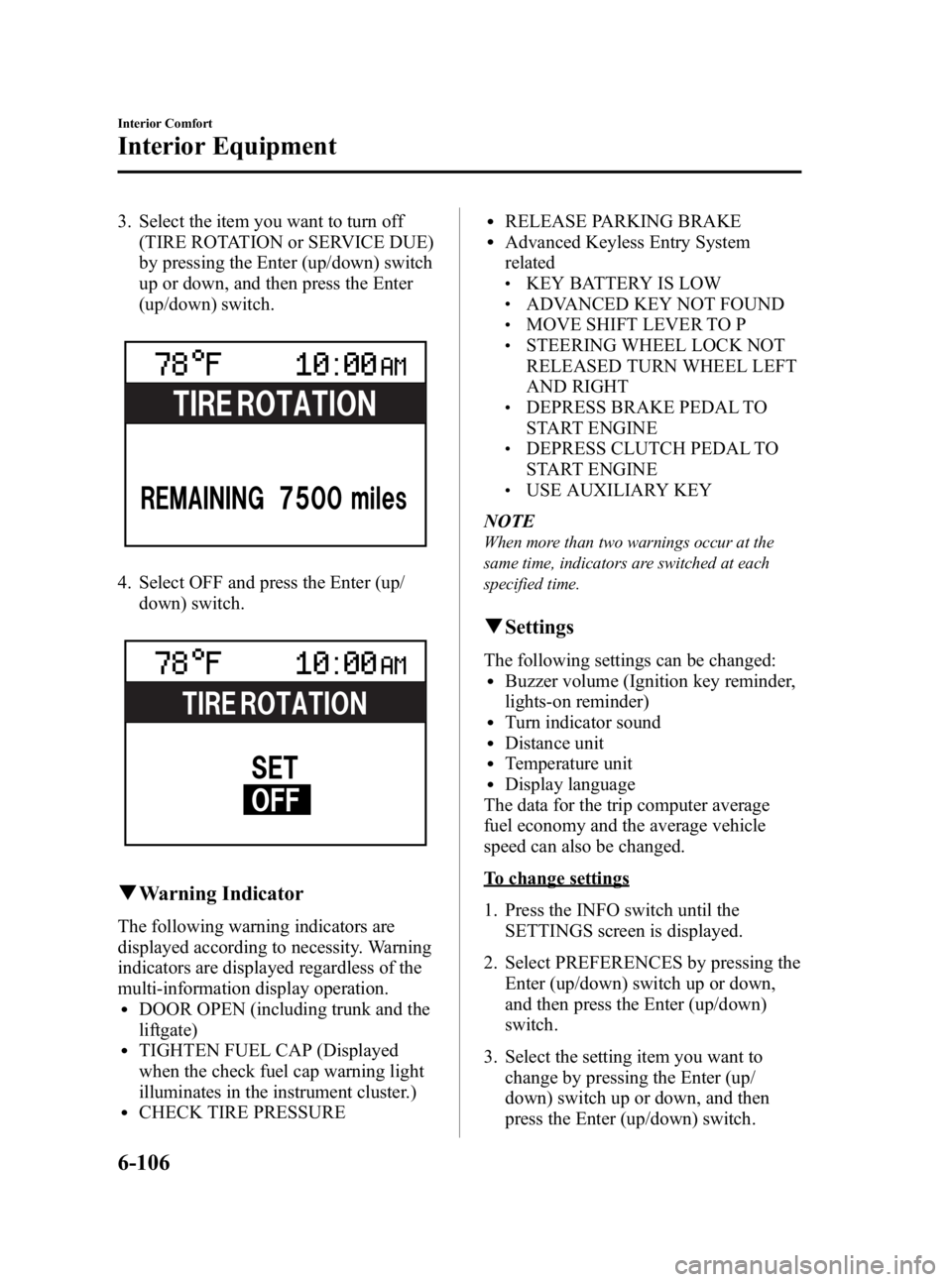
3. Select the item you want to turn off(TIRE ROTATION or SERVICE DUE)
by pressing the Enter (up/down) switch
up or down, and then press the Enter
(up/down) switch.
4. Select OFF and press the Enter (up/
down) switch.
qWarning Indicator
The following warning indicators are
displayed according to necessity. Warning
indicators are displayed regardless of the
multi-information display operation.
lDOOR OPEN (including trunk and the
liftgate)
lTIGHTEN FUEL CAP (Displayed
when the check fuel cap warning light
illuminates in the instrument cluster.)
lCHECK TIRE PRESSURE
lRELEASE PARKING BRAKElAdvanced Keyless Entry System
related
lKEY BATTERY IS LOWlADVANCED KEY NOT FOUNDlMOVE SHIFT LEVER TO PlSTEERING WHEEL LOCK NOT
RELEASED TURN WHEEL LEFT
AND RIGHT
lDEPRESS BRAKE PEDAL TO
START ENGINE
lDEPRESS CLUTCH PEDAL TO
START ENGINE
lUSE AUXILIARY KEY
NOTE
When more than two warnings occur at the
same time, indicators are switched at each
specified time.
q Settings
The following settings can be changed:lBuzzer volume (Ignition key reminder,
lights-on reminder)
lTurn indicator soundlDistance unitlTemperature unitlDisplay language
The data for the trip computer average
fuel economy and the average vehicle
speed can also be changed.
To change settings
1. Press the INFO switch until the SETTINGS screen is displayed.
2. Select PREFERENCES by pressing the Enter (up/down) switch up or down,
and then press the Enter (up/down)
switch.
3. Select the setting item you want to change by pressing the Enter (up/
down) switch up or down, and then
press the Enter (up/down) switch.
6-106
Interior Comfort
Interior Equipment
Mazda3_8BG3-EA-09J_Edition2 Page336
Tuesday, December 8 2009 1:29 PM
Form No.8BG3-EA-09J
Page 346 of 504
Black plate (346,1)
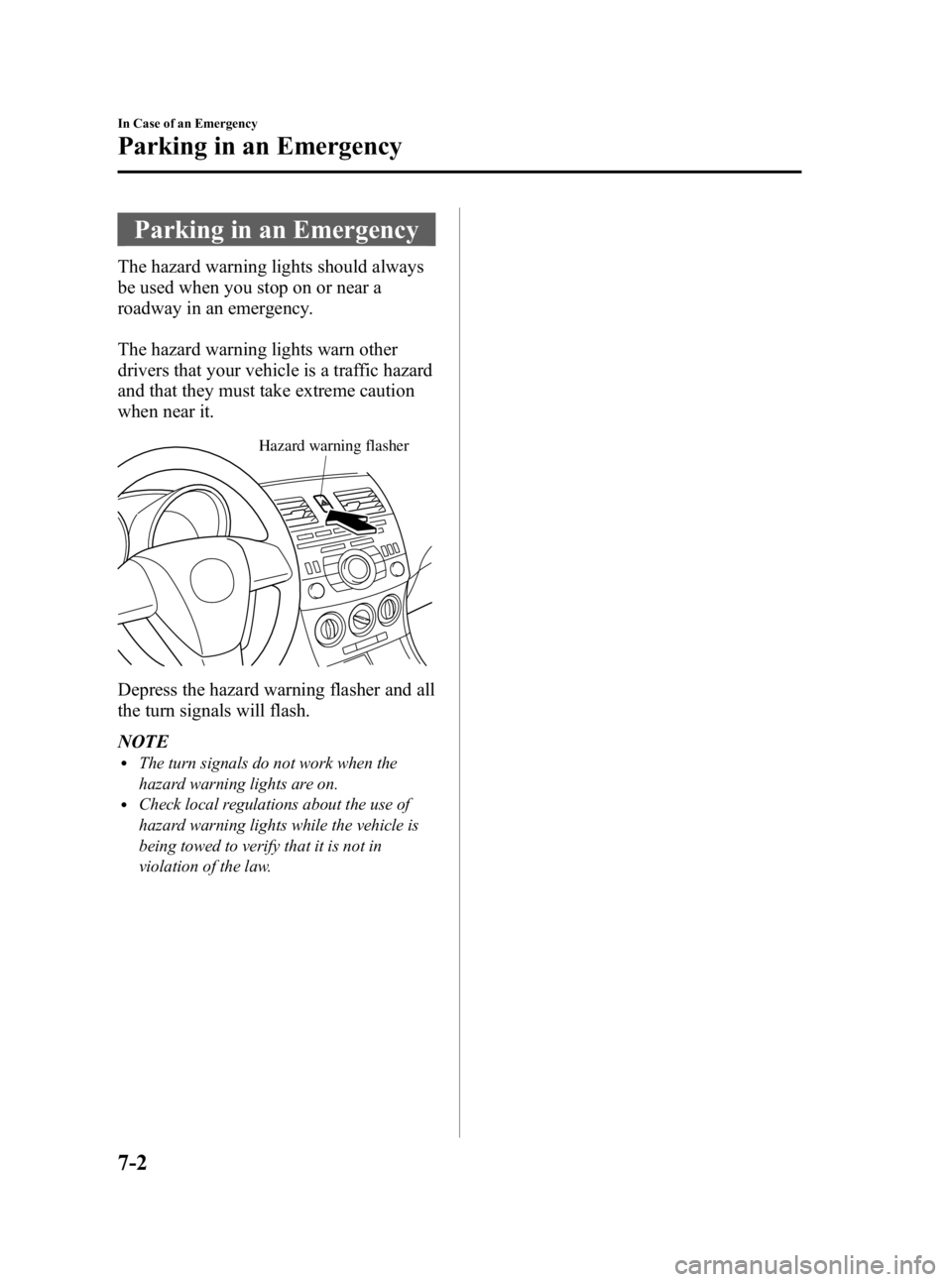
Parking in an Emergency
The hazard warning lights should always
be used when you stop on or near a
roadway in an emergency.
The hazard warning lights warn other
drivers that your vehicle is a traffic hazard
and that they must take extreme caution
when near it.
Hazard warning flasher
Depress the hazard warning flasher and all
the turn signals will flash.
NOTE
lThe turn signals do not work when the
hazard warning lights are on.
lCheck local regulations about the use of
hazard warning lights while the vehicle is
being towed to verify that it is not in
violation of the law.
7-2
In Case of an Emergency
Parking in an Emergency
Mazda3_8BG3-EA-09J_Edition2 Page346
Tuesday, December 8 2009 1:29 PM
Form No.8BG3-EA-09J