warning light MAZDA MODEL 3 4-DOOR 2017 Owner's Guide
[x] Cancel search | Manufacturer: MAZDA, Model Year: 2017, Model line: MODEL 3 4-DOOR, Model: MAZDA MODEL 3 4-DOOR 2017Pages: 612
Page 107 of 612
3–31
Before Driving
Fuel and Emission
Fuel-Filler Lid and Cap
WARNING
When removing the fuel-filler cap,
loosen the cap slightly and wait for any
hissing to stop, then remove it:Fuel spray is dangerous. Fuel can
burn skin and eyes and cause illness
if ingested. Fuel spray is released
when there is pressure in the fuel tank
and the fuel-filler cap is removed too
quickly.
Before refueling, stop the engine, and
always keep sparks and flames away
from the filler neck: Fuel vapor is dangerous. It could be
ignited by sparks or flames causing
serious burns and injuries.
Additionally, use of the incorrect fuel-
filler cap or not using a fuel-filler cap
may result in a fuel leak, which could
result in serious burns or death in an
accident.
Do not continue refueling after the fuel
pump nozzle shuts off automatically: Continuing to add fuel after the
fuel pump nozzle has shut off
automatically is dangerous because
overfilling the fuel tank may cause
fuel overflow or leakage. Fuel overflow
and leakage could damage the vehicle
and if the fuel ignites it could cause a
fire and explosion resulting in serious
injury or death.
CAUTION
(U.S.A. and Canada)
Always use only a genuine Mazda fuel-
filler cap or an approved equivalent,
available at an Authorized Mazda
Dealer. The wrong cap can result in
a serious malfunction of the fuel and
emission control systems. It may also
cause the check engine light in the
instrument cluster to illuminate.
Fuel-Filler Lid
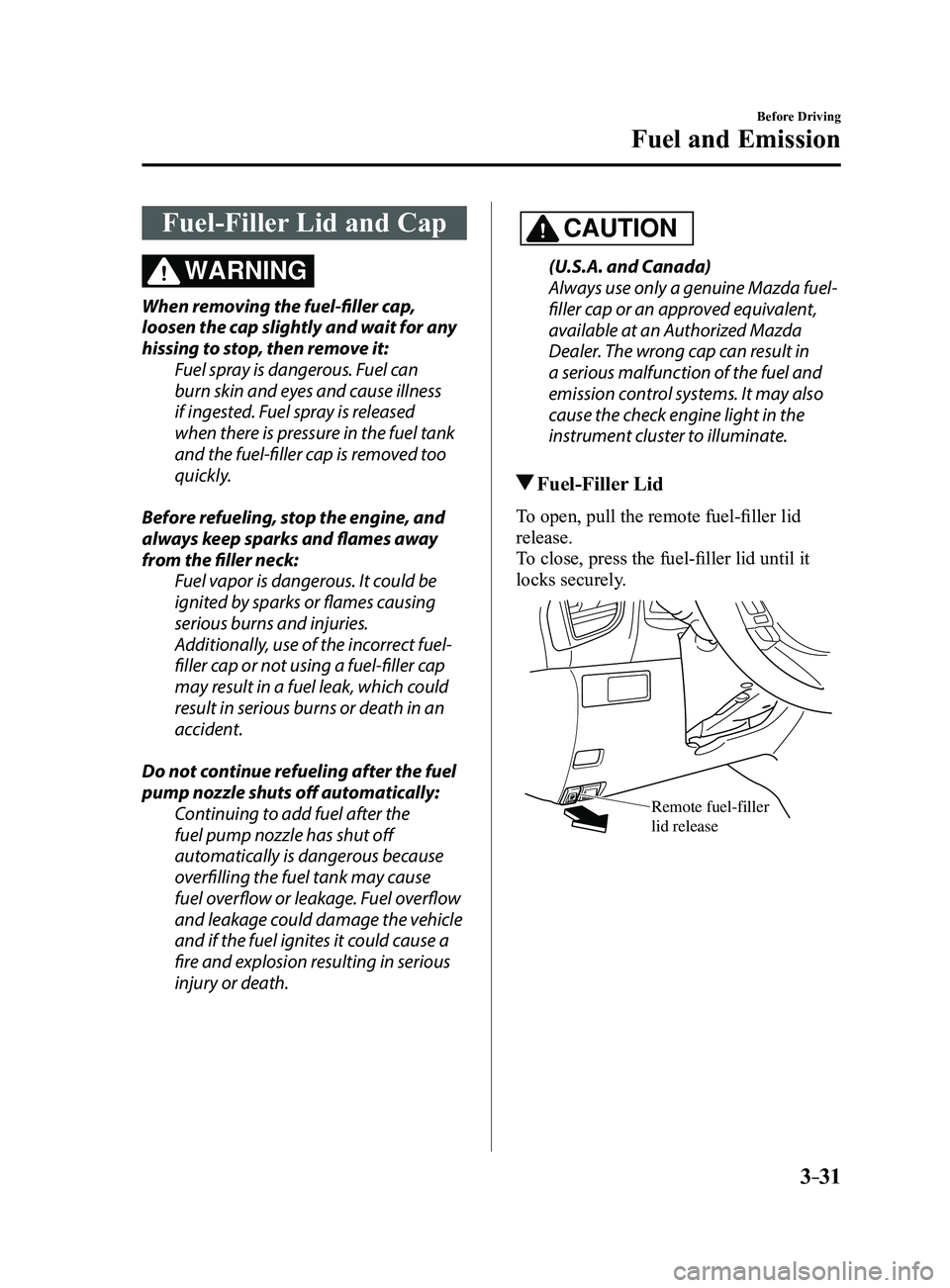
To open, pull the remote fuel-filler lid
release.
To close, press the fuel-filler lid until it
locks securely.
Remote fuel-filler lid release
Mazda3_8FL6-EA-16F_Edition2.indb 312016/08/10 17:35:28
Page 108 of 612
3–32
Before Driving
Fuel and Emission
Fuel-Filler Cap
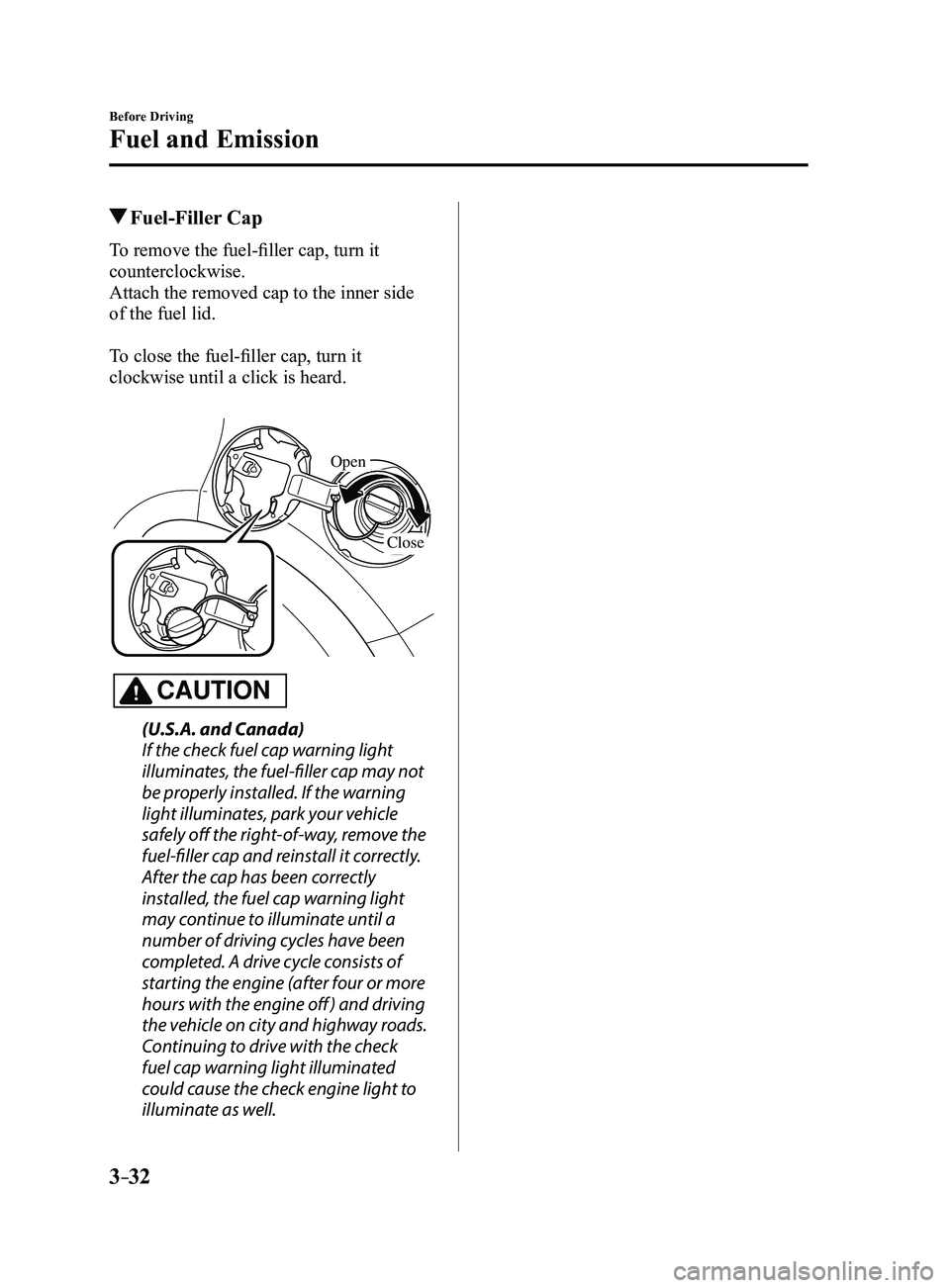
To remove the fuel-filler cap, turn it
counterclockwise.
Attach the removed cap to the inner side
of the fuel lid.
To close the fuel-filler cap, turn it
clockwise until a click is heard.
Open
Close
CAUTION
(U.S.A. and Canada)
If the check fuel cap warning light
illuminates, the fuel-filler cap may not
be properly installed. If the warning
light illuminates, park your vehicle
safely off the right-of-way, remove the
fuel-filler cap and reinstall it correctly.
After the cap has been correctly
installed, the fuel cap warning light
may continue to illuminate until a
number of driving cycles have been
completed. A drive cycle consists of
starting the engine (after four or more
hours with the engine off ) and driving
the vehicle on city and highway roads.
Continuing to drive with the check
fuel cap warning light illuminated
could cause the check engine light to
illuminate as well.
Mazda3_8FL6-EA-16F_Edition2.indb 322016/08/10 17:35:28
Page 109 of 612
3–33
Before Driving
Steering Wheel
*Some models.
Steering Wheel
WARNING
Never adjust the steering wheel while
the vehicle is moving:Adjusting the steering wheel while
the vehicle is moving is dangerous.
Moving it can very easily cause the
driver to abruptly turn to the left or
right. This can lead to loss of control or
an accident.
Steering Wheel Adjustment
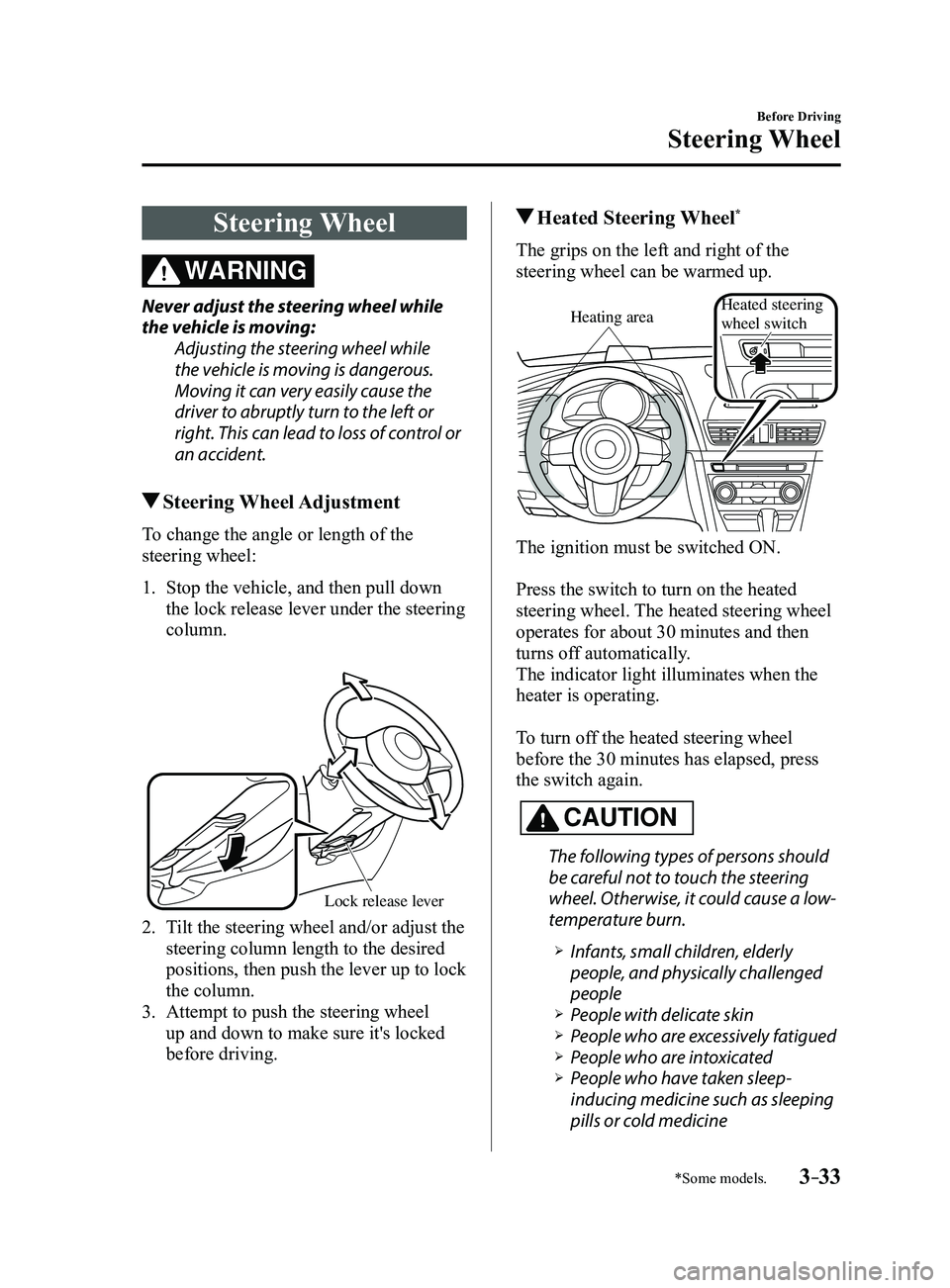
To change the angle or length of the
steering wheel:
1. Stop the vehicle, and then pull down
the lock release lever under the steering
column.
Lock release le ver
2. Tilt the steering wheel and/or adjust the
steering column length to the desired
positions, then push the lever up to lock
the column.
3. Attempt to push the steering wheel
up and down to make sure it's locked
before driving.
Heated Steering Wheel*
The grips on the left and right of the
steering wheel can be warmed up.
Heating areaHeated steering
wheel switch
The ignition must be switched ON.
Press the switch to turn on the heated
steering wheel. The heated steering wheel
operates for about 30 minutes and then
turns off automatically.
The indicator light illuminates when the
heater is operating.
To turn off the heated steering wheel
before the 30 minutes has elapsed, press
the switch again.
CAUTION
The following types of persons should
be careful not to touch the steering
wheel. Otherwise, it could cause a low-
temperature burn.
Infants, small children, elderly
people, and physically challenged
people
People with delicate skin People who are excessively fatigued People who are intoxicated People who have taken sleep-
inducing medicine such as sleeping
pills or cold medicine
Mazda3_8FL6-EA-16F_Edition2.indb 332016/08/10 17:35:29
Page 111 of 612
3–35
Before Driving
Mirrors
Rearview Mirror
WARNING
Do not stack cargo or objects higher
than the seatbacks: Cargo stacked higher than the
seatbacks is dangerous. It can block
your view in the rearview mirror, which
might cause you to hit another car
when changing lanes.
Rearview mirror adjustment
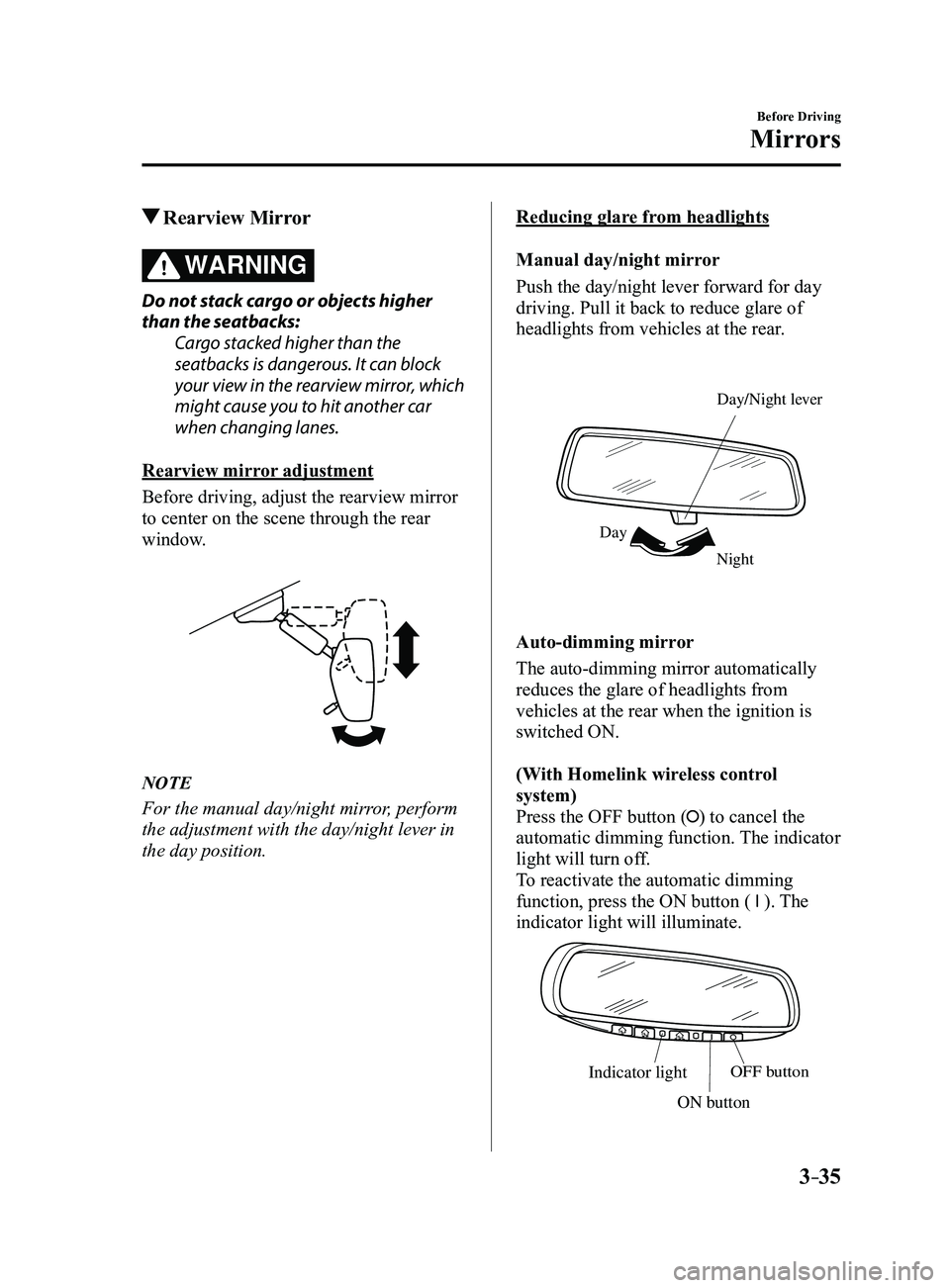
Before driving, adjust the rearview mirror
to center on the scene through the rear
window.
NOTE
For the manual day/night mirror, perform
the adjustment with the day/night lever in
the day position.
Reducing glare from headlights
Manual day/night mirror
Push the day/night lever forward for day
driving. Pull it back to reduce glare of
headlights from vehicles at the rear.
Night
Day Day/Night le
ver
Auto-dimming mirror
The auto-dimming mirror automatically
reduces the glare of headlights from
vehicles at the rear when the ignition is
switched ON.
(With Homelink wireless control
system)
Press the OFF button (
) to cancel the
automatic dimming function. The indicator
light will turn off.
To reactivate the automatic dimming
function, press the ON button (
). The
indicator light will illuminate.
Indicator lightOFF button
ON button
Mazda3_8FL6-EA-16F_Edition2.indb 352016/08/10 17:35:32
Page 113 of 612
3–37
Before Driving
Windows
Power Windows
The ignition must be switched ON for the
power windows to operate.
WARNING
Make sure the opening is clear before
closing a window:Closing a power window is dangerous.
A person's hands, head, or even neck
could be caught by the window and
result in serious injury or even death.
This warning applies especially to
children.
Never allow children to play with power
window switches: Power window switches that are not
locked with the power window lock
switch would allow children to operate
power windows unintentionally, which
could result in serious injury if a child's
hands, head or neck becomes caught
by the window.
CAUTION
To prevent burning out the fuse and
damaging the power window system,
do not open or close more than three
windows at once.
NOTE
A power window may no longer open/close
if you continue to press the switch after
fully opening/closing the power window.
If the power window does not open/close,
wait a moment and then operate the switch
again.
Operating the Driver's Power
Window
Normal opening/closing
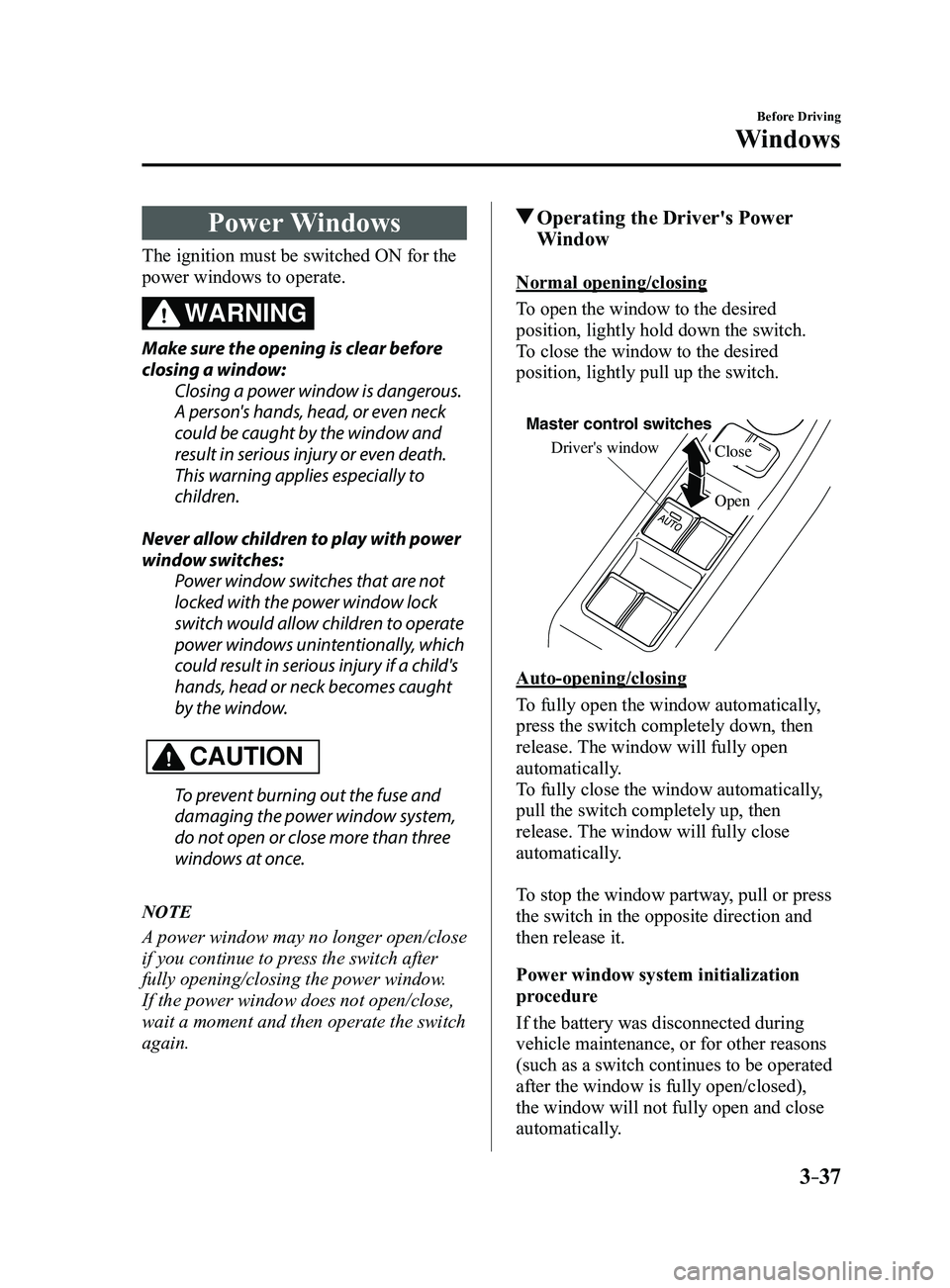
To open the window to the desired
position, lightly hold down the switch.
To close the window to the desired
position, lightly pull up the switch.
Driver's window
Open Close
Master control switches
Auto-opening/closing
To fully open the window automatically,
press the switch completely down, then
release. The window will fully open
automatically.
To fully close the window automatically,
pull the switch completely up, then
release. The window will fully close
automatically.
To stop the window partway, pull or press
the switch in the opposite direction and
then release it.
Power window system initialization
procedure
If the battery was disconnected during
vehicle maintenance, or for other reasons
(such as a switch continues to be operated
after the window is fully open/closed),
the window will not fully open and close
automatically.
Mazda3_8FL6-EA-16F_Edition2.indb 372016/08/10 17:35:34
Page 120 of 612
3–44
Before Driving
Security System
*Some models.
Theft-Deterrent System*
If the theft-deterrent system detects an
inappropriate entry into the vehicle,
which could result in the vehicle or its
contents being stolen, the alarm alerts the
surrounding area of an abnormality by
sounding the horn and flashing the hazard
warning lights.
The system will not function unless it's
properly armed. So when you leave the
vehicle, follow the arming procedure
correctly.
Operation
System triggering conditions
The horn sounds intermittently and the
hazard warning lights flash for about 30
seconds when the system is triggered by
any one of the following:
Unlocking a door with the key, door
lock switch, or an inside door-lock knob. Forcing open a door, the hood or the
liftgate/trunk lid. Opening the hood by operating the hood
release handle. Switching the ignition ON without using
the push button start.
If the system is triggered again, the lights
and horn will activate until the driver's
door is unlocked with the transmitter.
(With the advanced keyless function)
The lights and horn can also be
deactivated by pressing the request switch
on a door.
NOTE
If the battery goes dead while the theft-
deterrent system is armed, the horn will
activate and the hazard warning lights
will flash when the battery is charged or
replaced.
How to Arm the System
1. Close the windows and the moonroof *
securely.
2. Switch the ignition OFF .
3. Make sure the hood, the doors, and the
liftgate/trunk lid are closed.
4. Press the lock button on the transmitter
or lock the driver's door from the
outside with the auxiliary key.
The hazard warning lights will flash
once.
The following method will also arm the
theft-deterrent system:
Press the door-lock switch “” while
any door is open and then close all of
the doors.
(With the advanced keyless function)
Press a request switch.
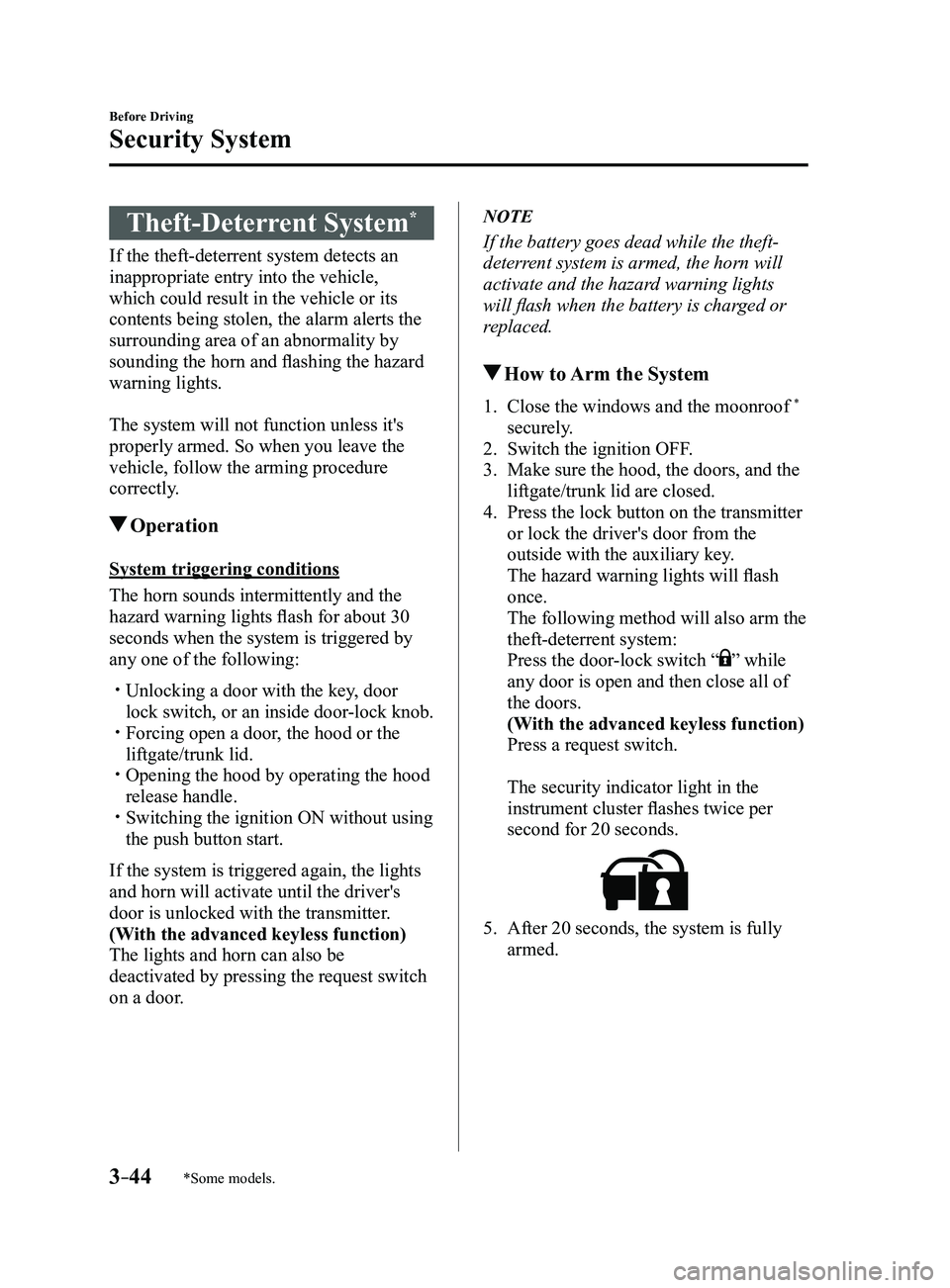
The security indicator light in the
instrument cluster flashes twice per
second for 20 seconds.
5. After 20 seconds, the system is fully
armed.
Mazda3_8FL6-EA-16F_Edition2.indb 442016/08/10 17:35:37
Page 121 of 612
3–45
Before Driving
Security System
NOTE
The theft-deterrent system can also be
armed by activating the auto relock
function with all the doors, the liftgate/
trunk lid and the hood closed.
Refer to Transmitter on page 3-5. The system will disarm if one of the
following operations takes place within
20 seconds after pressing the lock
button:
Unlocking any door . Opening any door. Opening the hood. Switching the ignition ON.
To rearm the system, do the arming
procedure again. When the doors ar e locked by pressing
the lock button on the transmitter
or using the auxiliary key while the
theft-deterrent system is armed, the
hazard warning lights will flash once to
indicate that the system is armed.
To Turn Off an Armed System
An armed system can be turned off using
any one of the following methods:
Pressing the unlock button on the
transmitter. Starting the engine with the push button
start. (With the advanced keyless function)
Pressing a request switch on the doors.
The hazard warning lights will flash twice.
NOTE
When the doors are unlocked by pressing
the unlock button on the transmitter while
the theft-deterrent system is turned off, the
hazard warning lights will flash twice to
indicate that the system is turned off.
To Stop the Alarm
A triggered alarm can be turned off using
any one of the following methods:
Pressing the unlock button on the
transmitter. Starting the engine with the push button
start. (With the advanced keyless function)
Pressing a request switch on the doors. Pressing the electric liftgate/trunk lid
opener while the key is being carried.
The hazard warning lights will flash twice.
Mazda3_8FL6-EA-16F_Edition2.indb 452016/08/10 17:35:37
Page 124 of 612
3–48
Before Driving
Driving Tips
Do not install two floor mats, one on top
of the other, on the driver's side:Installing two floor mats, one on top
of the other, on the driver's side is
dangerous as the retention pins can
only keep one floor mat from sliding
forward.
Loose floor mat(s) will interfere with
the foot pedals and could result in an
accident.
When using an all weather mat for
winter, always remove the original
floor mat.
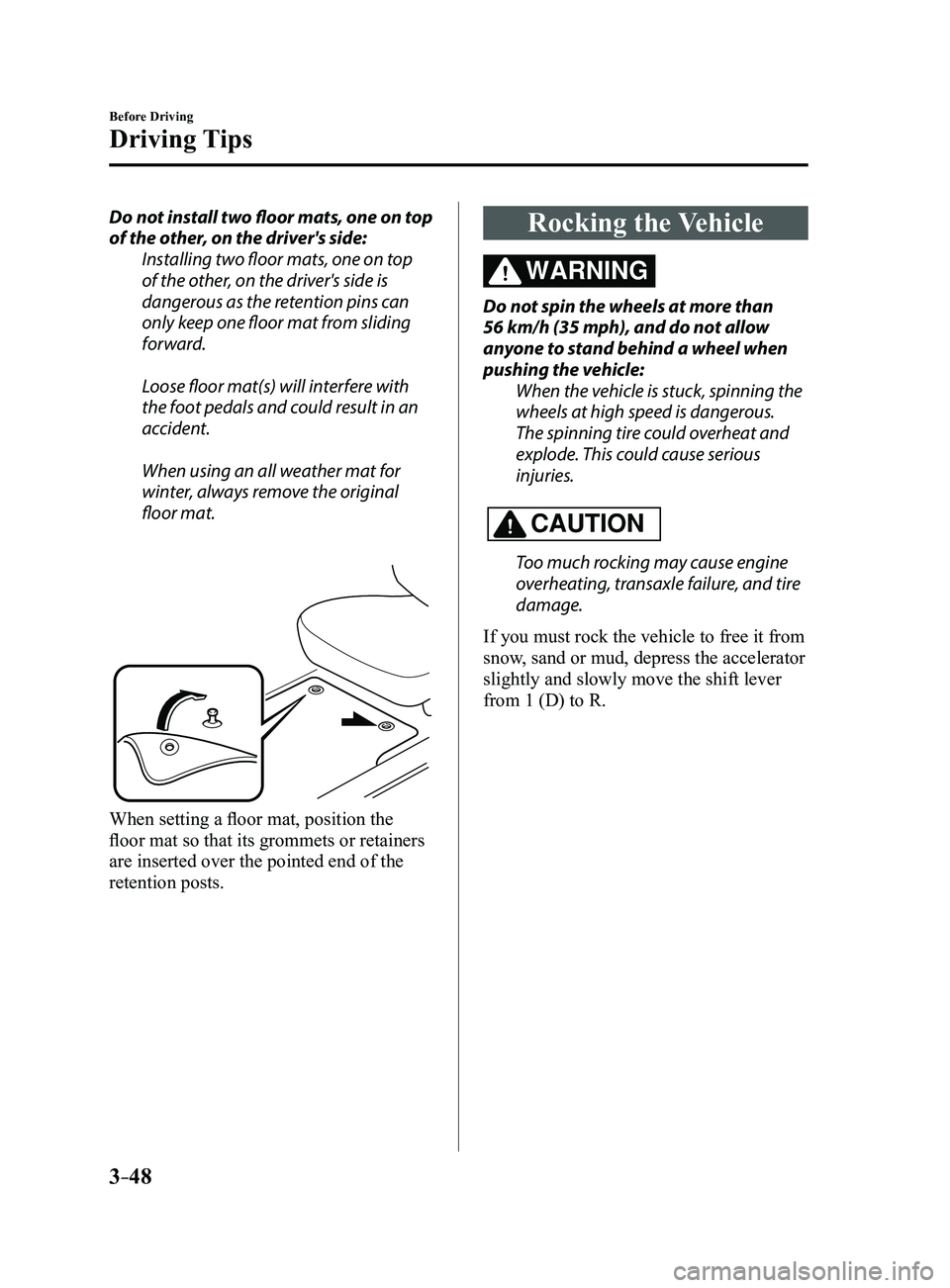
When setting a floor mat, position the
floor mat so that its grommets or retainers
are inserted over the pointed end of the
retention posts.
Rocking the Vehicle
WARNING
Do not spin the wheels at more than
56 km/h (35 mph), and do not allow
anyone to stand behind a wheel when
pushing the vehicle:When the vehicle is stuck, spinning the
wheels at high speed is dangerous.
The spinning tire could overheat and
explode. This could cause serious
injuries.
CAUTION
Too much rocking may cause engine
overheating, transaxle failure, and tire
damage.
If you must rock the vehicle to free it from
snow, sand or mud, depress the accelerator
slightly and slowly move the shift lever
from 1 (D) to R.
Mazda3_8FL6-EA-16F_Edition2.indb 482016/08/10 17:35:38
Page 127 of 612
3–51
Before Driving
Driving Tips
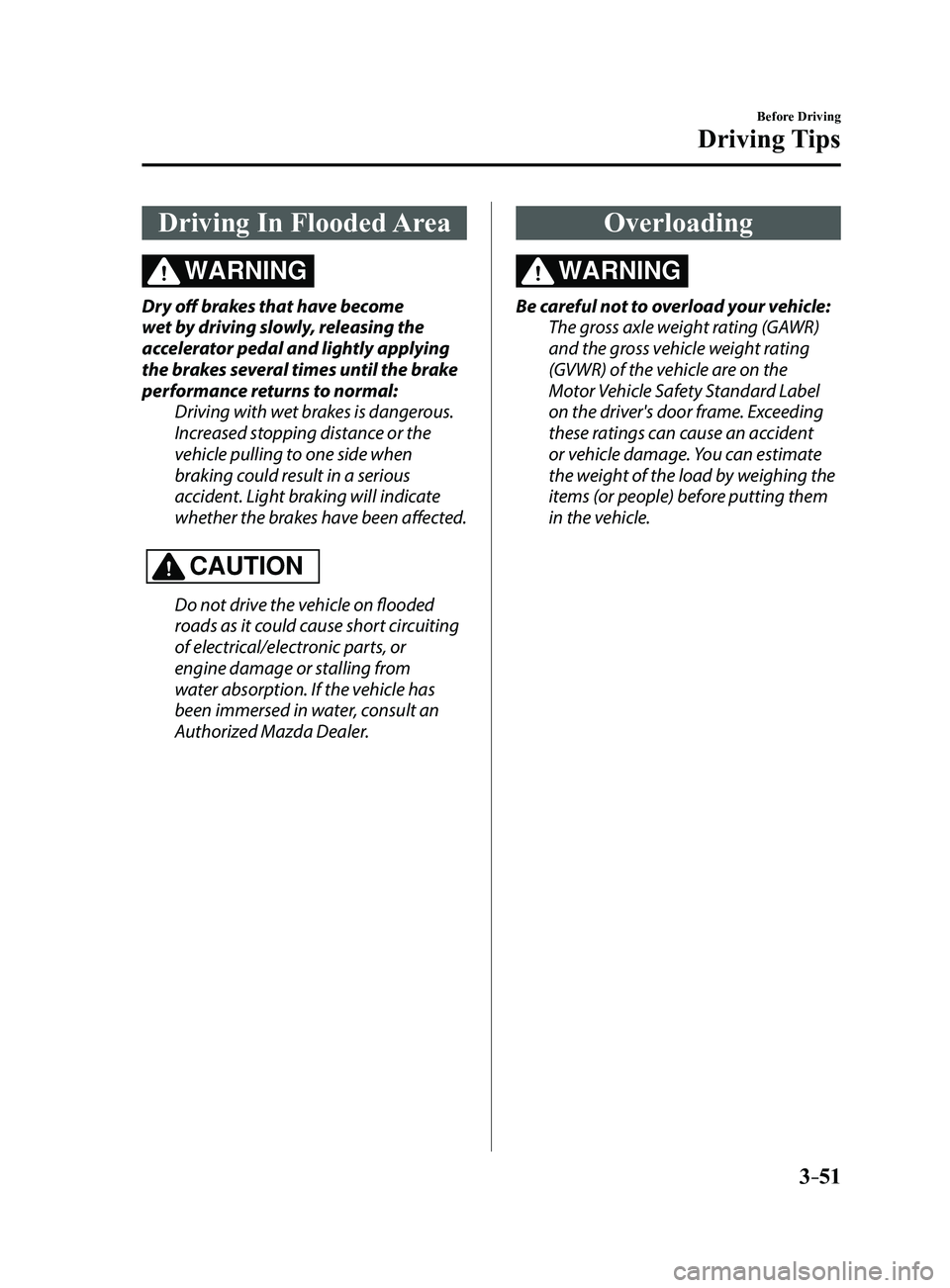
Driving In Flooded Area
WARNING
Dry off brakes that have become
wet by driving slowly, releasing the
accelerator pedal and lightly applying
the brakes several times until the brake
performance returns to normal:Driving with wet brakes is dangerous.
Increased stopping distance or the
vehicle pulling to one side when
braking could result in a serious
accident. Light braking will indicate
whether the brakes have been affected.
CAUTION
Do not drive the vehicle on flooded
roads as it could cause short circuiting
of electrical/electronic parts, or
engine damage or stalling from
water absorption. If the vehicle has
been immersed in water, consult an
Authorized Mazda Dealer.
Overloading
WARNING
Be careful not to overload your vehicle:
The gross axle weight rating (GAWR)
and the gross vehicle weight rating
(GVWR) of the vehicle are on the
Motor Vehicle Safety Standard Label
on the driver's door frame. Exceeding
these ratings can cause an accident
or vehicle damage. You can estimate
the weight of the load by weighing the
items (or people) before putting them
in the vehicle.
Mazda3_8FL6-EA-16F_Edition2.indb 512016/08/10 17:35:39
Page 131 of 612
4–1
*Some models.
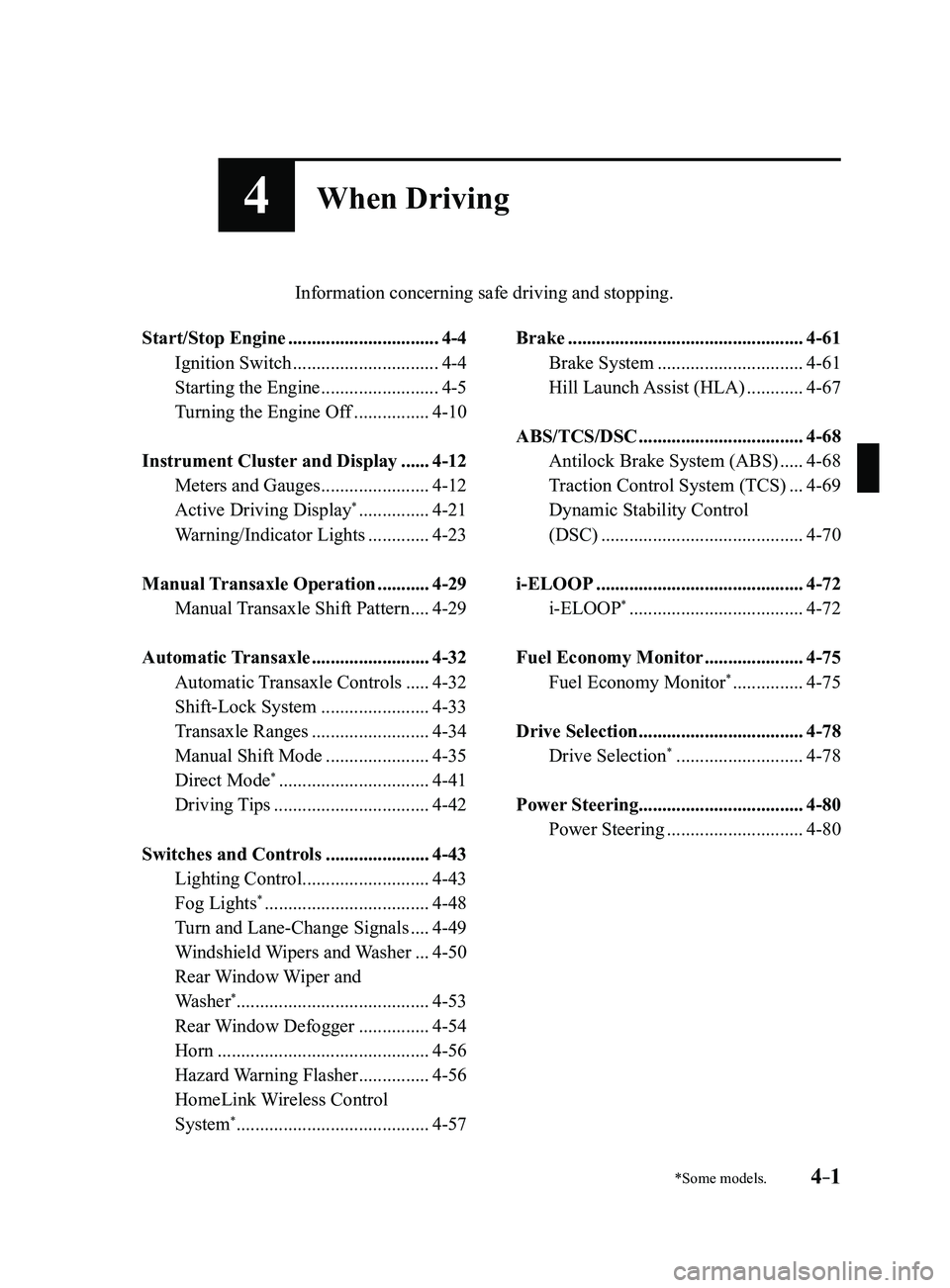
4When Driving
Information concerning safe driving and stopping.
Start/Stop Engine ................................4-4
Ignition Switch ...............................4-4
Starting the Engine .........................4-5
Turning the Engine Off ................4-10
Instrument Cluster and Display ......4-12
Meters and Gauges .......................4-12
Active Driving Display* ...............4-21
Warning/Indicator Lights .............4-23
Manual Transaxle Operation ...........4-29
Manual Transaxle Shift Pattern ....4-29
Automatic Transaxle .........................4-32
Automatic Transaxle Controls .....4-32
Shift-Lock System .......................4-33
Transaxle Ranges .........................4-34
Manual Shift Mode ......................4-35
Direct Mode* ................................4-41
Driving Tips .................................4-42
Switches and Controls ......................4-43
Lighting Control ...........................4-43
Fog Lights* ...................................4-48
Turn and Lane-Change Signals ....4-49
Windshield Wipers and Washer ...4-50
Rear Window Wiper and
Washer*.........................................4-53
Rear Window Defogger ...............4-54
Horn .............................................4-56
Hazard Warning Flasher ...............4-56
HomeLink Wireless Control
System* .........................................4-57
Brake ..................................................4-61
Brake System ...............................4-61
Hill Launch Assist (HLA) ............4-67
ABS/TCS/DSC ...................................4-68
Antilock Brake System (ABS) .....4-68
Traction Control System (TCS) ...4-69
Dynamic Stability Control
(DSC)
...........................................4-70
i-ELOOP ............................................4-72
i-ELOOP* .....................................4-72
Fuel Economy Monitor .....................4-75
Fuel Economy Monitor* ...............4-75
Drive Selection ...................................4-78
Drive Selection* ...........................4-78
Power Steering ...................................4-80
Power Steering .............................4-80
Mazda3_8FL6-EA-16F_Edition2.indb 12016/08/10 17:35:40