engine MAZDA MODEL 3 4-DOOR 2017 Manual PDF
[x] Cancel search | Manufacturer: MAZDA, Model Year: 2017, Model line: MODEL 3 4-DOOR, Model: MAZDA MODEL 3 4-DOOR 2017Pages: 612
Page 261 of 612
4–131
When Driving
i-ACTIVSENSE
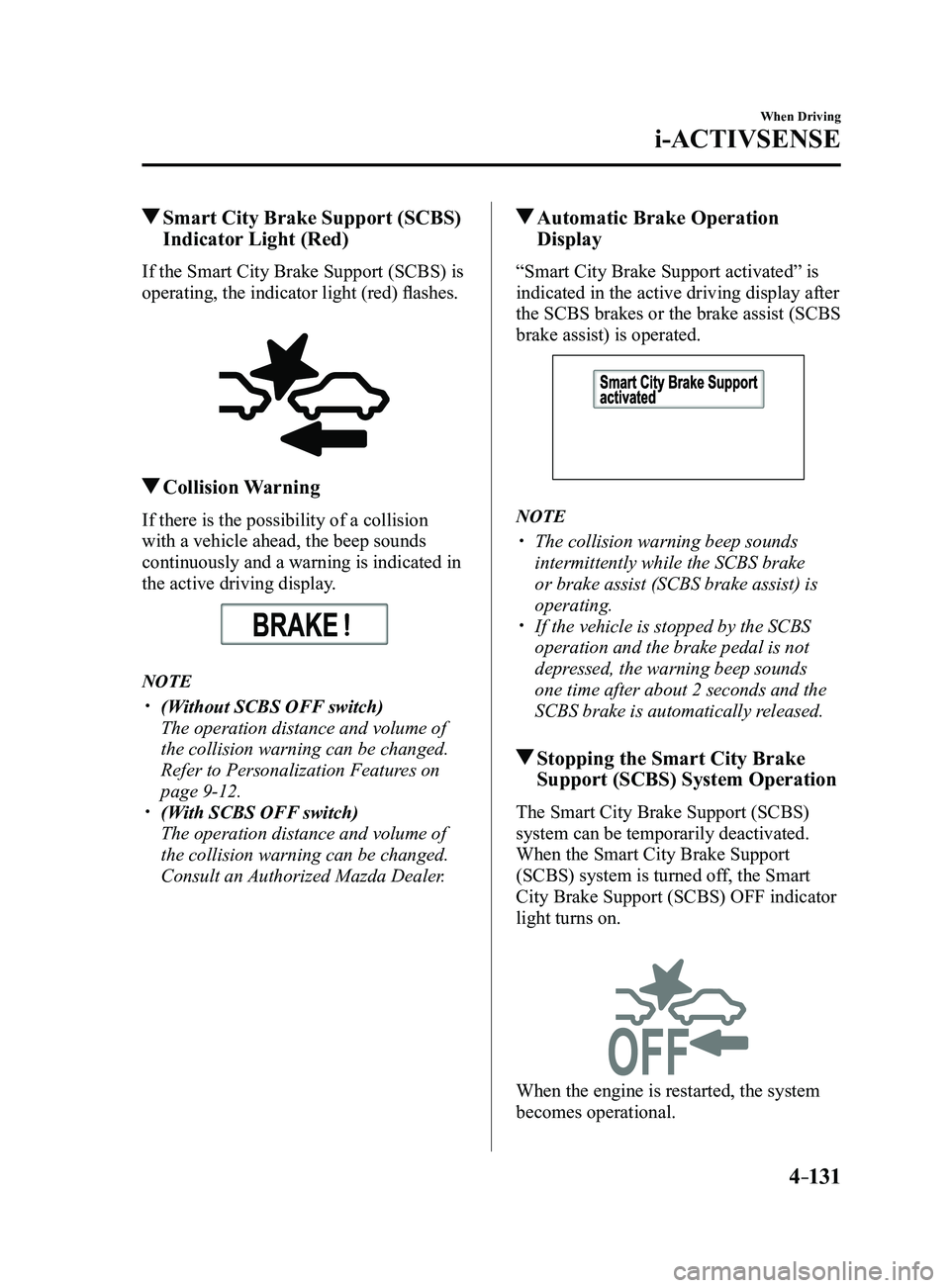
Smart City Brake Support (SCBS)
Indicator Light (Red)
If the Smart City Brake Support (SCBS) is
operating, the indicator light (red) flashes.
Collision Warning
If there is the possibility of a collision
with a vehicle ahead, the beep sounds
continuously and a warning is indicated in
the active driving display.
NOTE
(Without SCBS OFF switch)
The operation distance and volume of
the collision warning can be changed.
Refer to Personalization Features on
page 9-12. (With SCBS OFF switch)
The operation distance and volume of
the collision warning can be changed.
Consult an Authorized Mazda Dealer.
Automatic Brake Operation
Display
“Smart City Brake Support activated” is
indicated in the active driving display after
the SCBS brakes or the brake assist (SCBS
brake assist) is operated.
NOTE
The collision warning beep sounds
intermittently while the SCBS brake
or brake assist (SCBS brake assist) is
operating.
If the vehicle is stopped by the SCBS
operation and the brake pedal is not
depressed, the warning beep sounds
one time after about 2 seconds and the
SCBS brake is automatically released.
Stopping the Smart City Brake
Support (SCBS) System Operation
The Smart City Brake Support (SCBS)
system can be temporarily deactivated.
When the Smart City Brake Support
(SCBS) system is turned off, the Smart
City Brake Support (SCBS) OFF indicator
light turns on.
When the engine is restarted, the system
becomes operational.
Mazda3_8FL6-EA-16F_Edition2.indb 1312016/08/10 17:36:57
Page 265 of 612
4–135
When Driving
i-ACTIVSENSE
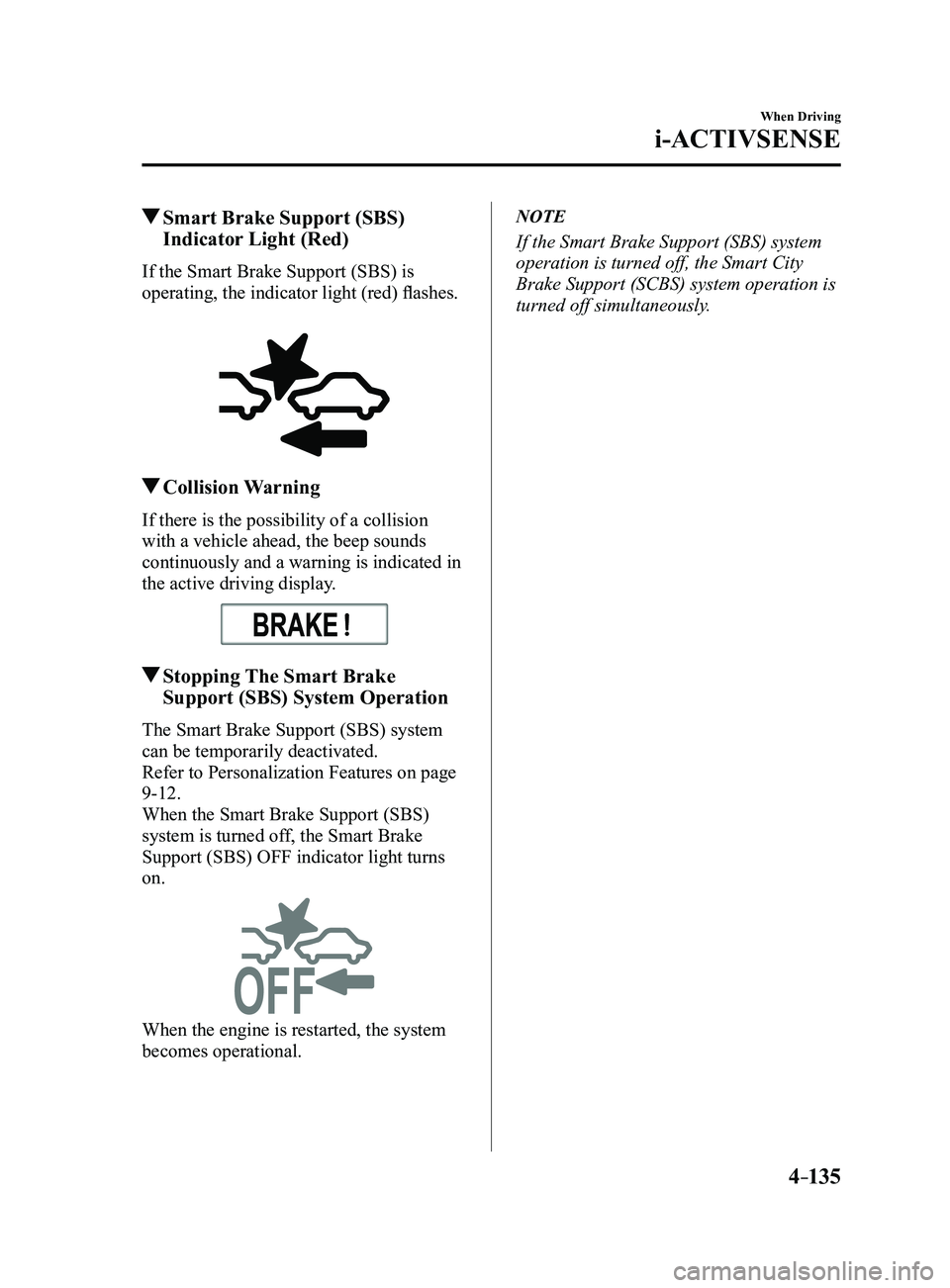
Smart Brake Support (SBS)
Indicator Light (Red)
If the Smart Brake Support (SBS) is
operating, the indicator light (red) flashes.
Collision Warning
If there is the possibility of a collision
with a vehicle ahead, the beep sounds
continuously and a warning is indicated in
the active driving display.
Stopping The Smart Brake
Support (SBS) System Operation
The Smart Brake Support (SBS) system
can be temporarily deactivated.
Refer to Personalization Features on page
9-12.
When the Smart Brake Support (SBS)
system is turned off, the Smart Brake
Support (SBS) OFF indicator light turns
on.
When the engine is restarted, the system
becomes operational.
NOTE
If the Smart Brake Support (SBS) system
operation is turned off, the Smart City
Brake Support (SCBS) system operation is
turned off simultaneously.
Mazda3_8FL6-EA-16F_Edition2.indb 1352016/08/10 17:36:58
Page 280 of 612
4–150
When Driving
Cruise Control
NOTE
If any of the following conditions occur,
the cruise control system is temporarily
canceled.
The parking brake is applied. (Automatic transaxle)
The selector lever is in the P or N
position. (Manual transaxle)
The shift lever is in the neutral
position.
When the cruise control system is
temporarily canceled by even one of the
applicable cancel conditions, the speed
cannot be re-set.
(Automatic transaxle)
The cruise control cannot be cancelled
while driving in manual mode (selector
lever shifted from D to M position).
Therefore, engine braking will not be
applied even if the transaxle is shifted
down to a lower gear. If deceleration is
required, lower the set speed or depress
the brake pedal.
To Deactivate
When a cruising speed has been
set (cruise set indication (white) is
displayed/cruise set indicator light
(green) turns on)
Long-press the OFF/CAN switch or press
the OFF/CAN switch 2 times.
When a cruising speed has not been
set (cruise main indication (white) is
displayed)
Press the OFF/CAN switch.
Mazda3_8FL6-EA-16F_Edition2.indb 1502016/08/10 17:37:03
Page 294 of 612
5–2
Interior Features
Climate Control System
Operating Tips
Operate the climate control system with
the engine running. To prevent the battery from being
discharged, do not leave the fan control
dial/switch on for a long period of time
with the ignition switched ON when the
engine is not running.
Clear all obstructions such as leaves,
snow and ice from the hood and the air
inlet in the cowl grille to improve the
system efficiency.
Use the climate control system to defog
the windows and dehumidify the air. The recirculate mode should be used
when driving through tunnels or while in
a traffic jam, or when you would like to
shut off outside air for quick cooling of
the interior.
Use the outside air position for
ventilation or windshield defrosting. If the vehicle has been parked in direct
sunlight during hot weather, open the
windows to let warm air escape, then
run the climate control system.
(With A/C switch)
Run the air conditioner about 10 minutes
at least once a month to keep internal
parts lubricated.
Have the air conditioner checked before
the weather gets hot. Lack of refrigerant
may make the air conditioner less
efficient.
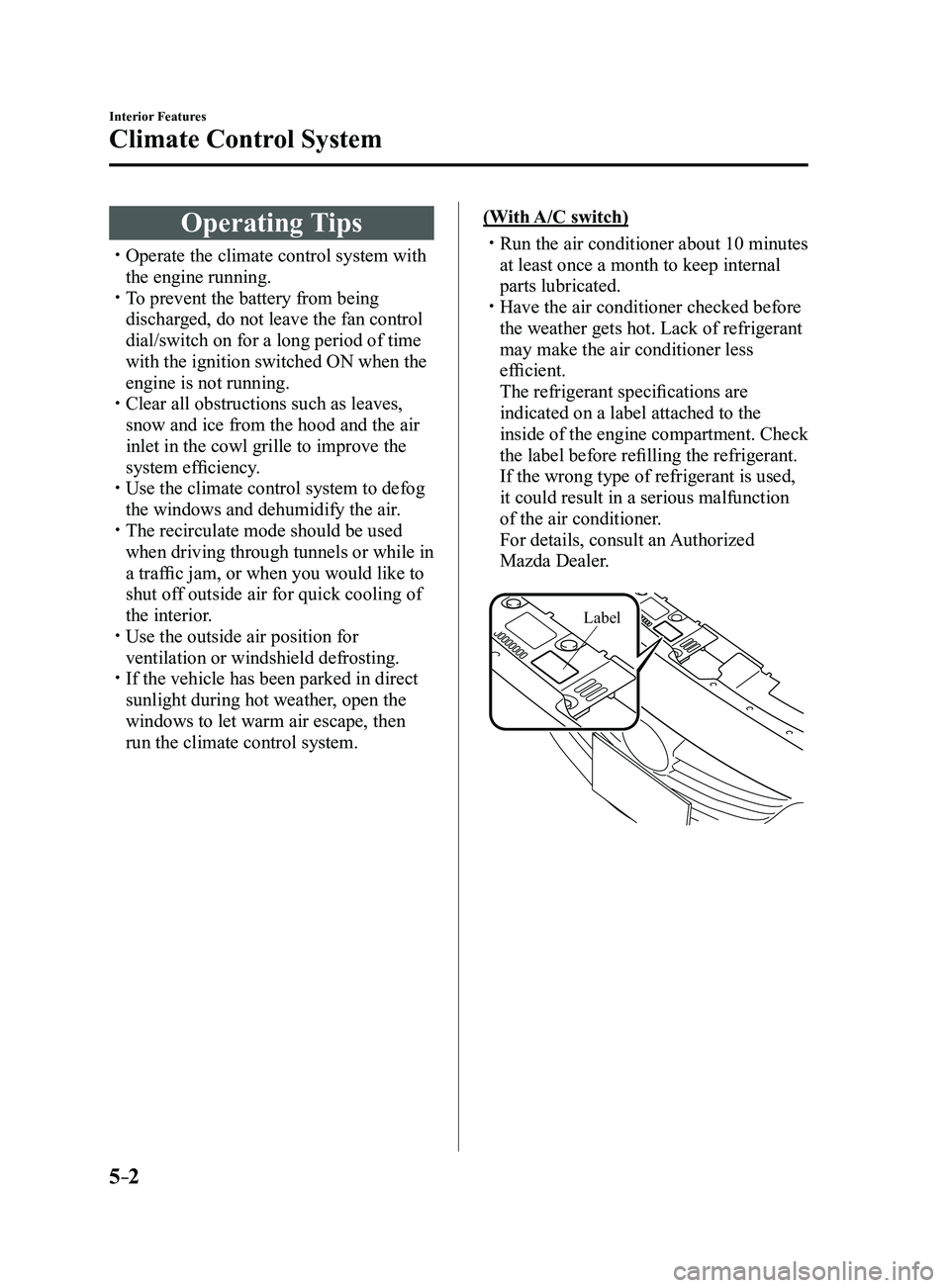
The refrigerant specifications are
indicated on a label attached to the
inside of the engine compartment. Check
the label before refilling the refrigerant.
If the wrong type of refrigerant is used,
it could result in a serious malfunction
of the air conditioner.
For details, consult an Authorized
Mazda Dealer.
Label
Mazda3_8FL6-EA-16F_Edition2.indb 22016/08/10 17:37:10
Page 299 of 612
5–7
Interior Features
Climate Control System
CAUTION
If the air conditioner is used while
driving up long hills or in heavy
traffic, monitor the engine coolant
temperature warning light to see if it is
illuminated or flashing (page
4-23).
The air conditioner may cause engine
overheating. If the warning light is
illuminated or flashing, turn the air-
conditioning off (page
7-20).
NOTE
When maximum cooling is desir ed,
set the temperature control dial to the
extreme cold position and set the air
intake selector to the recirculated air
position, then turn the fan control dial
fully clockwise.
If warmer air is desired at floor level,
set the mode selector dial at the
position and adjust the temperature
control dial to maintain maximum
comfort.
The air to the floor is warmer than air
to the face (except when the temperature
control dial is set at the extreme hot or
cold position).
Ventilation
1. Set the mode selector dial to the
position.
2. Set the air intake selector to the outside
air position.
3. Set the temperature control dial to the
desired position.
4. Set the fan control dial to the desired
speed.
Windshield Defrosting and
Defogging
1. Set the mode selector dial to the
position.
2. Set the temperature control dial to the
desired position.
3. Set the fan control dial to the desired
speed.
4. If dehumidified heating is desired, turn
on the air conditioner.
WARNING
Do not defog the windshield using the
position with the temperature
control set to the cold position:
Using the
position with the
temperature control set to the cold
position is dangerous as it will cause
the outside of the windshield to fog up.
Your vision will be hampered, which
could lead to a serious accident. Set
the temperature control to the hot or
warm position when using the
position.
NOTE
For maximum defr osting, turn on the air
conditioner, set the temperature control
dial to the extreme hot position, and
turn the fan control dial fully clockwise.
If warm air is desired at the floor, set the
mode selector dial to the position. In the or position, the air
conditioner is automatically turned on
and the outside air position is
automatically selected to defrost the
windshield. In the
or position, the
outside air position cannot be changed
to the recirculated air position.
Mazda3_8FL6-EA-16F_Edition2.indb 72016/08/10 17:37:14
Page 302 of 612
5–10
Interior Features
Climate Control System
A/C switch
The air-conditioning (cooling/
dehumidifying functions) can be turned on
or off by pressing the switch while the fan
control dial is at a position other than 0.
The indicator light turns on while the air-
conditioning is operating.
NOTE
The air conditioner may not function when
the outside temperature approaches 0 °C
(32 °F).
Air intake selector
Outside or recirculated air positions can be
selected. Press the switch to select outside/
recirculated air positions.
Recirculated air position (indicator light
illuminated)
Outside air is shut off. Use this position
when going through tunnels, driving in
congested traffic (high engine exhaust
areas) or when quick cooling is desired.
Outside air position (indicator light
turned off)
Outside air is allowed to enter the
cabin. Use this mode for ventilation or
windshield defrosting.
WARNING
Do not use the position in cold or
rainy weather:Using the
position in cold or rainy
weather is dangerous as it will cause
the windows to fog up. Your vision will
be hampered, which could lead to a
serious accident.
Rear window defogger switch
Press the rear window defogger switch to
defrost the rear window.
Refer to Rear Window Defogger on page
4-54.
Operation of Automatic Air-
conditioning
1. Set the mode selector dial to the AUTO
position.
2. Set the air intake selector to the outside
air position (indicator light turned off).
NOTE
If the recirculated air position is used
for long periods in cold weather or high
humidity, the windshield may fog up more
easily.
3. Set the fan control dial to the AUTO
position.
4. Press the A/C switch to operate the air-
conditioning (turn indicator light on).
5. Set the temperature control dial to the
desired position.
6. To turn off the system, set the fan
control dial to the 0 position.
NOTE
Setting the temperatur e to maximum
hot or cold will not provide the desired
temperature at a faster rate.
When selecting heat, the system will
restrict airflow until it has warmed to
prevent cold air from blowing out of the
vents.
Mazda3_8FL6-EA-16F_Edition2.indb 102016/08/10 17:37:15
Page 306 of 612
5–14
Interior Features
Climate Control System
Air intake selector
Outside or recirculated air positions can be
selected. Press the switch to select outside/
recirculated air positions.
Recirculated air position (
)
Outside air is shut off. Use this position
when going through tunnels, driving in
congested traffic (high engine exhaust
areas) or when quick cooling is desired.
Outside air position (
)
Outside air is allowed to enter the
cabin. Use this mode for ventilation or
windshield defrosting.
WARNING
Do not use the position in cold or
rainy weather:Using the
position in cold or rainy
weather is dangerous as it will cause
the windows to fog up. Your vision will
be hampered, which could lead to a
serious accident.
DUAL switch
Use the DUAL switch to change the
mode between the individual operation
(driver and passenger) and interconnection
(simultaneous) modes.
Individual operation mode (indicator
light illuminated)
The set temperature can be controlled
individually for the driver and front
passenger.
Interconnection mode (indicator light
turned off)
The set temperature for the driver
and front passenger is controlled
simultaneously.
Windshield defroster switch
Press the switch to defrost the windshield
and front door windows.
Refer to Windshield Defrosting and
Defogging on page
5-15.
Rear window defogger switch
Press the rear window defogger switch to
defrost the rear window.
Refer to Rear Window Defogger on page
4-54.
Operation of Automatic Air-
conditioning
1. Press the AUTO switch. Selection
of the airflow mode, air intake
selector and amount of airflow will be
automatically controlled.
2. Use the temperature control dial to
select a desired temperature.
Press the DUAL switch or turn the
front passenger temperature control
dial to control the set temperature
individually for the driver and front
passenger.
To turn off the system, press the OFF
switch.
NOTE
Setting the temperatur e to maximum
hot or cold will not provide the desired
temperature at a faster rate.
When selecting heat, the system will
restrict airflow until it has warmed to
prevent cold air from blowing out of the
vents.
Mazda3_8FL6-EA-16F_Edition2.indb 142016/08/10 17:37:17
Page 309 of 612
5–17
Interior Features
Audio System
*Some models.
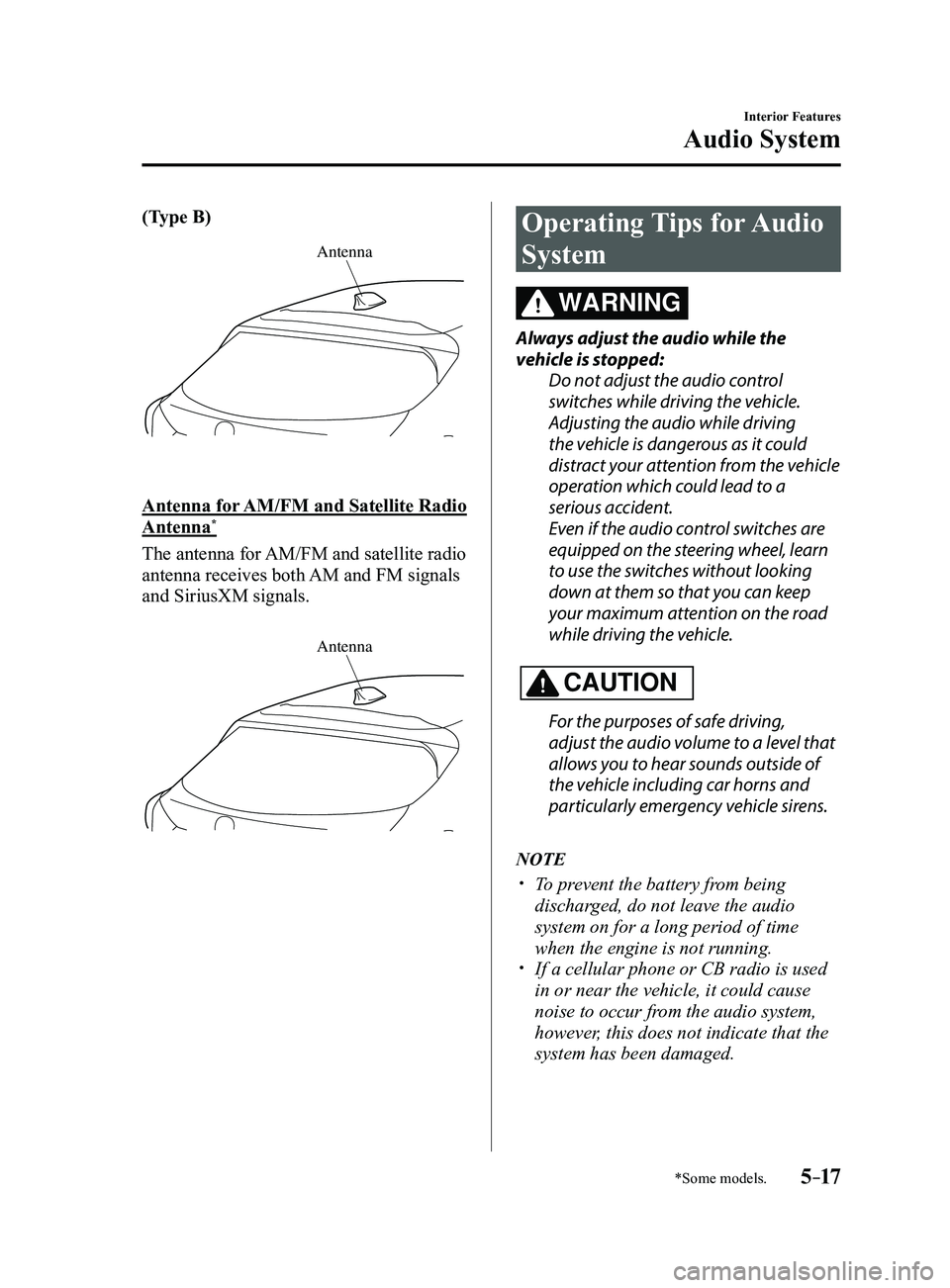
(Type B)
Antenna
Antenna for AM/FM and Satellite Radio
Antenna*
The antenna for AM/FM and satellite radio
antenna receives both AM and FM signals
and SiriusXM signals.
Antenna
Operating Tips for Audio
System
WARNING
Always adjust the audio while the
vehicle is stopped:Do not adjust the audio control
switches while driving the vehicle.
Adjusting the audio while driving
the vehicle is dangerous as it could
distract your attention from the vehicle
operation which could lead to a
serious accident.
Even if the audio control switches are
equipped on the steering wheel, learn
to use the switches without looking
down at them so that you can keep
your maximum attention on the road
while driving the vehicle.
CAUTION
For the purposes of safe driving,
adjust the audio volume to a level that
allows you to hear sounds outside of
the vehicle including car horns and
particularly emergency vehicle sirens.
NOTE
To prevent the battery from being
discharged, do not leave the audio
system on for a long period of time
when the engine is not running.
If a cellular phone or CB radio is used
in or near the vehicle, it could cause
noise to occur from the audio system,
however, this does not indicate that the
system has been damaged.
Mazda3_8FL6-EA-16F_Edition2.indb 172016/08/10 17:37:19
Page 333 of 612
5–41
Interior Features
Audio System
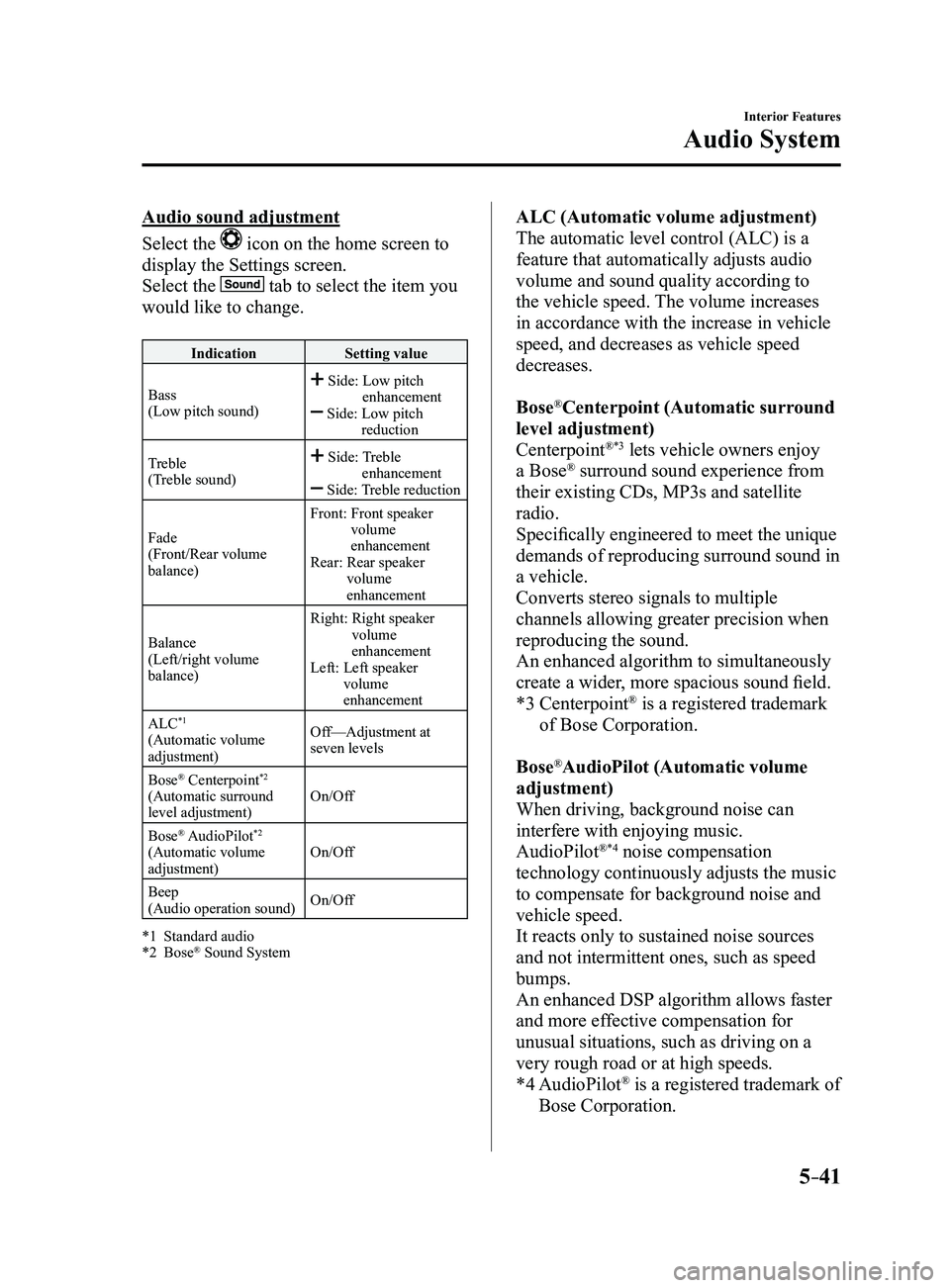
Audio sound adjustment
Select the
icon on the home screen to
display the Settings screen.
Select the
tab to select the item you
would like to change.
IndicationSetting value
Bass
(Low pitch sound)
Side: Low pitch enhancement Side: Low pitch reduction
Treble
(Treble sound)
Side: Treble enhancement Side: Treble reduction
Fade
(Front/Rear volume
balance)
Front: Front speaker volume
enhancement
Rear: Rear speaker volume
enhancement
Balance
(Left/right volume
balance)
Right: Right speaker volume
enhancement
Left: Left speaker volume
enhancement
ALC
*1
(Automatic volume
adjustment) Off—Adjustment at
seven levels
Bose
® Centerpoint*2
(Automatic surround
level adjustment) On/Off
Bose
® AudioPilot*2
(Automatic volume
adjustment) On/Off
Beep
(Audio operation sound) On/Off
*1 Standard audio*2 Bose® Sound System
ALC (Automatic volume adjustment)
The automatic level control (ALC) is a
feature that automatically adjusts audio
volume and sound quality according to
the vehicle speed. The volume increases
in accordance with the increase in vehicle
speed, and decreases as vehicle speed
decreases.
Bose
®Centerpoint (Automatic surround
level adjustment)
Centerpoint
®*3 lets vehicle owners enjoy
a Bose® surround sound experience from
their existing CDs, MP3s and satellite
radio.
Specifically engineered to meet the unique
demands of reproducing surround sound in
a vehicle.
Converts stereo signals to multiple
channels allowing greater precision when
reproducing the sound.
An enhanced algorithm to simultaneously
create a wider, more spacious sound field.
*3 Centerpoint® is a registered trademark
of Bose Corporation.
Bose
®AudioPilot (Automatic volume
adjustment)
When driving, background noise can
interfere with enjoying music.
AudioPilot
®*4 noise compensation
technology continuously adjusts the music
to compensate for background noise and
vehicle speed.
It reacts only to sustained noise sources
and not intermittent ones, such as speed
bumps.
An enhanced DSP algorithm allows faster
and more effective compensation for
unusual situations, such as driving on a
very rough road or at high speeds.
*4 AudioPilot® is a registered trademark of
Bose Corporation.
Mazda3_8FL6-EA-16F_Edition2.indb 412016/08/10 17:37:36
Page 351 of 612
5–59
Interior Features
Audio System
NOTE
This mode may not be usable depending
on the portable audio device to be
connected.
Before using the auxiliary jack/USB
port, refer to the instruction manual for
the portable audio device.
Use a commercially-available, non-
impedance (3.5) stereo mini plug for
connecting the portable audio unit to
the auxiliary jack. Before using the
auxiliary jack, read the manufacturer's
instructions for connecting a portable
audio unit to the auxiliary jack.
To prevent discharging of the battery,
do not use the auxiliary input for long
periods with the engine off or idling.
When connecting a device to the
auxiliary jack or USB port, noise may
occur depending on the connected
device. If the device is connected to the
vehicle's accessory socket, the noise can
be reduced by unplugging it from the
accessory socket.
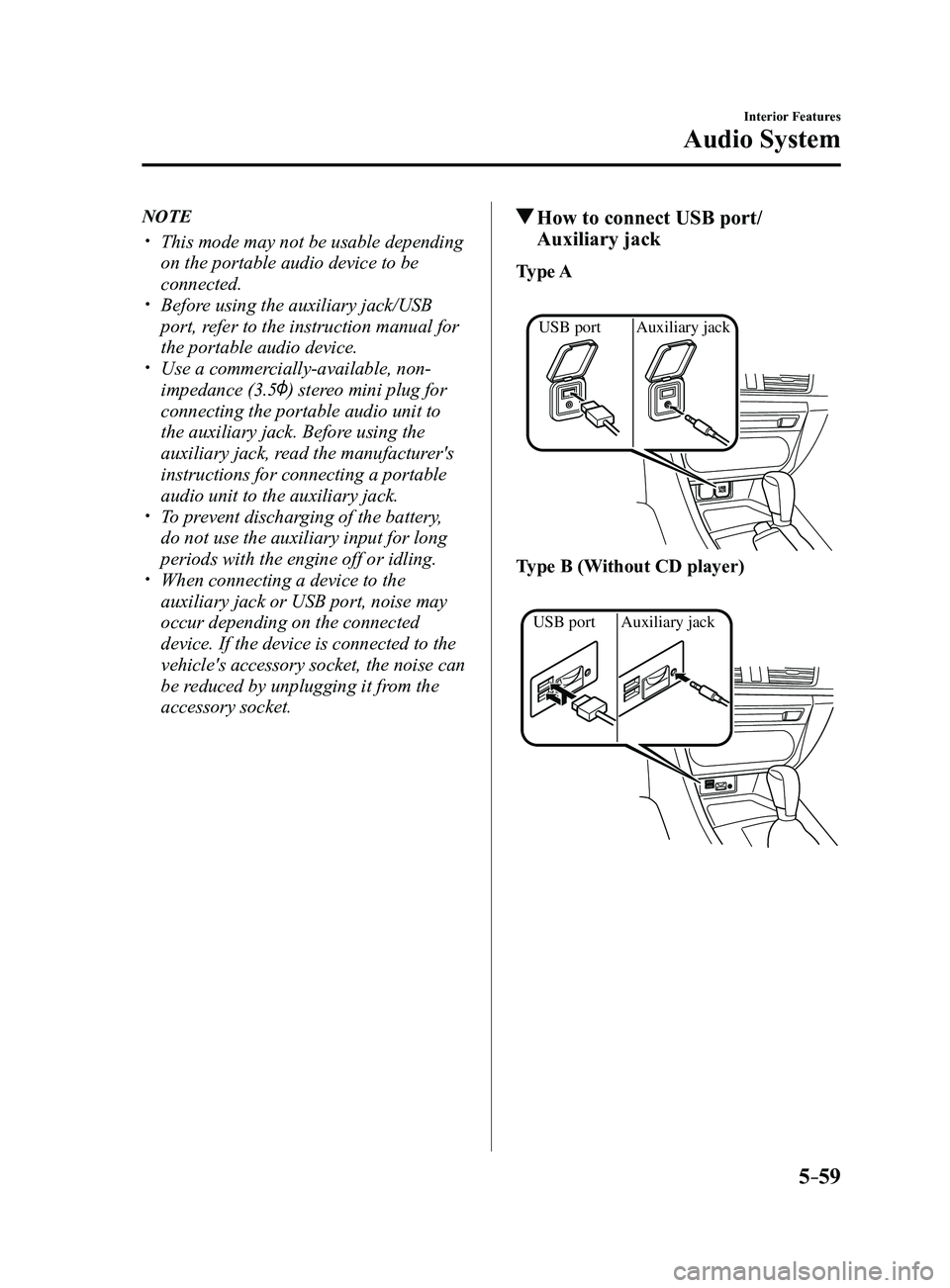
How to connect USB port/
Auxiliary jack
Type A
Auxiliary jack
USB port
Type B (Without CD player)
Auxiliary jack
USB port
Mazda3_8FL6-EA-16F_Edition2.indb 592016/08/10 17:37:50