light MAZDA MODEL 3 5-DOOR 2017 Owners Manual
[x] Cancel search | Manufacturer: MAZDA, Model Year: 2017, Model line: MODEL 3 5-DOOR, Model: MAZDA MODEL 3 5-DOOR 2017Pages: 612
Page 189 of 612
4–59
When Driving
Switches and Controls
NOTE
To program the remaining two HomeLink
buttons, begin with “Programming”—
step 1
If the indicator light blinks rapidly
for two seconds and then turns
to a constant light, continue with
“Programming” steps 7—9 to
complete the programming of a rolling
code equipped device (most commonly
a garage door opener).
7. At the garage door opener receiver
(motor-head unit) in the garage, locate
the “learn” or “smart” button. This can
usually be found where the hanging
antenna wire is attached to the motor-
head unit.
8. Firmly press and release the “learn” or
“smart” button. (The name and color of
the button may vary by manufacturer.)
NOTE
Complete the programming within 30
seconds.
9. Return to the vehicle and firmly press,
hold for two seconds and release the
programmed HomeLink button. Repeat
the “ press/hold/release” sequence a
second time, and, depending on the
brand of the garage door opener (or
other rolling code equipped device),
repeat this sequence a third time to
complete the programming process.
HomeLink should now activate your
rolling code equipped device.
NOTE
To program the remaining two HomeLink
buttons, begin with “Programming”—
step 1
For questions or comments, please contact
HomeLink at www.homelink.com or 1-
800-355-3515.
Gate operator/Canadian
Programming
Canadian radio-frequency laws require
transmitter signals to “time-out” (or quit)
after several seconds of transmission
— which may not be long enough for
HomeLink to pick up the signal during
programming. Similar to this Canadian
law, some U.S. gate operators are designed
to “time-out” in the same manner.
If you live in Canada or you are having
difficulties programming a gate operator
by using the “Programming” procedures
(regardless of where you live), replace
“Programming HomeLink” step 3 with
the following:
NOTE
If programming a garage door opener or
gate operator, it is advised to unplug the
device during the “cycling” process to
prevent possible overheating.
Continue to press and hold the HomeLink
button while you press and release
— every two seconds (“cycle”) your
hand-held transmitter until the frequency
signal has successfully been accepted by
HomeLink. (The indicator light will flash
slowly and then rapidly.)
Proceed with “Programming” step 4 to
complete.
Mazda3_8FL6-EA-16F_Edition2.indb 592016/08/10 17:36:25
Page 190 of 612
4–60
When Driving
Switches and Controls
Operating the HomeLink System
Press the programmed HomeLink button
to operate a programmed device. The
code will continue being transmitted for a
maximum of 20 seconds.
Reprogramming the HomeLink
system
To program a device to HomeLink using
a HomeLink button previously trained,
follow these steps:
1. Press and hold the desired HomeLink
button. DO NOT release the button.
2. The indicator light will begin to flash
after 20 seconds. Without releasing
the HomeLink button, proceed with
“Programming” - step 1.
Erasing Programmed HomeLink
Buttons
To erase the existing programming from
all three operating channels, press and
hold the two outside buttons (
, ) on
the auto-dimming mirror until the
HomeLink indicator light begins to flash
after approximately 10 seconds.
Verify that the programming has been
erased when you resell the vehicle.
Mazda3_8FL6-EA-16F_Edition2.indb 602016/08/10 17:36:25
Page 191 of 612
4–61
When Driving
Brake
Brake System
Foot Brake
This vehicle has power-assisted brakes
that adjust automatically through normal
use.
Should power-assist fail, you can stop by
applying greater force than normal to the
brake pedal. But the distance required to
stop will be greater than usual.
WARNING
Do not coast with the engine stalled or
turned off, find a safe place to stop:Coasting with the engine stalled or
turned off is dangerous. Braking will
require more effort, and the brake's
power-assist could be depleted if
you pump the brake. This will cause
longer stopping distances or even an
accident.
Shift to a lower gear when going down
steep hills: Driving with your foot continuously on
the brake pedal or steadily applying
the brakes for long distances is
dangerous. This causes overheated
brakes, resulting in longer stopping
distances or even total brake failure.
This could cause loss of vehicle
control and a serious accident. Avoid
continuous application of the brakes.
Dry off brakes that have become
wet by driving slowly, releasing the
accelerator pedal and lightly applying
the brakes several times until the brake
performance returns to normal: Driving with wet brakes is dangerous.
Increased stopping distance or the
vehicle pulling to one side when
braking could result in a serious
accident. Light braking will indicate
whether the brakes have been affected.
Mazda3_8FL6-EA-16F_Edition2.indb 612016/08/10 17:36:25
Page 193 of 612
4–63
When Driving
Brake
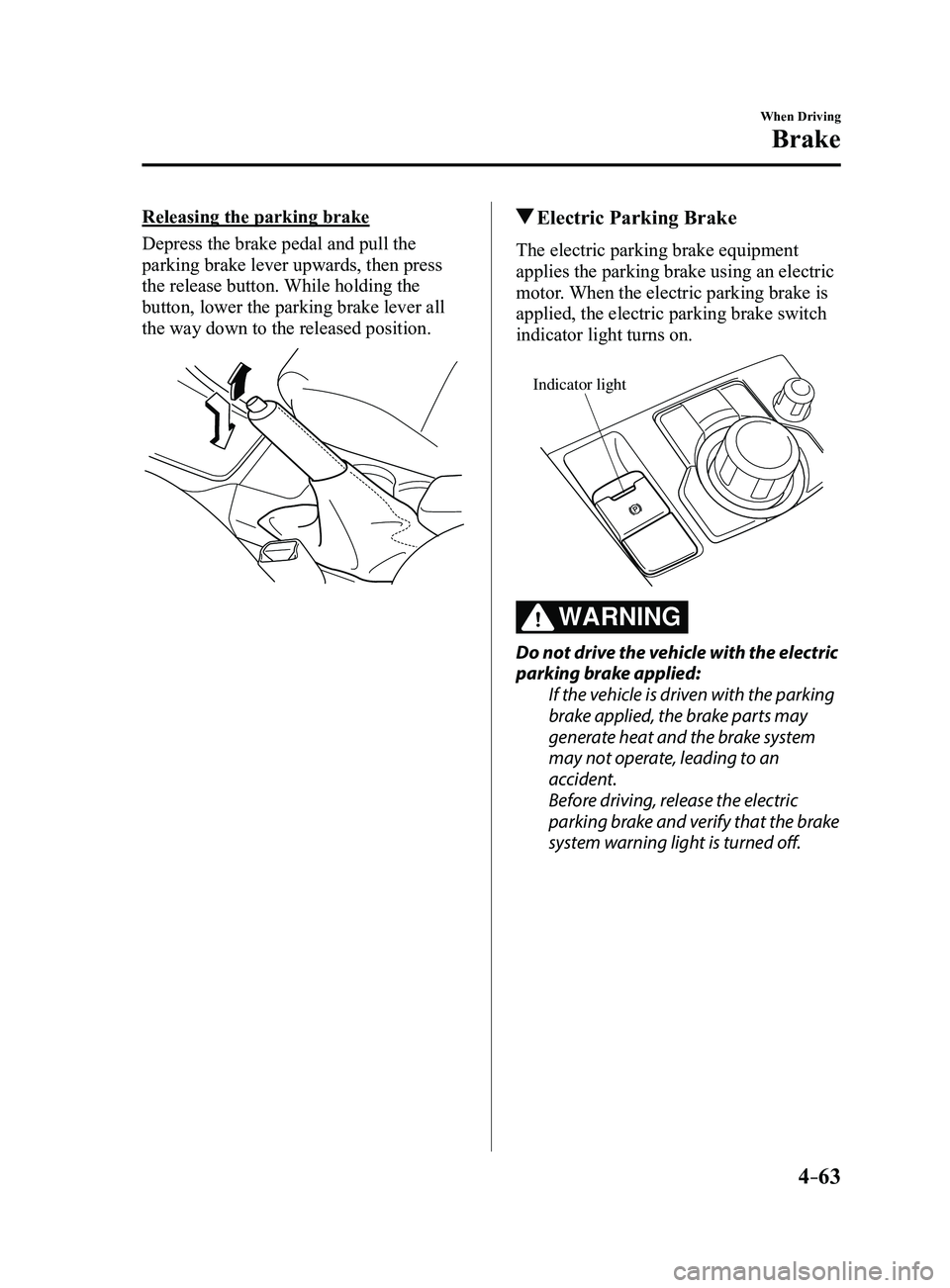
Releasing the parking brake
Depress the brake pedal and pull the
parking brake lever upwards, then press
the release button. While holding the
button, lower the parking brake lever all
the way down to the released position. Electric Parking Brake
The electric parking brake equipment
applies the parking brake using an electric
motor. When the electric parking brake is
applied, the electric parking brake switch
indicator light turns on.
Indicator light
WARNING
Do not drive the vehicle with the electric
parking brake applied:If the vehicle is driven with the parking
brake applied, the brake parts may
generate heat and the brake system
may not operate, leading to an
accident.
Before driving, release the electric
parking brake and verify that the brake
system warning light is turned off.
Mazda3_8FL6-EA-16F_Edition2.indb 632016/08/10 17:36:26
Page 194 of 612
4–64
When Driving
Brake
NOTE
The electric parking brake cannot be
applied or released while the vehicle
battery is dead.
An operation sound occurs when
applying or releasing the electric
parking brake, however, this does not
indicate a malfunction.
If the electric parking brake is not
used for long periods, an automatic
inspection of the system is performed
while the vehicle is parked. An
operation sound can be heard, however,
this does not indicate a problem.
When the electric parking brake is
applied and the ignition is switched
OFF, an operation sound can be heard,
however, this does not indicate a
problem.
The brake pedal may move while the
electric parking brake is being applied
or released, however, this does not
indicate a problem.
If the electric parking brake switch is
continually pulled while driving the
vehicle, the electric parking brake will
be applied and the electric parking
brake warning beep will be activated.
When the switch is released, the electric
parking brake is released and the beep
stops.
If the electric parking brake is applied
with the ignition switched off or in ACC,
the brake system warning light in the
instrument cluster and the indicator
light in the switch may turn on for 15
seconds.
When running the vehicle through an
automatic car wash, it may be necessary
to switch the ignition off with the
parking brake released depending on
the type of automatic car wash.
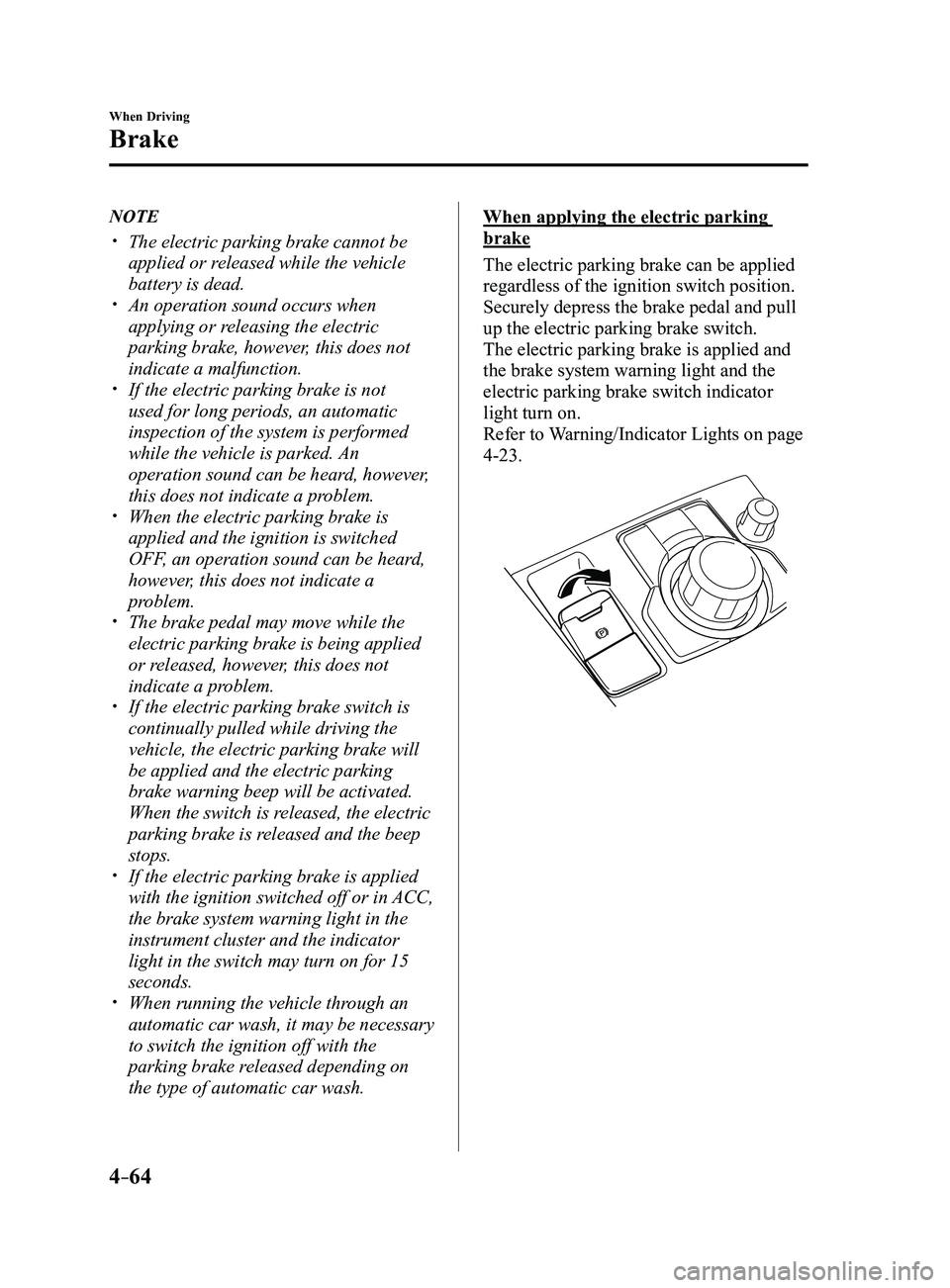
When applying the electric parking
brake
The electric parking brake can be applied
regardless of the ignition switch position.
Securely depress the brake pedal and pull
up the electric parking brake switch.
The electric parking brake is applied and
the brake system warning light and the
electric parking brake switch indicator
light turn on.
Refer to Warning/Indicator Lights on page
4-23.
Mazda3_8FL6-EA-16F_Edition2.indb 642016/08/10 17:36:27
Page 195 of 612
4–65
When Driving
Brake
When releasing the electric parking
brake
The electric parking brake can be released
while the ignition is switched ON or
the engine is running. When the electric
parking brake is released, the brake system
warning light and the electric parking
brake switch indicator light turn off.
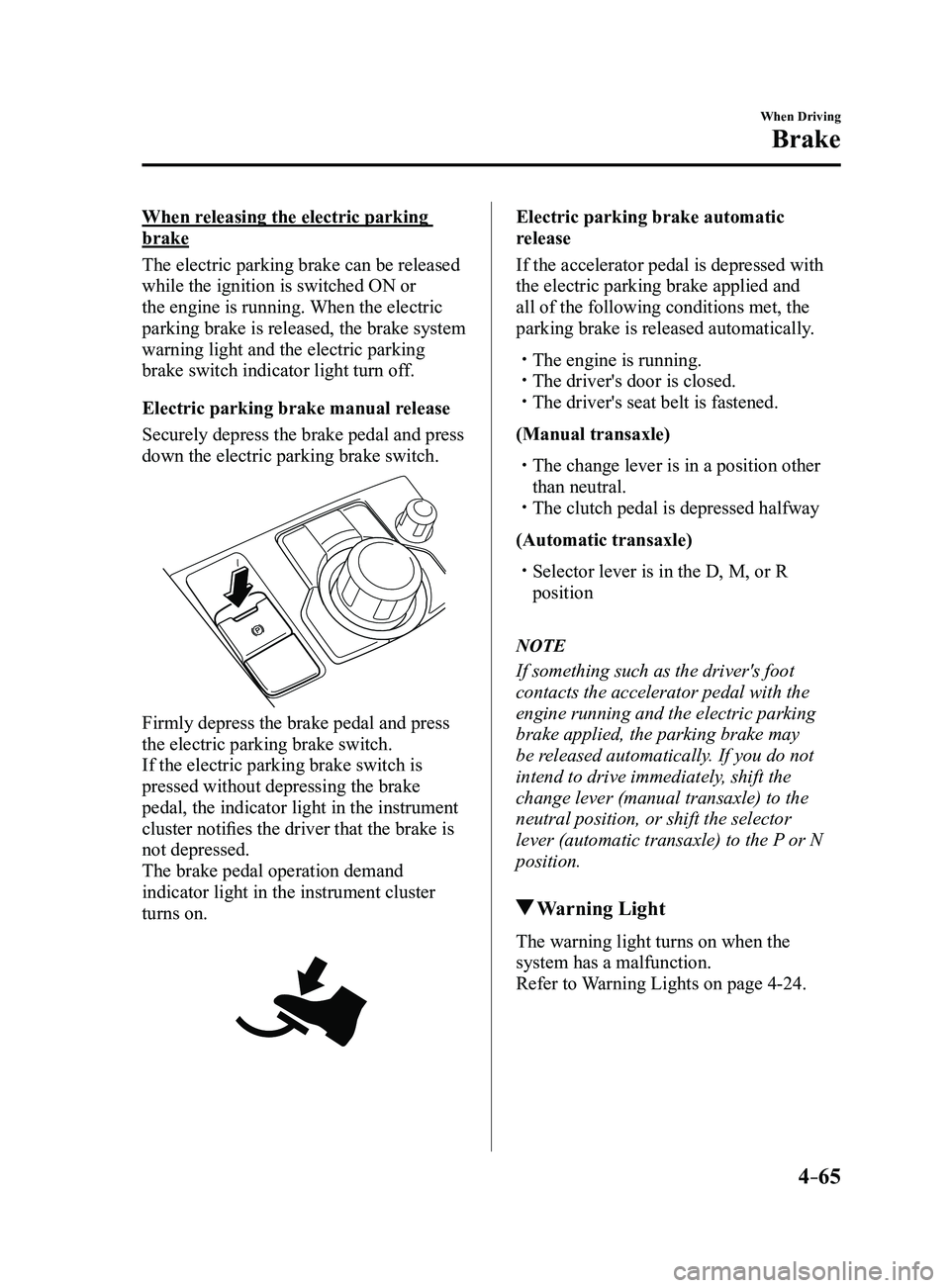
Electric parking brake manual release
Securely depress the brake pedal and press
down the electric parking brake switch.
Firmly depress the brake pedal and press
the electric parking brake switch.
If the electric parking brake switch is
pressed without depressing the brake
pedal, the indicator light in the instrument
cluster notifies the driver that the brake is
not depressed.
The brake pedal operation demand
indicator light in the instrument cluster
turns on.
Electric parking brake automatic
release
If the accelerator pedal is depressed with
the electric parking brake applied and
all of the following conditions met, the
parking brake is released automatically.
The engine is running. The driver's door is closed. The driver's seat belt is fastened.
(Manual transaxle)
The change lever is in a position other
than neutral. The clutch pedal is depressed halfway
(Automatic transaxle)
Selector lever is in the D, M, or R
position
NOTE
If something such as the driver's foot
contacts the accelerator pedal with the
engine running and the electric parking
brake applied, the parking brake may
be released automatically. If you do not
intend to drive immediately, shift the
change lever (manual transaxle) to the
neutral position, or shift the selector
lever (automatic transaxle) to the P or N
position.
Warning Light
The warning light turns on when the
system has a malfunction.
Refer to Warning Lights on page
4-24.
Mazda3_8FL6-EA-16F_Edition2.indb 652016/08/10 17:36:27
Page 197 of 612
4–67
When Driving
Brake
Hill Launch Assist (HLA)
Hill Launch Assist (HLA) is a function
which assists the driver in accelerating
from a stop while on a slope. When
the driver releases the brake pedal and
depresses the accelerator pedal while
on a slope, the function prevents the
vehicle from rolling. The braking force is
maintained automatically after the brake
pedal is released on a steep grade.
For vehicles with a manual transaxle,
Hill Launch Assist (HLA) operates on a
downward slope when the shift lever is in
the reverse (R) position, and on an upward
slope when the shift lever is in a position
other than the reverse (R) position.
For vehicles with an automatic transaxle,
Hill Launch Assist (HLA) operates on a
downward slope when the selector lever
is in the reverse (R) position, and on an
upward slope when the selector lever is in
a forward gear.
WARNING
Do not rely completely on Hill Launch
Assist (HLA):Hill Launch Assist (HLA) is an auxiliary
device for accelerating from a stop
on a slope. The system only operates
for about two seconds and therefore,
relying only on the system, when
accelerating from a stop is dangerous
because the vehicle may move (roll)
unexpectedly and cause an accident.
The vehicle could roll depending on the
vehicle's load or if it is towing something.
In addition, for vehicles with a manual
transaxle, the vehicle could still roll
depending on how the clutch pedal or
the accelerator pedal is operated.
Always confirm the safety around the
vehicle before starting to drive the
vehicle.
NOTE
Hill Launch Assist (HLA) does not
operate on a gentle slope. In addition,
the gradient of the slope on which the
system will operate changes depending
on the vehicle's load.
Hill Launch Assist (HLA) does not
operate if the parking brake is applied,
the vehicle has not stopped completely,
or the clutch pedal is released.
While Hill Launch Assist (HLA) is
operating, the brake pedal may feel
stiff and vibrate, however, this does not
indicate a malfunction.
Hill Launch Assist (HLA) does not
operate while the TCS/DSC indicator
light is illuminated.
Refer to Warning/Indicator Lights on
page 4-23. Hill Launch Assist (HLA) does not
turn off even if the DSC OFF switch is
pressed to turn off the TCS/DSC.
Mazda3_8FL6-EA-16F_Edition2.indb 672016/08/10 17:36:28
Page 198 of 612
4–68
When Driving
ABS/TCS/DSC
Antilock Brake System
(ABS)
The ABS control unit continuously
monitors the speed of each wheel. If
one wheel is about to lock up, the ABS
responds by automatically releasing and
reapplying that wheel's brake.
The driver will feel a slight vibration in
the brake pedal and may hear a chattering
noise from the brake system. This is
normal ABS system operation. Continue to
depress the brake pedal without pumping
the brakes.
The warning light turns on when the
system has a malfunction.
Refer to Warning Lights on page
4-24.
WARNING
Do not rely on ABS as a substitute for
safe driving:The ABS cannot compensate for unsafe
and reckless driving, excessive speed,
tailgating (following another vehicle
too closely), driving on ice and snow,
and hydroplaning (reduced tire friction
and road contact because of water on
the road surface). You can still have an
accident.
NOTE
Braking distances may be longer on
loose surfaces (snow or gravel, for
example) which usually have a hard
foundation. A vehicle with a normal
braking system may require less
distance to stop under these conditions
because the tires will build up a wedge
of surface layer when the wheels skid.
The sound of the ABS operating may
be heard when starting the engine
or immediately after starting the
vehicle, however, it does not indicate a
malfunction.
Mazda3_8FL6-EA-16F_Edition2.indb 682016/08/10 17:36:28
Page 199 of 612
4–69
When Driving
ABS/TCS/DSC
Traction Control System
(TCS)
The Traction Control System (TCS)
enhances traction and safety by controlling
engine torque and braking. When the TCS
detects driving wheel slippage, it lowers
engine torque and operates the brakes to
prevent loss of traction.
This means that on a slick surface, the
engine adjusts automatically to provide
optimum power to the drive wheels,
limiting wheel spin and loss of traction.
The warning light turns on when the
system has a malfunction.
Refer to Warning Lights on page
4-24.
WARNING
Do not rely on the Traction Control
System (TCS) as a substitute for safe
driving:The Traction Control System (TCS)
cannot compensate for unsafe and
reckless driving, excessive speed,
tailgating (following another vehicle
too closely), and hydroplaning
(reduced tire friction and road contact
because of water on the road surface).
You can still have an accident.
Use snow tires or tire chains and drive at
reduced speeds when roads are covered
with ice and/or snow: Driving without proper traction devices
on snow and/or ice-covered roads
is dangerous. The Traction Control
System (TCS) alone cannot provide
adequate traction and you could still
have an accident.
NOTE
To turn off the TCS, press the DSC OFF
switch (page
4-71).
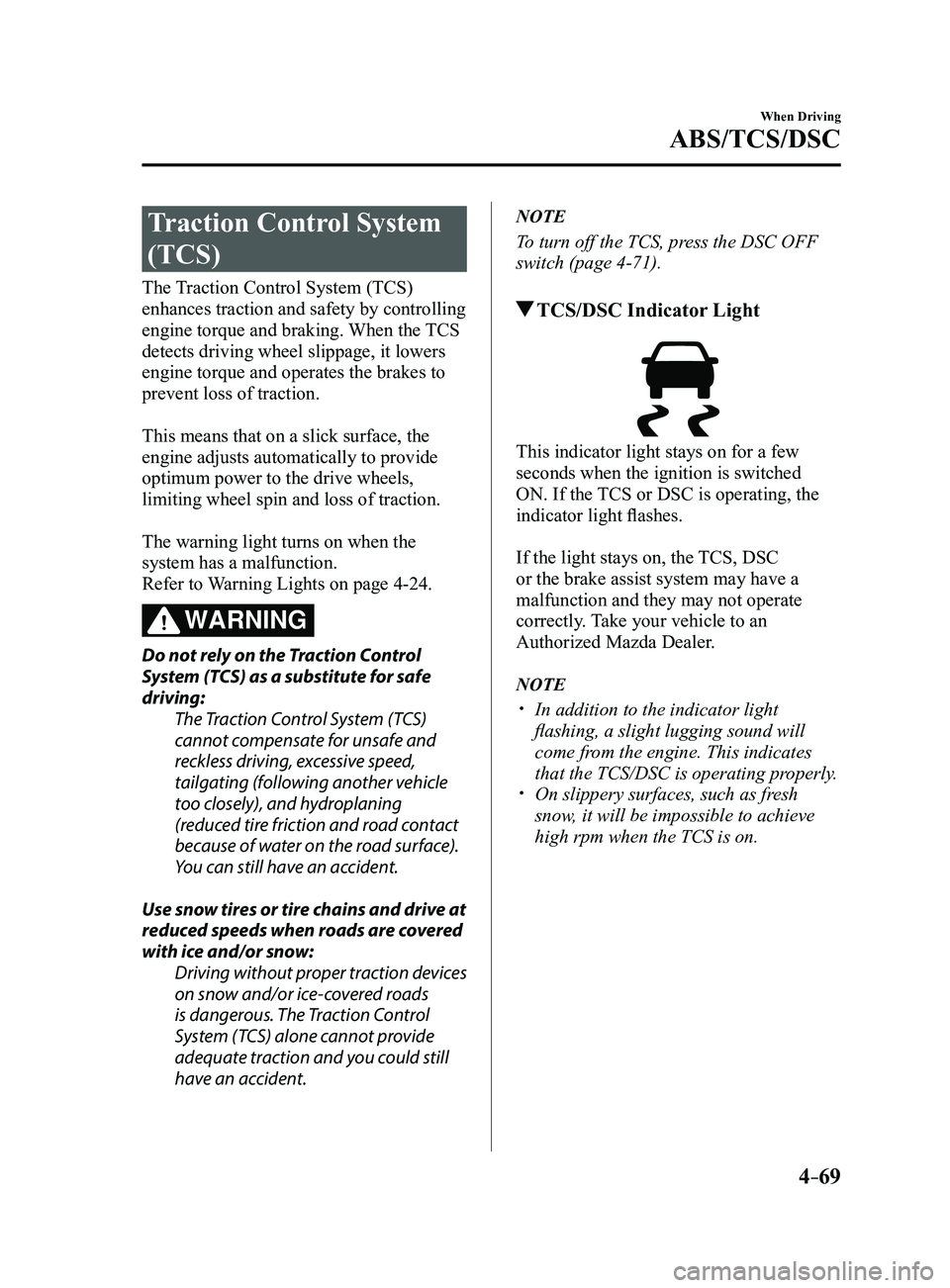
TCS/DSC Indicator Light
This indicator light stays on for a few
seconds when the ignition is switched
ON. If the TCS or DSC is operating, the
indicator light flashes.
If the light stays on, the TCS, DSC
or the brake assist system may have a
malfunction and they may not operate
correctly. Take your vehicle to an
Authorized Mazda Dealer.
NOTE
In addition to the indicator light
flashing, a slight lugging sound will
come from the engine. This indicates
that the TCS/DSC is operating properly.
On slippery surfaces, such as fr esh
snow, it will be impossible to achieve
high rpm when the TCS is on.
Mazda3_8FL6-EA-16F_Edition2.indb 692016/08/10 17:36:29
Page 200 of 612
4–70
When Driving
ABS/TCS/DSC
Dynamic Stability
Control (DSC)
The Dynamic Stability Control (DSC)
automatically controls braking and engine
torque in conjunction with systems such
as ABS and TCS to help control side slip
when driving on slippery surfaces, or
during sudden or evasive maneuvering,
enhancing vehicle safety.
Refer to ABS (page
4-68) and TCS
(page
4-69).
DSC operation is possible at speeds
greater than 20 km/h (12 mph).
The warning light turns on when the
system has a malfunction.
Refer to Warning Lights on page
4-24.
WARNING
Do not rely on the Dynamic Stability
Control as a substitute for safe driving: The Dynamic Stability Control (DSC)
cannot compensate for unsafe and
reckless driving, excessive speed,
tailgating (following another vehicle
too closely), and hydroplaning
(reduced tire friction and road contact
because of water on the road surface).
You can still have an accident.
CAUTION
The DSC may not operate correctly
unless the following are observed:
Use tires of the correct size specified
for your Mazda on all four wheels. Use tires of the same manufacturer,
brand and tread pattern on all four
wheels.
Do not mix worn tires.
The DSC may not operate correctly when
tire chains are used or a temporary spare
tire is installed because the tire diameter
changes.
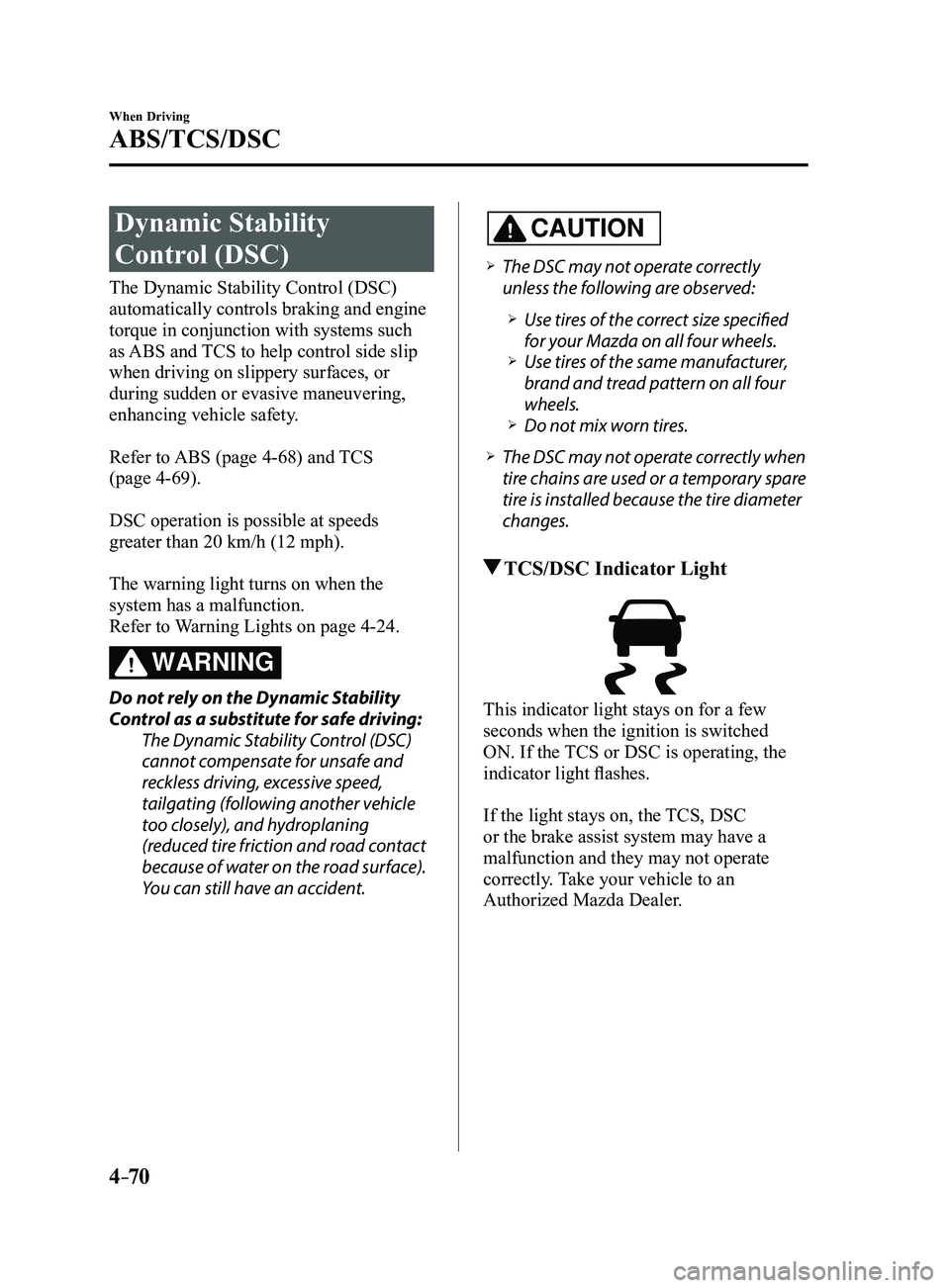
TCS/DSC Indicator Light
This indicator light stays on for a few
seconds when the ignition is switched
ON. If the TCS or DSC is operating, the
indicator light flashes.
If the light stays on, the TCS, DSC
or the brake assist system may have a
malfunction and they may not operate
correctly. Take your vehicle to an
Authorized Mazda Dealer.
Mazda3_8FL6-EA-16F_Edition2.indb 702016/08/10 17:36:29