light MAZDA MODEL 3 5-DOOR 2017 Manual Online
[x] Cancel search | Manufacturer: MAZDA, Model Year: 2017, Model line: MODEL 3 5-DOOR, Model: MAZDA MODEL 3 5-DOOR 2017Pages: 612
Page 176 of 612
4–46
When Driving
Switches and Controls
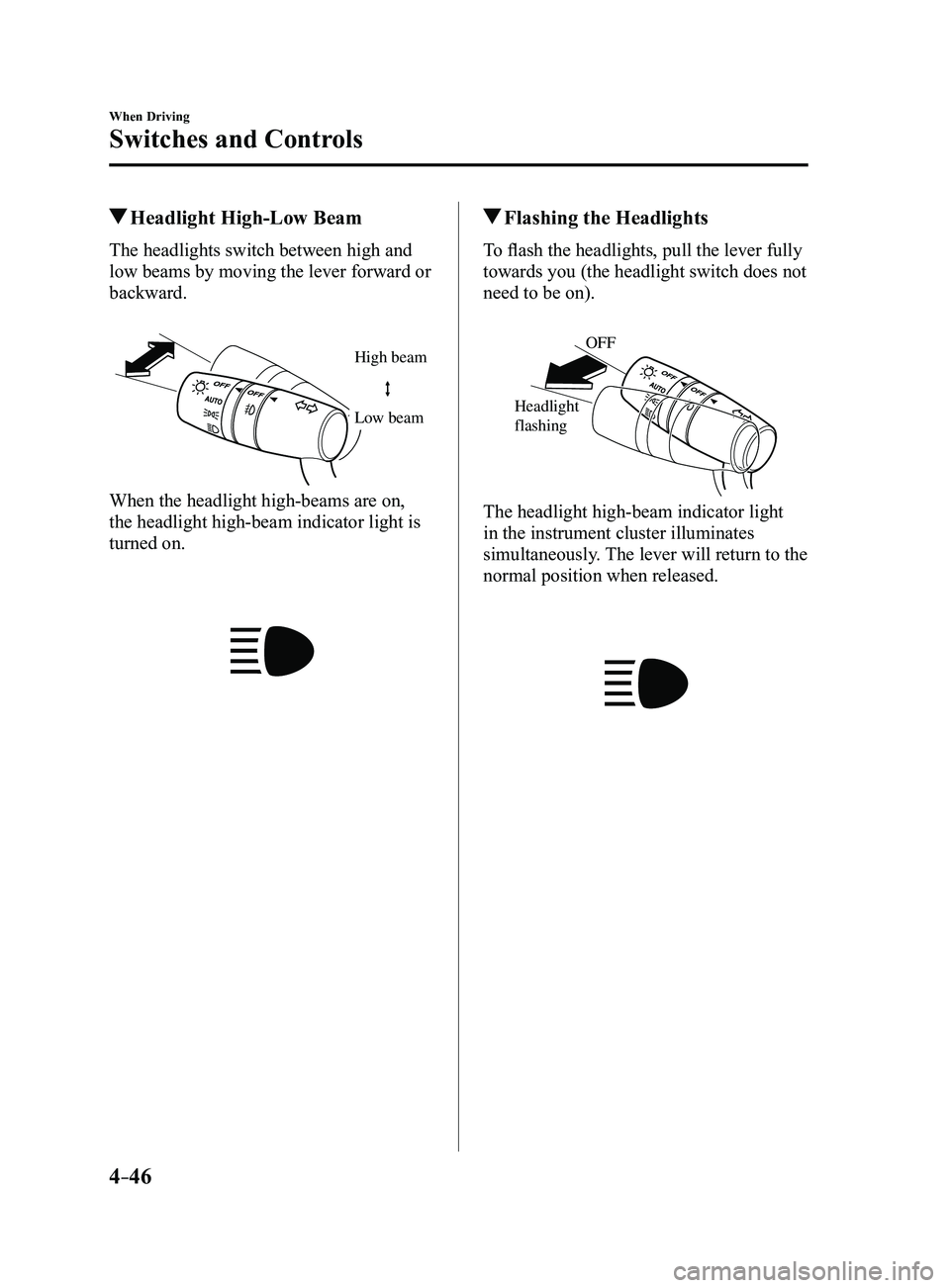
Headlight High-Low Beam
The headlights switch between high and
low beams by moving the lever forward or
backward.
High beam
Low beam
When the headlight high-beams are on,
the headlight high-beam indicator light is
turned on.
Flashing the Headlights
To flash the headlights, pull the lever fully
towards you (the headlight switch does not
need to be on).
OFF
Headlight
flashing
The headlight high-beam indicator light
in the instrument cluster illuminates
simultaneously. The lever will return to the
normal position when released.
Mazda3_8FL6-EA-16F_Edition2.indb 462016/08/10 17:36:16
Page 177 of 612
4–47
When Driving
Switches and Controls
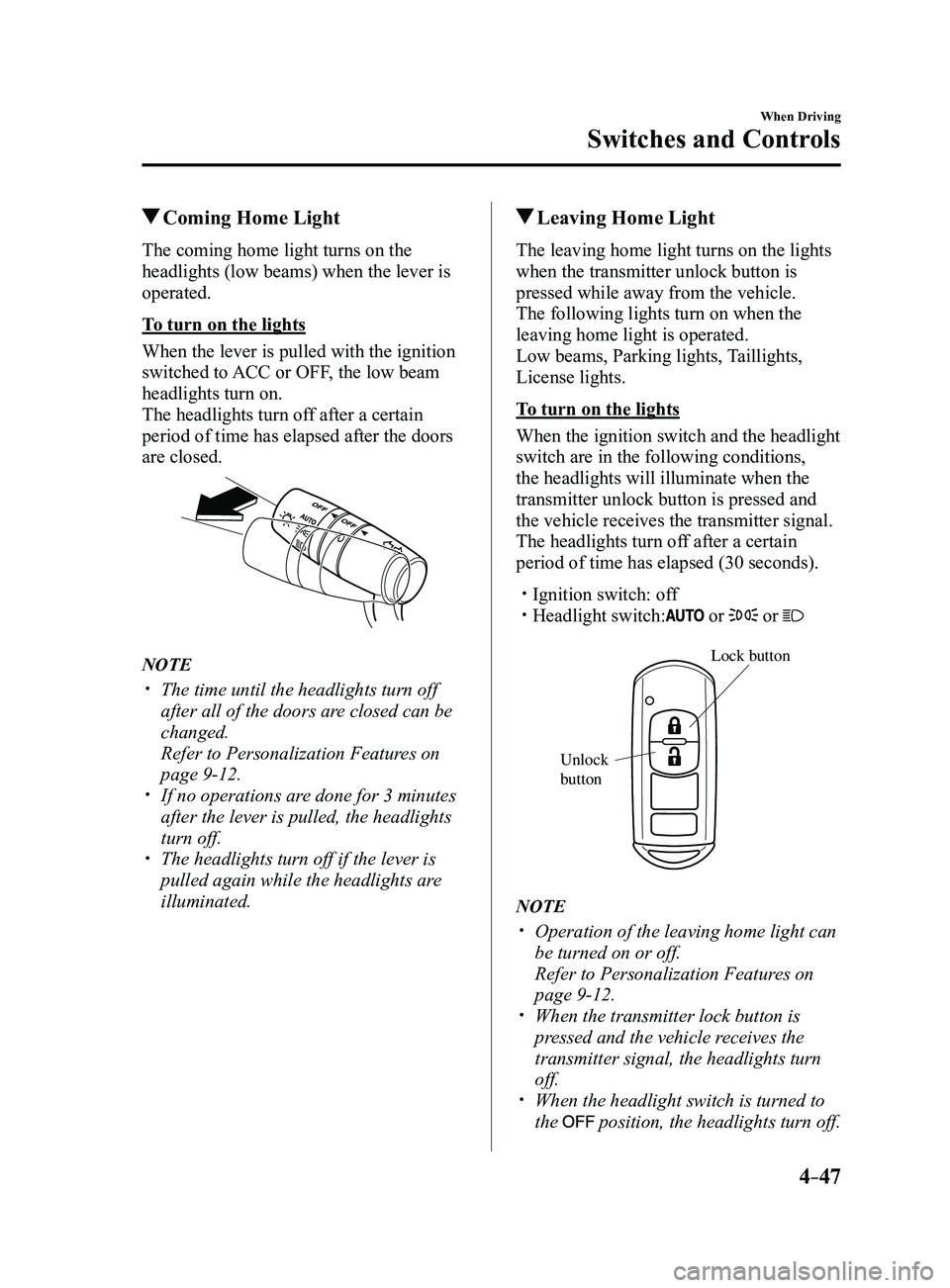
Coming Home Light
The coming home light turns on the
headlights (low beams) when the lever is
operated.
To turn on the lights
When the lever is pulled with the ignition
switched to ACC or OFF, the low beam
headlights turn on.
The headlights turn off after a certain
period of time has elapsed after the doors
are closed.
NOTE
The time until the headlights turn off
after all of the doors are closed can be
changed.
Refer to Personalization Features on
page 9-12. If no operations are done for 3 minutes
after the lever is pulled, the headlights
turn off.
The headlights turn off if the lever is
pulled again while the headlights are
illuminated.
Leaving Home Light
The leaving home light turns on the lights
when the transmitter unlock button is
pressed while away from the vehicle.
The following lights turn on when the
leaving home light is operated.
Low beams, Parking lights, Taillights,
License lights.
To turn on the lights
When the ignition switch and the headlight
switch are in the following conditions,
the headlights will illuminate when the
transmitter unlock button is pressed and
the vehicle receives the transmitter signal.
The headlights turn off after a certain
period of time has elapsed (30 seconds).
Ignition switch: off Headlight switch: or or
Lock button
Unlock
b
utton
NOTE
Operation of the leaving home light can
be turned on or off.
Refer to Personalization Featur es on
page 9-12. When the transmitter lock button is
pressed and the vehicle receives the
transmitter signal, the headlights turn
off.
When the headlight switch is turned to
the position, the headlights turn off.
Mazda3_8FL6-EA-16F_Edition2.indb 472016/08/10 17:36:17
Page 178 of 612
4–48
When Driving
Switches and Controls
*Some models.
Headlight Leveling*
The number of passengers and weight of
cargo in the luggage compartment change
the angle of the headlights.
The angle of the headlights will be
automatically adjusted when turning on
the headlights.
Daytime Running Lights
Some countries require moving vehicles
to have their lights on (daytime running
lights) during the daytime.
The daytime running lights turn on
automatically when the vehicle starts
moving.
They turn off when the parking brake is
operated or the shift lever is shifted to the
P position (automatic transaxle vehicle).
NOTE
(Except Canada)
The daytime running lights can be
deactivated.
Refer to Personalization Features on page
9-12.
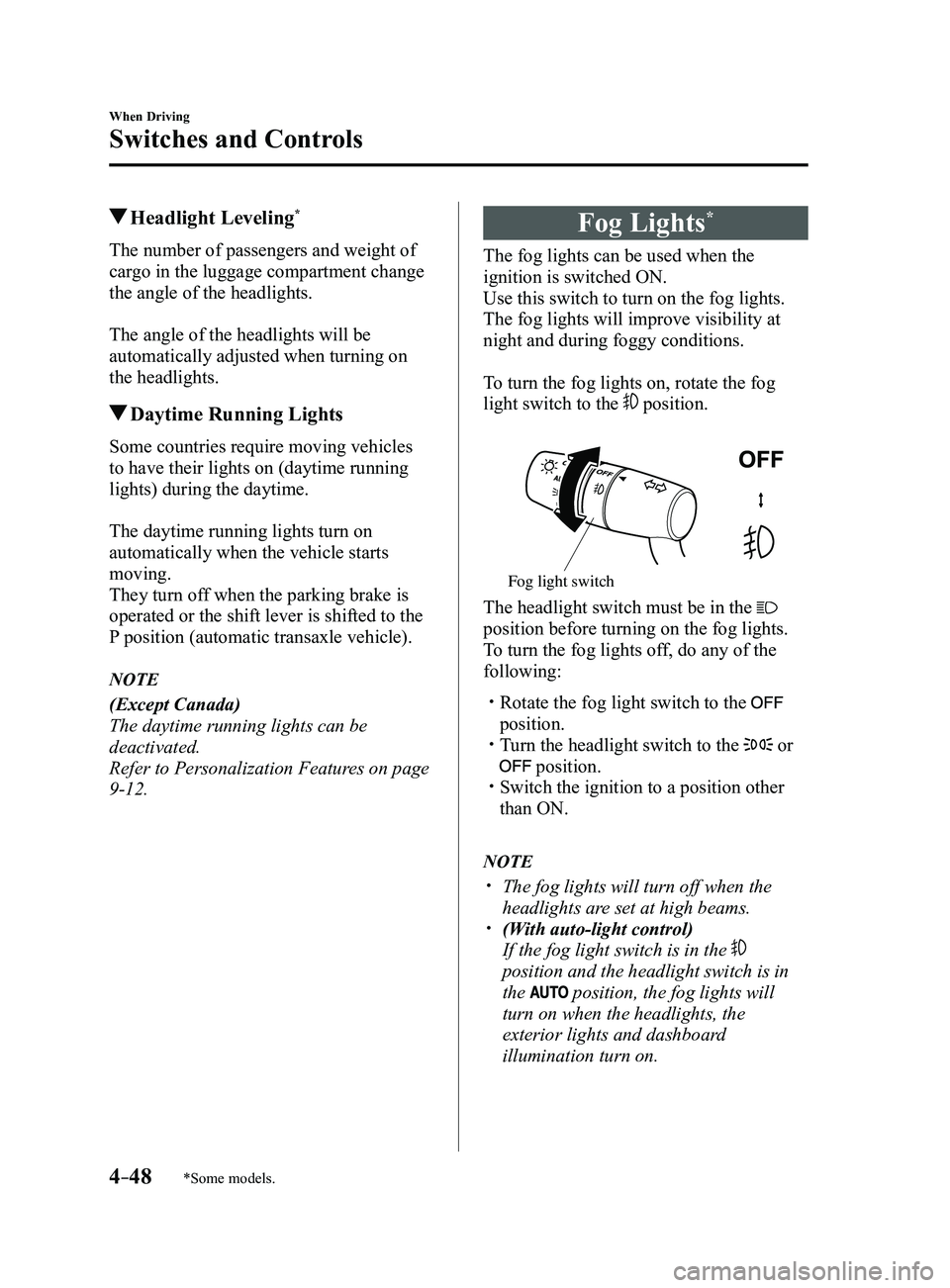
Fog Lights*
The fog lights can be used when the
ignition is switched ON.
Use this switch to turn on the fog lights.
The fog lights will improve visibility at
night and during foggy conditions.
To turn the fog lights on, rotate the fog
light switch to the
position.
Fog light switch
The headlight switch must be in the
position before turning on the fog lights.
To turn the fog lights off, do any of the
following:
Rotate the fog light switch to the
position. Turn the headlight switch to the or
position. Switch the ignition to a position other
than ON.
NOTE
The fog lights will turn off when the
headlights are set at high beams. (With auto-light control)
If the fog light switch is in the
position and the headlight switch is in
the
position, the fog lights will
turn on when the headlights, the
exterior lights and dashboard
illumination turn on.
Mazda3_8FL6-EA-16F_Edition2.indb 482016/08/10 17:36:18
Page 179 of 612
4–49
When Driving
Switches and Controls
Turn and Lane-Change
Signals
The ignition must be switched ON to use
the turn and lane-change signals.
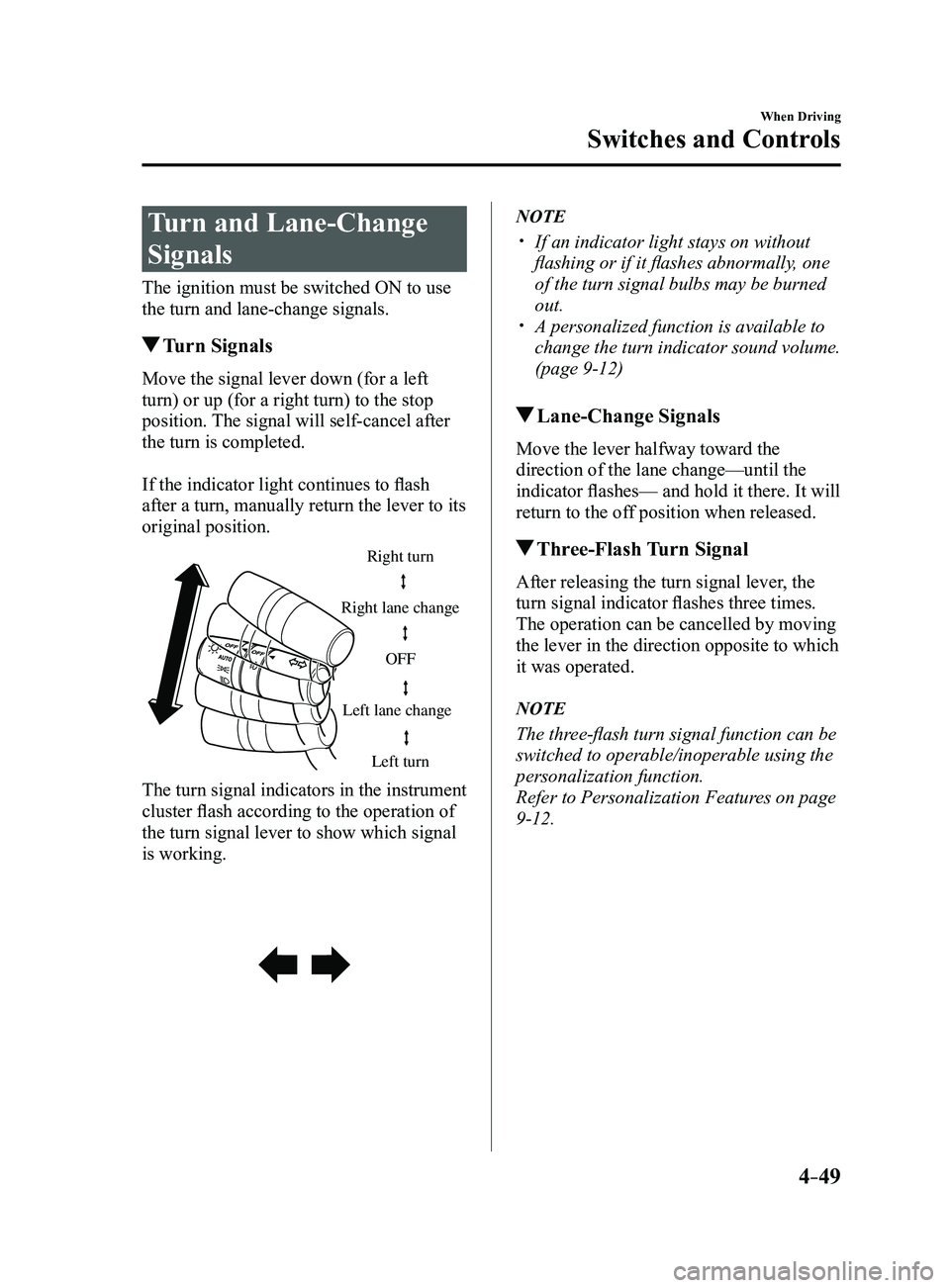
Turn Signals
Move the signal lever down (for a left
turn) or up (for a right turn) to the stop
position. The signal will self-cancel after
the turn is completed.
If the indicator light continues to flash
after a turn, manually return the lever to its
original position.
Right turn
Left turn
Right lane change
Left lane change OFF
The turn signal indicators in the instrument
cluster flash according to the operation of
the turn signal lever to show which signal
is working.
NOTE
If an indicator light stays on without
flashing or if it flashes abnormally, one
of the turn signal bulbs may be burned
out.
A personalized function is available to
change the turn indicator sound volume.
(page
9-12)
Lane-Change Signals
Move the lever halfway toward the
direction of the lane change—until the
indicator flashes— and hold it there. It will
return to the off position when released.
Three-Flash Turn Signal
After releasing the turn signal lever, the
turn signal indicator flashes three times.
The operation can be cancelled by moving
the lever in the direction opposite to which
it was operated.
NOTE
The three-flash turn signal function can be
switched to operable/inoperable using the
personalization function.
Refer to Personalization Features on page
9-12.
Mazda3_8FL6-EA-16F_Edition2.indb 492016/08/10 17:36:18
Page 182 of 612
4–52
When Driving
Switches and Controls
CAUTION
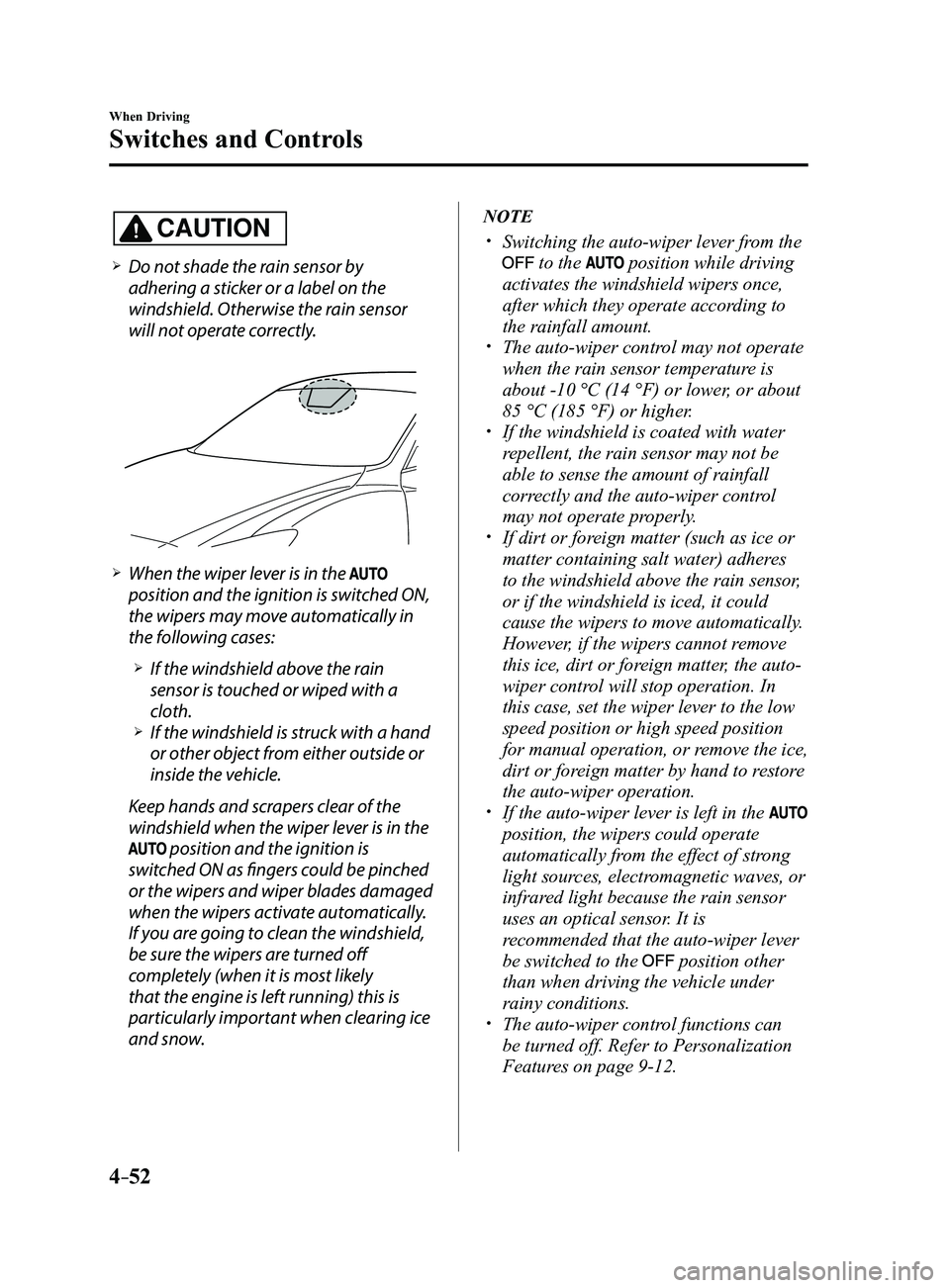
Do not shade the rain sensor by
adhering a sticker or a label on the
windshield. Otherwise the rain sensor
will not operate correctly.
When the wiper lever is in the
position and the ignition is switched ON,
the wipers may move automatically in
the following cases:
If the windshield above the rain
sensor is touched or wiped with a
cloth.
If the windshield is struck with a hand
or other object from either outside or
inside the vehicle.
Keep hands and scrapers clear of the
windshield when the wiper lever is in the
position and the ignition is
switched ON as fingers could be pinched
or the wipers and wiper blades damaged
when the wipers activate automatically.
If you are going to clean the windshield,
be sure the wipers are turned off
completely (when it is most likely
that the engine is left running) this is
particularly important when clearing ice
and snow.
NOTE
Switching the auto-wiper lever from the
to the position while driving
activates the windshield wipers once,
after which they operate according to
the rainfall amount.
The auto-wiper control may not operate
when the rain sensor temperature is
about -10 °C (14 °F) or lower, or about
85 °C (185 °F) or higher.
If the windshield is coated with water
repellent, the rain sensor may not be
able to sense the amount of rainfall
correctly and the auto-wiper control
may not operate properly.
If dirt or foreign matter (such as ice or
matter containing salt water) adheres
to the windshield above the rain sensor,
or if the windshield is iced, it could
cause the wipers to move automatically.
However, if the wipers cannot remove
this ice, dirt or foreign matter, the auto-
wiper control will stop operation. In
this case, set the wiper lever to the low
speed position or high speed position
for manual operation, or remove the ice,
dirt or foreign matter by hand to restore
the auto-wiper operation.
If the auto-wiper lever is left in the
position, the wipers could operate
automatically from the effect of strong
light sources, electromagnetic waves, or
infrared light because the rain sensor
uses an optical sensor. It is
recommended that the auto-wiper lever
be switched to the
position other
than when driving the vehicle under
rainy conditions.
The auto-wiper contr ol functions can
be turned off. Refer to Personalization
Features on page
9-12.
Mazda3_8FL6-EA-16F_Edition2.indb 522016/08/10 17:36:21
Page 184 of 612
4–54
When Driving
Switches and Controls
Rear Window Defogger
The rear window defogger clears fog from
the rear window.
The ignition must be switched ON to use
the defogger.
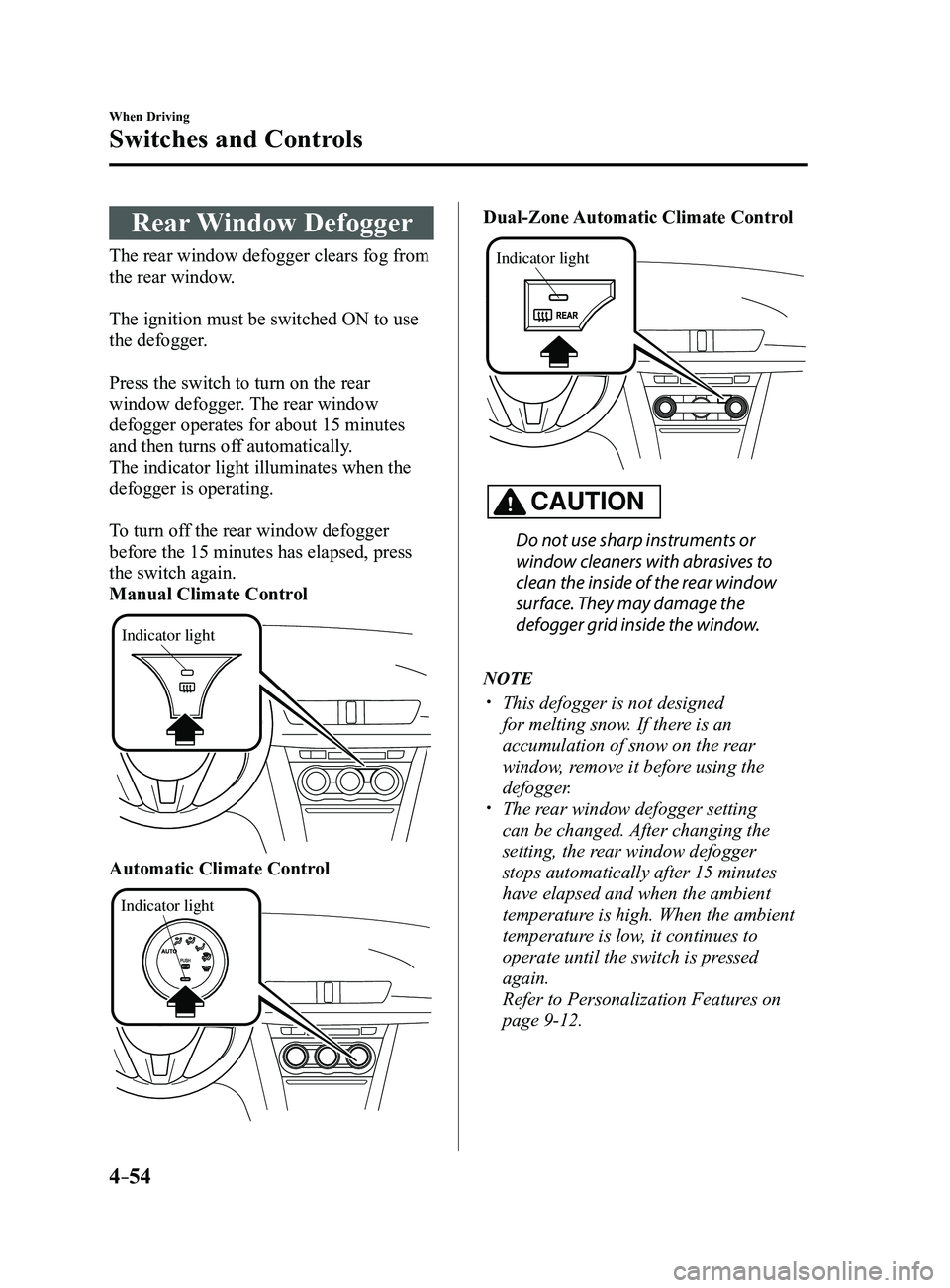
Press the switch to turn on the rear
window defogger. The rear window
defogger operates for about 15 minutes
and then turns off automatically.
The indicator light illuminates when the
defogger is operating.
To turn off the rear window defogger
before the 15 minutes has elapsed, press
the switch again.
Manual Climate Control
Indicator light
Automatic Climate Control
Indicator light
Dual-Zone Automatic Climate Control
Indicator light
CAUTION
Do not use sharp instruments or
window cleaners with abrasives to
clean the inside of the rear window
surface. They may damage the
defogger grid inside the window.
NOTE
This defogger is not designed
for melting snow. If there is an
accumulation of snow on the rear
window, remove it before using the
defogger.
The rear window defogger setting
can be changed. After changing the
setting, the rear window defogger
stops automatically after 15 minutes
have elapsed and when the ambient
temperature is high. When the ambient
temperature is low, it continues to
operate until the switch is pressed
again.
Refer to Personalization Features on
page 9-12.
Mazda3_8FL6-EA-16F_Edition2.indb 542016/08/10 17:36:23
Page 185 of 612
4–55
When Driving
Switches and Controls
*Some models.
Mirror Defogger*
The mirror defoggers defrost the outside
mirrors.
The mirror defoggers operate in
conjunction with the rear window
defogger.
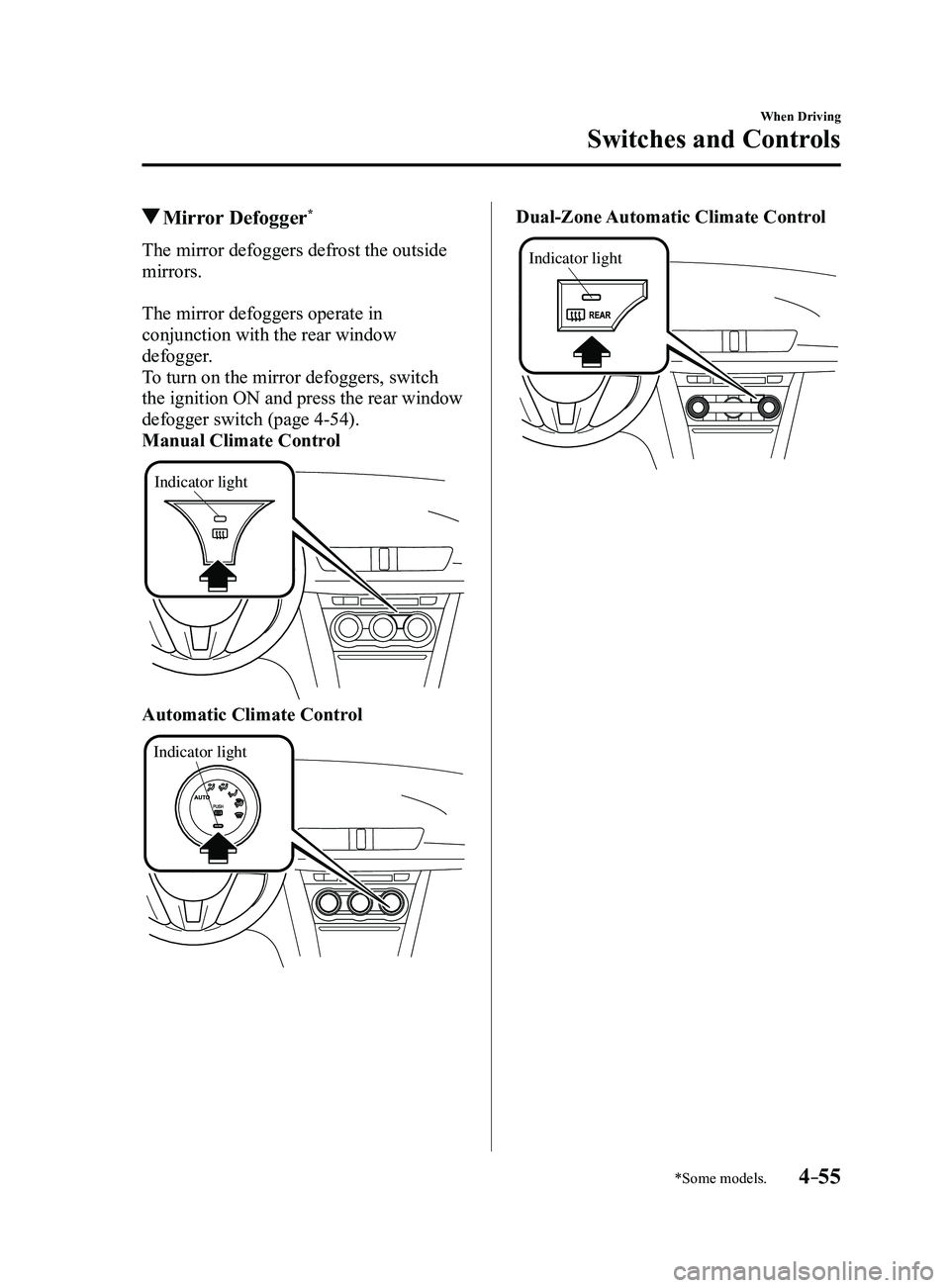
To turn on the mirror defoggers, switch
the ignition ON and press the rear window
defogger switch (page
4-54).
Manual Climate Control
Indicator light
Automatic Climate Control
Indicator light
Dual-Zone Automatic Climate Control
Indicator light
Mazda3_8FL6-EA-16F_Edition2.indb 552016/08/10 17:36:23
Page 186 of 612
4–56
When Driving
Switches and Controls
Horn
To sound the horn, press the mark on
the steering wheel.
Hazard Warning Flasher
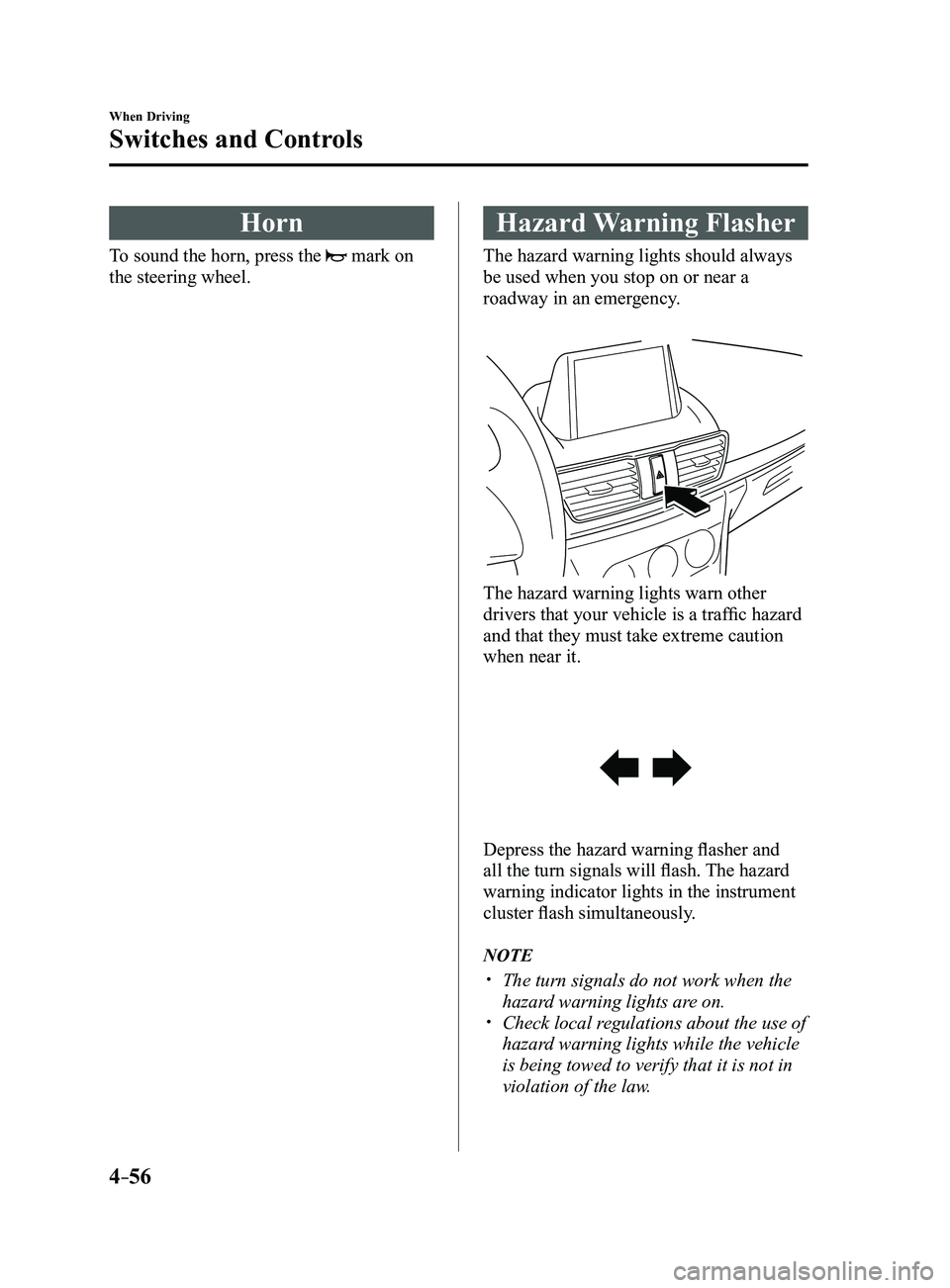
The hazard warning lights should always
be used when you stop on or near a
roadway in an emergency.
The hazard warning lights warn other
drivers that your vehicle is a traffic hazard
and that they must take extreme caution
when near it.
Depress the hazard warning flasher and
all the turn signals will flash. The hazard
warning indicator lights in the instrument
cluster flash simultaneously.
NOTE
The turn signals do not work when the
hazard warning lights are on. Check local regulations about the use of
hazard warning lights while the vehicle
is being towed to verify that it is not in
violation of the law.
Mazda3_8FL6-EA-16F_Edition2.indb 562016/08/10 17:36:24
Page 187 of 612
4–57
When Driving
Switches and Controls
*Some models.
HomeLink Wireless
Control System
*
NOTE
HomeLink and HomeLink house icon
are registered trademarks of Gentex
Corporation.
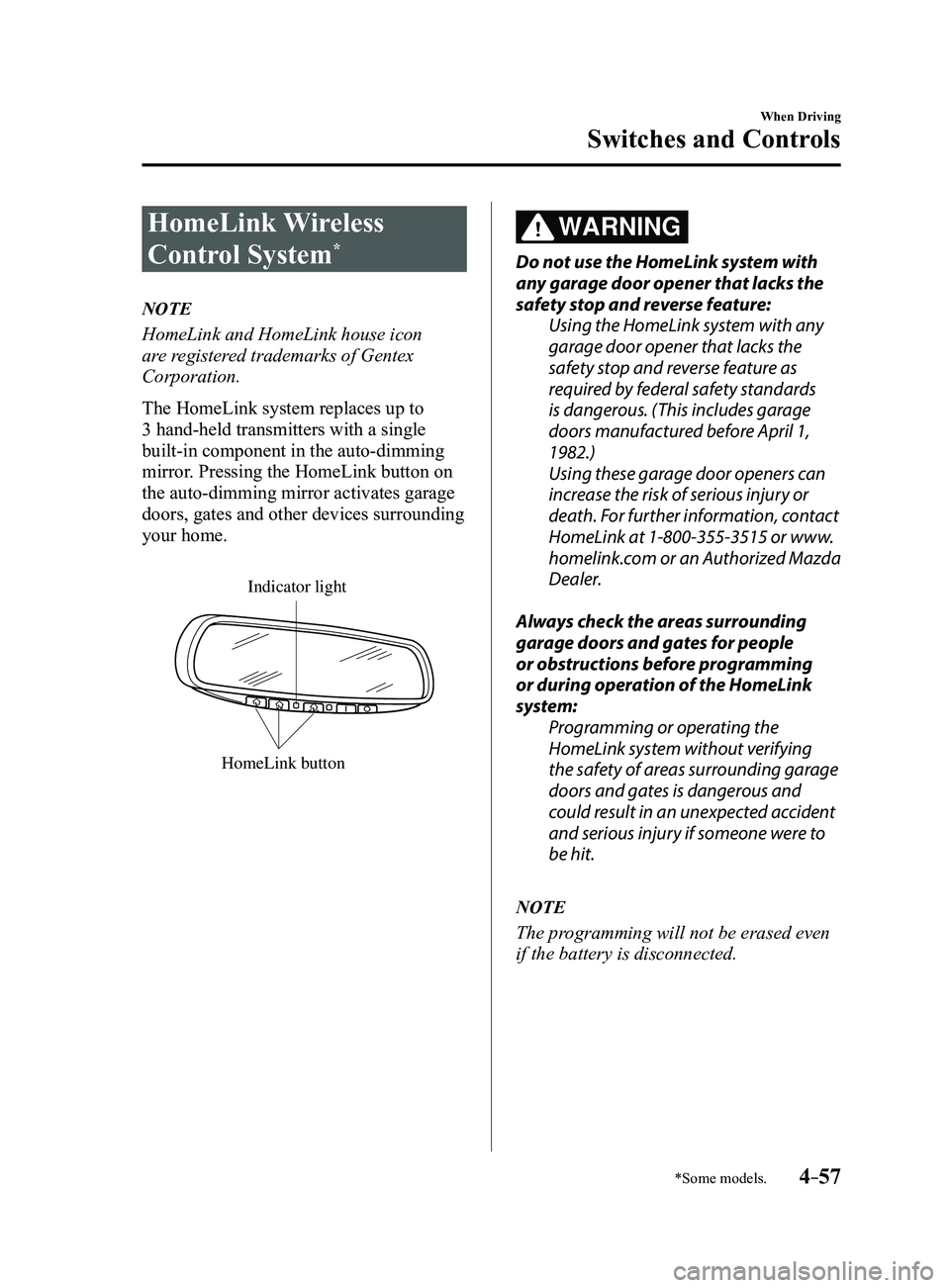
The HomeLink system replaces up to
3 hand-held transmitters with a single
built-in component in the auto-dimming
mirror. Pressing the HomeLink button on
the auto-dimming mirror activates garage
doors, gates and other devices surrounding
your home.
HomeLink button
Indicator light
WARNING
Do not use the HomeLink system with
any garage door opener that lacks the
safety stop and reverse feature:Using the HomeLink system with any
garage door opener that lacks the
safety stop and reverse feature as
required by federal safety standards
is dangerous. (This includes garage
doors manufactured before April 1,
1982.)
Using these garage door openers can
increase the risk of serious injury or
death. For further information, contact
HomeLink at 1-800-355-3515 or www.
homelink.com or an Authorized Mazda
Dealer.
Always check the areas surrounding
garage doors and gates for people
or obstructions before programming
or during operation of the HomeLink
system: Programming or operating the
HomeLink system without verifying
the safety of areas surrounding garage
doors and gates is dangerous and
could result in an unexpected accident
and serious injury if someone were to
be hit.
NOTE
The programming will not be erased even
if the battery is disconnected.
Mazda3_8FL6-EA-16F_Edition2.indb 572016/08/10 17:36:24
Page 188 of 612
4–58
When Driving
Switches and Controls
Pre-programming the HomeLink
System
NOTE
It is recommended that a new battery be
placed in the hand-held transmitter of the
device being programmed to HomeLink
for quicker training and accurate
transmission of the radio-frequency signal.
Verify that there is a remote control
transmitter available for the device you
would like to program.
Disconnect the power to the device.
Programming the HomeLink
System
CAUTION
When programming a garage door
opener or a gate, disconnect the power
to these devices before performing
programming. Continuous operation
of the devices could damage the
motor.
The HomeLink system provides 3 buttons
which can be individually selected and
programmed using the transmitters for
current, on-market devices as follows:
1. Disconnect the power to the garage
door opener or gate programmed to the
hand-held transmitter.
2. Position the end of your hand-held
transmitter 2.5—7.5 cm (1—3 inches)
away from the HomeLink button you
wish to program while keeping the
indicator light in view.
3. Simultaneously press and hold both
the chosen HomeLink and hand-held
transmitter buttons. Do not release
the buttons until step 3 has been
completed.
NOTE
Some gate operators and garage door
openers may require you to replace this
Programming Step 2 with procedures
noted in the “Gate Operator/Canadian
Programming” section.
4. After the HomeLink indicator light
changes from a slow to a rapidly
blinking light, release both the
HomeLink and hand-held transmitter
buttons.
NOTE
If the HomeLink indicator light does not
change to a rapidly blinking light, contact
HomeLink at www.homelink.com or call
1-800-355-3515 for assistance.
5. Connect the power to the garage door
opener or gate programmed to the
hand-held transmitter.
6. Firmly press and hold the programmed
HomeLink button for five seconds,
and then release it. Perform this
operation two times to activate the door
or gate. If the door or gate does not
activate, press and hold the just-trained
HomeLink button and observe the
indicator light.
If the indicator light stays on
constantly, programming is complete
and your device should activate when
the HomeLink button is pressed and
released.
Mazda3_8FL6-EA-16F_Edition2.indb 582016/08/10 17:36:24