light MAZDA MODEL 3 5-DOOR 2017 Owners Manual
[x] Cancel search | Manufacturer: MAZDA, Model Year: 2017, Model line: MODEL 3 5-DOOR, Model: MAZDA MODEL 3 5-DOOR 2017Pages: 612
Page 201 of 612
4–71
When Driving
ABS/TCS/DSC
DSC OFF Indicator Light
This indicator light stays on for a few
seconds when the ignition is switched ON.
It also illuminates when the DSC OFF
switch is pressed and TCS/DSC is
switched off.
Refer to DSC OFF Switch on page
4-71.
If the light remains illuminated and the
TCS/DSC is not switched off, take your
vehicle to an Authorized Mazda Dealer.
The DSC may have a malfunction.
DSC OFF Switch
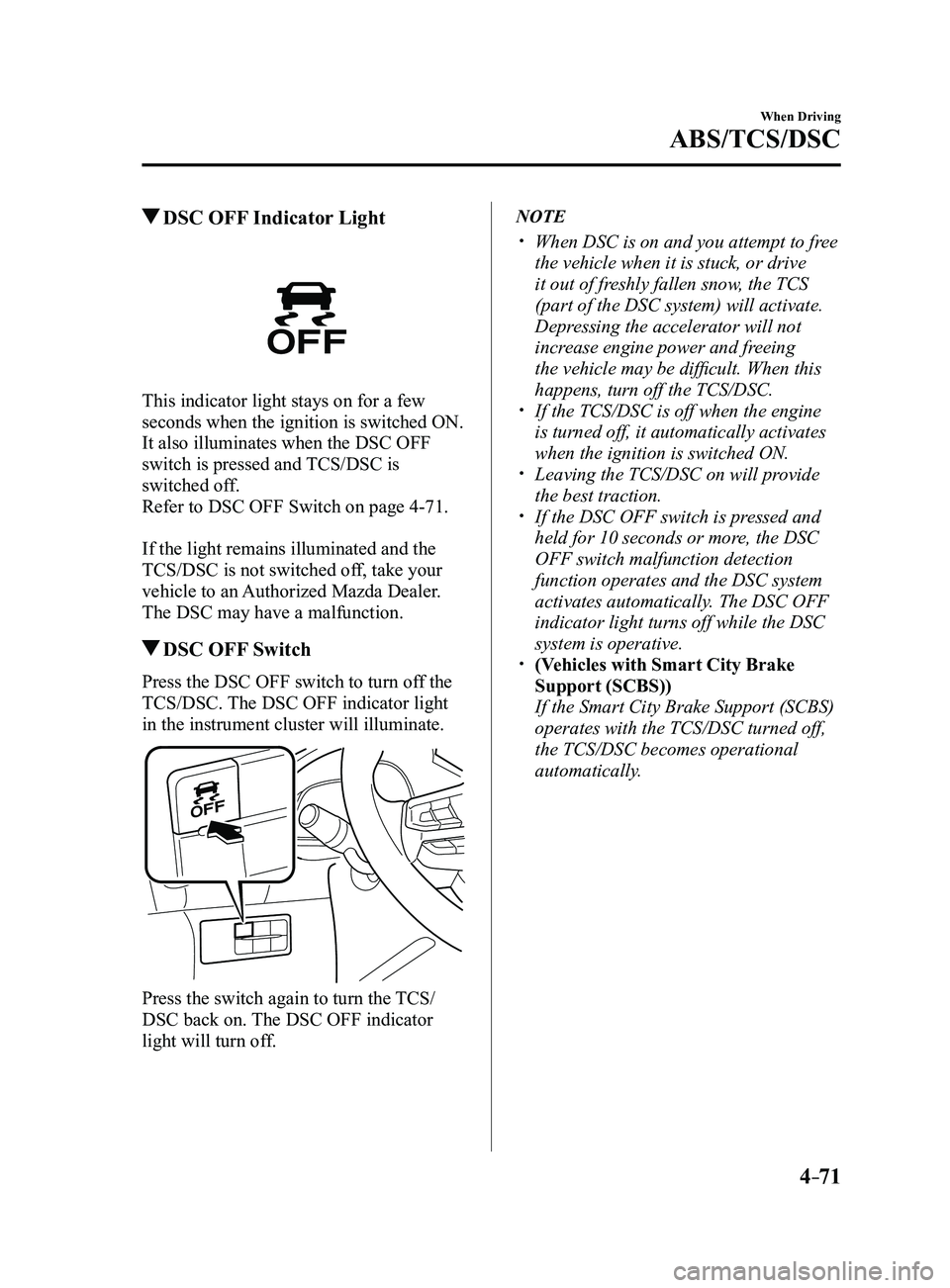
Press the DSC OFF switch to turn off the
TCS/DSC. The DSC OFF indicator light
in the instrument cluster will illuminate.
Press the switch again to turn the TCS/
DSC back on. The DSC OFF indicator
light will turn off.
NOTE
When DSC is on and you attempt to fr ee
the vehicle when it is stuck, or drive
it out of freshly fallen snow, the TCS
(part of the DSC system) will activate.
Depressing the accelerator will not
increase engine power and freeing
the vehicle may be difficult. When this
happens, turn off the TCS/DSC.
If the TCS/DSC is off when the engine
is turned off, it automatically activates
when the ignition is switched ON.
Leaving the TCS/DSC on will provide
the best traction. If the DSC OFF switch is pressed and
held for 10 seconds or more, the DSC
OFF switch malfunction detection
function operates and the DSC system
activates automatically. The DSC OFF
indicator light turns off while the DSC
system is operative.
(Vehicles with Smart City Brake
Support (SCBS))
If the Smart City Brake Support (SCBS)
operates with the TCS/DSC turned off,
the TCS/DSC becomes operational
automatically.
Mazda3_8FL6-EA-16F_Edition2.indb 712016/08/10 17:36:30
Page 202 of 612
4–72
When Driving
i-ELOOP
*Some models.
i-ELOOP*
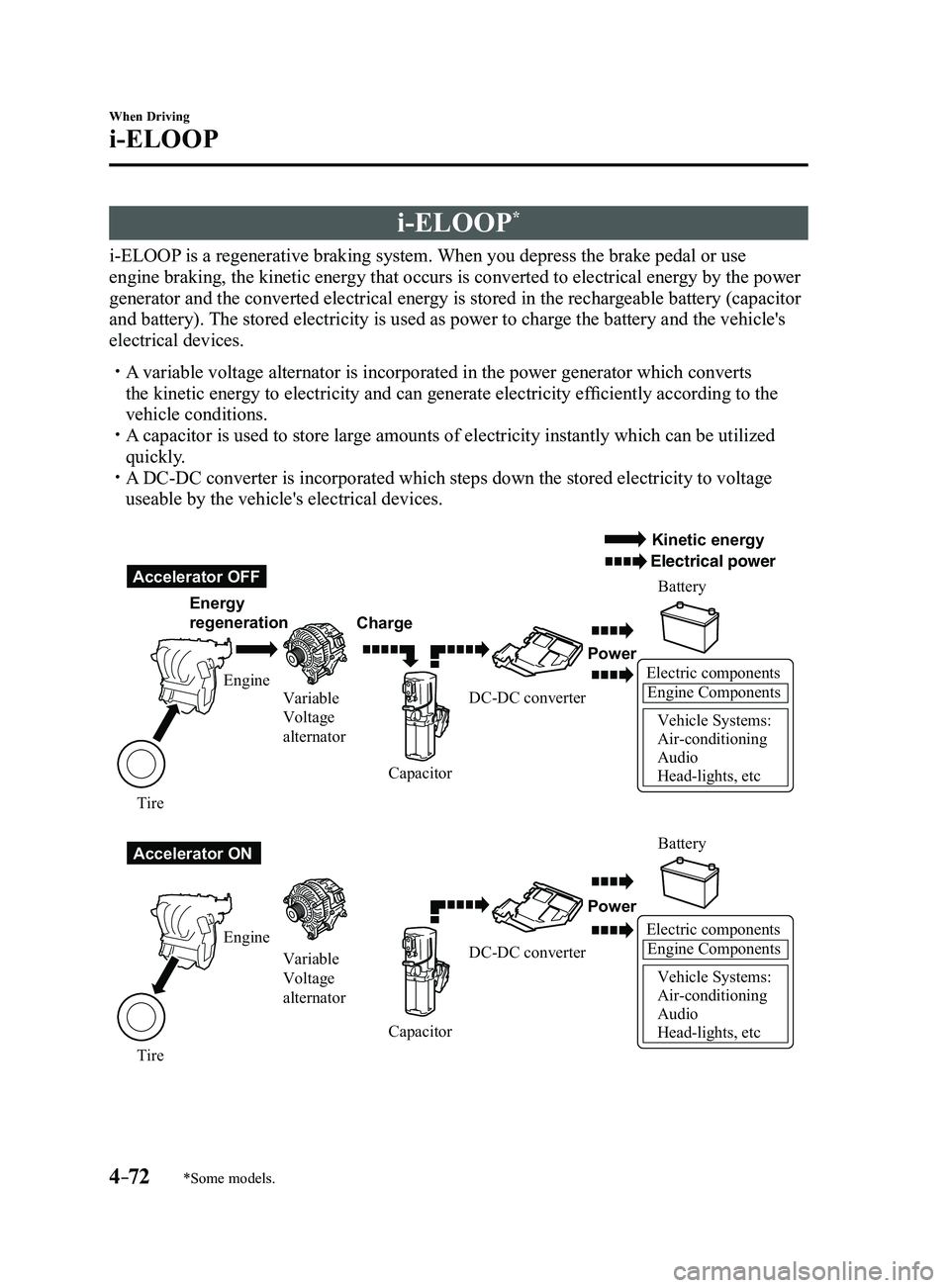
i-ELOOP is a regenerative braking system. When you depress the brake pedal or use
engine braking, the kinetic energy that occurs is converted to electrical energy by the power
generator and the converted electrical energy is stored in the rechargeable battery (capacitor
and battery). The stored electricity is used as power to charge the battery and the vehicle's
electrical devices.
A variable voltage alternator is incorporated in the power generator whic\
h converts
the kinetic energy to electricity and can generate electricity efficiently according to the
vehicle conditions.
A capacitor is used to store large amounts of electricity instantly which can be utilized
quickly. A DC-DC converter is incorporated which steps down the stored electricity\
to voltage
useable by the vehicle's electrical devices.
Electric componentsEngine Components
Vehicle Systems:
Air-conditioning
Audio
Head-lights, etc
Accelerator OFF
Accelerator ON Energy
regeneration
Charge Battery
Battery
Power
Power
Electric componentsEngine Components
Vehicle Systems:
Air-conditioning
Audio
Head-lights, etc
Engine Variable
Voltage
alternator
Variable
Voltage
alternator
Engine
Tire Tire Capacitor
CapacitorDC-DC converter
DC-DC converter
Kinetic energy
Electrical power
Mazda3_8FL6-EA-16F_Edition2.indb 722016/08/10 17:36:30
Page 204 of 612
4–74
When Driving
i-ELOOP
i-ELOOP Indicator Light/Control
Status Display
The driver is notified of the i-ELOOP
power generating status and the vehicle
conditions by the i-ELOOP indicator light
and the control status display.
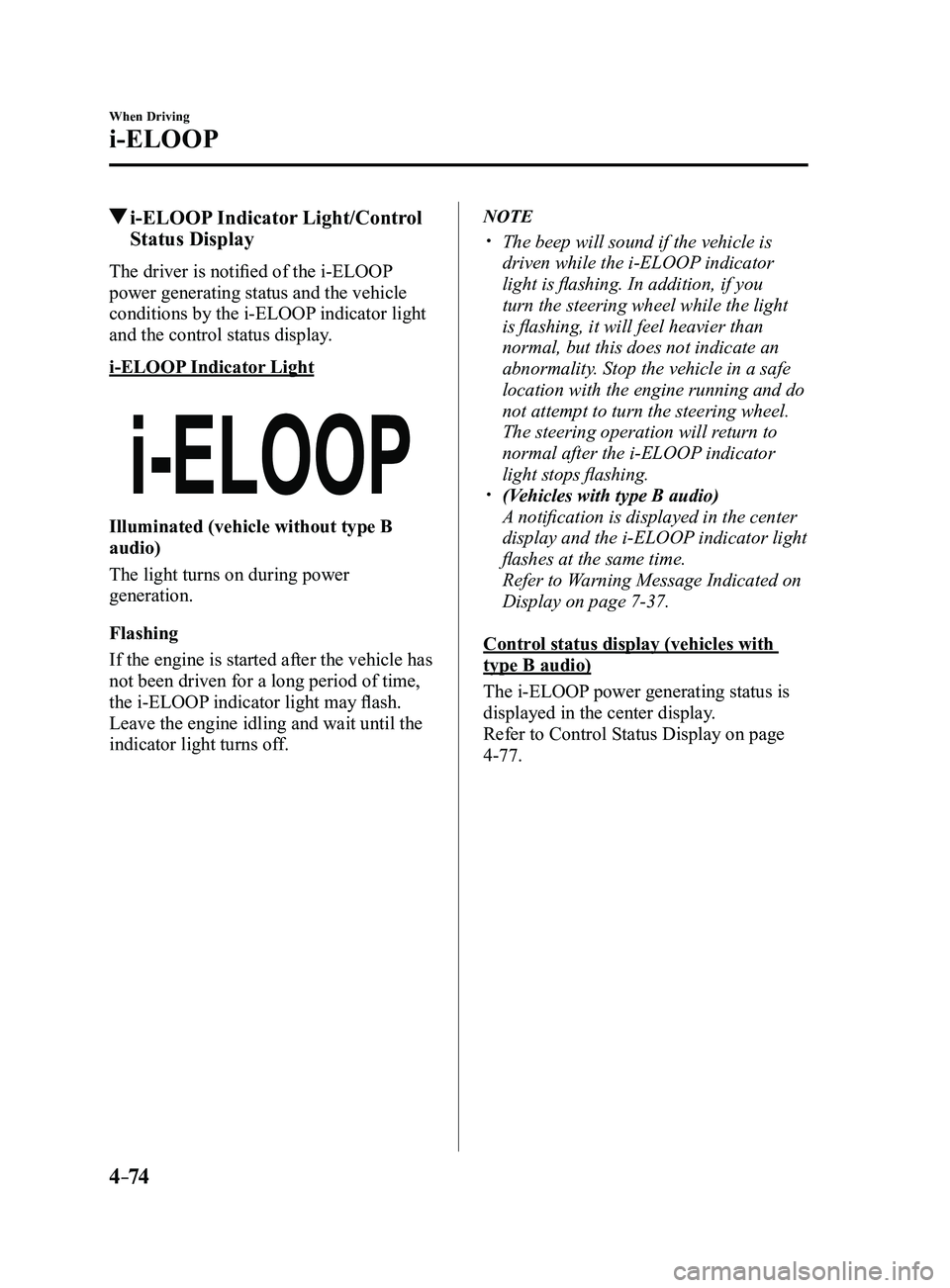
i-ELOOP Indicator Light
Illuminated (vehicle without type B
audio)
The light turns on during power
generation.
Flashing
If the engine is started after the vehicle has
not been driven for a long period of time,
the i-ELOOP indicator light may flash.
Leave the engine idling and wait until the
indicator light turns off.
NOTE
The beep will sound if the vehicle is
driven while the i-ELOOP indicator
light is flashing. In addition, if you
turn the steering wheel while the light
is flashing, it will feel heavier than
normal, but this does not indicate an
abnormality. Stop the vehicle in a safe
location with the engine running and do
not attempt to turn the steering wheel.
The steering operation will return to
normal after the i-ELOOP indicator
light stops flashing.
(Vehicles with type B audio)
A notification is displayed in the center
display and the i-ELOOP indicator light
flashes at the same time.
Refer to Warning Message Indicated on
Display on page 7-37.
Control status display (vehicles with
type B audio)
The i-ELOOP power generating status is
displayed in the center display.
Refer to Control Status Display on page
4-77.
Mazda3_8FL6-EA-16F_Edition2.indb 742016/08/10 17:36:31
Page 209 of 612
4–79
When Driving
Drive Selection
Drive Selection Switch
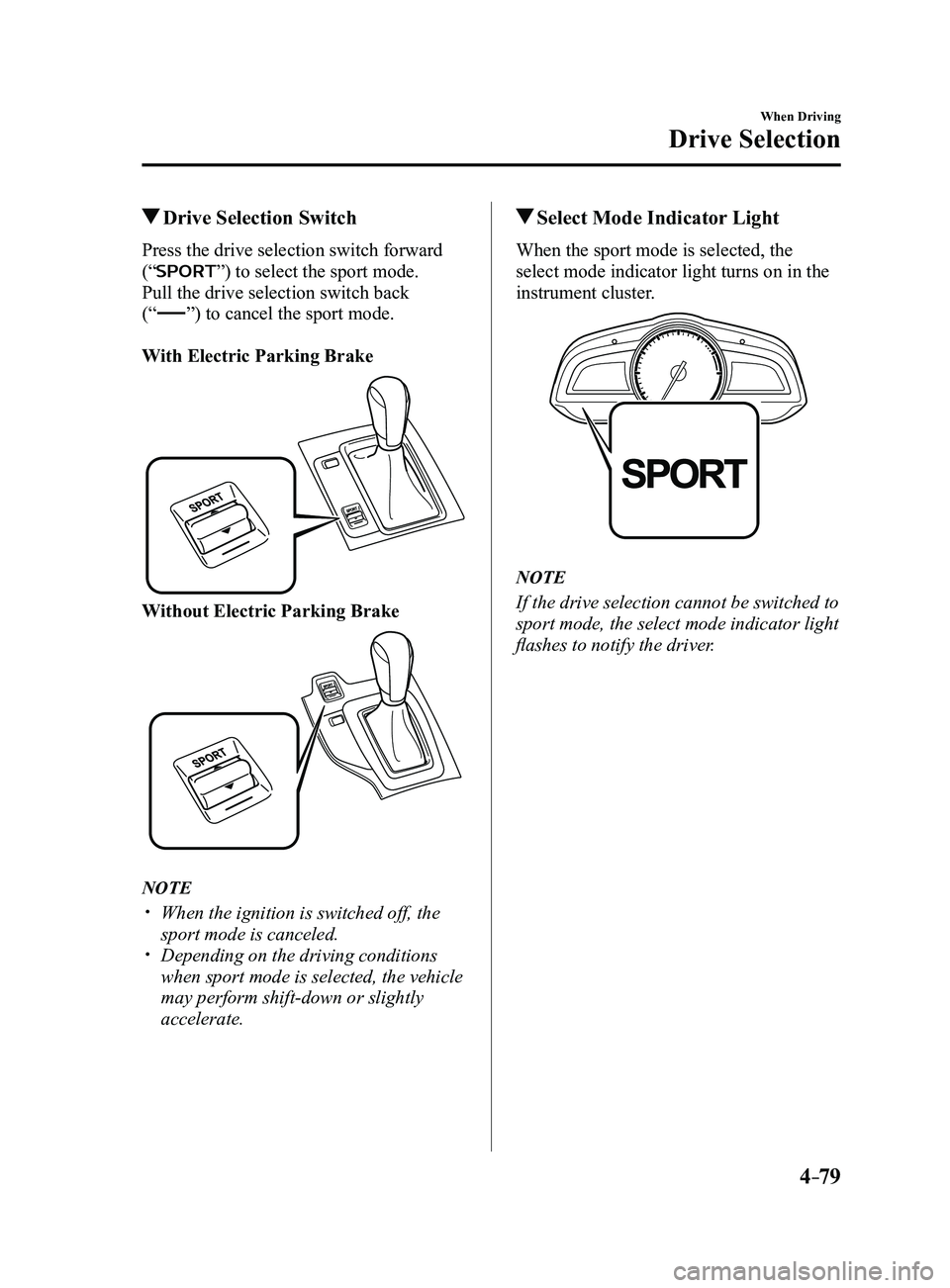
Press the drive selection switch forward
(“
”) to select the sport mode.
Pull the drive selection switch back
(“
”) to cancel the sport mode.
With Electric Parking Brake
Without Electric Parking Brake
NOTE
When the ignition is switched off, the
sport mode is canceled. Depending on the driving conditions
when sport mode is selected, the vehicle
may perform shift-down or slightly
accelerate.
Select Mode Indicator Light
When the sport mode is selected, the
select mode indicator light turns on in the
instrument cluster.
NOTE
If the drive selection cannot be switched to
sport mode, the select mode indicator light
flashes to notify the driver.
Mazda3_8FL6-EA-16F_Edition2.indb 792016/08/10 17:36:35
Page 210 of 612
4–80
When Driving
Power Steering
Power Steering
Power steering is only operable when
the engine is running. If the engine is
off or if the power steering system is
inoperable, you can still steer, but it
requires more physical effort.
If the steering feels stiffer than usual
during normal driving or the steering
vibrates, consult an Authorized Mazda
Dealer.
The warning light notifies the driver
of system abnormalities and operation
conditions.
In addition, the buzzer may also activate
depending on the system abnormality or
operation condition.
Refer to Warning Lights on page
4-24.
Refer to Power Steering Warning Buzzer
on page 7-43.
CAUTION
Never hold the steering wheel to the
extreme left or right for more than 5
seconds with the engine running. This
could damage the power steering
system.
Mazda3_8FL6-EA-16F_Edition2.indb 802016/08/10 17:36:35
Page 211 of 612
4–81
When Driving
i-ACTIVSENSE
i-ACTIVSENSE
i-ACTIVSENSE is a collective term covering a series of advanced safety and driver support
systems which make use of a Forward Sensing Camera (FSC) and radar sen\
sors. These
systems consist of active safety and pre-crash safety systems.
These systems are designed to assist the driver in safer driving by redu\
cing the load on the
driver and helping to avert collisions or reduce their severity. However, because each system
has its limitations, always drive carefully and do not rely solely on th\
e systems.
Active Safety Technology
Active Safety Technology supports safer driving by helping the driver to recognize pote\
ntial
hazards and avert accidents.
Driver awareness support systems
Nighttime visibility
Adaptive Front Lighting System (AFS)
........................................................................\
......4-84
High Beam Control System (HBC) ........................................................................\
............4-85
Left/right side and rear side detection
Lane Departure Warning System (LDWS)
.......................................................................4-117
Blind Spot Monitoring (BSM) ........................................................................\
....................4-88
Road sign recognition
Traffic Sign Recognition System (TSR)
........................................................................\
.....4-94
Inter-vehicle distance recognition
Distance Recognition Support System (DRSS)
................................................................4-101
Rear obstruction detection when leaving a parking space
Rear Cross Traffic Alert (RCTA)
........................................................................\
..............4-103
Driver support systems
Inter-vehicle distance
Mazda Radar Cruise Control (MRCC)
........................................................................\
.....4-107
Lane departure
Lane-keep Assist System (LAS)
........................................................................\
...............4-117
Mazda3_8FL6-EA-16F_Edition2.indb 812016/08/10 17:36:35
Page 212 of 612

4–82
When Driving
i-ACTIVSENSE
Pre-Crash Safety Technology
Pre-crash safety technology is designed to assist the driver in averting\
collisions or reduce
their severity in situations where they cannot be avoided.
Collision damage reduction in low vehicle speed range
Forward driving
Smart City Brake Support (SCBS)
........................................................................\
...........4-128
Collision damage reduction in medium/high speed range
Smart Brake Support (SBS)
........................................................................\
......................4-133
Camera and Sensors
Forward Sensing Camera (FSC)
The Forward Sensing Camera (FSC) detects lane indications and recogniz\
es headlights,
taillights and city lights during nighttime driving. In addition, it als\
o detects the vehicle
ahead, pedestrians, or obstructions. The following systems also use the Forward Sensing
Camera (FSC).
High Beam Control system (HBC) Lane-keep Assist System (LAS) & Lane Departure Warning System (LDWS) Traffic Sign Recognition System (TSR) Smart City Brake Support (SCBS) Smart Brake Support (SBS)
The Forward Sensing Camera (FSC) is installed at the top of the windsh\
ield near the
rearview mirror.
Refer to Forward Sensing Camera (FSC) on page
4-136.
Radar sensor (front)
The radar sensor (front) functions by detecting the radio waves reflected off a vehicle ahead
sent from the radar sensor. The following systems also use the radar sensor (front).
Mazda Radar Cruise Control (MRCC) Distance Recognition Support System (DRSS) Smart Brake Support (SBS)
The radar sensor (front) is mounted behind the radiator grille.
Refer to Radar Sensor (Front) on page
4-141.
Mazda3_8FL6-EA-16F_Edition2.indb 822016/08/10 17:36:36
Page 214 of 612
4–84
When Driving
i-ACTIVSENSE
*Some models.
Adaptive Front Lighting
System (AFS)*
The adaptive front lighting system (AFS)
automatically adjusts the headlight beams
to the left or right in conjunction with the
operation of the steering wheel after the
headlights have been turned on.
Mazda3_8FL6-EA-16F_Edition2.indb 842016/08/10 17:36:36
Page 215 of 612
4–85
When Driving
i-ACTIVSENSE
*Some models.
High Beam Control System (HBC)*
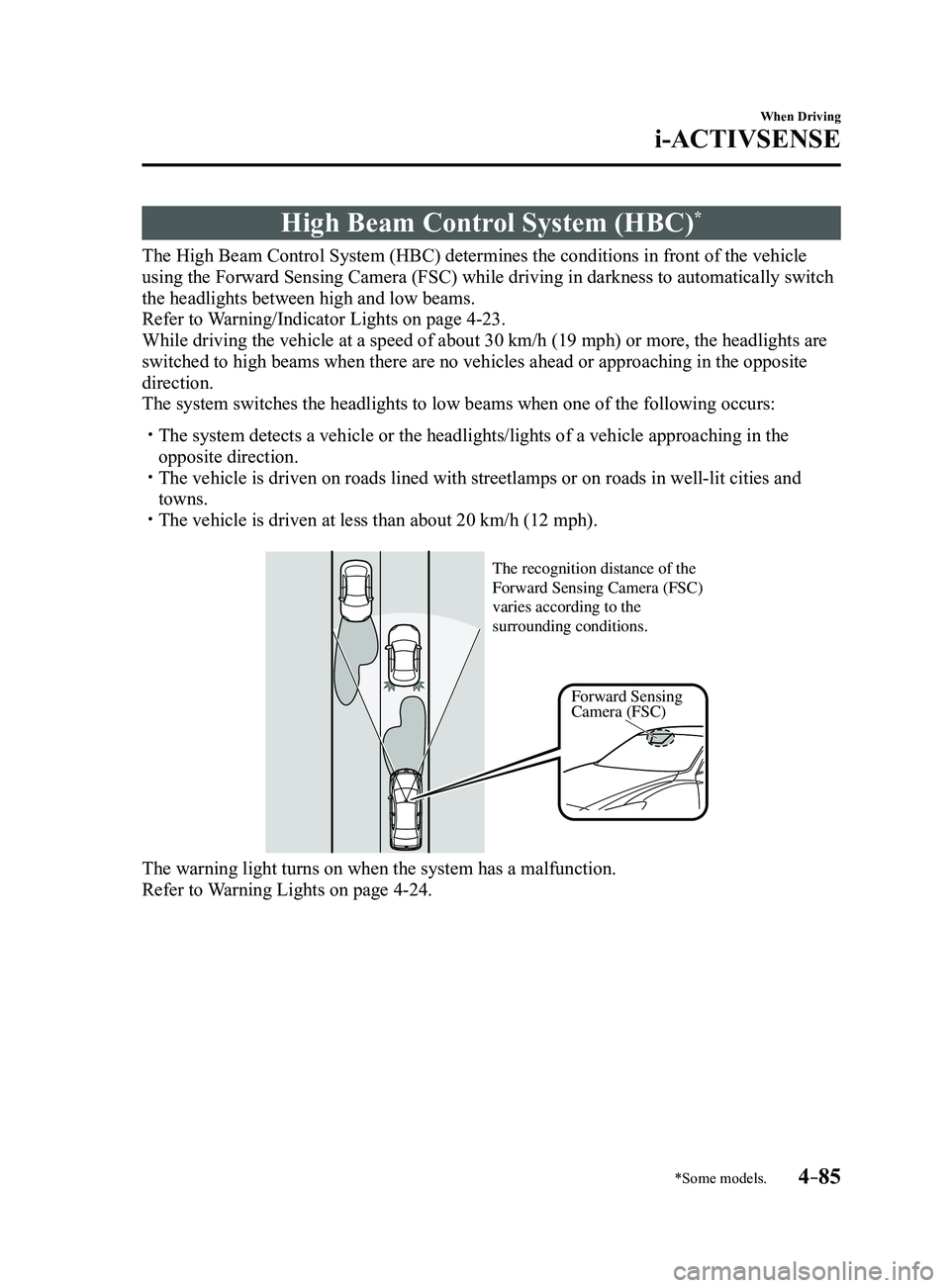
The High Beam Control System (HBC) determines the conditions in front of the vehicle
using the Forward Sensing Camera (FSC) while driving in darkness to au\
tomatically switch
the headlights between high and low beams.
Refer to Warning/Indicator Lights on page
4-23.
While driving the vehicle at a speed of about 30 km/h (19 mph) or more\
, the headlights are
switched to high beams when there are no vehicles ahead or approaching i\
n the opposite
direction.
The system switches the headlights to low beams when one of the followin\
g occurs:
The system detects a vehicle or the headlights/lights of a vehicle appro\
aching in the
opposite direction. The vehicle is driven on roads lined with streetlamps or on roads in wel\
l-lit cities and
towns. The vehicle is driven at less than about 20 km/h (12 mph).
Forward Sensing
Camera (FSC)
The recognition distance of the
Forward Sensing Camera (FSC)
varies according to the
surrounding conditions.
The warning light turns on when the system has a malfunction.
Refer to Warning Lights on page 4-24.
Mazda3_8FL6-EA-16F_Edition2.indb 852016/08/10 17:36:36
Page 216 of 612
4–86
When Driving
i-ACTIVSENSE
CAUTION
Do not adjust the vehicle height, modify the headlight units, or remove the camera,
otherwise the system will not operate normally. Do not rely excessively on the High Beam Control System (HBC) and drive the vehicle while
paying sufficient attention to safety. Switch the headlights between the high beams and
low beams manually if necessary.
NOTE
The timing in which the system switches the headlights changes under the\
following
conditions. If the system does not switch the headlights appropriately, manually switch
between high and low beams according to the visibility as well as road and traffic
conditions.
When there are sources of light in the area such as street lamps, illuminated signboards,
and traffic signals. When there are reflective objects in the surrounding area such as reflective plates and
signs. When visibility is reduced under rain, snow and foggy conditions. When driving on roads with sharp turn or hilly terrain. When the headlights/r ear lamps of vehicles in front of you or in the opposite lane are dim
or not illuminated. When there is sufficient darkness such as at dawn or dusk. When the luggage compartment is loaded with heavy objects or the r ear passenger seats
are occupied. When visibility is reduced due to a vehicle in front of you spraying water from its tires
onto your windshield.
Mazda3_8FL6-EA-16F_Edition2.indb 862016/08/10 17:36:36