battery MAZDA MODEL 3 5-DOOR 2017 Owner's Manual
[x] Cancel search | Manufacturer: MAZDA, Model Year: 2017, Model line: MODEL 3 5-DOOR, Model: MAZDA MODEL 3 5-DOOR 2017Pages: 612
Page 146 of 612
4–16
When Driving
Instrument Cluster and Display
*Some models.
NOTE
(Vehicles with type B audio)
If the fuel economy data is reset using
the fuel economy monitor, or trip A
is reset using the trip meter when the
function which synchronizes the fuel
economy monitor and the trip meter is
on, the fuel economy data and trip A are
reset simultaneously.
Refer to Fuel Economy Monitor on page
4-75. Only the trip meters record tenths of
kilometers (miles). The trip record will be erased when:
The power supply is interrupted
(blown fuse or the battery is
disconnected).
The vehicle is driven over 9999.9 km
(mile).
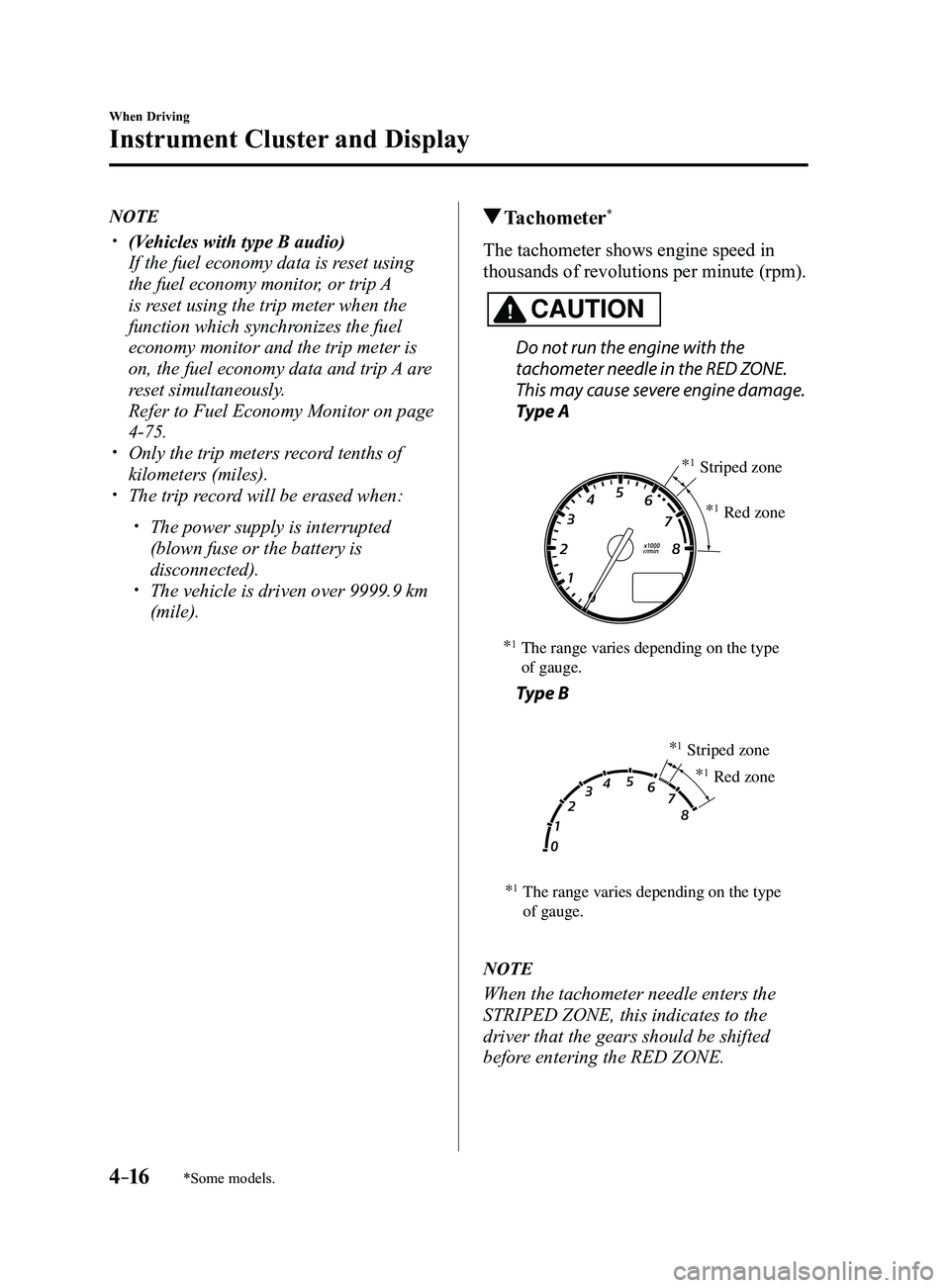
Tachometer*
The tachometer shows engine speed in
thousands of revolutions per minute (rpm).
CAUTION
Do not run the engine with the
tachometer needle in the RED ZONE.
This may cause severe engine damage.
Type A
*1The range varies depending on the type
of gauge. *
1Striped zone
*
1Red zone
Type B
*1The range varies depending on the type
of gauge. *
1Striped zone
*
1Red zone
NOTE
When the tachometer needle enters the
STRIPED ZONE, this indicates to the
driver that the gears should be shifted
before entering the RED ZONE.
Mazda3_8FL6-EA-16F_Edition2.indb 162016/08/10 17:35:48
Page 150 of 612
4–20
When Driving
Instrument Cluster and Display
NOTE
Even though the distance-to-empty
display may indicate a sufficient amount
of remaining driving distance before
refueling is required, refuel as soon as
possible if the fuel level is very low or
the low fuel warning light illuminates.
The display may not change unless you
add more than approximately 9 L
(2.3 US gal, 1.9 Imp gal) of fuel.
The distance-to-empty is the
approximate remaining distance the
vehicle can be driven until all the
graduation marks in the fuel gauge
(indicating the remaining fuel supply)
disappear.
If there is no past fuel economy
information such as after first
purchasing your vehicle or the
information is deleted when the battery
cables are disconnected, the actual
distance-to empty/range may differ from
the amount indicated.
Average fuel economy mode
This mode displays the average fuel
economy by calculating the total fuel
consumption and the total traveled
distance since purchasing the vehicle, re-
connecting the battery after disconnection,
or resetting the data. The average fuel
economy is calculated and displayed every
minute.
To clear the data being displayed, press the
INFO switch for more than 1.5 seconds.
After pressing the INFO switch, - - - L/100
km (- - - mpg) will be displayed for about
1 minute before the fuel economy is
recalculated and displayed.
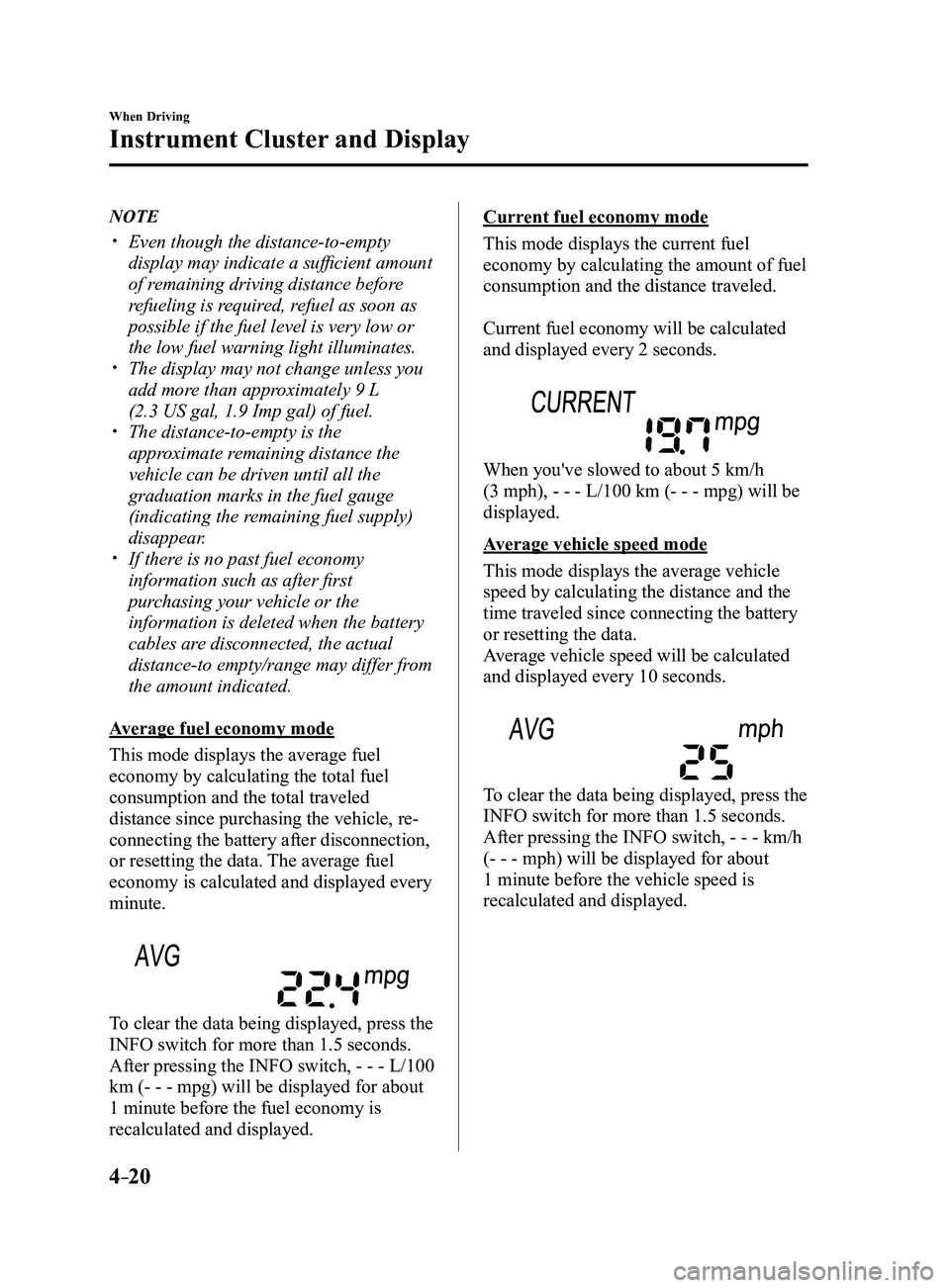
Current fuel economy mode
This mode displays the current fuel
economy by calculating the amount of fuel
consumption and the distance traveled.
Current fuel economy will be calculated
and displayed every 2 seconds.
When you've slowed to about 5 km/h
(3 mph), - - - L/100 km (- - - mpg) will be
displayed.
Average vehicle speed mode
This mode displays the average vehicle
speed by calculating the distance and the
time traveled since connecting the battery
or resetting the data.
Average vehicle speed will be calculated
and displayed every 10 seconds.
To clear the data being displayed, press the
INFO switch for more than 1.5 seconds.
After pressing the INFO switch, - - - km/h
(- - - mph) will be displayed for about
1 minute before the vehicle speed is
recalculated and displayed.
Mazda3_8FL6-EA-16F_Edition2.indb 202016/08/10 17:35:51
Page 151 of 612
4–21
When Driving
Instrument Cluster and Display
*Some models.
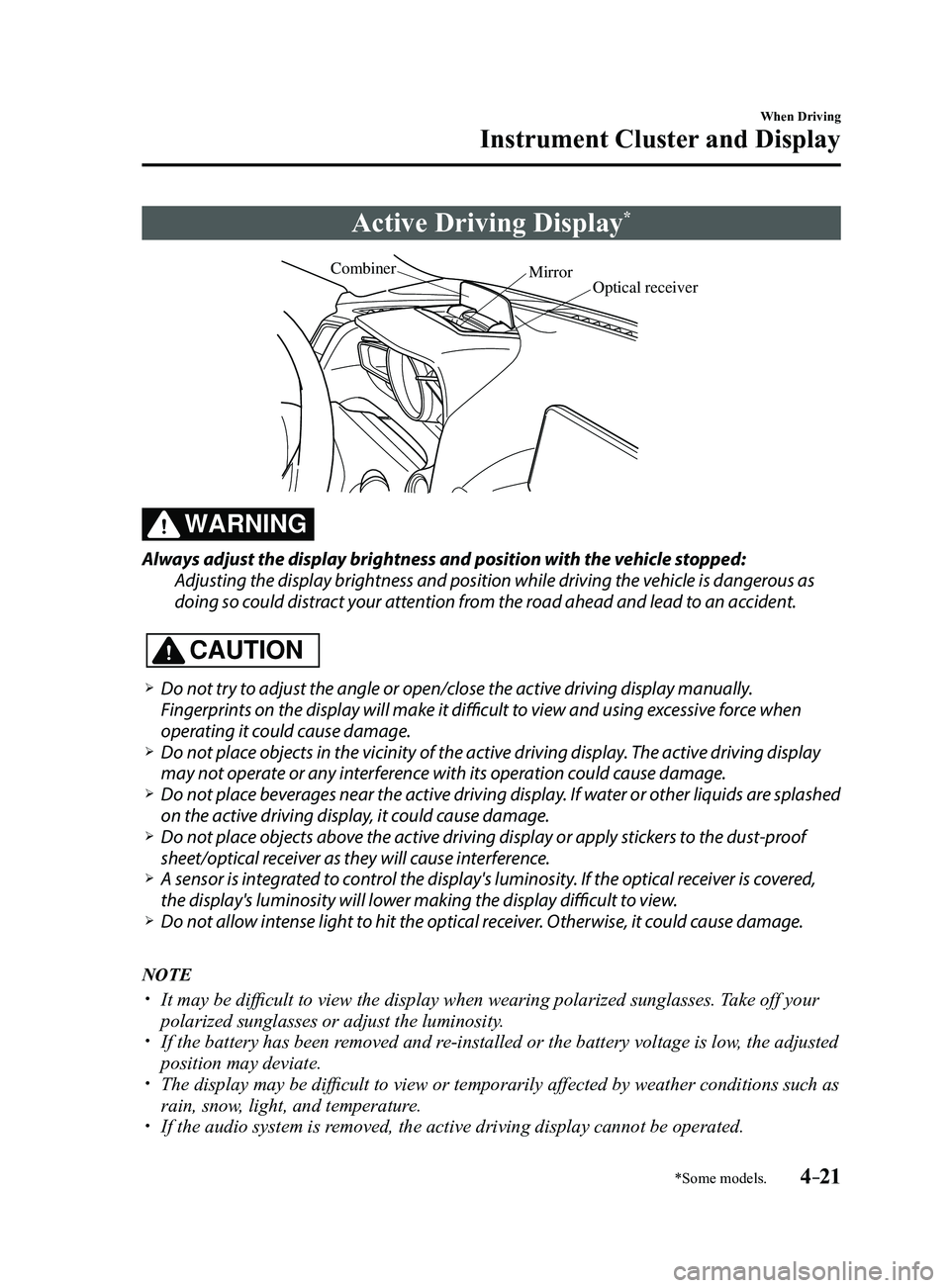
Active Driving Display*
Optical receiver
Mirror
Combiner
WARNING
Always adjust the display brightness and position with the vehicle stopped:
Adjusting the display brightness and position while driving the vehicle is dangerous as
doing so could distract your attention from the road ahead and lead to an accident.
CAUTION
Do not try to adjust the angle or open/close the active driving display manually.
Fingerprints on the display will make it difficult to view and using excessive force when
operating it could cause damage.
Do not place objects in the vicinity of the active driving display. The active driving display
may not operate or any interference with its operation could cause damage. Do not place beverages near the active driving display. If water or other liquids are splashed
on the active driving display, it could cause damage. Do not place objects above the active driving display or apply stickers to the dust-proof
sheet/optical receiver as they will cause interference. A sensor is int
egrated to control the display's luminosity. If the optical receiver is covered,
the display's luminosity will lower making the display difficult to view. Do not allow intense light to hit the optical receiver. Otherwise, it could cause damage.
NOTE
It may be difficult to view the display when wearing polarized s unglasses. Take off your
polarized sunglasses or adjust the luminosity. If the battery has been removed and re-installed or the battery voltage is low, the adjusted
position may deviate. The display may be difficult to view or temporarily affected by weather conditions such as
rain, snow, light, and temperature. If the audio system is removed, the active driving display cannot be operated.
Mazda3_8FL6-EA-16F_Edition2.indb 212016/08/10 17:35:51
Page 173 of 612

4–43
When Driving
Switches and Controls
Lighting Control
Headlights
Turn the headlight switch to turn the headlights and other exterior light\
s on or off.
When the lights are turned on, the lights-on indicator light in the inst\
rument cluster turns on.
NOTE
If the light switch is left on, the lights will automatically switch off\
approximately 30
seconds after switching the ignition off.
The time setting can be changed.
Refer to Personalization Features on page 9-12. To prevent discharging the battery, do not leave the lights on while the engine is off unless
safety requires them.
Without auto-light control
Switch Position
Ignition PositionON ACC or
OFF ONACC or
OFF ONACC or
OFF
Headlights OffOffOffOff OnOn
*2
Daytime running lights On*1OffOn*1Off OffOff
Taillights
Parking lights
License lights
Side-marker lights Off
Off OnOn
*2OnOn*2
*1 The lights are turned on while the vehicle is driven.*2 The lights are turned on for the specified period by the auto he adlight off function.
Mazda3_8FL6-EA-16F_Edition2.indb 432016/08/10 17:36:14
Page 187 of 612
4–57
When Driving
Switches and Controls
*Some models.
HomeLink Wireless
Control System
*
NOTE
HomeLink and HomeLink house icon
are registered trademarks of Gentex
Corporation.
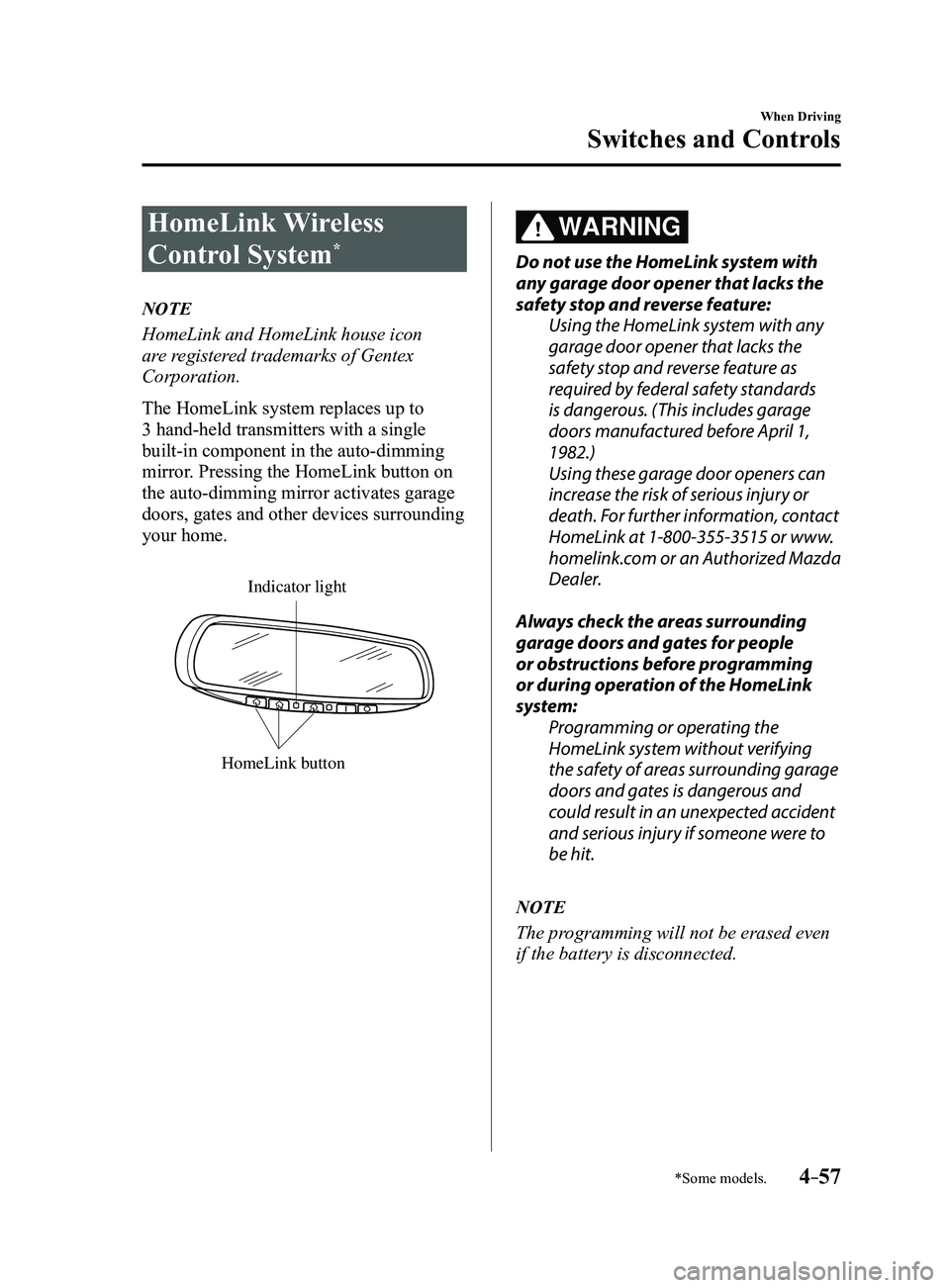
The HomeLink system replaces up to
3 hand-held transmitters with a single
built-in component in the auto-dimming
mirror. Pressing the HomeLink button on
the auto-dimming mirror activates garage
doors, gates and other devices surrounding
your home.
HomeLink button
Indicator light
WARNING
Do not use the HomeLink system with
any garage door opener that lacks the
safety stop and reverse feature:Using the HomeLink system with any
garage door opener that lacks the
safety stop and reverse feature as
required by federal safety standards
is dangerous. (This includes garage
doors manufactured before April 1,
1982.)
Using these garage door openers can
increase the risk of serious injury or
death. For further information, contact
HomeLink at 1-800-355-3515 or www.
homelink.com or an Authorized Mazda
Dealer.
Always check the areas surrounding
garage doors and gates for people
or obstructions before programming
or during operation of the HomeLink
system: Programming or operating the
HomeLink system without verifying
the safety of areas surrounding garage
doors and gates is dangerous and
could result in an unexpected accident
and serious injury if someone were to
be hit.
NOTE
The programming will not be erased even
if the battery is disconnected.
Mazda3_8FL6-EA-16F_Edition2.indb 572016/08/10 17:36:24
Page 188 of 612
4–58
When Driving
Switches and Controls
Pre-programming the HomeLink
System
NOTE
It is recommended that a new battery be
placed in the hand-held transmitter of the
device being programmed to HomeLink
for quicker training and accurate
transmission of the radio-frequency signal.
Verify that there is a remote control
transmitter available for the device you
would like to program.
Disconnect the power to the device.
Programming the HomeLink
System
CAUTION
When programming a garage door
opener or a gate, disconnect the power
to these devices before performing
programming. Continuous operation
of the devices could damage the
motor.
The HomeLink system provides 3 buttons
which can be individually selected and
programmed using the transmitters for
current, on-market devices as follows:
1. Disconnect the power to the garage
door opener or gate programmed to the
hand-held transmitter.
2. Position the end of your hand-held
transmitter 2.5—7.5 cm (1—3 inches)
away from the HomeLink button you
wish to program while keeping the
indicator light in view.
3. Simultaneously press and hold both
the chosen HomeLink and hand-held
transmitter buttons. Do not release
the buttons until step 3 has been
completed.
NOTE
Some gate operators and garage door
openers may require you to replace this
Programming Step 2 with procedures
noted in the “Gate Operator/Canadian
Programming” section.
4. After the HomeLink indicator light
changes from a slow to a rapidly
blinking light, release both the
HomeLink and hand-held transmitter
buttons.
NOTE
If the HomeLink indicator light does not
change to a rapidly blinking light, contact
HomeLink at www.homelink.com or call
1-800-355-3515 for assistance.
5. Connect the power to the garage door
opener or gate programmed to the
hand-held transmitter.
6. Firmly press and hold the programmed
HomeLink button for five seconds,
and then release it. Perform this
operation two times to activate the door
or gate. If the door or gate does not
activate, press and hold the just-trained
HomeLink button and observe the
indicator light.
If the indicator light stays on
constantly, programming is complete
and your device should activate when
the HomeLink button is pressed and
released.
Mazda3_8FL6-EA-16F_Edition2.indb 582016/08/10 17:36:24
Page 194 of 612
4–64
When Driving
Brake
NOTE
The electric parking brake cannot be
applied or released while the vehicle
battery is dead.
An operation sound occurs when
applying or releasing the electric
parking brake, however, this does not
indicate a malfunction.
If the electric parking brake is not
used for long periods, an automatic
inspection of the system is performed
while the vehicle is parked. An
operation sound can be heard, however,
this does not indicate a problem.
When the electric parking brake is
applied and the ignition is switched
OFF, an operation sound can be heard,
however, this does not indicate a
problem.
The brake pedal may move while the
electric parking brake is being applied
or released, however, this does not
indicate a problem.
If the electric parking brake switch is
continually pulled while driving the
vehicle, the electric parking brake will
be applied and the electric parking
brake warning beep will be activated.
When the switch is released, the electric
parking brake is released and the beep
stops.
If the electric parking brake is applied
with the ignition switched off or in ACC,
the brake system warning light in the
instrument cluster and the indicator
light in the switch may turn on for 15
seconds.
When running the vehicle through an
automatic car wash, it may be necessary
to switch the ignition off with the
parking brake released depending on
the type of automatic car wash.
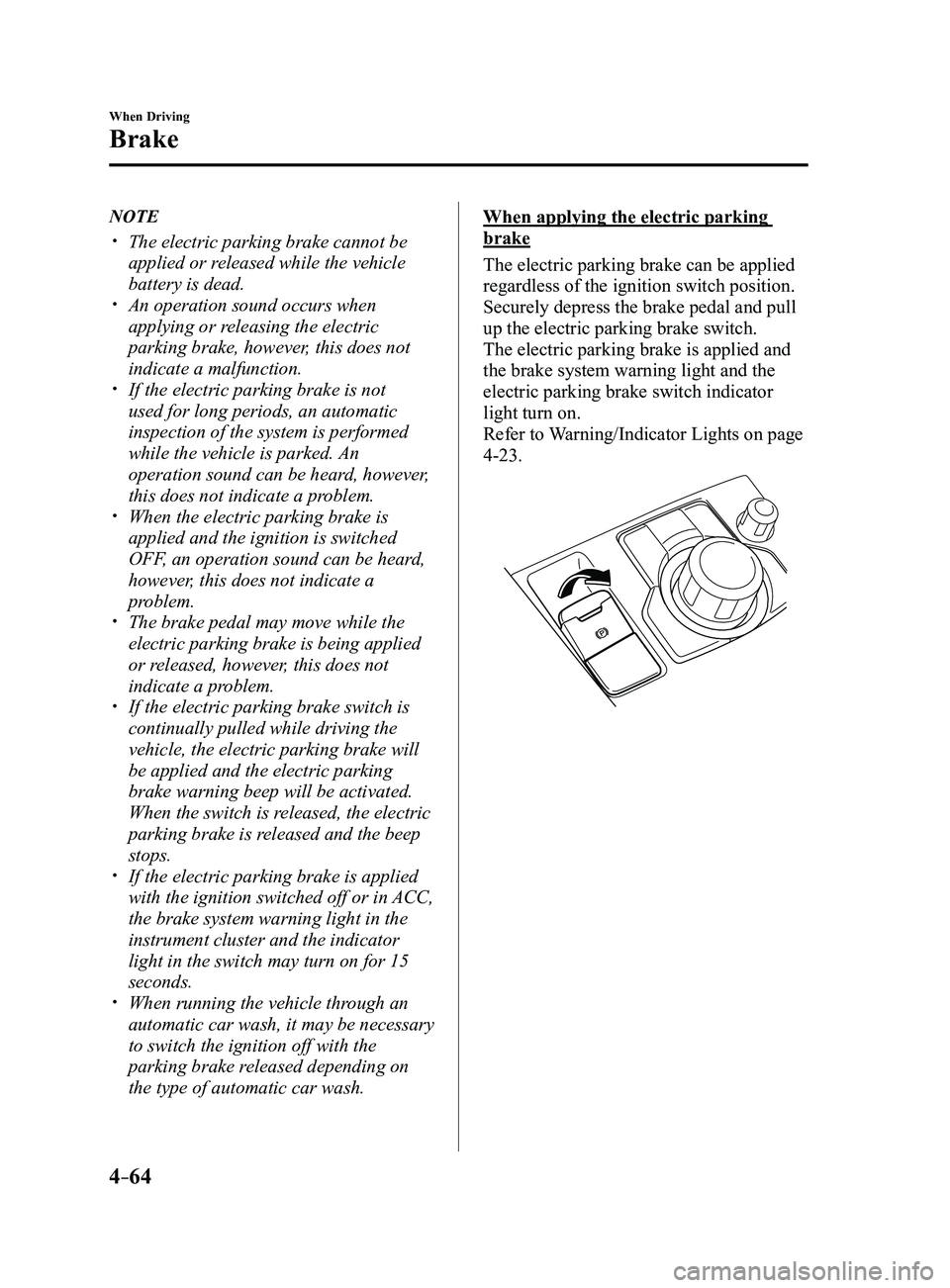
When applying the electric parking
brake
The electric parking brake can be applied
regardless of the ignition switch position.
Securely depress the brake pedal and pull
up the electric parking brake switch.
The electric parking brake is applied and
the brake system warning light and the
electric parking brake switch indicator
light turn on.
Refer to Warning/Indicator Lights on page
4-23.
Mazda3_8FL6-EA-16F_Edition2.indb 642016/08/10 17:36:27
Page 202 of 612
4–72
When Driving
i-ELOOP
*Some models.
i-ELOOP*
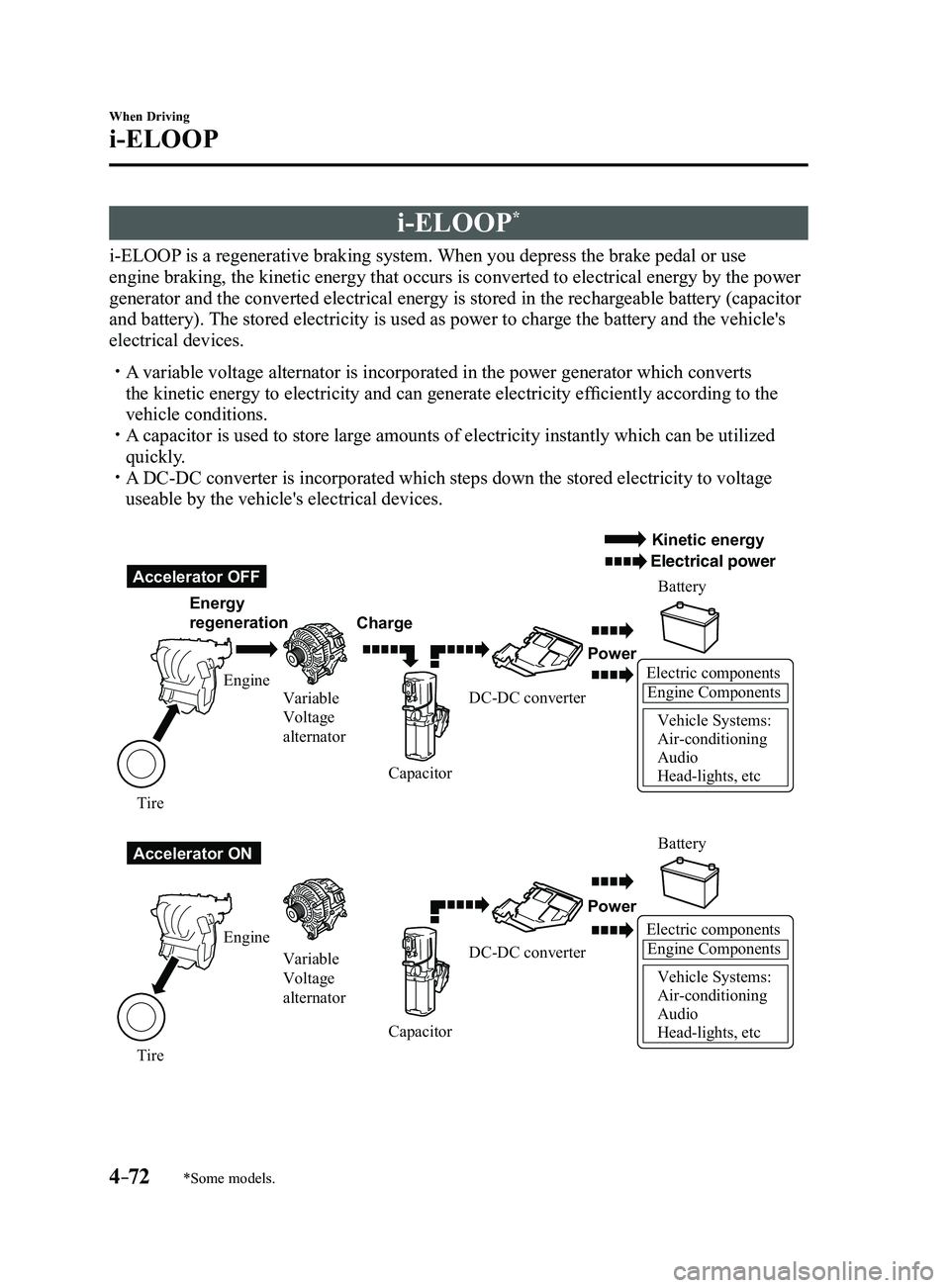
i-ELOOP is a regenerative braking system. When you depress the brake pedal or use
engine braking, the kinetic energy that occurs is converted to electrical energy by the power
generator and the converted electrical energy is stored in the rechargeable battery (capacitor
and battery). The stored electricity is used as power to charge the battery and the vehicle's
electrical devices.
A variable voltage alternator is incorporated in the power generator whic\
h converts
the kinetic energy to electricity and can generate electricity efficiently according to the
vehicle conditions.
A capacitor is used to store large amounts of electricity instantly which can be utilized
quickly. A DC-DC converter is incorporated which steps down the stored electricity\
to voltage
useable by the vehicle's electrical devices.
Electric componentsEngine Components
Vehicle Systems:
Air-conditioning
Audio
Head-lights, etc
Accelerator OFF
Accelerator ON Energy
regeneration
Charge Battery
Battery
Power
Power
Electric componentsEngine Components
Vehicle Systems:
Air-conditioning
Audio
Head-lights, etc
Engine Variable
Voltage
alternator
Variable
Voltage
alternator
Engine
Tire Tire Capacitor
CapacitorDC-DC converter
DC-DC converter
Kinetic energy
Electrical power
Mazda3_8FL6-EA-16F_Edition2.indb 722016/08/10 17:36:30
Page 219 of 612
 will operate when all of the following\
conditions are
met:
The ignition is switched ON. The Blind Spot Monitoring (B")
4–89
When Driving
i-ACTIVSENSE
NOTE
The Blind Spot Monitoring (BSM) will operate when all of the following\
conditions are
met:
The ignition is switched ON. The Blind Spot Monitoring (BSM) OFF indicator light in the instrument \
cluster is
turned off. The vehicle speed is about 10 km/h (6.3 mph) or faster.
The Blind Spot Monitoring (BSM) will not operate under the following c\
ir cumstances.
The vehicle speed falls below about 10 km/h (6.3 mph) even though the \
Blind Spot
Monitoring (BSM) OFF switch indicator light is turned off. The shift lever (manual transaxle)/selector lever (automatic transaxl\
e) is shifted to
reverse (R) and the vehicle is reversing.
In the following cases, the Blind Spot Monitoring (BSM) warning indica\
tion/warning
light turns on and operation of the system is stopped. If the Blind Spot\
Monitoring (BSM)
warning indication/warning light remains illuminated, have the vehicle inspected at an
Authorized Mazda Dealer as soon as possible.
Some problem with the system including the Blind Spot Monitoring (BSM) warnin\
g
indicator lights is detected. A large deviation in the installation position of a radar sensor (rear) on the vehicle has
occurred. There is a large accumulation of snow or ice on the rear bumper near a radar sensor
(rear). Remove any snow, ice or mud on the rear bumper. Driving on snow-covered roads for long periods. The temperature near the radar sensors (rear) becomes extremely hot due to driving
for long periods on slopes during the summer. The battery voltage has decr eased.
Under the following conditions, the radar sensors (r ear) cannot detect target objects or it
may be difficult to detect them.
A vehicle is in the detection area at the rear in an adjacent driving lane but it does not
approach. The Blind Spot Monitoring (BSM) determines the condition based o\
n radar
detection data.
A vehicle is traveling alongside your vehicle at nearly the same speed fo\
r an extended
period of time. Vehicles approaching in the opposite direction. A vehicle in an adjacent driving lane is attempting to pass your vehicle.\
A vehicle is in an adjacent lane on a road with extremely wide driving lanes. The
detection area of the radar sensors (rear) is set at the road width of expressways.
Mazda3_8FL6-EA-16F_Edition2.indb 892016/08/10 17:36:37
Page 235 of 612
4–105
When Driving
i-ACTIVSENSE
WARNING
Always check the surrounding area visually before actually putting the vehicle in
reverse:The system is only designed to assist you in checking for vehicles at the rear when putting
the vehicle in reverse. Due to certain limitations with the operation of this system, the
Blind Spot Monitoring (BSM) warning indicator lights may not flash or it might be delayed
even though a vehicle is behind your vehicle. Always make it your responsibility as a
driver to check the rear.
NOTE
In the following cases, the Blind Spot Monitoring (BSM) warning indica\
tion/warning
light turns on and operation of the system is stopped. If the Blind Spot\
Monitoring (BSM)
warning indication/warning light remains illuminated, have the vehicle inspected at an
Authorized Mazda Dealer as soon as possible.
Some problem with the system including the Blind Spot Monitoring (BSM) warnin\
g
indicator lights has occurred. A large deviation in the installation position of a radar sensor (rear) on the vehicle has
occurred. There is a large accumulation of snow or ice on the rear bumper near a radar sensor
(rear). Driving on snow-cover ed roads for long periods. The temperature near the radar sensors becomes extremely hot due to driving for long
periods on slopes during the summer. The battery voltage has decr eased.
Mazda3_8FL6-EA-16F_Edition2.indb 1052016/08/10 17:36:45