mirror controls MAZDA MODEL 3 5-DOOR 2017 Owners Manual
[x] Cancel search | Manufacturer: MAZDA, Model Year: 2017, Model line: MODEL 3 5-DOOR, Model: MAZDA MODEL 3 5-DOOR 2017Pages: 612
Page 185 of 612
4–55
When Driving
Switches and Controls
*Some models.
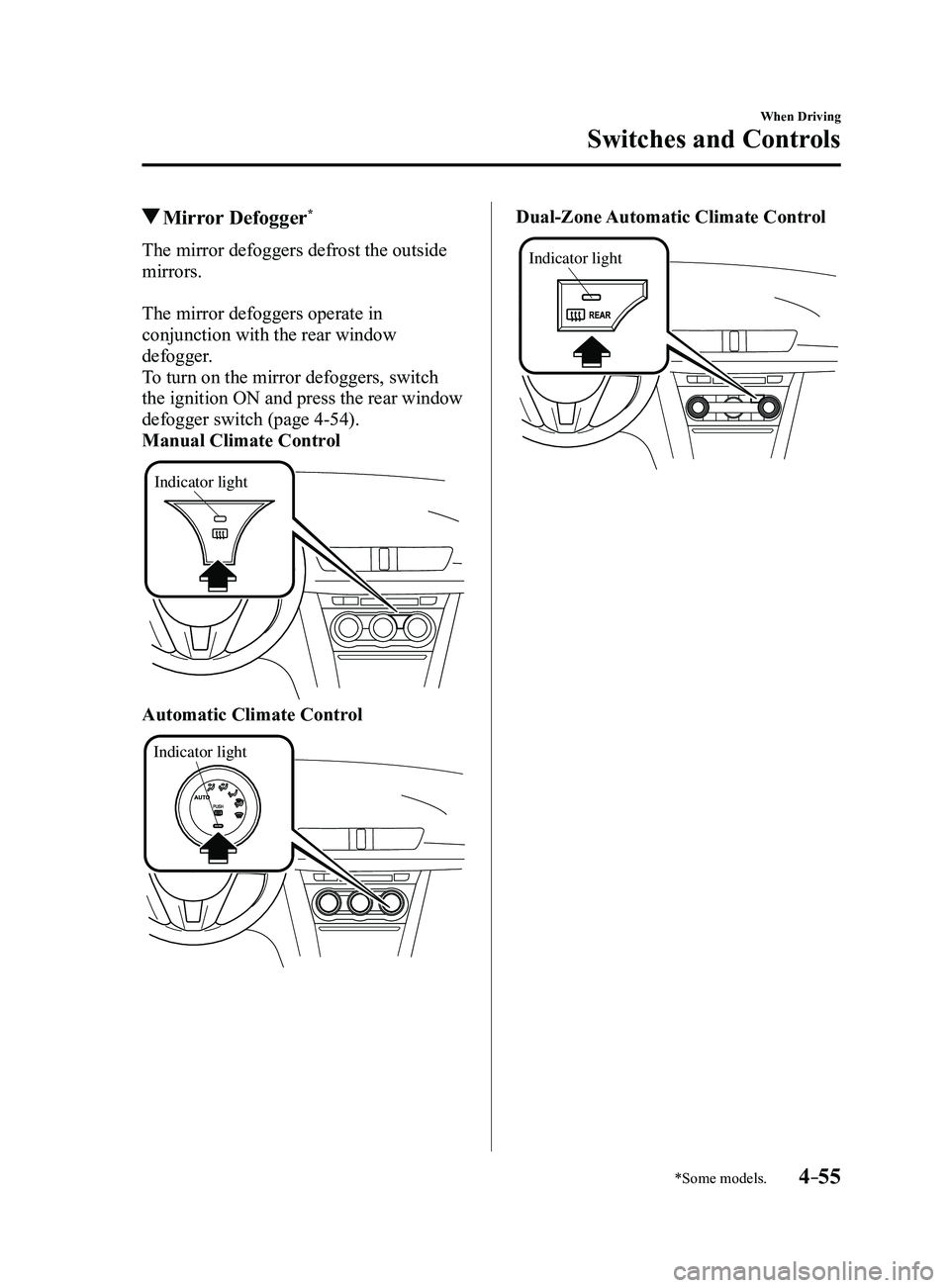
Mirror Defogger*
The mirror defoggers defrost the outside
mirrors.
The mirror defoggers operate in
conjunction with the rear window
defogger.
To turn on the mirror defoggers, switch
the ignition ON and press the rear window
defogger switch (page
4-54).
Manual Climate Control
Indicator light
Automatic Climate Control
Indicator light
Dual-Zone Automatic Climate Control
Indicator light
Mazda3_8FL6-EA-16F_Edition2.indb 552016/08/10 17:36:23
Page 187 of 612
4–57
When Driving
Switches and Controls
*Some models.
HomeLink Wireless
Control System
*
NOTE
HomeLink and HomeLink house icon
are registered trademarks of Gentex
Corporation.
The HomeLink system replaces up to
3 hand-held transmitters with a single
built-in component in the auto-dimming
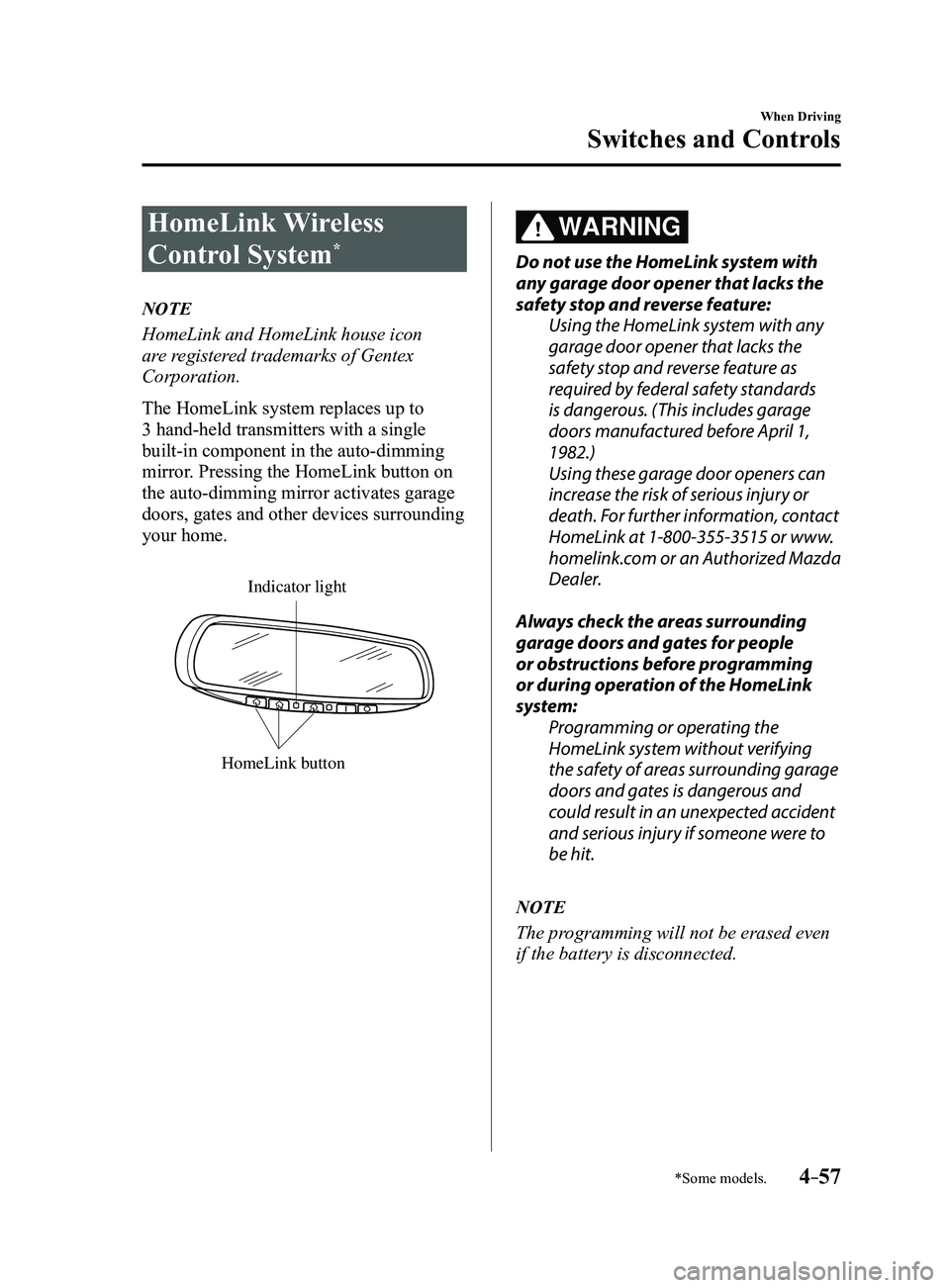
mirror. Pressing the HomeLink button on
the auto-dimming mirror activates garage
doors, gates and other devices surrounding
your home.
HomeLink button
Indicator light
WARNING
Do not use the HomeLink system with
any garage door opener that lacks the
safety stop and reverse feature:Using the HomeLink system with any
garage door opener that lacks the
safety stop and reverse feature as
required by federal safety standards
is dangerous. (This includes garage
doors manufactured before April 1,
1982.)
Using these garage door openers can
increase the risk of serious injury or
death. For further information, contact
HomeLink at 1-800-355-3515 or www.
homelink.com or an Authorized Mazda
Dealer.
Always check the areas surrounding
garage doors and gates for people
or obstructions before programming
or during operation of the HomeLink
system: Programming or operating the
HomeLink system without verifying
the safety of areas surrounding garage
doors and gates is dangerous and
could result in an unexpected accident
and serious injury if someone were to
be hit.
NOTE
The programming will not be erased even
if the battery is disconnected.
Mazda3_8FL6-EA-16F_Edition2.indb 572016/08/10 17:36:24
Page 190 of 612
4–60
When Driving
Switches and Controls
Operating the HomeLink System
Press the programmed HomeLink button
to operate a programmed device. The
code will continue being transmitted for a
maximum of 20 seconds.
Reprogramming the HomeLink
system
To program a device to HomeLink using
a HomeLink button previously trained,
follow these steps:
1. Press and hold the desired HomeLink
button. DO NOT release the button.
2. The indicator light will begin to flash
after 20 seconds. Without releasing
the HomeLink button, proceed with
“Programming” - step 1.
Erasing Programmed HomeLink
Buttons
To erase the existing programming from
all three operating channels, press and
hold the two outside buttons (
, ) on
the auto-dimming mirror until the
HomeLink indicator light begins to flash
after approximately 10 seconds.
Verify that the programming has been
erased when you resell the vehicle.
Mazda3_8FL6-EA-16F_Edition2.indb 602016/08/10 17:36:25