weight MAZDA MODEL 3 5-DOOR 2017 Owners Manual
[x] Cancel search | Manufacturer: MAZDA, Model Year: 2017, Model line: MODEL 3 5-DOOR, Model: MAZDA MODEL 3 5-DOOR 2017Pages: 612
Page 48 of 612
2–34
Essential Safety Equipment
Child-Restraint
Never use a rear-facing child-restraint
system in the front seat with an air bag
that could deploy:Rear-facing child-restraint systems
on the front seat are particularly
dangerous.
Even in a moderate collision, the
child-restraint system can be hit
by a deploying air bag and moved
violently backward resulting in
serious injury or death to the child.
Even though you may feel assured
that the front passenger air bag will
not deploy based on the fact that the
front passenger air bag deactivation
indicator light illuminates, you should
not use a rear-facing child-restraint
system in the front seat.
Do not allow a child or anyone to lean
over or against the side window of a
vehicle with side and curtain air bags: It is dangerous to allow anyone to lean
over or against the side window, the
area of the front passenger seat, the
front and rear window pillars and the
roof edge along both sides from which
the side and curtain air bags deploy,
even if a child-restraint system is used.
The impact of inflation from a side or
curtain air bag could cause serious
injury or death to an out of position
child. Furthermore, leaning over or
against the front door could block the
side and curtain air bags and eliminate
the advantages of supplemental
protection. With the front air bag and
the additional side air bag that comes
out of the front seat, the rear seat is
always a better location for children.
Take special care not to allow a child to
lean over or against the side window,
even if the child is seated in a child-
restraint system.Front Passenger's Seat Child-Restraint
System Installation (With Front
Passenger Occupant Classification
System)
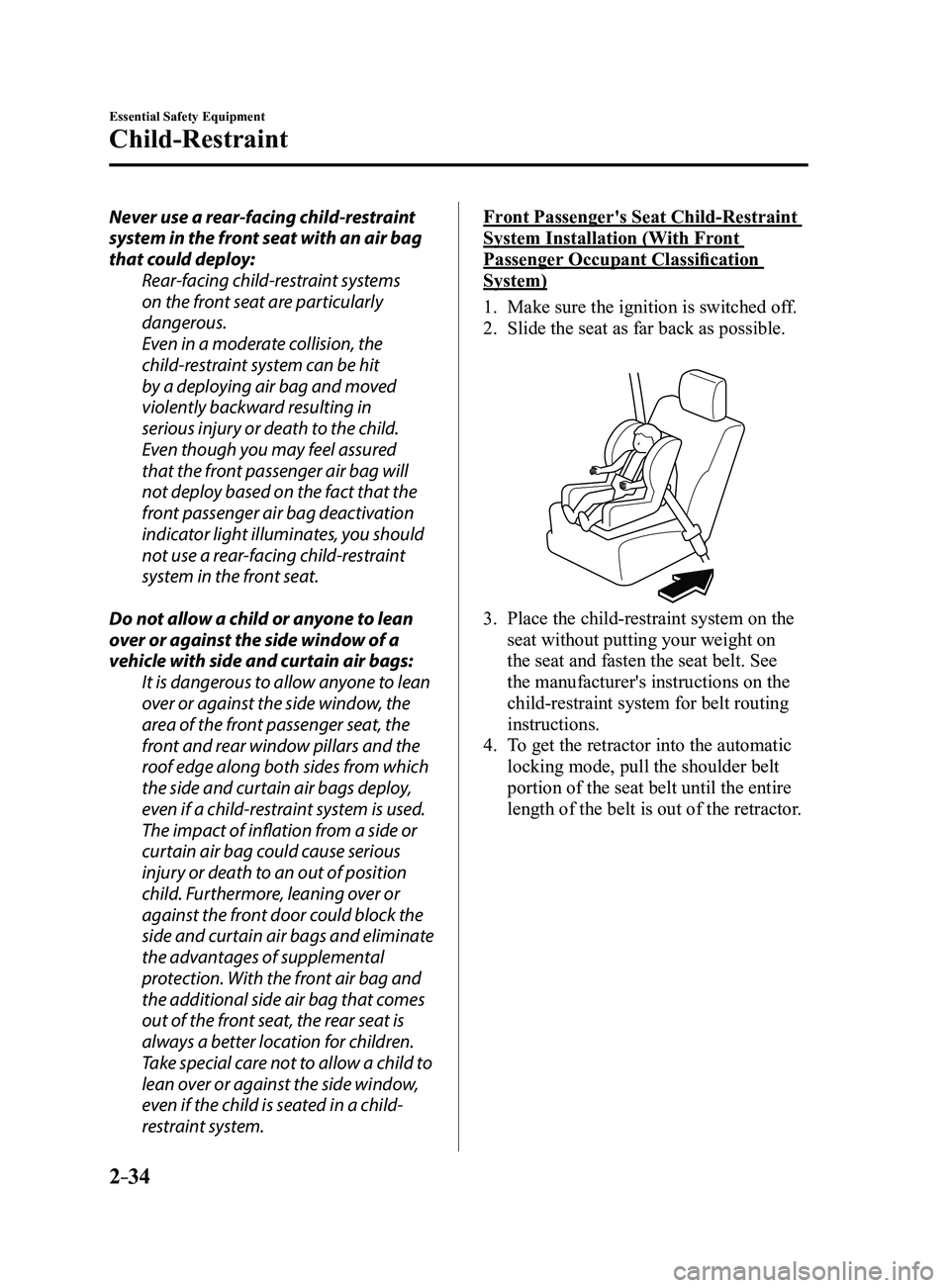
1. Make sure the ignition is switched of f.
2. Slide the seat as far back as possible.
3. Place the child-restraint system on the
seat without putting your weight on
the seat and fasten the seat belt. See
the manufacturer's instructions on the
child-restraint system for belt routing
instructions.
4. To get the retractor into the automatic
locking mode, pull the shoulder belt
portion of the seat belt until the entire
length of the belt is out of the retractor.
Mazda3_8FL6-EA-16F_Edition2.indb 342016/08/10 17:35:04
Page 59 of 612
2–45
Essential Safety Equipment
SRS Air Bags
To prevent false detection by the air bag sensor system, heed the following:
Do not use tires or wheels other than those specified for your Mazda:
Use of any tire or wheel other than those specified for your Mazda (page 9-10) is
dangerous. Use of such wheels will prevent the vehicle's accident detections system
from accurately detecting a collision or roll-over accident resulting in incorrect or
unexpected air bag deployment and the possibility of serious injuries.
Do not overload your vehicle:
Overloading your vehicle is dangerous as it could prevent the air bag crash sensor
system from accurately detecting a collision or roll-over accident resulting in incorrect
or unexpected air bag deployment and the possibility of serious injuries. The gross axle
weight rating (GAWR) and the gross vehicle weight rating (GVWR) for your vehicle are
on the Motor Vehicle Safety Standard Label on the driver's door frame. Do not exceed
these ratings.
Do not drive the vehicle off-road:
Driving your Mazda off-road is dangerous because the vehicle has not been designed
to do so. Driving the vehicle off-road could prevent the air bag crash sensor system
from accurately detecting a collision or roll-over accident resulting in incorrect or
unexpected air bag deployment and the possibility of serious injuries.
Do not modify a front door or leave any damage unrepaired. Always have an
Authorized Mazda Dealer inspect a damaged front door: Modifying a front door or leaving any damage unrepaired is dangerous. Each front
door has a side crash sensor as a component of the supplemental restraint system. If
holes are drilled in a front door, a door speaker is left removed, or a damaged door is left
unrepaired, the sensor could be adversely affected causing it to not detect the pressure
of an impact correctly during a side collision. If a sensor does not detect a side impact
correctly, the side and curtain air bags and the front seat belt pretensioner may not
operate normally which could result in serious injury to occupants.
Do not modify the supplemental restraint system: Modifying the components or wiring of the supplemental restraint system is dangerous.
You could accidentally activate it or make it inoperable. Do not make any modifications
to the supplemental restraint system. This includes installing trim, badges, or anything
else over the air bag modules. It also includes installing extra electrical equipment on or
near system components or wiring. An Authorized Mazda Dealer can provide the special
care needed in the removal and installation of front seats. It is important to protect the air
bag wiring and connections to assure that the bags do not accidentally deploy, and that
the front passenger occupant classification system and the seats retain an undamaged
air bag connection.
Mazda3_8FL6-EA-16F_Edition2.indb 452016/08/10 17:35:06
Page 98 of 612
3–22
Before Driving
Doors and Locks
CAUTION
Before opening the liftgate/trunk lid,
remove any snow and ice accumulation
on it. Otherwise, the liftgate/trunk lid
could close under the weight of the snow
and ice resulting in injury.
Be careful when opening/closing the
liftgate/trunk lid during strong winds.
If a strong gust blows against the
liftgate/trunk lid, it could close suddenly
resulting in injury.
Fully open the liftgate/trunk lid and
make sure that it stays open. If the
liftgate/trunk lid is only opened partially,
it could slam shut by vibration or wind
gusts resulting in injury.
When loading or unloading luggage in
the luggage compartment/trunk, turn
off the engine. Otherwise, you could get
burned by the heat of the exhaust gas.
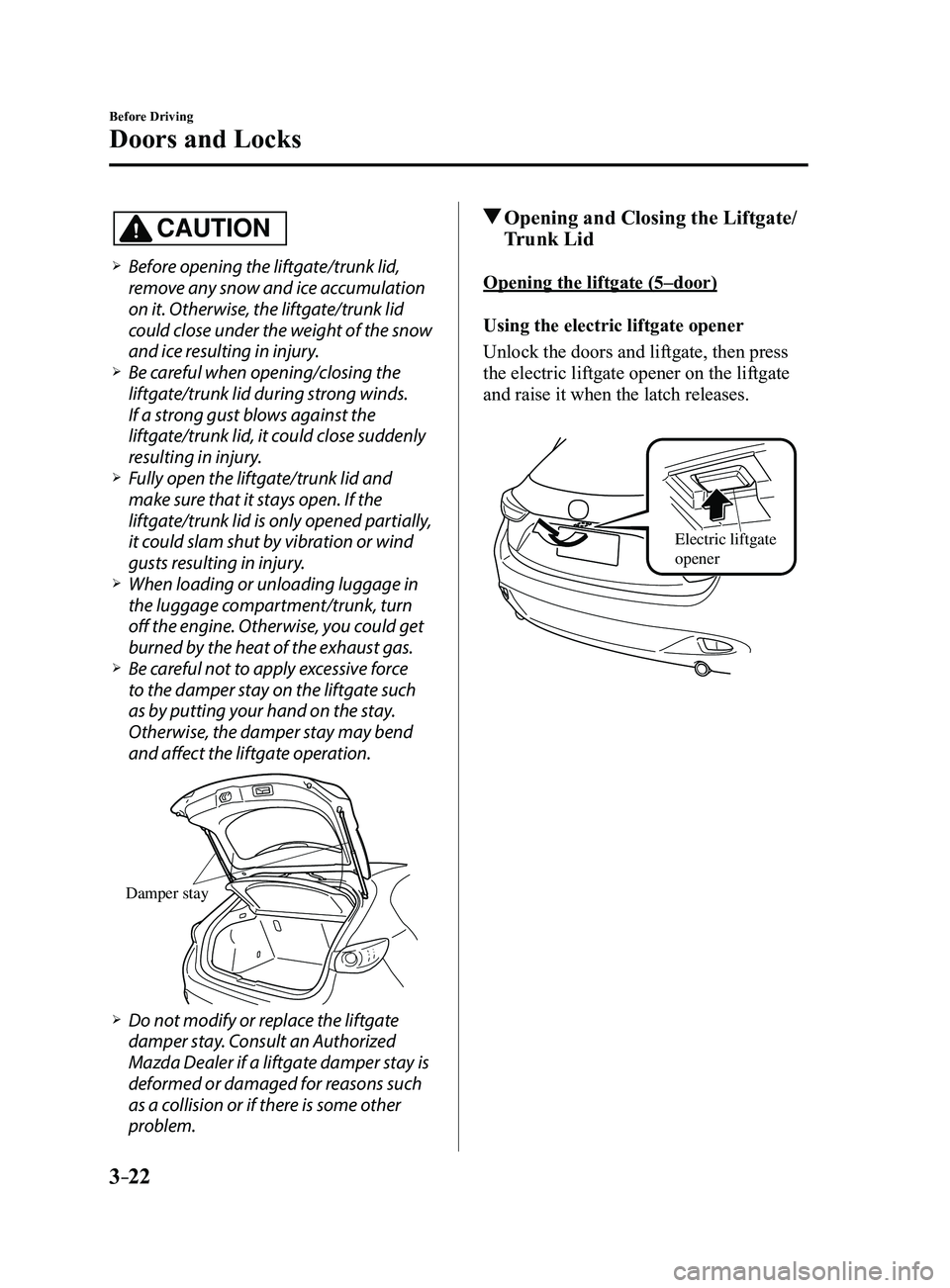
Be careful not to apply excessive force
to the damper stay on the liftgate such
as by putting your hand on the stay.
Otherwise, the damper stay may bend
and affect the liftgate operation.
Damper stay
Do not modify or replace the liftgate
damper stay. Consult an Authorized
Mazda Dealer if a liftgate damper stay is
deformed or damaged for reasons such
as a collision or if there is some other
problem.
Opening and Closing the Liftgate/
Trunk Lid
Opening the liftgate (5–door)
Using the electric liftgate opener
Unlock the doors and liftgate, then press
the electric liftgate opener on the liftgate
and raise it when the latch releases.
Electric liftgate
opener
Mazda3_8FL6-EA-16F_Edition2.indb 222016/08/10 17:35:24
Page 101 of 612
3–25
Before Driving
Doors and Locks
Luggage Compartment
Luggage compartment cover (5-door)
WARNING
Do not place anything on top of the
cover:Placing luggage or other cargo on top
of the luggage compartment cover is
dangerous. During sudden braking or
a collision, the cargo could become
a projectile that could hit and injure
someone. The vehicle has a light
weight luggage compartment cover to
keep the contents of your luggage area
out of sight; it will not retain heavy
objects that are not tied down in an
accident such as a rollover. Tie down
all heavy objects, whether luggage or
cargo, using the tie down hooks.
Make sure luggage and cargo are
secured before driving: Not securing cargo while driving is
dangerous as it could move or be
crushed during sudden braking or a
collision and cause injury.
CAUTION
Make sure the luggage compartment
cover is firmly secured. If it is not
firmly secured, it could unexpectedly
disengage resulting in injury. The luggage compartment can be accessed
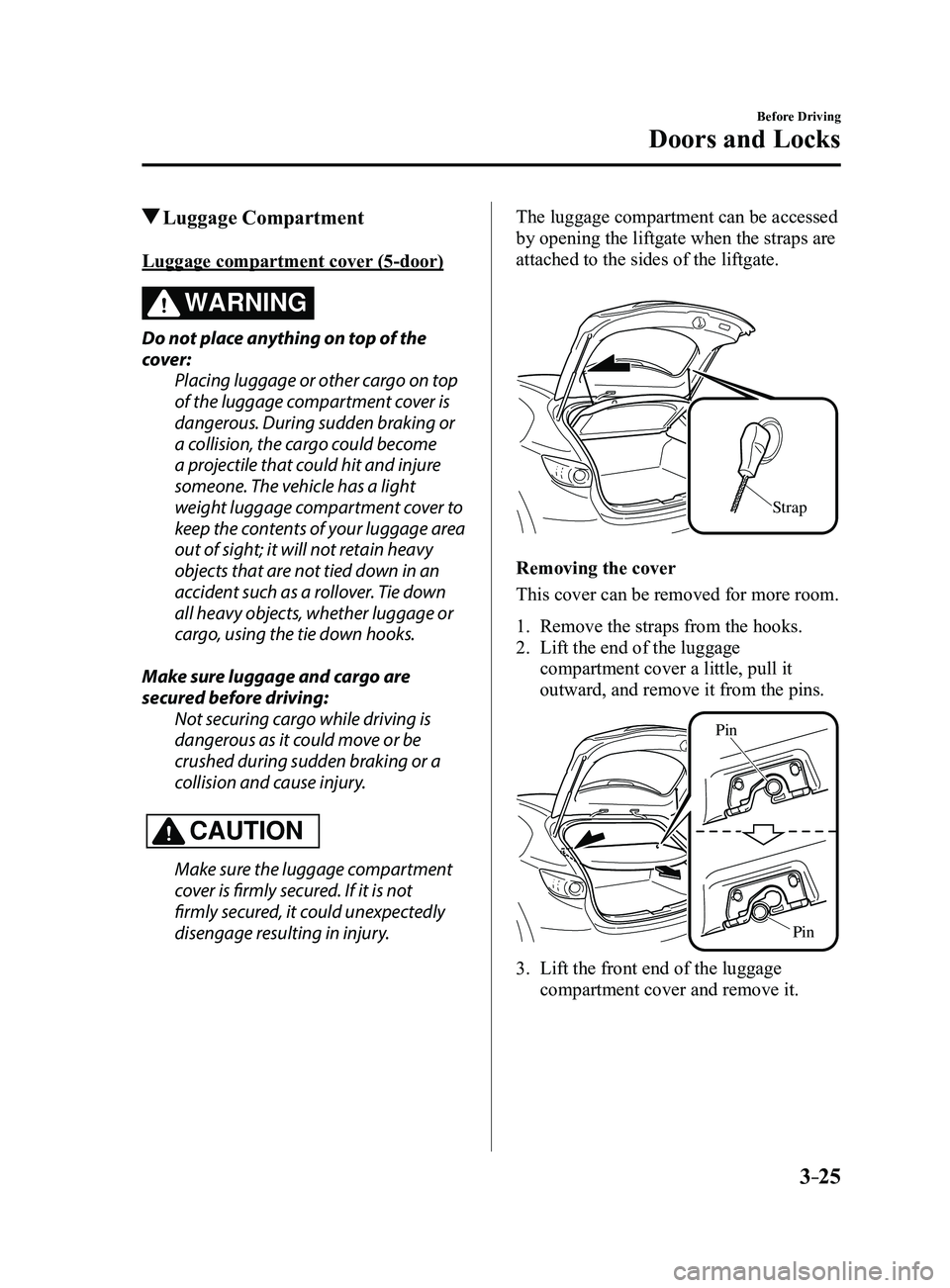
by opening the liftgate when the straps are
attached to the sides of the liftgate.
Strap
Removing the cover
This cover can be removed for more room.
1. Remove the straps from the hooks.
2. Lift the end of the luggage
compartment cover a little, pull it
outward, and remove it from the pins.
Pin
Pin
3. Lift the front end of the luggage
compartment cover and remove it.
Mazda3_8FL6-EA-16F_Edition2.indb 252016/08/10 17:35:26
Page 122 of 612
3–46
Before Driving
Driving Tips
Break-In Period
No special break-in is necessary, but a
few precautions in the first 1,000 km
(600 miles) may add to the performance,
economy, and life of the vehicle.
Do not race the engine. Do not maintain one constant speed,
either slow or fast, for a long period of
time.
Do not drive constantly at full-throttle or
high engine rpm for extended periods of
time.
Avoid unnecessary hard stops. Avoid full-throttle starts.
Saving Fuel and
Protection of the
Environment
How you operate your Mazda determines
how far it will travel on a tank of fuel. Use
these suggestions to help save fuel and
reduce CO2.
Avoid long warm-ups. Once the engine
runs smoothly, begin driving. Avoid fast starts. Drive at lower speeds. Anticipate when to apply the brakes
(avoid sudden braking). Follow the maintenance schedule
(page 6-4) and have an Authorized
Mazda Dealer perform inspections and
servicing.
Use the air conditioner only when
necessary. Slow down on rough roads. Keep the tires properly inflated. Do not carry unnecessary weight. Do not rest your foot on the brake pedal
while driving. Keep the wheels in correct alignment. Keep windows closed at high speeds. Slow down when driving in crosswinds
and headwinds.
WARNING
Never stop the engine when going down
a hill: Stopping the engine when going
down a hill is dangerous. This causes
the loss of power steering and power
brake control, and may cause damage
to the drivetrain. Any loss of steering
or braking control could cause an
accident.
Mazda3_8FL6-EA-16F_Edition2.indb 462016/08/10 17:35:38
Page 127 of 612
3–51
Before Driving
Driving Tips
Driving In Flooded Area
WARNING
Dry off brakes that have become
wet by driving slowly, releasing the
accelerator pedal and lightly applying
the brakes several times until the brake
performance returns to normal:Driving with wet brakes is dangerous.
Increased stopping distance or the
vehicle pulling to one side when
braking could result in a serious
accident. Light braking will indicate
whether the brakes have been affected.
CAUTION
Do not drive the vehicle on flooded
roads as it could cause short circuiting
of electrical/electronic parts, or
engine damage or stalling from
water absorption. If the vehicle has
been immersed in water, consult an
Authorized Mazda Dealer.
Overloading
WARNING
Be careful not to overload your vehicle:
The gross axle weight rating (GAWR)
and the gross vehicle weight rating
(GVWR) of the vehicle are on the
Motor Vehicle Safety Standard Label
on the driver's door frame. Exceeding
these ratings can cause an accident
or vehicle damage. You can estimate
the weight of the load by weighing the
items (or people) before putting them
in the vehicle.
Mazda3_8FL6-EA-16F_Edition2.indb 512016/08/10 17:35:39
Page 172 of 612
4–42
When Driving
Automatic Transaxle
Driving Tips
WARNING
Do not let the vehicle move in a
direction opposite to the direction
selected by the selector lever:Do not let the vehicle move backward
with the selector lever in a forward
position, or do not let the vehicle
move forward with the selector lever
in the reverse position. Otherwise, the
engine may stop, causing the loss of
the power brake and power steering
functions, and make it difficult to
control the vehicle which could result
in an accident.
Passing
For extra power when passing another
vehicle or climbing steep grades, depress
the accelerator fully. The transaxle will
shift to a lower gear, depending on vehicle
speed.
NOTE
(Some models)
The accelerator pedal may initially feel
heavy as it is being depressed, then feel
lighter as it is depressed further. This
change in pedal force aids the engine
control system in determining how
much the accelerator pedal has been
depressed for performing kickdown,
and functions to control whether or not
kickdown should be performed.
While the selector lever is in the M
position and the DSC is turned off,
manual shift mode does not switch
to automatic shift mode even if the
accelerator pedal is completely
depressed. Operate the selector lever.
Climbing steep grades from a stop
To climb a steep grade from a stopped
position:
1. Depress the brake pedal.
2. Shift to D or M1, depending on the
load weight and grade steepness.
3. Release the brake pedal while gradually
accelerating.
Descending steep grades
When descending a steep grade, shift to
lower gears, depending on load weight and
grade steepness. Descend slowly, using the
brakes only occasionally to prevent them
from overheating.
Mazda3_8FL6-EA-16F_Edition2.indb 422016/08/10 17:36:13
Page 178 of 612
4–48
When Driving
Switches and Controls
*Some models.
Headlight Leveling*
The number of passengers and weight of
cargo in the luggage compartment change
the angle of the headlights.
The angle of the headlights will be
automatically adjusted when turning on
the headlights.
Daytime Running Lights
Some countries require moving vehicles
to have their lights on (daytime running
lights) during the daytime.
The daytime running lights turn on
automatically when the vehicle starts
moving.
They turn off when the parking brake is
operated or the shift lever is shifted to the
P position (automatic transaxle vehicle).
NOTE
(Except Canada)
The daytime running lights can be
deactivated.
Refer to Personalization Features on page
9-12.
Fog Lights*
The fog lights can be used when the
ignition is switched ON.
Use this switch to turn on the fog lights.
The fog lights will improve visibility at
night and during foggy conditions.
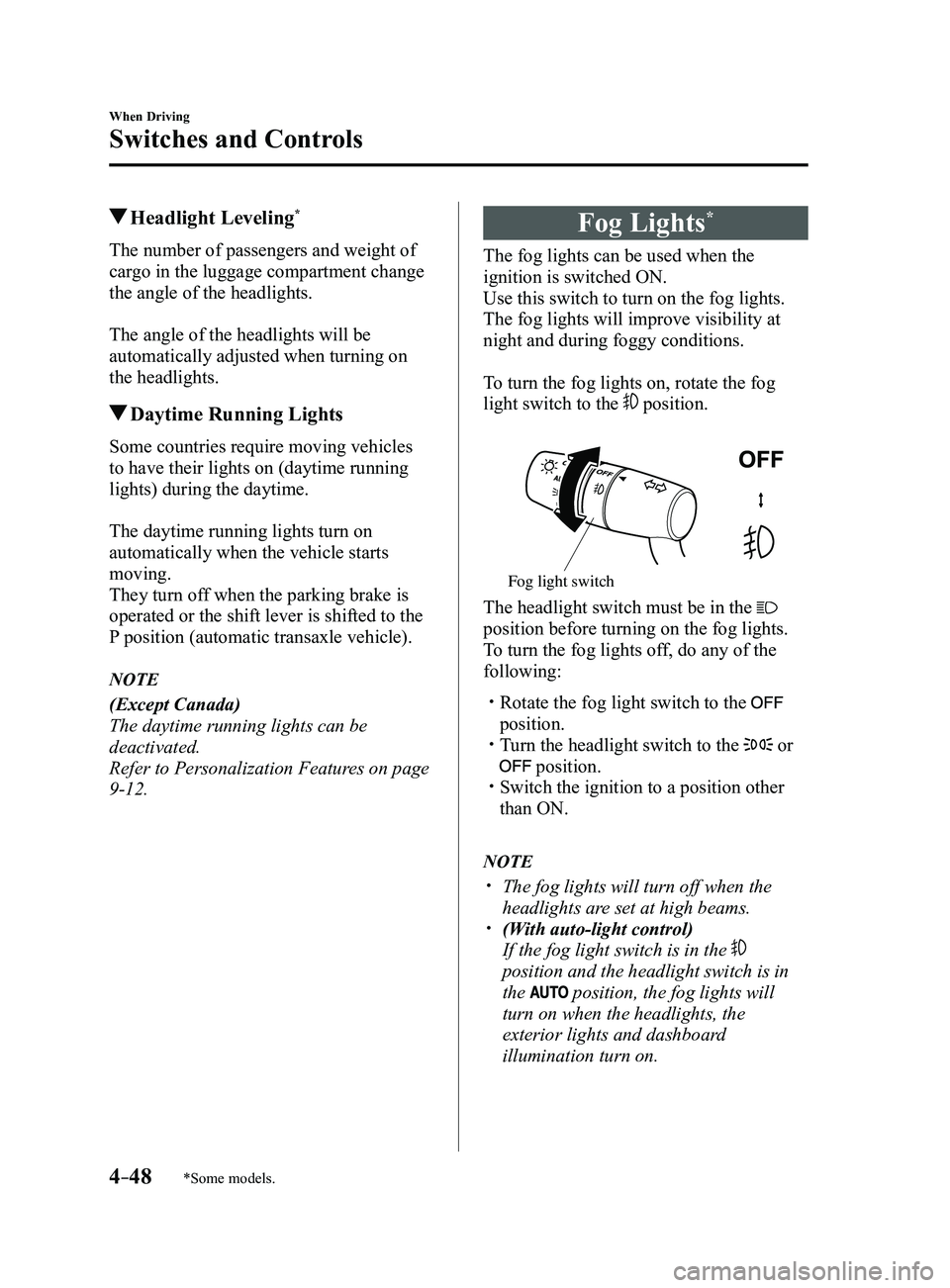
To turn the fog lights on, rotate the fog
light switch to the
position.
Fog light switch
The headlight switch must be in the
position before turning on the fog lights.
To turn the fog lights off, do any of the
following:
Rotate the fog light switch to the
position. Turn the headlight switch to the or
position. Switch the ignition to a position other
than ON.
NOTE
The fog lights will turn off when the
headlights are set at high beams. (With auto-light control)
If the fog light switch is in the
position and the headlight switch is in
the
position, the fog lights will
turn on when the headlights, the
exterior lights and dashboard
illumination turn on.
Mazda3_8FL6-EA-16F_Edition2.indb 482016/08/10 17:36:18
Page 290 of 612
4–160
When Driving
Rear View Monitor
NOTE
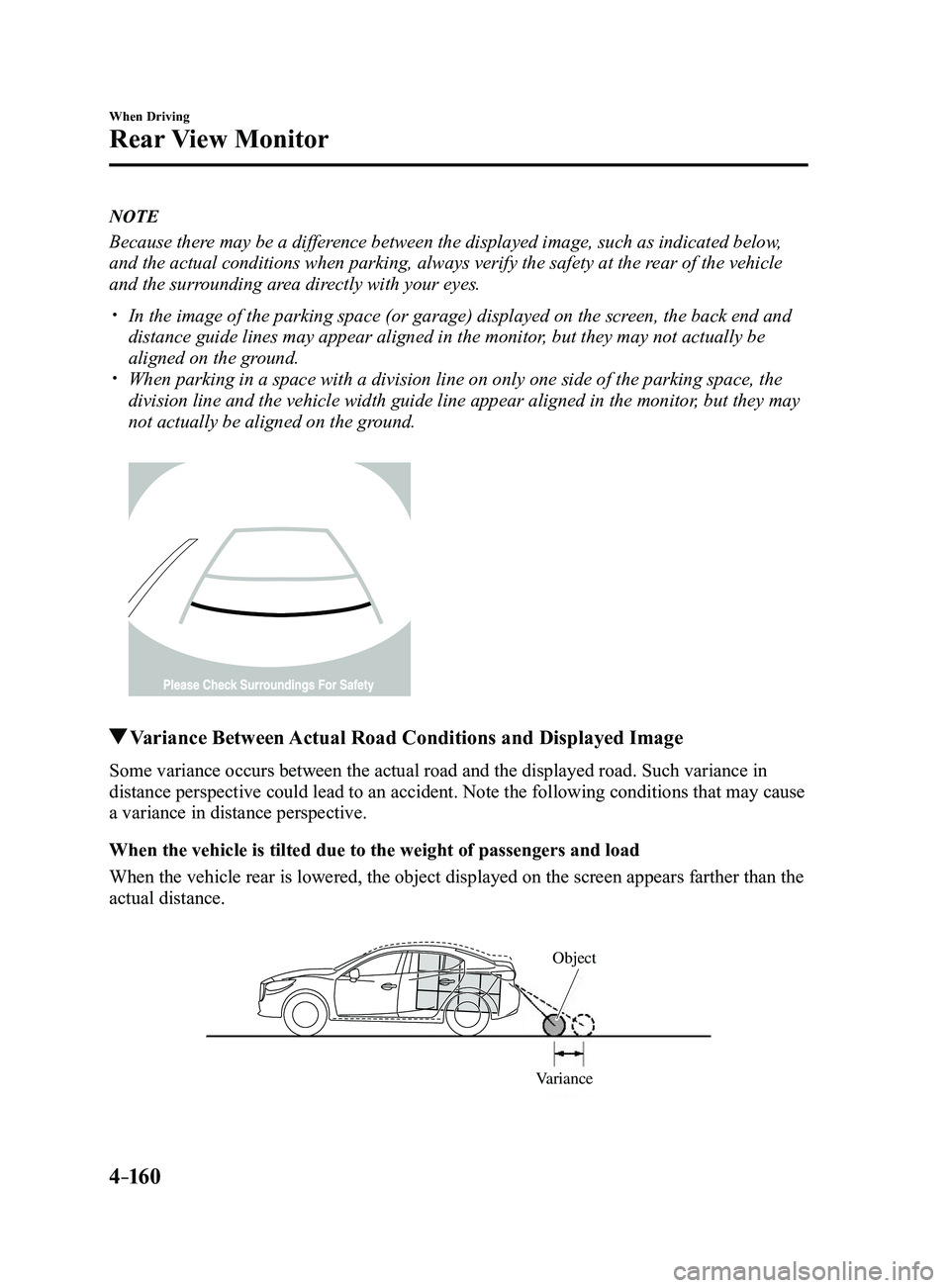
Because there may be a difference between the displayed image, such as indicated below,
and the actual conditions when parking, always verify the safety at the \
rear of the vehicle
and the surrounding area directly with your eyes.
In the image of the parking space (or garage) displayed on the screen, the back end and
distance guide lines may appear aligned in the monitor, but they may not actually be
aligned on the ground.
When parking in a space with a division line on only one side of the par\
king space, the
division line and the vehicle width guide line appear aligned in the mon\
itor, but they may
not actually be aligned on the ground.
Variance Between Actual Road Conditions and Displayed Image
Some variance occurs between the actual road and the displayed road. Suc\
h variance in
distance perspective could lead to an accident. Note the following conditions that may cause
a variance in distance perspective.
When the vehicle is tilted due to the weight of passengers and load
When the vehicle rear is lowered, the object displayed on the screen app\
ears farther than the
actual distance.
VarianceObject
Mazda3_8FL6-EA-16F_Edition2.indb 1602016/08/10 17:37:07
Page 435 of 612
6–23
Maintenance and Care
Owner Maintenance
Closing the Hood
1. Check under the hood area to make
certain all filler caps are in place and all
loose items (e.g. tools, oil containers,
etc.) have been removed.
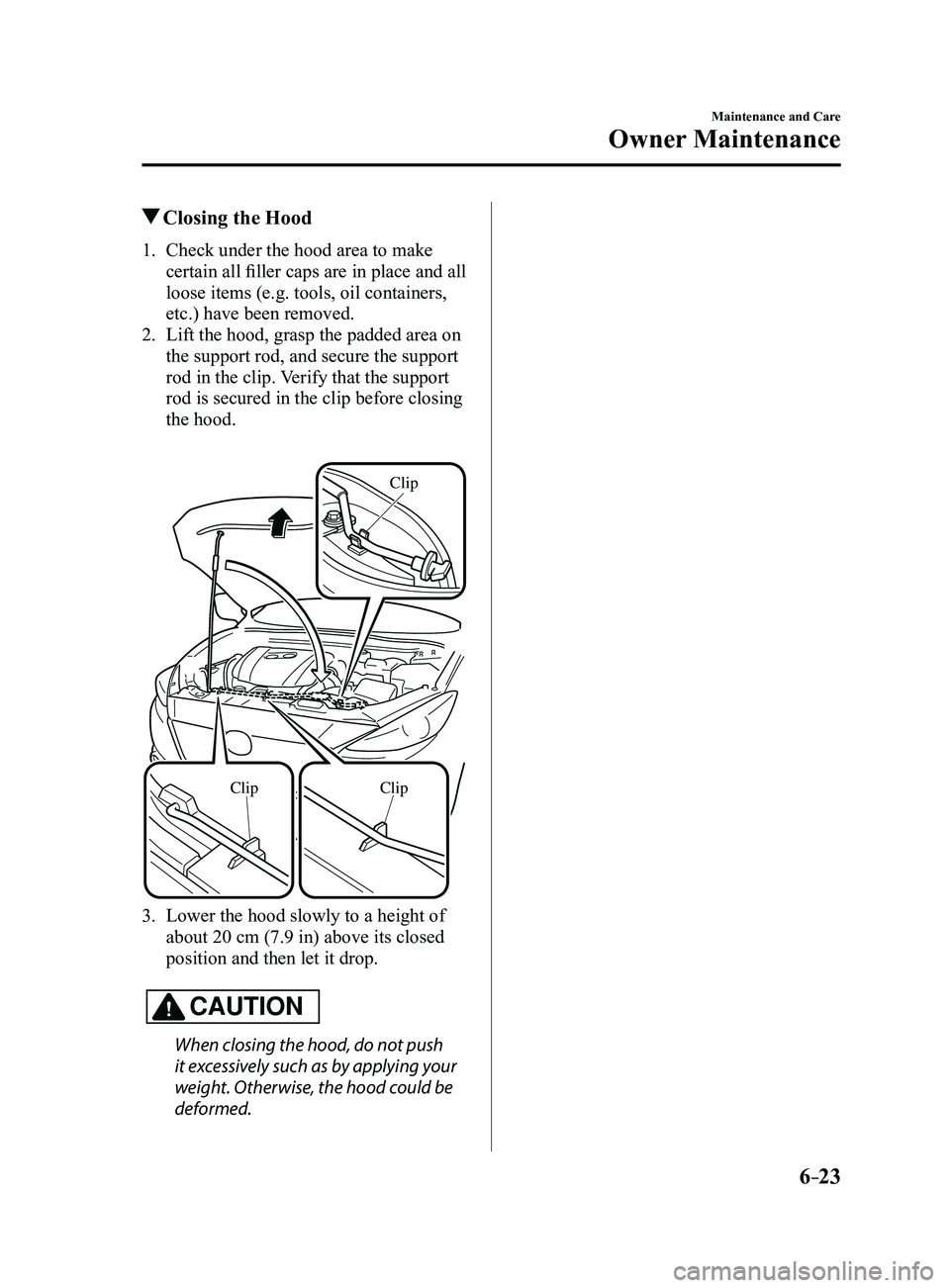
2. Lift the hood, grasp the padded area on
the support rod, and secure the support
rod in the clip. Verify that the support
rod is secured in the clip before closing
the hood.
ClipClip
Clip
3. Lower the hood slowly to a height of
about 20 cm (7.9 in) above its closed
position and then let it drop.
CAUTION
When closing the hood, do not push
it excessively such as by applying your
weight. Otherwise, the hood could be
deformed.
Mazda3_8FL6-EA-16F_Edition2.indb 232016/08/10 17:38:36