low MAZDA MODEL 3 HATCHBACK 2006 Owner's Manual (in English)
[x] Cancel search | Manufacturer: MAZDA, Model Year: 2006, Model line: MODEL 3 HATCHBACK, Model: MAZDA MODEL 3 HATCHBACK 2006Pages: 372, PDF Size: 5.55 MB
Page 203 of 372
Black plate (203,1)
Music scan
This feature helps to find a program by
playing about the first 10 seconds of each
track.
Press the scan button (
) during play
to start scan play operation (the track
number will flash).
Press the scan button (
) once again
to cancel scan play.
NOTE
If the unit is left in scan, normal play
will resume where scan was selected.
Repeat play
This feature makes it possible to listen to
a selection repeatedly.
Press the repeat button (
) during play.
The current selection will be repeated
(“RPT”will be displayed).
Press the repeat button (
) once again
to cancel repeat play.
Random play
This feature allows the CD player to
randomly select the order of the songs.
Press the random button (
) during
play. The next selection will be randomly
selected (“RDM”will be displayed).
Press the random button (
) once
again to cancel random play.
Interior Comfort
Audio System
6-33
Mazda3_8U55-EA-05G_Edition2 Page203
Thursday, June 23 2005 2:55 PM
Form No.8U55-EA-05G
Page 206 of 372
Black plate (206,1)
NOTE
lCDs will be ejected starting with the
one with the lowest number.
lAll CDs in the tray will be ejected
continuously.
lCDs can be ejected when the ignition
switch is off. Press and hold the CD
eject button (
) for about 2 seconds
and all CDs will eject.
Playing
Press the CD play button (
) to start
play when a CD is in the unit.
If there isn't a CD in the unit when the CD
play button (
) is pressed,“NO DISC”
will flash on and off.
Fast-forward/Reverse
Press and hold the fast-forward button
(
) to advance through a track at high
speed.
Press and hold the reverse button (
)
to reverse through a track at high speed.
Track search
Press the track up button (
) once to skip
forward to the beginning of the next track.
Press the track down button (
)onceto
skip back to the beginning of the current
track.
Disc search
Press the disc up button (
) to skip
forward to the beginning of the next CD.
Press the disc down button (
)to
skip back to the beginning of the previous
CD.
Music scan
This feature helps to find a program by
playing about the first 10 seconds of each
track.Press the scan button (
) during play
to start scan play operation (the track
number will flash).
Press the scan button (
) once again
to cancel scan play.
NOTE
If the unit is left in scan, normal play
will resume where scan was selected.
Repeat play
This feature makes it possible to listen to
a selection repeatedly.
Press the repeat button (
) during play.
The current selection will be repeated
(“RPT”will be displayed).
Press the repeat button (
) once again
to cancel repeat play.
Random play
This feature allows the CD player to
randomly select the order of the songs.
Press the random button (
) during
play. The next selection will be randomly
selected (“RDM”will be displayed).
Press the random button (
) once
again to cancel random play.
6-36
Interior Comfort
Audio System
Mazda3_8U55-EA-05G_Edition2 Page206
Thursday, June 23 2005 2:55 PM
Form No.8U55-EA-05G
Page 208 of 372
Black plate (208,1)
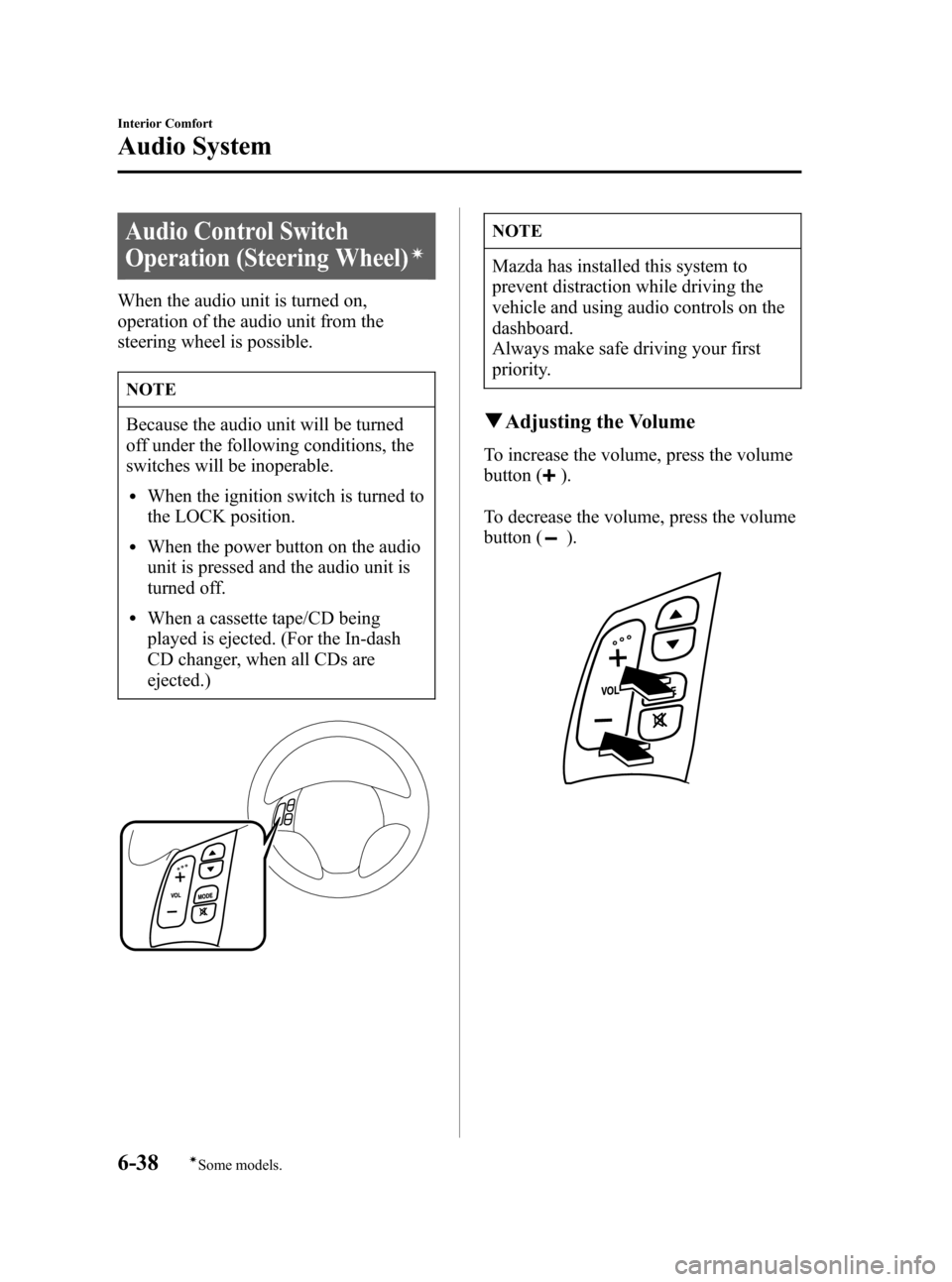
Audio Control Switch
Operation (Steering Wheel)
í
When the audio unit is turned on,
operation of the audio unit from the
steering wheel is possible.
NOTE
Because the audio unit will be turned
off under the following conditions, the
switches will be inoperable.
lWhen the ignition switch is turned to
the LOCK position.
lWhen the power button on the audio
unit is pressed and the audio unit is
turned off.
lWhen a cassette tape/CD being
played is ejected. (For the In-dash
CD changer, when all CDs are
ejected.)
NOTE
Mazda has installed this system to
prevent distraction while driving the
vehicle and using audio controls on the
dashboard.
Always make safe driving your first
priority.
qAdjusting the Volume
To increase the volume, press the volume
button (
).
To decrease the volume, press the volume
button (
).
6-38
Interior Comfort
íSome models.
Audio System
Mazda3_8U55-EA-05G_Edition2 Page208
Thursday, June 23 2005 2:55 PM
Form No.8U55-EA-05G
Page 209 of 372
Black plate (209,1)
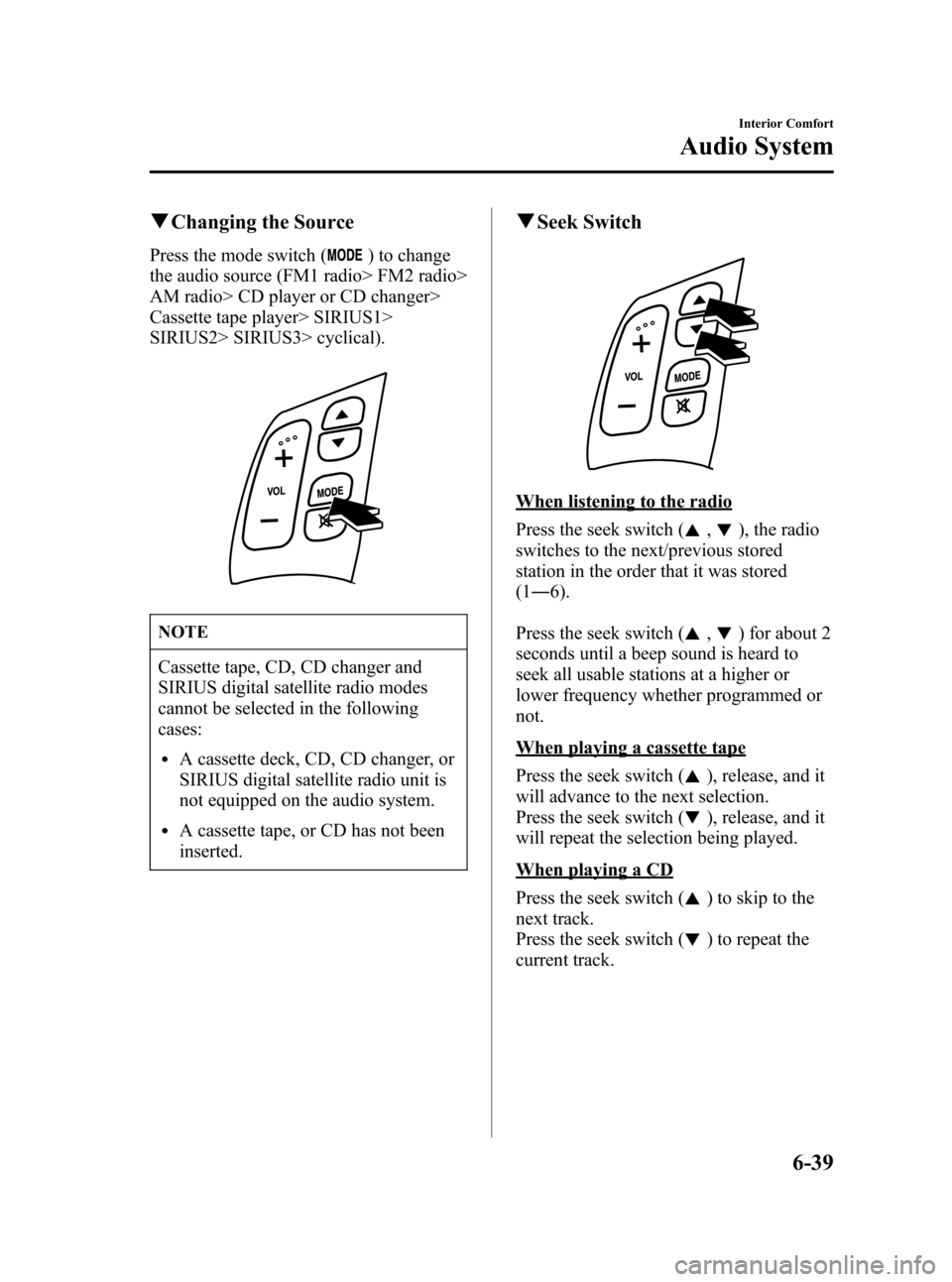
qChanging the Source
Press the mode switch () to change
the audio source (FM1 radio> FM2 radio>
AM radio> CD player or CD changer>
Cassette tape player> SIRIUS1>
SIRIUS2> SIRIUS3> cyclical).
NOTE
Cassette tape, CD, CD changer and
SIRIUS digital satellite radio modes
cannot be selected in the following
cases:
lA cassette deck, CD, CD changer, or
SIRIUS digital satellite radio unit is
not equipped on the audio system.
lA cassette tape, or CD has not been
inserted.
qSeek Switch
When listening to the radio
Press the seek switch (
,), the radio
switches to the next/previous stored
station in the order that it was stored
(1―6).
Press the seek switch (
,) for about 2
seconds until a beep sound is heard to
seek all usable stations at a higher or
lower frequency whether programmed or
not.
When playing a cassette tape
Press the seek switch (
), release, and it
will advance to the next selection.
Press the seek switch (
), release, and it
will repeat the selection being played.
When playing a CD
Press the seek switch (
) to skip to the
next track.
Press the seek switch (
) to repeat the
current track.
Interior Comfort
Audio System
6-39
Mazda3_8U55-EA-05G_Edition2 Page209
Thursday, June 23 2005 2:55 PM
Form No.8U55-EA-05G
Page 211 of 372

Black plate (211,1)
Safety Certification
This CD player is made and tested to meet exacting safety standards. It meets FCC
requirements and complies with safety performance standards of the U.S. Department of
Health and Human Services.
CAUTION
lThis CD player should not be adjusted or repaired by anyone except qualified service
personnel.
If servicing is required, contact an Authorized Mazda Dealer.
lUse of controls or adjustments or performance of procedures other than those
specified herein may result in hazardous laser exposure. Never operate the CD player
with the top case of the unit removed.
lChanges or modifications not expressly approved by the party responsible for
compliance could void the user's authority to operate this equipment.
NOTE
For CD player section:
This device complies with part 15 of the FCC Rules. Operation is subject to the
following two conditions: (1) This device may not cause harmful interference, and (2)
this device must accept any interference received, including interference that may cause
undesired operation.
NOTE
This equipment has been tested and found to comply with the limits for a Class B digital
device, pursuant to part 15 of the FCC Rules. These limits are designed to provide
reasonable protection against harmful interference in a residential installation. This
equipment generates, uses, and can radiate radio frequency energy and, if not installed
and used in accordance with the instructions, may cause harmful interference to radio
communications. However, there is no guarantee that interference will not occur in a
particular installation.
Interior Comfort
Audio System
6-41
Mazda3_8U55-EA-05G_Edition2 Page211
Thursday, June 23 2005 2:55 PM
Form No.8U55-EA-05G
Page 212 of 372
Black plate (212,1)
Sunvisors
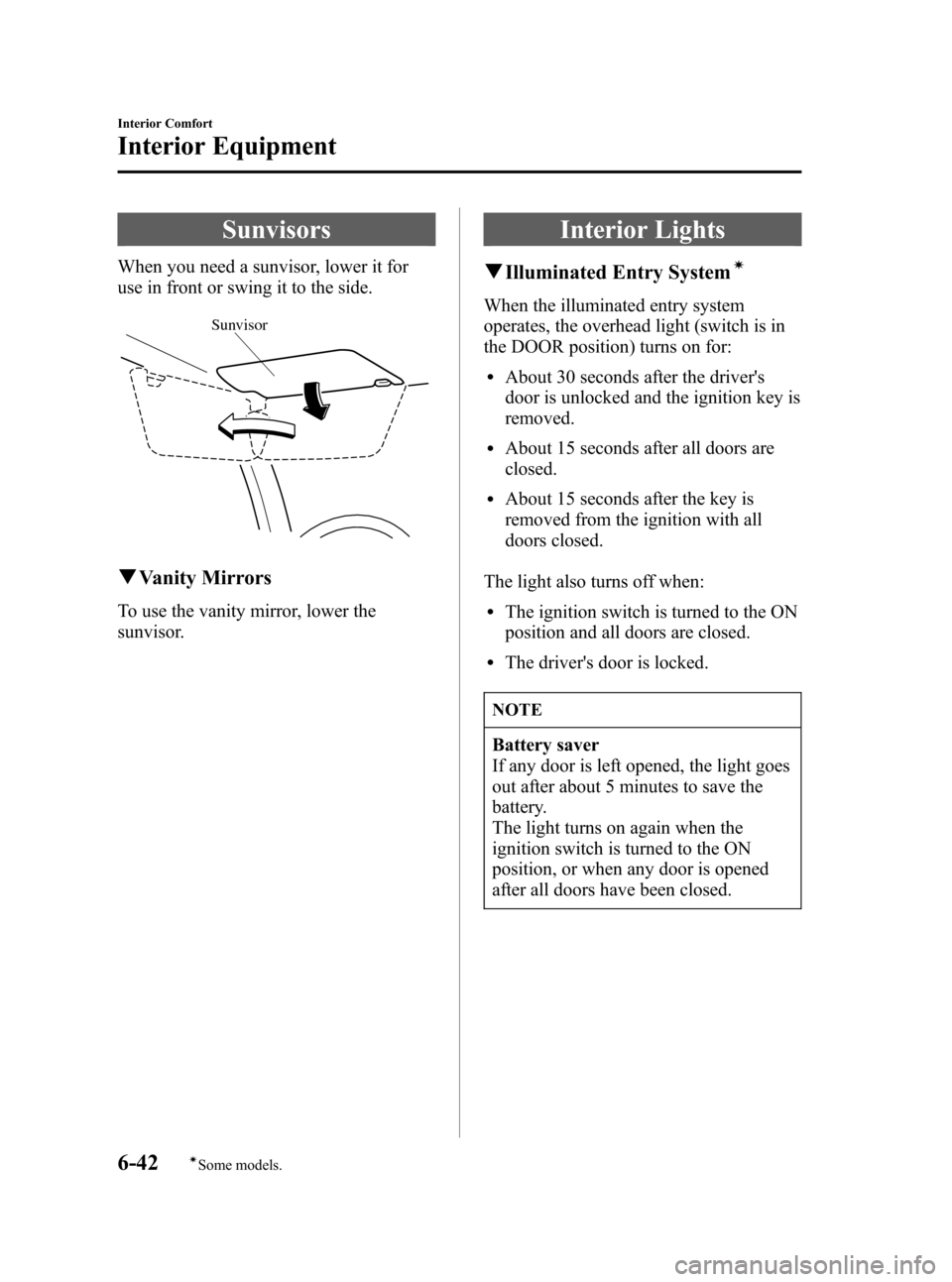
When you need a sunvisor, lower it for
use in front or swing it to the side.
Sunvisor
qVanity Mirrors
To use the vanity mirror, lower the
sunvisor.
Interior Lights
qIlluminated Entry Systemí
When the illuminated entry system
operates, the overhead light (switch is in
the DOOR position) turns on for:
lAbout 30 seconds after the driver's
door is unlocked and the ignition key is
removed.
lAbout 15 seconds after all doors are
closed.
lAbout 15 seconds after the key is
removed from the ignition with all
doors closed.
The light also turns off when:
lThe ignition switch is turned to the ON
position and all doors are closed.
lThe driver's door is locked.
NOTE
Battery saver
If any door is left opened, the light goes
out after about 5 minutes to save the
battery.
The light turns on again when the
ignition switch is turned to the ON
position, or when any door is opened
after all doors have been closed.
6-42
Interior Comfort
íSome models.
Interior Equipment
Mazda3_8U55-EA-05G_Edition2 Page212
Thursday, June 23 2005 2:55 PM
Form No.8U55-EA-05G
Page 215 of 372

Black plate (215,1)
Information Display
With trip computer
Without trip computerTrip computer/ClockAudio display
Climate control display/Ambient
temperature display
qInformation Display Functions
The information display has the following functions:
lClock
lAmbient Temperature Display (Outside Temperature Display)í
lClimate Control Display (Fully Automatic Type)
lAudio Display
lTrip Computerí
Interior Comfort
Interior Equipment
6-45íSome models. Mazda3_8U55-EA-05G_Edition2 Page215
Thursday, June 23 2005 2:55 PM
Form No.8U55-EA-05G
Page 216 of 372
Black plate (216,1)
qClock
NOTE
When the trip computer is being
displayed, press the CLOCK button to
change the display to the time.
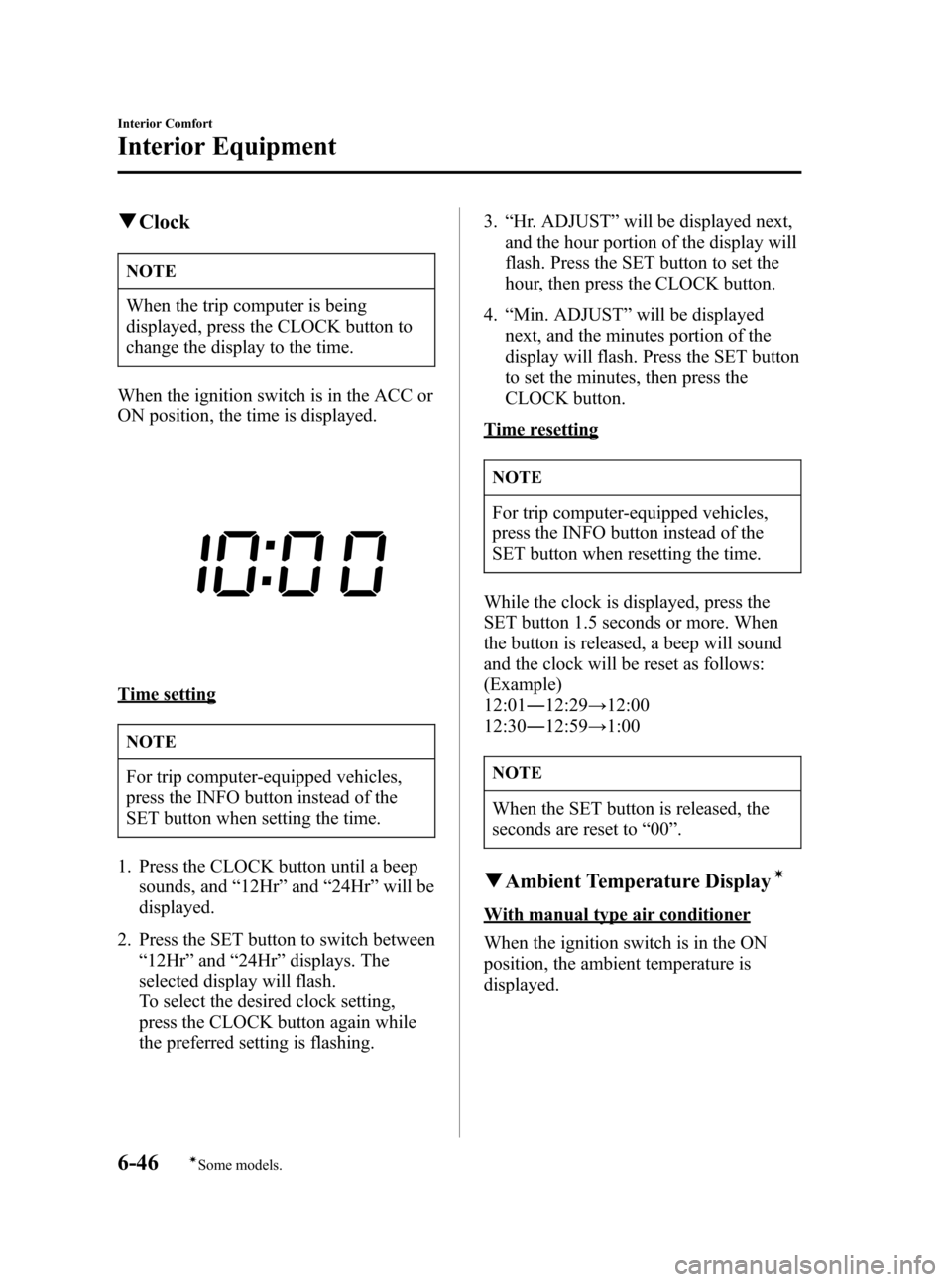
When the ignition switch is in the ACC or
ON position, the time is displayed.
Time setting
NOTE
For trip computer-equipped vehicles,
press the INFO button instead of the
SET button when setting the time.
1. Press the CLOCK button until a beep
sounds, and“12Hr”and“24Hr”will be
displayed.
2. Press the SET button to switch between
“12Hr”and“24Hr”displays. The
selected display will flash.
To select the desired clock setting,
press the CLOCK button again while
the preferred setting is flashing.3.“Hr. ADJUST”will be displayed next,
and the hour portion of the display will
flash. Press the SET button to set the
hour, then press the CLOCK button.
4.“Min. ADJUST”will be displayed
next, and the minutes portion of the
display will flash. Press the SET button
to set the minutes, then press the
CLOCK button.
Time resetting
NOTE
For trip computer-equipped vehicles,
press the INFO button instead of the
SET button when resetting the time.
While the clock is displayed, press the
SET button 1.5 seconds or more. When
the button is released, a beep will sound
and the clock will be reset as follows:
(Example)
12:01―12:29→12:00
12:30―12:59→1:00
NOTE
When the SET button is released, the
seconds are reset to“00”.
qAmbient Temperature Displayí
With manual type air conditioner
When the ignition switch is in the ON
position, the ambient temperature is
displayed.
6-46
Interior Comfort
íSome models.
Interior Equipment
Mazda3_8U55-EA-05G_Edition2 Page216
Thursday, June 23 2005 2:55 PM
Form No.8U55-EA-05G
Page 217 of 372

Black plate (217,1)
With fully automatic type air
conditioner
When the ignition switch is in the ON
position, press the AMB button (page
6-11) on the air conditioner control panel
to display the ambient temperature.
Press the AMB button again to switch the
display from ambient temperature to the
temperature set for the air conditioner.
NOTE
The displayed ambient temperature may
vary from the actual ambient
temperature depending on the
surrounding area and vehicle
conditions.
qClimate Control Display (Fully
Automatic Type)
The climate control system status is
displayed. To operate the climate control
system, refer to“Climate Control System”
(page 6-2).
qAudio Display
The audio system status is displayed. To
operate the audio system, refer to
“Audio System”(page 6-16).
qTrip Computerí
The trip computer can display the
following:
lThe current fuel economy.
lThe average fuel economy.
lThe approximate distance you can
travel on the available fuel.
lThe average vehicle speed.
The ignition switch must be in the ON
position.
Press the INFO button to change the
display mode.
NOTE
When the time is being displayed, press
the INFO button to change the display
to the trip computer.
If you have any problems with your trip
computer, consult an Authorized Mazda
Dealer.
Current fuel economy mode
This mode displays the current fuel
economy by calculating the amount of
fuel consumption and the distance
traveled.
Current fuel economy will be calculated
and displayed every 2 seconds.
When this mode is selected, CONSUM
CUR will be displayed.
Interior Comfort
Interior Equipment
6-47íSome models. Mazda3_8U55-EA-05G_Edition2 Page217
Thursday, June 23 2005 2:55 PM
Form No.8U55-EA-05G
Page 218 of 372

Black plate (218,1)
U.S.A.
CANADA
When you've slowed to about 5 km/h (3
mph),——L/100 km (——mpg) will be
displayed.
Average fuel economy mode
This mode displays the average fuel
economy by calculating the fuel
consumption and the distance traveled
since connecting the battery or resetting
the data.
Average fuel economy will be calculated
and displayed every minute.
When this mode is selected, CONSUM
AV will be displayed.U.S.A.
CANADA
To clear the data being displayed, press
the INFO button for more than 1 second.
After pressing the INFO button,——L/
100 km (——mpg) will be displayed for
1 minute before the fuel economy is
recalculated and displayed.
Distance-to-empty mode
This mode displays the approximate
distance you can travel on the remaining
fuel based on the fuel economy.
The distance-to-empty will be calculated
and displayed every minutes.
When this mode is selected, REMNG will
be displayed.
6-48
Interior Comfort
Interior Equipment
Mazda3_8U55-EA-05G_Edition2 Page218
Thursday, June 23 2005 2:55 PM
Form No.8U55-EA-05G