brake MAZDA MODEL 3 SEDAN 2019 Service Manual
[x] Cancel search | Manufacturer: MAZDA, Model Year: 2019, Model line: MODEL 3 SEDAN, Model: MAZDA MODEL 3 SEDAN 2019Pages: 592, PDF Size: 75.35 MB
Page 211 of 592
The vehicle tilts rearward or the
selector lever is shifted to the R
position on level ground.
NOTE
If the Electric Parking Brake (EPB)
switch is pulled while the AUTOHOLD
is operating, the parking brake is
applied and the AUTOHOLD is
released. In addition, if the parking
brake is released under this condition,
the AUTOHOLD operates to hold the
brakes.
Under the following conditions, the
parking brake is automatically applied
and the AUTOHOLD is released. The
AUTOHOLD is re-enabled when the
conditions before the AUTOHOLD is
released are restored.
The driver’s seat belt is unfastened.
The driver’s door is opened.
When about 10 minutes or longer have
passed since the AUTOHOLD operation
started, the parking brake is
automatically applied. Because the
AUTOHOLD is restored when releasing
the parking brake, the hold on the
brakes by AUTOHOLD function
resumes.
(Manual transmission vehicle)
When starting to drive the vehicle
forward or in reverse on a down slope,
depress the clutch pedal and shift the
shift lever to the appropriate position for
driving in the desired direction, and then
depress the accelerator pedal to release
the AUTOHOLD.
The AUTOHOLD can be canceled
forcibly by fully depressing the
accelerator pedal for 1 second or longer
while the AUTOHOLD is operating.
Forcibly cancel the AUTOHOLD only
when the AUTOHOLD cannot be
canceled due to a system malfunction or
it is necessary to cancel the
AUTOHOLD in an emergency.
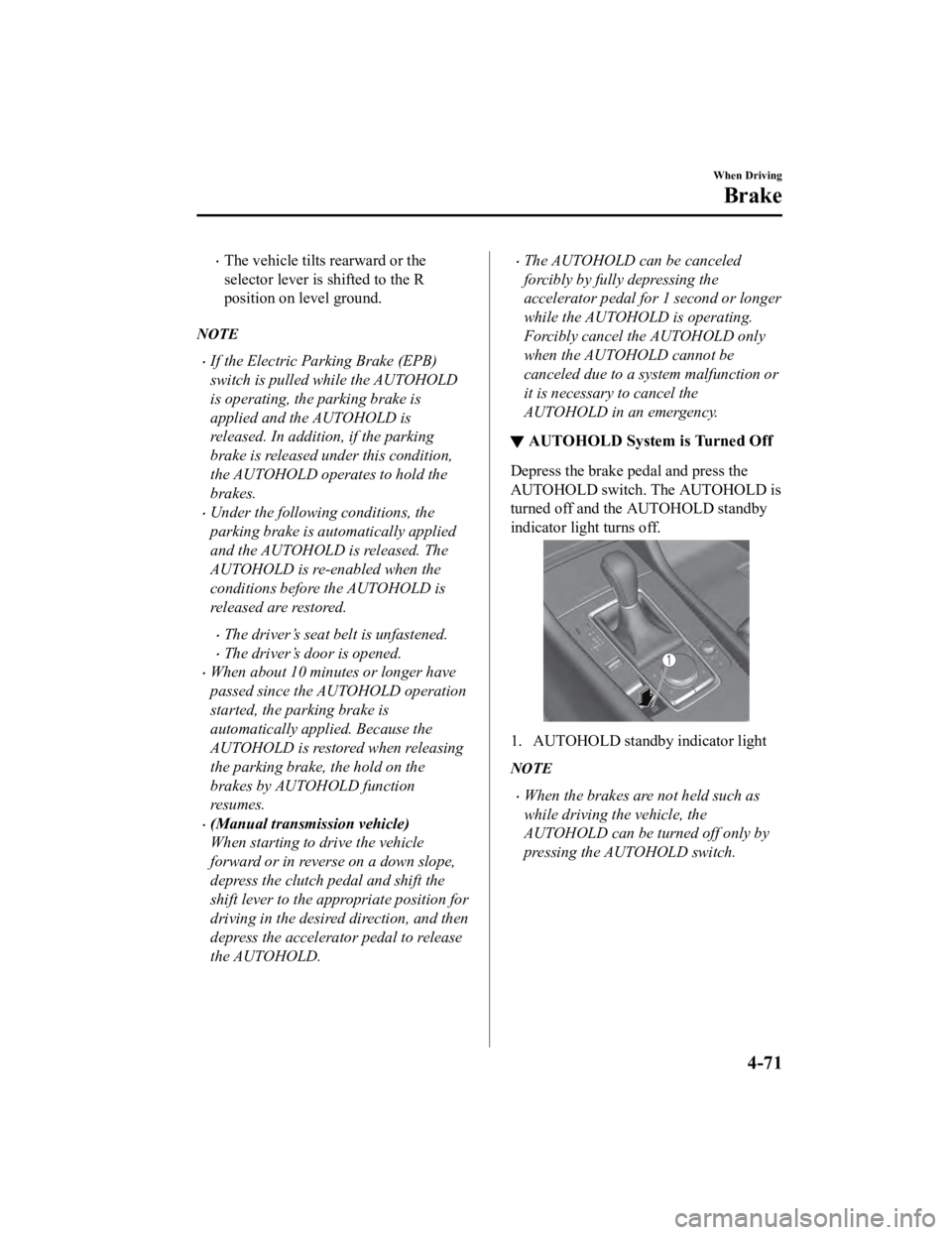
▼AUTOHOLD System is Turned Off
Depress the brake pedal and press the
AUTOHOLD switch. The AUTOHOLD is
turned off and the AUTOHOLD standby
indicator light turns off.
1. AUTOHOLD standby indicator light
NOTE
When the brakes are not held such as
while driving the vehicle, the
AUTOHOLD can be turned off only by
pressing the AUTOHOLD switch.
When Driving
Brake
4-71
Mazda3_8HE9-EA-18K_Edition3
2018-11-21 14:31:58
Page 212 of 592
If the AUTOHOLD switch is pressed
without depressing the brake pedal
while AUTOHOLD is operating
(AUTOHOLD active indicator light in
instrument cluster is turned on), the
message “Depress Brake Pedal and
Operate Switch to Release” is indicated
on the multi-information display to
notify the driver to depress the brake
pedal.
If any of the following conditions occurs
while the AUTOHOLD function is
operating (AUTOHOLD active indicator
light is turned on), the parking brake is
applied automatically and the
AUTOHOLD function turns off. For the
Electric Parking Brake (EPB)
operation, refer to the Electric Parking
Brake (EPB) on page 4-63.
The ignition is switched OFF.
There is a problem with the
AUTOHOLD function.
Hill Launch Assist (HLA)
▼ Hill Launch Assist (HLA)
The HLA functions to assist in
accelerating the vehicle from a stop on
slopes. When releasing the brake pedal
and depressing the accelerator pedal to
accelerate the vehicle from a stop while on
a slope, the function prevents the vehicle
from rolling. The HLA also operates when
reversing on a slope.
The braking force is maintained
automatically after releasing the brake
pedal on a steep slope.
For manual transmission vehicles, the
HLA operates when the vehicle is tilted
rearward with the shif
t lever in a forward
gear, and operates when the vehicle is
tilted forward with the shift lever in the R
position.
For automatic transmission vehicles, the
HLA operates when the vehicle is tilted
rearward with the selector lever in a
forward gear, and operates when the
vehicle is tilted forwa rd with the selector
lever in the R position.
WA R N I N G
Do not rely completely on HLA:
HLA is an auxiliary device for accelerating
from a stop on a slope. The system only
operates for about 2 seconds and
therefore, relying only on the system, when
accelerating from a stop is dangerous
because the vehicle may move (roll)
unexpectedly and cause an accident.
When Driving
Brake
4-72
Mazda3_8HE9-EA-18K_Edition3 2018-11-21 14:31:58
Page 213 of 592

The vehicle could roll depending on the
vehicle's load or if it is towing something. In
addition, for vehicles with a manual
transmission, the vehicle could still roll
depending on how the clutch pedal or the
accelerator pedal is operated.
Always confirm the safety around the
vehicle before starting to drive the vehicle.
NOTE
HLA does not operate on a gentle slope.
In addition, the gradient of the slope on
which the system will operate changes
depending on the vehicle's load.
HLA does not operate if the parking
brake is applied, the vehicle has not
stopped completely, or the clutch pedal
is released.
While HLA is operating, the brake pedal
may feel stiff and vibrate, however, this
does not indicate a malfunction.
HLA does not operate while the
TCS/DSC indicator light is illuminated.
Refer to TCS/DSC Indication/Indicator
Light (Turns on) on page 7-31.
HLA does not turn off even if the DSC
OFF switch is pressed to turn off the
TCS/DSC.
When Driving
Brake
4-73
Mazda3_8HE9-EA-18K_Edition3 2018-11-21 14:31:58
Page 214 of 592

Antilock Brake System(ABS)
▼Antilock Brake System (ABS)
The ABS control unit continuously
monitors the speed o
f each wheel. If one
wheel is about to lock up, the ABS
responds by automatically releasing and
reapplying that wheel's brake.
The driver will feel a slight vibration in
the brake pedal and may hear a chattering
noise from the brake system. This is
normal ABS system operation. Continue
to depress the brak e pedal without
pumping the brakes.
The warning light turns on when the
system has a malfunction.
Refer to ABS Warning Indication/Warning
Light on page 7-29.
WA R N I N G
Do not rely on ABS as a substitute for safe
driving:
The ABS cannot compensate for unsafe
and reckless driving, excessive speed,
tailgating (following another vehicle too
closely), driving on ice and snow, and
hydroplaning (reduced tire friction and
road contact because of water on the road
surface). You can still have an accident.
NOTE
Braking distances may be longer on
loose surfaces (snow or gravel, for
example) which usually have a hard
foundation. A vehicle with a normal
braking system may require less
distance to stop under these conditions
because the tires wi ll build up a wedge
of surface layer when the wheels skid.
The sound of the ABS operating may be
heard when starting the engine or
immediately after starting the vehicle,
however, it does not indicate a
malfunction.
When Driving
ABS/TCS/DSC
4-74
Mazda3_8HE9-EA-18K_Edition3 2018-11-21 14:31:58
Page 215 of 592
Traction Control System(TCS)
▼Traction Control System (TCS)
The Traction Control System (TCS)
enhances traction and
safety by controlling
engine torque and braking. When the TCS
detects driving wheel slippage, it lowers
engine torque and operates the brakes to
prevent loss of traction.
This means that on a slick surface, the
engine adjusts automatically to provide
optimum power to the drive wheels,
limiting wheel spin and loss of traction.
The warning light turns on when the
system has a malfunction.
Refer to TCS/DSC Indication/Indicator
Light (Turns on) on page 7-31.
WA R N I N G
Do not rely on the Traction Control System
(TCS) as a substitute for safe driving:
The Traction Control System (TCS) cannot
compensate for unsafe and reckless
driving, excessive speed, tailgating
(following another vehicle too closely), and
hydroplaning (reduced tire friction and
road contact because of water on the road
surface). You can still have an accident.
Use snow tires or tire chains and drive at
reduced speeds when roads are covered
with ice and/or snow:
Driving without proper traction devices on
snow and/or ice-covered roads is
dangerous. The Traction Control System
(TCS) alone cannot provide adequate
traction and you co uld still have an
accident.
NOTE
To turn off the TCS, press the DSC OFF
switch (page 4-77).
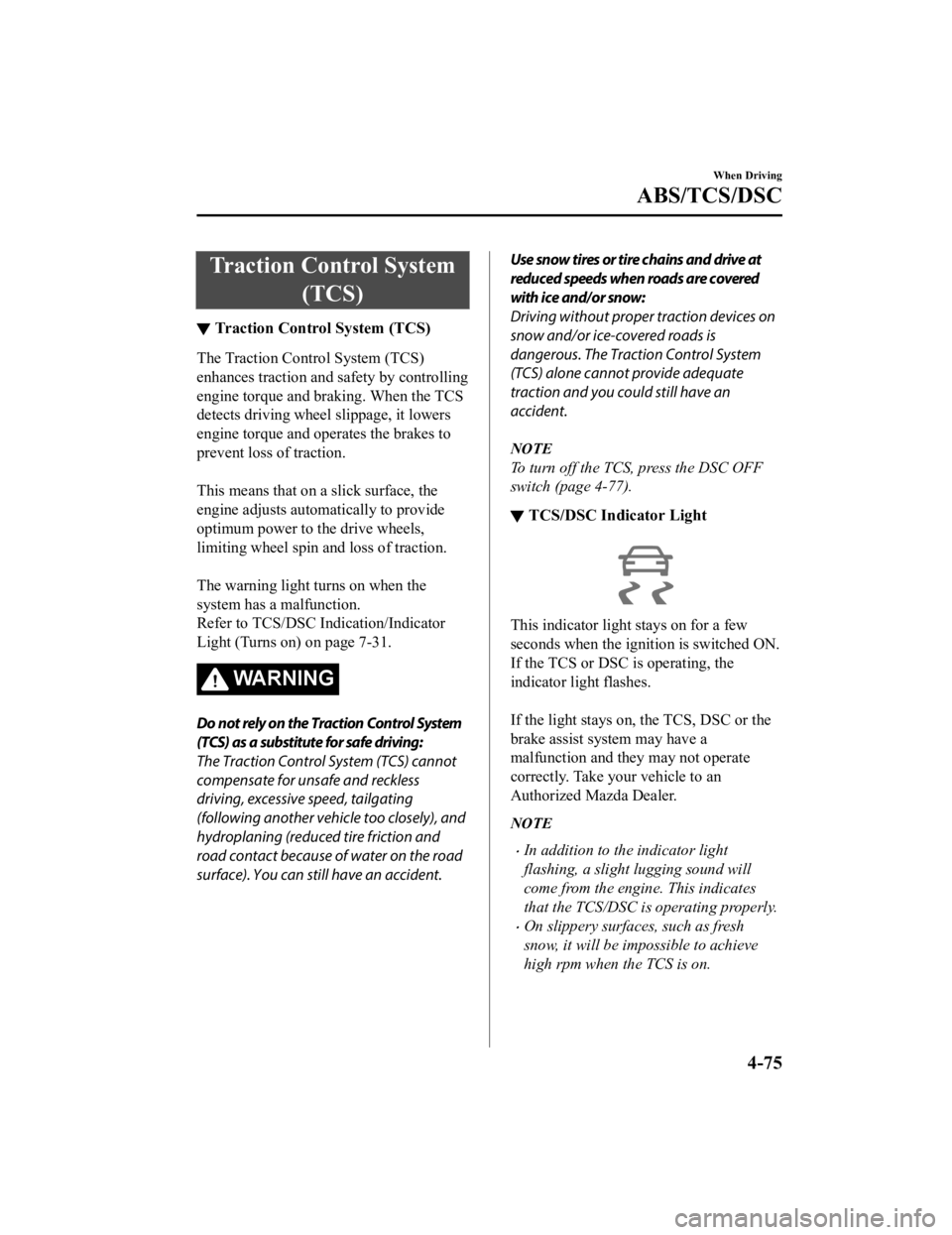
▼ TCS/DSC Indicator Light
This indicator light stays on for a few
seconds when the ignition is switched ON.
If the TCS or DSC
is operating, the
indicator light flashes.
If the light stays on, the TCS, DSC or the
brake assist system may have a
malfunction and they may not operate
correctly. Take your vehicle to an
Authorized Mazda Dealer.
NOTE
In addition to the indicator light
flashing, a slight lugging sound will
come from the engine. This indicates
that the TCS/DSC is operating properly.
On slippery surfaces, such as fresh
snow, it will be impossible to achieve
high rpm when the TCS is on.
When Driving
ABS/TCS/DSC
4-75
Mazda3_8HE9-EA-18K_Edition3 2018-11-21 14:31:58
Page 216 of 592
Dynamic Stability Control(DSC)
▼Dynamic Stability Control (DSC)
The Dynamic Stability Control (DSC)
automatically controls braking and engine
torque in conjunction with systems such as
ABS and TCS to help control side slip
when driving on slippery surfaces, or
during sudden or evasive maneuvering,
enhancing vehicle safety.
Refer to ABS (page 4-74) and TCS (page
4-75).
DSC operation is possible at speeds
greater than 20 km/h (12 mph).
The warning light
turns on when the
system has a malfunction.
Refer to TCS/DSC I ndication/Indicator
Light (Turns on) on page 7-31.
WA R N I N G
Do not rely on the Dynamic Stability
Control as a substitute for safe driving:
The Dynamic Stability Control (DSC)
cannot compensate for unsafe and reckless
driving, excessive speed, tailgating
(following another vehicle too closely), and
hydroplaning (reduced tire friction and
road contact because of water on the road
surface). You can still have an accident.
CAUTION
The DSC may not operate correctly
unless the following are observed:
Use tires of the correct size
specified for
your Mazda on all 4 wheels.
Use tires of the same manufacturer,
brand and tread pattern on all 4
wheels.
Do not mix worn tires.
The DSC may not operate correctly when
tire chains are used or a temporary spare
tire is installed because the tire diameter
changes.
NOTE
If there is a problem w ith the DSC, the Hill
Launch Assist (HLA) may not operate.
Refer to Hill Launch Assist (HLA) on page
4-72.
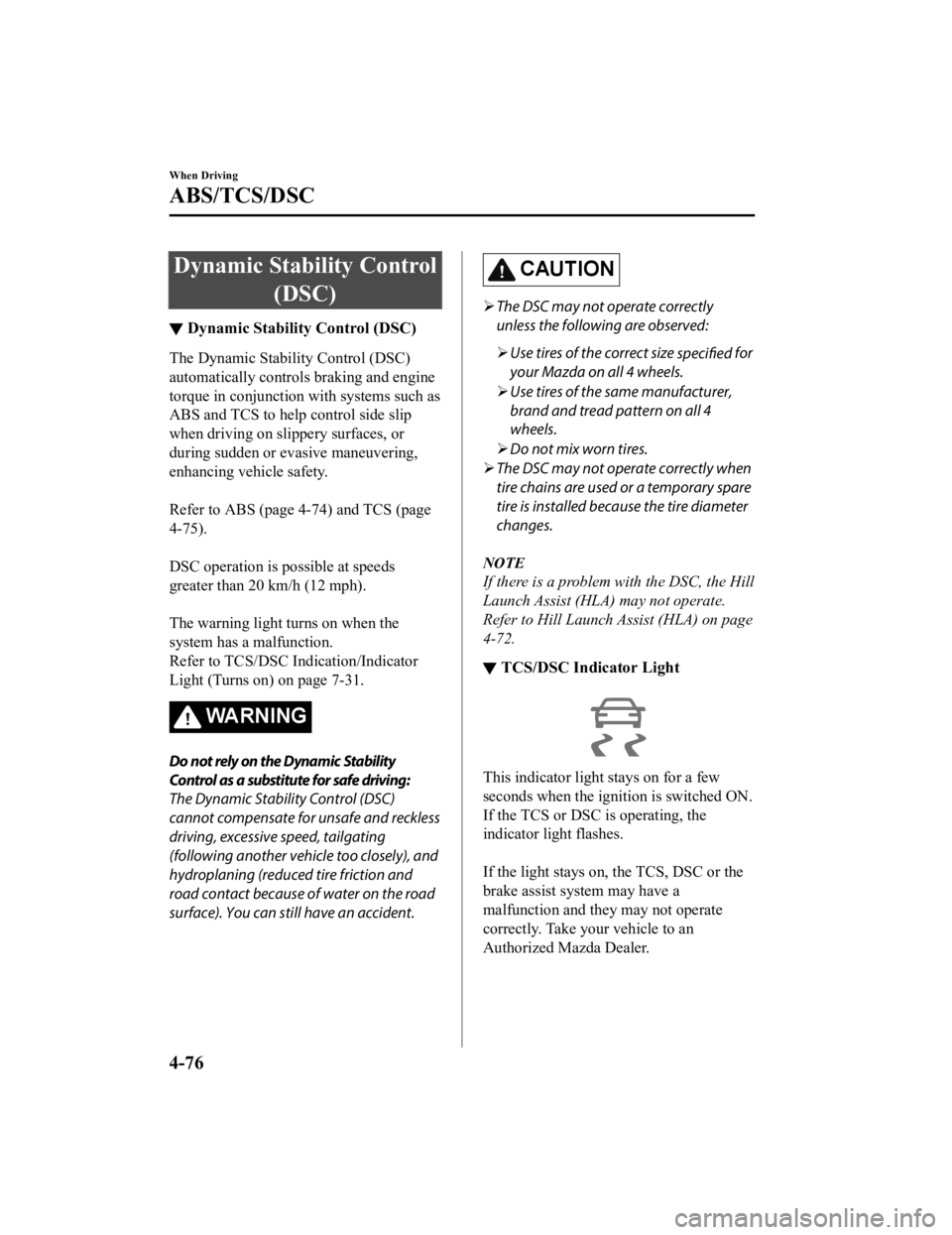
▼ TCS/DSC Indicator Light
This indicator light stays on for a few
seconds when the ignition is switched ON.
If the TCS or DSC is operating, the
indicator light flashes.
If the light stays on, the TCS, DSC or the
brake assist system may have a
malfunction and they may not operate
correctly. Take your vehicle to an
Authorized Mazda Dealer.
When Driving
ABS/TCS/DSC
4-76
Mazda3_8HE9-EA-18K_Edition3
2018-11-21 14:31:58
Page 217 of 592
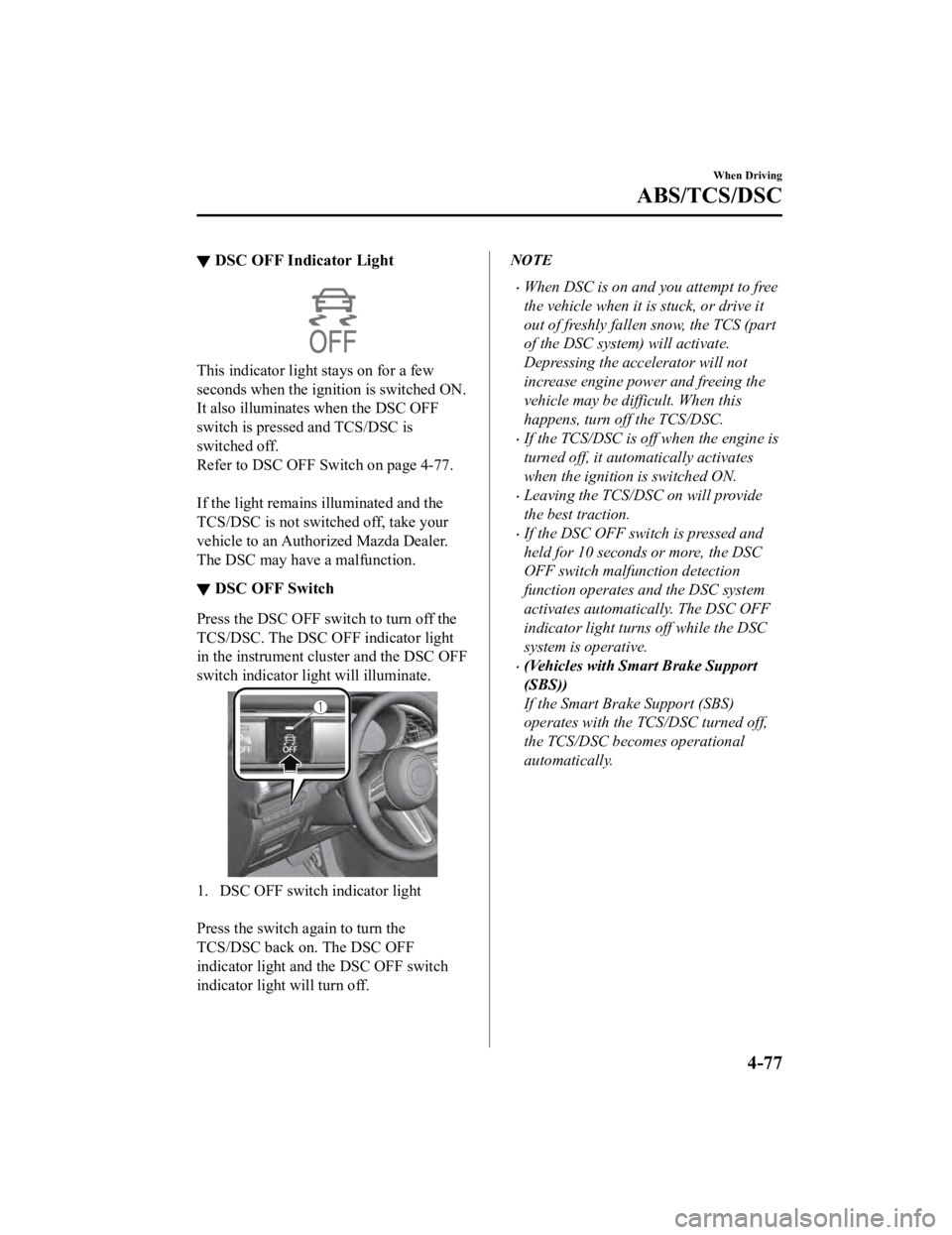
▼DSC OFF Indicator Light
This indicator light
stays on for a few
seconds when the ignition is switched ON.
It also illuminates when the DSC OFF
switch is pressed and TCS/DSC is
switched off.
Refer to DSC OFF Switch on page 4-77.
If the light remains i lluminated and the
TCS/DSC is not switched off, take your
vehicle to an Authorized Mazda Dealer.
The DSC may have a malfunction.
▼ DSC OFF Switch
Press the DSC OFF sw
itch to turn off the
TCS/DSC. The DSC OFF indicator light
in the instrument cluster and the DSC OFF
switch indicator light will illuminate.
1. DSC OFF switch indicator light
Press the switch a gain to turn the
TCS/DSC back on. The DSC OFF
indicator light and the DSC OFF switch
indicator light will turn off.
NOTE
When DSC is on and you attempt to free
the vehicle when it is stuck, or drive it
out of freshly fallen snow, the TCS (part
of the DSC system) will activate.
Depressing the accelerator will not
increase engine power and freeing the
vehicle may be difficult. When this
happens, turn off the TCS/DSC.
If the TCS/DSC is off when the engine is
turned off, it automatically activates
when the ignition is switched ON.
Leaving the TCS/DSC on will provide
the best traction.
If the DSC OFF switch is pressed and
held for 10 seconds or more, the DSC
OFF switch malfunction detection
function operates and the DSC system
activates automatically. The DSC OFF
indicator light turn s off while the DSC
system is operative.
(Vehicles with Smart Brake Support
(SBS))
If the Smart Brake Support (SBS)
operates with the TCS/DSC turned off,
the TCS/DSC becomes operational
automatically.
When Driving
ABS/TCS/DSC
4-77
Mazda3_8HE9-EA-18K_Edition3 2018-11-21 14:31:58
Page 223 of 592

▼Pre-Crash Safety Technology
Pre-crash safety technology is designed to
assist the driver in averting collisions or
reducing their severity in situations where
they cannot be avoided.
Collision damage reduction
Forward driving
Smart Brake Support
(SBS)...... page 4-153
Reverse driving
Smart Brake Support [Rear]
(SBS-R).................................... page 4-156
Smart Brake Support [Rear Crossing]
(SBS-RC).................................. page 4-160
▼ Camera and Sensors
Forward Sensing Camera (FSC)
The Forward Sensing Camera (FSC)
detects lane indications and recognizes
headlights, taillights and city lights during
nighttime driving. I
n addition, it also
detects the vehicle ahead, pedestrians, or
obstructions. The following systems use
the Forward Sensing Camera (FSC).
High Beam Control system (HBC)
Lane Departure Warning System
(LDWS)
Traffic Sign Recogn ition System (TSR)
Distance & Speed Alert (DSA)
Driver Attention Alert (DAA)
Driver Monitoring (DM)
Mazda Radar Cruise Control (MRCC)
Mazda Radar Cruise Control with Stop
& Go function (MRCC with Stop & Go
function)
Lane-keep Assist System (LAS)
Traffic Jam Assist (TJA)
Smart Brake Support (SBS)
The Forward Sensing Camera (FSC) is
installed at the top of the windshield near
the rearview mirror.
Refer to Forward Sensing Camera (FSC)
on page 4-198.
Front radar sensor
The front radar sensor detects radio waves
reflected off a vehicle ahead sent from the
radar sensor. The following systems use
the front radar sensor.
Distance & Speed Alert (DSA)
Mazda Radar Crui se Control (MRCC)
Mazda Radar Cruise Control with Stop
& Go function (MRCC with Stop & Go
function)
Traffic Jam Assist (TJA)
Smart Brake Support (SBS)
The front radar sensor is mounted behind
the radiator grille.
Refer to Front Radar Sensor on page
4-202.
Front side radar sensor
The front side radar sensors detects radio
waves reflected off a vehicle ahead sent
from the radar sensor. The following
systems use the front side radar sensor.
Front Cross Traffic Alert (FCTA)
The front side radar sensors are installed
inside the front bumper, one on the left
side and one on the right side.
Refer to Front Side Radar Sensor on page
4-204.
When Driving
i-ACTIVSENSE
4-83
Mazda3_8HE9-EA-18K_Edition3 2018-11-21 14:31:58
Page 224 of 592

Rear side radar sensor
The rear side radar sensors detects radio
waves reflected off a vehicle approaching
from the rear or an obstruction sent from
the radar sensors. The following systems
use the rear side radar sensor.
Blind Spot Monitoring (BSM)
Rear Cross Traffic Alert (RCTA)
Smart Brake Support [Rear Crossing]
(SBS-RC)
The rear side radar sensors are installed
inside the rear bumper, one on the left side
and one on the right side.
Refer to Rear Side R adar Sensor on page
4-206.
Rear/rear corner/rear side ultrasonic
sensor
The ultrasonic sensor detects ultrasonic
waves reflected off obstructions at the rear
sent from the ultra sonic sensors. The
following systems use the ultrasonic
sensor.
Smart Brake Support [Rear] (SBS-R)
Smart Brake Support [Rear Crossing]
(SBS-RC)
The ultrasonic sensors are mounted in the
rear bumper.
Refer to Rear/Rear corner/Rear Side
Ultrasonic Sensor on page 4-207.
Front camera/side cameras/rear camera
The front camera, side cameras, and rear
camera shoot images of the area
surrounding the vehicle. The 360°View
Monitor uses each camera.
Cameras are installed to the front bumper,
door mirrors, and rear bumper.
Refer to Front Camera/Side Cameras/Rear
Camera on page 4-208.
Driver monitoring camera
The driver monitoring camera detects
changes in the driver's facial features and
estimates the amount of accumulated
fatigue and sleepiness of the driver. The
following system s use the driver
monitoring camera.
Driver Monitoring (DM)
The driver monitoring camera is mounted
in the center display.
Refer to Driver Monitoring Camera on
page 4-209.
▼ i-ACTIVSENSE Status Symbol
(Warning/Risk Avoidance Support
System)
*
The driver is notified of the status of the
following systems using the
i-ACTIVSENSE status symbol (warning/
risk avoidance support system).
Lane Departure Warning System
(LDWS)
Blind Spot Monitoring (BSM)
Distance & Speed Alert (DSA)
Front Cross Traffic Alert (FCTA)
Rear Cross Traffic Alert (RCTA)
Lane-keep Assist System (LAS)
NOTE
The status of the system turned on using
the personalization feature is displayed.
When Driving
i-ACTIVSENSE
4-84*Some models.
Mazda3_8HE9-EA-18K_Edition3
2018-11-21 14:31:58
Page 226 of 592
![MAZDA MODEL 3 SEDAN 2019 Service Manual Rear Cross Traffic Alert (RCTA)
Lane-keep Assist System (LAS)
Smart Brake Support (SBS)
Smart Brake Support [Rear] (SBS-R)
Smart Brake Support [Rear Crossing]
(SBS-RC)
NOTE
For the s](/img/28/40986/w960_40986-225.png "MAZDA MODEL 3 SEDAN 2019 Service Manual Rear Cross Traffic Alert (RCTA)
Lane-keep Assist System (LAS)
Smart Brake Support (SBS)
Smart Brake Support [Rear] (SBS-R)
Smart Brake Support [Rear Crossing]
(SBS-RC)
NOTE
For the s")
Rear Cross Traffic Alert (RCTA)
Lane-keep Assist System (LAS)
Smart Brake Support (SBS)
Smart Brake Support [Rear] (SBS-R)
Smart Brake Support [Rear Crossing]
(SBS-RC)
NOTE
For the systems which can be canceled
using the i-ACTIVESENSE switch, they
cannot be canceled when the following
systems are operating, even if you press
the i-ACTIVSENSE switch.
Mazda Radar Cruise Control (MRCC)
Mazda Radar Cruise Control with
Stop & Go function (MRCC with Stop
& Go function)
Traffic Jam Assist (TJA)
If you switch the ignition OFF while you
have canceled some or all of the systems
using the i-ACTIVESENSE switch, the
operational status of each system will
vary when the ignition ON is switched
again.
Systems which maintain their status
before the ignition is switched OFF
Lane Departure Warning System
(LDWS)
Blind Spot Monitoring (BSM)
Distance & Speed Alert (DSA)
Front Cross Traffic Alert (FCTA)
Rear Cross Traffic Alert (RCTA)
Lane-keep Assist System (LAS)
Systems which are restored to
operational status automatically
Smart Brake Support (SBS)
Smart Brake Support [Rear] (SBS-R)
Smart Brake Support [Rear Crossing]
(SBS-RC)
If a system is canceled using the
personalization feature, the system
remains canceled even if the
i-ACTIVSENSE switch is pressed.
The systems which can be canceled vary
depending on whether the
i-ACTIVSENSE switch is short or
long-pressed.
When the i-ACTIVSENSE switch is
pressed and released immediately
When pressing and immediately releasing
the i-ACTIVSENSE swi tch, the following
systems are canceled and the
i-ACTIVSENSE status symbol (warning/
risk avoidance support system) turns off.
Lane Departure Warning System
(LDWS)
Blind Spot Monitoring (BSM)
Distance & Speed Alert (DSA)
Front Cross Traffic Alert (FCTA)
Rear Cross Traffic Alert (RCTA)
Lane-keep Assist System (LAS)
If the i-ACTIVSENSE switch is pressed
again, the systems return to their original
status, and the i-ACTIVSENSE status
symbol (warning/risk avoidance support
system) turns on.
When Driving
i-ACTIVSENSE
4-86
Mazda3_8HE9-EA-18K_Edition3 2018-11-21 14:31:58