warning MAZDA MODEL 3 SEDAN 2022 Manual PDF
[x] Cancel search | Manufacturer: MAZDA, Model Year: 2022, Model line: MODEL 3 SEDAN, Model: MAZDA MODEL 3 SEDAN 2022Pages: 627, PDF Size: 92.03 MB
Page 163 of 627
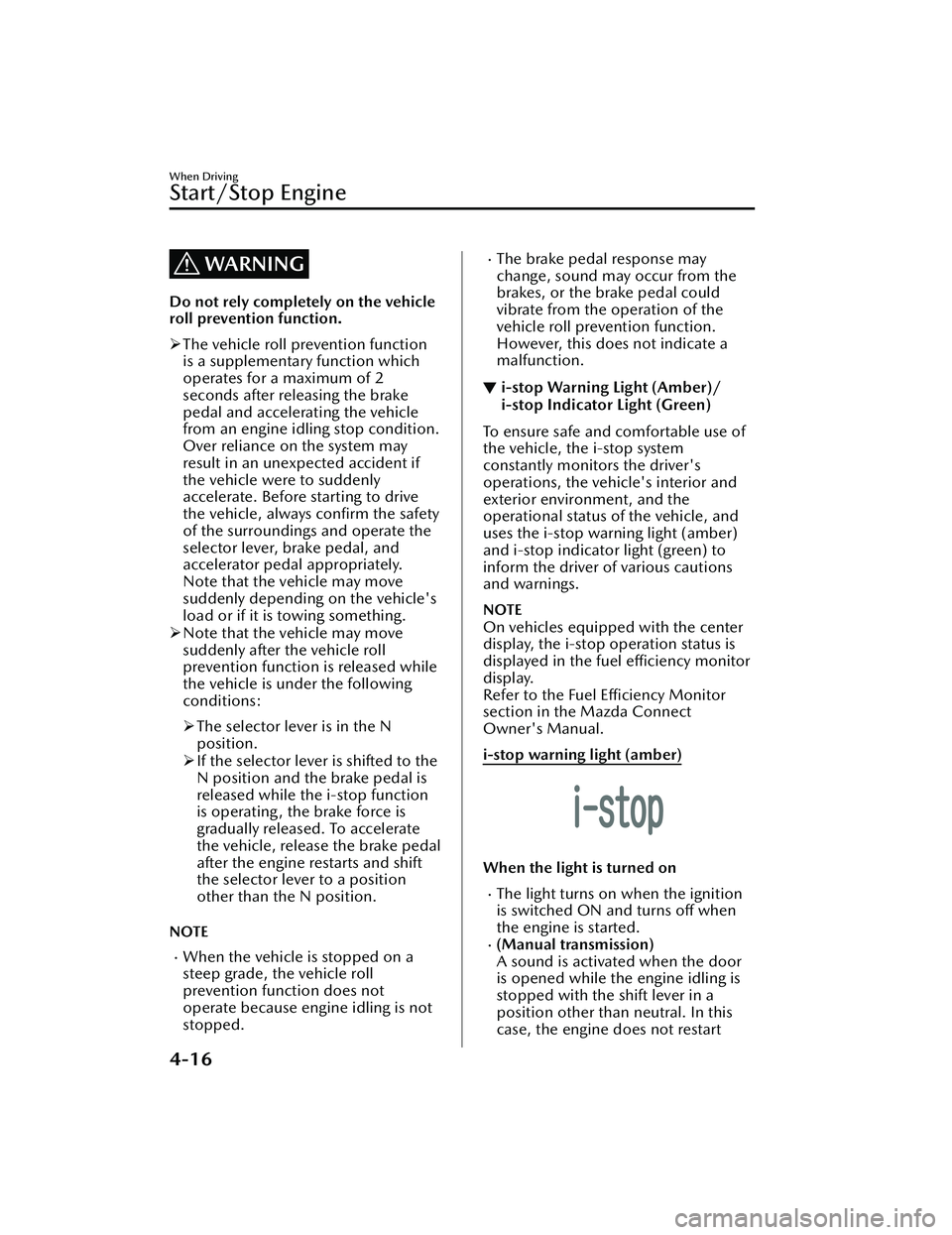
WARNING
Do not rely completely on the vehicle
roll prevention function.
The vehicle roll prevention function
is a supplementary function which
operates for a maximum of 2
seconds after releasing the brake
pedal and accelerating the vehicle
from an engine idling stop condition.
Over reliance on the system may
result in an unexpected accident if
the vehicle were to suddenly
accelerate. Before starting to drive
the vehicle, always confirm the safety
of the surroundings and operate the
selector lever, brake pedal, and
accelerator pedal appropriately.
Note that the vehicle may move
suddenly depending on the vehicle's
load or if it is towing something.
Note that the vehicle may move
suddenly after the vehicle roll
prevention function is released while
the vehicle is under the following
conditions:
The selector lever is in the N
position.
If the selector lever is shifted to the
N position and the brake pedal is
released while the i-stop function
is operating, the brake force is
gradually released. To accelerate
the vehicle, release the brake pedal
after the engine restarts and shift
the selector lever to a position
other than the N position.
NOTE
When the vehicle is stopped on a
steep grade, the vehicle roll
prevention function does not
operate because engine idling is not
stopped.
The brake pedal response may
change, sound may occur from the
brakes, or the brake pedal could
vibrate from the operation of the
vehicle roll prevention function.
However, this does not indicate a
malfunction.
▼ i-stop Warning Light (Amber)/
i-stop Indicator Light (Green)
To ensure safe and comfortable use of
the vehicle, the i-stop system
constantly monitors the driver's
operations, the vehicle's interior and
exterior environment, and the
operational status of the vehicle, and
uses the i-stop warning light (amber)
and i-stop indicator light (green) to
inform the driver of various cautions
and warnings.
NOTE
On vehicles equipped with the center
display, the i-stop operation status is
displayed in the fuel efficiency monitor
display.
Refer to the Fuel Efficiency Monitor
section in the Mazda Connect
Owner's Manual.
i-stop warning light (amber)
When the light is turned on
The light turns on when the ignition
is switched ON and turns
off when
the engine is started.
(Manual transmission)
A sound is activated when the door
is opened while the engine idling is
stopped with the shift lever in a
position other than neutral. In this
case, the engine does not restart
When Driving
Start/Stop Engine
4-16
Mazda3_8KH1-EA-21K_Edition1_new 2021-7-27 16:02:22
Page 164 of 627

automatically to ensure safety. Shift
the shift lever to neutral and start the
engine.
If the i-stop warning light (amber)
remains on while the engine is
running, the battery performance
may have decreased. Have your
vehicle inspected by an Authorized
Mazda Dealer.
NOTE
A problem in the system may be
indicated under the following
conditions. Have your vehicle
inspected by an Authorized Mazda
Dealer.
The light does not turn on when the
ignition is switched ON.
The light continues to remain on
while the engine is running.
When the light is flashing
The light continues to flash if the
system has a malfunction. Have your
vehicle inspected by an Authorized
Mazda Dealer.
i-stop indicator light (green)
When the light is turned on
The light turns on while engine idling is
stopped and turns off when the engine
is restarted.
When Driving
Start/Stop Engine
4-17
Mazda3_8KH1-EA-21K_Edition1_new 2021-7-27 16:02:22
Page 167 of 627

▼Multi-information Display
1. Multi-information Display
2. INFO switch
The multi-information display indicates the following information.
SpeedometerOdometerTr i p m e te rOutside temperatureDistance-to-emptyAverage fuel economyCurrent fuel economyDeceleration Regeneration
Charge Display (M Hybrid)i-ACTIVSENSE DisplayCompass DisplayDoor-Ajar/Trunk lid-Ajar/Liftgate-Ajar Warning Indication*1
Message Display
*1 Displayed when opening door/trunk lid/liftgate.
When Driving
Instrument Cluster and Display
4-20
Mazda3_8KH1-EA-21K_Edition1_new 2021-7-27 16:02:22
Page 168 of 627

The screen content changes each time the INFO switch is pressed.
1. Basic display
2. Drive information display
3. i-ACTIVSENSE display
4. Message display
*1
*1 Displayed only when a warning occurs.
The type of display for the fuel economy and the maximum driving distance can be
changed.
Refer to the Settings section in the Mazda Connect Owner's Manual.
When Driving
Instrument Cluster and Display
4-21
Mazda3_8KH1-EA-21K_Edition1_new2021-7-27 16:02:22
Page 171 of 627

If the low fuel warning light illuminates
or the fuel level is very low, refuel as
soon as possible.
If inconsistency in engine performance
or stalling occurs due to low fuel level
conditions, refuel the vehicle as soon
as possible and add at least 10 L (2.7
US gal, 2.2 Imp gal) of fuel.
Refer to Low Fuel Warning Indication/
Warning Light on page 7-35.
NOTE
After refueling, it may require some
time for the indicator to stabilize. In
addition, the indicator may deviate
while driving on a slope or curve
since the fuel moves in the tank.
The direction of the arrow ()
indicates that the fuel-filler lid is on
the left side of the vehicle.
▼ Dashboard Illumination
(Without auto-light control)
When the lights are turned on with the
ignition switched ON, the brightness of
the dashboard illumination is dimmed.
(With auto-light control)
When the lights are turned on with the
ignition switched ON, the brightness of
the dashboard illumination is dimmed.
However, when the light sensor
detects that the surrounding area is
bright such as when the lights are
turned on in the daytime, the
dashboard illumination does not dim.
NOTE
(With auto-light control)
When the ignition is switched ON in
the early evening or at dusk, the
dashboard illumination is dimmed
for several seconds until the light
sensor detects the brightness of the
surrounding area, however, the
dimming may cancel after the
brightness is detected.
When the lights are turned on, the
lights-on indicator light in the
instrument cluster turns on.
Refer to Headlights on page 4-56.
The brightness of the instrument panel
and dashboard illuminations can be
adjusted by pressing the dashboard
illumination switch while the
dashboard illumination is dimmed.
The brightness increases by pressing
the + switch.
The brightness decreases by pressing
the - switch. If you press the - switch
while the instrument cluster is at
maximum dimness, a sound is
activated to notify you that the
current dimmer setting is at
maximum dimness.
1. Bright
2. Dim
When Driving
Instrument Cluster and Display
4-24
Mazda3_8KH1-EA-21K_Edition1_new 2021-7-27 16:02:22
Page 173 of 627

▼Distance-to-empty
This displays the approximate distance
you can travel on the remaining fuel
based on the fuel economy.
The distance-to-empty will be
calculated and displayed every second.
NOTE
Even though the distance-to-empty
display may indicate a sufficient
amount of remaining driving distance
before refueling is required, refuel as
soon as possible if the fuel level is
very low or the low fuel warning light
illuminates.
The display will not change unless
you add more than approximately 9
L (2.3 US gal, 1.9 Imp gal) of fuel.
The distance-to-empty is the
approximate remaining distance the
vehicle can be driven until all the
graduation marks in the fuel gauge
indicating the remaining fuel supply
disappear.
If there is no past fuel economy
information such as after first
purchasing your vehicle or the
information is deleted when the
battery cables are disconnected, the
actual distance-to empty/range may
differ from the amount indicated.
▼ Average Fuel Economy
This mode displays the average fuel
economy by calculating the total
traveled distance and the total fuel
consumption since the vehicle was
purchased or the past data was reset.
The average fuel economy is calculated
and displayed every 30 seconds.
The average fuel economy is also
displayed by a red arrow in the
instantaneous fuel economy display.
The average fuel economy can be reset
by pressing the INFO switch for 1.5
seconds or more. After the data is
cleared, the fuel consumption is
recalculated and the - - - L/100 km
(- - - mpg) for the 30 seconds prior to
it being displayed is indicated.
▼ Current Fuel Economy
This displays the current fuel economy
by calculating the amount of fuel
consumption and the distance
traveled.
M Hybrid
When Driving
Instrument Cluster and Display
4-26
Mazda3_8KH1-EA-21K_Edition1_new
2021-7-27 16:02:22
Page 174 of 627
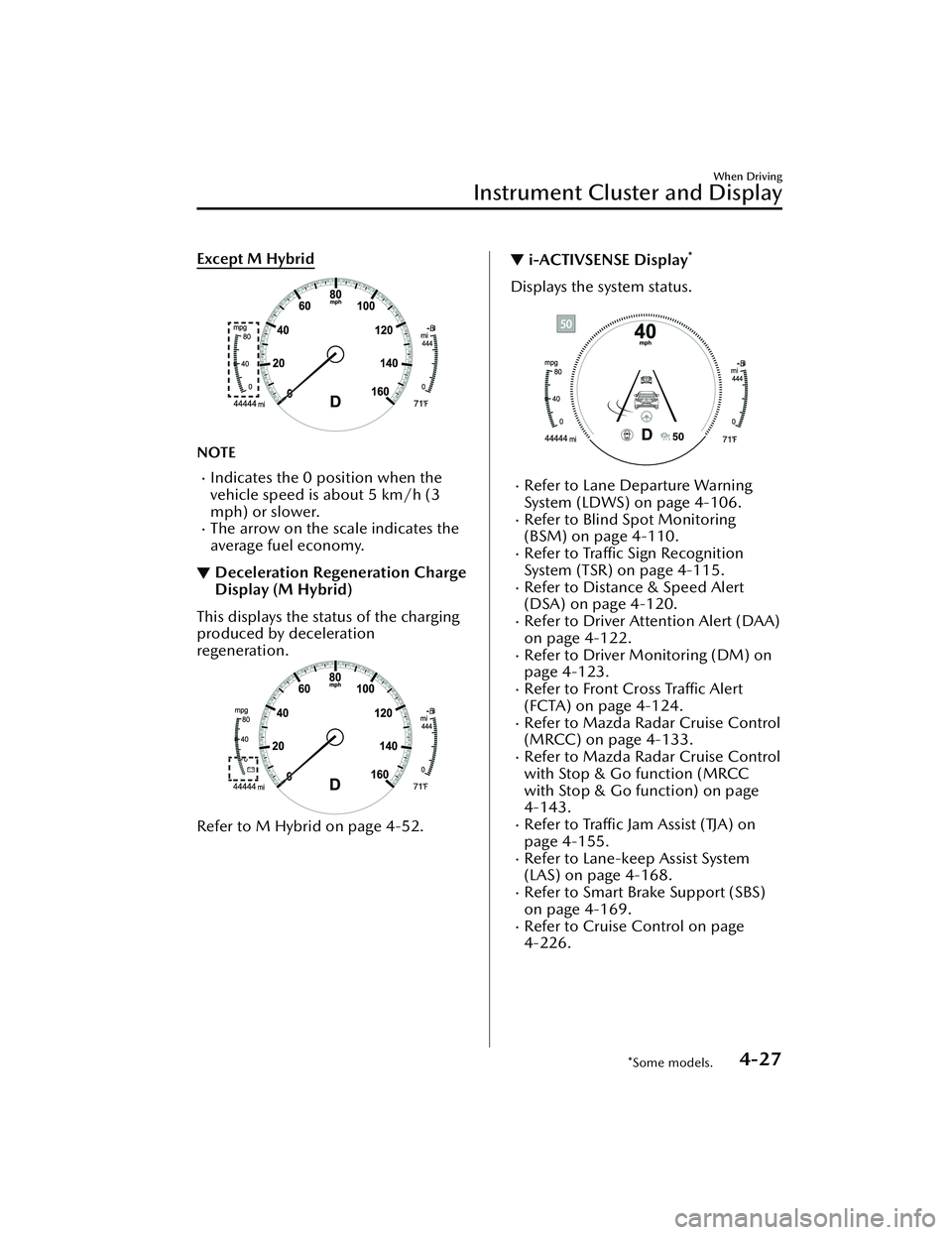
Except M Hybrid
NOTE
Indicates the 0 position when the
vehicle speed is about 5 km/h (3
mph) or slower.
The arrow on the scale indicates the
average fuel economy.
▼Deceleration Regeneration Charge
Display (M Hybrid)
This displays the status of the charging
produced by deceleration
regeneration.
Refer to M Hybrid
on page 4-52.
▼i-ACTIVSENSE Display*
Displays the system status.
Refer to Lane Departure Warning
System (LDWS) on page 4-106.
Refer to Blind Spot Monitoring
(BSM) on page 4-110.
Refer to Traffic Sign Recognition
System (TSR) on page 4-115.
Refer to Distance & Speed Alert
(DSA) on page 4-120.
Refer to Driver Attention Alert (DAA)
on page 4-122.
Refer to Driver Monitoring (DM) on
page 4-123.
Refer to Front Cross Traffic Alert
(FCTA) on page 4-124.
Refer to Mazda Radar Cruise Control
(MRCC) on page 4-133.
Refer to Mazda Radar Cruise Control
with Stop & Go function (MRCC
with Stop & Go function) on page
4-143.
Refer to
Tra ffi c Jam Assist (TJA) on
page 4-155.
Refer to Lane-keep Assist System
(LAS) on page 4-168.
Refer to Smart Brake Support (SBS)
on page 4-169.
Refer to Cruise Control on page
4-226.
When Driving
Instrument Cluster and Display
*Some models.4-27
Mazda3_8KH1-EA-21K_Edition1_new 2021-7-27 16:02:22
Page 175 of 627

▼Compass Display
The direction the vehicle is moving is
displayed in one of eight directions
while the vehicle is being driven.
Display
Direction
N North
SS outh
EE ast
WW est
NE Northeast
NW Northwest
SE Southeast
SW Southwest
▼Message Display
A message such as the system
operation status, a malfunction, or an
abnormality is indicated.
Warning/indicator light in instrument
cluster turns on/flashes or symbol is
indicated on display at same time as
message
Check the information regarding the
warning/indicator light or indicated
symbol.
Refer to If a Warning Indication/
Warning Lights on page 4-29.
Refer to If a Indication/Indicator Lights
on page 4-31.
Message only is indicated on display
Follow the instructions indicated on
the display. For the display content,
refer to the next page.
Refer to If a Me
ssage Indicated on
Multi-information Display on page
7-40.
▼ Warning/Indicator Lights
Instrument Cluster varies depending
on model and specifications.
1. Instrument Cluster
2. Front Center of Headliner
Warning lights will appear in any of the
highlighted areas
When Driving
Instrument Cluster and Display
4-28
Mazda3_8KH1-EA-21K_Edition1_new
2021-7-27 16:02:22
Page 176 of 627

▼Warning Indication/Warning Lights
These lights turn on or flash to notify th
e user of the system operation status or a
system malfunction.
Signal Warning Refer to
Brake System Warning Indication/Warning Light*17-27
ABS Warning Indication/Warning Light*1
Electronic
Brake Force
Distribution
System Warn- ing
7-28
ABS warning 7-30
Charging System Warning Indication/Warning Light*17-28
Engine Oil Warning Indication/Warning Light*17-28
High Engine Coolant Temperature Warning Indication 7-29
Power Steering Malfunction Indication/Indicator Light*17-29
Master Warning Indication 7-30
Brake Control System Warning Indication/Warning Light*17-30
Brake Override Warning Indication 7-31
Check Engine Indication/Light*17-31
(Amber)
*i-stop Warning Indication/Warning Light*17-31
*Automatic Transmission Warning Indication/Warning Light*17-31
When Driving
Instrument Cluster and Display
*Some models.4-29
Mazda3_8KH1-EA-21K_Edition1_new 2021-7-27 16:02:22
Page 177 of 627
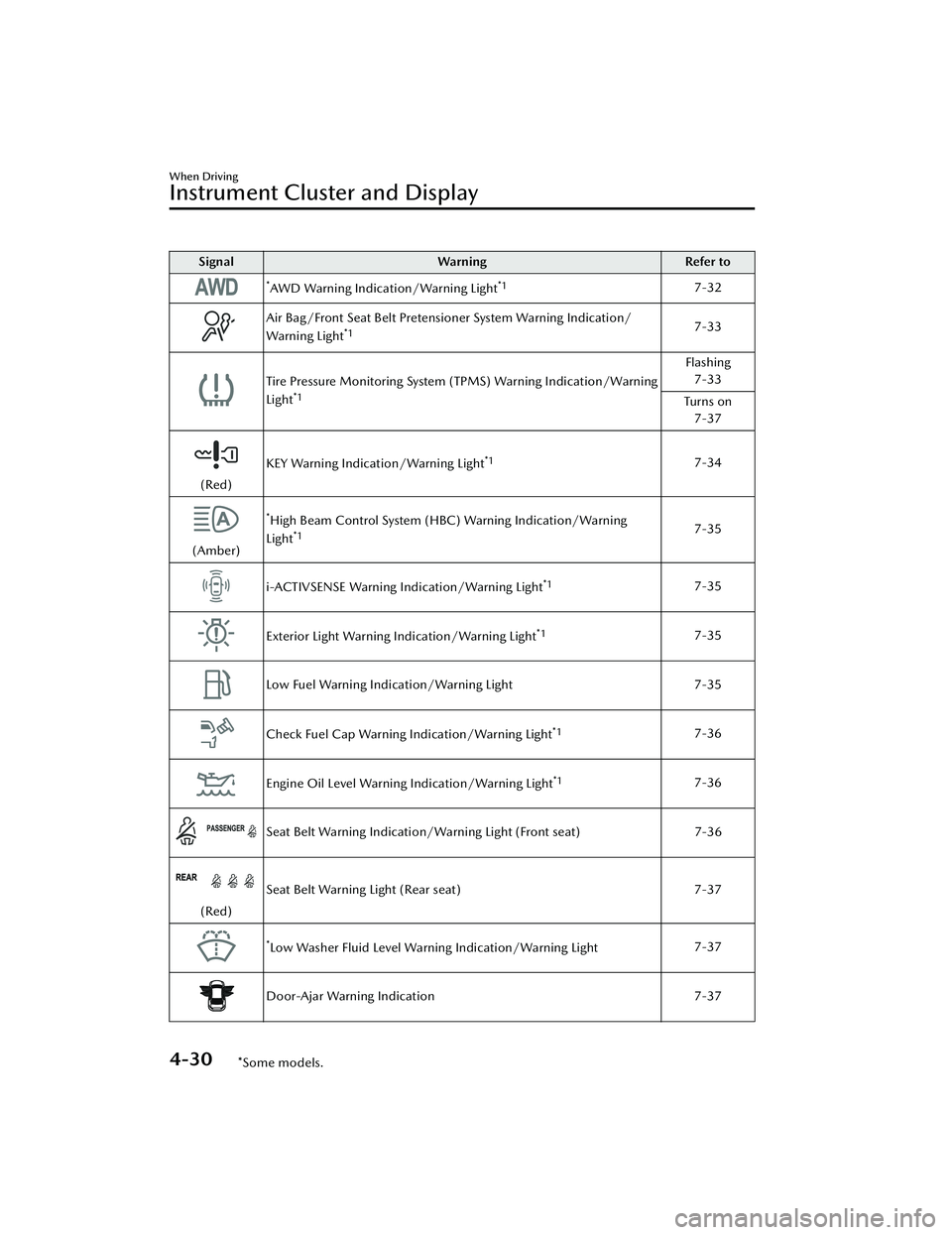
SignalWarning Refer to
*AWD Warning Indication/Warning Light*17-32
Air Bag/Front Seat Belt Pretensioner System Warning Indication/
Warning Light*17-33
Tire Pressure Monitoring System (TPMS) Warning Indication/Warning
Light*1
Flashing
7-33
Tu r n s o n 7-37
(Red) KEY Warning Indication/Warning Light
*17-34
(Amber)
*High Beam Control System (HBC) Warning Indication/Warning
Light*17-35
i-ACTIVSENSE Warning Indication/Warning Light*17-35
Exterior Light Warning Indication/Warning Light*17-35
Low Fuel Warning Indication/Warning Light 7-35
Check Fuel Cap Warning Indication/Warning Light*17-36
Engine Oil Level Warning Indication/Warning Light*17-36
Seat Belt Warning Indication/Warning Light (Front seat) 7-36
(Red)Seat Belt Warning Light (Rear seat)
7-37
*Low Washer Fluid Level Warning Indication/Warning Light7-37
Door-Ajar Warning Indication
7-37
When Driving
Instrument Cluster and Display
4-30*Some models.
Mazda3_8KH1-EA-21K_Edition1_new 2021-7-27 16:02:22