lock MAZDA MODEL 6 2015 (in English) Workshop Manual
[x] Cancel search | Manufacturer: MAZDA, Model Year: 2015, Model line: MODEL 6, Model: MAZDA MODEL 6 2015Pages: 576
Page 115 of 576
Black plate (115,1)
Theft-Deterrent Systemí
If the theft deterrent system detects an
inappropriate entry into the vehicle, which
could result in the vehicle or its contents
being stolen, the alarm alerts the
surrounding area of an abnormality by
sounding the horn and flashing the hazard
warning lights.
The system will not function unless it's
properly armed. So when you leave the
vehicle, follow the arming procedure
correctly.
qOperation
System triggering conditions
The horn sounds intermittently and the
hazard warning lights flash for about 30
seconds when the system is triggered by
any one of the following:
lUnlocking a door with the keyí, door
lock switch, or an inside door-lock
knob.
lForcing open a door, the hood or the
trunk lid.
lOpening the hood by operating the
hood release handle.
lSwitching the ignition ON without
using the push button start.
If the system is triggered again, the lights
and horn will activate until the driver's
door or the trunk lid is unlocked with the
auxiliary key
íor with the transmitter.
(With advanced key)
The lights and horn can also be
deactivated by pressing the request switch
on a door.NOTE
If the battery goes dead while the theft-
deterrent system is armed, the horn will
activate and the hazard warning lights will
flash when the battery is charged or replaced.
qHow to Arm the System
1. Close the windows and the moonroofí
securely.
2. Press the push button start off.
3. Make sure the hood, the doors, and the
trunk lid are closed.
4. Press the lock button on the transmitter
or lock the driver's door from the
outside with the auxiliary key.
The hazard warning lights will flash
once.
The following method will also arm the
theft-deterrent system:
Press the door-lock switch“
”while
any door is open and then close all of
the doors.
(With the advanced keyless function)
Press a request switch.
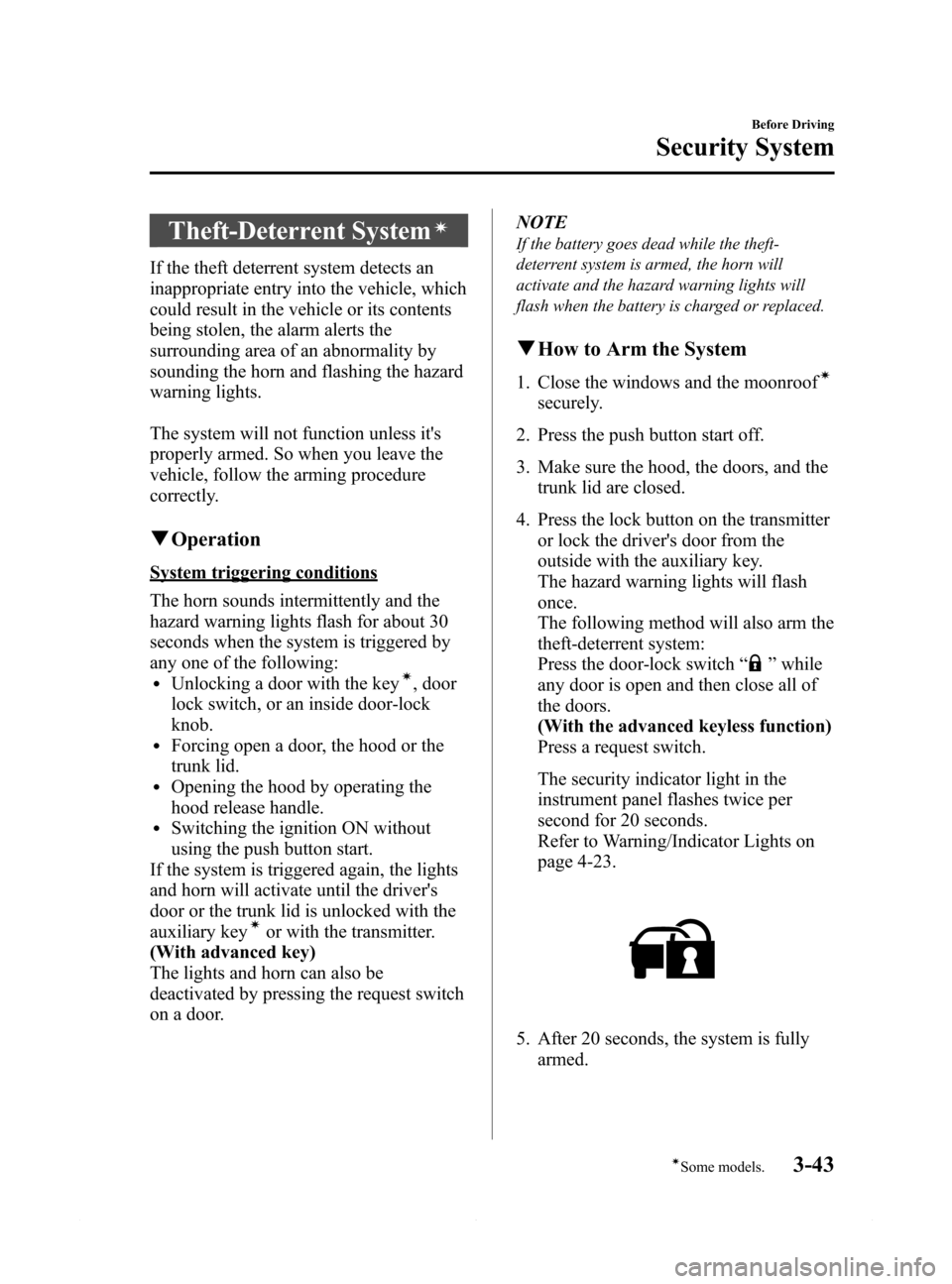
The security indicator light in the
instrument panel flashes twice per
second for 20 seconds.
Refer to Warning/Indicator Lights on
page 4-23.
5. After 20 seconds, the system is fully
armed.
Before Driving
Security System
3-43íSome models. Mazda6_8DQ8-EA-13L_Edition3 Page115
Friday, June 13 2014 6:21 PM
Form No.8DQ8-EA-13L
Page 116 of 576

Black plate (116,1)
NOTElThe theft deterrent system can also be
armed by activating the auto relock
function with all the doors, the trunk lid
and the hood closed.
Refer to Transmitter on page 3-4.
lThe system will disarm if one of the
following operations takes place within 20
seconds after pressing the lock button:
lUnlocking a door.lAny door or the trunk lid is opened.lThe hood is opened.lThe ignition is switched on.l(With the advanced keyless function)
Press the electric trunk lid opener while
the key is being carried.
To rearm the system, do the arming
procedure again.
lWhen the doors are locked by pressing the
lock button on the transmitter or using the
auxiliary key while the theft-deterrent
system is armed, the hazard warning lights
will flash once to indicate that the system is
armed.
qTo Turn Off an Armed System
An armed system can be turned off using
any one of the following methods:
lUnlock the driver's door with the
auxiliary key.í
lPress the unlock button on the
transmitter.
lSwitch the ignition ON.l(With the advanced keyless function)
Press a request switch on the doors.
The hazard warning lights will flash
twice.NOTE
When the doors are unlocked by pressing the
unlock button on the transmitter or using the
auxiliary key
íwhile the theft-deterrent system
is turned off, the hazard warning lights will
flash twice to indicate that the system is turned
off.
qTo Stop the Alarm
A triggered alarm can be turned off using
any one of the following methods:
lUnlock the driver's door with the
auxiliary key.í
lPress the unlock button on the
transmitter.
lThe engine is started with the push
button start.
l(With the advanced keyless function)lPress a request switch on the doors.lPress the electric trunk lid opener
while the key is being carried.
The hazard warning lights will flash
twice.
qTheft-Deterrent Labels
A label indicating that your vehicle is
equipped with a Theft-Deterrent System is
in the glove compartment.
Mazda recommends that you affix it to the
lower rear corner of a front door window.
3-44
Before Driving
íSome models.
Security System
Mazda6_8DQ8-EA-13L_Edition3 Page116
Friday, June 13 2014 6:21 PM
Form No.8DQ8-EA-13L
Page 118 of 576
Black plate (118,1)
Hazardous Driving
WARNING
Be extremely careful if it is necessary to
downshift on slippery surfaces:
Downshifting into lower gear while
driving on slippery surfaces is
dangerous. The sudden change in tire
speed could cause the tires to skid.
This could lead to loss of vehicle
control and an accident.
When driving on ice or in water, snow,
mud, sand, or similar hazards:
lBe cautious and allow extra distance
for braking.
lAvoid sudden braking and sudden
maneuvering.
lDo not pump the brakes. Continue to
press down on the brake pedal.
Refer to Antilock Brake System (ABS)
on page 4-92.
lIf you get stuck, select a lower gear and
accelerate slowly. Do not spin the front
wheels.
lFor more traction in starting on
slippery surfaces such as ice or packed
snow, use sand, rock salt, chains,
carpeting, or other nonslip material
under the front wheels.
NOTE
Use snow chains only on the front wheels.
Floor Mat
WARNING
Make sure the floor mats are hooked
on the retention pins to prevent them
from bunching up under the foot
pedals:
Using a floor mat that is not secured
is dangerous as it will interfere with
the accelerator and brake pedal
operation, which could result in an
accident.
Do not install two floor mats, one on
top of the other, on the driver's side:
Installing two floor mats, one on top
of the other, on the driver's side is
dangerous as the retention pins can
only keep one floor mat from sliding
forward.
In using a heavy duty floor mat for
winter use always remove the
original floor mat.
Loose floor mat(s) will interfere with
the foot pedal and could result in an
accident.
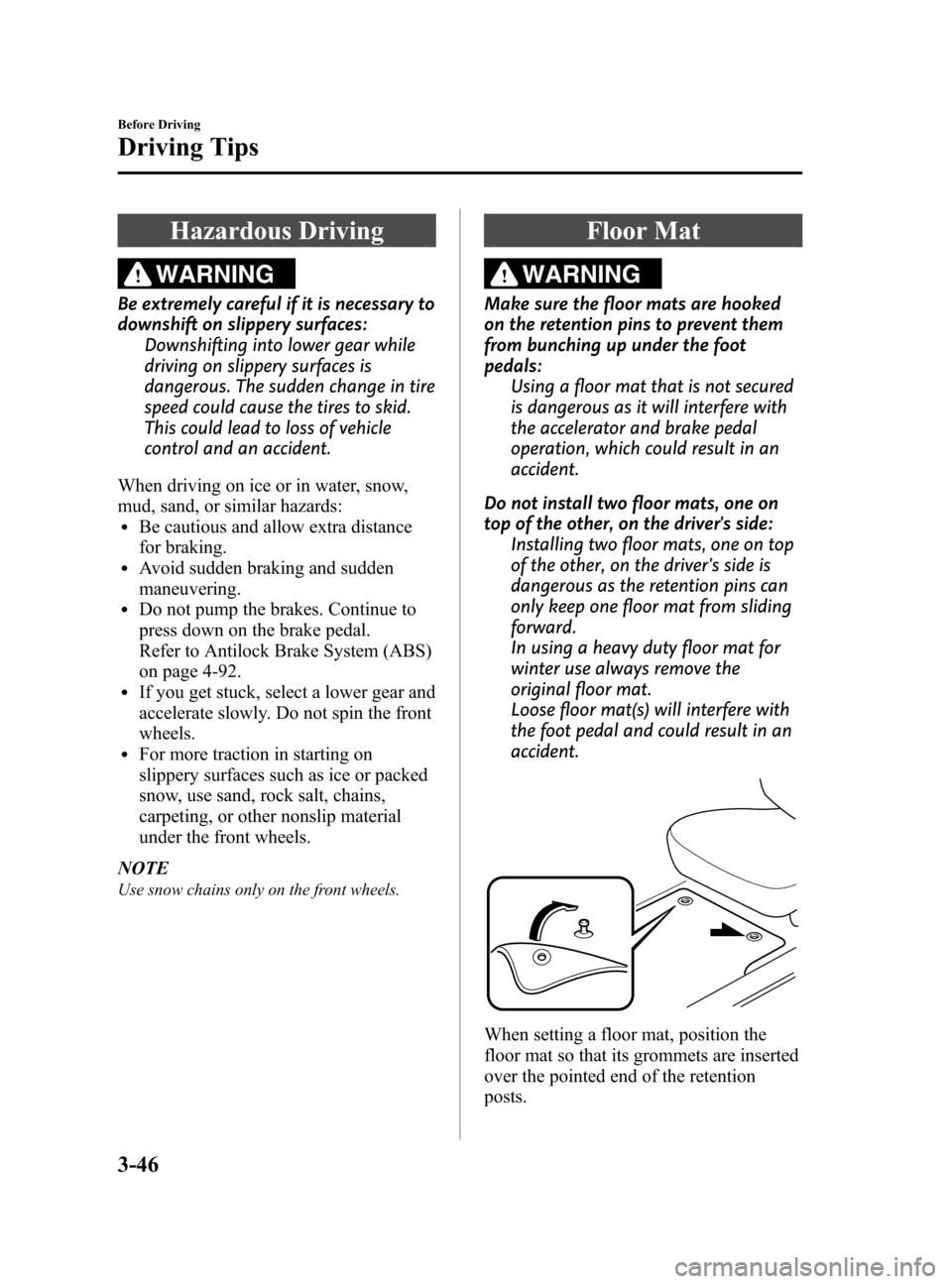
When setting a floor mat, position the
floor mat so that its grommets are inserted
over the pointed end of the retention
posts.
3-46
Before Driving
Driving Tips
Mazda6_8DQ8-EA-13L_Edition3 Page118
Friday, June 13 2014 6:21 PM
Form No.8DQ8-EA-13L
Page 119 of 576
Black plate (119,1)
Rocking the Vehicle
WARNING
Do not spin the wheels at more than 56
km/h (35 mph), and do not allow
anyone to stand behind a wheel when
pushing the vehicle:
When the vehicle is stuck, spinning
the wheels at high speed is
dangerous. The spinning tire could
overheat and explode. This could
cause serious injuries.
CAUTION
Too much rocking may cause engine
overheating, transaxle failure, and
tire damage.
If you must rock the vehicle to free it from
snow, sand or mud, depress the
accelerator slightly and slowly move the
shift lever from 1 (D) to R.
Winter Driving
Carry emergency gear, including tire
chains, window scraper, flares, a small
shovel, jumper cables, and a small bag of
sand or salt.
Ask an Authorized Mazda Dealer to
perform the following precautions:
lHave the proper ratio of antifreeze in
the radiator.
Refer to Engine Coolant on page 6-23.
lInspect the battery and its cables. Cold
reduces battery capacity.
lUse an engine oil appropriate for the
lowest ambient temperatures that the
vehicle will be driven in (page 6-21).
lInspect the ignition system for damage
and loose connections.
lUse washer fluid made with
antifreeze―but do not use engine
coolant antifreeze for washer fluid
(page 6-25).
lDo not use the parking brake in
freezing weather as it may freeze.
Instead, shift to P with an automatic
transaxle and to 1 or R with a manual
transaxle. Block the rear wheels.
lSnow left on the windshield is
dangerous as it could obstruct vision.
Remove snow before driving.
lDo not apply excessive force to a
window scraper when removing ice or
frozen snow on the mirror glass and
windshield.
lNever use warm or hot water for
removing snow or ice from windows
and mirrors as it could result in the
glass cracking.
Before Driving
Driving Tips
3-47
Mazda6_8DQ8-EA-13L_Edition3 Page119
Friday, June 13 2014 6:21 PM
Form No.8DQ8-EA-13L
Page 120 of 576
Black plate (120,1)
lBraking performance can be adversely
affected if snow or ice adheres to the
brake components. If this situation
occurs, drive the vehicle slowly,
releasing the accelerator pedal and
lightly applying the brakes several
times until the brake performance
returns to normal.
qSnow Tires
Use snow tires on all four wheels
Do not go faster than 120 km/h (75 mph)
while driving with snow tires. Inflate
snow tires 30 kPa (0.3 kgf/cm
2, 4.3 psi)
more than recommended on the tire
pressure label (driver's door frame), but
never more than the maximum cold-tire
pressure shown on the tires.
Your vehicle is originally equipped with
all season radials designed to be used all
year around. In some extreme climates
you may find it necessary to replace them
with snow tires during the winter months
to further improve traction on snow and
ice covered roads.
WARNING
Use only the same size and type tires
(snow, radial, or non-radial) on all four
wheels:
Using tires different in size or type is
dangerous. Your vehicle's handling
could be greatly affected and result
in an accident.
CAUTION
Check local regulations before using
studded tires.
qTire Chains
Check local regulations before using tire
chains.
CAUTION
ØChains may affect handling.
ØDo not go faster than 50 km/h (30
mph) or the chain manufacturer's
recommended limit, whichever is
lower.
ØDrive carefully and avoid bumps,
holes, and sharp turns.
ØAvoid locked-wheel braking.
ØDo not use chains on a temporary
spare tire; it may result in damage
to the vehicle and to the tire.
ØDo not use chains on roads that
are free of snow or ice. The tires
and chains could be damaged.
ØChains may scratch or chip
aluminum wheels.
NOTE
The tire pressure monitoring system may not
function correctly when using tire chains.
Install the chains on the front tires only.
Do not use chains on the rear tires.
Please consult an Authorized Mazda
Dealer.
Installing the chains
1. Secure the chains on the front tires as
tightly as possible.
Always follow the chain
manufacturer's instructions.
2. Retighten the chains after driving 1/2
―1 km (1/4―1/2 mile).
3-48
Before Driving
Driving Tips
Mazda6_8DQ8-EA-13L_Edition3 Page120
Friday, June 13 2014 6:21 PM
Form No.8DQ8-EA-13L
Page 125 of 576

Black plate (125,1)
4When Driving
Information concerning safe driving and stopping.
Start/Stop Engine .................................... 4-2
Ignition Switch .................................... 4-2
Starting the Engine .............................. 4-3
Turning the Engine Off ....................... 4-8
Instrument Cluster and Display ........... 4-10
Meters and Gauges ............................ 4-10
Warning/Indicator Lights .................. 4-23
Transaxle ................................................ 4-47
Manual Transaxle Operation ............. 4-47
Automatic Transaxle Controls .......... 4-49
Switches and Controls ........................... 4-58
Lighting Control ............................... 4-58
High Beam Control System (HBC)í... 4-63
Fog Lightsí...................................... 4-67
Turn and Lane-Change Signals ......... 4-67
Windshield Wipers and Washer ........ 4-68
Rear Window Defogger .................... 4-72
Horn .................................................. 4-73
Hazard Warning Flasher .................... 4-74
HomeLink Wireless Control
System
í............................................ 4-74
Radar Sensor .......................................... 4-78
Radar Sensor
í.................................. 4-78
Brake ...................................................... 4-81
Brake System .................................... 4-81
Hill Launch Assist (HLA) ................. 4-84
Smart City Brake Support (SCBS)í... 4-86
ABS/TCS/DSC ....................................... 4-92
Antilock Brake System (ABS) .......... 4-92
Traction Control System (TCS) ........ 4-93
Dynamic Stability Control (DSC) ..... 4-94i-ELOOP ................................................. 4-96
i-ELOOP
í........................................ 4-96
Drive Selection ....................................... 4-99
Drive Selection
í............................... 4-99
Power Steering ..................................... 4-101
Power Steering ................................ 4-101
Mazda Radar Cruise Control (MRCC)... 4-102
Mazda Radar Cruise Control (MRCC)í... 4-102
Cruise Control ...................................... 4-111
Cruise Control
í.............................. 4-111
Forward Obstruction Warning (FOW)... 4-114
Forward Obstruction Warning (FOW)í... 4-114
Tire Pressure Monitoring System ....... 4-117
Tire Pressure Monitoring System .... 4-117
Blind Spot Monitoring (BSM)
System .................................................. 4-121
Blind Spot Monitoring (BSM)
System
í.......................................... 4-121
Lane Departure Warning System
(LDWS) ................................................ 4-130
Lane Departure Warning System
(LDWS)
í....................................... 4-130
Rear View Monitor .............................. 4-137
Rear View Monitor
í...................... 4-137
4-1íSome models.
Mazda6_8DQ8-EA-13L_Edition3 Page125
Friday, June 13 2014 6:21 PM
Form No.8DQ8-EA-13L
Page 126 of 576
Black plate (126,1)
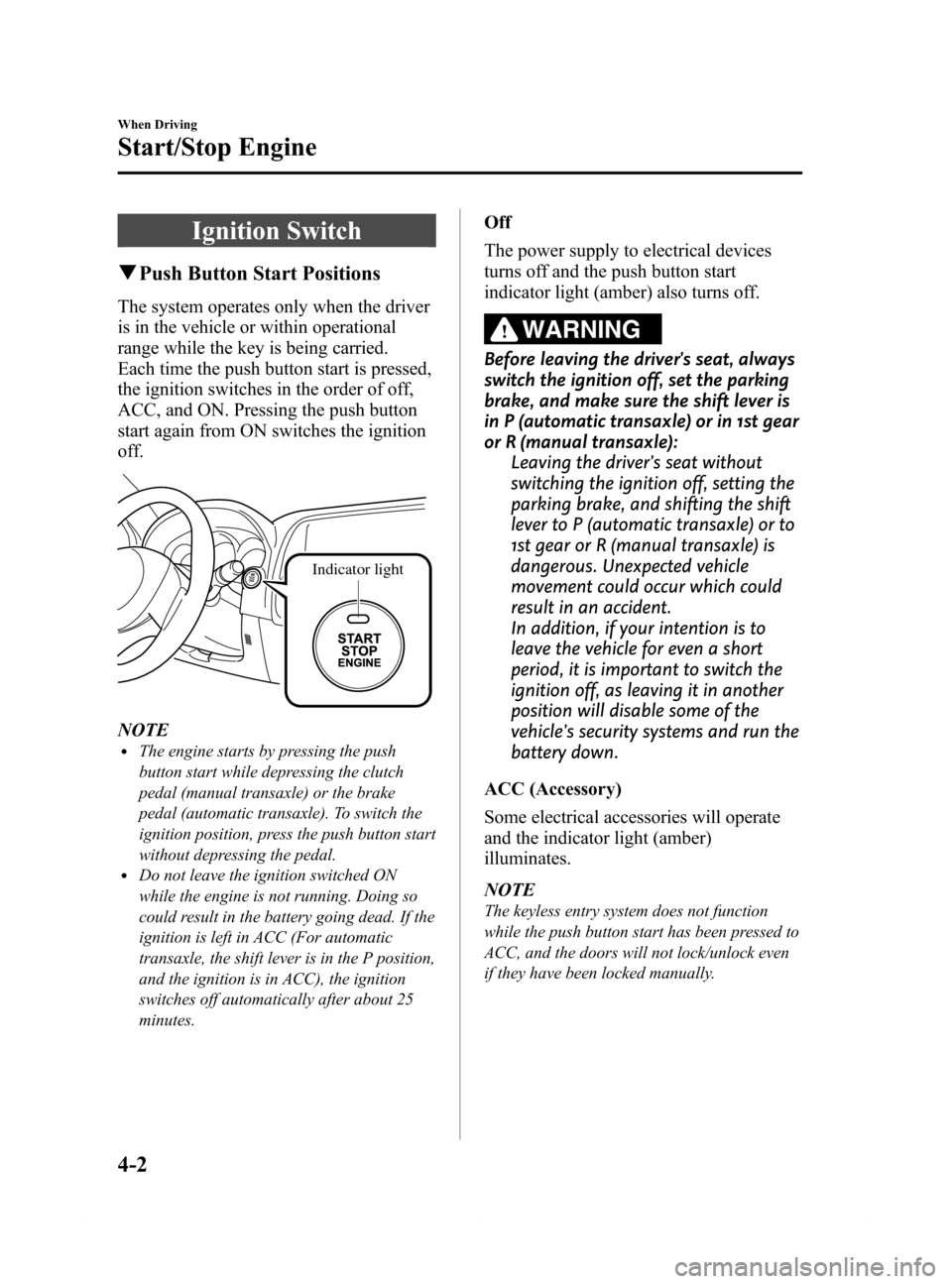
Ignition Switch
qPush Button Start Positions
The system operates only when the driver
is in the vehicle or within operational
range while the key is being carried.
Each time the push button start is pressed,
the ignition switches in the order of off,
ACC, and ON. Pressing the push button
start again from ON switches the ignition
off.
Indicator light
NOTElThe engine starts by pressing the push
button start while depressing the clutch
pedal (manual transaxle) or the brake
pedal (automatic transaxle). To switch the
ignition position, press the push button start
without depressing the pedal.
lDo not leave the ignition switched ON
while the engine is not running. Doing so
could result in the battery going dead. If the
ignition is left in ACC (For automatic
transaxle, the shift lever is in the P position,
and the ignition is in ACC), the ignition
switches off automatically after about 25
minutes.
Off
The power supply to electrical devices
turns off and the push button start
indicator light (amber) also turns off.
WARNING
Before leaving the driver's seat, always
switch the ignition off, set the parking
brake, and make sure the shift lever is
in P (automatic transaxle) or in 1st gear
or R (manual transaxle):
Leaving the driver's seat without
switching the ignition off, setting the
parking brake, and shifting the shift
lever to P (automatic transaxle) or to
1st gear or R (manual transaxle) is
dangerous. Unexpected vehicle
movement could occur which could
result in an accident.
In addition, if your intention is to
leave the vehicle for even a short
period, it is important to switch the
ignition off, as leaving it in another
position will disable some of the
vehicle's security systems and run the
battery down.
ACC (Accessory)
Some electrical accessories will operate
and the indicator light (amber)
illuminates.
NOTE
The keyless entry system does not function
while the push button start has been pressed to
ACC, and the doors will not lock/unlock even
if they have been locked manually.
4-2
When Driving
Start/Stop Engine
Mazda6_8DQ8-EA-13L_Edition3 Page126
Friday, June 13 2014 6:21 PM
Form No.8DQ8-EA-13L
Page 138 of 576

Black plate (138,1)
When driving on snowy or foggy roads,
or in other situations when the instrument
cluster's visibility is reduced due to glare
from surrounding brightness, cancel the
illumination dimmer and increase the
illumination intensity.
To cancel the illumination dimmer, rotate
the knob clockwise fully. You will hear a
beep sound and the illumination dimmer
will be canceled.
NOTE
lThis symbol () indicates the knob to
adjust the brightness of the dashboard
illumination.
lIf the dashboard illumination knob is kept
at the illumination dimmer cancel position,
the instrument cluster will not dim when the
headlight switch is turned to the
or
position again. Rotate the dashboard
illumination knob counterclockwise to
activate the illumination dimmer.
qOutside Temperature Display
When the ignition is switched ON, the
outside temperature is displayed.
Type A
Type B
NOTE
Under the following conditions, the outside
temperature display may differ from the actual
outside temperature depending on the
surroundings and vehicle conditions:
lSignificantly cold or hot temperatures.lSudden changes in outside temperature.lThe vehicle is parked.lThe vehicle is driven at low speeds.
(Type B instrument cluster)
The outside temperature unit can be
switched between Celsius and Fahrenheit
using the following procedure.
1. Press the INFO button with the ignition
switched off and continue pressing the
INFO button for 5 seconds or longer
while switching the ignition ON. The
outside temperature display flashes.
2. Press the up
or downpart of the
INFO switch to change the outside
temperature unit.
3. Press and hold the INFO button for 3
seconds or longer while the outside
temperature display is flashing. The
outside temperature display
illuminates.
4-14
When Driving
Instrument Cluster and Display
Mazda6_8DQ8-EA-13L_Edition3 Page138
Friday, June 13 2014 6:21 PM
Form No.8DQ8-EA-13L
Page 155 of 576

Black plate (155,1)
qElectronic Brake Force
Distribution System Warning
If the electronic brake force distribution
control unit determines that some
components are operating incorrectly, the
control unit may illuminate the brake
system warning light and the ABS
warning light simultaneously. The
problem is likely to be the electronic
brake force distribution system.
WARNING
Do not drive with both the ABS warning
light and brake warning light
illuminated. Have the vehicle towed to
an Authorized Mazda Dealer to have
the brakes inspected as soon as
possible:
Driving when the brake system
warning light and ABS warning light
are illuminated simultaneously is
dangerous.
When both lights are illuminated, the
rear wheels could lock more quickly
in an emergency stop than under
normal circumstances.
qCharging System Warning
Indication/Warning Light
Type B
This warning light illuminates when the
ignition is switched ON and turns off
when the engine is started.
Type A/Type B
If the warning light/indication illuminates
while driving, it indicates a malfunction
of the alternator or of the charging system.
Drive to the side of the road and park off
the right-of-way. Consult an Authorized
Mazda Dealer.
CAUTION
Do not continue driving when the
charging system warning light is
illuminated because the engine could
stop unexpectedly.
qEngine Oil Warning Indication/
Warning Light
Type B
This warning light illuminates when the
ignition is switched ON and turns off
when the engine is started.
When Driving
Instrument Cluster and Display
4-31
Mazda6_8DQ8-EA-13L_Edition3 Page155
Friday, June 13 2014 6:21 PM
Form No.8DQ8-EA-13L
Page 173 of 576

Black plate (173,1)
Automatic Transaxle Controls
Lock-release button
Indicates the shift lever can be shifted freely into any position.
Indicates that you must hold in the lock-release button to shift.
Indicates that you must depress the brake pedal and hold in the lock-release
button to shift (The ignition must be switched ACC or ON).
Various Lockouts:
NOTE
The Sport AT has an option that is not included in the traditional automatic transaxle giving the
driver the option of selecting each gear instead of leaving it to the transaxle to shift gears. Even if
you intend to use the automatic transaxle functions as a traditional automatic, you should also be
aware that you can inadvertently shift into manual shift mode and an inappropriate gear may be
retained as the vehicle speed increases. If you notice the engine speed going higher or hear the
engine racing, confirm you have not accidentally slipped into manual shift mode (page 4-52).
When Driving
Transaxle
4-49
Mazda6_8DQ8-EA-13L_Edition3 Page173
Friday, June 13 2014 6:21 PM
Form No.8DQ8-EA-13L