reset MAZDA MODEL 6 2017 (in English) User Guide
[x] Cancel search | Manufacturer: MAZDA, Model Year: 2017, Model line: MODEL 6, Model: MAZDA MODEL 6 2017Pages: 578, PDF Size: 54.72 MB
Page 155 of 578
4–31
When Driving
Instrument Cluster and Display
Each setting/adjustment for the active driving display can be performed on the center
display.
1. Select the
icon on the home screen and display the Settings screen.
2. Select the AD-Disp tab.
3. Select the desired item and perform the setting/adjustment.
Method for adjusting screen brightness (automatically/manually) Screen brightness initial settings (automatic adjustment is selected) Screen brightness adjustment (manual adjustment is selected) Display position of active driving display (display height) The combination of street name display, lane guidance, and turn by turn (TBT) can be
changed. (navigation guidance)
Active driving display ON/OFF (indication) Reset settings (reset)
NOTE
The desired driving position (display position, brightness level, display inform\
ation) can be
called up after programming the position.
Refer to Driving Position Memory on page 2-8.
Mazda6_8FH2-EA-16F_Edition2.indb 312016/07/07 13:44:42
Page 162 of 578
4–38
When Driving
Instrument Cluster and Display
*Some models.
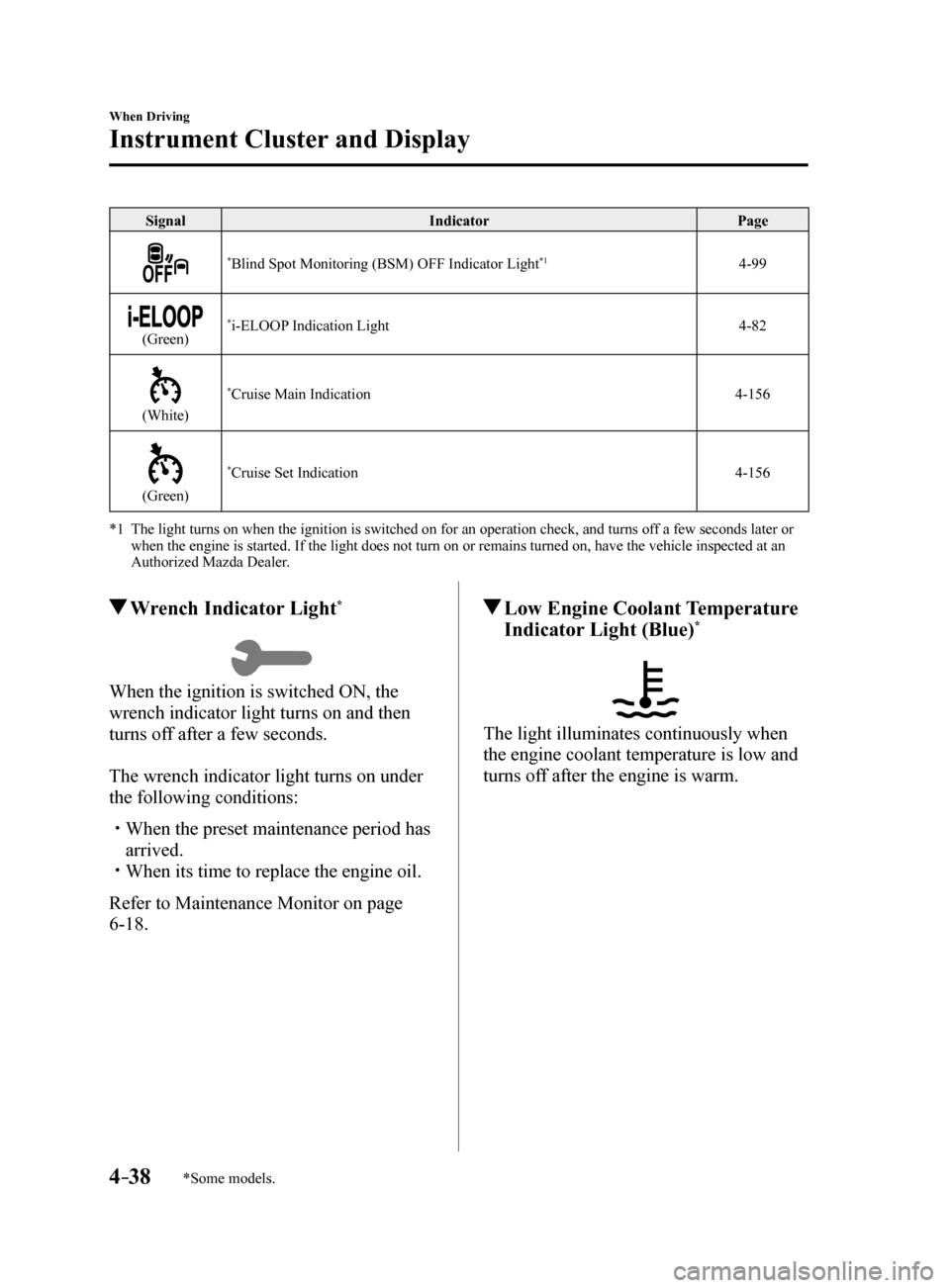
SignalIndicator Page
*Blind Spot Monitoring (BSM) OFF Indicator Light*14-99
(Green)*i-ELOOP Indication Light 4-82
(White)
*Cruise Main Indication4-156
(Green)
*Cruise Set Indication4-156
*1 The light turns on when the ignition is switched on for an operation che\
ck, and turns off a few seconds later or
when the engine is started. If the light does not turn on or remains tur\
ned on, have the vehicle inspected at an
Authorized Mazda Dealer.
Wrench Indicator Light*
When the ignition is switched ON, the
wrench indicator light turns on and then
turns off after a few seconds.
The wrench indicator light turns on under
the following conditions:
When the preset maintenance period has
arrived.
When its time to replace the engine oil.
Refer to Maintenance Monitor on page
6-18.
Low Engine Coolant Temperature
Indicator Light (Blue)*
The light illuminates continuously when
the engine coolant temperature is low and
turns off after the engine is warm.
Mazda6_8FH2-EA-16F_Edition2.indb 382016/07/07 13:44:50
Page 207 of 578
 User Guide 4–83
When Driving
Fuel Economy Monitor
Fuel Economy Monitor
The Control Status and Fuel Consumption are switched and displayed by op\
erating each
icon in the display.
In addition, after completing")
4–83
When Driving
Fuel Economy Monitor
Fuel Economy Monitor
The Control Status and Fuel Consumption are switched and displayed by op\
erating each
icon in the display.
In addition, after completing a trip, the total energy efficiency to date is displayed in the
ending display when the ending display is turned on.
1. Select the
icon on the home screen to display the applications screen.
2. Select the “Fuel Economy Monitor”.
3. Operate the commander switch or touch the screen and display the menu.
NOTE
When the menu is displayed by touching the screen, the display is hidden automatically after
6 seconds.
4. Select the icon in the menu and perform the operation. Each icon operates as follows:
Indication on display Control status
Hides the menu display.
Displays the application screen.
Switches the Fuel Economy Monitor in the order of
Control Status and Fuel Consumption.
Resets the fuel economy data.
Displays the following setting screen.
Ending display on/off switching On/off switching for function which synchronizes
reset fuel economy data to trip meter (Trip A)
NOTE
The fuel economy monitor screen after the ignition is switched from ON to OFF is changed
to the original fuel economy monitor screen when the ignition is switched ON the next time.
Mazda6_8FH2-EA-16F_Edition2.indb 832016/07/07 13:45:02
Page 208 of 578
4–84
When Driving
Fuel Economy Monitor
Fuel Consumption Display
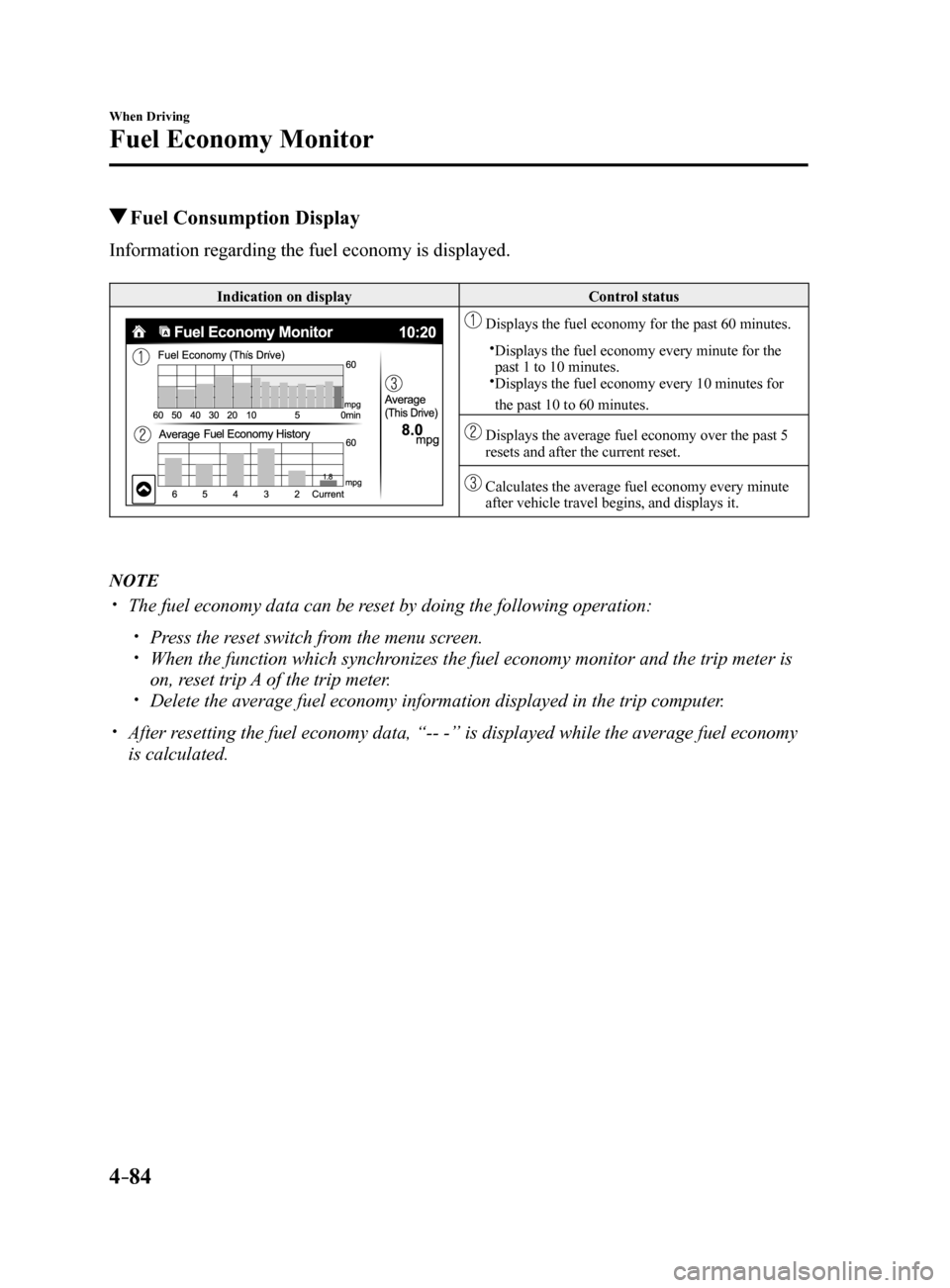
Information regarding the fuel economy is displayed.
Indication on display Control status
Displays the fuel economy for the past 60 minutes.
Displays the fuel economy every minute for the
past 1 to 10 minutes.
Displays the fuel economy every 10 minutes for
the past 10 to 60 minutes.
Displays the average fuel economy over the past 5
resets and after the current reset.
Calculates the average fuel economy every minute
after vehicle travel begins, and displays it.
NOTE
The fuel economy data can be reset by doing the following operation:
Press the reset switch from the menu screen. When the function which synchronizes the fuel economy monitor and the trip meter is
on, reset trip A of the trip meter.
Delete the average fuel economy information displayed in the trip comput\
er.
After resetting the fuel economy data, “-- -” is displayed while the aver\
age fuel economy
is calculated.
Mazda6_8FH2-EA-16F_Edition2.indb 842016/07/07 13:45:03
Page 239 of 578
4–115
When Driving
i-ACTIVSENSE
*Some models.
Mazda Radar Cruise Control (MRCC)*
The Mazda Radar Cruise Control (MRCC) system is designed to maintain headway control*1
according to the vehicle speed using a radar sensor (front) to detect \
the distance to a vehicle
ahead, and by presetting the vehicle speed between 30 km/h (19 mph) an\
d 145 km/h (90
mph), the driver is freed from having to constantly use the accelerator\
or brake pedals.
*1 Headway Control: Control of the distance between your vehicle and the ve\
hicle ahead
detected by the Mazda Radar Cruise Control (MRCC) system.
Additionally, if your vehicle starts closing in on the vehicle ahead because, for ex\
ample, the
vehicle ahead brakes suddenly, a warning sound and a warning indication in the display are
activated simultaneously to alert you to maintain a sufficient distance between the vehicles.
Use the Mazda Radar Cruise Control (MRCC) system on expressways and other highways
which do not require a lot of repeated acceleration and deceleration.
WARNING
Do not rely completely on the Mazda Radar Cruise Control (MRCC) system and always
drive carefully:
The Mazda Radar Cruise Control (MRCC) system is designed to reduce load on the driver,
and although it maintains a constant vehicle speed, or specifically, it maintains a constant
distance between your vehicle and the detected vehicle ahead according to the vehicle
speed, the system has detection limitations depending on the type of vehicle ahead and its
conditions, the weather conditions, and the road conditions. Additionally, the system may
be unable to decelerate sufficiently to avoid hitting the vehicle ahead if the vehicle ahead
applies the brakes suddenly or another vehicle cuts into the driving lane, which could result in
an accident. Always verify the safety of the surrounding area and depress the brake pedal or
accelerator pedal while keeping a safer distance from vehicles ahead or on-coming vehicles.
Do not use the Mazda Radar Cruise Control (MRCC) system in the following locations.
Otherwise, it could lead to an accident:
Roads with sharp curves and where vehicle traffic is heavy and there is insufficient
space between vehicles. Roads where frequent and repetitive acceleration and
deceleration occur (Driving under these conditions using the Mazda Radar Cruise
Control (MRCC) system is not possible).
When entering and exiting interchanges, service areas, and parking areas of highways
(If you exit a highway while headway control is in use, the vehicle ahead will no longer
be tracked and your vehicle may accelerate to the set speed).
Slippery roads such as ice or snow-bound roads (The tires could spin causing you to
lose vehicle control).
Long descending slopes (to maintain distance between vehicles, the system automatically
and continuously applies the brakes which could result in the loss of brake power).
For the purposes of safety, switch the Mazda Radar Cruise Control (MRCC) system off
when it is not being used.
Mazda6_8FH2-EA-16F_Edition2.indb 1152016/07/07 13:45:11
Page 248 of 578

4–124
When Driving
i-ACTIVSENSE
NOTE
The system may not be able to maintain
the set speed constantly depending on
driving conditions such as steep up or
down slopes.
The speed will continue increasing
while the SET
switch is pressed and
held. The speed will continue
decreasing while the SET
switch is
pressed and held.
How to increase the set speed
The set speed can be increased using the
following operations:
To increase speed using the SET
switch
Press and hold the SET
switch and
release the switch at the desired speed.
The set speed can be adjusted
incrementally (1 km/h (1 mph)
increments) by pressing the switch and
releasing it immediately. For example, if
the switch is pressed 4 times, the set speed
increases by about 4 km/h (4 mph).
To increase speed using accelerator
pedal
Depress the accelerator pedal and press the
SET
or SET switch at the desired
speed.
If the switch is not operated, the system
returns to the set speed after you release
your foot from the accelerator pedal.
How to Decrease the Set Speed
Press the SET
switch continuously and
release the switch at the desired speed.
The set speed can be adjusted
incrementally (1 km/h (1 mph) increments)
by pressing the switch and releasing it
immediately. For example, if the switch
is pressed 4 times, the set vehicle speed
decreases by about 4 km/h (4 mph).
Cancelling the function
Cancelling using OFF/CAN switch
When the OFF/CAN switch is pressed
once, the cruise control function is
cancelled.
Cancelling using MODE switch
When the MODE switch is pressed, the
cruise control function is canceled and
the headway control function is made
available for operation.
The cruise control function is canceled
automatically in the following cases. If the
RES switch is pressed while the vehicle
speed is 25 km/h (16 mph) or higher, the
speed returns to the original set speed.
The OFF/CAN switch is pressed once. The brake pedal is depressed. The parking brake is applied.
The selector lever is shifted to P or N
position.
NOTE
If the vehicle speed decreases by about
15 km/h (9.4 mph) or more than the set
speed, the cruise control function may
be canceled.
When the vehicle speed is less than
21 km/h (13 mph), the cruise control
function is canceled. In this case, the
vehicle speed will not return to the
original set speed even if the vehicle
is accelerated to 25 km/h (16 mph) or
higher and the RES switch is pressed.
Reset the cruise control function.
Mazda6_8FH2-EA-16F_Edition2.indb 1242016/07/07 13:45:16
Page 281 of 578
4–157
When Driving
Cruise Control
The cruise control will cancel if the
vehicle speed decreases below 21 km/h
(13 mph) when the cruise control is
activated, such as when climbing a
steep grade.
The cruise control may cancel at about
15 km/h (9 mph) below the preset speed,
such as when climbing a long, steep
grade.
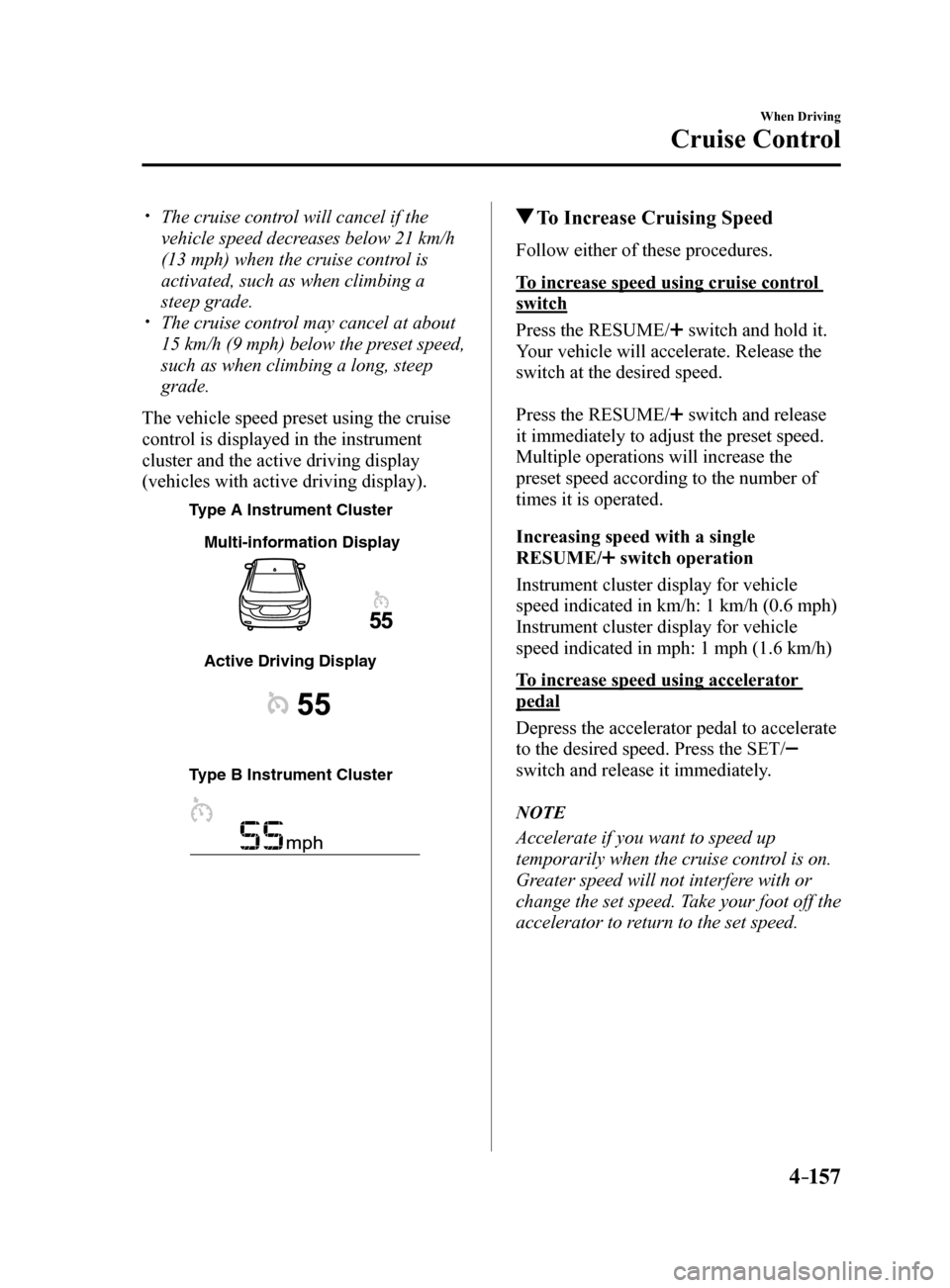
The vehicle speed preset using the cruise
control is displayed in the instrument
cluster and the active driving display
(vehicles with active driving display).
T ype A Instrument Cluster
T
ype B Instrument Cluster Multi-inf
ormation Displa y
Active Driving Displa y
To Increase Cruising Speed
Follow either of these procedures.
To increase speed using cruise control
switch
Press the RESUME/
switch and hold it.
Your vehicle will accelerate. Release the
switch at the desired speed.
Press the RESUME/
switch and release
it immediately to adjust the preset speed.
Multiple operations will increase the
preset speed according to the number of
times it is operated.
Increasing speed with a single
RESUME/
switch operation
Instrument cluster display for vehicle
speed indicated in km/h: 1 km/h (0.6 mph)
Instrument cluster display for vehicle
speed indicated in mph: 1 mph (1.6 km/h)
To increase speed using accelerator
pedal
Depress the accelerator pedal to accelerate
to the desired speed. Press the SET/
switch and release it immediately.
NOTE
Accelerate if you want to speed up
temporarily when the cruise control is on.
Greater speed will not interfere with or
change the set speed. Take your foot off the
accelerator to return to the set speed.
Mazda6_8FH2-EA-16F_Edition2.indb 1572016/07/07 13:45:22
Page 282 of 578

4–158
When Driving
Cruise Control
To Decrease Cruising Speed
Press the SET/ switch and hold it. The
vehicle will gradually slow.
Release the switch at the desired speed.
Press the SET/
switch and release it
immediately to adjust the preset speed.
Multiple operations will decrease the
preset speed according to the number of
times it is operated.
Decreasing speed with a single SET/
switch operation
Instrument cluster display for vehicle
speed indicated in km/h: 1 km/h (0.6 mph)
Instrument cluster display for vehicle
speed indicated in mph: 1 mph (1.6 km/h)
To Resume Cruising Speed at
More Than 25 km/h (16 mph)
If some other method besides the OFF/
CANCEL switch was used to cancel
cruising speed (such as applying the brake
pedal) and the system is still activated, the
most recent set speed will automatically
resume when the RESUME/
switch is
pressed.
If vehicle speed is below 25 km/h (16
mph), increase the vehicle speed up to 25
km/h (16 mph) or more and press the
RESUME/
switch.
To Temporarily Cancel
To temporarily cancel the system, use one
of these methods:
Slightly depress the brake pedal. (Manual transaxle)
Depress the clutch pedal.
Press the OFF/CANCEL switch.
If the RESUME/ switch is pressed when
the vehicle speed is 25 km/h (16 mph) or
higher, the system reverts to the previously
set speed.
NOTE
If any of the following conditions occur,
the cruise control system is temporarily
canceled.
The parking brake is applied. (Automatic transaxle)
The selector lever is in the P or N
position.
(Manual transaxle)
The shift lever is in the neutral
position.
When the cruise control system is
temporarily canceled by even one of the
applicable cancel conditions, the speed
cannot be re-set.
(Automatic transaxle)
The cruise control cannot be cancelled
while driving in manual mode (selector
lever shifted from D to M position).
Therefore, engine braking will not be
applied even if the transaxle is shifted
down to a lower gear. If deceleration is
required, lower the set speed or depress
the brake pedal.
To Deactivate
When a cruising speed has been set
(cruise set indication (green) turns on)
Long-press the OFF/CANCEL switch or
press the OFF/CANCEL switch 2 times.
When a cruising speed has not been set
(cruise main indication (white) turns on)
Press the OFF/CANCEL switch.
Mazda6_8FH2-EA-16F_Edition2.indb 1582016/07/07 13:45:22
Page 294 of 578

4–170
When Driving
Rear View Monitor
Three-dimensional object on vehicle rear
Because the distance guide lines are displayed based on a flat surface, the distance to the
three-dimensional object displayed on the screen is different from the actual distance.
A
A
C B
CB
(Actual distance) B>C=A
Sensed distance on screen A>B>C (Screen displa
y)
(Actual condition)
Picture Quality Adjustment
WARNING
Always adjust the picture quality of the rear view monitor while the vehicle is stopped:
Do not adjust the picture quality of the rear view monitor while driving the vehicle.
Adjusting the picture quality of the rear view monitor such as brightness, contrast, color,
and tint while driving the vehicle is dangerous as it could distract your attention from the
vehicle operation which could lead to an accident.
Picture quality adjustment can be done while the shift lever is in reverse (R).
There are four settings which can be adjusted including, brightness, con\
trast, tint, and color.
When adjusting, pay sufficient attention to the vehicle surroundings.
1. Select the
icon on the screen to display the tabs.
2. Select the desired tab item.
3. Adjust the brightness, contrast, tint, and color using the slider.
If you need to reset, press the reset button.
4. Select the
icon on the screen to close the tab.
Mazda6_8FH2-EA-16F_Edition2.indb 1702016/07/07 13:45:25
Page 320 of 578
5–26
Interior Features
Audio System
Volume/Display/Sound Controls
Commander switch A
udio contr ol switc h
Volume switch
Volume dial
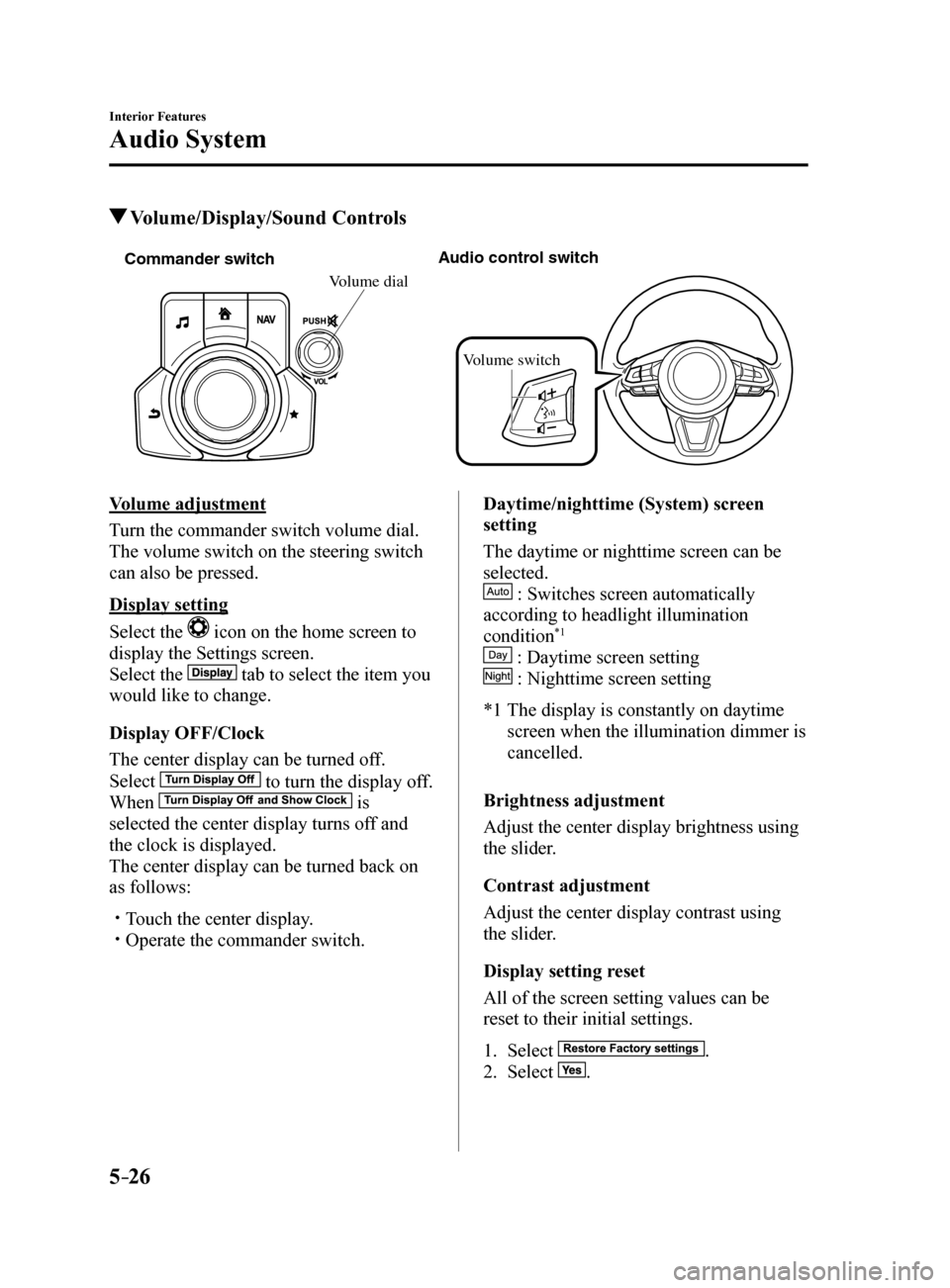
Volume adjustment
Turn the commander switch volume dial.
The volume switch on the steering switch
can also be pressed.
Display setting
Select the
icon on the home screen to
display the Settings screen.
Select the
tab to select the item you
would like to change.
Display OFF/Clock
The center display can be turned off.
Select
to turn the display off.
When
is
selected the center display turns off and
the clock is displayed.
The center display can be turned back on
as follows:
Touch the center display. Operate the commander switch. Daytime/nighttime (System) screen
setting
The daytime or nighttime screen can be
selected.
: Switches screen automatically
according to headlight illumination
condition
*1
: Daytime screen setting
: Nighttime screen setting
*1 The display is constantly on daytime
screen when the illumination dimmer is
cancelled.
Brightness adjustment
Adjust the center display brightness using
the slider.
Contrast adjustment
Adjust the center display contrast using
the slider.
Display setting reset
All of the screen setting values can be
reset to their initial settings.
1. Select
.
2. Select
.
Mazda6_8FH2-EA-16F_Edition2.indb 262016/07/07 13:45:36