reset MAZDA MODEL 6 2017 (in English) Owner's Manual
[x] Cancel search | Manufacturer: MAZDA, Model Year: 2017, Model line: MODEL 6, Model: MAZDA MODEL 6 2017Pages: 578, PDF Size: 54.72 MB
Page 322 of 578
5–28
Interior Features
Audio System
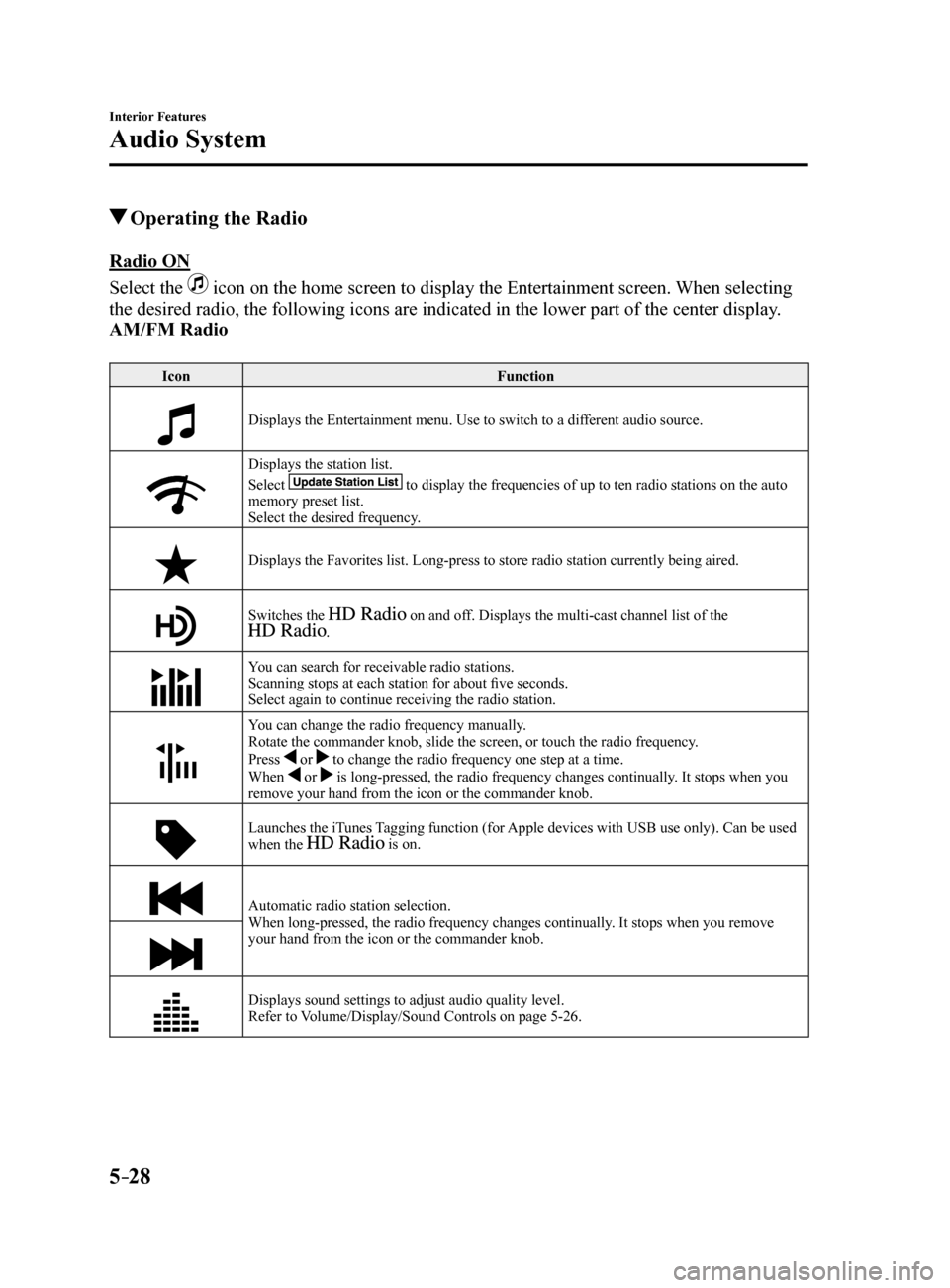
Operating the Radio
Radio ON
Select the
icon on the home screen to display the Entertainment screen. When selecting
the desired radio, the following icons are indicated in the lower part o\
f the center display.
AM/FM Radio
Icon Function
Displays the Entertainment menu. Use to switch to a different audio source.
Displays the station list.
Select
to display the frequencies of up to ten radio stations on the auto
memory preset list.
Select the desired frequency.
Displays the Favorites list. Long-press to store radio station currently\
being aired.
Switches the on and off. Displays the multi-cast channel list of the .
You can search for receivable radio stations.
Scanning stops at each station for about five seconds.
Select again to continue receiving the radio station.
You can change the radio frequency manually.
Rotate the commander knob, slide the screen, or touch the radio frequency.
Press
or to change the radio frequency one step at a time.
When or is long-pressed, the radio frequency changes continually. It stops when you
remove your hand from the icon or the commander knob.
Launches the iTunes Tagging function (for Apple devices with USB use only). Can be used
when the is on.
Automatic radio station selection.
When long-pressed, the radio frequency changes continually. It stops when you remove
your hand from the icon or the commander knob.
Displays sound settings to adjust audio quality level.
Refer to Volume/Display/Sound Controls on page 5-26.
Mazda6_8FH2-EA-16F_Edition2.indb 282016/07/07 13:45:38
Page 328 of 578
5–34
Interior Features
Audio System
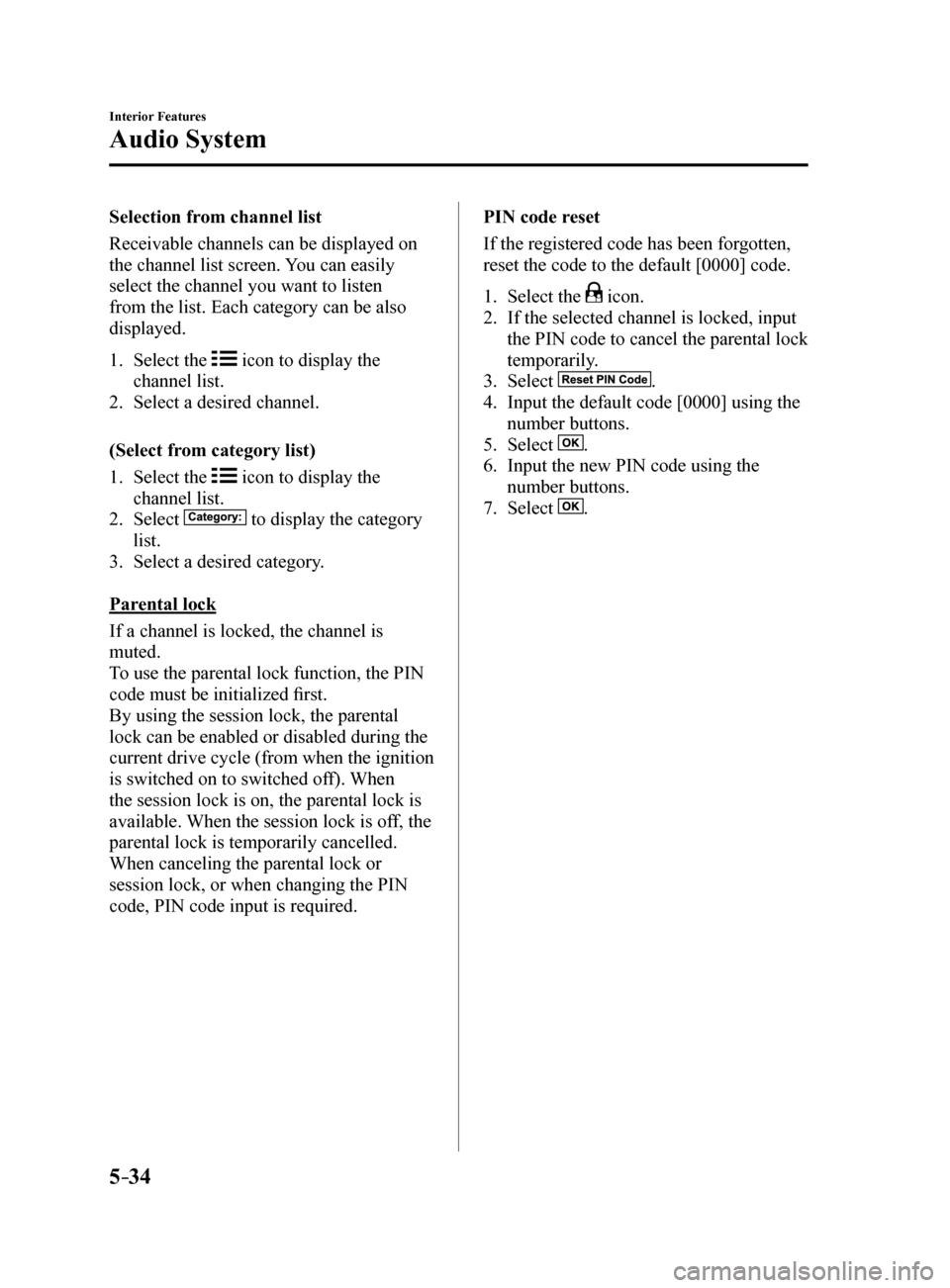
Selection from channel list
Receivable channels can be displayed on
the channel list screen. You can easily
select the channel you want to listen
from the list. Each category can be also
displayed.
1. Select the
icon to display the
channel list.
2. Select a desired channel.
(Select from category list)
1. Select the
icon to display the
channel list.
2. Select
to display the category
list.
3. Select a desired category.
Parental lock
If a channel is locked, the channel is
muted.
To use the parental lock function, the PIN
code must be initialized first.
By using the session lock, the parental
lock can be enabled or disabled during the
current drive cycle (from when the ignition
is switched on to switched off). When
the session lock is on, the parental lock is
available. When the session lock is off, the
parental lock is temporarily cancelled.
When canceling the parental lock or
session lock, or when changing the PIN
code, PIN code input is required. PIN code reset
If the registered code has been forgotten,
reset the code to the default [0000] code.
1.
Select the
icon.
2. If the selected channel is locked, input
the PIN code to cancel the parental lock
temporarily.
3. Select
.
4. Input the default code [0000] using the
number buttons.
5. Select
.
6. Input the new PIN code using the
number buttons.
7. Select
.
Mazda6_8FH2-EA-16F_Edition2.indb 342016/07/07 13:45:42
Page 360 of 578
 Owners Manual 5–66
Interior Features
Bluetooth®
The following icons are displayed in the lower part of the details on th\
e message. Icons
which can be used differ depending on use conditions.
IconFunction
Disp")
5–66
Interior Features
Bluetooth®
The following icons are displayed in the lower part of the details on th\
e message. Icons
which can be used differ depending on use conditions.
IconFunction
Displays the Communication menu.
Displays the inbox.
Plays back a message.
When selected again, playback is temporarily stopped.
Displays the previous message.
Displays the next message.
Only replies to the sender of the currently displayed message.
Select the sentence on the displayed reply screen and select the sentenc\
e for sending from
the preset message.
Select
.
(Only E-mail)
Replies to all members including CC.
Select the sentence on the displayed reply screen and select the sentenc\
e for sending from
the preset message.
Select
.
Makes a call to a person who sent a message.
For E-mail, this function may not work depending on the device.
Deletes a message.
The messages stored in a device is also deleted.
NOTE
Up to three preset messages can be selected.
Mazda6_8FH2-EA-16F_Edition2.indb 662016/07/07 13:45:56
Page 361 of 578
5–67
Interior Features
Bluetooth®
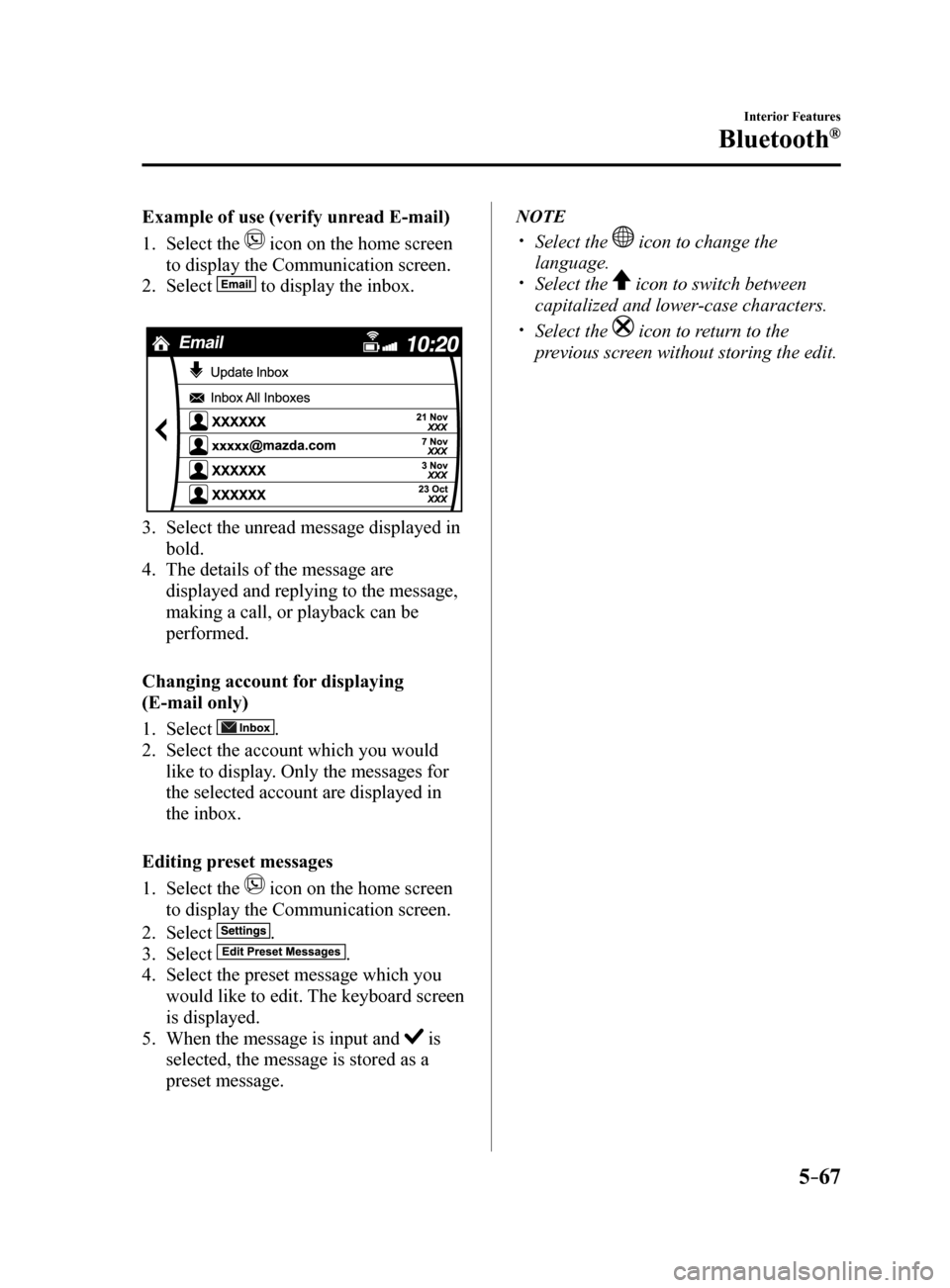
Example of use (verify unread E-mail)
1. Select the
icon on the home screen
to display the Communication screen.
2. Select
to display the inbox.
3. Select the unread message displayed in
bold.
4. The details of the message are
displayed and replying to the message,
making a call, or playback can be
performed.
Changing account for displaying
(E-mail only)
1. Select
.
2. Select the account which you would
like to display. Only the messages for
the selected account are displayed in
the inbox.
Editing preset messages
1. Select the
icon on the home screen
to display the Communication screen.
2. Select
.
3. Select
.
4. Select the preset message which you
would like to edit. The keyboard screen
is displayed.
5. When the message is input and
is
selected, the message is stored as a
preset message.
NOTE
Select the icon to change the
language.
Select the icon to switch between
capitalized and lower-case characters.
Select the icon to return to the
previous screen without storing the edit.
Mazda6_8FH2-EA-16F_Edition2.indb 672016/07/07 13:45:57
Page 362 of 578
5–68
Interior Features
Bluetooth®
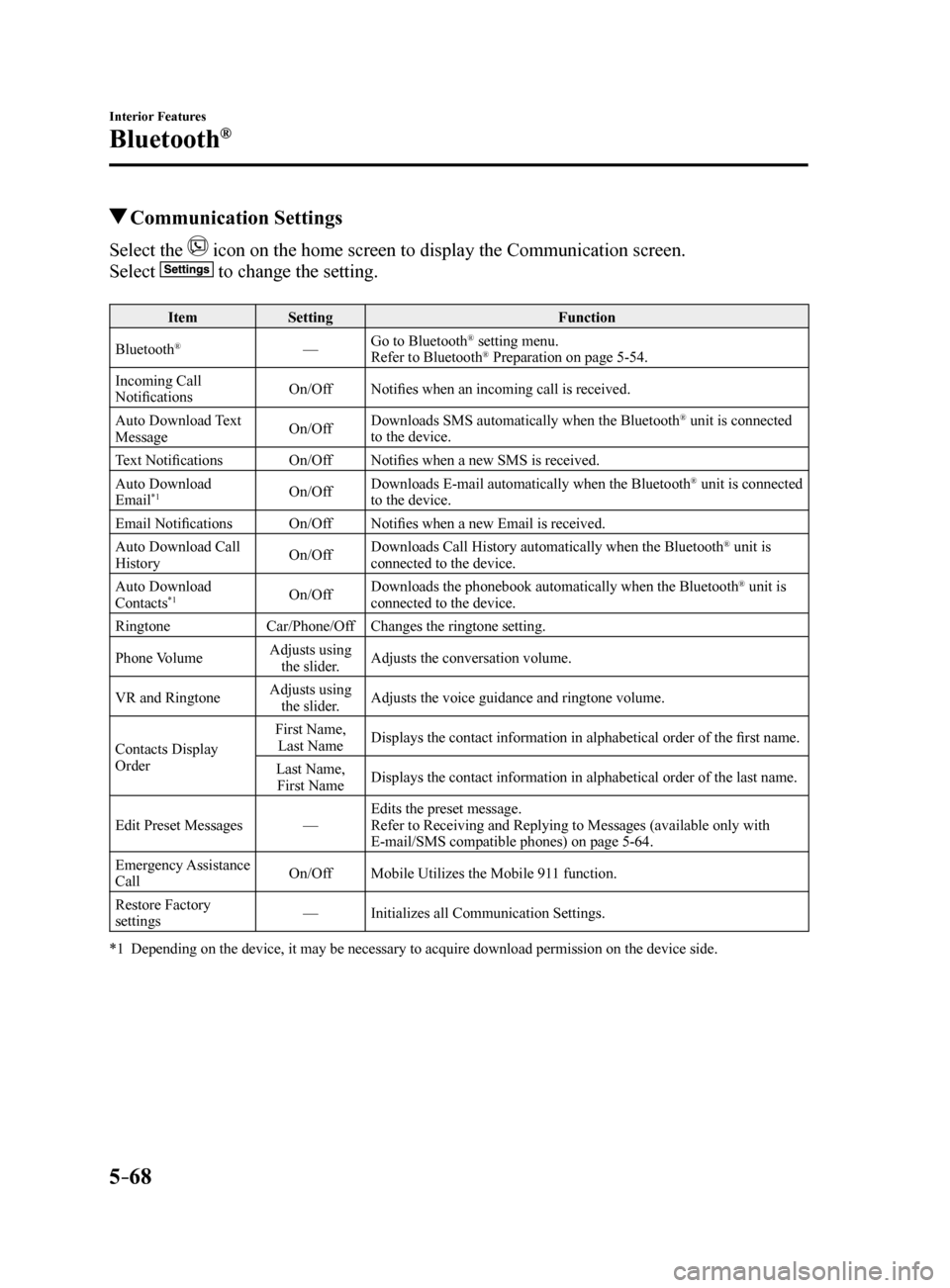
Communication Settings
Select the icon on the home screen to display the Communication screen.
Select
to change the setting.
Item Setting Function
Bluetooth
®— Go to Bluetooth® setting menu.
Refer to Bluetooth® Preparation on page 5-54.
Incoming Call
Notifications On/Off
Notifies when an incoming call is received.
Auto Download Text
Message On/OffDownloads SMS automatically when the Bluetooth
® unit is connected
to the device.
Text Notifications On/OffNotifies when a new SMS is received.
Auto Download
Email
*1On/Off Downloads E-mail automatically when the Bluetooth® unit is connected
to the device.
Email Notifications On/OffNotifies when a new Email is received.
Auto Download Call
History On/OffDownloads Call History automatically when the Bluetooth
® unit is
connected to the device.
Auto Download
Contacts
*1On/Off Downloads the phonebook automatically when the Bluetooth® unit is
connected to the device.
Ringtone Car/Phone/OffChanges the ringtone setting.
Phone Volume Adjusts using
the slider. Adjusts the conversation volume.
VR and Ringtone Adjusts using
the slider. Adjusts the voice guidance and ringtone volume.
Contacts Display
Order First Name,
Last Name Displays the contact information in alphabetical order of the first name.
Last Name, First Name Displays the contact information in alphabetical order of the last name.\
Edit Preset Messages —Edits the preset message.
Refer to Receiving and Replying to Messages (available only with
E-mail/SMS compatible phones) on page 5-64.
Emergency Assistance
Call On/Off
Mobile Utilizes the Mobile 911 function.
Restore Factory
settings —
Initializes all Communication Settings.
*1 Depending on the device, it may be necessary to acquire download permission on the device side.
Mazda6_8FH2-EA-16F_Edition2.indb 682016/07/07 13:45:57
Page 369 of 578
 Owners Manual 5–75
Interior Features
Bluetooth®
How to Use Aha™
What is Aha™?
Aha
*1 is an application which can be used to enjoy various Internet content s\
uch as Internet
radio and podcasts.
Stay conne")
5–75
Interior Features
Bluetooth®
How to Use Aha™
What is Aha™?
Aha
*1 is an application which can be used to enjoy various Internet content s\
uch as Internet
radio and podcasts.
Stay connected to your friends activities by getting updates from Facebo\
ok and Twitter.
Using the location-based service, nearby services and destinations can b\
e searched or real-
time local information can be obtained.
For details on Aha, refer to “http://www.aharadio.com/”.
*1 Aha, the Aha logo, and the Aha trade dress are trademarks or registered trademarks of
Harman International Industries, Inc., used with permission.
NOTE
The service content provided by Aha varies depending on the country in which the user
resides. In addition, the service is not available in some countries.
To operate Aha from your Bluetooth® device, perform the following in advance:
Install the Aha application to your device. Create an Aha account for your device. Log onto Aha using your device. Select the preset station on your device.
Mazda6_8FH2-EA-16F_Edition2.indb 752016/07/07 13:46:00
Page 371 of 578
5–77
Interior Features
Bluetooth®
IconFunction
Fast-forwards for 30 seconds.
Displays sound settings to adjust audio quality level.
Refer to Volume/Display/Sound Controls on page 5-26.
*2 Some stations may use alternate variations of Like and Dislike, based\
on station type or provider.
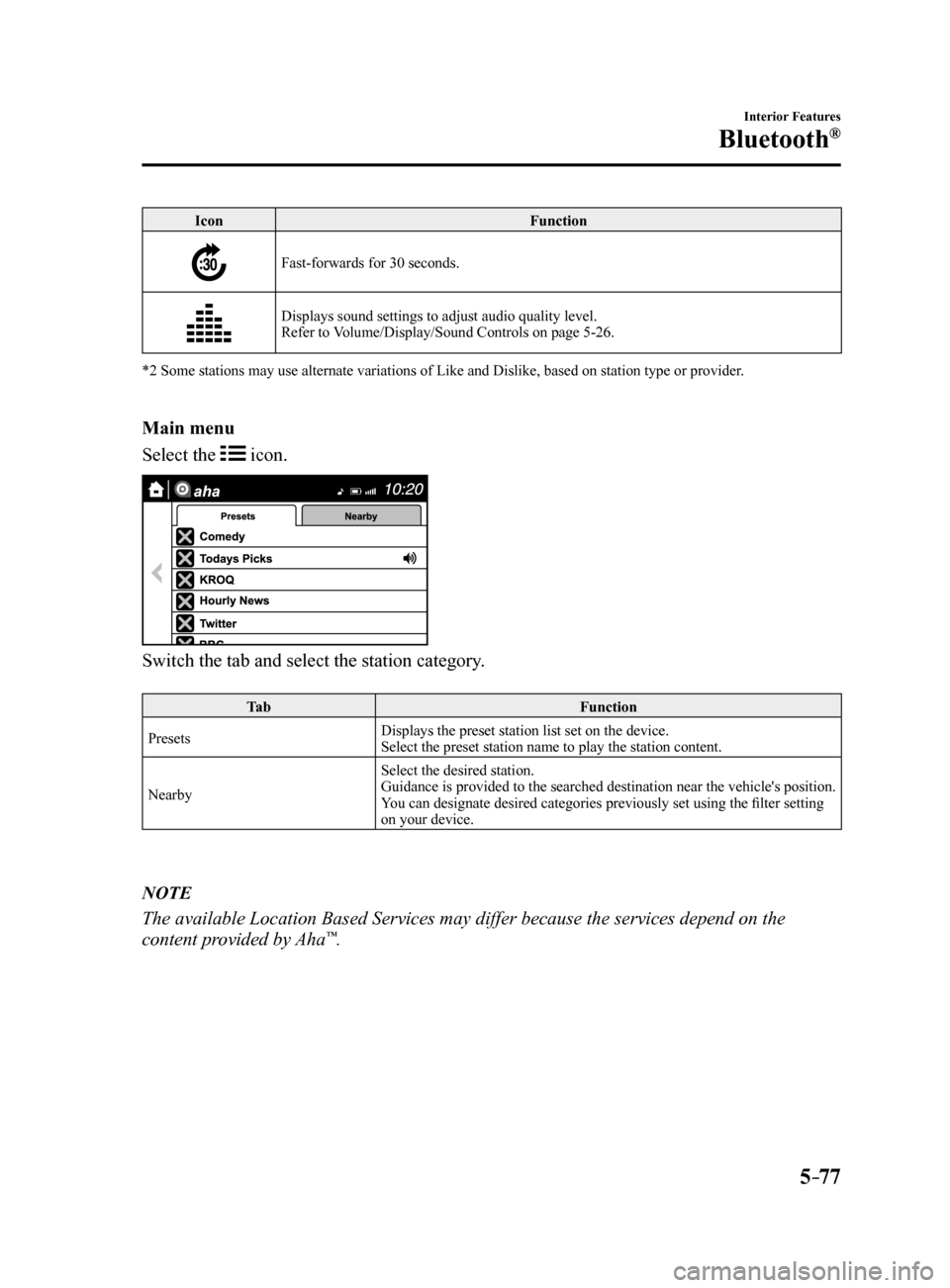
Main menu
Select the
icon.
Switch the tab and select the station category.
Ta b Function
Presets Displays the preset station list set on the device.
Select the preset station name to play the station content.
Nearby Select the desired station.
Guidance is provided to the searched destination near the vehicle's position.
You can designate desired categories previously set using the filter setting
on your device.
NOTE
The available Location Based Services may differ because the services de\
pend on the
content provided by Aha™.
Mazda6_8FH2-EA-16F_Edition2.indb 772016/07/07 13:46:01
Page 392 of 578
6–6
Maintenance and Care
Scheduled Maintenance
Remarks:
*1 The engine oil and filter must be changed at least once a year or within 12,000 km (7,500 miles) since last
engine oil and filter change. The system must be reset whenever replacing the engine oil regardless of the
message/wrench indicator light display.
*2 Use of FL-22 is recommended when replacing engine coolant. Using engine \
coolant other than FL-22 may
cause serious damage to the engine and cooling system.
*3 According to state/provincial and federal regulations, failure to perfor\
m maintenance on these items will not
void your emissions warranties. However, Mazda recommends that all maintenance services be performed at the
recommended time or mileage/kilometer period to ensure long-term reliabi\
lity.
*4 The Tire Pressure Monitoring System (TPMS) initialization must be performed\
so that the system operates
normally (if equipped).
*5 Check the tire repair fluid expiration date every year when performing the periodic maintenance. Replace the
tire repair fluid bottle with new one before the expiration date.
Mazda6_8FH2-EA-16F_Edition2.indb 62016/07/07 13:46:06
Page 394 of 578
6–8
Maintenance and Care
Scheduled Maintenance
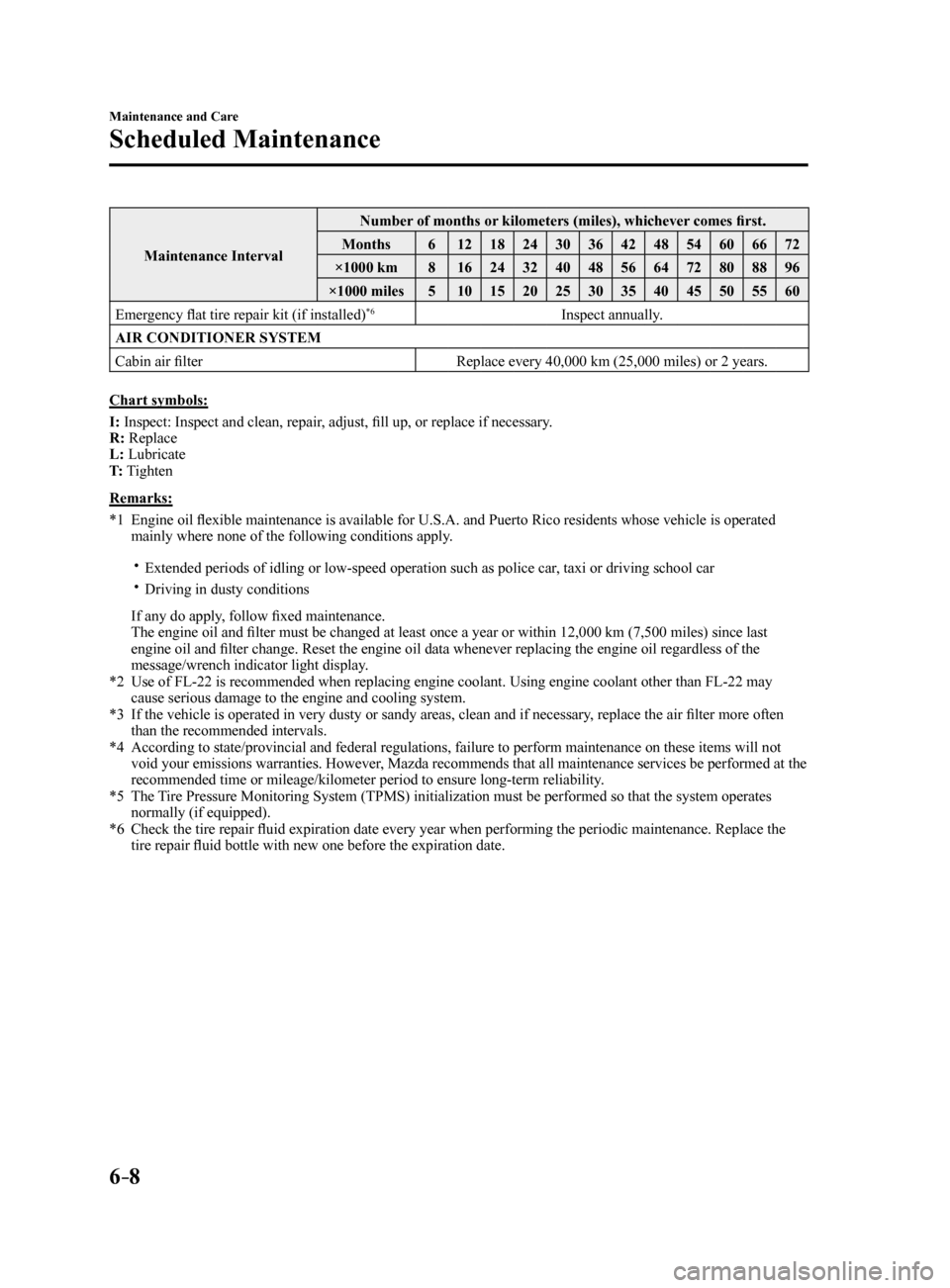
Maintenance IntervalNumber of months or kilometers (miles), whichever comes first.
Months 612 18243036424854606672
×1000 km 816 24324048566472808896
×1000 miles 510 15202530354045505560
Emergency flat tire repair kit (if installed)
*6Inspect annually.
AIR CONDITIONER SYSTEM
Cabin air filter Replace every 40,000 km (25,000 miles) or 2 years.
Chart symbols:
I: Inspect: Inspect and clean, repair, adjust, fill up, or replace if necessary.
R: Replace
L: Lubricate
T: Tighten
Remarks:
*1 Engine oil flexible maintenance is available for U.S.A. and Puerto Rico residents whose vehicle is operated
mainly where none of the following conditions apply.
Extended periods of idling or low-speed operation such as police car, taxi or driving school car Driving in dusty conditions
If any do apply, follow fixed maintenance.
The engine oil and filter must be changed at least once a year or within 12,000 km (7,500 miles) since last
engine oil and filter change. Reset the engine oil data whenever replacing the engine oil regardless of the
message/wrench indicator light display.
*2 Use of FL-22 is recommended when replacing engine coolant. Using engine \
coolant other than FL-22 may
cause serious damage to the engine and cooling system.
*3 If the vehicle is operated in very dusty or sandy areas, clean and if necessary, replace the air filter more often
than the recommended intervals.
*4 According to state/provincial and federal regulations, failure to perfor\
m maintenance on these items will not
void your emissions warranties. However, Mazda recommends that all maintenance services be performed at the
recommended time or mileage/kilometer period to ensure long-term reliabi\
lity.
*5 The Tire Pressure Monitoring System (TPMS) initialization must be performed\
so that the system operates
normally (if equipped).
*6 Check the tire repair fluid expiration date every year when performing the periodic maintenance. Replace the
tire repair fluid bottle with new one before the expiration date.
Mazda6_8FH2-EA-16F_Edition2.indb 82016/07/07 13:46:06
Page 396 of 578
6–10
Maintenance and Care
Scheduled Maintenance
Chart symbols:
I: Inspect: Inspect and clean, repair, adjust, fill up, or replace if necessary.
R: Replace
L: Lubricate
T: Tighten
Remarks:
*1 Reset the engine oil data whenever replacing the engine oil regardless of the message/wrench indicator light
display.
*2 Use of FL-22 is recommended when replacing engine coolant. Using engine \
coolant other than FL-22 may
cause serious damage to the engine and cooling system.
*3 According to state/provincial and federal regulations, failure to perfor\
m maintenance on these items will not
void your emissions warranties. However, Mazda recommends that all maintenance services be performed at the
recommended time or mileage/kilometer period to ensure long-term reliabi\
lity.
*4 The Tire Pressure Monitoring System (TPMS) initialization must be performed\
so that the system operates
normally (if equipped).
*5 Check the tire repair fluid expiration date every year when performing the periodic maintenance. Replace the
tire repair fluid bottle with new one before the expiration date.
Mazda6_8FH2-EA-16F_Edition2.indb 102016/07/07 13:46:06