battery MAZDA MODEL 6 2017 (in English) Owner's Manual
[x] Cancel search | Manufacturer: MAZDA, Model Year: 2017, Model line: MODEL 6, Model: MAZDA MODEL 6 2017Pages: 578, PDF Size: 54.72 MB
Page 139 of 578
4–15
When Driving
Instrument Cluster and Display
*Some models.
NOTE
If the fuel economy data is reset using
the fuel economy monitor, or trip A
is reset using the trip meter when the
function which synchronizes the fuel
economy monitor and the trip meter is
on, the fuel economy data and trip A are
reset simultaneously.
Refer to Fuel Economy Monitor on page
4-83.
Only the trip meters record tenths of
kilometers (miles).
The trip record will be erased when:
The power supply is interrupted
(blown fuse or the battery is
disconnected).
The vehicle is driven over 9999.9 km
(mile).
Tachometer
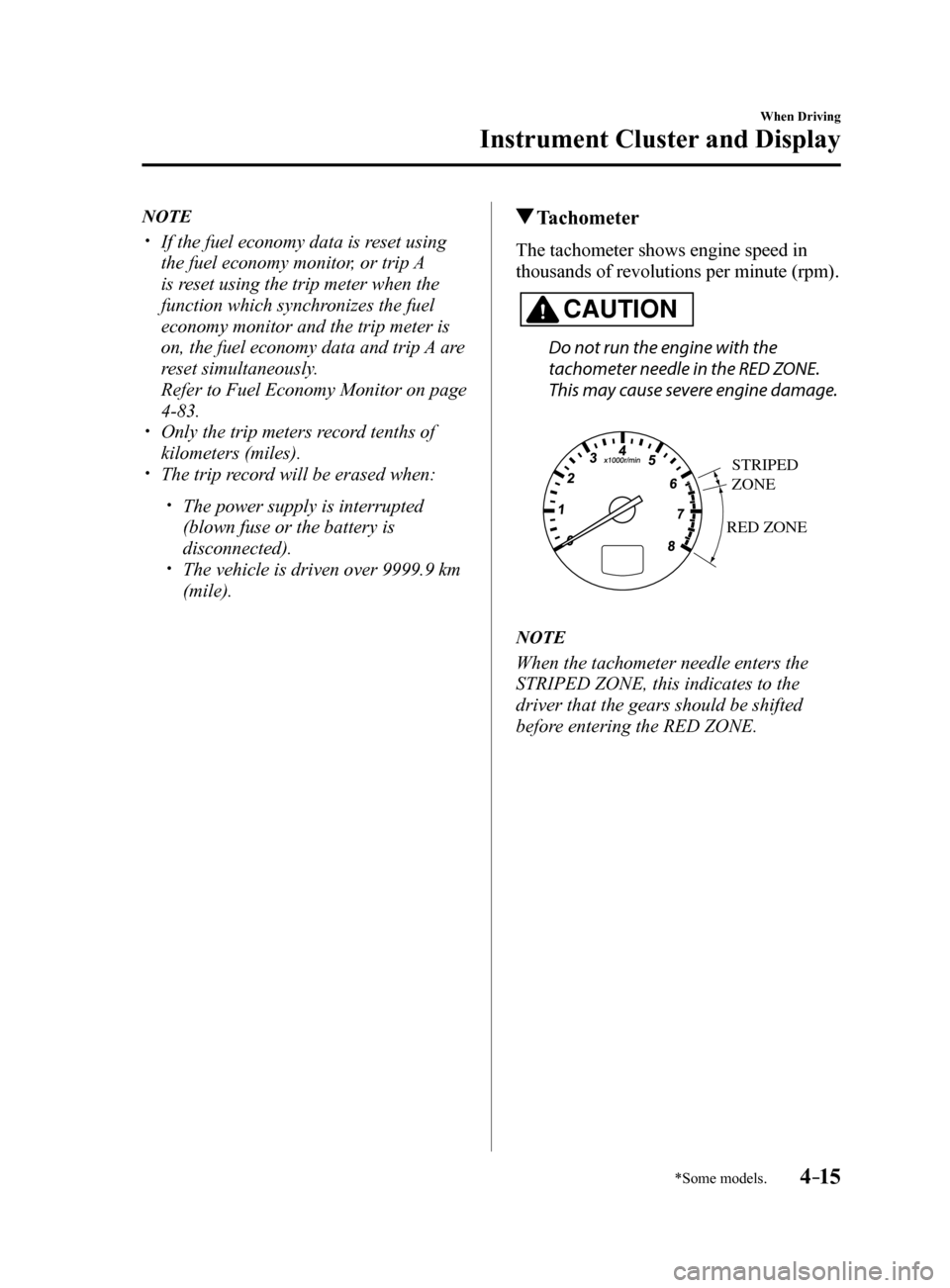
The tachometer shows engine speed in
thousands of revolutions per minute (rpm).
CAUTION
Do not run the engine with the
tachometer needle in the RED ZONE.
This may cause severe engine damage.
RED ZONE
STRIPED
ZONE
NOTE
When the tachometer needle enters the
STRIPED ZONE, this indicates to the
driver that the gears should be shifted
before entering the RED ZONE.
Mazda6_8FH2-EA-16F_Edition2.indb 152016/07/07 13:44:35
Page 143 of 578
4–19
When Driving
Instrument Cluster and Display
Cruise Control Set Vehicle Speed
Display (Without Multi-
information Display)
The vehicle speed preset using the cruise
control is displayed.
Trip Computer and INFO Switch
(Without Multi-information
Display)
The following information can be selected
by pressing the INFO switch with the
ignition switched ON.
Distance-to-empty mode Average fuel economy mode Current fuel economy mode Compass mode
If you have any problems with your trip
computer, consult an Authorized Mazda
Dealer.
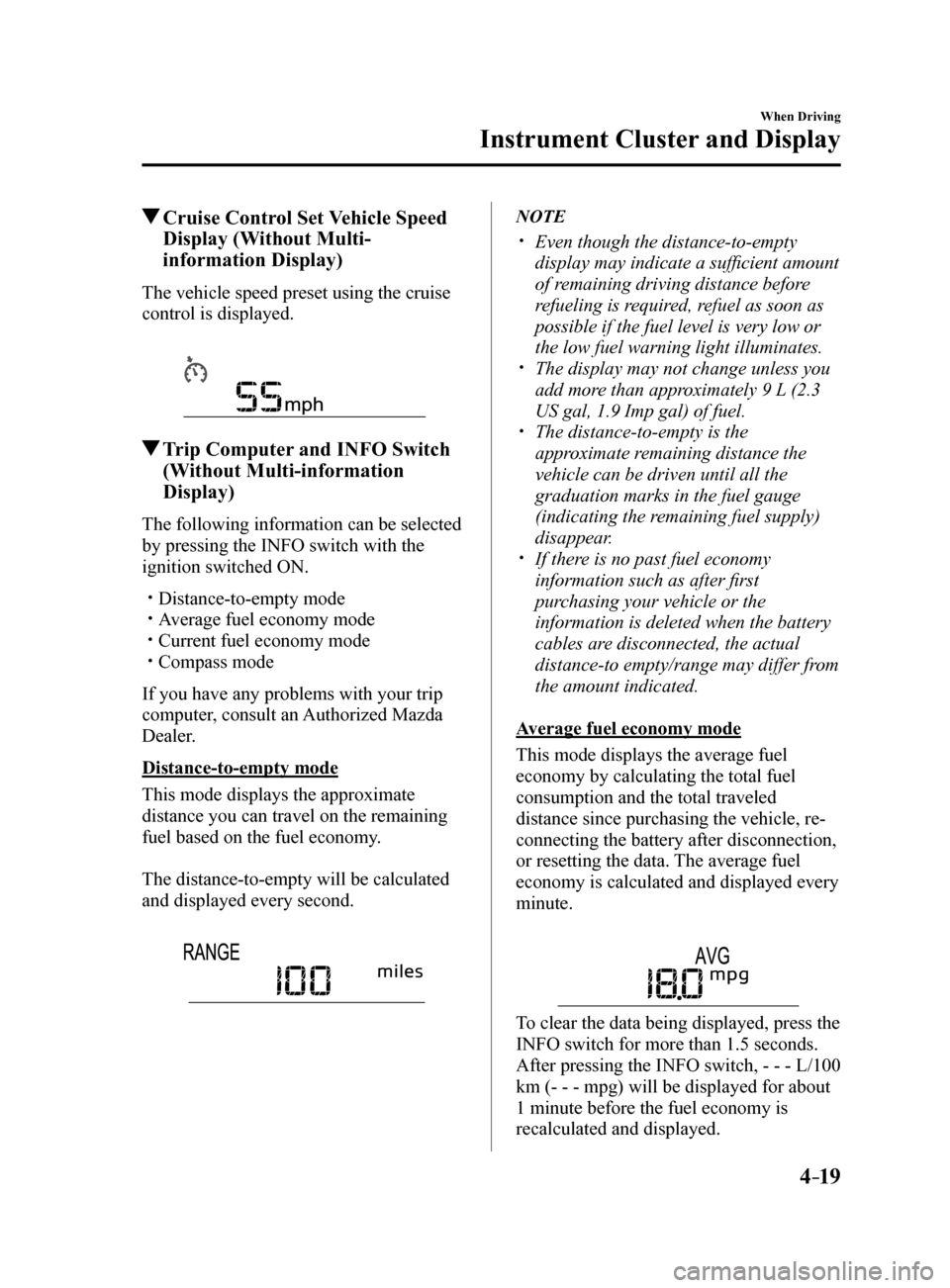
Distance-to-empty mode
This mode displays the approximate
distance you can travel on the remaining
fuel based on the fuel economy.
The distance-to-empty will be calculated
and displayed every second.
NOTE
Even though the distance-to-empty
display may indicate a sufficient amount
of remaining driving distance before
refueling is required, refuel as soon as
possible if the fuel level is very low or
the low fuel warning light illuminates.
The display may not change unless you
add more than approximately 9 L (2.3
US gal, 1.9 Imp gal) of fuel.
The distance-to-empty is the
approximate remaining distance the
vehicle can be driven until all the
graduation marks in the fuel gauge
(indicating the remaining fuel supply)
disappear.
If there is no past fuel economy
information such as after first
purchasing your vehicle or the
information is deleted when the battery
cables are disconnected, the actual
distance-to empty/range may differ from
the amount indicated.
Average fuel economy mode
This mode displays the average fuel
economy by calculating the total fuel
consumption and the total traveled
distance since purchasing the vehicle, re-
connecting the battery after disconnection,
or resetting the data. The average fuel
economy is calculated and displayed every
minute.
To clear the data being displayed, press the
INFO switch for more than 1.5 seconds.
After pressing the INFO switch, - - - L/100
km (- - - mpg) will be displayed for about
1 minute before the fuel economy is
recalculated and displayed.
Mazda6_8FH2-EA-16F_Edition2.indb 192016/07/07 13:44:37
Page 147 of 578
4–23
When Driving
Instrument Cluster and Display
Odometer, Trip Meter and Trip
Meter Selector
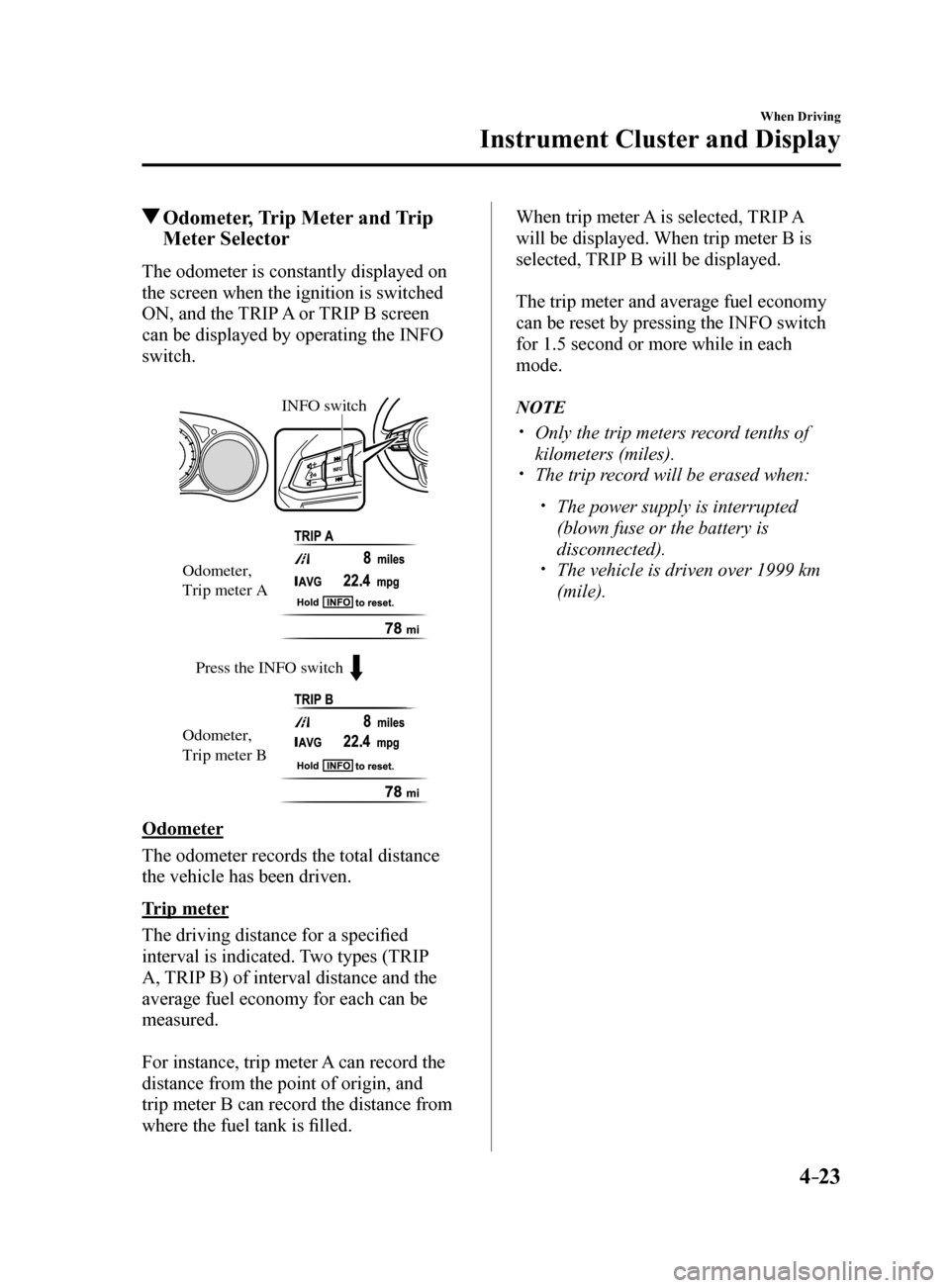
The odometer is constantly displayed on
the screen when the ignition is switched
ON, and the TRIP A or TRIP B screen
can be displayed by operating the INFO
switch.
Press the INFO switch
INFO switch
Odometer,
Trip meter A
Odometer,
Trip meter B
Odometer
The odometer records the total distance
the vehicle has been driven.
Trip meter
The driving distance for a specified
interval is indicated. Two types (TRIP
A, TRIP B) of interval distance and the
average fuel economy for each can be
measured.
For instance, trip meter A can record the
distance from the point of origin, and
trip meter B can record the distance from
where the fuel tank is filled. When trip meter A is selected, TRIP A
will be displayed. When trip meter B is
selected, TRIP B will be displayed.
The trip meter and average fuel economy
can be reset by pressing the INFO switch
for 1.5 second or more while in each
mode.
NOTE
Only the trip meters record tenths of
kilometers (miles).
The trip record will be erased when:
The power supply is interrupted
(blown fuse or the battery is
disconnected).
The vehicle is driven over 1999 km
(mile).
Mazda6_8FH2-EA-16F_Edition2.indb 232016/07/07 13:44:38
Page 149 of 578
4–25
When Driving
Instrument Cluster and Display
Outside Temperature Display
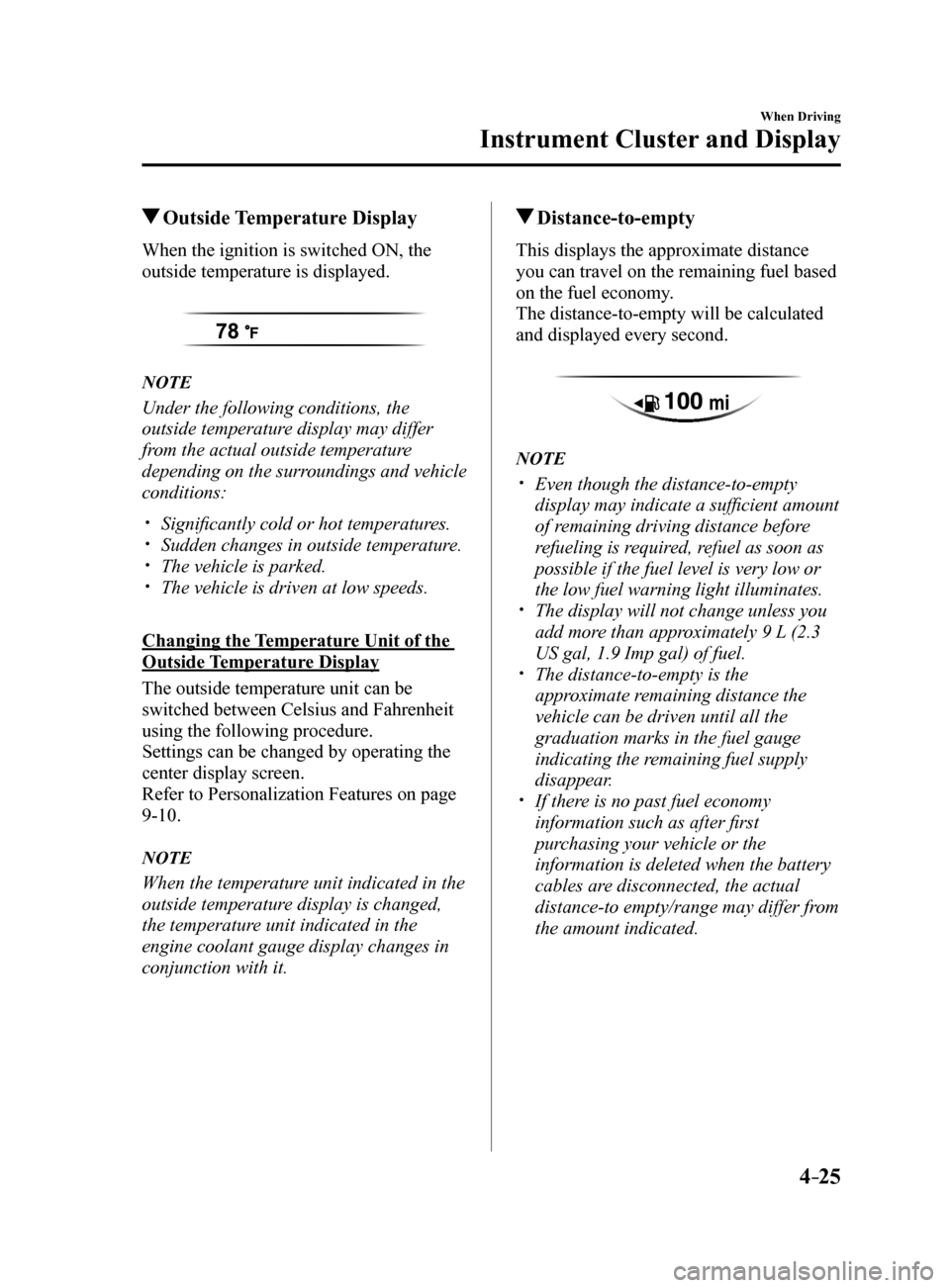
When the ignition is switched ON, the
outside temperature is displayed.
NOTE
Under the following conditions, the
outside temperature display may differ
from the actual outside temperature
depending on the surroundings and vehicle
conditions:
Significantly cold or hot temperatures. Sudden changes in outside temperature. The vehicle is parked. The vehicle is driven at low speeds.
Changing the Temperature Unit of the
Outside Temperature Display
The outside temperature unit can be
switched between Celsius and Fahrenheit
using the following procedure.
Settings can be changed by operating the
center display screen.
Refer to Personalization Features on page
9-10.
NOTE
When the temperature unit indicated in the
outside temperature display is changed,
the temperature unit indicated in the
engine coolant gauge display changes in
conjunction with it.
Distance-to-empty
This displays the approximate distance
you can travel on the remaining fuel based
on the fuel economy.
The distance-to-empty will be calculated
and displayed every second.
NOTE
Even though the distance-to-empty
display may indicate a sufficient amount
of remaining driving distance before
refueling is required, refuel as soon as
possible if the fuel level is very low or
the low fuel warning light illuminates.
The display will not change unless you
add more than approximately 9 L (2.3
US gal, 1.9 Imp gal) of fuel.
The distance-to-empty is the
approximate remaining distance the
vehicle can be driven until all the
graduation marks in the fuel gauge
indicating the remaining fuel supply
disappear.
If there is no past fuel economy
information such as after first
purchasing your vehicle or the
information is deleted when the battery
cables are disconnected, the actual
distance-to empty/range may differ from
the amount indicated.
Mazda6_8FH2-EA-16F_Edition2.indb 252016/07/07 13:44:39
Page 154 of 578
4–30
When Driving
Instrument Cluster and Display
NOTE
It may be difficult to view the display when wearing sunglasses. Take off your sunglasses
or adjust the luminosity.
If the battery terminal has been disconnected and re-connected or the battery voltage is
low, the adjusted position may deviate.
The display may be difficult to view or temporarily affected by weather conditions such as
rain, snow, light, and temperature.
If the audio system is removed, the active driving display cannot be operated.
The active driving display indicates the following information:
Blind Spot Monitoring (BSM) Operation Conditions and Warnings
Refer to Blind Spot Monitoring (BSM) on page 4-94.
Distance Recognition Support System (DRSS) Operation Conditions and Warnings
Refer to Distance Recognition Support System (DRSS) on page 4-107.
Traffic Sign Recognition System (TSR) traffic signs and Warnings
Refer to Traffic Sign Recognition System (TSR) on page 4-100.
Mazda Radar Cruise Control (MRCC) Operation Conditions and Warnings
Refer to Mazda Radar Cruise Control (MRCC) on page 4-115.
Lane-keep Assist System (LAS) & Lane Departure Warning System (LDWS) Operation
Conditions and Warnings
Refer to Lane-keep Assist System (LAS) & Lane Departure Warning System (LDWS) on
page 4-125.
Smart City Brake Support (SCBS) Warnings
Refer to Smart City Brake Support (SCBS) on page 4-138.
Smart Brake Support (SBS) Operation Conditions and Warnings
Refer to Smart Brake Support (SBS) on page 4-143.
Cruise Control Operation Conditions
Refer to Cruise Control on page 4-155.
Navigation Guidance (vehicles with navigation system)
Speed limit indicator (vehicles with navigation system)
Vehicle Speed
Mazda6_8FH2-EA-16F_Edition2.indb 302016/07/07 13:44:41
Page 177 of 578
 Owners Manual 4–53
When Driving
Switches and Controls
Lighting Control
Headlights
Turn the headlight switch to turn the headlights and other exterior light\
s on or off.
When the lights are turned on, the lights")
4–53
When Driving
Switches and Controls
Lighting Control
Headlights
Turn the headlight switch to turn the headlights and other exterior light\
s on or off.
When the lights are turned on, the lights-on indicator light in the inst\
rument cluster turns on.
NOTE
If the light switch is left on, the lights will automatically switch off\
approximately 30
seconds after switching the ignition off.
The time setting can be changed.
Refer to Personalization Features on page 9-10.
To prevent discharging the battery, do not leave the lights on while the engine is off unless
safety requires them.
Without auto-light control
Switch Position
Ignition Position ONACC or
OFF ONACC or
OFF ONACC or
OFF
Headlights OffOffOffOff OnOn
*2
Daytime running lights On*1OffOn*1Off OffOff
Taillights
Parking lights
License lights
Side-marker lights Off
Off OnOn
*2OnOn*2
*1 The lights are turned on while the vehicle is driven.
*2 The lights are turned on for the specified period by the auto headlight off function.
Mazda6_8FH2-EA-16F_Edition2.indb 532016/07/07 13:44:54
Page 190 of 578
4–66
When Driving
Switches and Controls
*Some models.
HomeLink Wireless
Control System
*
NOTE
HomeLink and HomeLink house icon
are registered trademarks of Gentex
Corporation.
The HomeLink system replaces up to
3 hand-held transmitters with a single
built-in component in the auto-dimming
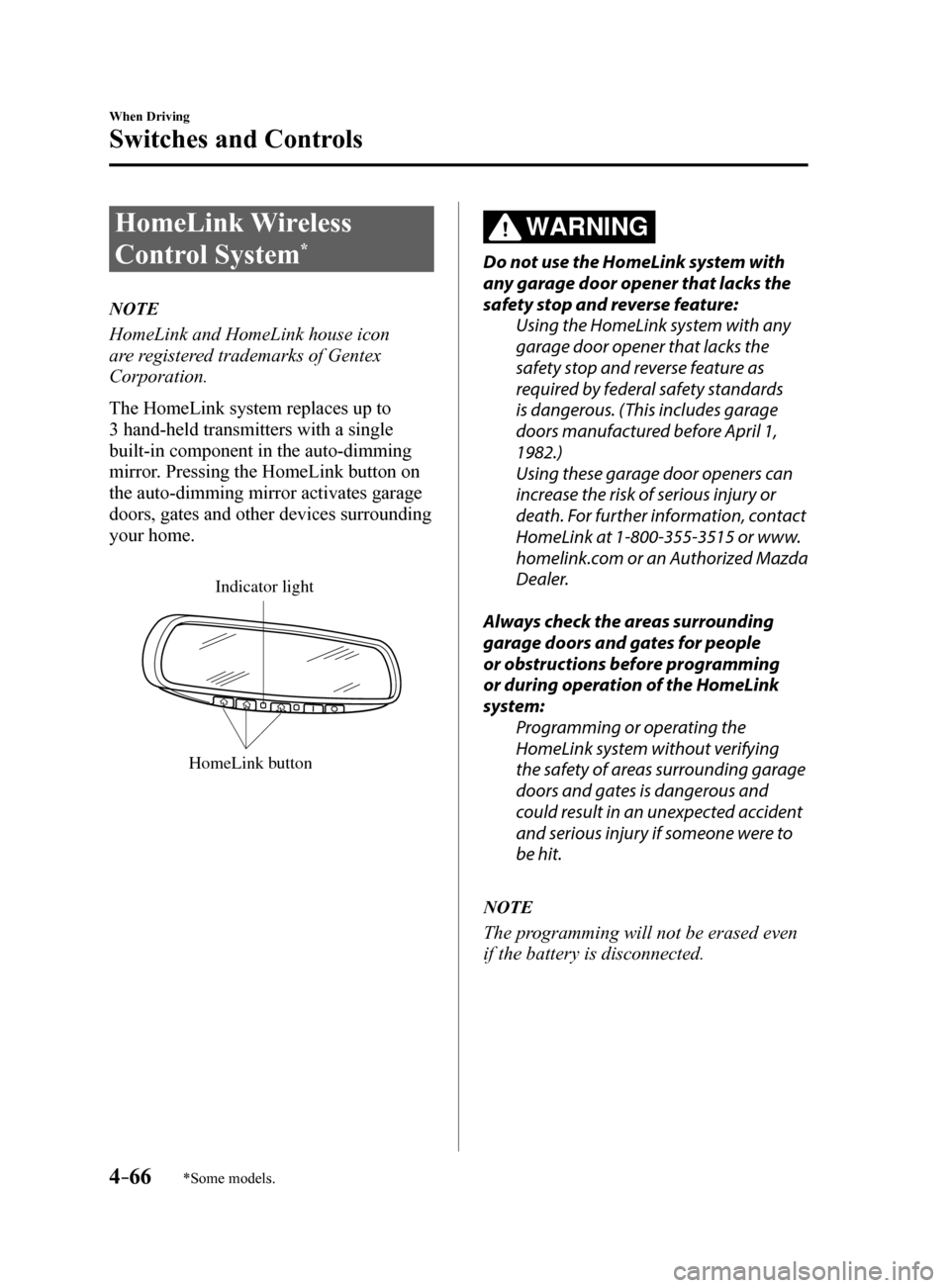
mirror. Pressing the HomeLink button on
the auto-dimming mirror activates garage
doors, gates and other devices surrounding
your home.
HomeLink button
Indicator light
WARNING
Do not use the HomeLink system with
any garage door opener that lacks the
safety stop and reverse feature:
Using the HomeLink system with any
garage door opener that lacks the
safety stop and reverse feature as
required by federal safety standards
is dangerous. (This includes garage
doors manufactured before April 1,
1982.)
Using these garage door openers can
increase the risk of serious injury or
death. For further information, contact
HomeLink at 1-800-355-3515 or www.
homelink.com or an Authorized Mazda
Dealer.
Always check the areas surrounding
garage doors and gates for people
or obstructions before programming
or during operation of the HomeLink
system: Programming or operating the
HomeLink system without verifying
the safety of areas surrounding garage
doors and gates is dangerous and
could result in an unexpected accident
and serious injury if someone were to
be hit.
NOTE
The programming will not be erased even
if the battery is disconnected.
Mazda6_8FH2-EA-16F_Edition2.indb 662016/07/07 13:44:59
Page 191 of 578
4–67
When Driving
Switches and Controls
Pre-programming the HomeLink
System
NOTE
It is recommended that a new battery be
placed in the hand-held transmitter of the
device being programmed to HomeLink
for quicker training and accurate
transmission of the radio-frequency signal.
Verify that there is a remote control
transmitter available for the device you
would like to program.
Disconnect the power to the device.
Programming the HomeLink
System
CAUTION
When programming a garage door
opener or a gate, disconnect the power
to these devices before performing
programming. Continuous operation
of the devices could damage the
motor.
The HomeLink system provides 3 buttons
which can be individually selected and
programmed using the transmitters for
current, on-market devices as follows:
1. Disconnect the power to the garage
door opener or gate programmed to the
hand-held transmitter.
2. Position the end of your hand-held
transmitter 2.5—7.5 cm (1—3 inches)
away from the HomeLink button you
wish to program while keeping the
indicator light in view.
3. Simultaneously press and hold both
the chosen HomeLink and hand-held
transmitter buttons. Do not release
the buttons until step 3 has been
completed.
NOTE
Some gate operators and garage door
openers may require you to replace this
Programming Step 2 with procedures
noted in the “Gate Operator/Canadian
Programming” section.
Mazda6_8FH2-EA-16F_Edition2.indb 672016/07/07 13:44:59
Page 195 of 578
4–71
When Driving
Brake
Electric Parking Brake
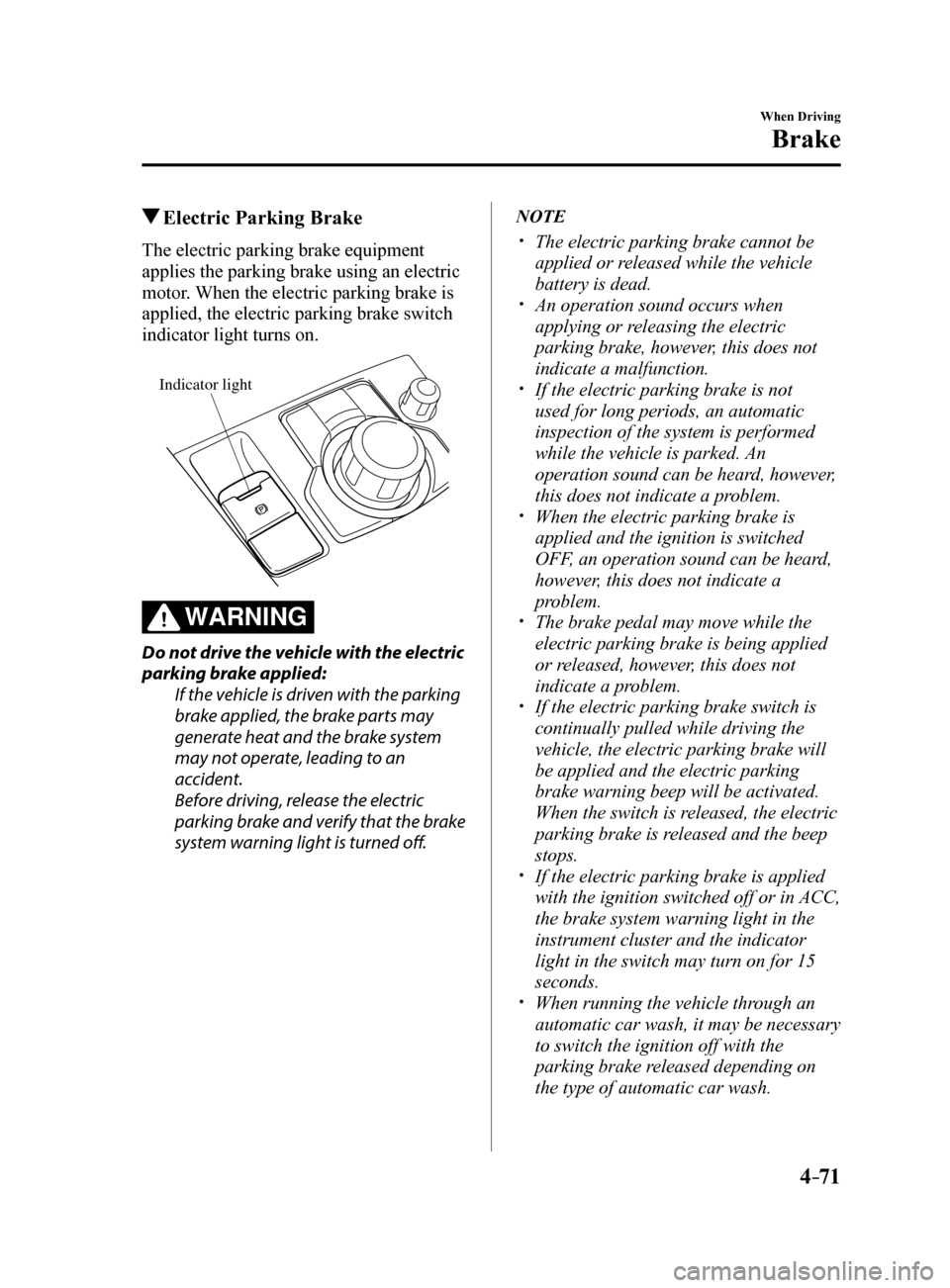
The electric parking brake equipment
applies the parking brake using an electric
motor. When the electric parking brake is
applied, the electric parking brake switch
indicator light turns on.
Indicator light
WARNING
Do not drive the vehicle with the electric
parking brake applied:
If the vehicle is driven with the parking
brake applied, the brake parts may
generate heat and the brake system
may not operate, leading to an
accident.
Before driving, release the electric
parking brake and verify that the brake
system warning light is turned off.
NOTE
The electric parking brake cannot be
applied or released while the vehicle
battery is dead.
An operation sound occurs when
applying or releasing the electric
parking brake, however, this does not
indicate a malfunction.
If the electric parking brake is not
used for long periods, an automatic
inspection of the system is performed
while the vehicle is parked. An
operation sound can be heard, however,
this does not indicate a problem.
When the electric parking brake is
applied and the ignition is switched
OFF, an operation sound can be heard,
however, this does not indicate a
problem.
The brake pedal may move while the
electric parking brake is being applied
or released, however, this does not
indicate a problem.
If the electric parking brake switch is
continually pulled while driving the
vehicle, the electric parking brake will
be applied and the electric parking
brake warning beep will be activated.
When the switch is released, the electric
parking brake is released and the beep
stops.
If the electric parking brake is applied
with the ignition switched off or in ACC,
the brake system warning light in the
instrument cluster and the indicator
light in the switch may turn on for 15
seconds.
When running the vehicle through an
automatic car wash, it may be necessary
to switch the ignition off with the
parking brake released depending on
the type of automatic car wash.
Mazda6_8FH2-EA-16F_Edition2.indb 712016/07/07 13:45:00
Page 204 of 578
4–80
When Driving
i-ELOOP
*Some models.
i-ELOOP*
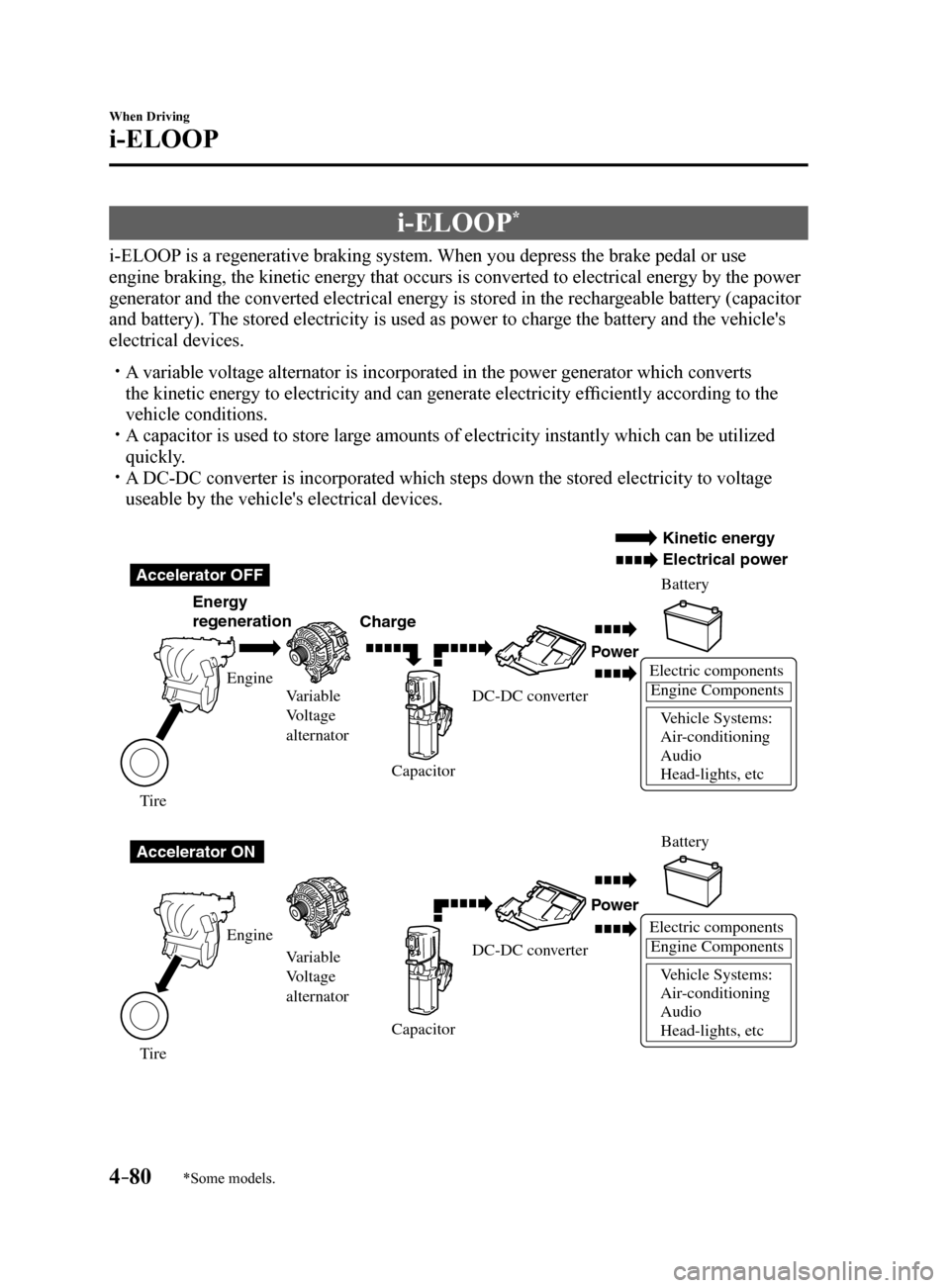
i-ELOOP is a regenerative braking system. When you depress the brake pedal or use
engine braking, the kinetic energy that occurs is converted to electrical energy by the power
generator and the converted electrical energy is stored in the rechargeable battery (capacitor
and battery). The stored electricity is used as power to charge the battery and the vehicle's
electrical devices.
A variable voltage alternator is incorporated in the power generator whic\
h converts
the kinetic energy to electricity and can generate electricity efficiently according to the
vehicle conditions.
A capacitor is used to store large amounts of electricity instantly which can be utilized
quickly.
A DC-DC converter is incorporated which steps down the stored electricity\
to voltage
useable by the vehicle's electrical devices.
Electric components
Engine Components
V ehicle Systems:
Air -conditioning
Audio
Head-lights, etc
Accelerator OFF
Accelerator ON Ener
gy
regeneration Charge Battery
Battery
Po
wer
Po wer
Electric componentsEngine Components
V ehicle Systems:
Air -conditioning
Audio
Head-lights, etc
Engine Variable
V oltage
alternator
V ariable
V oltage
alternator
Engine
T ire
T
ire Capacitor
CapacitorDC-DC con
verter
DC-DC con verter
Kinetic ener gy
Electrical po wer
Mazda6_8FH2-EA-16F_Edition2.indb 802016/07/07 13:45:02