wheel MAZDA MODEL 6 2017 (in English) Owner's Manual
[x] Cancel search | Manufacturer: MAZDA, Model Year: 2017, Model line: MODEL 6, Model: MAZDA MODEL 6 2017Pages: 578, PDF Size: 54.72 MB
Page 200 of 578
4–76
When Driving
ABS/TCS/DSC
Antilock Brake System
(ABS)
The ABS control unit continuously
monitors the speed of each wheel. If
one wheel is about to lock up, the ABS
responds by automatically releasing and
reapplying that wheel's brake.
The driver will feel a slight vibration in
the brake pedal and may hear a chattering
noise from the brake system. This is
normal ABS system operation. Continue to
depress the brake pedal without pumping
the brakes.
The warning light turns on when the
system has a malfunction.
Refer to Warning Indication/Warning
Lights on page 4-33.
WARNING
Do not rely on ABS as a substitute for
safe driving:The ABS cannot compensate for unsafe
and reckless driving, excessive speed,
tailgating (following another vehicle
too closely), driving on ice and snow,
and hydroplaning (reduced tire friction
and road contact because of water on
the road surface). You can still have an
accident.
NOTE
Braking distances may be longer on
loose surfaces (snow or gravel, for
example) which usually have a hard
foundation. A vehicle with a normal
braking system may require less
distance to stop under these conditions
because the tires will build up a wedge
of surface layer when the wheels skid.
The sound of the ABS operating may
be heard when starting the engine
or immediately after starting the
vehicle, however, it does not indicate a
malfunction.
Mazda6_8FH2-EA-16F_Edition2.indb 762016/07/07 13:45:00
Page 201 of 578
4–77
When Driving
ABS/TCS/DSC
Traction Control System
(TCS)
The Traction Control System (TCS)
enhances traction and safety by controlling
engine torque and braking. When the TCS
detects driving wheel slippage, it lowers
engine torque and operates the brakes to
prevent loss of traction.
This means that on a slick surface, the
engine adjusts automatically to provide
optimum power to the drive wheels,
limiting wheel spin and loss of traction.
The warning light turns on when the
system has a malfunction.
Refer to Warning Indication/Warning
Lights on page 4-33.
WARNING
Do not rely on the Traction Control
System (TCS) as a substitute for safe
driving:The Traction Control System (TCS)
cannot compensate for unsafe and
reckless driving, excessive speed,
tailgating (following another vehicle
too closely), and hydroplaning
(reduced tire friction and road contact
because of water on the road surface).
You can still have an accident.
Use snow tires or tire chains and drive at
reduced speeds when roads are covered
with ice and/or snow: Driving without proper traction devices
on snow and/or ice-covered roads
is dangerous. The Traction Control
System (TCS) alone cannot provide
adequate traction and you could still
have an accident.
NOTE
To turn off the TCS, press the DSC OFF
switch (page 4-79).
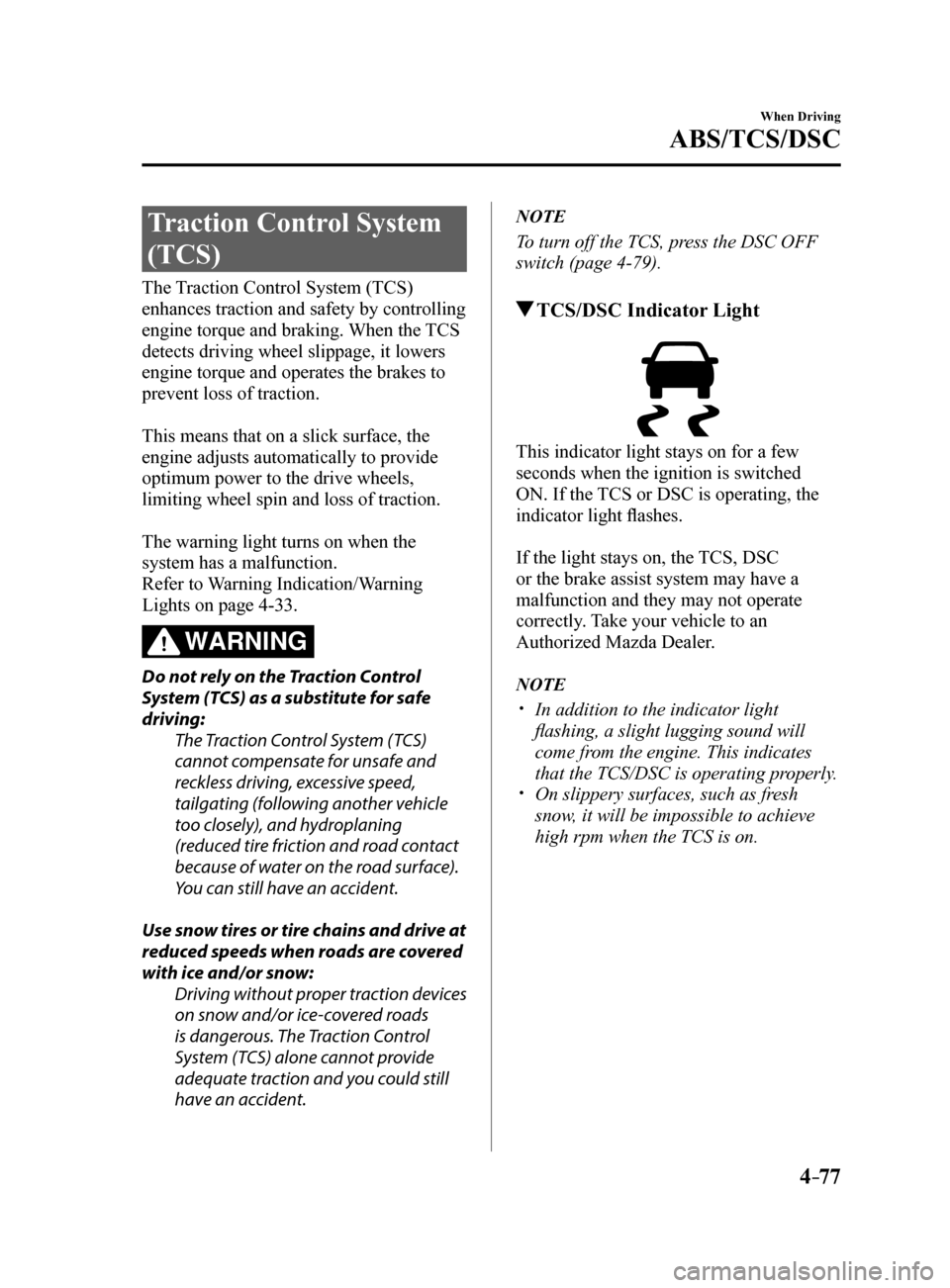
TCS/DSC Indicator Light
This indicator light stays on for a few
seconds when the ignition is switched
ON. If the TCS or DSC is operating, the
indicator light flashes.
If the light stays on, the TCS, DSC
or the brake assist system may have a
malfunction and they may not operate
correctly. Take your vehicle to an
Authorized Mazda Dealer.
NOTE
In addition to the indicator light
flashing, a slight lugging sound will
come from the engine. This indicates
that the TCS/DSC is operating properly.
On slippery surfaces, such as fresh
snow, it will be impossible to achieve
high rpm when the TCS is on.
Mazda6_8FH2-EA-16F_Edition2.indb 772016/07/07 13:45:01
Page 202 of 578
4–78
When Driving
ABS/TCS/DSC
Dynamic Stability
Control (DSC)
The Dynamic Stability Control (DSC)
automatically controls braking and engine
torque in conjunction with systems such
as ABS and TCS to help control side slip
when driving on slippery surfaces, or
during sudden or evasive maneuvering,
enhancing vehicle safety.
Refer to ABS (page 4-76) and TCS
(page 4-77).
DSC operation is possible at speeds
greater than 20 km/h (12 mph).
The warning light turns on when the
system has a malfunction.
Refer to Warning Indication/Warning
Lights on page 4-33.
WARNING
Do not rely on the Dynamic Stability
Control as a substitute for safe driving:The Dynamic Stability Control (DSC)
cannot compensate for unsafe and
reckless driving, excessive speed,
tailgating (following another vehicle
too closely), and hydroplaning
(reduced tire friction and road contact
because of water on the road surface).
You can still have an accident.
CAUTION
The DSC may not operate correctly
unless the following are observed:
Use tires of the correct size specified
for your Mazda on all four wheels.
Use tires of the same manufacturer,
brand and tread pattern on all four
wheels.
Do not mix worn tires.
The DSC may not operate correctly when
tire chains are used or a temporary spare
tire is installed because the tire diameter
changes.
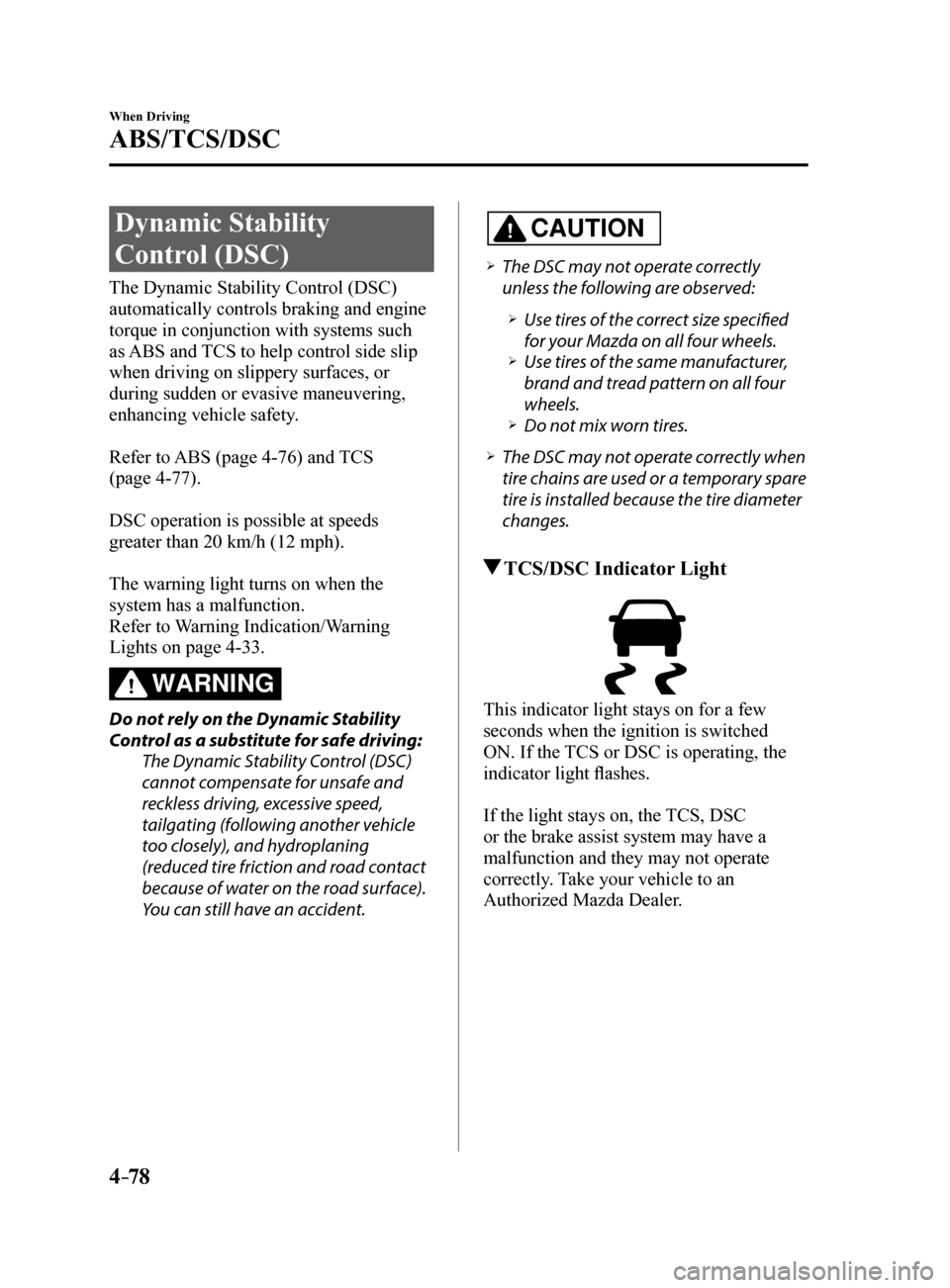
TCS/DSC Indicator Light
This indicator light stays on for a few
seconds when the ignition is switched
ON. If the TCS or DSC is operating, the
indicator light flashes.
If the light stays on, the TCS, DSC
or the brake assist system may have a
malfunction and they may not operate
correctly. Take your vehicle to an
Authorized Mazda Dealer.
Mazda6_8FH2-EA-16F_Edition2.indb 782016/07/07 13:45:01
Page 206 of 578
4–82
When Driving
i-ELOOP
i-ELOOP Control Status Display
The driver is notified of the i-ELOOP
power generating status and the vehicle
conditions by the control status display.
The i-ELOOP power generating status is
displayed in the center display.
Refer to Control Status Display on page
4-85.
i-ELOOP Charging Display
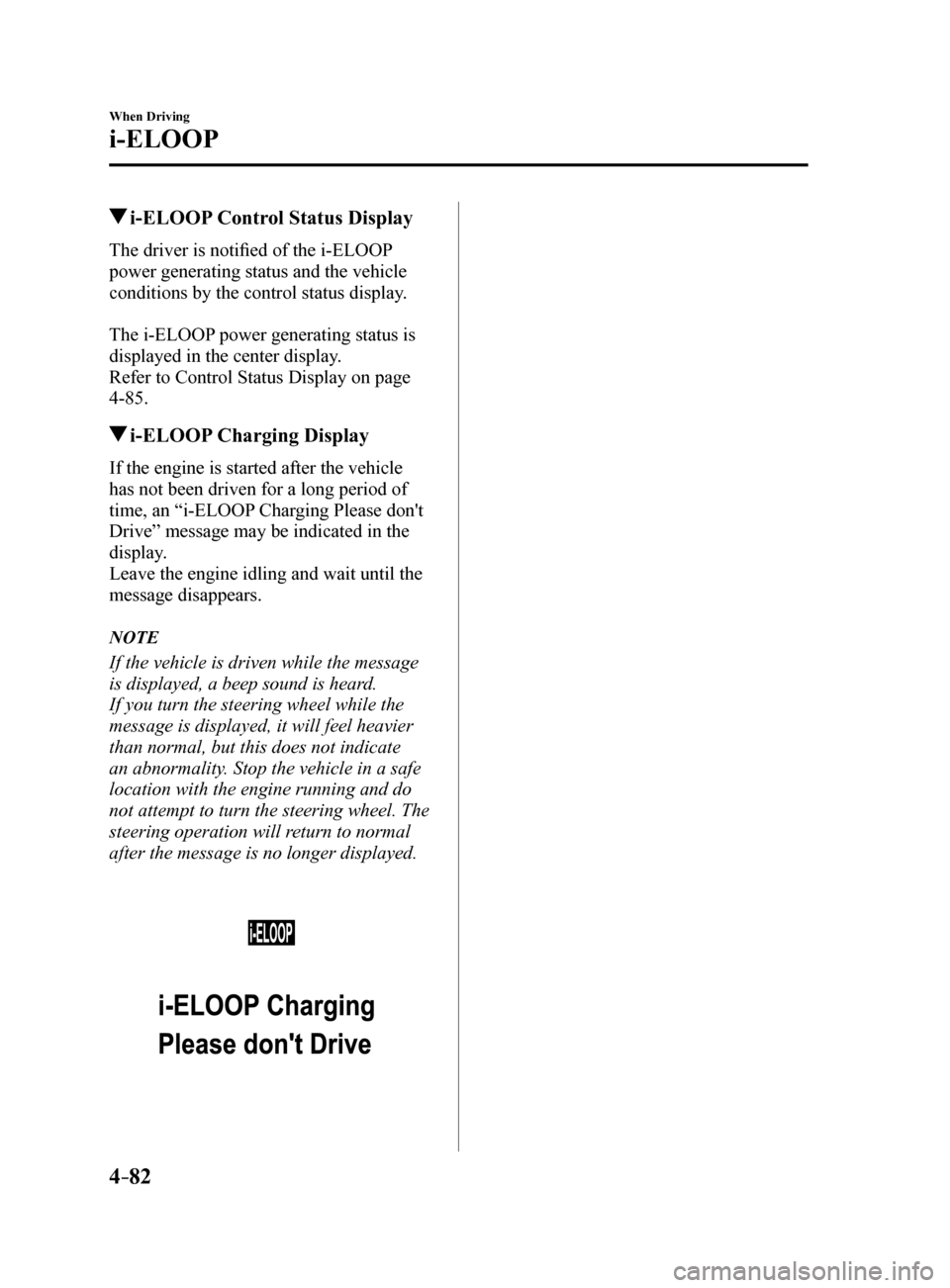
If the engine is started after the vehicle
has not been driven for a long period of
time, an “i-ELOOP Charging Please don't
Drive” message may be indicated in the
display.
Leave the engine idling and wait until the
message disappears.
NOTE
If the vehicle is driven while the message
is displayed, a beep sound is heard.
If you turn the steering wheel while the
message is displayed, it will feel heavier
than normal, but this does not indicate
an abnormality. Stop the vehicle in a safe
location with the engine running and do
not attempt to turn the steering wheel. The
steering operation will return to normal
after the message is no longer displayed.
Mazda6_8FH2-EA-16F_Edition2.indb 822016/07/07 13:45:02
Page 210 of 578
4–86
When Driving
Drive Selection
*Some models.
Drive Selection*
Drive selection is a system to switch the vehicle's drive mode. When the sport mode
is selected, vehicle's response against accelerator operation is enhance\
d. This provides
additional quick acceleration which may be needed to safely make maneuvers such as lane
changes, merging onto freeways, or passing other vehicles.
CAUTION
Do not use the sport mode when driving on slippery roads such as wet or snow-covered
roads. It may cause tire slipping.
NOTE
When the sport mode is selected, driving at higher engine speeds increases and it may
increase fuel consumption. Mazda recommends that you cancel the sport mode on normal
driving.
Drive mode cannot be switched in the following conditions:
ABS/TCS/DSC is operating The Mazda Radar Cruise Control (MRCC) system/cruise control is operating. Steering wheel is being operated abruptly
Drive Selection Switch
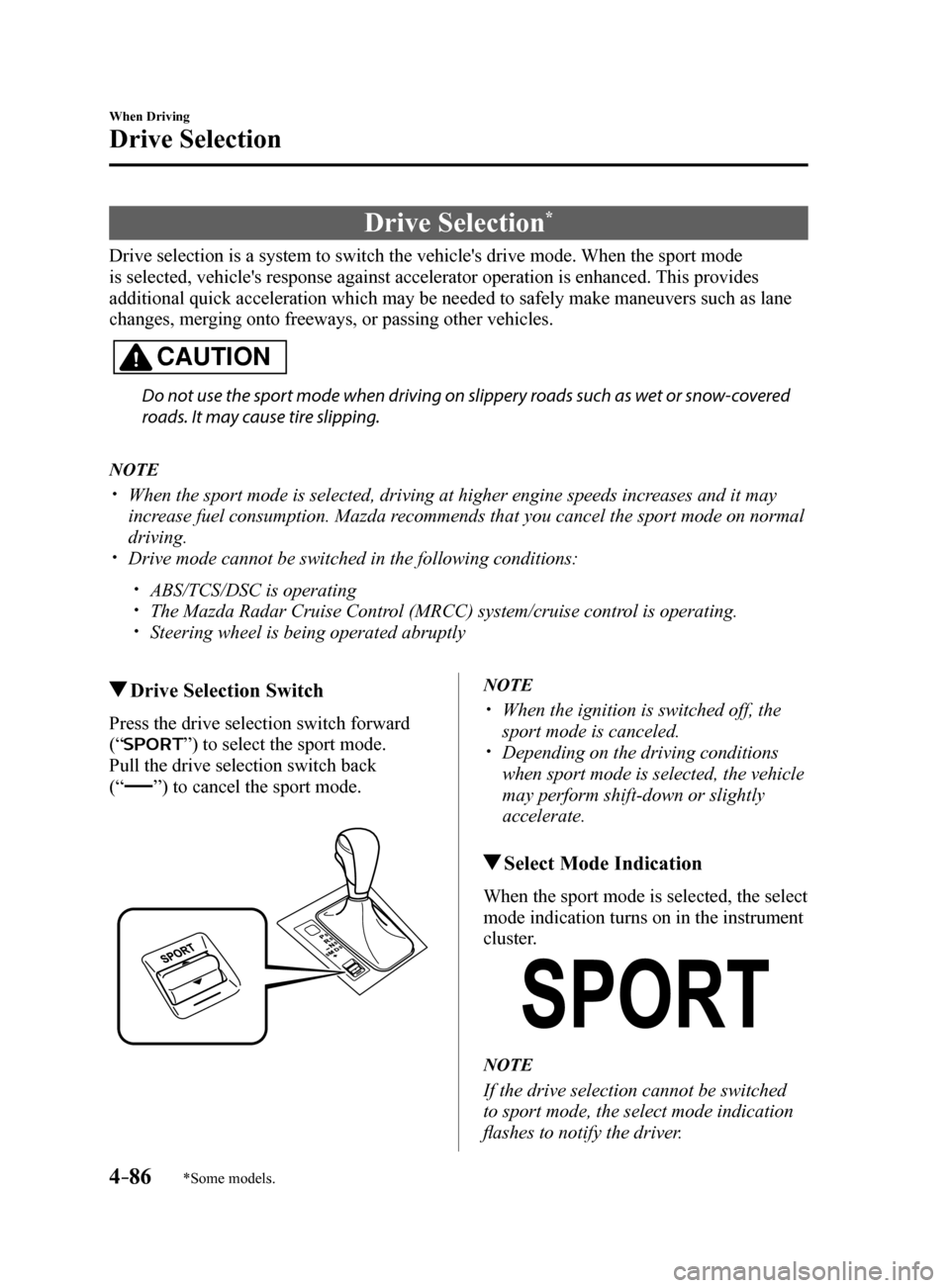
Press the drive selection switch forward
(“
”) to select the sport mode.
Pull the drive selection switch back
(“”) to cancel the sport mode.
NOTE
When the ignition is switched off, the
sport mode is canceled.
Depending on the driving conditions
when sport mode is selected, the vehicle
may perform shift-down or slightly
accelerate.
Select Mode Indication
When the sport mode is selected, the select
mode indication turns on in the instrument
cluster.
NOTE
If the drive selection cannot be switched
to sport mode, the select mode indication
flashes to notify the driver.
Mazda6_8FH2-EA-16F_Edition2.indb 862016/07/07 13:45:04
Page 211 of 578
4–87
When Driving
Power Steering
Power Steering
Power steering is only operable when
the engine is running. If the engine is
off or if the power steering system is
inoperable, you can still steer, but it
requires more physical effort.
If the steering feels stiffer than usual
during normal driving or the steering
vibrates, consult an Authorized Mazda
Dealer.
The warning indication/warning
light notifies the driver of system
abnormalities and operation conditions.
In addition, the buzzer may also activate
depending on the system abnormality or
operation condition.
Refer to Warning Indication/Warning
Lights on page 4-33.
Refer to Power Steering Warning Buzzer
on page 7-39.
CAUTION
Never hold the steering wheel to the
extreme left or right for more than 5
seconds with the engine running. This
could damage the power steering
system.
Mazda6_8FH2-EA-16F_Edition2.indb 872016/07/07 13:45:04
Page 214 of 578
 Owners Manual 4–90
When Driving
i-ACTIVSENSE
*Some models.
Adaptive Front Lighting System (AFS)*
The adaptive front lighting system (AFS) automatically adjusts the hea\
dlight beams to the
left or right in conju")
4–90
When Driving
i-ACTIVSENSE
*Some models.
Adaptive Front Lighting System (AFS)*
The adaptive front lighting system (AFS) automatically adjusts the hea\
dlight beams to the
left or right in conjunction with the operation of the steering wheel af\
ter the headlights have
been turned on and the vehicle speed is about 2 km/h (2 mph) or higher\
.
A system malfunction or operation conditions are indicated by a warning.
Refer to Warning/Indicator Lights on page 4-32.
NOTE
The Adaptive Front Lighting System (AFS) function can be switched to operable/inopera\
ble
using the personalization function.
Refer to Personalization Features on page 9-10.
Mazda6_8FH2-EA-16F_Edition2.indb 902016/07/07 13:45:04
Page 231 of 578

4–107
When Driving
i-ACTIVSENSE
*Some models.
Distance Recognition Support System (DRSS)*
The Distance Recognition Support System (DRSS) measures the distance between your
vehicle and a vehicle ahead using a radar sensor (front) while the veh\
icle speed is about 30
km/h (19 mph) or faster, and if your vehicle approaches a vehicle ahead more closely than
what is appropriate for maintaining distance between the vehicles accord\
ing to the vehicle
speed, a notification in the active driving display is indicated to advise you to keep a safe
distance from the vehicle ahead.
WARNING
Do not rely completely on the Distance Recognition Support System (DRSS) and always
drive carefully:The Distance Recognition Support System (DRSS) provides advice for safer driving and
notifies the driver of a recommended, safer distance to maintain with a vehicle ahead.
The ability to detect a vehicle ahead is limited depending on the type of vehicle ahead,
the weather conditions, and the traffic conditions. Therefore, if the accelerator and brake
pedals are not operated correctly it could lead to an accident. Always verify the safety of
the surrounding area and depress the brake pedal or accelerator pedal while keeping a
safer distance from vehicles ahead or on-coming vehicles.
NOTE
The Distance Recognition Support System (DRSS) operates when all of th\
e following
conditions are met:
The ignition is switched ON. The Distance Recognition Support System (DRSS) is on. The selector lever is in a position other than reverse (R). The vehicle speed is 30 km/h or faster (19 mph or faster).
The objects which activate the system are 4-wheeled vehicles. The Distance Recognition Support System (DRSS) may also operate in the\
presence of
motorcycles and bicycles.
The Distance Recognition Support System (DRSS) system may not operate \
normally
under the following conditions:
The Dynamic Stability Control (DSC) has a malfunction. The vehicle ahead is traveling at an extremely slow speed.
The system does not operate with the following objects:
Vehicles approaching in the opposite direction. Stationary objects (stopped vehicles, obstructions)
Mazda6_8FH2-EA-16F_Edition2.indb 1072016/07/07 13:45:08
Page 240 of 578
4–116
When Driving
i-ACTIVSENSE
CAUTION
If the vehicle is towed or you are towing something, switch the Mazda Radar Cruise
Control (MRCC) system off to prevent an incorrect operation.
NOTE
The Mazda Radar Cruise Control (MRCC) system operates when all of the following
conditions are met.
The vehicle speed is about 30 km/h (19 mph) to 145 km/h (90 mph). The Mazda Radar Cruise Control (MRCC) system is turned on. The parking brake is not applied. The Smart Brake Support (SBS) is not malfunctioning. The Dynamic Stability Control (DSC) is operating normally.
The selector lever is in the drive (D) position or manual (M) positi\
on (manual mode). All doors are closed. The driver's seat belt is fastened.
In the following cases, the warnings may not activate even if your vehic\
le starts closing in
on the vehicle ahead.
You are driving at the same speed as the vehicle ahead. Directly after the Mazda Radar Cruise Control (MRCC) system has been set. When the accelerator pedal is depressed or directly after the accelerator pedal is
released.
Another vehicle cuts into the driving lane.
The following are not detected as physical objects.
Vehicles approaching in the opposite direction Pedestrians Stationary objects (stopped vehicles, obstructions)
If a vehicle ahead is traveling at an extremely low speed, the system may not detect it
correctly.
During headway control travel, do not set the system on two-wheeled vehicles such as
motorcycles and bicycles.
Do not use the Mazda Radar Cruise Control (MRCC) system under conditions in which
the close proximity warnings are frequently activated.
During headway control travel, the system accelerates and decelerates your vehicle in
conjunction with the speed of the vehicle ahead. However, if it is necessary to accelerate
for a lane change or if the vehicle ahead brakes suddenly causing you to\
close in on the
vehicle rapidly, accelerate using the accelerator pedal or decelerate using the brake
pedal depending on the conditions.
Mazda6_8FH2-EA-16F_Edition2.indb 1162016/07/07 13:45:12
Page 249 of 578
4–125
When Driving
i-ACTIVSENSE
*Some models.
Lane-keep Assist System (LAS) & Lane Departure
Warning System (LDWS)
*
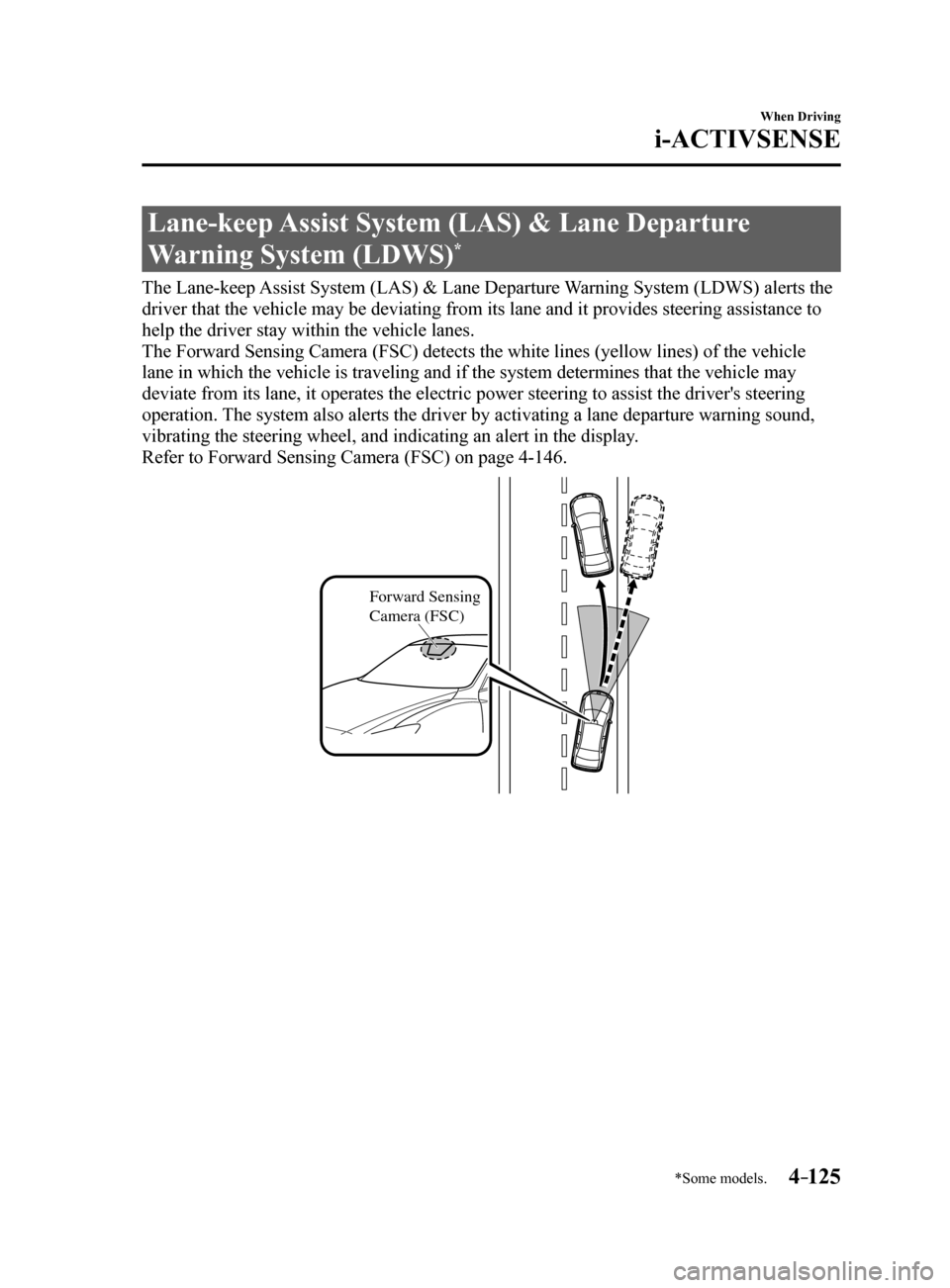
The Lane-keep Assist System (LAS) & Lane Departure Warning System (LDWS) alerts the
driver that the vehicle may be deviating from its lane and it provides s\
teering assistance to
help the driver stay within the vehicle lanes.
The Forward Sensing Camera (FSC) detects the white lines (yellow line\
s) of the vehicle
lane in which the vehicle is traveling and if the system determines that\
the vehicle may
deviate from its lane, it operates the electric power steering to assist\
the driver's steering
operation. The system also alerts the driver by activating a lane departure warning\
sound,
vibrating the steering wheel, and indicating an alert in the display.
Refer to Forward Sensing Camera (FSC) on page 4-146.
Forward Sensing
Camera (FSC)
Mazda6_8FH2-EA-16F_Edition2.indb 1252016/07/07 13:45:16