vehicle settings MAZDA MODEL 6 2017 Owners Manual (in English)
[x] Cancel search | Manufacturer: MAZDA, Model Year: 2017, Model line: MODEL 6, Model: MAZDA MODEL 6 2017Pages: 578, PDF Size: 54.72 MB
Page 21 of 578
2–9
Essential Safety Equipment
Seats
NOTE
Individual seat positions can be
programmed to the two available
programming buttons on the side of the
driver's seat, plus one seat position for
each registered key.
If the vehicle has been serviced and
the battery cables disconnected, the
programmed seat positions will have
been erased. Re-program the seat
positions.
Programming
1. Make sure the parking brake is on.
2. (Automatic transaxle)
Make sure the selector lever is in the P
position.
3. Start the engine.
4. Adjust the seat and the active driving
display to the desired driving position.
5. Press the SET button on the seat until a
beep sound is heard one time.
6. Perform one of the following settings
within 5 seconds of completing step 5
above:
Programming using a button on
the side of the seat
Press the button you want to program,
either button 1 or 2, until a beep
sound is heard one time.
Programming using the key
Press the key
button until a beep
sound is heard one time.
NOTE
If a beep sound is heard three times, the
operation is canceled.
To move the driving position to a
programmed position
(Using a button on the side of the seat)
1. Make sure the parking brake is on.
2. (Automatic transaxle)
Make sure the selector lever is in the P
position.
3. Start the engine.
4. Press the programming button for the
driving position you want to call up
(button 1 or 2).
5. A beep sound is heard when the driving
position adjustment is completed.
NOTE
If the driving position movement is not
changed, only the beep sounds.
A seat position can be called up even
with the engine not running.
The driving position adjustment is
canceled in the following cases:
Any of the seat adjustment switches
is operated.
The SET button is pressed. Programming button 1 or 2 is
pressed.
The key button or button is
operated.
The vehicle starts moving. The active driving display is
adjusted.
Mazda6_8FH2-EA-16F_Edition2.indb 92016/07/07 13:44:11
Page 91 of 578
3–17
Before Driving
Doors and Locks
NOTE
When locking the doors this way, be
careful not to leave the key inside the
vehicle.
Auto Lock/Unlock Function
WARNING
Do not pull the inner handle on a front
door:
Pulling the inner handle on a front
door while the vehicle is moving
is dangerous. Passengers can fall
out of the vehicle if the door opens
accidentally , which could result in
death or serious injury.
When the vehicle speed exceeds
20 km/h (12 mph), all doors lock
automatically.
When the ignition is switched off, all
doors unlock automatically.
These functions can also be disabled so
that they do not operate.
Auto lock/unlock function setting
change using door-lock switch
The doors can be set to lock or unlock
automatically by selecting any one of the
functions from the following table and
using the driver's door-lock switch on the
interior door panel.
NOTE
Function number 3 in the following
table is the factory setting for your
vehicle.
There are only a total of six auto lock/
unlock settings available for automatic
transaxle vehicles, and three for manual
transaxle vehicles. Be sure to press the
unlock side of the driver's door-lock
switch the correct number of times
according to the selected function
number. If the switch is mistakenly
pressed seven times on an automatic
transaxle vehicle or four times on a
manual transaxle, the procedure will
be cancelled. If this occurs, start the
procedure from the beginning.
Function
number Function*1
1The auto door-lock function is
disabled.
2 All the doors lock automatically when
the vehicle speed is about 20 km/h (12
mph) or more.
3 (Factory Setting) All the doors lock automatically when
the vehicle speed is about 20 km/h (12
mph) or more. All the doors unlock
when the ignition is switched from
ON to Off.
4 (Automatic transaxle vehicles only)
When the ignition is switched ON and
the selector lever is shifted from park
(P) to any other gear position, all the
doors lock automatically.
5 (Automatic transaxle vehicles only)
When the ignition is switched ON and
the selector lever is shifted from park
(P) to any other gear position, all the
doors lock automatically.
When the selector lever is shifted
to park (P) while the ignition is
switched ON, all the doors unlock
automatically.
Mazda6_8FH2-EA-16F_Edition2.indb 172016/07/07 13:44:24
Page 92 of 578
3–18
Before Driving
Doors and Locks
Function number Function*1
6(Automatic transaxle vehicles only)
All the doors lock automatically when
the vehicle speed is about 20 km/h (12
mph) or more.
When the selector lever is shifted
to park (P) while the ignition is
switched ON, all the doors unlock
automatically.
*1 Other settings for the auto door lock function are
available at an Authorized Mazda Dealer. For
details consult an Authorized Mazda Dealer. Refer
to Personalization Features on page 9-10.
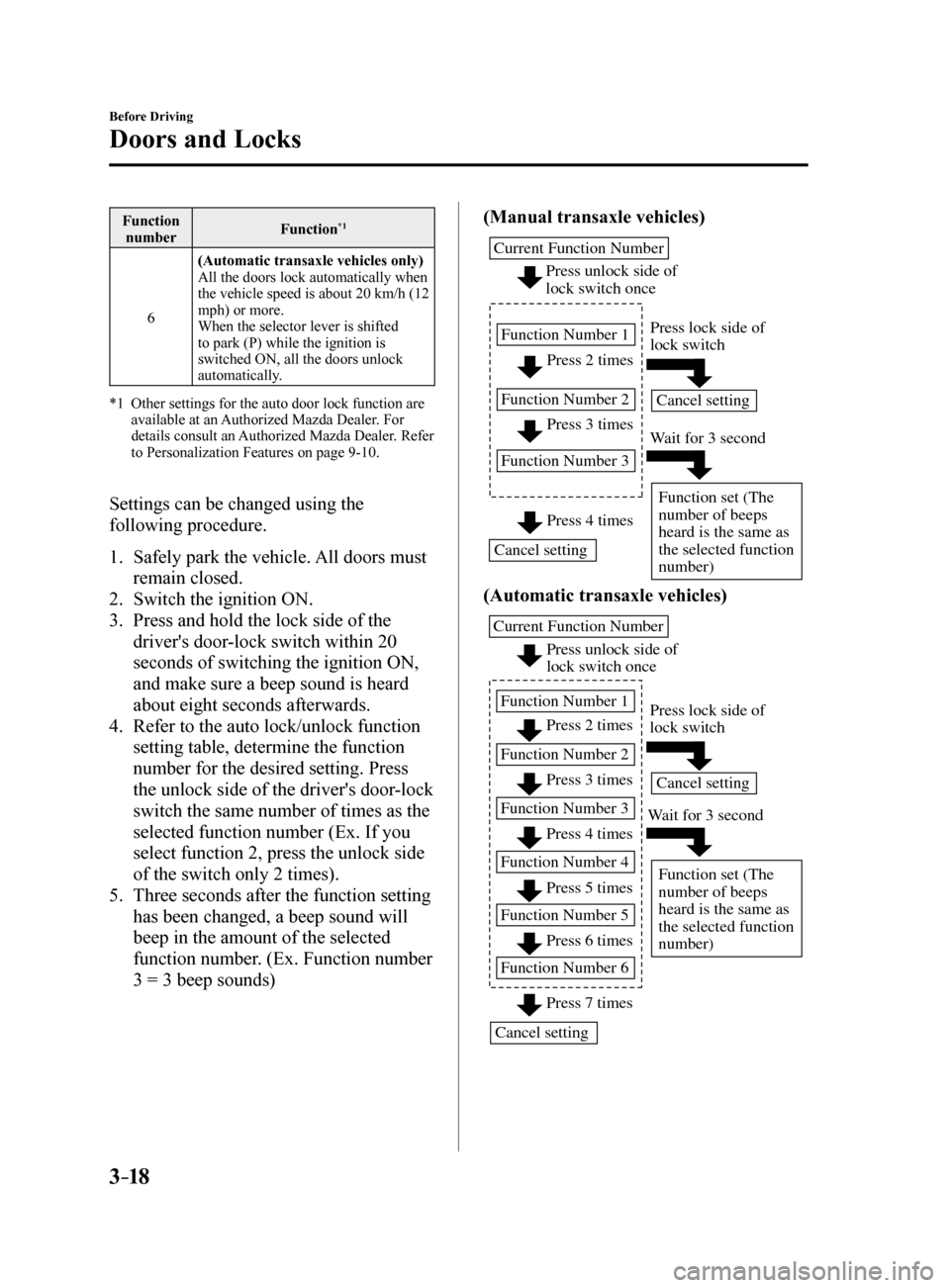
Settings can be changed using the
following procedure.
1. Safely park the vehicle. All doors must
remain closed.
2. Switch the ignition ON.
3. Press and hold the lock side of the
driver's door-lock switch within 20
seconds of switching the ignition ON,
and make sure a beep sound is heard
about eight seconds afterwards.
4. Refer to the auto lock/unlock function
setting table, determine the function
number for the desired setting. Press
the unlock side of the driver's door-lock
switch the same number of times as the
selected function number (Ex. If you
select function 2, press the unlock side
of the switch only 2 times).
5. Three seconds after the function setting
has been changed, a beep sound will
beep in the amount of the selected
function number. (Ex. Function number
3 = 3 beep sounds) (Manual transaxle vehicles)
Press 2 times
Press 3 times
Current Function Number
Function Number 1
Function Number 2
Function Number 3
Press 4 times
Press unlock side of
lock switch once
Cancel setting Cancel setting
Function set (The
number of beeps
heard is the same as
the selected function
number)
Press lock side of
lock switch
W
ait for 3 second
(Automatic transaxle vehicles)
Press unlock side of
lock switch once
Press 2 times
Press 3 times
Current Function Number
Function Number 1
Function Number 2
Press 4 times
Function Number 3
Press 5 times
Function Number 4
Press 7 times
Function Number 5
Press 6 times
Function Number 6
Cancel setting Cancel setting
Function set (The
number of beeps
heard is the same as
the selected function
number)
Press lock side of
lock switch
W ait for 3 second
Mazda6_8FH2-EA-16F_Edition2.indb 182016/07/07 13:44:24
Page 142 of 578
4–18
When Driving
Instrument Cluster and Display
Function for cancelling illumination
dimmer
The illumination dimmer can be canceled
by rotating the dashboard illumination
knob to the right until a beep sound is
heard while the instrument cluster is
dimmed with the ignition switched ON.
If the instrument cluster's visibility is
reduced due to glare from surrounding
brightness, cancel the illumination
dimmer.
NOTE
(With Multi-information Display)
The illumination dimmer can be
canceled by pressing the dashboard
illumination knob.
When the illumination dimmer is
canceled, the instrument cluster cannot
be dimmed even if the position lights are
turned on.
When the illumination dimmer is
canceled, the screen in the center
display switches to constant display of
the daytime screen.
Outside Temperature Display
(Without Multi-information
Display)
When the ignition is switched ON, the
outside temperature is displayed.
NOTE
Under the following conditions, the
outside temperature display may differ
from the actual outside temperature
depending on the surroundings and vehicle
conditions:
Significantly cold or hot temperatures. Sudden changes in outside temperature. The vehicle is parked. The vehicle is driven at low speeds.
Changing the Temperature Unit of the
Outside Temperature Display
The outside temperature unit can be
switched between Celsius and Fahrenheit.
Settings can be changed by operating the
center display screen.
Refer to Personalization Features on page
9-10.
NOTE
When the temperature unit indicated in the
outside temperature display is changed,
the temperature unit indicated in the
engine coolant gauge display changes in
conjunction with it.
Mazda6_8FH2-EA-16F_Edition2.indb 182016/07/07 13:44:36
Page 149 of 578
4–25
When Driving
Instrument Cluster and Display
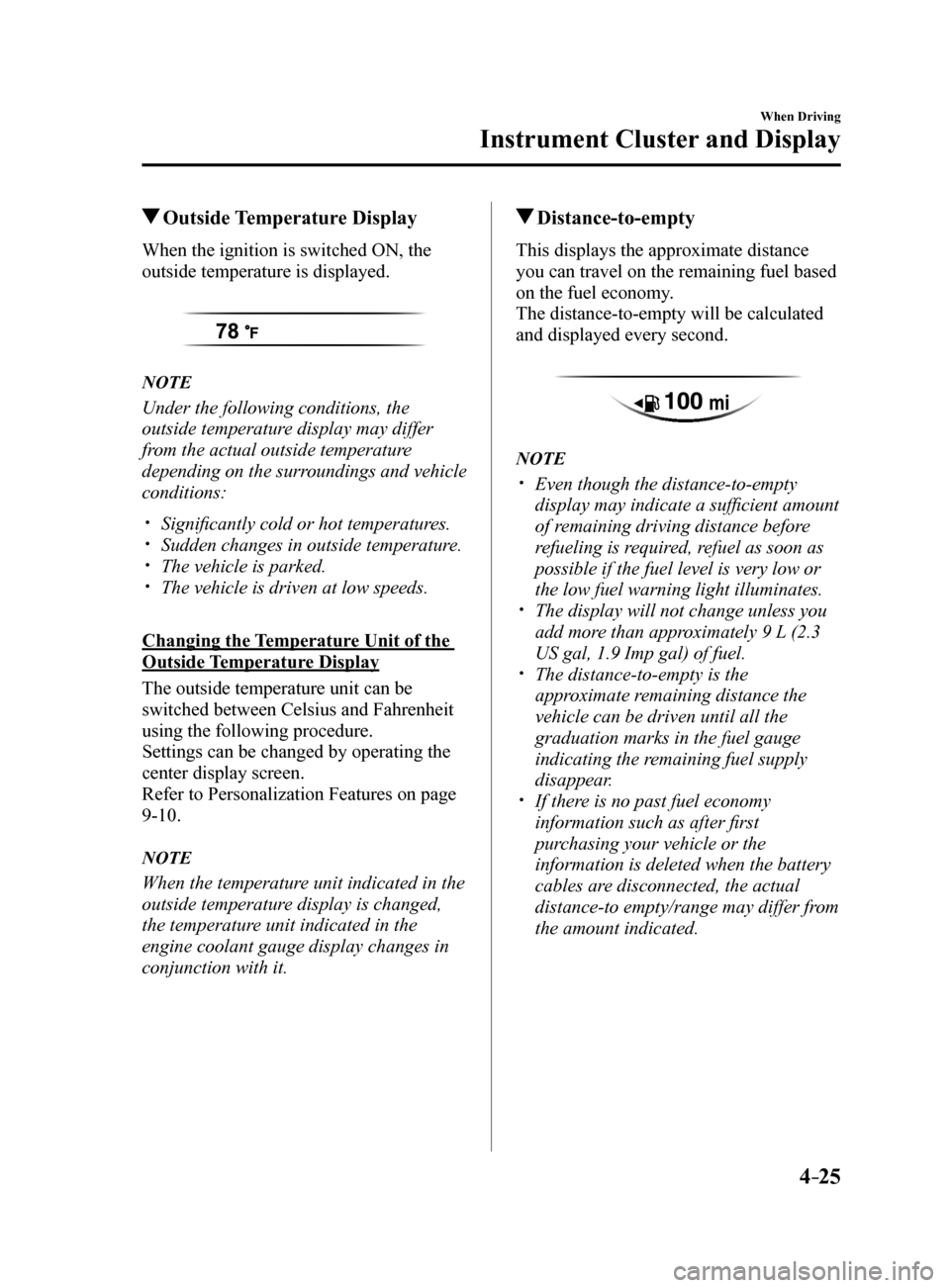
Outside Temperature Display
When the ignition is switched ON, the
outside temperature is displayed.
NOTE
Under the following conditions, the
outside temperature display may differ
from the actual outside temperature
depending on the surroundings and vehicle
conditions:
Significantly cold or hot temperatures. Sudden changes in outside temperature. The vehicle is parked. The vehicle is driven at low speeds.
Changing the Temperature Unit of the
Outside Temperature Display
The outside temperature unit can be
switched between Celsius and Fahrenheit
using the following procedure.
Settings can be changed by operating the
center display screen.
Refer to Personalization Features on page
9-10.
NOTE
When the temperature unit indicated in the
outside temperature display is changed,
the temperature unit indicated in the
engine coolant gauge display changes in
conjunction with it.
Distance-to-empty
This displays the approximate distance
you can travel on the remaining fuel based
on the fuel economy.
The distance-to-empty will be calculated
and displayed every second.
NOTE
Even though the distance-to-empty
display may indicate a sufficient amount
of remaining driving distance before
refueling is required, refuel as soon as
possible if the fuel level is very low or
the low fuel warning light illuminates.
The display will not change unless you
add more than approximately 9 L (2.3
US gal, 1.9 Imp gal) of fuel.
The distance-to-empty is the
approximate remaining distance the
vehicle can be driven until all the
graduation marks in the fuel gauge
indicating the remaining fuel supply
disappear.
If there is no past fuel economy
information such as after first
purchasing your vehicle or the
information is deleted when the battery
cables are disconnected, the actual
distance-to empty/range may differ from
the amount indicated.
Mazda6_8FH2-EA-16F_Edition2.indb 252016/07/07 13:44:39
Page 230 of 578
 4–106
When Driving
i-ACTIVSENSE
NOTE
The excessive speed warning is initially set to inoperable. If you want \
to activate the
excessive speed warning, change the setting in the personalization")
4–106
When Driving
i-ACTIVSENSE
NOTE
The excessive speed warning is initially set to inoperable. If you want \
to activate the
excessive speed warning, change the setting in the personalization featu\
res.
Off: The excessive speed warning is not activated. Warning display only: The area around the speed limit sign flashes 3 times in amber,
and if the vehicle speed continues to exceed the displayed speed limit s\
ign, the
indication stops flashing and remains on.
Warning display warning sound: The area around the speed limit sign flashes 3
times in amber, and if the vehicle speed continues to exceed the displayed speed limit\
sign, the indication stops flashing and remains on and the warning sound is activated.
In the following cases, the excessive speed warning stops operating.
The vehicle speed is less than the speed of the displayed speed limit si\
gn. (If the
activation timing for the excessive speed warning is changed in the pers\
onalization
features, the excessive speed warning stops operating when the vehicle speed i\
s less
than the changed vehicle speed.
A speed limit sign indication has been updated and the conditions for act\
ivating the
excessive speed warning are not met.
Display of the speed limit sign stops.
The warning indication is displayed at the same time the excessive speed\
warning sound
is activated if the vehicle speed exceeds the speed indicated on the spe\
ed limit sign.
Refer to Warning Sound is Activated on page 7-36.
If the Forward Sensing Camera (FSC) displays a speed limit sign which was recognized
incorrectly, the excessive speed alarm is activated even if the vehicle is driven a\
t the legal
speed.
The following settings can be changed for the excessive speed warning.
Warning sound and indication pattern Timing at which the warning is activated
Refer to Personalization Features on page 9-10.
Mazda6_8FH2-EA-16F_Edition2.indb 1062016/07/07 13:45:08
Page 254 of 578
4–130
When Driving
i-ACTIVSENSE
The Lane-keep Assist System (LAS) &
Lane Departure Warning System (LDWS)
goes on stand-by status in the following
cases:
The system cannot detect white (yellow)
lane lines.
The vehicle speed is less than about 60
km/h (37 mph).
The ABS/TCS/DSC is operating. The DSC is turned off.
(If the DSC is turned off while the
system is operational, a warning beep is
heard and the system goes on standby.)
The vehicle is making a sharp curve. The driver takes his or her hands off the
steering wheel (not holding the steering
wheel).
The brake pedal is depressed.
NOTE
The Lane-keep Assist System (LAS)
& Lane Departure Warning System
(LDWS) does not operate until the
system detects white (yellow) lane lines
on either the left or right.
When the system detects a white
(yellow) lane line on one side only, the
system will not activate warnings for the
lane line on the side that is not being
detected. The warning is only for a
lane deviation on the side that is being
detected.
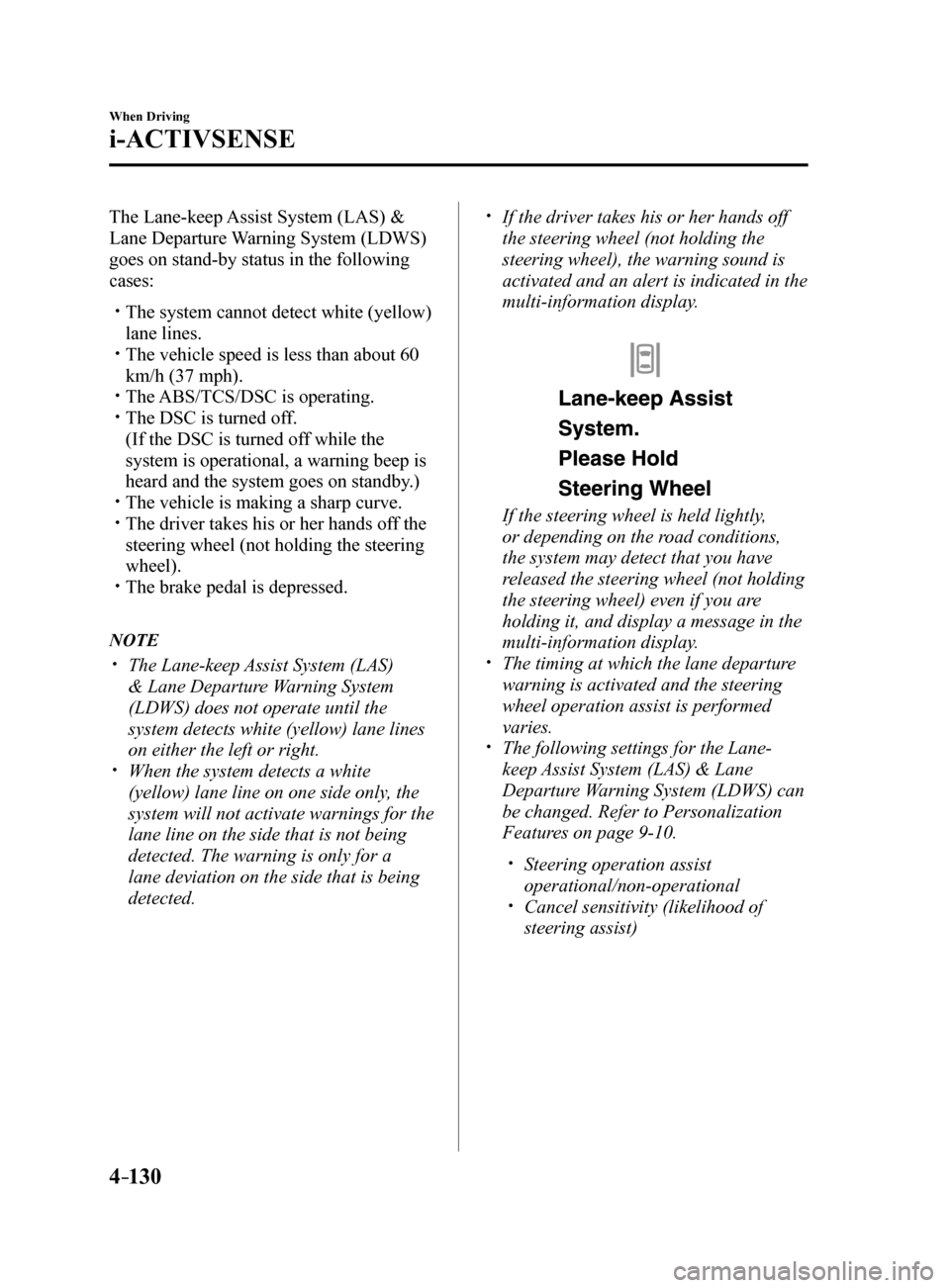
If the driver takes his or her hands off
the steering wheel (not holding the
steering wheel), the warning sound is
activated and an alert is indicated in the
multi-information display.
If the steering wheel is held lightly,
or depending on the road conditions,
the system may detect that you have
released the steering wheel (not holding
the steering wheel) even if you are
holding it, and display a message in the
multi-information display.
The timing at which the lane departure
warning is activated and the steering
wheel operation assist is performed
varies.
The following settings for the Lane-
keep Assist System (LAS) & Lane
Departure Warning System (LDWS) can
be changed. Refer to Personalization
Features on page 9-10.
Steering operation assist
operational/non-operational
Cancel sensitivity (likelihood of
steering assist)
Mazda6_8FH2-EA-16F_Edition2.indb 1302016/07/07 13:45:17
Page 261 of 578

4–137
When Driving
i-ACTIVSENSE
NOTE
If you have set the lane departure warning sound to the beep sound/rumble sound*1
setting, the warning sound may not be heard depending on the surrounding noise
conditions.
If you have set the lane departure warning system to the steering wheel vibrations setting,
the vibration may not be felt depending on the road surface conditions.
When the setting for the steering operation assist is changed to operati\
onal, the warnings
can be set to activate/not activate. (When the setting for the steering\
operation assist is
changed to non-operational, the warnings cannot be set to not activate.)\
Refer to Setting Change (Personalization Features) on page 9-10.
The Lane-keep Assist System (LAS) & Lane Departure Warning System (LDWS) can be
changed to the following settings regardless of whether the steering operation assist has
been set to operational/non-operational. Always check the setting status when driving the
vehicle and make setting changes if necessary.
Refer to Setting Change (Personalization Features) on page 9-10.
Steering wheel vibration: Strong/weak Warning sound volume Types of warnings (steering wheel vibration/beep sound/rumble sound*1)
*1 A rumble strip is a series of grooves in the road pavement surface positioned at specific
intervals, and when the vehicle passes over it a vibration and rumble so\
und is produced
which alerts the driver that the vehicle is departing from the lane.
The rumble sound is a reproduction of the sound which occurs when a vehicle passes
over a rumble strip.
Rumble
Groove
Mazda6_8FH2-EA-16F_Edition2.indb 1372016/07/07 13:45:19
Page 294 of 578

4–170
When Driving
Rear View Monitor
Three-dimensional object on vehicle rear
Because the distance guide lines are displayed based on a flat surface, the distance to the
three-dimensional object displayed on the screen is different from the actual distance.
A
A
C B
CB
(Actual distance) B>C=A
Sensed distance on screen A>B>C (Screen displa
y)
(Actual condition)
Picture Quality Adjustment
WARNING
Always adjust the picture quality of the rear view monitor while the vehicle is stopped:
Do not adjust the picture quality of the rear view monitor while driving the vehicle.
Adjusting the picture quality of the rear view monitor such as brightness, contrast, color,
and tint while driving the vehicle is dangerous as it could distract your attention from the
vehicle operation which could lead to an accident.
Picture quality adjustment can be done while the shift lever is in reverse (R).
There are four settings which can be adjusted including, brightness, con\
trast, tint, and color.
When adjusting, pay sufficient attention to the vehicle surroundings.
1. Select the
icon on the screen to display the tabs.
2. Select the desired tab item.
3. Adjust the brightness, contrast, tint, and color using the slider.
If you need to reset, press the reset button.
4. Select the
icon on the screen to close the tab.
Mazda6_8FH2-EA-16F_Edition2.indb 1702016/07/07 13:45:25
Page 319 of 578
5–25
Interior Features
Audio System
Return to previous screen
1. Touch the
.
Displaying the home screen
1. Touch the
.
Home screen
Icon Function
Applications
Information such as average fuel economy, maintenance, and warnings can be verified.
Depending on the grade and specification, the screen display may differ.
Entertainment
Operates audio such as the radio and CDs. The audio source most recently used is
displayed. An audio source which cannot be used at that time is skipped and the pre\
vious
audio source is displayed.
To change the audio source, select the
icon displayed at the bottom of the screen.
Communication
Bluetooth® related functions are available.
Navigation
Navigation screen is displayed (vehicles with navigation system).
If the SD card for the navigation system is not inserted, the compass in\
dicating the direction
in which the vehicle is moving is displayed.
The compass may not indicate the correct bearing when the vehicle is sto\
pped or traveling
at a slow speed.
Settings
Overall setting menu (Such as display, sound, Bluetooth® and Language).
Depending on the grade and specification, the screen display may differ.
Mazda6_8FH2-EA-16F_Edition2.indb 252016/07/07 13:45:34