tire warning MAZDA MODEL CX-5 2019 Owners Manual (in English)
[x] Cancel search | Manufacturer: MAZDA, Model Year: 2019, Model line: MODEL CX-5, Model: MAZDA MODEL CX-5 2019Pages: 701
Page 179 of 701

SignalWarning Page
Electric Parking Brake (EPB) Warning Indication/Warning Light*17-26
Check Engine Light*17-26
Automatic Transaxle Warning Indication 7-26
*AWD Warning Indication 7-26
Air Bag/Front Seat Belt Pretensioner System Warning Light*17-26
Tire Pressure Monitoring System Warning Light*1
Flashing
7-26
Turns on 7-32
(Amber/White) KEY Warning Indication Amber
7-26
White 7-32
(Amber) High Beam Control System (HBC) Warning Indication/Warning Light
*17-26
Blind Spot Monitoring (BSM)
Warning Indication 7-26
(Amber)Mazda Radar Cruise Control with Stop & Go function (MRCC with S
top &
Go function) War ning Indication 7-26
Lane-keep Assist System (LAS) & Lane Departure Warning System
(LDWS) Warning Indication
7-26
LED Headlight Warning Light*17-26
Smart Brake Support/Smart City Brake Support (SBS/SCBS) Warning
Indi‐
cation 7-32
Low Fuel Warning Indication/Warning Light
7-32
Check Fuel Cap Warning Indication/Warning Light*17-32
Engine Oil Level Warning Light*17-32
Seat Belt Warning Light (Front seat) 7-32
When Driving
Instrument Cluster and Display
*Some models.4-25
CX-5_8HE3-EA-18I_Edition1 2018-6-29 13:44:47
Page 190 of 701
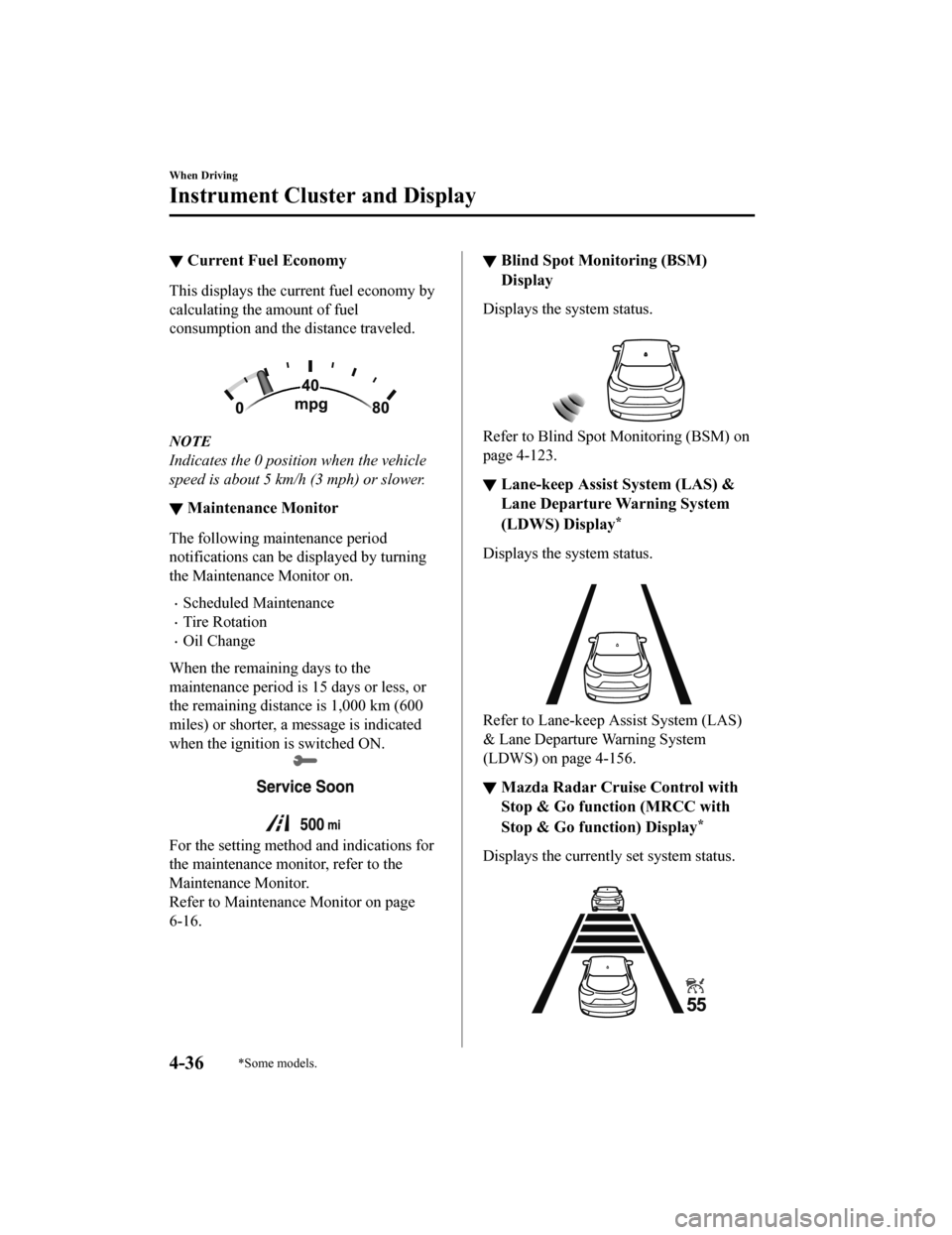
▼Current Fuel Economy
This displays the current fuel economy by
calculating the amount of fuel
consumption and the distance traveled.
NOTE
Indicates the 0 position when the vehicle
speed is about 5 km/h (3 mph) or slower.
▼Maintenance Monitor
The following maintenance period
notifications can be displayed by turning
the Maintenance Monitor on.
Scheduled Maintenance
Tire Rotation
Oil Change
When the remaining days to the
maintenance period is 15 days or less, or
the remaining distance is 1,000 km (600
miles) or shorter, a message is indicated
when the ignition is switched ON.
For the setting method and indications for
the maintenance monitor, refer to the
Maintenance Monitor.
Refer to Maintenance Monitor on page
6-16.
▼ Blind Spot Monitoring (BSM)
Display
Displays the system status.
Refer to Blind Spot Monitoring (BSM) on
page 4-123.
▼
Lane-keep Assist System (LAS) &
Lane Departure Warning System
(LDWS) Display
*
Displays the system status.
Refer to Lane-keep Assist System (LAS)
& Lane Departure Warning System
(LDWS) on page 4-156.
▼Mazda Radar Cruise Control with
Stop & Go function (MRCC with
Stop & Go function) Display
*
Displays the currently set system status.
When Driving
Instrument Cluster and Display
4-36*Some models.
CX-5_8HE3-EA-18I_Edition1
2018-6-29 13:44:47
Page 193 of 701

SignalWarning Page
Master Warning Indication/Warning Light 7-26
Electric Parking Brake (EPB) Warning Indication/Warning Light*17-26
Check Engine Light*17-26
Automatic Transaxle Warning Indication 7-26
*AWD Warning Indication 7-26
Air Bag/Front Seat Belt Pretensioner System Warning Light*17-26
*Tire Pressure Monitoring System Warning Light*1
Flashing
7-26
Turns on 7-32
(Amber/White) KEY Warning Indication Amber
7-26
White 7-32
(Amber)
*High Beam Control System (HBC) Warning Indication/Warning Light*17-26
*Blind Spot Monitoring (BSM) Warning Indication 7-26
(Amber)
*Mazda Radar Cruise Control with
Stop & Go function (MRCC with Stop
& Go function) War ning Indication 7-26
*Lane-keep Assist System (LAS) & Lane Departure Warning System
(LDWS) Warning Indication 7-26
LED Headlight Warning Light*17-26
*Smart Brake Support/Smart City B
rake Support (SBS/SCBS) Warning In‐
dication 7-32
Low Fuel Warning Indication
7-32
Check Fuel Cap Warning Indication/Warning Light*17-32
Engine Oil Level Warning Light*17-32
Seat Belt Warning Light (Front seat) 7-32
When Driving
Instrument Cluster and Display
*Some models.4-39
CX-5_8HE3-EA-18I_Edition1 2018-6-29 13:44:47
Page 206 of 701

SignalWarning Page
(Red)Brake Pedal Operation Demand Warning Light
*1
Flashing
4-98
Buzzer & Flash‐ ing
7-26
Check Engine Light*17-26
*Automatic Transaxle Warning Light*17-26
*AWD Warning Light 7-26
Air Bag/Front Seat Belt Pretensioner System Warning Light*17-26
*Tire Pressure Monitoring System Warning Light*1
Flashing
7-26
Turns on 7-32
(Red) KEY Warning Light
*1
Turns on
7-26
Flashing 7-32
LED Headlight Warning Light*17-26
(Amber)
*Smart City Brake Support (SCBS) Warning Light*17-32
Low Fuel Warning Light 7-32
Check Fuel Cap Warning Light*17-32
Engine Oil Level Warning Light*17-32
Seat Belt Warning Light (Front seat) 7-32
(Red)Seat Belt Warning Light (Rear seat) 7-32
*Low Washer Fluid Level Warning Light
7-32
Door-Ajar Warning Light
7-32
When Driving
Instrument Cluster and Display
4-52*Some models.
CX-5_8HE3-EA-18I_Edition1 2018-6-29 13:44:47
Page 258 of 701

Antilock Brake System(ABS)
The ABS control unit continuously
monitors the speed o f each wheel. If one
wheel is about to lock up, the ABS
responds by automatically releasing and
reapplying that wheel's brake.
The driver will feel a slight vibration in
the brake pedal and may hear a chattering
noise from the brake system. This is
normal ABS system operation. Continue
to depress the brak e pedal without
pumping the brakes.
The warning light turns on when the
system has a malfunction.
Refer to Contact Authorized Mazda
Dealer and Have Vehicle Inspected on
page 7-26.
WA R N I N G
Do not rely on ABS as a substitute for safe
driving:
The ABS cannot compensate for unsafe
and reckless driving, excessive speed,
tailgating (following another vehicle too
closely), driving on ice and snow, and
hydroplaning (reduced tire friction and
road contact because of water on the road
surface). You can still have an accident.
NOTE
Braking distances may be longer on
loose surfaces (snow or gravel, for
example) which usually have a hard
foundation. A vehicle with a normal
braking system may require less
distance to stop under these conditions
because the tires wi ll build up a wedge
of surface layer when the wheels skid.
The sound of the ABS operating may be
heard when starting the engine or
immediately after starting the vehicle,
however, it does not indicate a
malfunction.
When Driving
ABS/TCS/DSC
4-104
CX-5_8HE3-EA-18I_Edition1 2018-6-29 13:44:47
Page 259 of 701
Traction Control System(TCS)
The Traction Control System (TCS)
enhances traction and safety by controlling
engine torque and braking. When the TCS
detects driving wheel slippage, it lowers
engine torque and operates the brakes to
prevent loss of traction.
This means that on a slick surface, the
engine adjusts automatically to provide
optimum power to the drive wheels,
limiting wheel spin and loss of traction.
The warning light turns on when the
system has a malfunction.
Refer to Contact Authorized Mazda
Dealer and Have Vehicle Inspected on
page 7-26.
WA R N I N G
Do not rely on the Traction Control System
(TCS) as a substitute for safe driving:
The Traction Control System (TCS) cannot
compensate for unsafe and reckless
driving, excessive speed, tailgating
(following another vehicle too closely), and
hydroplaning (reduced tire friction and
road contact because of water on the road
surface). You can still have an accident.
Use snow tires or tire chains and drive at
reduced speeds when roads are covered
with ice and/or snow:
Driving without proper traction devices on
snow and/or ice-covered roads is
dangerous. The Traction Control System
(TCS) alone cannot provide adequate
traction and you co uld still have an
accident.
NOTE
To turn off the TCS, press the TCS OFF
switch (page 4-106).
▼ TCS/DSC Indicator Light
This indicator light stays on for a few
seconds when the ignition is switched ON.
If the TCS or DSC
is operating, the
indicator light flashes.
If the light stays on, the TCS, DSC or the
brake assist system may have a
malfunction and they may not operate
correctly. Take your vehicle to an
Authorized Mazda Dealer.
NOTE
In addition to the indicator light
flashing, a slight lugging sound will
come from the engine. This indicates
that the TCS/DSC is operating properly.
On slippery surfaces, such as fresh
snow, it will be impossible to achieve
high rpm when the TCS is on.
When Driving
ABS/TCS/DSC
4-105
CX-5_8HE3-EA-18I_Edition1 2018-6-29 13:44:47
Page 261 of 701

Dynamic Stability Control(DSC)
The Dynamic Stability Control (DSC)
automatically controls braking and engine
torque in conjunction with systems such as
ABS and TCS to help control side slip
when driving on slippery surfaces, or
during sudden or evasive maneuvering,
enhancing vehicle safety.
Refer to ABS (page 4-104) and TCS (page
4-105).
DSC operation is possible at speeds
greater than 20 km/h (12 mph).
The warning light turns on when the
system has a malfunction.
Refer to Contact Authorized Mazda
Dealer and Have Vehicle Inspected on
page 7-26.
WA R N I N G
Do not rely on the Dynamic Stability
Control as a substitute for safe driving:
The Dynamic Stability Control (DSC)
cannot compensate for unsafe and reckless
driving, excessive speed, tailgating
(following another vehicle too closely), and
hydroplaning (reduced tire friction and
road contact because of water on the road
surface). You can still have an accident.
CAUTION
The DSC may not operate correctly
unless the following are observed:
Use tires of the correct size
specified for
your Mazda on all 4 wheels.
Use tires of the same manufacturer,
brand and tread pattern on all 4
wheels.
Do not mix worn tires.
The DSC may not operate correctly when
tire chains are used or a temporary spare
tire is installed because the tire diameter
changes.
▼ TCS/DSC Indicator Light
This indicator light stays on for a few
seconds when the ignition is switched ON.
If the TCS or DSC
is operating, the
indicator light flashes.
If the light stays on, the TCS, DSC or the
brake assist system may have a
malfunction and they may not operate
correctly. Take your vehicle to an
Authorized Mazda Dealer.
When Driving
ABS/TCS/DSC
4-107
CX-5_8HE3-EA-18I_Edition1 2018-6-29 13:44:47
Page 267 of 701

i-ACTIV AWD Operation*
AWD provides excellent drivability on
snow-covered and ice-packed roads, sand
and mud, as well as on steep slopes and
other slippery surfaces.
A system malfunction or operation
conditions are indicated by a warning.
Refer to Contact Authorized Mazda
Dealer and Have Vehicle Inspected on
page 7-26.
WA R N I N G
Never spin a wheel that is off the ground:
Spinning a wheel that is off the ground as a
result of the vehicle being stuck or in a
ditch is dangerous. The drive assembly
could be seriously damaged which could
lead to an accident or could even lead to
overheating, oil leakage, and a fire.
▼ AWD Driving
WA R N I N G
Avoid sharp turns, excessive speed and
abrupt maneuvers when driving this
vehicle:
Sharp turns, excessive speed and abrupt
maneuvering of this vehicle is dangerous
as it could result in the increased risk of loss
of vehicle control, vehicle roll-over,
personal injury or death.
This vehicle has a higher center of gravity.
Vehicles with a higher center of gravity
such as utility and AWD vehicles handle
differently
than vehicles with a lower center
of gravity.
Utility and AWD vehicles are not designed
for cornering at high speeds any more than
low profile sports cars are designed to
perform satisfactorily under off-road
conditions. In addition, utility vehicles have
a significantly higher rollover rate than
other types of vehicles.
Drive carefully when the vehicle is loaded
by lowering vehicle speed and applying the
brakes earlier:
Abrupt maneuvering and sudden braking
when driving a loaded vehicle is dangerous
as the driving behavior of a vehicle with a
high center of gravity is different when it is
loaded compared to when it is not, and
could result in the loss of vehicle control
and an accident.
▼ Tires and Tire Chains
The condition of the ti
res plays a large role
in the performance of the vehicle.
Moreover, to prevent adverse effects to the
drive assembly, please note the following:
Tires
When replacing tires, always replace all
front and rear tires at the same time.
All tires must be of the same size,
manufacture, brand and tread pattern.
Pay particular attention when equipping
snow or other types of winter tires.
Do not mix tread-worn tires with normal
tires.
Inspect tire inflation pressures at the
specified periods adjust to the specified
pressures.
NOTE
Check the tire inflation pressure label
attached to driver's door frame for the
correct tire inflation pressure.
When Driving
i-ACTIV AWD
*Some models.4-113
CX-5_8HE3-EA-18I_Edition1 2018-6-29 13:44:47
Page 297 of 701

Roads where frequent and repetitive accelerati on and deceleration occur (Driving under
these conditions using the MRCC with Stop & Go function system is not possible).
When entering and exiting interchanges, servic e areas, and parking areas of highways (If
you exit a highway while headway control is in use, the vehicle ahead will no longer be
tracked and your vehicle may a ccelerate to the set speed).
Slippery roads such as ice or snow-bound roads (Tires could spin causing you to lose vehicle
control, or the stop hold control may not operate.)
Long, descending slopes (to maintain distance between vehicles, the system automatically
and continuously applies the brakes which could result in the loss of brake power.)
Slopes with a steep gradient (The vehicle ahea d may not be detected correctly, your vehicle
may slide while stopped by the stop hold control, and it may accelerate suddenly after it
starts moving.)
For safety purposes, switch the MRCC with Stop & Go function system off when it is not being
used.
Do not get out of the vehicle while the stop hold control is operating:
Getting out of the vehicle while the stop hold co ntrol is operating is dangerous as the vehicle
may move unexpectedly and result in an accident . Before getting out of the vehicle, switch the
MRCC with Stop & Go function system off, shift the selector lever to the P position, and apply
the parking brake.
CAUTION
If your vehicle is towed or you are towing something, switch the MRCC with Stop & Go
function system off to prevent a mis-operation.
NOTE
The MRCC with Stop & Go function system do es not detect the following as physical
objects.
Vehicles approaching in the opposite direction
Pedestrians
Stationary objects (stopped vehicles, obstructions)
If a vehicle ahead is traveling at an extremely low speed, the system may not detect it
correctly.
During headway control travel, do not set the system for detection of two-wheeled
vehicles such as motorcycles and bicycles.
Do not use the MRCC with Stop & Go function system under conditions in which close
proximity warnings are frequently activated.
When Driving
i-ACTIVSENSE
4-143
CX-5_8HE3-EA-18I_Edition1 2018-6-29 13:44:47
Page 307 of 701

Resume driving information
If you do not resume driving within a few seconds after the vehicle ahead starts moving, the
multi-information display vehicle-ahead indication flashes to u rge the driver to resume
driving.
▼ Cruise Control Function
While this function is operating, the
headway control operation is canceled and
only the cruise contro
l function operates.
The vehicle speed can be set more than
about 25 km/h (16 mph).
Use the cruise control function on
expressways and other highways which do
not require a lot of re peated acceleration
and deceleration.
WA R N I N G
Do not use the cruise control function in
the following locations:
Otherwise, it could lead to an accident.
Roads with sharp curves and where
vehicle traffic is heavy and there is
insufficient space between vehicles.
(Driving under these conditions using the
cruise control function is not possible)
Steep down slopes (Set speed may be
exceeded because sufficient engine
braking cannot be applied)
Slippery roads such as ice or snow-bound
roads (Tires could spin causing you to
lose vehicle control)
Always drive carefully:
The warnings and brake control will not
operate after the headway control function
is canceled and the system is switched to
only the cruise control function. Depress
the brake pedal to decelerate according to
the surrounding conditions while keeping a
safer distance from the vehicle ahead and
always driving carefully.
Switching to cruise control function
When the MODE switch is pressed until
the system switches to the cruise main
indication (white) while the MRCC with
Stop & Go function system is turned on,
the system switches to the cruise control
function.
When the system switches to the cruise
control function, the indicator and
multi-information display notify the driver
as follows:
The MRCC with Stop & Go function set
indication (green) or the MRCC with
Stop & Go function main indication
(white) is turned off, and the cruise main
indication (white) is turned on.
A message is displayed in the
multi-information display.
When Driving
i-ACTIVSENSE
4-153
CX-5_8HE3-EA-18I_Edition1 2018-6-29 13:44:47