reset MAZDA MODEL CX-5 2021 User Guide
[x] Cancel search | Manufacturer: MAZDA, Model Year: 2021, Model line: MODEL CX-5, Model: MAZDA MODEL CX-5 2021Pages: 715, PDF Size: 10.62 MB
Page 194 of 715

The vehicle is parked.
The vehicle is driven at low speeds.
Changing the Temperature Unit of the
Outside Tempera ture Display
The outside temperature unit can be
switched between Celsius and Fahrenheit.
Settings can be changed by operating the
center display screen.
Refer to the Settings section in the Mazda
Connect Owner's Manual.
NOTE
When the temperature unit indicated in the
outside temperature display is changed,
the temperature unit indicated in the
engine coolant gauge display changes in
conjunction with it.
▼Distance-to-empty
This displays the approximate distance
you can travel on the remaining fuel based
on the fuel economy.
The distance-to-empty will be calculated
and displayed every second.
NOTE
Even though the distance-to-empty
display may indicate a sufficient amount
of remaining driving distance before
refueling is required, refuel as soon as
possible if the fuel level is very low or
the low fuel warning light illuminates.
The display will not change unless you
add more than approximately 9 L (2.3
US gal, 1.9 Imp gal) of fuel.
The distance-to-empty is the
approximate remaining distance the
vehicle can be driven until all the
graduation marks in the fuel gauge
indicating the remaining fuel supply
disappear.
If there is no past fuel economy
information such as after first
purchasing your vehicle or the
information is deleted when the battery
cables are disconnected, the actual
distance-to empty/range may differ from
the amount indicated.
▼Average Fuel Economy
The average fuel economy is calculated
every minute from the total traveled
distance on the trip meter and the total fuel
consumption, and the average fuel
economy for either TRIP A or TRIP B is
displayed.
The average fuel economy and trip meters
can be reset by pressing the INFO switch
for 1.5 seconds or more while in each
mode. After the data is cleared, the fuel
consumption is recalculated and the - - -
km/L (- - - mpg) for the 1 minute prior to
it being displayed is indicated.
When Driving
Instrument Cluster and Display
4-37
CX-5_8JM9-EA-20G_Edition6_old
2021-12-9 11:43:53
Page 196 of 715

▼Lane-keep Assist System (LAS) &
Lane Departure Warning System
(LDWS) Display
*
Displays the system status.
Refer to Lane-keep Assist System (LAS)
& Lane Departure Warning System
(LDWS) on page 4-162.
▼Mazda Radar Cruise Control with
Stop & Go function (MRCC with
Stop & Go function) Display
*
Displays the currently set system status.
Refer to Mazda Radar
Cruise Control with
Stop & Go function (MRCC with Stop &
Go function) on page 4-147.
▼ Distance Recogn
ition Support
System (DRSS) Display*
Displays the distance between your
vehicle and the vehicle ahead.
Refer to Distance Recognition Support
System (DRSS) on page 4-137.
▼ Cruise Control Set Vehicle Speed
Display*
The vehicle speed preset using the cruise
control is displayed.
Refer to Cruise Control on page 4-251.
▼Compass Display
The direction the vehicle is moving is
displayed in one of ei
ght directions while
the vehicle is being driven.
Display Direction
NN orth
SS outh
EE ast
WW est
NE Northeast
When Driving
Instrument Cluster and Display
*Some models.4-39
CX-5_8JM9-EA-20G_Edition6_old 2021-12-9 11:43:53
Page 203 of 715
*1 The light turns on when the ignition is switched on for an operation check, and turns off
a few seconds later or when the engine is sta rted. If the light does not turn on or remains
turned on, have the vehicle inspected at an Authorized Mazda Dealer.
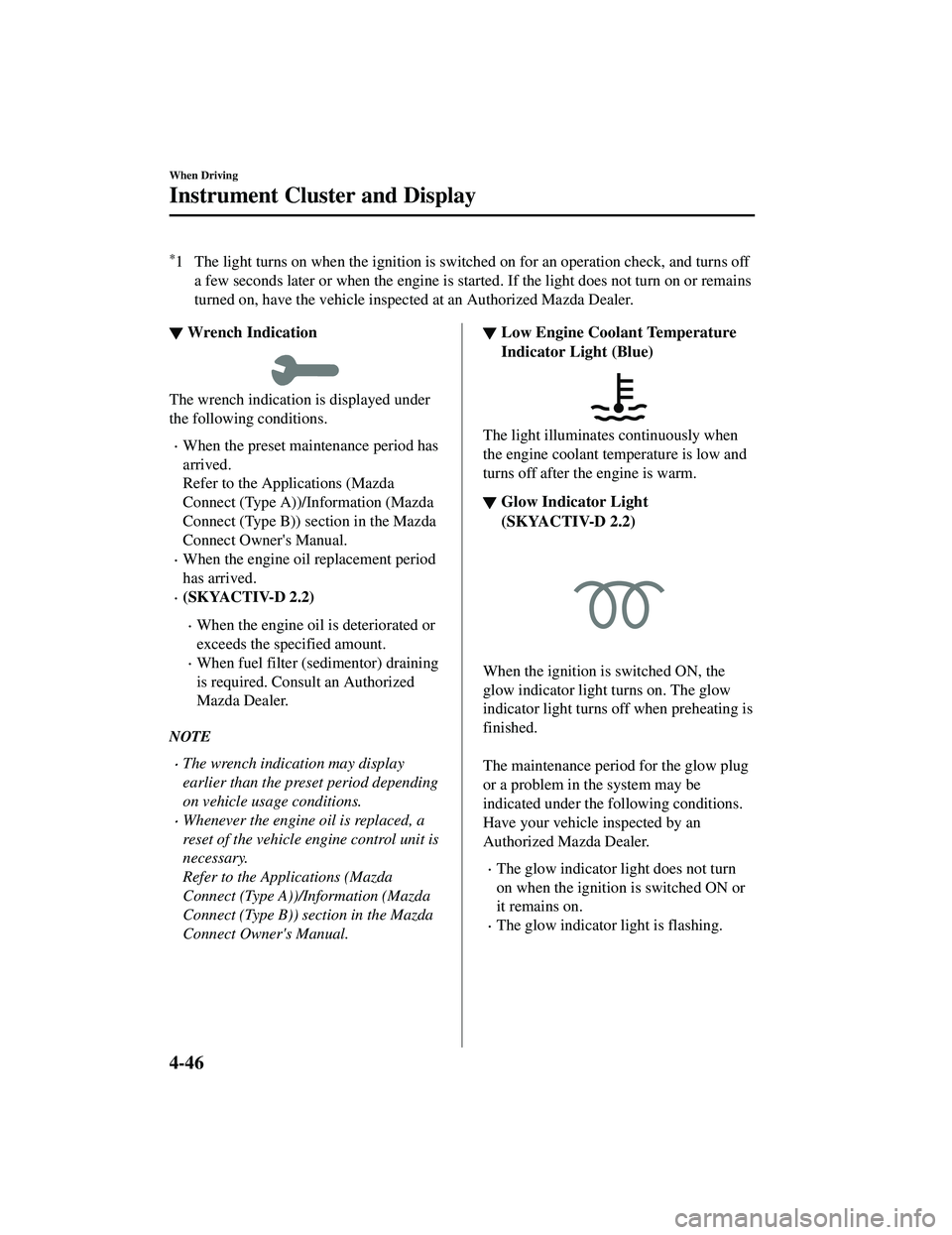
▼ Wrench Indication
The wrench indication is displayed under
the following conditions.
When the preset maintenance period has
arrived.
Refer to the Applications (Mazda
Connect (Type A))/Information (Mazda
Connect (Type B)) s
ection in the Mazda
Connect Owner's Manual.
When the engine oil replacement period
has arrived.
(SKYACTIV-D 2.2)
When the engine oil is deteriorated or
exceeds the specified amount.
When fuel filter (sedimentor) draining
is required. Consult an Authorized
Mazda Dealer.
NOTE
The wrench indication may display
earlier than the preset period depending
on vehicle usage conditions.
Whenever the engine oil is replaced, a
reset of the vehicle engine control unit is
necessary.
Refer to the Applications (Mazda
Connect (Type A))/Information (Mazda
Connect (Type B)) section in the Mazda
Connect Owner's Manual.
▼ Low Engine Coolant Temperature
Indicator Light (Blue)
The light illuminates continuously when
the engine coolant temperature is low and
turns off after the engine is warm.
▼Glow Indicator Light
(SKYACTIV-D 2.2)
4-46
CX-5_8JM9-EA-20G_Edition6_old
2021-12-9 11:43:53
Page 207 of 715

selector while one of them is displayed.
The selected mode will be displayed.
Dashboard illumination knob
Press the dashboard illumination knob
Press the dashboard illumination knob
Press the dashboard illumination knob
Odometer
Trip meter A
Trip meter B
Odometer
The odometer records the total distance
the vehicle has been driven.
Trip meter
The trip meter can record the total distance
of two trips. One is recorded in trip meter
A, and the other is recorded in trip meter
B.
For instance, trip meter A can record the
distance from the point of origin, and trip
meter B can record the distance from
where the fuel tank is filled.
When trip meter A is selected, pressing the
selector again within 1 second will change
to trip meter B mode.
When trip meter A is selected, TRIP A
will be displayed. When trip meter B is
selected, TRIP B will be displayed.
The trip meter records the total distance
the vehicle is driven until the meter is
again reset. Return it to “0.0” by
depressing and holding the selector for 1
second or more. Use this meter to measure
trip distances and to compute fuel
consumption.
NOTE
If TRIP A is reset using the trip meter
when the function which synchronizes
(resets) the fuel economy monitor and
the trip meter (TRIP A) is on, the fuel
economy data resets in conjunction with
TRIP A.
Refer to the Applications (Mazda
Connect (Type A))/Information (Mazda
Connect (Type B)) section in the Mazda
Connect Owner's Manual.
Only the trip meters record tenths of
kilometers (miles).
The trip record will be erased when:
The power supply is interrupted
(blown fuse or the battery is
disconnected).
The vehicle is driven over 9999.9 km
(mile).
When Driving
Instrument Cluster and Display
4-50
CX-5_8JM9-EA-20G_Edition6_old
2021-12-9 11:43:53
Page 211 of 715

data was reset. The average fuel economy
is calculated and displayed every minute.
To reset the displayed past data, press the
INFO switch for 1.5 seconds or longer.
After resetting the data, - - - L/100 km
(- - - mpg) is displayed for one minute
before the fuel economy is recalculated
and displayed.
NOTE
If TRIP A is reset using the trip meter
when the function which synchronizes
(resets) the fuel economy monitor and the
trip meter (TRIP A) is on, the displayed
past data is reset.
Current fuel economy mode
This mode displays the current fuel
economy by calculating the amount of fuel
consumption and the distance traveled.
Current fuel economy will be calculated
and displayed every 2 seconds.
When you've slowed to about 5 km/h (3
mph), - - - L/100 km (- - - mpg) will be
displayed.
Compass mode
The direction the vehicle is moving is
displayed in one of eight directions while
the vehicle is being driven.
Display Direction
NN orth
SS ou th
EE ast
WW est
NE Northeast
NW Northwest
SE Southeast
SW Southwest
▼Cruise Control Set Vehicle Speed
Display
The vehicle speed preset using the cruise
control is displayed.
Refer to Cruise Control on page 4-251.
When Driving
Instrument Cluster and Display
4-54
CX-5_8JM9-EA-20G_Edition6_old
2021-12-9 11:43:53
Page 216 of 715
When the ignition is switched ON, the
wrench indicator light turns on and then
turns off after a few seconds.
The wrench indicator light turns on under
the following conditions:
When the preset maintenance period has
arrived.
When it’s time to replace the engine oil.
Refer to the Applications (Mazda Connect
(Type A))/Information (Mazda Connect
(Type B)) section in the Mazda Connect
Owner's Manual.
NOTE
The wrench indicator light turns on
earlier than the preset period depending
on vehicle usage conditions.
Whenever the engine oil is replaced, a
reset of the vehicle engine control unit is
necessary.
Refer to the Applications (Mazda
Connect (Type A))/Information (Mazda
Connect (Type B)) section in the Mazda
Connect Owner's Manual.
When Driving
Instrument Cluster and Display
4-59
CX-5_8JM9-EA-20G_Edition6_old 2021-12-9 11:43:53
Page 253 of 715

repeatedly until the indicator light changes
from amber to green.
Go back to Step 4 of Programming the
HomeLink System to complete the
procedure.
▼Operating the HomeLink System
Press the programmed HomeLink button
to operate a programmed device.
▼Reprogramming the HomeLink
system
To program a device to HomeLink using a
HomeLink button previously trained,
follow these steps:
1. Press and hold the desired HomeLink
button. DO NOT release the button.
2. After 20 seconds, the indicator light flashes in amber. After the indicator
light flashes, release the HomeLink
button.
3. Go back to Step 2 of Programming the HomeLink System to complete the
procedure.
NOTE
If the programming has not been
completed, the system returns to the
previous programming.
▼ Erasing Programmed HomeLink
Buttons
NOTE
All of the programmed HomeLink
buttons are reset. Individual buttons
cannot be reset, however, individual
buttons can be reprogrammed. For
individual button reprogramming, refer
to Reprogramming the HomeLink
System (page 4-96).
Verify that the programming has been
erased if you resell the vehicle.
1. Press the two outer HomeLink buttons continuously at the same time until the
indicator light flashes.
HomeLink button 1
HomeLink button 3
2. Stop pressing the HomeLink buttons.
▼Garage Door Two-Way
Communication
The garage door two-way communication
is a function that communicates with the
garage door opener and indicates whether
the garages door is open or closed using
the indicator lights in the rear view mirror.
It can indicate the status of the garage door
within a range up-to 250 m (820 ft).
NOTE
The communication range may shorten
depending on obstructions.
Programming two-
way communication
Within five seconds after programming a
new HomeLink button, both of the garage
door status indicator lights will flash
rapidly in green indicating that the garage
door two-way communication has been
established. If the garage door status
indicator lights flash, the two-way
communication programming is complete.
If the garage door status indicator lights do
not flash, the two-way communication
programming is not completed. For
When Driving
Switches and Controls
4-96
CX-5_8JM9-EA-20G_Edition6_old 2021-12-9 11:43:53
Page 299 of 715

The vehicle speed is about 65 to 140 km/h (40 to 86 mph).
The system detects white (yellow) lane lines.
The system has completed learning of the driver’s driving data.
The DAA does not operate under the following conditions.
The vehicle speed is less than about 65 km/h (40 mph).
The vehicle speed exceeds about 140 km/h (86 mph)
The vehicle is making a sharp turn.
The vehicle is changing lanes.
The system cannot detect white (yellow) lane lines.
The DAA may not operate normally under the following conditions.
White (yellow) lane lines are less visible because of dirt or fading/patchiness.
The vehicle is jolted or swayed continuously by strong winds or rough roads.
The vehicle is driven aggressively.
When making frequent lane changes.
The DAA detects driver fatigue and decrease d attentiveness based on the driving data
when the vehicle is driven at about 65 to 140 km/h (40 to 86 mph) for about 20 minutes.
The driving data will be reset under the following conditions.
The vehicle is stopped for 15 minutes or longer.
The vehicle is driven at less than about 65 km/h (40 mph) for about 30 minutes.
The ignition is switched off.
After the DAA has displayed the first message encouraging rest, it does not display the
next one until 45 minutes have passed.
▼ Driver Attention Alert (DAA)
Display (White)
When the system detects driver fatigue or
decreased attentiveness, it activates the
warning sound and displays an alert in the
multi-information display.
▼Canceling Driver Attention Alert
(DAA)
The DAA can be set to not activate.
Refer to the Settings section in the Mazda
Connect Owner's Manual.
When Driving
i-ACTIVSENSE
4-142
CX-5_8JM9-EA-20G_Edition6_old
2021-12-9 11:43:53
Page 304 of 715

Mazda Radar Cruise Control with Stop & Go function(MRCC with Stop & Go function)
*
The MRCC with Stop & Go function system is designed to maintain headway control*1
with a vehicle ahead according to your vehicle's speed using a radar sensor (front) to detect
the distance to the vehicle ahead and a preset vehicle speed without you having to use the
accelerator or brake pedals.
*1 Headway Control: Control of the distance between your vehicle and the vehicle ahead
detected by the Mazda Radar Cruise Control (MRCC) system.
Additionally, if your vehicle starts closing in on the vehicle ahead such as if the vehicle
ahead brakes suddenly, a warning sound an d a warning indication in the display are
activated simultaneously to alert you to maintain a sufficient distance between the vehicles.
If the vehicle ahead stops while you are follo wing behind it, your vehicle will stop and be
held stopped automatically (stop hold control), and headway control will resume when you
resume driving the vehicle such as by pressing the RES switch.
Also refer to the following before usin g the MRCC with Stop & Go function.
AUTOHOLD (page 4-102)
Forward Sensing Camera (FSC) (page 4-239)
Radar sensor (front) (page 4-244)
*Some models.4-147
CX-5_8JM9-EA-20G_Edition6_old 2021-12-9 11:43:53
Page 318 of 715

NOTE
If the vehicle speed decreases by about
15 km/h (9.4 mph) or more than the set
speed, the cruise control function may
be canceled.
When the vehicle speed is less than 21
km/h (13 mph), the cruise control
function is canceled. In this case, the
vehicle speed will not return to the
original set speed even if the vehicle is
accelerated to 25 km/h (16 mph) or
higher and the RES switch is pressed.
Reset the cruise control function.
When Driving
i-ACTIVSENSE
4-161
CX-5_8JM9-EA-20G_Edition6_old 2021-12-9 11:43:53