ESP MAZDA MODEL TRIBUTE 2003 Owners Manual (in English)
[x] Cancel search | Manufacturer: MAZDA, Model Year: 2003, Model line: MODEL TRIBUTE, Model: MAZDA MODEL TRIBUTE 2003Pages: 248, PDF Size: 2.5 MB
Page 4 of 248
SAFETY AND ENVIRONMENT PROTECTION
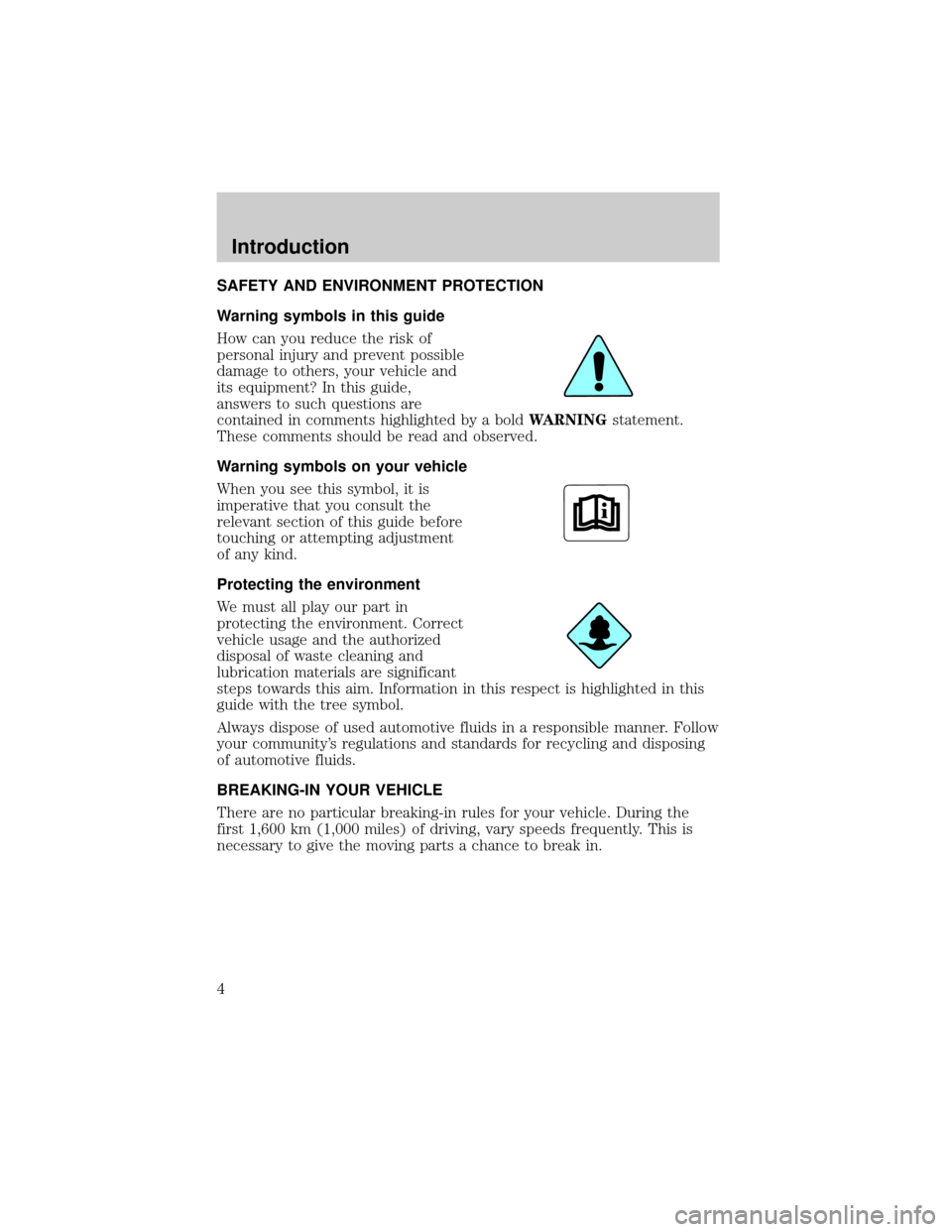
Warning symbols in this guide
How can you reduce the risk of
personal injury and prevent possible
damage to others, your vehicle and
its equipment? In this guide,
answers to such questions are
contained in comments highlighted by a boldWARNINGstatement.
These comments should be read and observed.
Warning symbols on your vehicle
When you see this symbol, it is
imperative that you consult the
relevant section of this guide before
touching or attempting adjustment
of any kind.
Protecting the environment
We must all play our part in
protecting the environment. Correct
vehicle usage and the authorized
disposal of waste cleaning and
lubrication materials are significant
steps towards this aim. Information in this respect is highlighted in this
guide with the tree symbol.
Always dispose of used automotive fluids in a responsible manner. Follow
your community's regulations and standards for recycling and disposing
of automotive fluids.
BREAKING-IN YOUR VEHICLE
There are no particular breaking-in rules for your vehicle. During the
first 1,600 km (1,000 miles) of driving, vary speeds frequently. This is
necessary to give the moving parts a chance to break in.
Introduction
4
Page 10 of 248
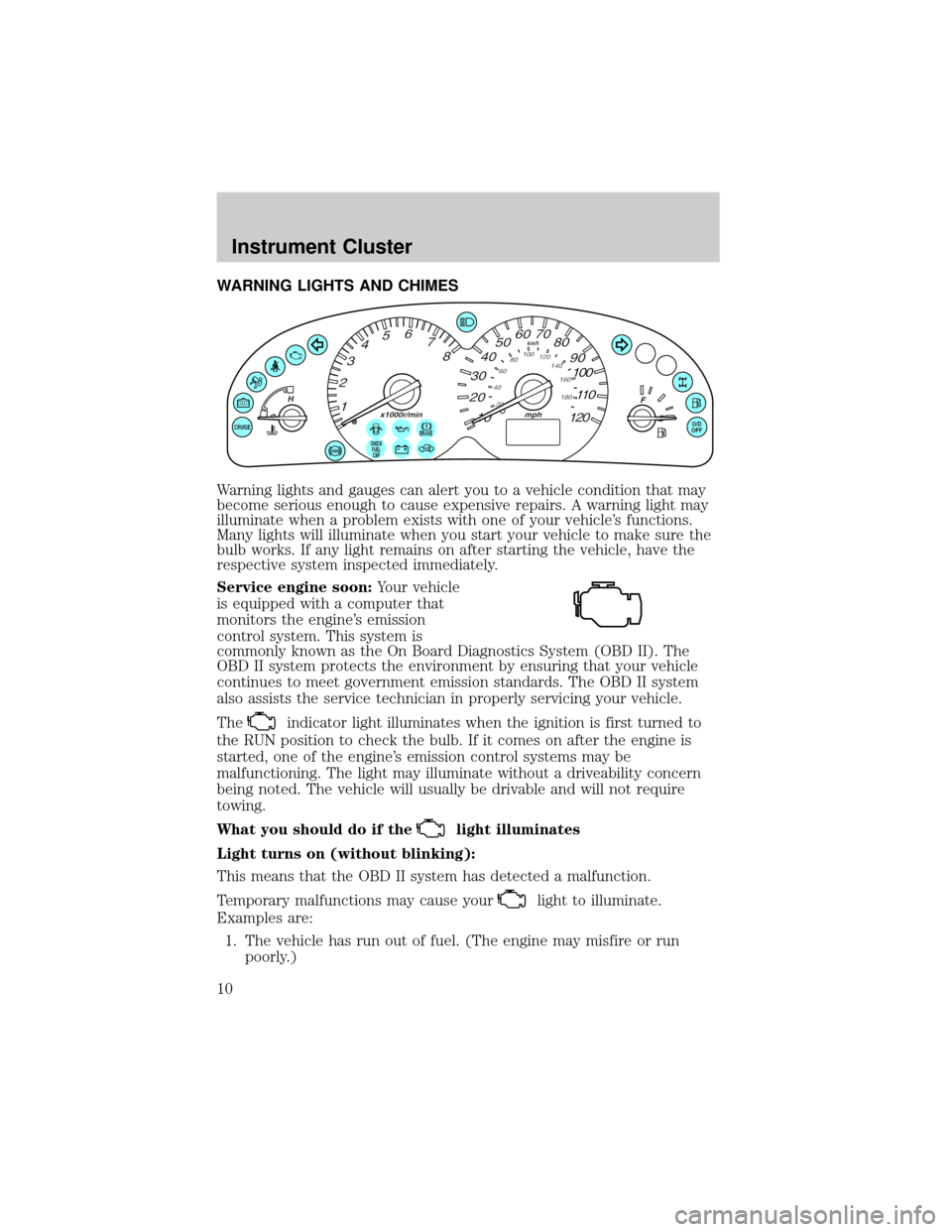
WARNING LIGHTS AND CHIMES
Warning lights and gauges can alert you to a vehicle condition that may
become serious enough to cause expensive repairs. A warning light may
illuminate when a problem exists with one of your vehicle's functions.
Many lights will illuminate when you start your vehicle to make sure the
bulb works. If any light remains on after starting the vehicle, have the
respective system inspected immediately.
Service engine soon:Your vehicle
is equipped with a computer that
monitors the engine's emission
control system. This system is
commonly known as the On Board Diagnostics System (OBD II). The
OBD II system protects the environment by ensuring that your vehicle
continues to meet government emission standards. The OBD II system
also assists the service technician in properly servicing your vehicle.
The
indicator light illuminates when the ignition is first turned to
the RUN position to check the bulb. If it comes on after the engine is
started, one of the engine's emission control systems may be
malfunctioning. The light may illuminate without a driveability concern
being noted. The vehicle will usually be drivable and will not require
towing.
What you should do if the
light illuminates
Light turns on (without blinking):
This means that the OBD II system has detected a malfunction.
Temporary malfunctions may cause your
light to illuminate.
Examples are:
1. The vehicle has run out of fuel. (The engine may misfire or run
poorly.)
CHECK
FUEL
CAP
Instrument Cluster
10
Page 71 of 248
REMOTE ENTRY SYSTEM (IF EQUIPPED)
This device complies with part 15 of the FCC rules and with RS-210 of
Industry Canada. Operation is subject to the following two conditions:
(1) This device may not cause harmful interference, and (2) This device
must accept any interference received, including interference that may
cause undesired operation.
Changes or modifications not expressly approved by the party
responsible for compliance could void the user's authority to
operate the equipment.
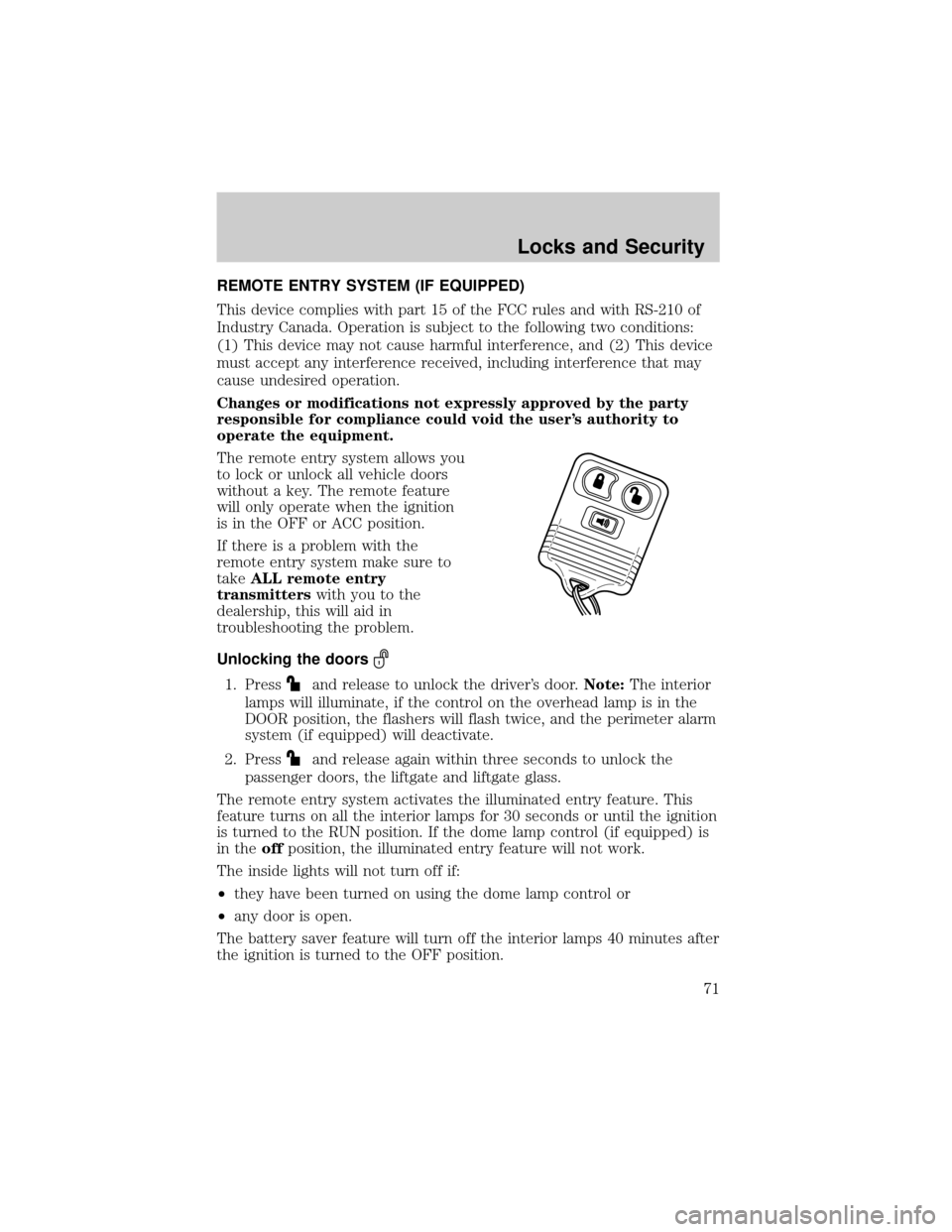
The remote entry system allows you
to lock or unlock all vehicle doors
without a key. The remote feature
will only operate when the ignition
is in the OFF or ACC position.
If there is a problem with the
remote entry system make sure to
takeALL remote entry
transmitterswith you to the
dealership, this will aid in
troubleshooting the problem.
Unlocking the doors
1. Pressand release to unlock the driver's door.Note:The interior
lamps will illuminate, if the control on the overhead lamp is in the
DOOR position, the flashers will flash twice, and the perimeter alarm
system (if equipped) will deactivate.
2. Press
and release again within three seconds to unlock the
passenger doors, the liftgate and liftgate glass.
The remote entry system activates the illuminated entry feature. This
feature turns on all the interior lamps for 30 seconds or until the ignition
is turned to the RUN position. If the dome lamp control (if equipped) is
in theoffposition, the illuminated entry feature will not work.
The inside lights will not turn off if:
²they have been turned on using the dome lamp control or
²any door is open.
The battery saver feature will turn off the interior lamps 40 minutes after
the ignition is turned to the OFF position.
Locks and Security
71
Page 78 of 248

PERIMETER ALARM SYSTEM (IF EQUIPPED)
The perimeter anti-theft system will help prevent your vehicle from
unauthorized entry.
If there is any potential perimeter anti-theft problem with your vehicle,
ensureALL remote entry transmittersare taken to the dealership to
aid in troubleshooting.
Arming the system
When armed, this system will respond if unauthorized entry is
attempted. When unauthorized entry occurs, the system will flash the
headlamps, parking lamps and will sound the horn.
The system is ready to arm whenever key is removed from the ignition.
Either of the following actions will prearm the alarm system:
²Press the
control on the remote entry transmitter.
²Lock the doors using the key.
NOTE:If a door is open, the system is not armed.
²The system will become prearmed, when all doors are closed. When
the system becomes prearmed the flashers will flash to confirm the
prearming.
²Once the system is prearmed, the system will arm in 20 seconds. If
any door is opened during these 20 seconds, the arming will be
canceled.
Disarming the system
You can disarm the system by any of the following actions:
²Unlock the doors by pressing the
control on your remote entry
transmitter.
²Unlock the doors with a key.
²Pressing the
control on the remote entry transmitter. This will
disarm the system only if the alarm is sounding.
Locks and Security
78
Page 91 of 248

WARNING: BELT AND RETRACTOR ASSEMBLY MUST BE
REPLACED if the safety belt assembly ªautomatic locking
retractorº feature or any other safety belt function is not
operating properly when checked according to the procedures in
Workshop Manual.
WARNING: Failure to replace the Belt and Retractor assembly
could increase the risk of injury in collisions.
Combination lap and shoulder belts
1. Insert the belt tongue into the
proper buckle (the buckle
closest to the direction the
tongue is coming from) until
you hear a snap and feel it
latch. Make sure the tongue is
securely fastened in the buckle.
2. To unfasten, push the release
button and remove the tongue
from the buckle.
The front and rear outboard safety restraints in the vehicle are
combination lap and shoulder belts. The front passenger and rear seat
outboard safety belts have two types of locking modes described below:
Vehicle sensitive mode
This is the normal retractor mode, which allows free shoulder belt length
adjustment to your movements and locking in response to vehicle
movement. For example, if the driver brakes suddenly or turns a corner
Seating and Safety Restraints
91
Page 106 of 248

WARNING: All occupants of the vehicle including the driver
should always wear their safety belts even when an air bag SRS
is provided.
How does the side air bag system work?
The side air bag system consists of
the following:
²An inflatable nylon bag (air bag)
with a gas generator concealed
behind the outboard bolster of
the driver and front passenger
seatbacks.
²A special seat cover designed to
allow airbag deployment.
²The same warning light,
electronic control and diagnostic unit as used for the front air bags.
²The two side sensors are located on the lower portion of the b-pillar.
NOTE:A side air bag, in combination with seat belts, can help reduce
the risk of severe injuries in the event of a significant side impact
collision.
The side air bags are fitted on the outboard side of the seatbacks of the
front seats. In certain lateral collisions, the air bag on the side affected
by the collision will be inflated, even if the respective seat is not
occupied. The air bag was designed to inflate between the door panel
and occupant to further enhance the protection provided occupants in
side impact collisions.
The air bag SRS is designed to activate when the vehicle sustains lateral
deceleration sufficient to cause the sensors to close an electrical circuit
that initiates air bag inflation.
The fact that the air bags did not inflate in a collision does not mean that
something is wrong with the system. Rather, it means the forces were
not of the type sufficient to cause activation. Side air bags are designed
to inflate in side-impact collisions, not roll-over, rear-impact, frontal,
near-frontal or opposite side collisions, unless the collision causes
sufficient lateral deceleration.
Seating and Safety Restraints
106
Page 122 of 248
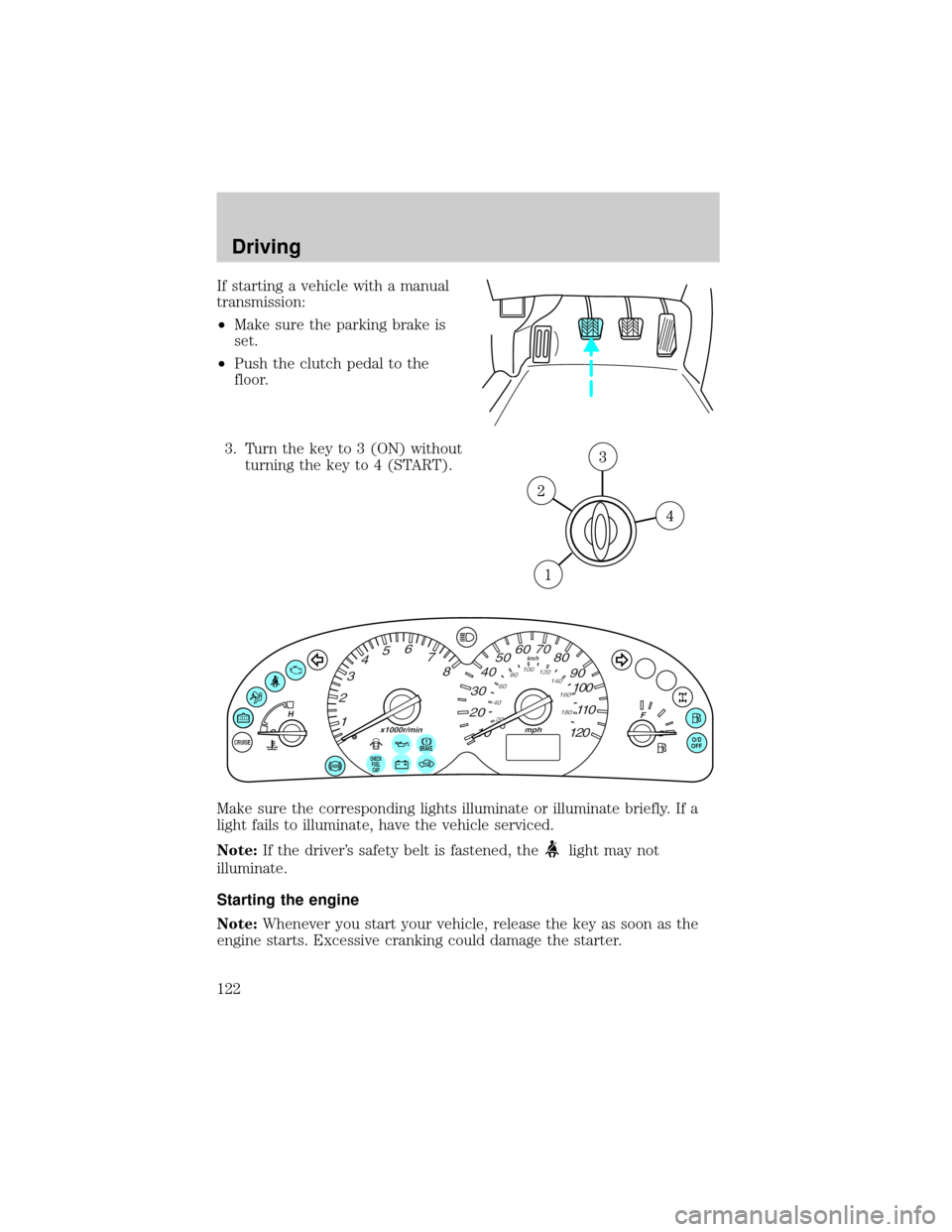
If starting a vehicle with a manual
transmission:
²Make sure the parking brake is
set.
²Push the clutch pedal to the
floor.
3. Turn the key to 3 (ON) without
turning the key to 4 (START).
Make sure the corresponding lights illuminate or illuminate briefly. If a
light fails to illuminate, have the vehicle serviced.
Note:If the driver's safety belt is fastened, the
light may not
illuminate.
Starting the engine
Note:Whenever you start your vehicle, release the key as soon as the
engine starts. Excessive cranking could damage the starter.
BRAKEO/D
OFF
CHECK
FUEL
CAP
Driving
122
Page 123 of 248
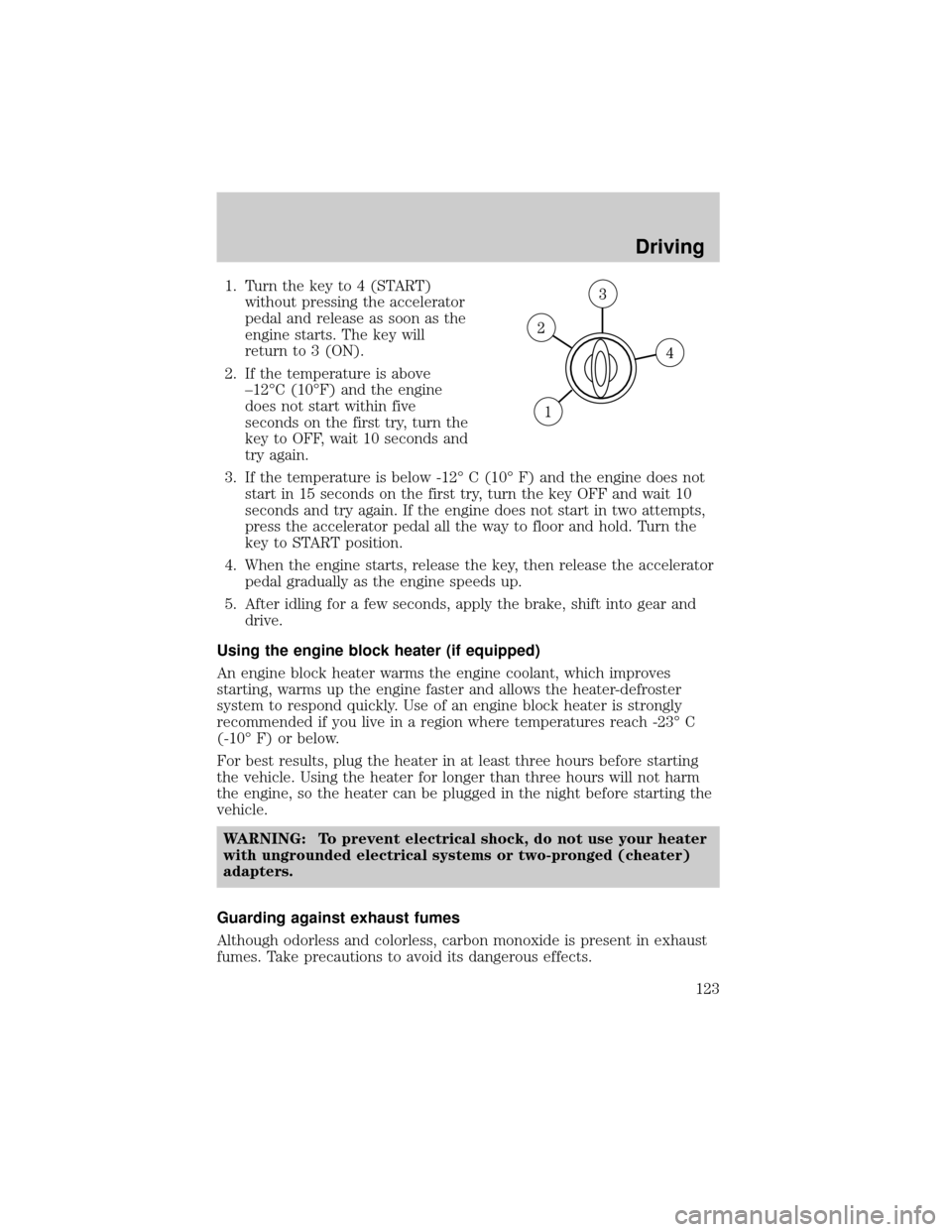
1. Turn the key to 4 (START)
without pressing the accelerator
pedal and release as soon as the
engine starts. The key will
return to 3 (ON).
2. If the temperature is above
±12ÉC (10ÉF) and the engine
does not start within five
seconds on the first try, turn the
key to OFF, wait 10 seconds and
try again.
3. If the temperature is below -12É C (10É F) and the engine does not
start in 15 seconds on the first try, turn the key OFF and wait 10
seconds and try again. If the engine does not start in two attempts,
press the accelerator pedal all the way to floor and hold. Turn the
key to START position.
4. When the engine starts, release the key, then release the accelerator
pedal gradually as the engine speeds up.
5. After idling for a few seconds, apply the brake, shift into gear and
drive.
Using the engine block heater (if equipped)
An engine block heater warms the engine coolant, which improves
starting, warms up the engine faster and allows the heater-defroster
system to respond quickly. Use of an engine block heater is strongly
recommended if you live in a region where temperatures reach -23É C
(-10É F) or below.
For best results, plug the heater in at least three hours before starting
the vehicle. Using the heater for longer than three hours will not harm
the engine, so the heater can be plugged in the night before starting the
vehicle.
WARNING: To prevent electrical shock, do not use your heater
with ungrounded electrical systems or two-pronged (cheater)
adapters.
Guarding against exhaust fumes
Although odorless and colorless, carbon monoxide is present in exhaust
fumes. Take precautions to avoid its dangerous effects.
Driving
123
Page 139 of 248

The indicator light illuminates when the 4x4 ON mode is engaged.
Shifting between 4x4 Auto and ON modes
Press the four-wheel drive control to
apply power to both axles. When
you activate the control, the
indicator light will illuminate in the
instrument cluster.
When you press the control again,
4x4 AUTO is activated and, the indicator light will turn off.
Either shift can be done at a stop or while driving at any speed.
Driving off-road with truck and utility vehicles
4x4 vehicles are specially equipped for driving on sand, snow, mud and
rough terrain and have operating characteristics that are somewhat
different from conventional vehicles, both on and off the road.
How your vehicle differs from other vehicles
Truck and utility vehicles can differ from some other vehicles. Your
vehicle may be higher to allow it to travel over rough terrain without
getting hung up or damaging underbody components.
The differences that make your vehicle so versatile also make it handle
differently than an ordinary passenger car.
Maintain steering wheel control at all times, especially in rough
terrain. Since sudden changes in terrain can result in abrupt
steering wheel motion, make sure you grip the steering wheel
from the outside. Do not grip the spokes.
Drive cautiously to avoid vehicle damage from concealed objects
such as rocks and stumps.
You should either know the terrain or examine maps of the area before
driving. Map out your route before driving in the area. To maintain
steering and braking control of your vehicle, you must have all four
wheels on the ground and they must be rolling, not sliding or spinning.
Basic operating principles
²Drive slower in strong crosswinds which can affect the normal steering
characteristics of your vehicle.
²Be extremely careful when driving on pavement made slippery by
loose sand, water, gravel, snow or ice.
If your vehicle goes off the edge of the pavement
²If your vehicle goes off the edge of the pavement, slow down, but
avoid severe brake application, ease the vehicle back onto the
LOCK
Driving
139
Page 141 of 248
WARNING: If the parking brake is fully released, but the brake
warning lamp remains illuminated, the brakes may not be
working properly. See your authorized Mazda dealership.
Do not rock the vehicle if the engine is not at normal operating
temperature or damage to the transaxle may occur.
WARNING: Do not spin the wheels at over 56 km/h (35 mph).
The tires may fail and injure a passenger or bystander.
Emergency maneuvers
²In an unavoidable emergency situation where a sudden sharp turn
must be made, remember to avoid ªover-drivingº your vehicle, i.e.,
turn the steering wheel only as rapidly and as far as required to avoid
the emergency. Excessive steering will result in less vehicle control,
not more. Additionally, smooth variations of the accelerator and/or
brake pedal pressure should be utilized if changes in vehicle speed are
called for. Avoid abrupt steering, acceleration or braking which could
result in an increased risk of loss of vehicle control, vehicle rollover
and/or personal injury. Use all available road surface to return the
vehicle to a safe direction of travel.
²In the event of an emergency stop, avoid skidding the tires and do not
attempt any sharp steering wheel movements.
WARNING: Vehicles with a higher center of gravity such as
utility and four-wheel drive vehicles handle differently than
vehicles with a lower center of gravity. Utility and four-wheel
drive vehicles are not designed for cornering at speeds as high
as passenger cars any more than low-slung sports cars are
designed to perform satisfactorily under off-road conditions.
Avoid sharp turns, excessive speed and abrupt maneuvers in
these vehicles. Failure to drive cautiously could result in an
increased risk of loss of vehicle control, vehicle rollover,
personal injury and death.
²If the vehicle goes from one type of surface to another (i.e., from
concrete to gravel) there will be a change in the way the vehicle
responds to a maneuver (steering, acceleration or braking). Again,
avoid these abrupt inputs.
Driving
141