brake MAZDA MODEL TRIBUTE 4WD 2001 User Guide
[x] Cancel search | Manufacturer: MAZDA, Model Year: 2001, Model line: MODEL TRIBUTE 4WD, Model: MAZDA MODEL TRIBUTE 4WD 2001Pages: 232, PDF Size: 1.74 MB
Page 107 of 232
BRAKES
Your service brakes are self-adjusting. Refer to the service maintenance
section for scheduled maintenance.
Occasional brake noise is normal and often does not indicate a
performance concern with the vehicle's brake system. In normal
operation, automotive brake systems may emit occasional or intermittent
squeal or groan noises when the brakes are applied. Such noises are
usually heard during the first few brake applications in the morning;
however, they may be heard at any time while braking and can be
aggravated by environmental conditions such as cold, heat, moisture,
road dust, salt or mud. If a ªmetal-to-metal,º ªcontinuous grindingº or
ªcontinuous squealº sound is present while braking, the brake linings
may be worn-out and should be inspected by an authorized Mazda
dealership.
Four-wheel anti-lock brake system (ABS) (if equipped)
If the vehicle is equipped with an anti-lock braking system (ABS), a
noise from the hydraulic pump motor and pulsation in the pedal may be
observed during ABS braking events. Pedal pulsation coupled with noise
while braking under panic conditions or on loose gravel, bumps, wet or
snowy roads is normal and indicates proper functioning of the vehicle's
anti-lock brake system.
NOTE:The ABS performs a self-check after you start the engine and
begin to drive away.
A brief mechanical noise may be heard during this test. This is normal. If
a malfunction is found, the ABS warning light will come on. If the vehicle
has continuous vibration or shudder in the steering wheel while braking,
the vehicle should be inspected by an authorized Mazda dealership.
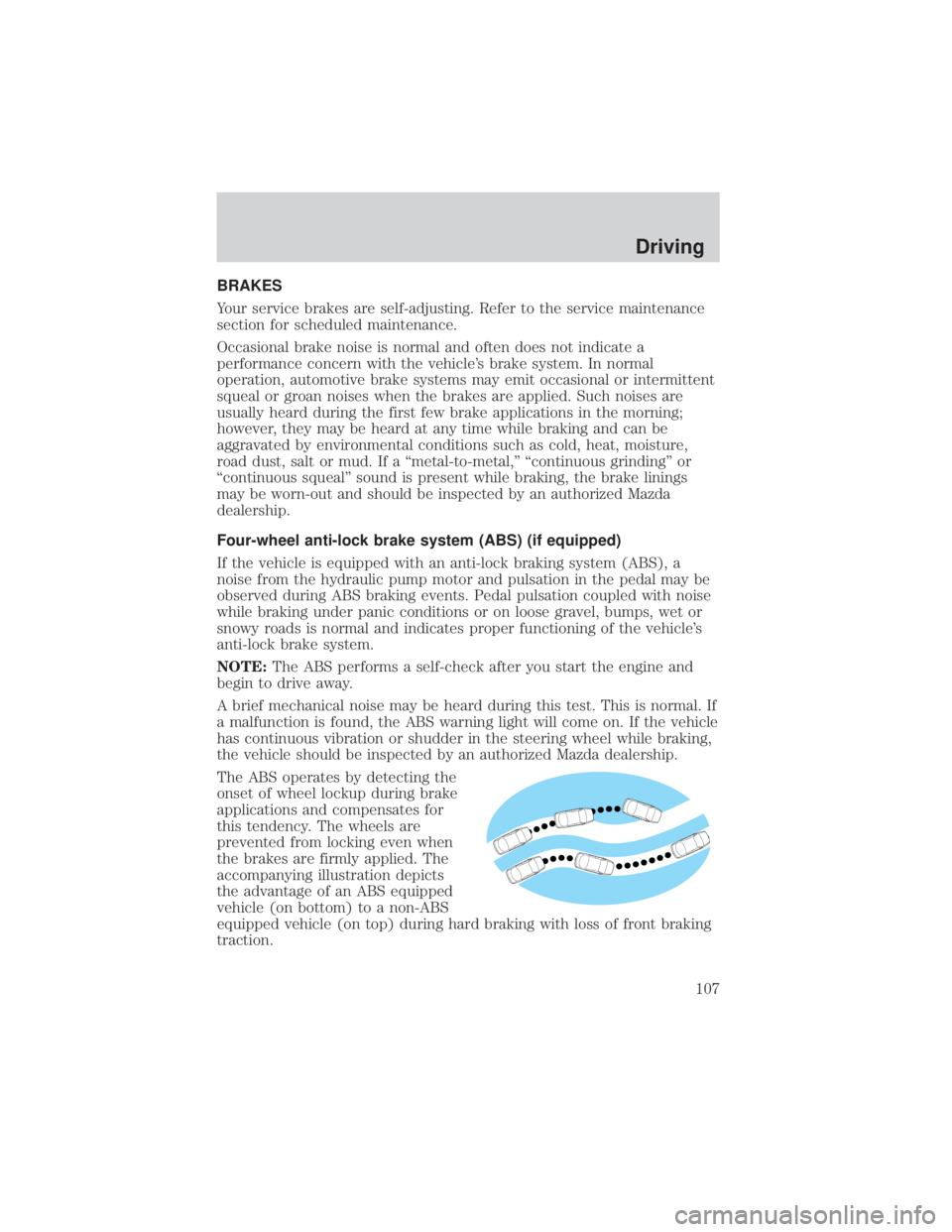
The ABS operates by detecting the
onset of wheel lockup during brake
applications and compensates for
this tendency. The wheels are
prevented from locking even when
the brakes are firmly applied. The
accompanying illustration depicts
the advantage of an ABS equipped
vehicle (on bottom) to a non-ABS
equipped vehicle (on top) during hard braking with loss of front braking
traction.
Driving
107
Page 108 of 232
WARNING: The Anti-Lock system does not decrease the time
necessary to apply the brakes or always reduce stopping
distance. Always leave enough room between your vehicle and
the vehicle in front of you to stop.
ABS warning lamp
ABS(if equipped)
The
ABSwarning lamp in the instrument cluster momentarily illuminates
when the ignition is turned to the ON position. If the light does not
illuminate momentarily at start up, remains on or continues to flash, the
ABS needs to be serviced.
With the ABS light on, the anti-lock
brake system is disabled and normal
braking is still effective unless the
brake warning light also remains
illuminated with parking brake released. (If your brake warning lamp
illuminates, have your vehicle serviced immediately by an authorized
Mazda dealership.)
Using four wheel ABS (if equipped)
² In an emergency or when maximum efficiency from the ABS is
required, apply continuous force on the brake. The ABS will be
activated immediately, thus allowing you to retain full steering control
of your vehicle and, providing there is sufficient space, will enable you
to avoid obstacles and bring the vehicle to a controlled stop.
WARNING: The Anti-Lock system does not decrease the time
necessary to apply the brakes or always reduce stopping
distance. Always leave enough room between your vehicle and
the vehicle in front of you to stop.
NOTE: We recommend that you familiarize yourself with this braking
technique. However, avoid taking any unnecessary risks.
Driving
108
Page 109 of 232
Parking brake
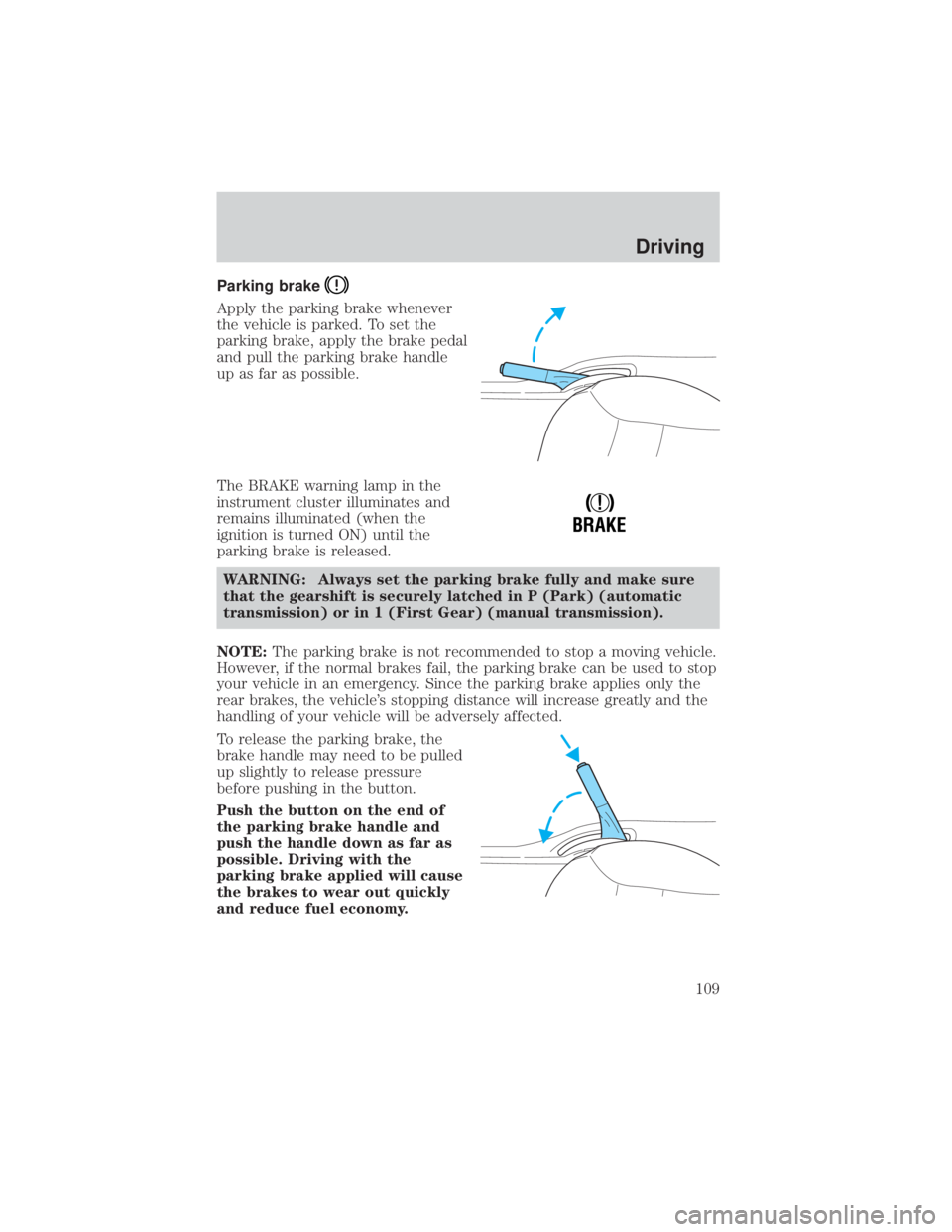
Apply the parking brake whenever
the vehicle is parked. To set the
parking brake, apply the brake pedal
and pull the parking brake handle
up as far as possible.
The BRAKE warning lamp in the
instrument cluster illuminates and
remains illuminated (when the
ignition is turned ON) until the
parking brake is released.WARNING: Always set the parking brake fully and make sure
that the gearshift is securely latched in P (Park) (automatic
transmission) or in 1 (First Gear) (manual transmission).
NOTE: The parking brake is not recommended to stop a moving vehicle.
However, if the normal brakes fail, the parking brake can be used to stop
your vehicle in an emergency. Since the parking brake applies only the
rear brakes, the vehicle's stopping distance will increase greatly and the
handling of your vehicle will be adversely affected.
To release the parking brake, the
brake handle may need to be pulled
up slightly to release pressure
before pushing in the button.
Push the button on the end of
the parking brake handle and
push the handle down as far as
possible. Driving with the
parking brake applied will cause
the brakes to wear out quickly
and reduce fuel economy.
!
BRAKE
Driving
109
Page 111 of 232
WARNING: Vehicles with a higher center of gravity such as
utility and four-wheel drive vehicles handle differently than
vehicles with a lower center of gravity. Utility and four-wheel
drive vehicles are not designed for cornering at speeds as high
as passenger cars any more than low-slung sports cars are
designed to perform satisfactorily under off-road conditions.
Avoid sharp turns, excessive speed and abrupt maneuvers in
these vehicles. Failure to drive cautiously could result in an
increased risk of vehicle rollover, personal injury and death.
WARNING: Loaded vehicles, with a higher center of gravity,
may handle differently than unloaded vehicles. Extra
precautions, such as slower speeds and increased stopping
distance, should be taken when driving a heavily loaded vehicle.
Your vehicle has the capability to haul more cargo and people than most
passenger cars. Depending upon the type and placement of the load,
hauling people and cargo may raise the center of gravity of the vehicle.
Use extra caution while becoming familiar with your vehicle. Know the
capabilities and limitations of both you as a driver and your vehicle.
AUTOMATIC TRANSAXLE OPERATION (IF EQUIPPED)
Brake-shift interlock
This vehicle is equipped with a brake-shift interlock feature that prevents
the gearshift lever from being moved from P (Park) unless the brake
pedal is depressed.
NOTE:If the gearshift lever cannot be moved from P (Park) with the
brake pedal depressed, it is possible that a fuse has blown or the
vehicle's brakelamps are not operating properly. Refer to Fuses and
relays in theRoadside emergencies chapter.
WARNING: Do not drive your vehicle until you verify that the
brakelamps are working. A rear end colission may result after
you brake.
If your vehicle gets stuck in mud or snow it may be rocked out by
shifting between forward and reverse gears, stopping between shifts, in a
steady pattern. Press lightly on the accelerator in each gear.
Driving
111
Page 112 of 232
Do not rock the vehicle if the engine is not at normal operating
temperature or damage to the transaxle may occur.
Do not rock the vehicle for more than a few minutes or damage
to the transaxle and tires may occur or the engine may overheat.WARNING: Always set the parking brake fully and make sure
the gearshift is latched in P (Park). Turn off the ignition
whenever you leave your vehicle.
WARNING: If the parking brake is fully released, but the brake
warning lamp remains illuminated, the brakes may not be
working properly. See your authorized Mazda dealer or a
qualified service technician.
Driving with an automatic overdrive transaxle
Your automatic transaxle electronically controls the shift feel by using an
adaptive learning strategy. This feature is designed to optimize shift
smoothness. NOTE:It is normal for your transaxle to shift firmly during
the first few hundred kilometers (miles) of operation until the adaptive
strategy has been learned. The adaptive learning strategy is maintained
by power from the battery. When the battery is disconnected or a new
battery is installed, the transaxle must relearn its adaptive strategy.
Optimal shifting will resume within a few hundred kilometers (miles) of
operation.
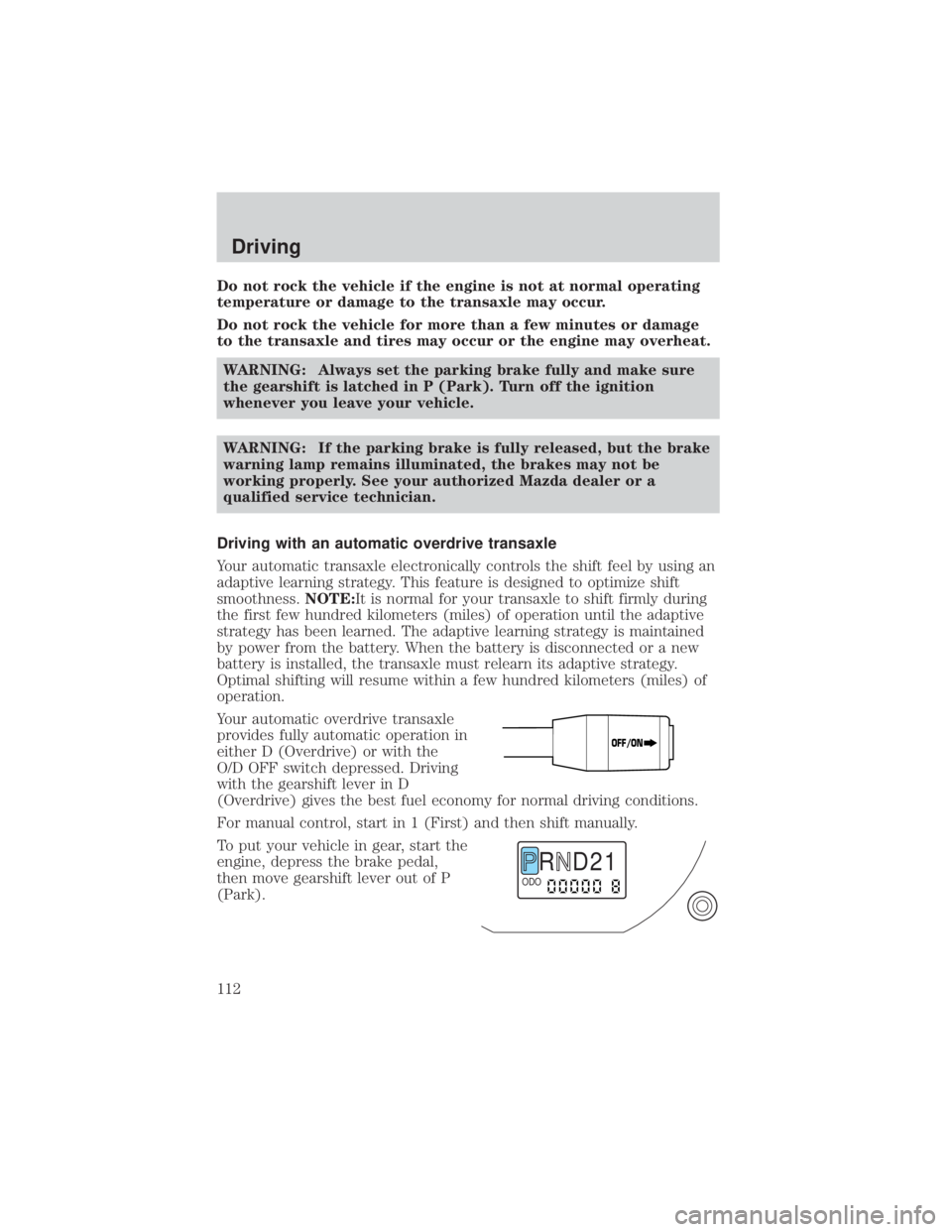
Your automatic overdrive transaxle
provides fully automatic operation in
either D (Overdrive) or with the
O/D OFF switch depressed. Driving
with the gearshift lever in D
(Overdrive) gives the best fuel economy for normal driving conditions.
For manual control, start in 1 (First) and then shift manually.
To put your vehicle in gear, start the
engine, depress the brake pedal,
then move gearshift lever out of P
(Park).
OFF/ON
R D 2 1ODO
Driving
112
Page 113 of 232
Understanding gearshift positions
Your automatic transaxle electronically controls the shift feel by using an
adaptive learning strategy. This feature is designed to optimize shift
smoothness.NOTE:It is normal for your transaxle to shift firmly during
the first few hundred kilometers (miles) of operation until the adaptive
strategy has been learned. The adaptive learning strategy is maintained
by power from the battery. When the battery is disconnected or a new
battery is installed, the transaxle must relearn its adaptive strategy.
Optimal shifting will resume within a few hundred kilometers (miles) of
operation.
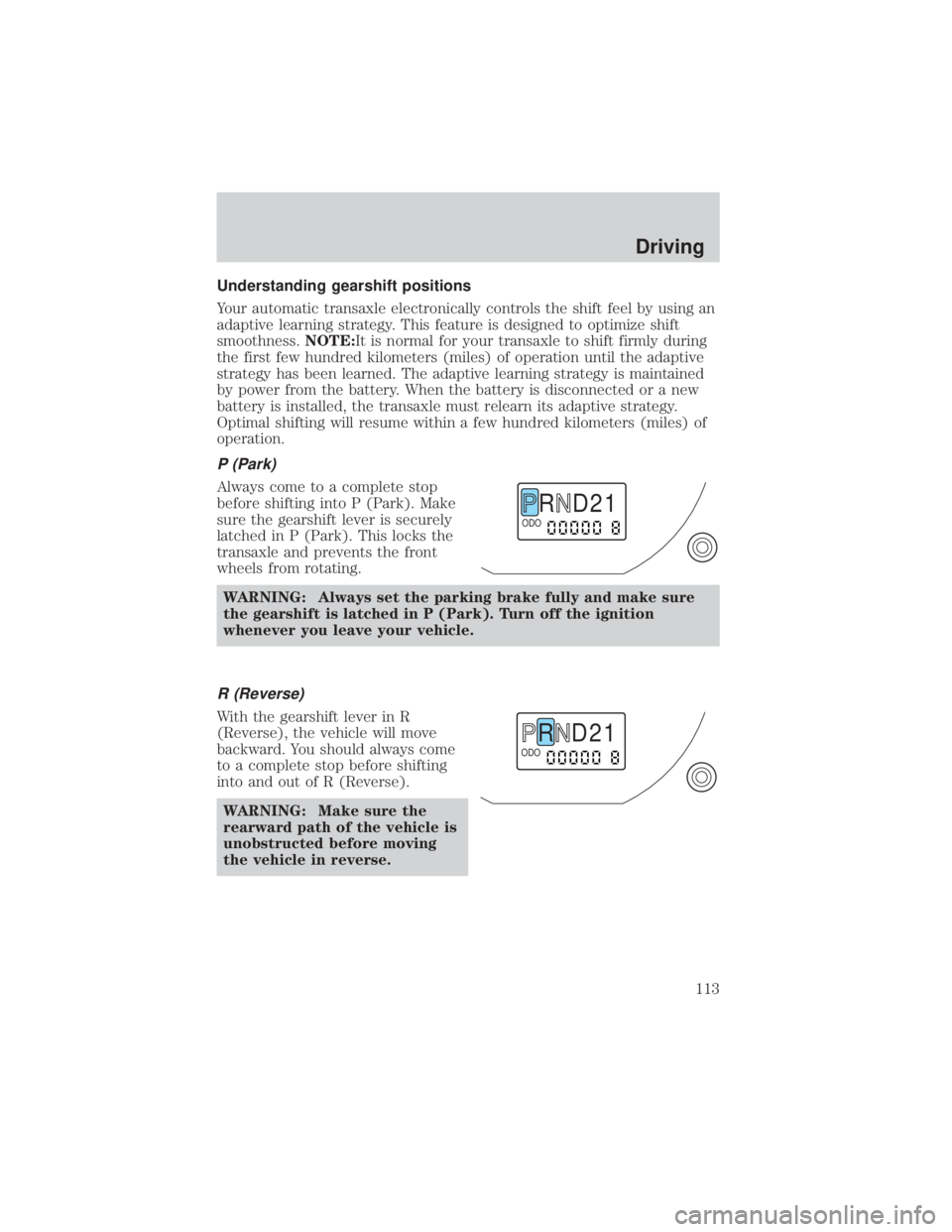
P (Park)
Always come to a complete stop
before shifting into P (Park). Make
sure the gearshift lever is securely
latched in P (Park). This locks the
transaxle and prevents the front
wheels from rotating.
WARNING: Always set the parking brake fully and make sure
the gearshift is latched in P (Park). Turn off the ignition
whenever you leave your vehicle.
R (Reverse)
With the gearshift lever in R
(Reverse), the vehicle will move
backward. You should always come
to a complete stop before shifting
into and out of R (Reverse).WARNING: Make sure the
rearward path of the vehicle is
unobstructed before moving
the vehicle in reverse.
R D 2 1ODO
R D 2 1ODO
Driving
113
Page 114 of 232
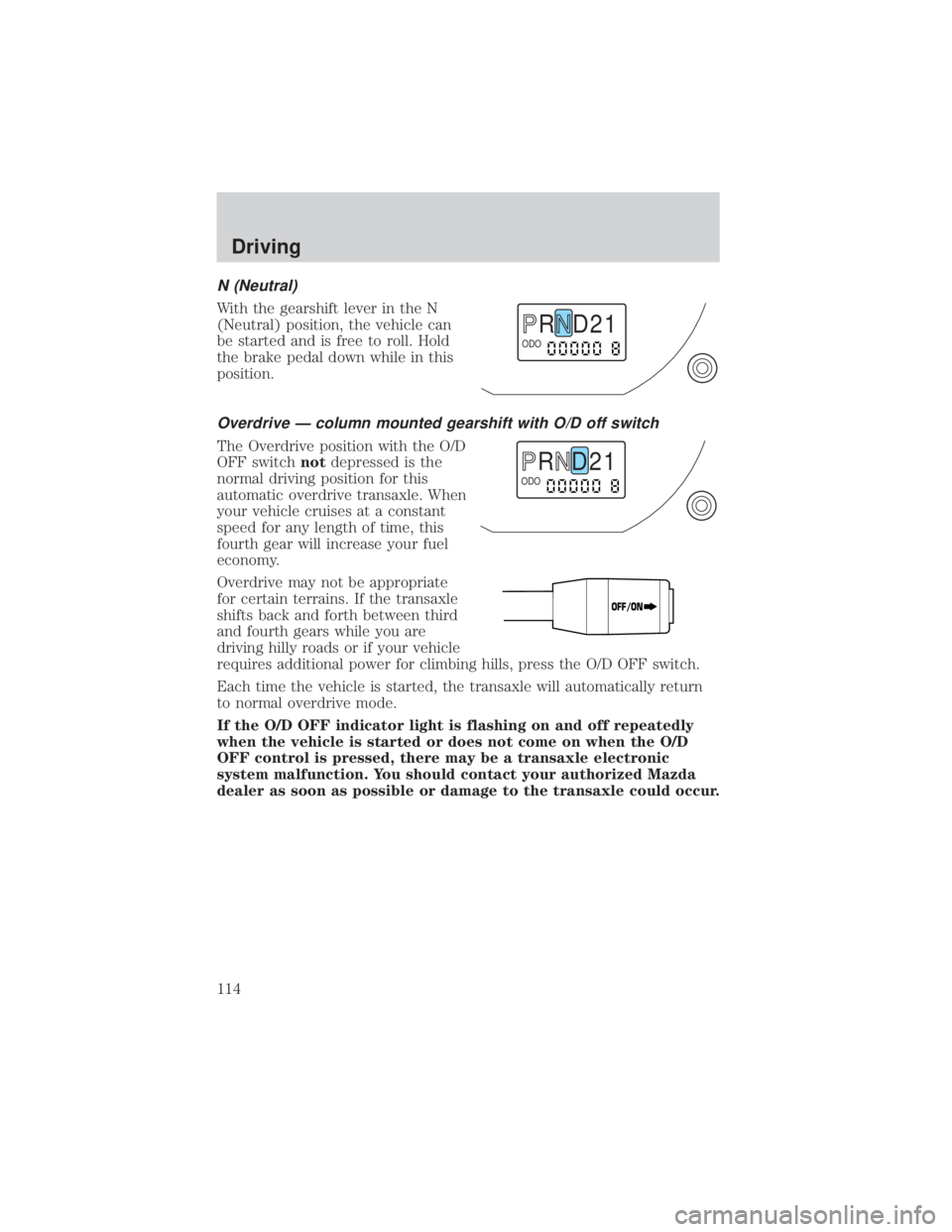
N (Neutral)
With the gearshift lever in the N
(Neutral) position, the vehicle can
be started and is free to roll. Hold
the brake pedal down while in this
position.
Overdrive Ð column mounted gearshift with O/D off switch
The Overdrive position with the O/D
OFF switchnotdepressed is the
normal driving position for this
automatic overdrive transaxle. When
your vehicle cruises at a constant
speed for any length of time, this
fourth gear will increase your fuel
economy.
Overdrive may not be appropriate
for certain terrains. If the transaxle
shifts back and forth between third
and fourth gears while you are
driving hilly roads or if your vehicle
requires additional power for climbing hills, press the O/D OFF switch.
Each time the vehicle is started, the transaxle will automatically return
to normal overdrive mode.
If the O/D OFF indicator light is flashing on and off repeatedly
when the vehicle is started or does not come on when the O/D
OFF control is pressed, there may be a transaxle electronic
system malfunction. You should contact your authorized Mazda
dealer as soon as possible or damage to the transaxle could occur.
R D 2 1ODO
R D 2 1ODO
OFF/ON
Driving
114
Page 116 of 232
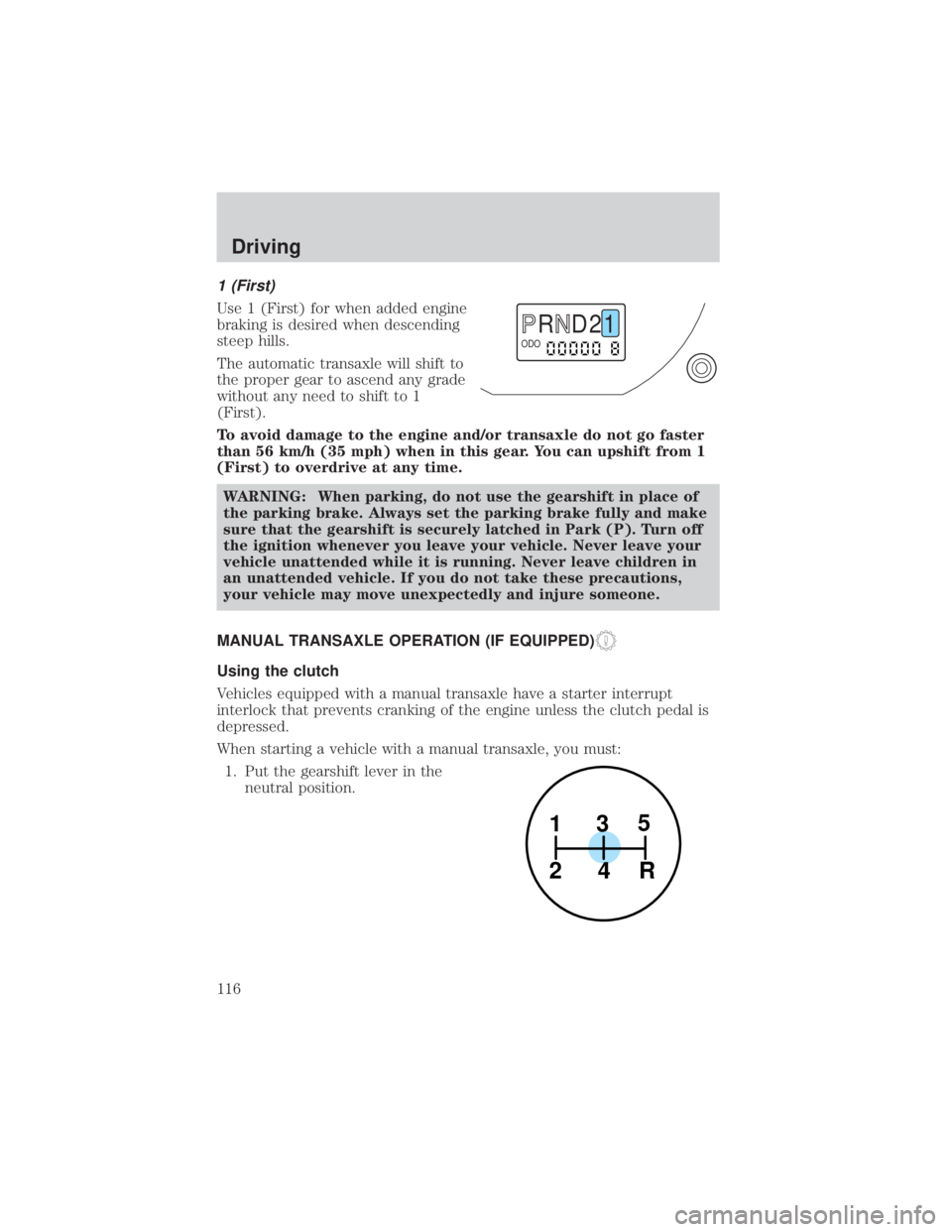
1 (First)
Use 1 (First) for when added engine
braking is desired when descending
steep hills.
The automatic transaxle will shift to
the proper gear to ascend any grade
without any need to shift to 1
(First).
To avoid damage to the engine and/or transaxle do not go faster
than 56 km/h (35 mph) when in this gear. You can upshift from 1
(First) to overdrive at any time.WARNING: When parking, do not use the gearshift in place of
the parking brake. Always set the parking brake fully and make
sure that the gearshift is securely latched in Park (P). Turn off
the ignition whenever you leave your vehicle. Never leave your
vehicle unattended while it is running. Never leave children in
an unattended vehicle. If you do not take these precautions,
your vehicle may move unexpectedly and injure someone.
MANUAL TRANSAXLE OPERATION (IF EQUIPPED)
Using the clutch
Vehicles equipped with a manual transaxle have a starter interrupt
interlock that prevents cranking of the engine unless the clutch pedal is
depressed.
When starting a vehicle with a manual transaxle, you must: 1. Put the gearshift lever in the neutral position.
R D 2 1ODO
1
24R 3
5
Driving
116
Page 117 of 232
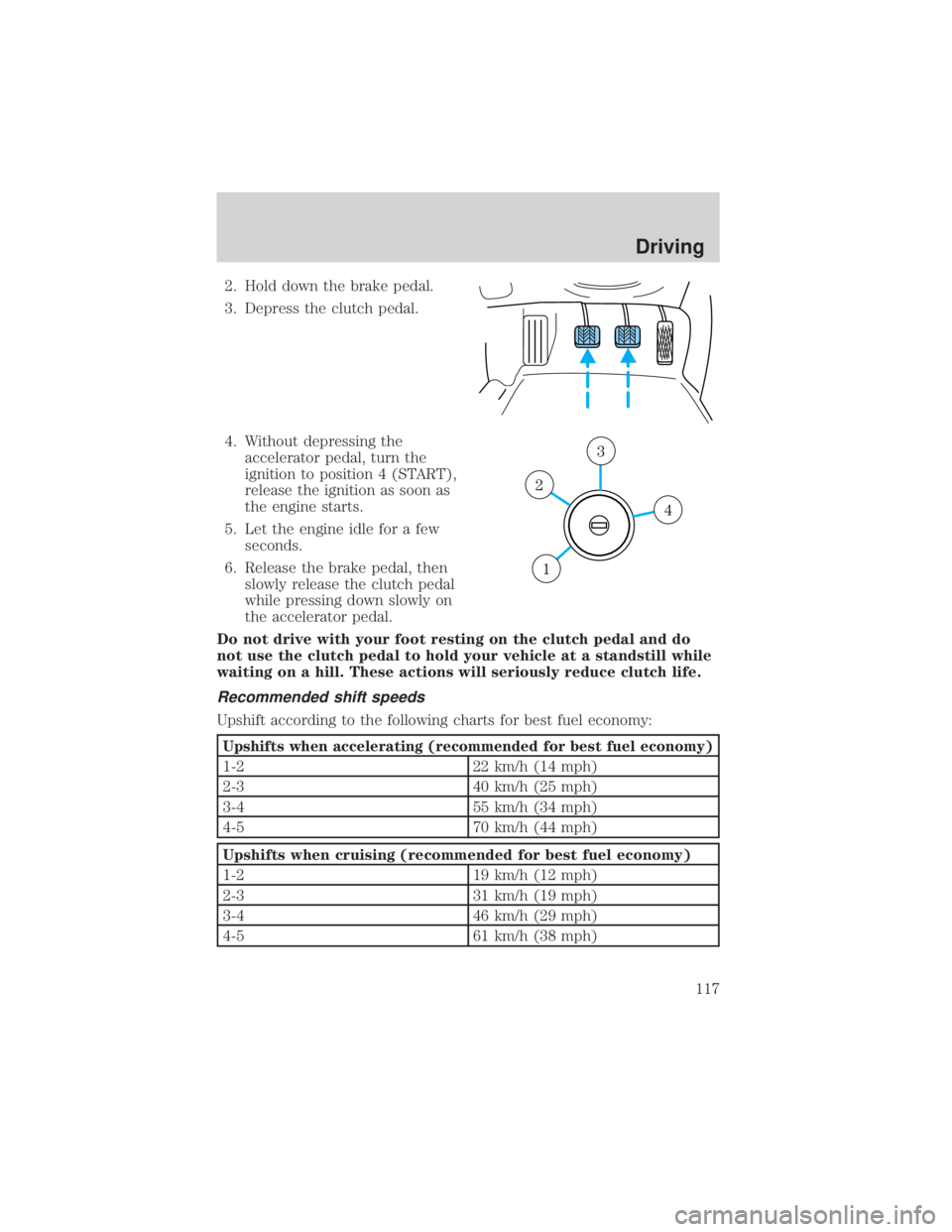
2. Hold down the brake pedal.
3. Depress the clutch pedal.
4. Without depressing theaccelerator pedal, turn the
ignition to position 4 (START),
release the ignition as soon as
the engine starts.
5. Let the engine idle for a few seconds.
6. Release the brake pedal, then slowly release the clutch pedal
while pressing down slowly on
the accelerator pedal.
Do not drive with your foot resting on the clutch pedal and do
not use the clutch pedal to hold your vehicle at a standstill while
waiting on a hill. These actions will seriously reduce clutch life.
Recommended shift speeds
Upshift according to the following charts for best fuel economy:
Upshifts when accelerating (recommended for best fuel economy)
1-2 22 km/h (14 mph)
2-3 40 km/h (25 mph)
3-4 55 km/h (34 mph)
4-5 70 km/h (44 mph)
Upshifts when cruising (recommended for best fuel economy)
1-2 19 km/h (12 mph)
2-3 31 km/h (19 mph)
3-4 46 km/h (29 mph)
4-5 61 km/h (38 mph)
4
3
2
1
Driving
117
Page 118 of 232
Reverse
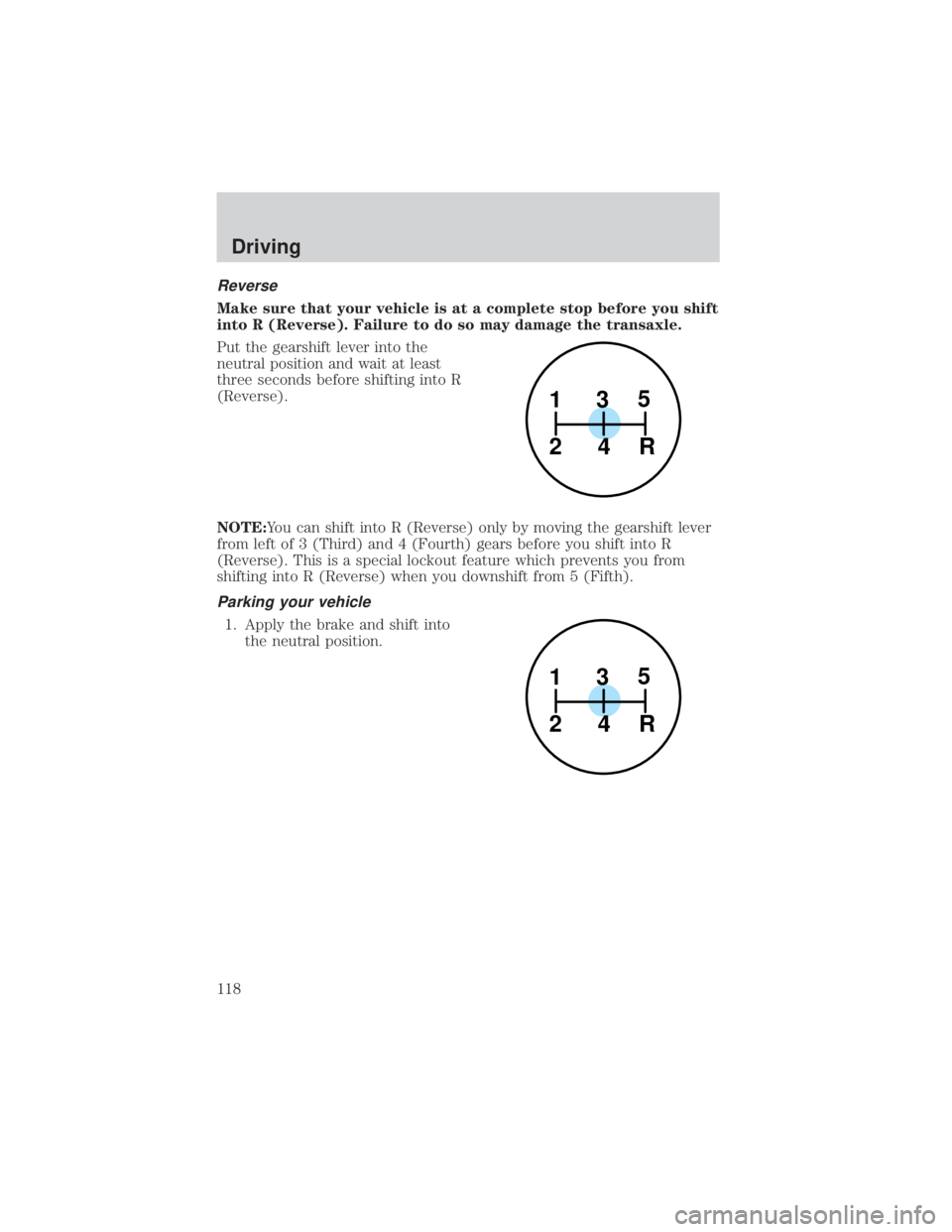
Make sure that your vehicle is at a complete stop before you shift
into R (Reverse). Failure to do so may damage the transaxle.
Put the gearshift lever into the
neutral position and wait at least
three seconds before shifting into R
(Reverse).
NOTE:You can shift into R (Reverse) only by moving the gearshift lever
from left of 3 (Third) and 4 (Fourth) gears before you shift into R
(Reverse). This is a special lockout feature which prevents you from
shifting into R (Reverse) when you downshift from 5 (Fifth).
Parking your vehicle
1. Apply the brake and shift intothe neutral position.
1
24R 3
5
1
24R 3
5
Driving
118